11 Useful Subscription Tracker Templates for Renewals and Budgets
A Subscription Tracker brings recurring charges out of the background and into one reviewable list. Streaming, software, storage and memberships can each look small until monthly and annual renewals are considered together. The useful starting point is a reliable record of what you pay, when it renews and whether you still use it.
This guide compares 11 Creative Fabrica downloads, from simple printable PDFs to editable audit workbooks and a spreadsheet companion. The choices serve different needs: a one-page overview, a structured cancellation review or a calendar that places subscriptions beside other bills. Specifications below come from the product listings; these are editorial comparisons, not hands-on software tests.
Use the images to compare writing space and visual style, then check the format, page size and editing requirements before downloading. A larger page count is worthwhile only if the additional records help you make decisions. None of the printable trackers should be assumed to connect to your bank or cancel an account automatically.
In this guide
Choose a Subscription Tracker That Matches Your Review
If your main problem is forgetting renewal dates, a small overview may be enough. If you need to decide what to cancel, look for usage reviews, comparison sheets and a cancellation log. A general bill calendar works better for payment timing than for evaluating whether a subscription earns its place.
Separate annual and monthly billing in your records. Write the actual charge and frequency, and calculate a monthly equivalent only for comparison. Keep the original renewal date visible so that an annual charge does not disappear inside an averaged total.
Choose printable PDF for a simple paper routine, Canva when you want to change headings, and a spreadsheet when calculations matter. A digital PDF is usually a document you annotate; it is not automatically a spreadsheet or a hyperlinked planner.
1. Four-Version Subscription Tracker
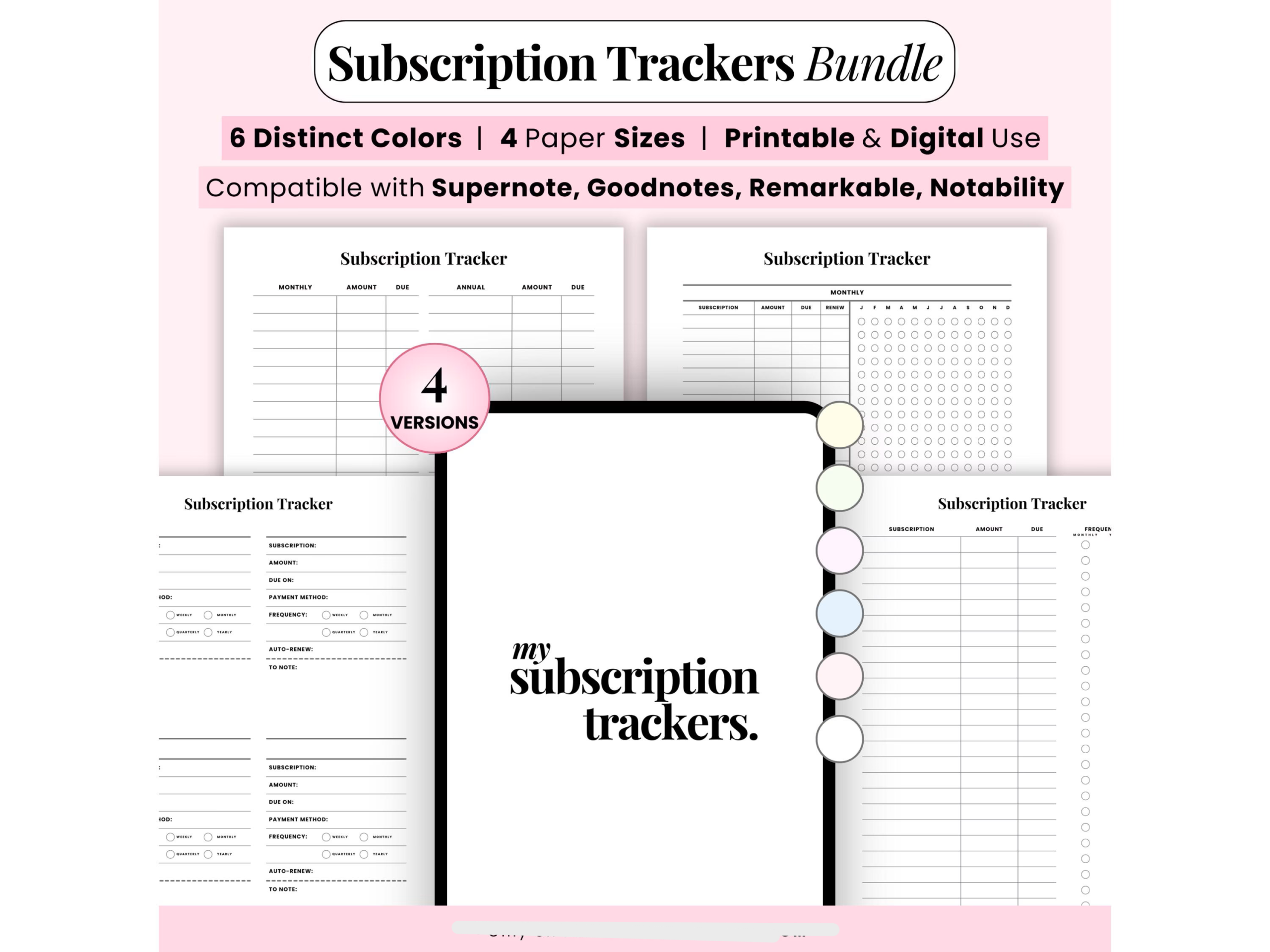
This bundle is a flexible choice when your finance binder and tablet use different page sizes. The listing specifies four layouts, six colors and A4, A5, US Letter and Half Letter PDFs, giving you more scope to choose a readable page without rebuilding the design.
Start with a master list of services, then use a separate copy for memberships shared with your household. Compare the monthly equivalent of annual charges before deciding which services deserve a place in your budget.
The seller lists PDF annotation compatibility with Goodnotes, Notability, Supernote and reMarkable. That means writing on a document; it does not establish automatic billing imports, renewal notifications or editable source layouts.
2. 30-Page Subscription Audit Planner
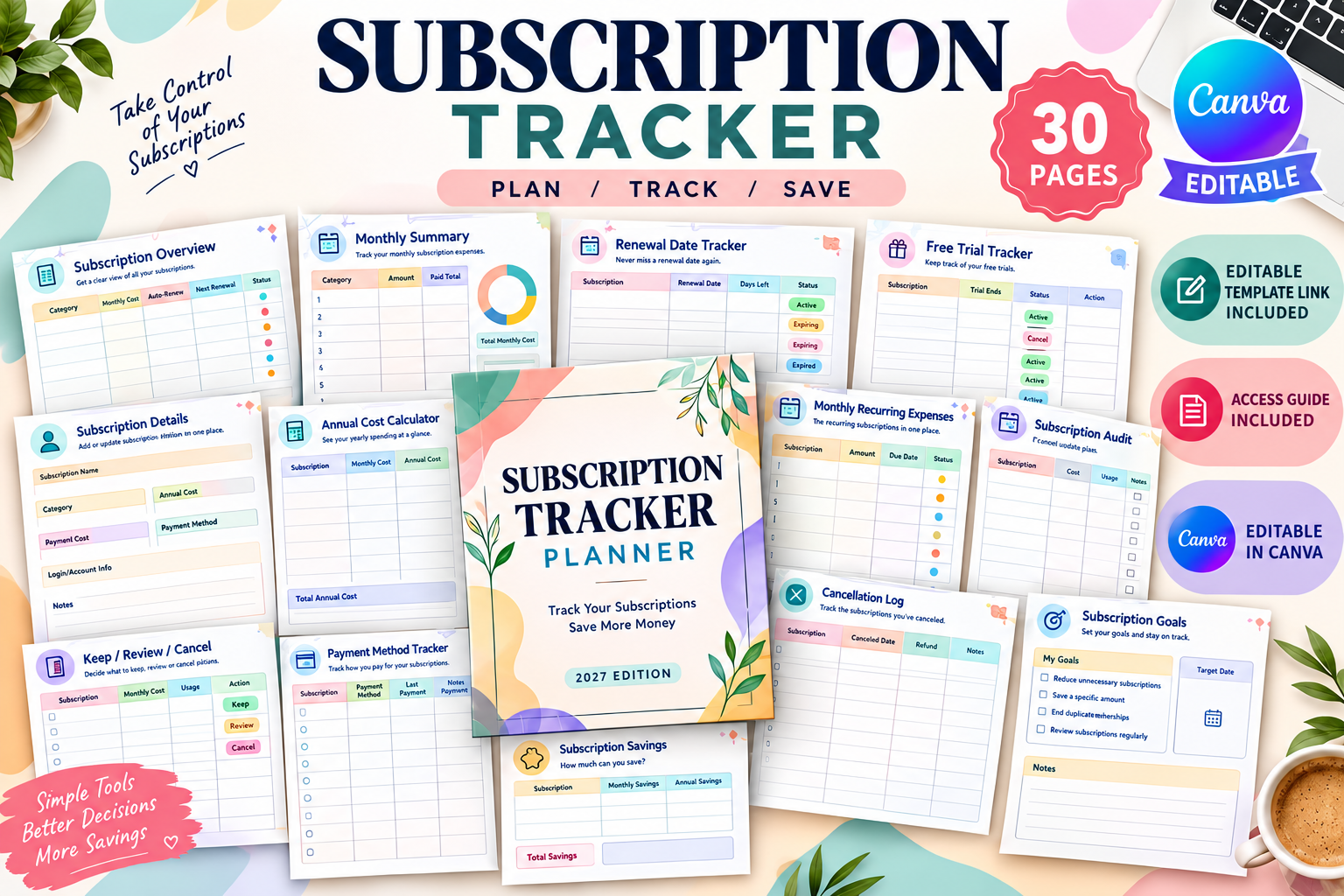
The 30-page US Letter Canva planner has a particularly clear decision-making sequence: subscription overview, free-trial and cancellation deadlines, unused-service checks, a Keep / Review / Cancel worksheet and a cancellation log. It suits people whose problem is deciding what to retain, rather than simply listing payments.
Use the trial tracker when signing up, and write a review date earlier than the cancellation deadline. After cancelling a service, keep its confirmation in the cancellation log and check the next statement before marking the issue complete.
A Canva template link and access guide are listed. The benefit is customizable pages, not a connection to your bank or subscription accounts; every renewal date and cost still needs to be checked and entered.
3. Anny Sketches Subscription PDF
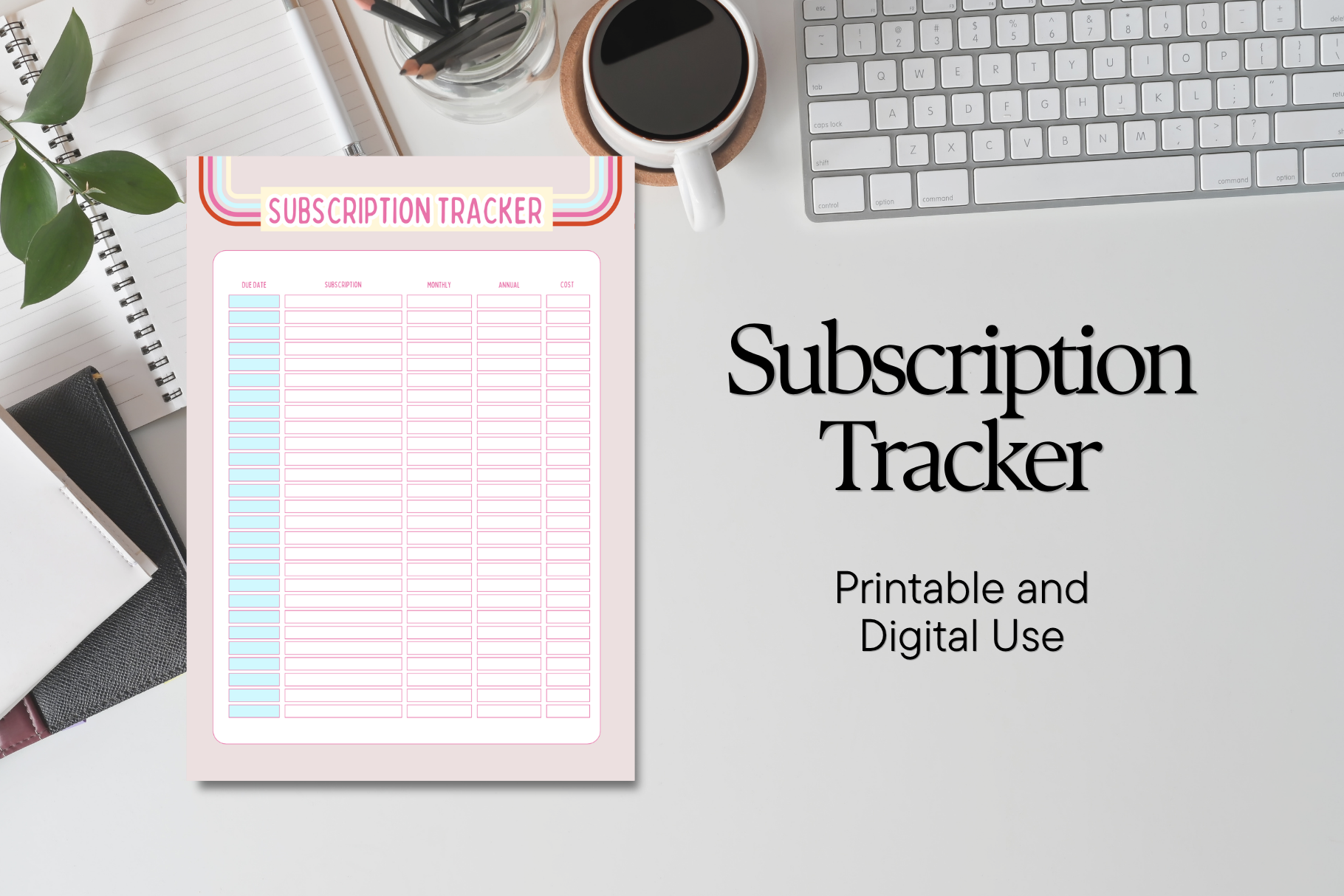
Anny Sketches offers a straightforward PDF for recurring subscriptions and renewal dates. This is a practical lighter alternative to a large workbook if you already keep a monthly budget and only need an additional subscription record.
Make one row for each service and check it against a recent statement. A short monthly review can then reveal an unexpected renewal or a subscription that has stayed on the list despite falling out of use.
The listing confirms print and digital use but does not specify an exact page count, paper size or editable source file. Check the preview for writing space before downloading, especially if you intend to use a compact binder.
4. JUNDI Multi-Format Subscription Template
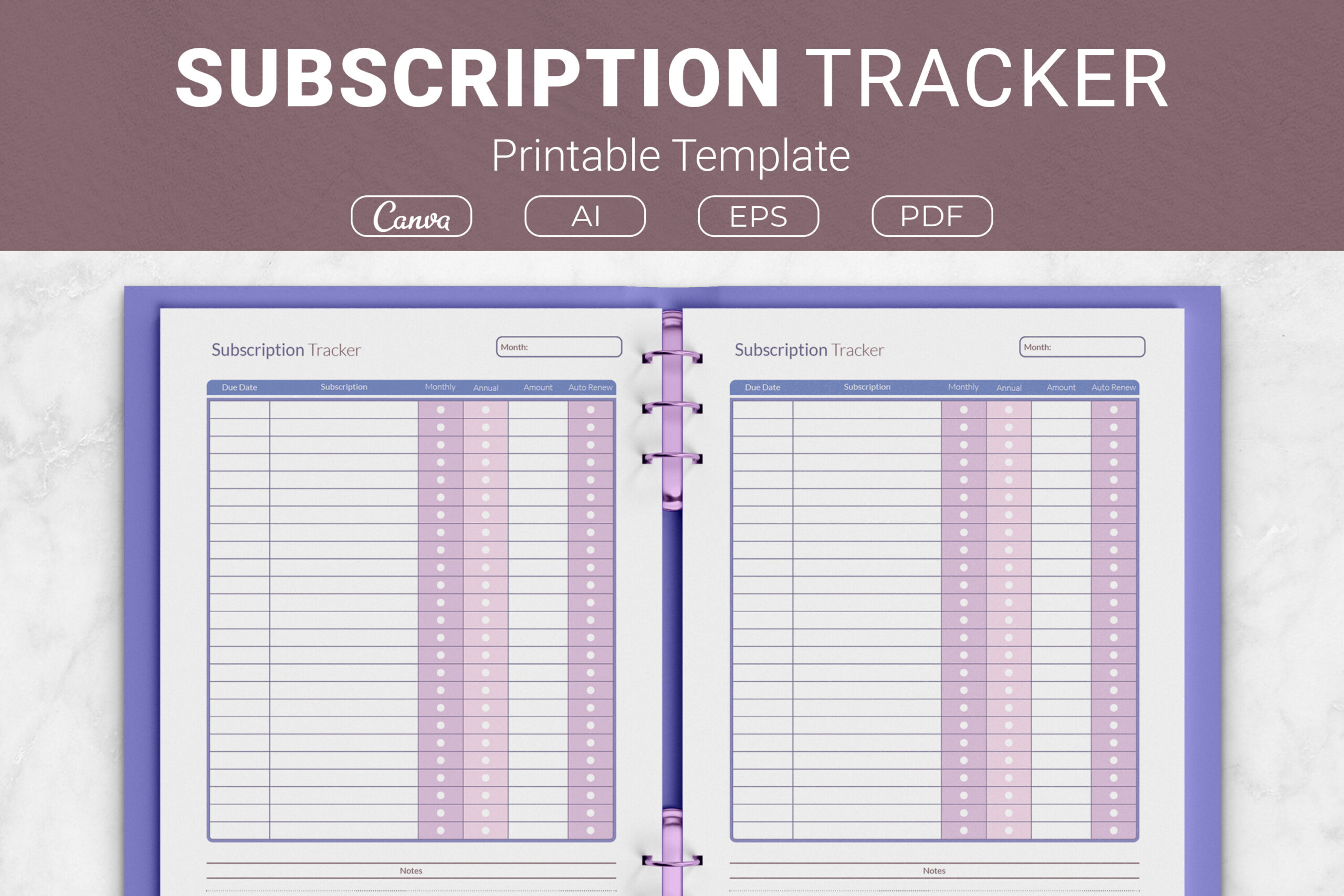
JUNDI’s table identifies the due date, subscription name, monthly or annual frequency, monthly amount, auto-renew status and notes. Its combination of AI, EPS, printable PDF and a Canva template link makes it useful when you want to alter labels as well as record expenses.
The four listed sizes include US Letter, A4, 7.5 × 9.25 inches and 6 × 9 inches. Choose the larger format if you tend to write longer cancellation notes, and normalize annual costs into monthly amounts for comparison.
Editable source files are a strength, but Illustrator files require suitable software. The auto-renew column records your own information; it does not change an account’s renewal settings or cancel a service for you.
5. Azhir Subscription Review Workbook
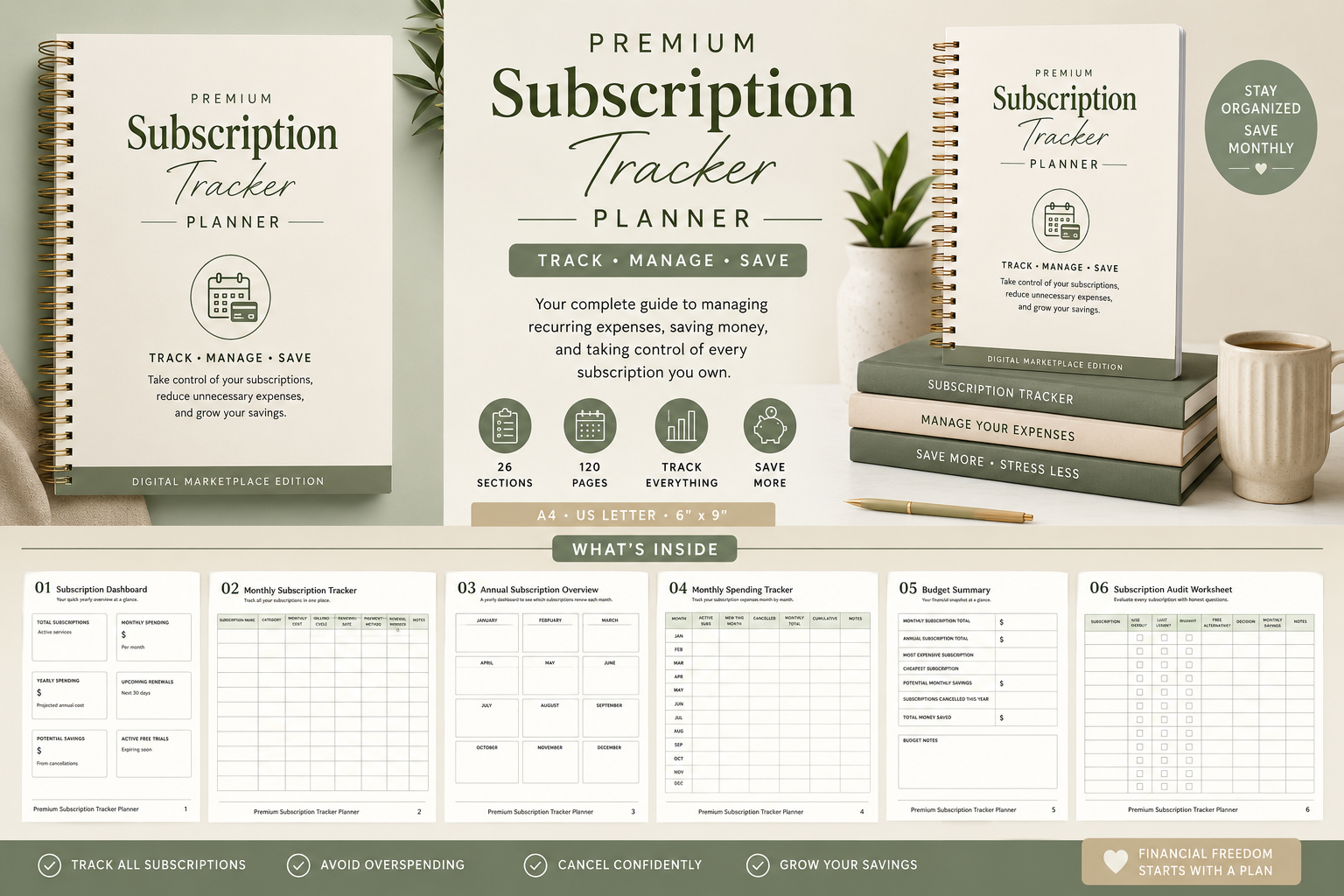
Azhir combines 24 A4 pages with 27 described sections, including a renewal calendar, comparison worksheets, unused-service checks and savings records. The distinction matters: the listing describes 27 sections, not 27 separate pages.
This is a good fit for a deliberate spending review. Compare overlapping streaming or software subscriptions, record a Keep or Cancel decision, and transfer the expected saving to the workbook’s progress pages only after the charge has stopped.
The cream palette and thin borders favor a calm printed binder. Charts and totals are filled manually, and password-reference pages should be handled carefully; recording a service name or account reminder is often more useful than writing a sensitive password.
6. Cozy Pastel Landscape Tracker
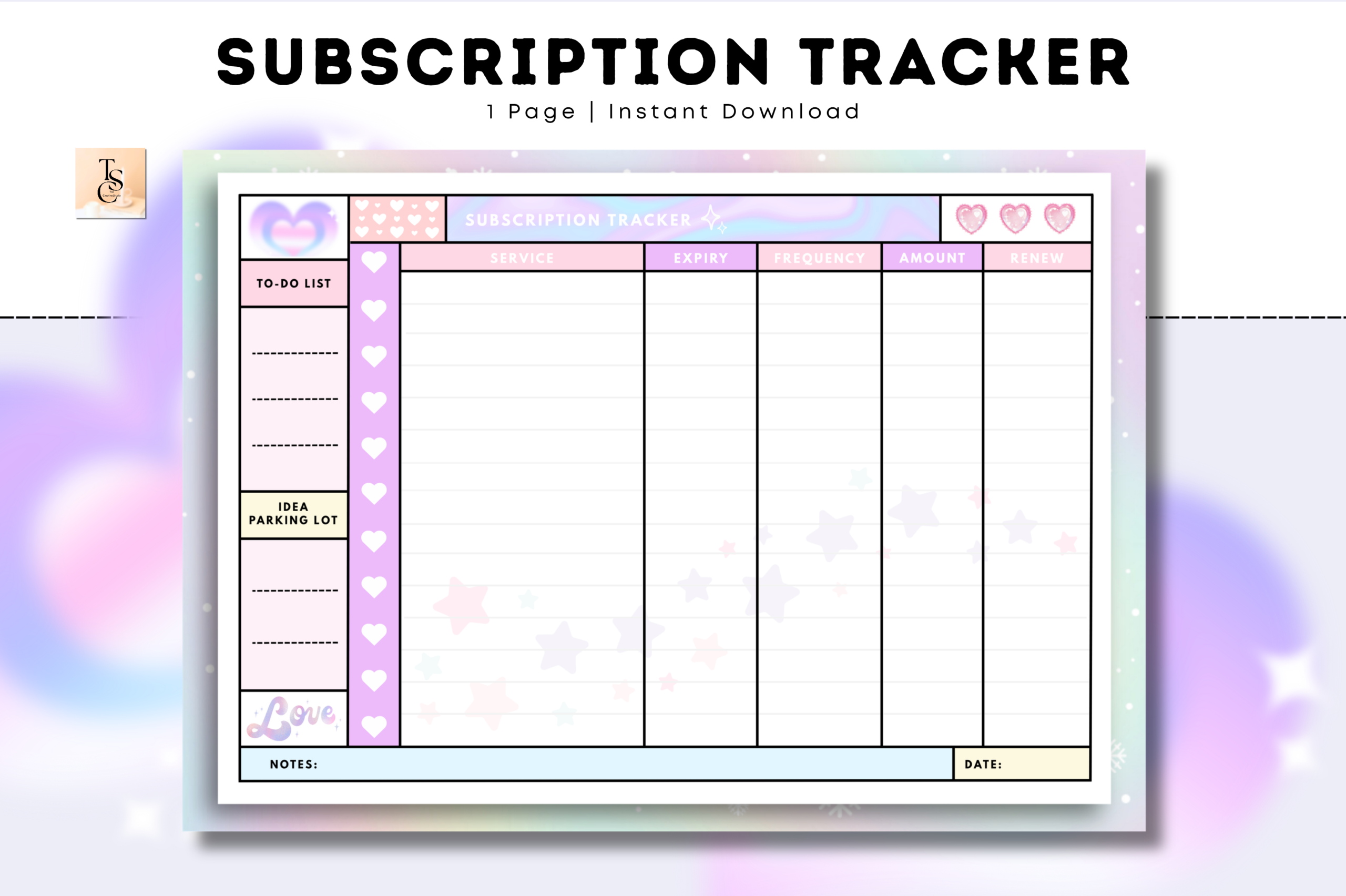
Tas Creative Studio’s undated A4 landscape tracker provides printable and digital PDF versions. The wider orientation can be useful when subscription names or notes feel cramped on a portrait page.
Keep it as a single recurring-expense overview beside your usual budget. Reviewing the same sheet each month makes changes in price or household usage easier to spot than scattering subscription notes across daily planner pages.
The seller lists several PDF annotation apps, including GoodNotes, Notability, Noteshelf and Xodo. No hyperlinked navigation or editable Canva source is specified, and landscape pages may need an appropriately sized binder or tablet view.
7. Jata Arts Subscription and Payment PDFs
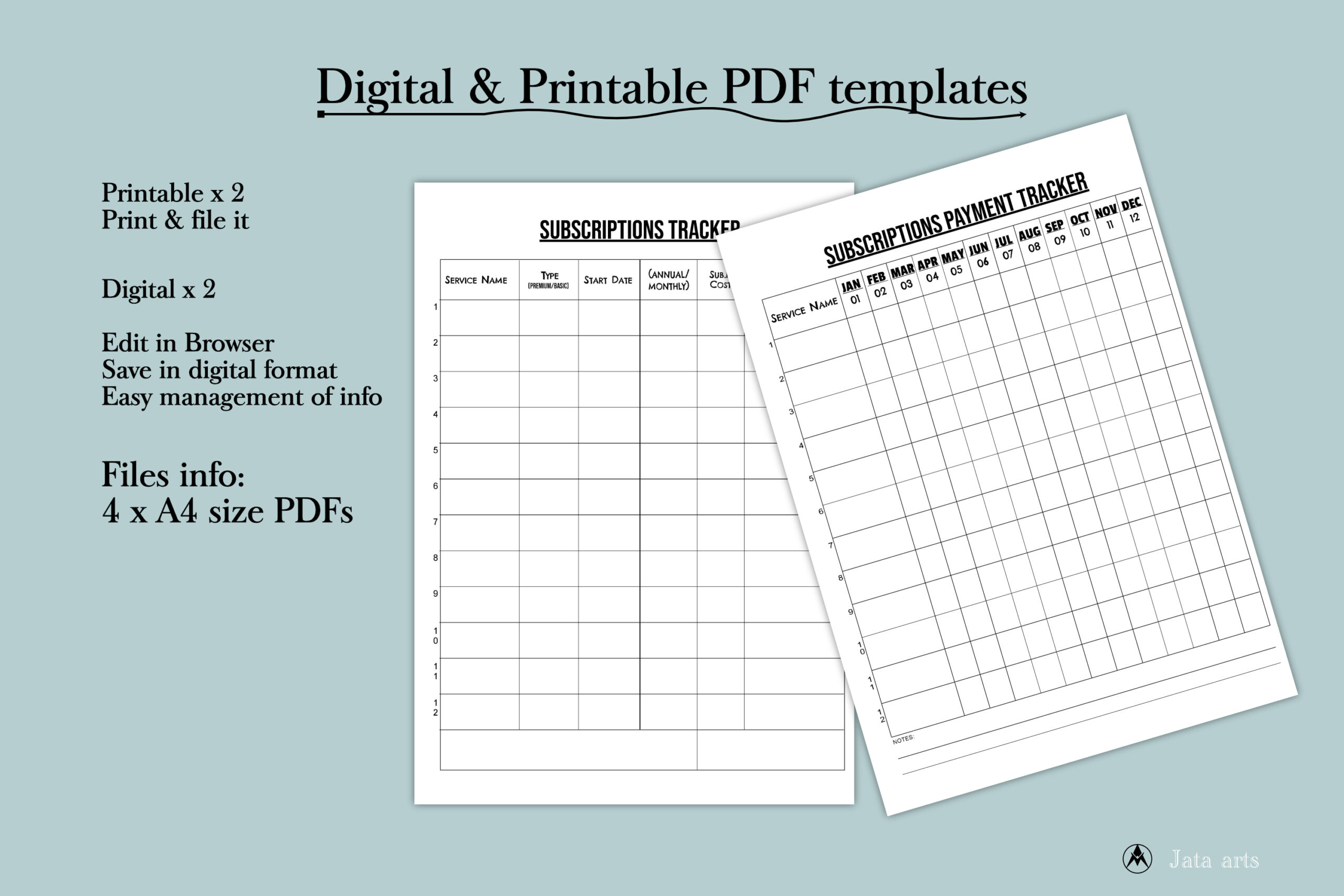
Jata Arts separates the subscriptions overview from the payment tracker. The download contains four A4 PDFs: printable and digital versions of each type. This distinction is useful when you want both an account inventory and a record of actual charges.
Update the inventory when joining or leaving a service, then use the payment sheet during your statement review. Keeping expected renewals separate from recorded payments makes an unrecognized amount easier to investigate.
The listing describes the digital PDFs as editable but does not explain whether that means form fields or another editing workflow. Do not assume automatic calculations or software integrations; check the supplied files in your intended PDF app.
8. HillTract Binder-Friendly Tracker
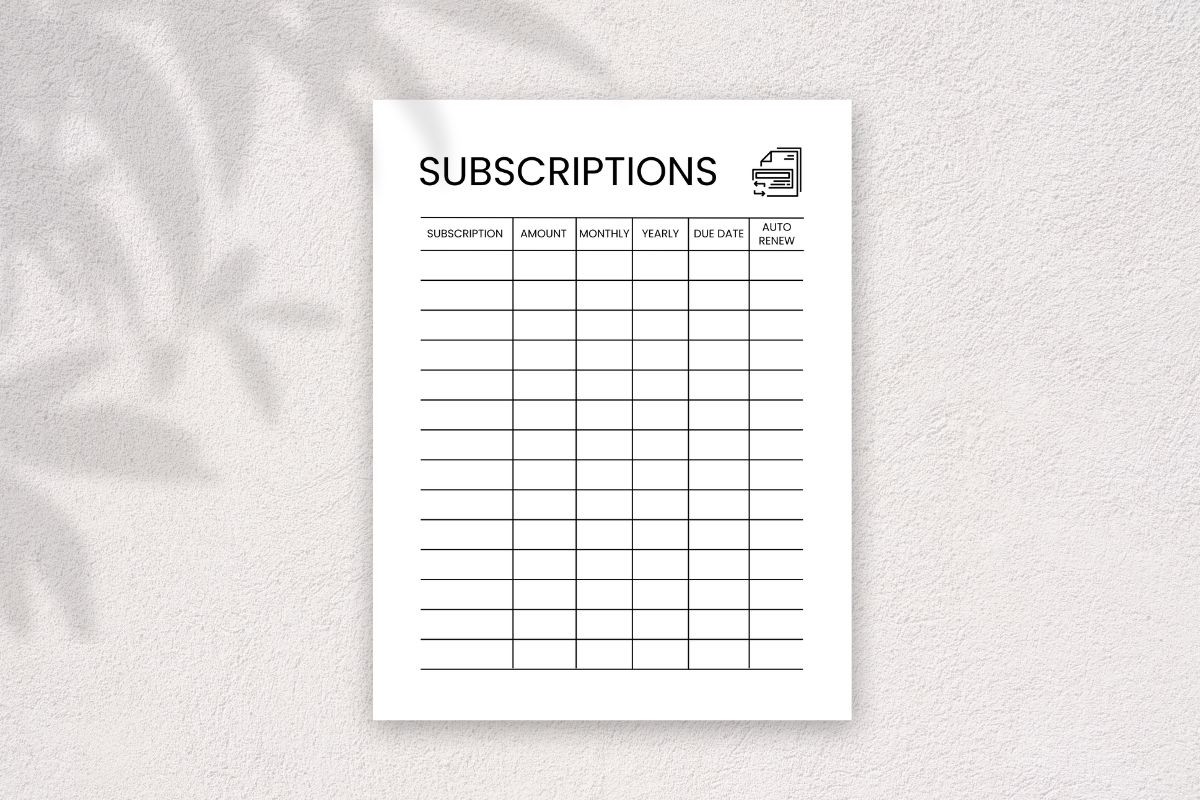
HillTract supplies a US Letter PDF, PNG and Canva template link, with space for hole punches on either side. That practical margin detail is useful for a ring binder where a full-width table can otherwise disappear under the binding.
Customize the labels before printing if your subscriptions need a cancellation reference or account-owner field. Print a single test page first and check both the punch margin and the smallest text at actual size.
The listing explicitly describes personal-use restrictions. Treat it as a personal or office organization download, and review the current product terms before considering any reuse beyond that purpose. No automated reminders are promised.
9. 120-Page Canva Subscription Interior
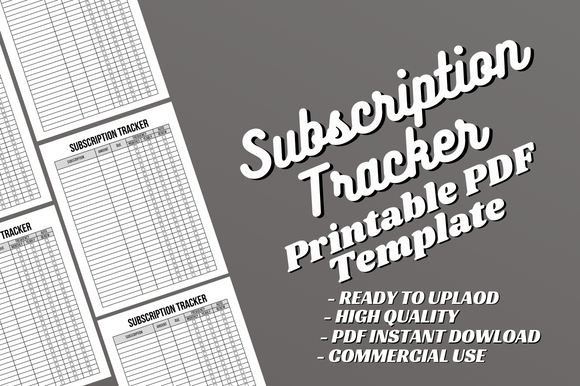
Alternative Creative Studio provides a 120-page US Letter PDF and an editable Canva interior with no bleed. It is best considered when you want a longer bound subscription record, rather than a compact one-sheet overview.
A sensible personal setup is to dedicate a section to each year or household and add your own headings in Canva. Select only the pages you need for a binder instead of printing the entire interior automatically.
The page count does not prove 120 unique tracker designs. The listing also specifies interior only, so a finished cover is not included, and the precise tracking fields should be checked in the preview before choosing it.
10. Recurring Payment Review Workbook
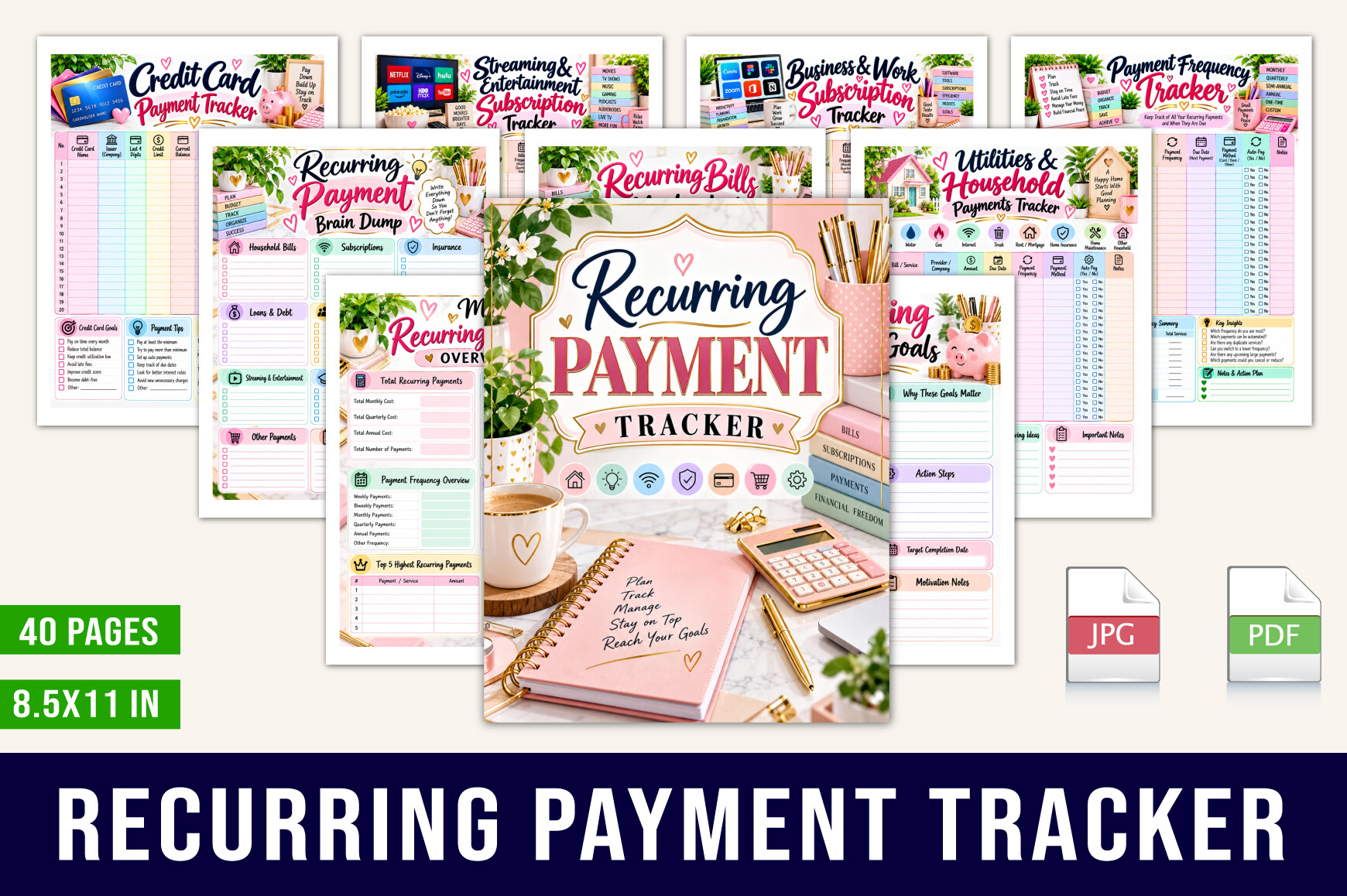
designmela01’s 40-page US Letter PDF places subscriptions within a broader recurring-payment system. It explicitly includes renewal and free-trial tracking, subscription audits and cancellation records alongside household bills, insurance and debt payments.
Choose this when subscription spending competes with many other recurring obligations. Start with the master list, then use the dedicated subscription pages to review discretionary services without mixing them up with essential household payments.
Its breadth is also its limitation: someone wanting only a small subscription checklist may find many pages unnecessary. The listing describes printable PDF records, not an automated billing service, bank feed or payment processor.
11. Excel and Google Sheets Bill Calendar
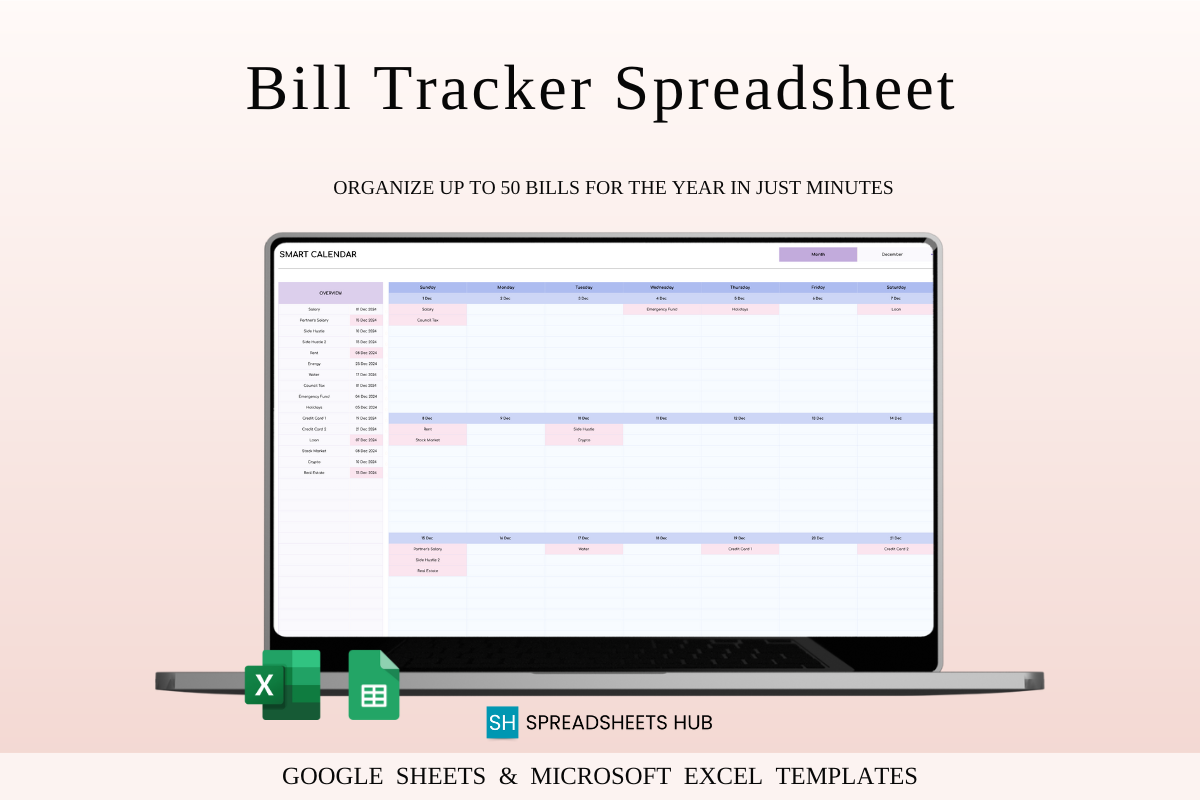
SpreadsheetsHub offers a spreadsheet companion for scheduling recurring bills, with sample and blank versions for Excel and Google Sheets. The listing describes selectable month and year, paid-versus-unpaid tracking and automatic calculations.
It is useful for placing subscription charges beside utilities and other bills on a calendar. Enter a small test set first, compare the displayed totals with your own calculations, and then add the rest of your payment schedule.
This is a general bill tracker, not a dedicated cancellation or trial audit. A Google account or Excel software is required, and the seller recommends desktop editing. Listed calculation features have not been independently tested here.
Build a Reliable Renewal Record
Collect the service name, charge, billing interval, renewal date and account owner from the actual account or statement. If a free trial is involved, record both its end date and an earlier review date. Put that review on a calendar you already check.
Keep cancellation evidence until a later statement confirms that billing stopped. When an amount changes, record the new price and the date rather than silently replacing the old number. That small history makes your next review more informative.
Review Value Before Cutting Costs
A service used by several household members may deserve a different decision from an unused solo subscription. Compare overlapping services and consider whether a less expensive tier still meets your needs. Treat savings figures as expected until the new billing amount is confirmed.
Pair the tracker with your monthly budget planner so that recurring costs appear within the wider spending plan. A tidy subscription list is useful, but it becomes more actionable when linked to the money available for other priorities.
Subscription Tracker Questions
Can a printable tracker cancel subscriptions? No. It records decisions and dates; cancellation must be completed with the provider. Can a PDF send reminders? Only if your chosen app separately offers a workflow for them, which these listings do not establish.
Do you need every page in a workbook? Usually not. Start with the overview and the decision or payment record you will actually update. Expand only when a specific recurring problem calls for another sheet.