10 Christmas Menu Templates for Festive Dinners and Gatherings
Christmas menu templates help present the dishes you have chosen for a dinner, café offer or holiday display. They serve a different purpose from a meal planner: the focus is readable course names, visual style and a format you can edit and print. These ten options cover Canva access, layered Adobe files, EPS-and-JPG designs and one listing with specifications to confirm.
Some templates are aimed at restaurants or bakeries, so sample prices, branding and dish lists may need changing for a home table. The reviews explain what is supplied and where the preview goes beyond the file inventory. For choosing the dishes and organizing preparation, see our Christmas meal planner guide.
In this guide
Choose Christmas Menu Templates by Editing Workflow
Canva is useful when you want to change text within an online template. PSD and AI sources suit people who already work with compatible design software, while EPS can provide a vector-format route but does not guarantee that every word remains live editable text. A JPG preview or export is a single raster image, not a collection of text fields.
Check paper dimensions, bleed and the finished layout before choosing a template for a specific table-card size. Replace sample dates and menu text, confirm the fonts and make an actual-size proof. Decorative borders should leave enough space for the course names rather than force the lettering too small.
1. Black-and-Gold Double-Sided Christmas Menu in PSD
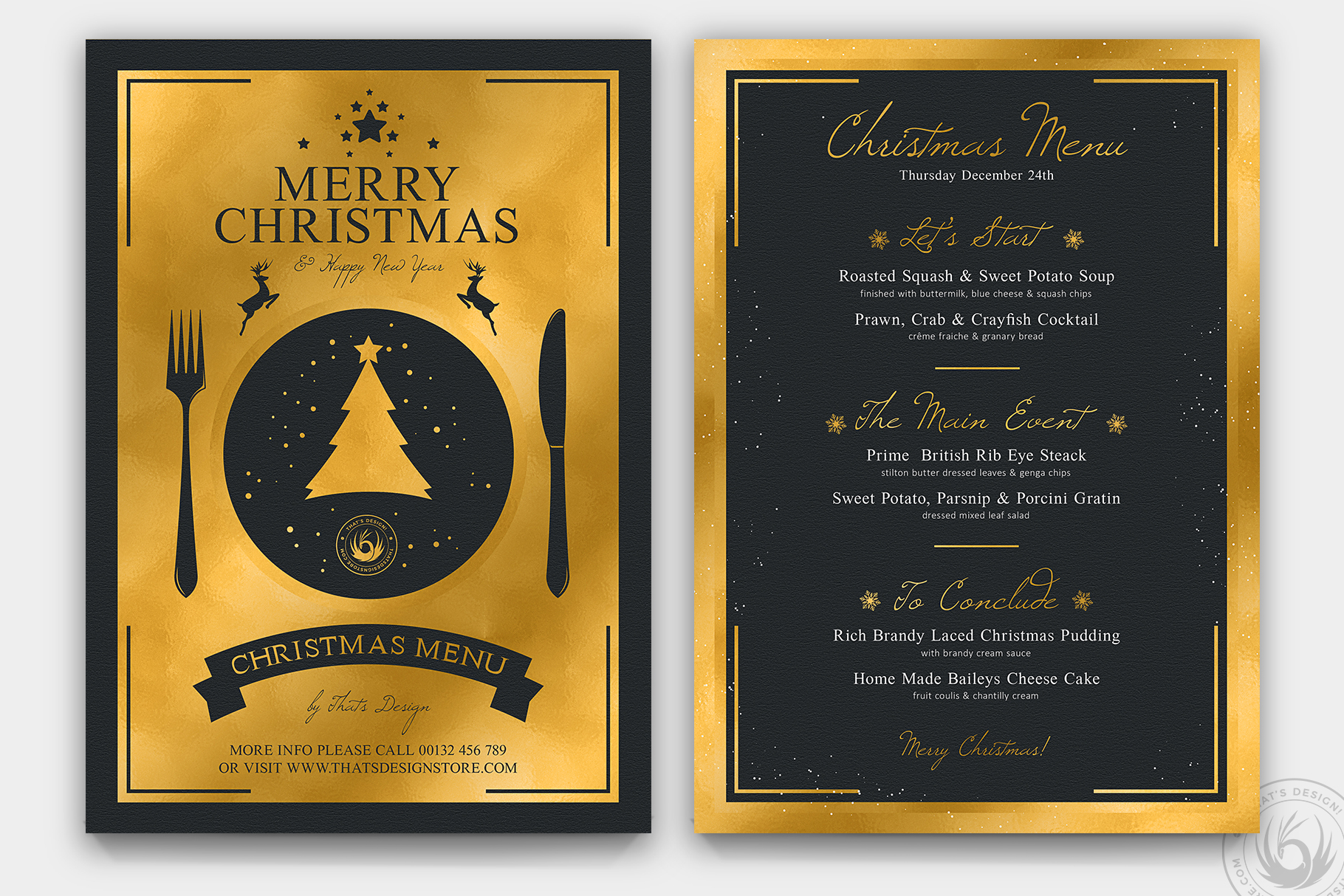
ThatsDesignStore’s Christmas Menu Template V3 supplies two Photoshop PSD files and a help file for a double-sided A4 design. The stated trim is 21 × 29.7 cm, with a 21.6 × 30.3 cm bleed size, CMYK color and 300 DPI. The preview pairs a bold gold greeting side with a black menu page framed in gold, giving it a formal dinner or restaurant style.
Choose it if you already work with Photoshop and want a strong contrast between the cover and the list of courses. The designer describes labeled, grouped layers and provides font-download links in the help file. Replace the sample dish names and any date text before exporting, then check readability on an actual-size print. PSD sources are design files, not a confirmed Canva link or ready-to-type fillable PDF.
2. Red-and-White Ornament Menu with Two Photoshop Files
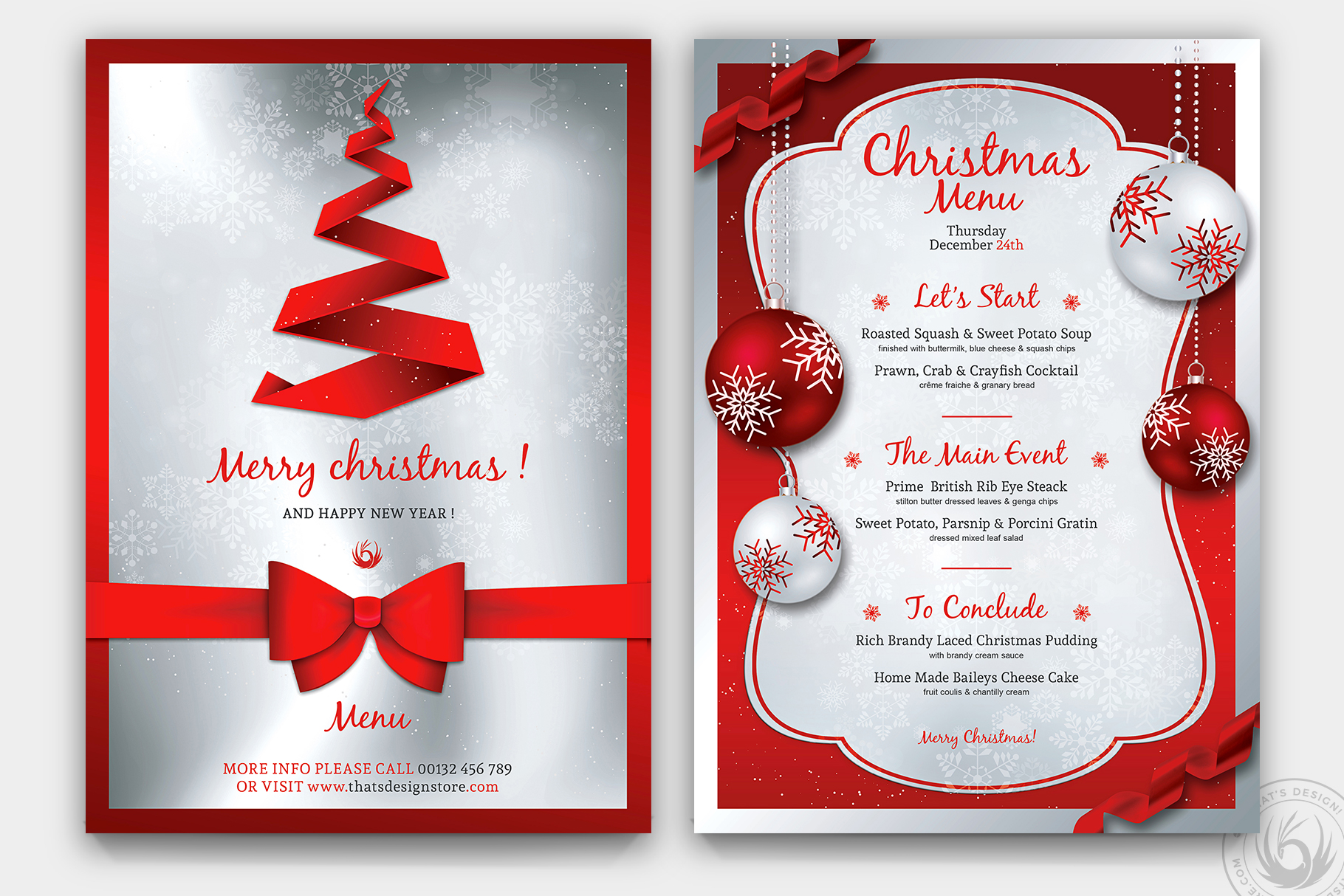
ThatsDesignStore’s Christmas Menu Template V4 is a double-sided A4 menu supplied as two PSD files plus a help file. It lists CMYK, 300 DPI and bleed, with organized layers and font links. The preview uses a red ribbon-tree greeting on one side and a white menu panel surrounded by red baubles on the other, creating a brighter alternative to the black-and-gold version.
This layout suits a traditional red-and-white holiday table or a festive dining offer where several courses need clear sections. Keep the dish list short enough that the decorative border does not force the type too small. Edit the PSDs in your compatible design workflow and confirm fonts before export. The package description does not establish printable PDF exports, live form fields or automatic conversion into a folded table card.
3. Gold-Framed Green-and-Red Christmas Menu in PSD
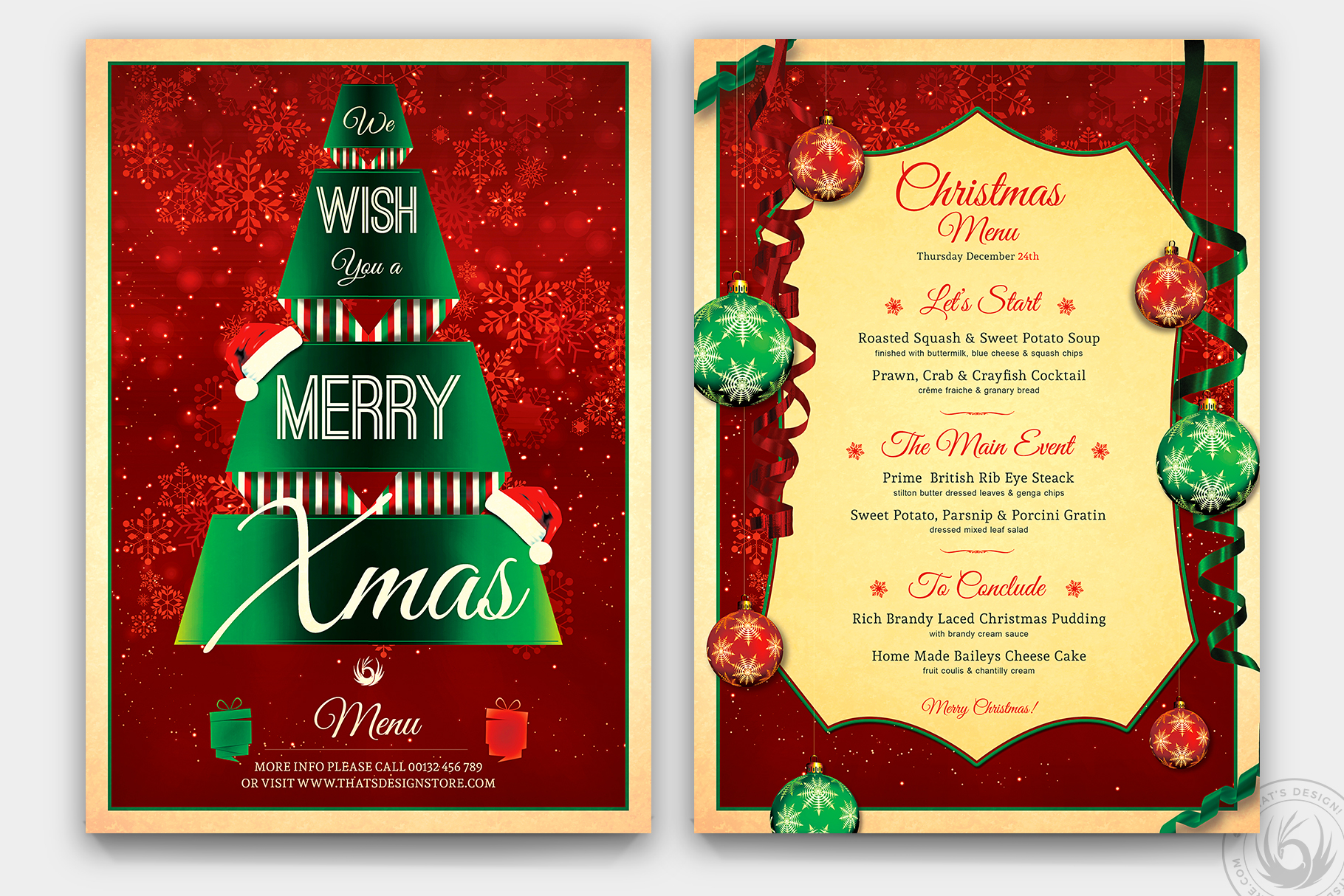
ThatsDesignStore’s Christmas Menu Template V7 provides two Photoshop PSD files and a help file at A4 size with bleed, CMYK color and 300 DPI. The preview shows a red background with a green typographic Christmas tree, paired with a cream menu page decorated with baubles and a gold frame. Its visual style differs from the designer’s simpler black or white menu panels.
Choose it for a display that needs a rich Christmas palette and a clear framed area for the courses. The listing confirms grouped layers and font-download links, but does not explicitly describe the finished folding arrangement. Check both supplied files before deciding how to print them. Replace sample text, dates and branding in the source and export a proof rather than assuming the preview represents a ready-made PDF.
4. A Two-Page Restaurant Menu with AI, EPS and PSD Sources
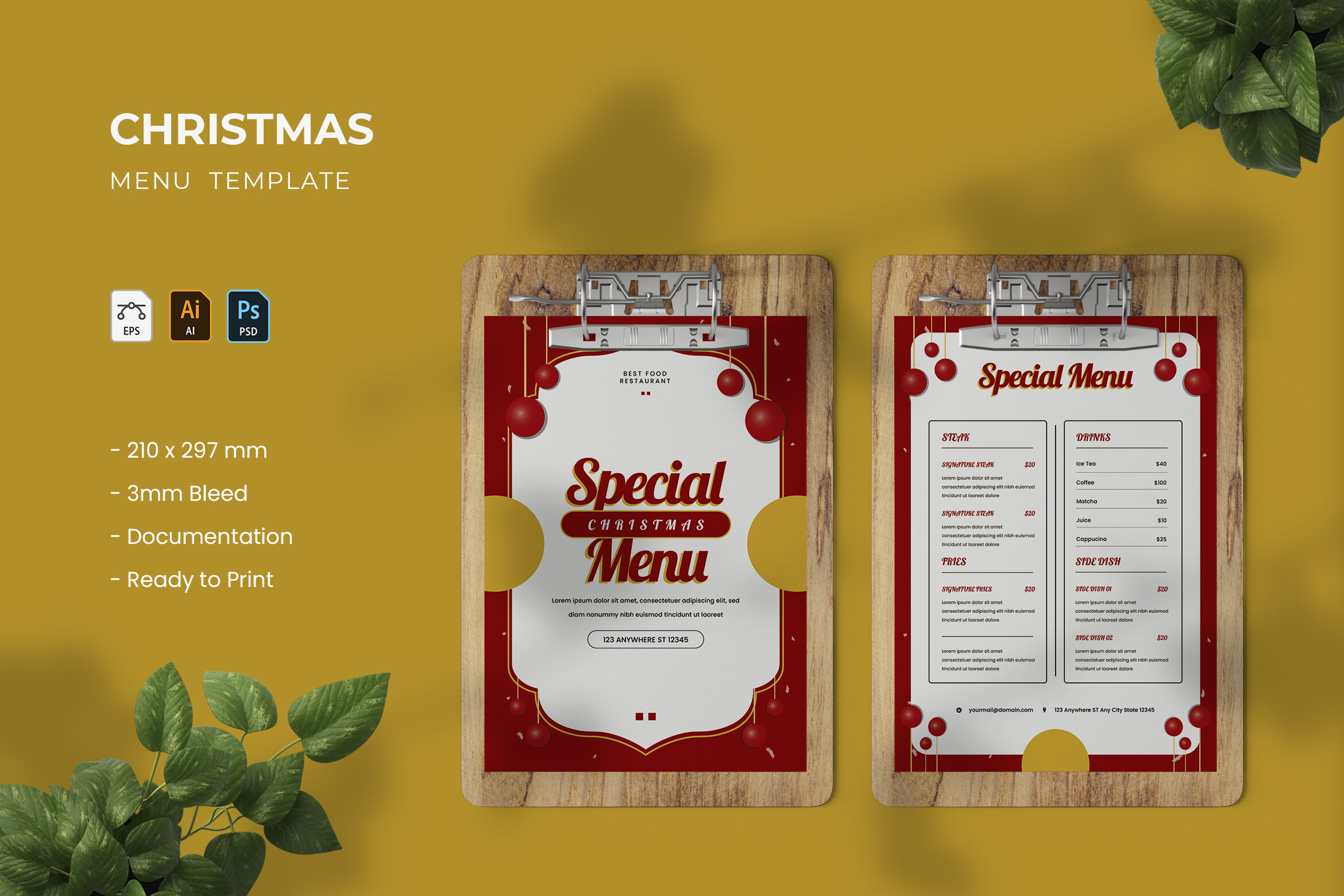
Vunira.Template’s Christmas Menu lists two fully editable pages with AI, EPS and PSD files, plus documentation. The written dimensions are approximately 21 × 29 cm, while the preview states 210 × 297 mm and 3 mm bleed. CMYK and 300 DPI are listed. The preview shows a structured restaurant-style layout with a special-menu heading and areas for several dishes.
Consider it when you want a reusable business-style menu rather than a small personal place-setting card. The multiple source formats give you different editing routes in compatible Adobe software, but check the exact artboard and bleed settings in the chosen file. The listing does not establish that displayed mockup objects or food images are supplied. Replace sample prices and descriptions, then proof the page at the size you intend to print.
5. A Greenery-Framed Christmas Dinner Menu with Canva Access
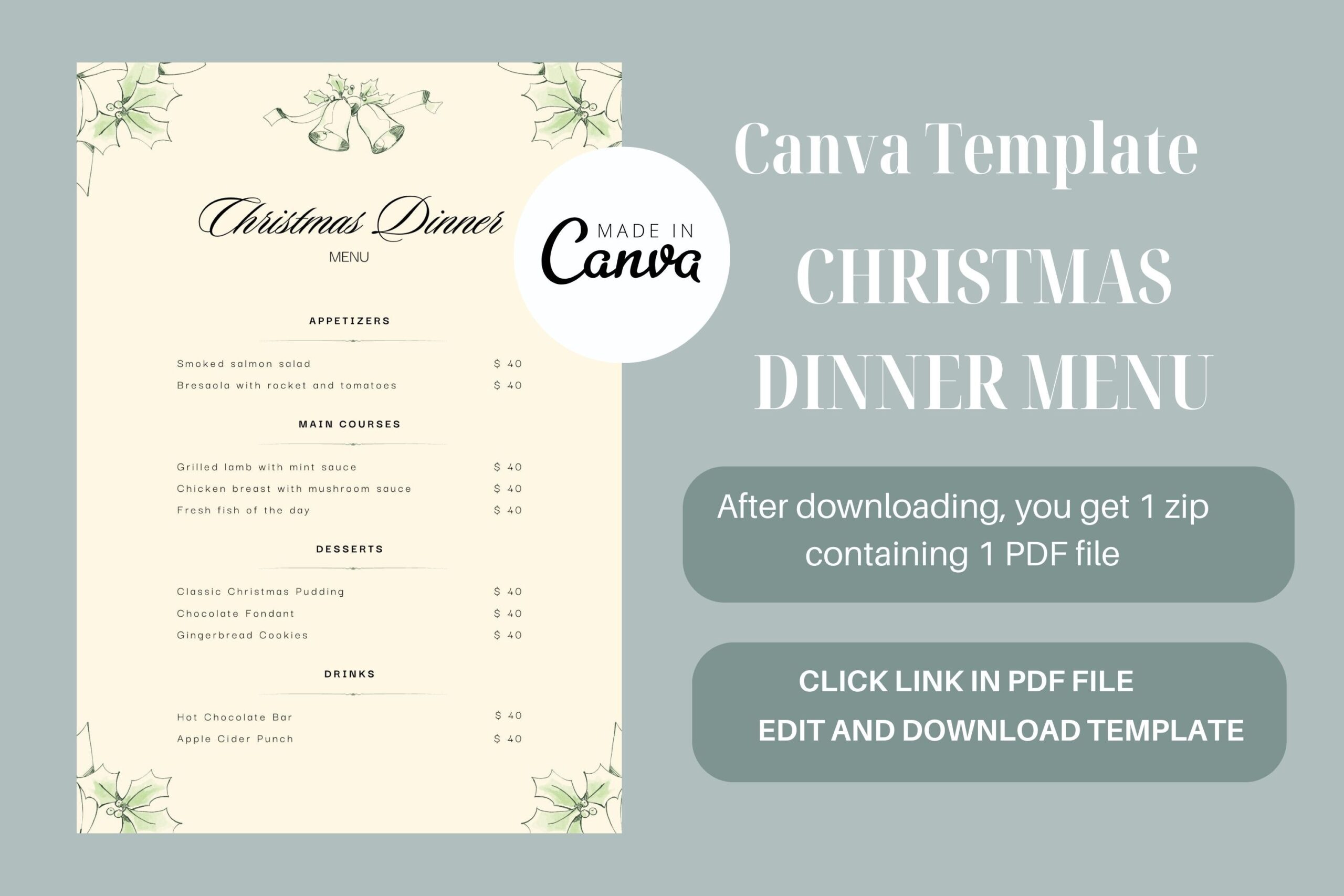
Art’s and Patterns’ Christmas Menu Canva Free Template provides a ZIP containing one PDF with a link to the Canva template. The seller describes use with free or professional Canva accounts and exporting the result as JPG. The preview shows a pale dinner menu framed with delicate green branches, a softer option for a home table than the bold restaurant-style PSD layouts.
Choose it if you want to personalize a dinner menu within Canva rather than edit Adobe source files. Make your working copy, replace the dish text and check the final dimensions before printing; the written listing does not specify paper size. The word Free in the product title should not be taken as proof of unrestricted Creative Fabrica access: the page checked describes subscription availability. The confirmed PDF is an access document, not the completed menu.
6. An A4 Holiday Bakery Menu with Photoshop and Illustrator Sources
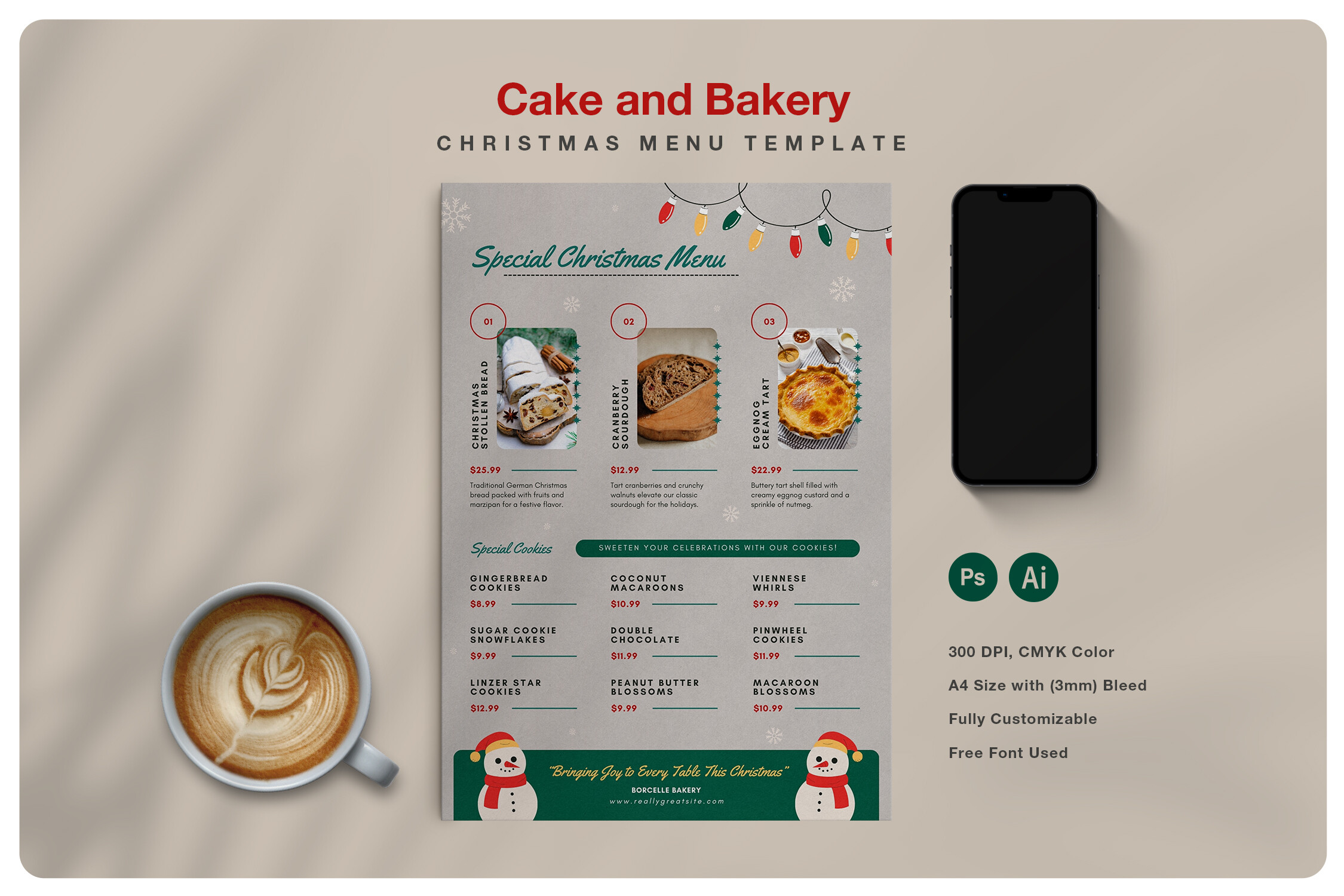
Blancalab Studio’s Christmas Bakery Menu lists PSD, AI and EPS files plus a help file for an A4 design. The preview presents a bakery-style menu with food-photo areas and seasonal details. The seller describes separated image, text and background layers, Photoshop smart objects and a color palette for changing the design.
This is a more natural fit for a holiday bake sale, bakery counter or sweet-treat display than a formal multi-course dinner. Plan your item names and any prices first, then keep each section easy to scan. The listing explicitly excludes all preview and mockup images, so supply your own suitable pictures when the design uses photo areas. Font links and the help file support setup, but a Canva version or fillable PDF is not confirmed.
7. A Wood-Texture Menu Framed by Baubles and Stars
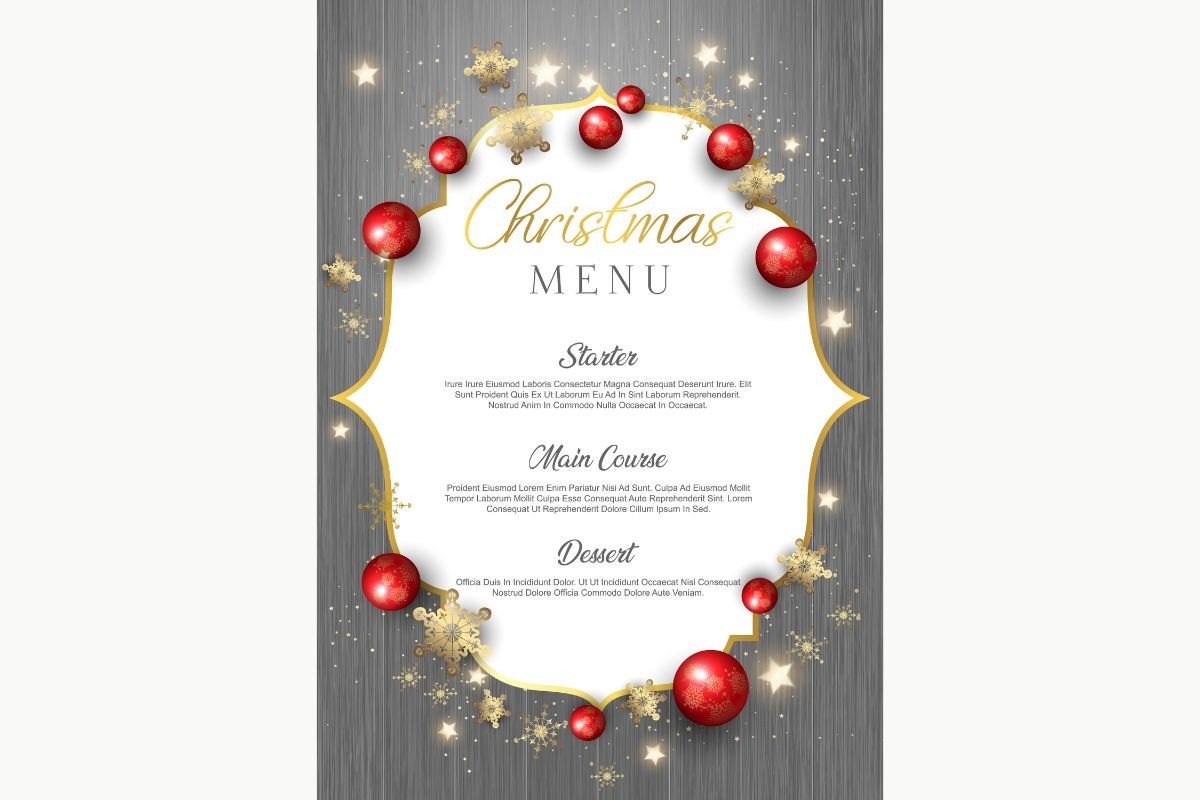
KJPargeter Images’ Christmas Menu on Wood Texture supplies one EPS and one JPG. The preview places a white central menu panel on gray wood boards, surrounded by red baubles, gold stars and festive details. The written description does not specify paper dimensions or explain the text structure inside the EPS, so those are details to inspect before choosing a print workflow.
Use it when rustic table styling suits the gathering and you want the decoration built into the menu background. The EPS offers a vector-format editing route, while the JPG is a raster image rather than a set of independently movable text fields. Confirm whether the menu wording is live text or outlined artwork before relying on simple text replacement. Set the output size and make a proof so the smaller course descriptions remain readable.
8. A Pale Blue Snowflake Menu with an EPS and JPG
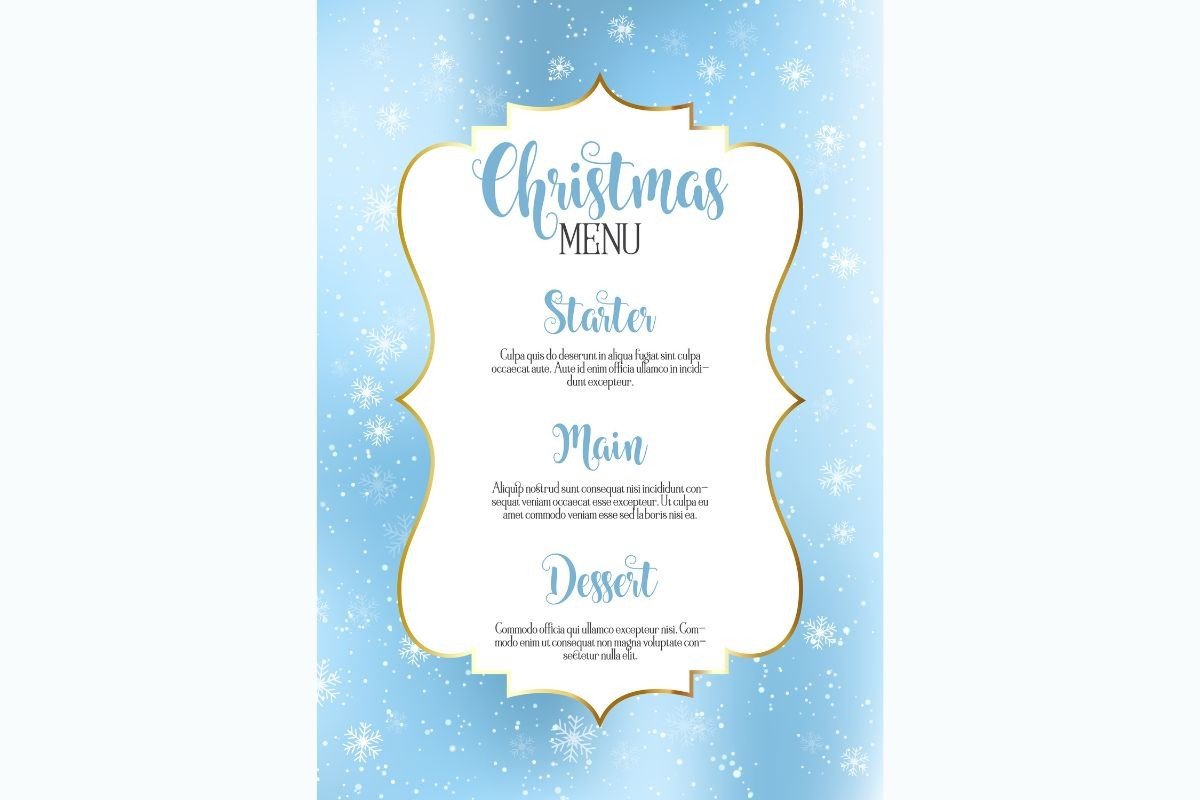
KJPargeter Images’ Snowflakes Christmas Menu provides one EPS and one JPG. The preview uses a pale blue snowflake background, a white central panel and a gold-edged ornamental frame around the course list. This gives it a winter palette that can fit a seasonal table without relying only on red and green.
Choose it for a lighter display where the course names need to stand out from the surrounding decoration. Keep the central panel uncluttered and test the contrast of any replacement text. The listing does not specify trim size, bleed or fonts, and an EPS file does not by itself establish live editable text. Inspect the source in compatible software before selecting it for a process that depends on quick dish-name changes.
9. A Narrow Blue-and-Gold Winter Menu Design
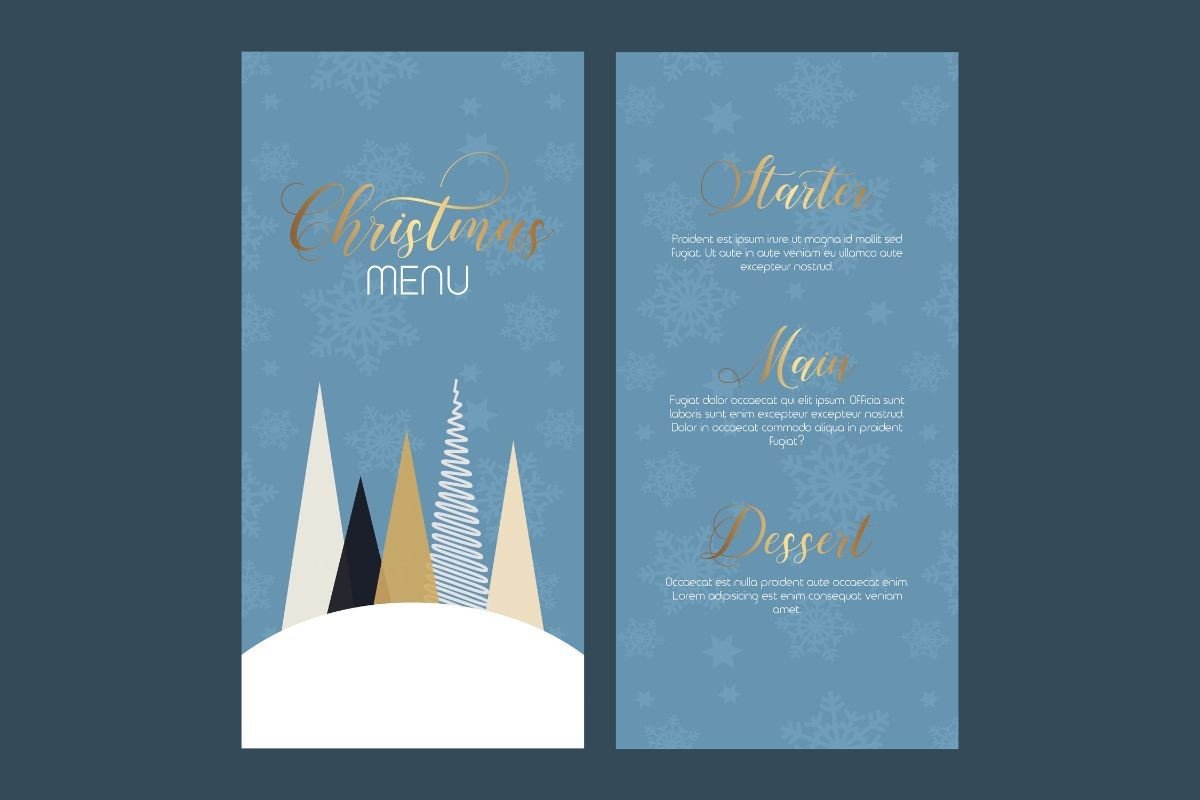
KJPargeter Images’ Elegant Christmas Menu supplies one EPS and one JPG. The inspected preview shows narrow blue panels with gold and white stylized trees, a snowy base and restrained gold menu lettering. Its taller visual proportions make it distinct from the broad A4-style restaurant menus in the selection.
This design is worth inspecting when you want a slim menu to sit beside a place setting or match a blue-and-gold table scheme. The listing does not confirm the final physical dimensions or whether the preview’s two panels are separate output pages. Check the source layout and text editability before printing. Use an actual-size proof to make sure course descriptions remain readable at the narrow width you choose.
10. A Red Menu Card Surrounded by Glowing Garlands
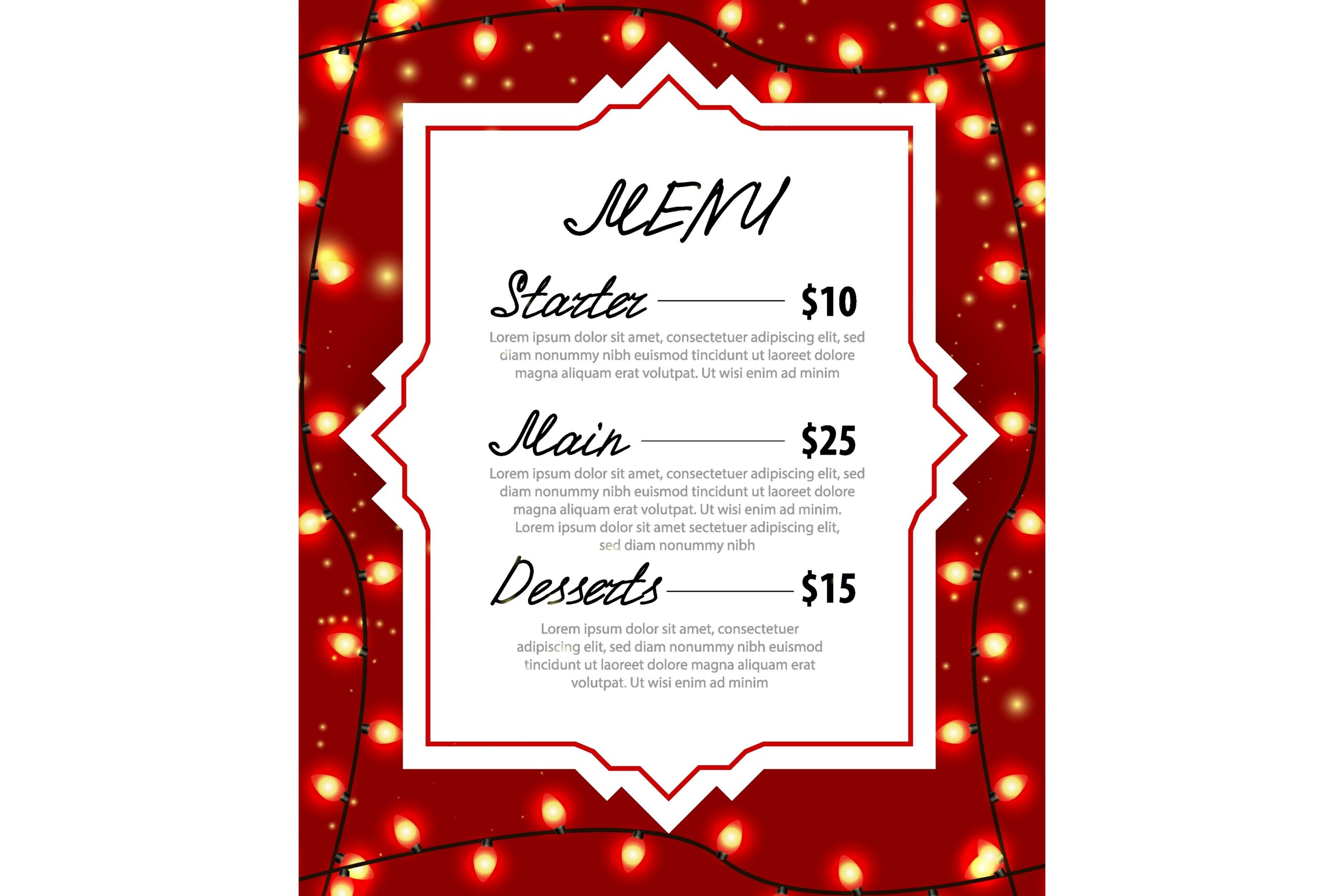
pch.vector’s Christmas Menu Card with Garlands describes a red menu design with festive lamps for café menus or catering. The preview shows a white ornamental center, warm string lights and sections for a starter, main course and dessert with example prices. The written product description is brief and does not identify supplied formats, dimensions, fonts or an editing application.
Choose it only after confirming the delivery files fit your intended editing process. Its illuminated border can make a lively display, but the menu area should remain easy to read once you replace the sample items. If you are using it for a home dinner, remove any unneeded price text in the actual editable source. The large preview image does not establish that a layered template or fillable document is included.
Connect the Printed Menu to the Gathering
Finalize the dish names before preparing a batch of printed menus, and keep the wording consistent with what you intend to serve. Remove price columns if they do not belong on a home-dinner card. For a commercial display, check your final item names, descriptions and prices in the actual edited file rather than relying on the mockup.
Use a Christmas party planner for the wider event and a recipe binder to keep the selected recipes together. The display menu should communicate the choices clearly; it does not replace the cooking schedule or the recipe instructions.
Which Christmas Menu Templates Should You Choose?
The greenery Canva option is the clearest starting point if you want online editing with a restrained dinner-table style. ThatsDesignStore’s three PSD options provide different festive palettes with detailed print specifications. Vunira offers several Adobe source formats, while Blancalab is the more specialized bakery display choice and excludes preview photos.
KJPargeter’s wood, snowflake and narrow blue designs suit different table styles, but their EPS text structure and final print sizes need checking. The red garland design has the least detailed delivery description. Choose a layout and editing workflow together, then proof the result before printing enough copies for the gathering.