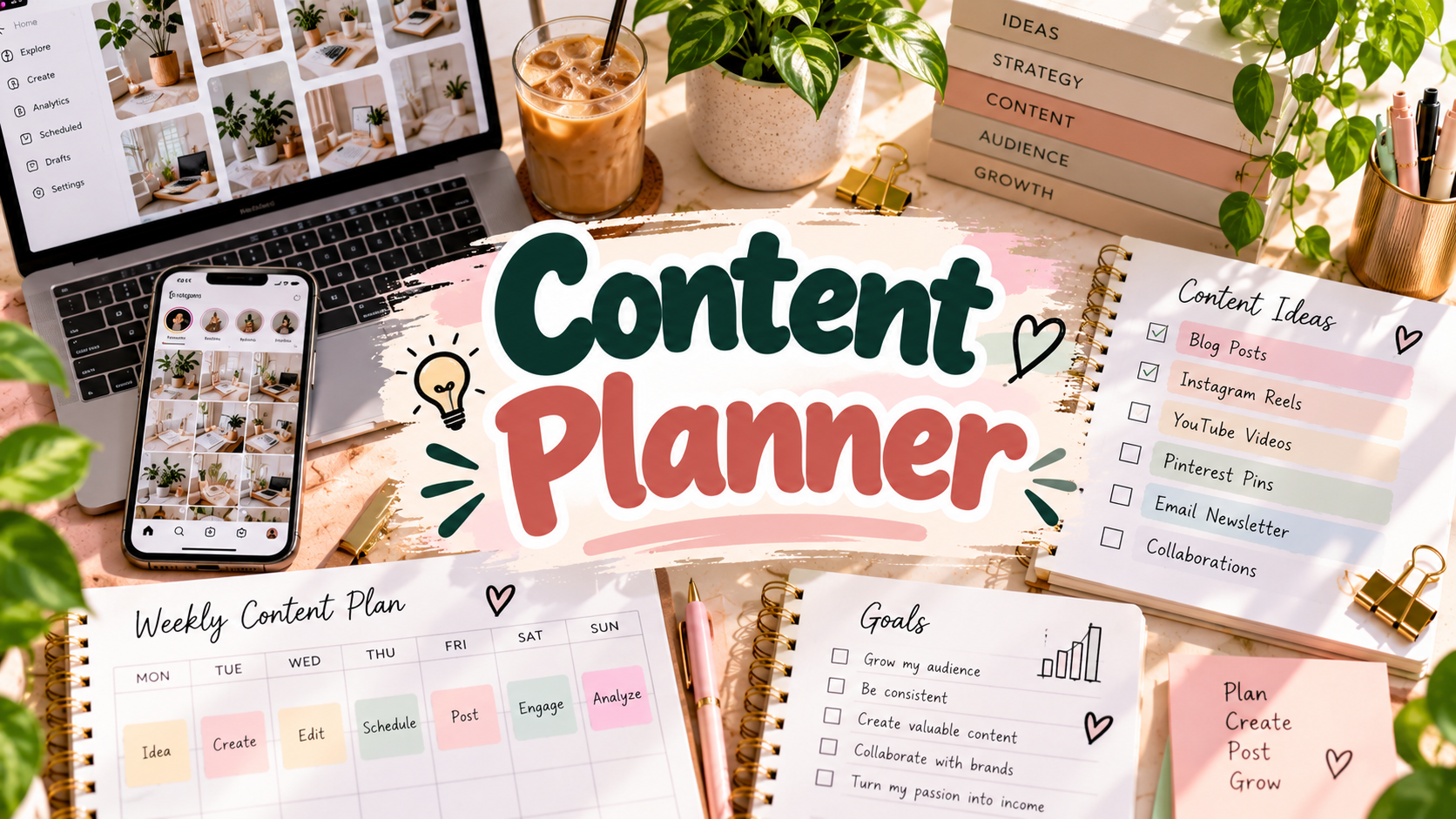
13 Creative Content Planner Templates for a Smarter Workflow
A content planner should make publishing easier, not turn content creation into another layer of busywork. The best format depends on where your process breaks down: you may need a place for ideas, a visual calendar, stronger content pillars, individual post briefs, analytics, brand partnerships, or a workflow for turning one idea into several platform-specific pieces. I selected these templates because they solve different parts of that process instead of repeating the same weekly calendar thirteen times.
If your planning is mostly about maintaining a consistent schedule, our weekly productivity planner templates can help organize the production side of the workflow. For larger campaigns and creator-business projects, the business planner templates add goals, finances, launches, and performance reviews around your content system.
What Should You Track in a Content Planner?
At minimum, I want a content planner to answer four questions: who is the content for, what is the core idea, where and when will it be published, and what result are we trying to create? Audience notes and content pillars help keep ideas relevant. A calendar turns those ideas into a realistic publishing schedule, while post-level pages can capture hooks, keywords, calls to action, assets, and repurposing opportunities. Performance tracking closes the loop by showing which topics and formats deserve another iteration.
The right level of detail matters. A solo creator publishing a few times a week may be better served by a simple printable or Canva calendar. A social media manager or creator business may need brand boards, analytics, collaboration tracking, revenue, multi-platform organization, and campaign briefs. Pick the smallest system that gives you visibility over the decisions you repeatedly make; extra pages are useful only when they support an actual part of your workflow.
1. Content Creator Planner for Any Niche
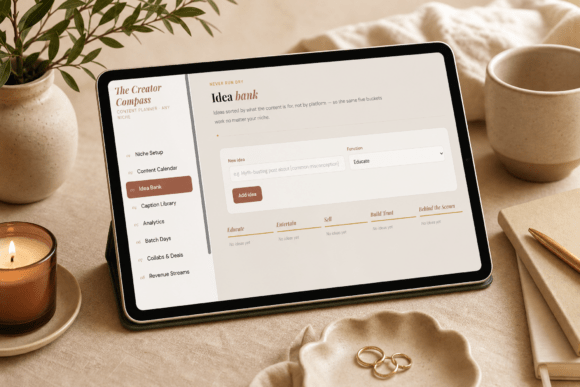
This digital system is designed for creators who want to organize the whole content pipeline rather than only schedule posts. It includes niche setup, a content calendar, an idea bank, caption and hook libraries, analytics, batch-content days, collaboration and deal tracking, and revenue streams. Because it is intended for desktop, tablet, and mobile use, it fits creators who work across devices. I would choose this when content is directly tied to income and you need to see ideation, publishing, partnerships, performance, and monetization in one planning environment.
2. Ultimate Content Planning System
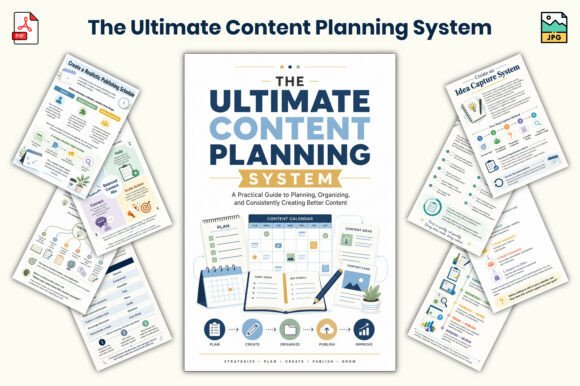
This 26-page 6 × 9 workbook is more strategic than a basic calendar. It starts with content goals and audience definition, then moves into content pillars, weekly and monthly planning, quality checks, publishing checklists, and a seven-day action plan. That structure makes it useful when you have plenty of ideas but lack a repeatable framework for deciding what to publish. PDF and JPG files make it easy to print individual worksheets or keep the workbook digitally. The compact format also helps keep the planning process focused instead of turning it into a large administrative project.
3. Sponsored Content Planning Template
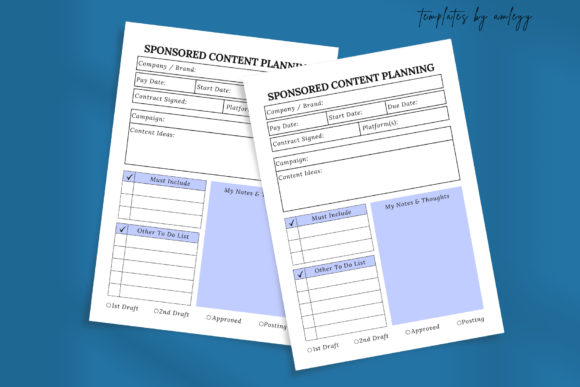
Sponsored posts have extra moving parts that ordinary content calendars rarely capture. This focused template provides space for essential project details, creative brainstorming, compliance checks, actionable tasks, tracking, and notes. It is a single-page PNG rather than a large planner, which is exactly why it can be useful: you can add it to a broader content system whenever a brand collaboration needs its own brief. With seven favorites, it has a small but visible engagement signal. Creators handling paid partnerships can use it to reduce the chance of forgetting deliverables, disclosures, deadlines, or approval details.
4. 45-Page Content Planning Workbook
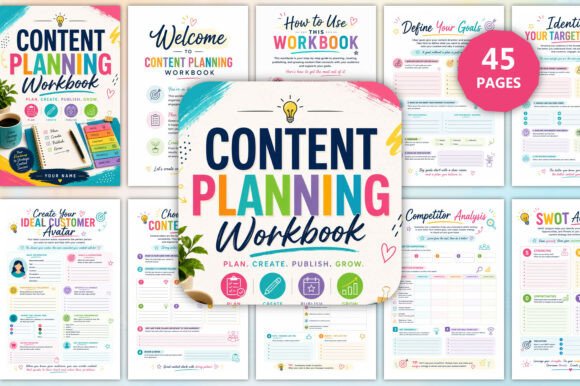
This 45-page workbook builds a content strategy from the ground up. It covers goals, target audiences, customer avatars, content pillars, brand voice, competitor and SWOT analysis, brainstorming, keyword research, trending topics, monthly, weekly, and daily planning, multi-platform organization, performance tracking, and growth strategy. The 6 × 9 PDF and JPG format works well as a guided planning workbook. It is a good choice for a small business or creator who wants to understand why each piece of content exists before filling a calendar with posts, rather than treating frequency as the main strategy.
5. Content Creator Blueprint
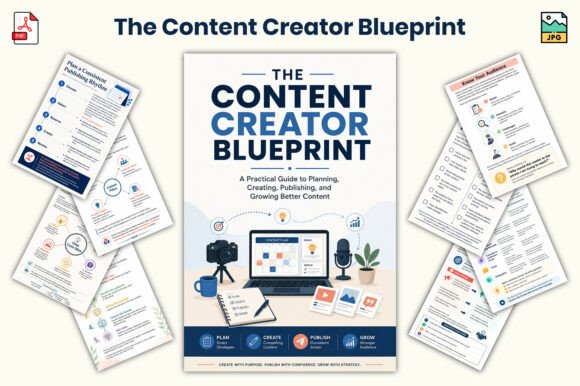
This 25-page blueprint is built around the foundations of consistent content creation. Sections cover mindset, purpose, audience understanding, content pillars, ideas, formats, workflow, voice, quality, performance reflection, a seven-day action plan, and a personal content strategy. With eight favorites, it has a modest engagement signal among the newer products. I like this format for beginners because it does not assume that the solution is simply posting more often. It helps establish the audience, message, formats, and workflow first, which can make the actual calendar much easier to maintain later.
6. 2027 Content Creator Planning Workbook
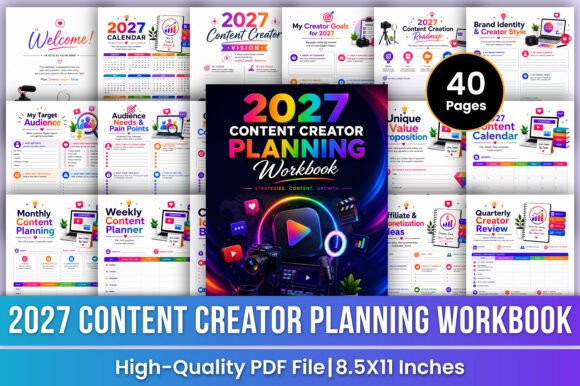
For creators who specifically want to map the next calendar year, this 40-page US Letter PDF provides a clear 2027 framework. It starts with creator vision and goals, brand identity and style, target audiences, pain points, niche, core topics, content pillars, unique value proposition, platform strategy, and profile audits. Those strategic pages feed into a 2027 content calendar plus monthly, weekly, and daily planning. It is especially useful if you want to enter 2027 with an intentional platform strategy instead of rebuilding your content plan from scratch every few weeks.
7. Viral Content Strategy Guide
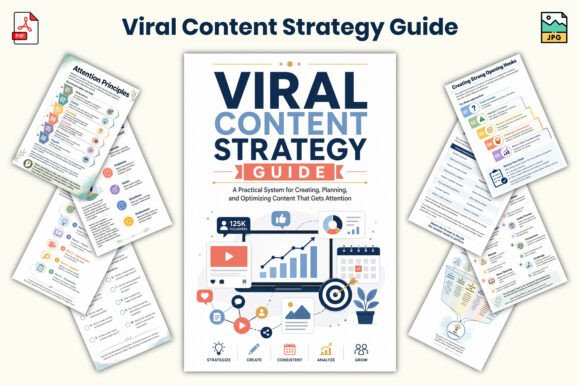
This 26-page 6 × 9 guide concentrates on reach and content performance. It covers audience strategy, idea development, viral-content principles, hooks, performance analysis, repurposing, publishing strategy, optimization, worksheets, and a final content checklist. It should not replace a normal calendar, but it can complement one when your schedule is organized and the bigger problem is making individual posts more compelling. The hook and repurposing sections are particularly relevant for short-form creators who need several angles from one core idea. PDF and JPG files allow the pages to be used as a reusable strategy workbook.
8. Creator’s Desk Plan
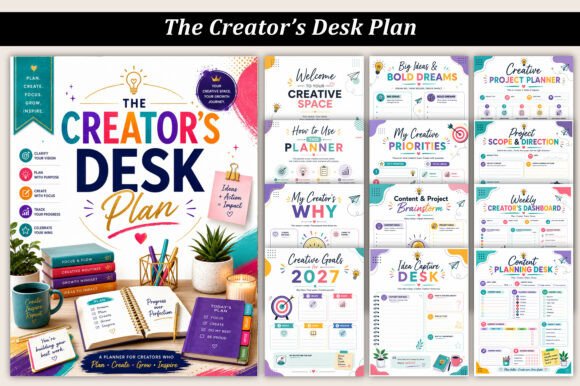
This 35-page PDF combines content planning with the wider workload of a creative business. It includes creative vision, 2027 goals, priorities, brainstorming, idea capture, project planning, workflows, weekly dashboards, daily focus, content calendars, publishing and promotion, brand identity, audience growth, clients and collaborations, deadlines, productivity, wins, and reflection. That makes it a useful option when content creation is only one part of your work. Rather than keeping projects, clients, and publishing in separate notebooks, the planner provides one creator-focused desk system for coordinating them.
9. Simple Content Planner Printable
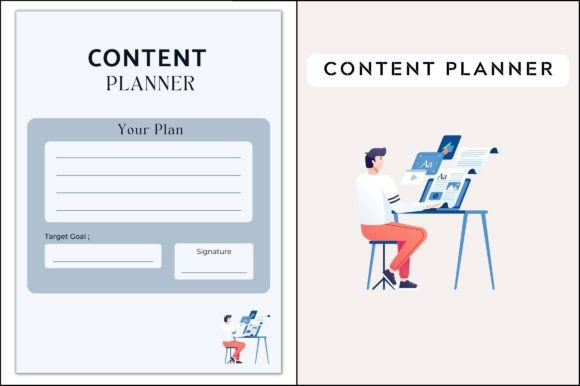
Not everyone needs a strategy workbook. This simple A4 PDF is a lightweight content tracker that can be printed and placed beside your computer when you mainly need a visible planning sheet. Its biggest advantage is low friction: there are fewer pages to maintain and no app workflow to learn. A one-page format can also work well as a companion to a digital calendar when you want the week’s content priorities physically visible. I would pick this over a larger system if complexity is the reason you keep abandoning content planners after a few days.
10. Social Media Content Calendar
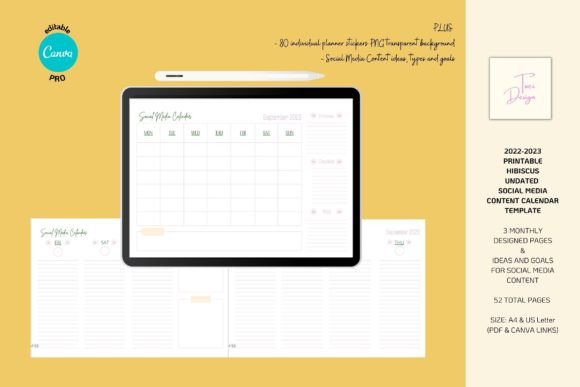
This 52-page social media calendar has one of the stronger quality signals in the selection, with a 5.0 rating and about 48 favorites. It includes A4 and US Letter formats, PDF and PNG files, and Canva editing. The set combines an undated printable calendar with daily notes, content types, goals, and content ideas. Although the original package also contains older dated calendar pages, the undated elements are the reason it remains useful now. It is a practical choice if your priority is seeing social posts across a calendar while still having room to define what each piece of content is meant to accomplish.
11. Post Content Planner Printable
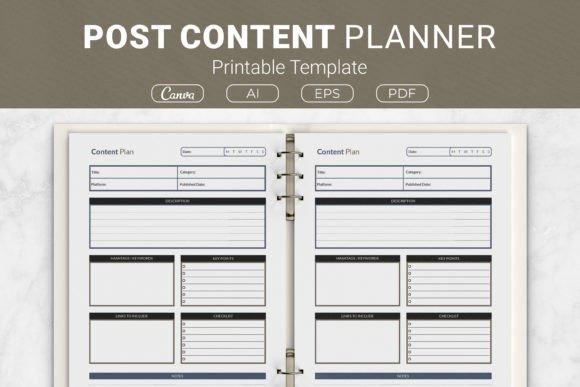
This 31-page printable focuses on planning individual posts in more detail. Pages provide areas for descriptions, key points, hashtags, keywords, and notes, which makes the set useful for creators who prefer to develop the message before scheduling it. AI, EPS, and PDF files are included in US Letter, A4, 7.5 × 9.25, and 6 × 9 sizes, giving it considerably more print flexibility than many content templates. With around 23 favorites, it also has a reasonable engagement signal. Use it when post preparation and consistency of messaging matter more than high-level annual strategy.
12. Editable Multi-Size Content Planner
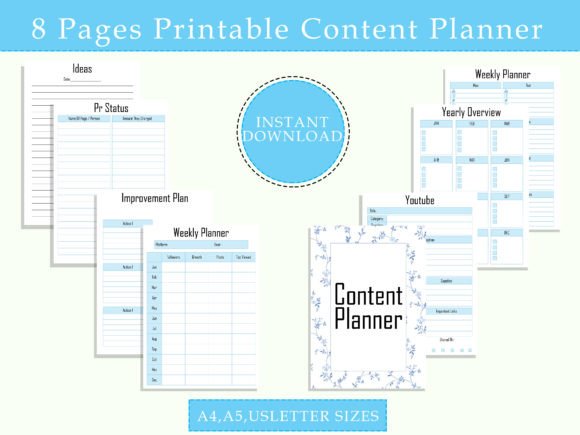
This content planner is designed to help organize ideas and intentionally plan visual content for media platforms. It is available in A4, A5, and Letter formats and includes PDF and JPG files, with listing information indicating that text, fonts, colors, and icons can be edited using common desktop document tools. The multi-size setup makes it convenient for building a printable binder or adding selected pages to an existing planner. It is a good general option when you want a customizable content workbook but do not need the more specialized analytics, monetization, or brand-collaboration features found elsewhere in this list.
13. Social Media Content Canva Template
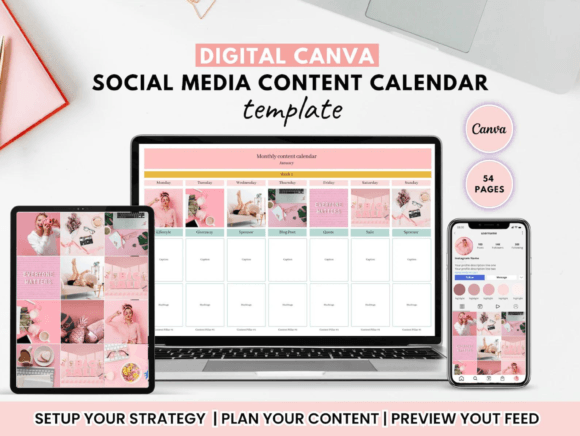
This Canva template has by far the strongest engagement signal in the roundup: about 1,232 favorites and a 5.0 rating across four reviews. Its structure includes a setup page, feed planner, brand board, idea bank, weekly content calendars, growth tracker, and a hyperlinked index. That mix is useful for visual creators and social media managers because branding, ideas, scheduling, and growth data stay in one editable system. If you want a polished planner you can adapt to your own colors and workflow, this is the standout choice based on both functionality and marketplace interest.
Which Content Planner Should You Choose?
If you are starting from scratch, the Content Creator Blueprint or 45-page Content Planning Workbook can help establish audience, pillars, voice, and strategy before you worry about filling every date on a calendar. The 2027 workbook is the clearest choice for an annual system, while the Creator’s Desk Plan works better when content, creative projects, clients, and collaborations all compete for the same working week.
For social-first workflows, the highly saved Canva template is the strongest all-around option in this list, and the Social Media Content Calendar offers a simpler calendar-focused alternative. Use the Post Content Planner when you need more detail for each individual post, the Sponsored Content template for paid collaborations, and the Viral Content Strategy Guide when hooks, repurposing, and performance are more important than scheduling.
Whatever system you choose, keep the planning loop simple: capture ideas, choose the strongest ones, schedule production and publishing, then review the results. A content planner becomes valuable when it helps you make the next content decision faster and gives successful ideas somewhere to evolve instead of disappearing after one post.



One Comment