8 Useful Black Friday Shopping Planner Templates for Smart Lists
A Black Friday shopping planner helps you separate planned purchases from everything that happens to be advertised. The useful workflow starts with a shortlist, keeps comparison notes together, and continues after checkout with an order record. A discount headline alone does not tell you whether an item belongs on your list.
This guide is for shoppers. The eight Creative Fabrica products include dedicated Black Friday interiors plus general inserts for price notes, coupons, and online orders. Those supporting pages are clearly identified, rather than presented as Black Friday-specific planners or mixed with sales-campaign tools for businesses.
The comparisons use the designers’ published specifications. These templates do not retrieve live prices, validate discounts, or connect to stores. Their value is organizing your own information so the next purchase decision is easier to review.
In this guide
How to choose a Black Friday shopping planner
Choose the main problem first. A wishlist is enough for a short selection of purchases. A notebook can keep budget and expense records together. Separate coupon and order inserts are useful when you need more detail before or after checkout.
Check the format and actual size. Illustrator, PowerPoint, and Canva sources offer different editing workflows. A PDF-only insert may be immediately printable but not editable. A product described as a KDP interior may contain many repeated pages rather than a broad set of unique worksheets.
Keep the purchase plan distinct from holiday gift organization. If you already maintain a gift planner, use it for recipients and let the shopping worksheet hold comparisons and order details. Avoid copying every entry into several systems.
1. Compact Black Friday Shopping and Budget Planner
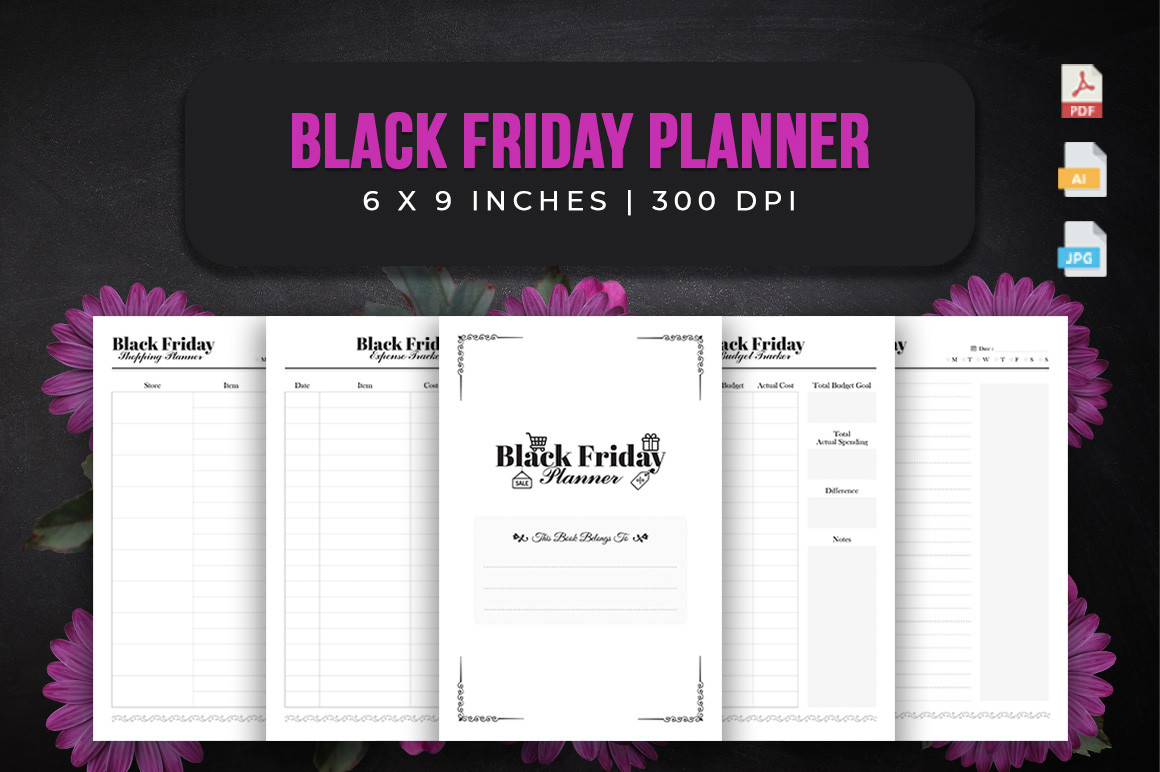
srsadi 123’s Black Friday Planner is a dedicated shopper’s interior rather than a promotional planner for sellers. The listing specifies 120 pages in 6 × 9-inch format, no bleed, PDF, editable Illustrator AI, and JPG files. Named sections include shopping planning, budget tracking, expenses, and notes.
Use the budget and shopping pages together: decide what you intend to buy before entering a sale price. Keep your own notes about the exact model or item so a lower-priced alternative is not mistaken for the same purchase. Record actual spending after the order, rather than treating the wishlist as a completed shopping record.
The strength is a portable, topic-specific notebook. The limitation is that 120 pages does not establish many distinct worksheets, and the compact size leaves less room for detailed comparisons. This is an interior-only package. Illustrator editing is separate from the PDF and does not establish an automatic price checker or a source of current deals.
2. Black Friday Shopping Planner with Vector Sources
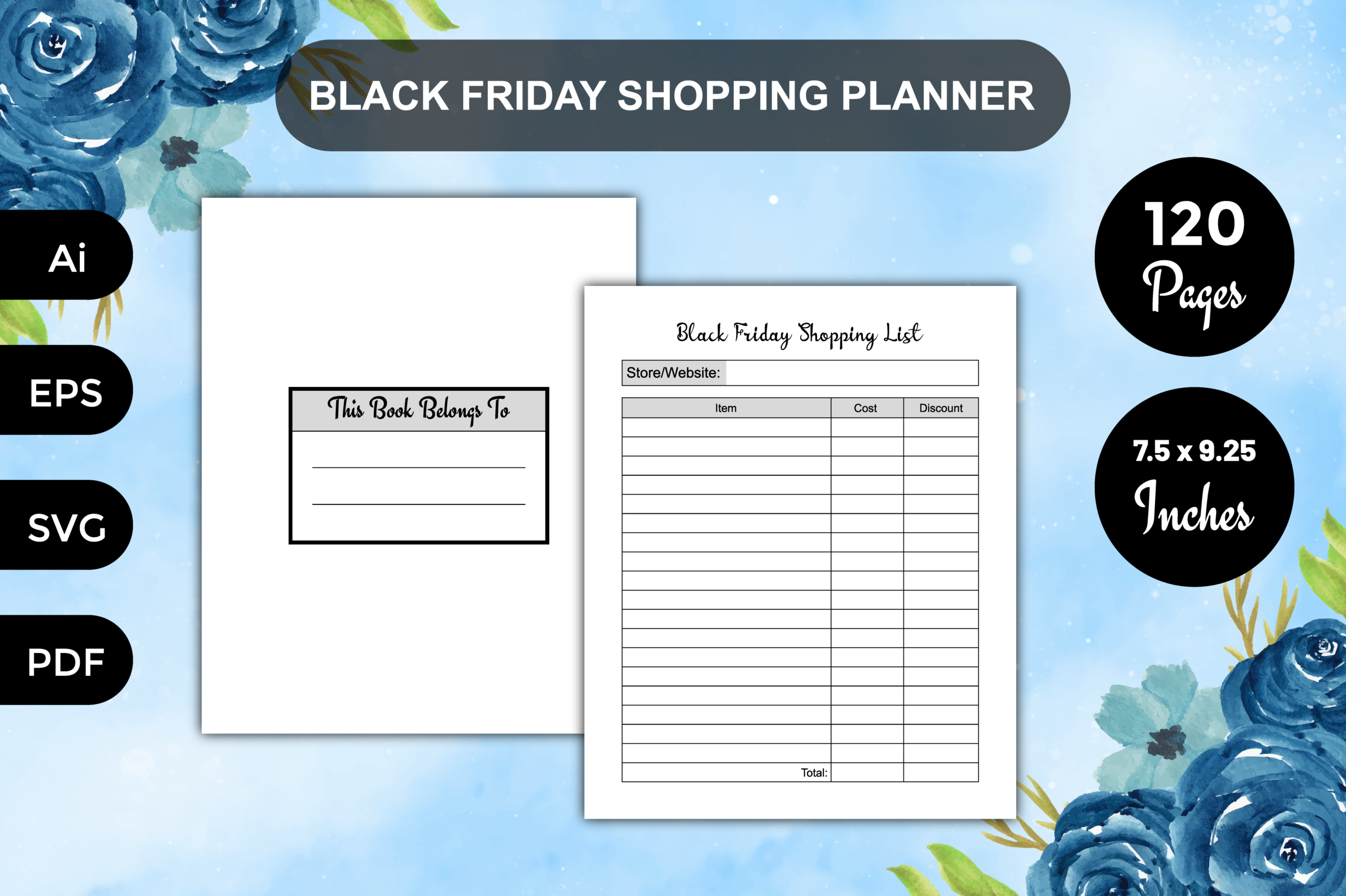
PranStudio’s Black Friday Shopping Planner is a 120-page 7.5 × 9.25-inch interior, without bleed, at 300 DPI. The stated files include a print-ready PDF and editable AI, EPS, and SVG sources. It is positioned around a shopping list rather than a full business sales campaign.
Choose it if a medium-sized printed notebook suits your shopping routine and you want source-file control. Keep the intended item and your own target price together, then add the final paid amount in a consistent place. That makes the planner useful after checkout as well as during browsing.
The advantage is several vector-editing formats. The limitation is a sparse description of the individual fields. Inspect the preview before expecting dedicated coupons, shipping, returns, or store-comparison pages. The source formats require suitable software, and the planner does not fetch prices or verify that a promoted discount is a good deal.
3. Black Friday Shopping Planner: Christmas Edition
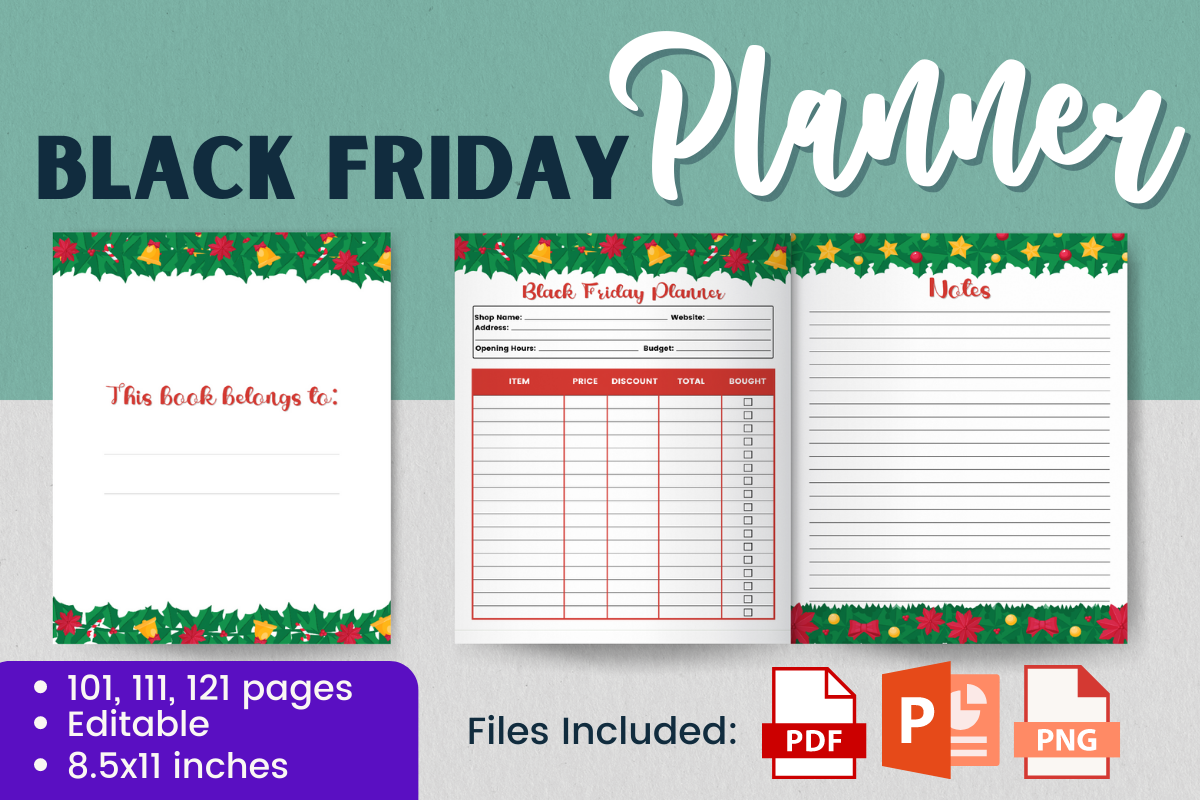
The Black Friday Shopping Planner Christmas Edition connects the sale-shopping period with holiday purchases. The listing supplies editable PowerPoint source files, print-ready PDFs, and non-transparent PNG pages in US Letter size. It offers 101-, 111-, and 121-page versions, a bleed area, and 300-DPI output.
Use it when the sale list mainly consists of holiday purchases, keeping the recipient and item clear in your own notes where the layout permits. A purchase you already planned can be recorded alongside its final cost, while unrelated browsing can remain outside the working list.
The strength is PowerPoint-based customization and a holiday-oriented format. The limitation is that the description does not itemize all internal fields, so do not assume a dedicated recipient tracker or delivery log without checking the preview. It may overlap a Christmas gift planner; use one as the main record instead of copying every purchase into both.
4. Black Friday Wishlist Printable
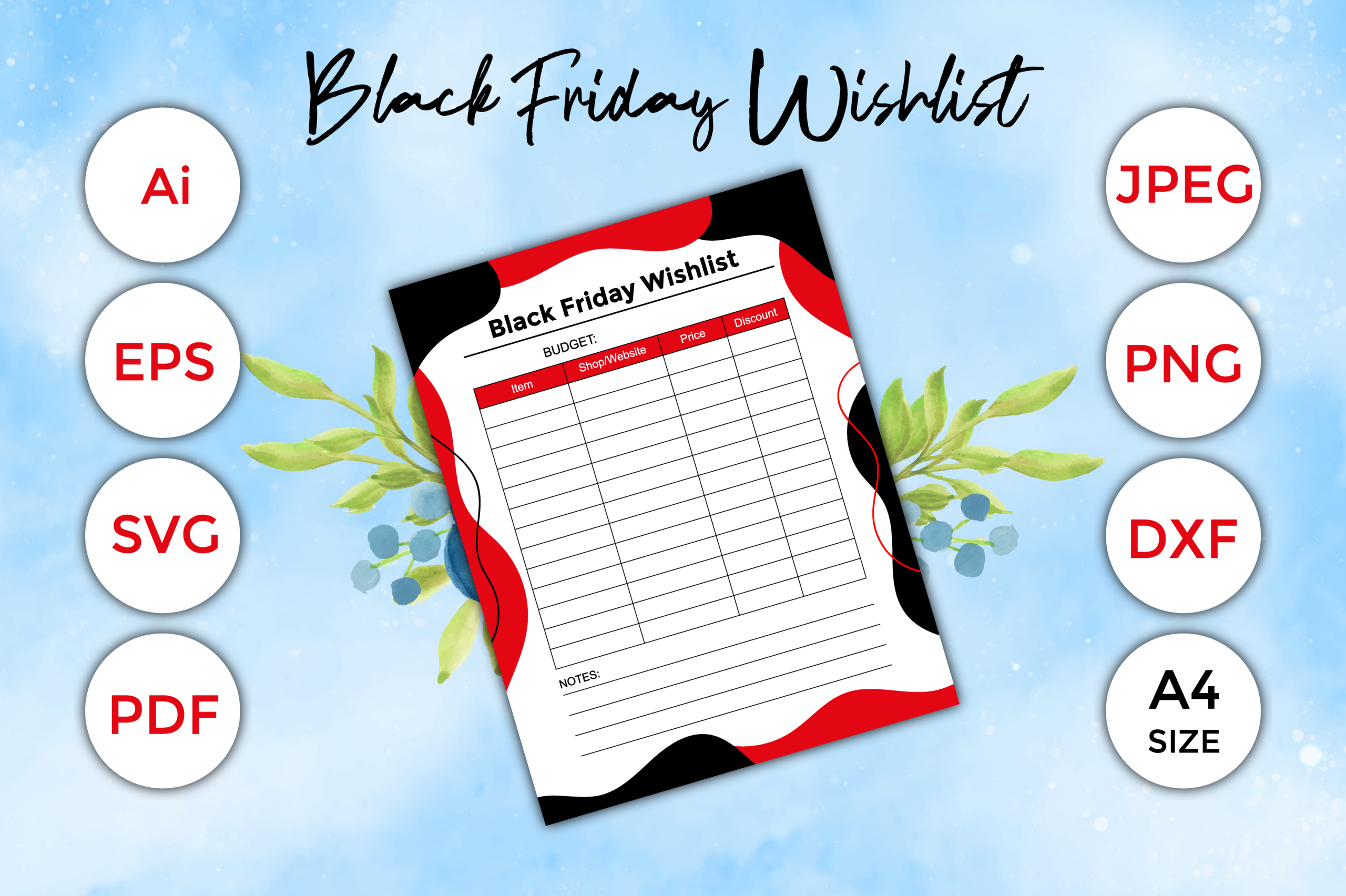
PranStudio’s Black Friday Wishlist is a focused alternative to a book-length interior. The advertised files include PDF, JPEG, PNG, Illustrator AI, EPS, SVG, and a format written as DFX. The description specifies 300 DPI and 8.5 × 11-inch dimensions, while also labeling the size A4.
Use a wishlist to separate consideration from commitment. Add the item you genuinely want and your own notes about why it belongs on the list. Revisit it before shopping rather than filling the page with every advertised offer. If you edit the source, keep the final print easy to read beside your phone or computer.
The advantage is a dedicated visible list. The limitation is the inconsistent size labeling: 8.5 × 11 inches is US Letter, so confirm the actual file dimensions if you need A4. The unclear DFX label should also be checked if that format matters. Do not assume a price-comparison system or automatic shopping features from a wishlist template.
5. Household Shopping Budget and Price-Comparison Workbook
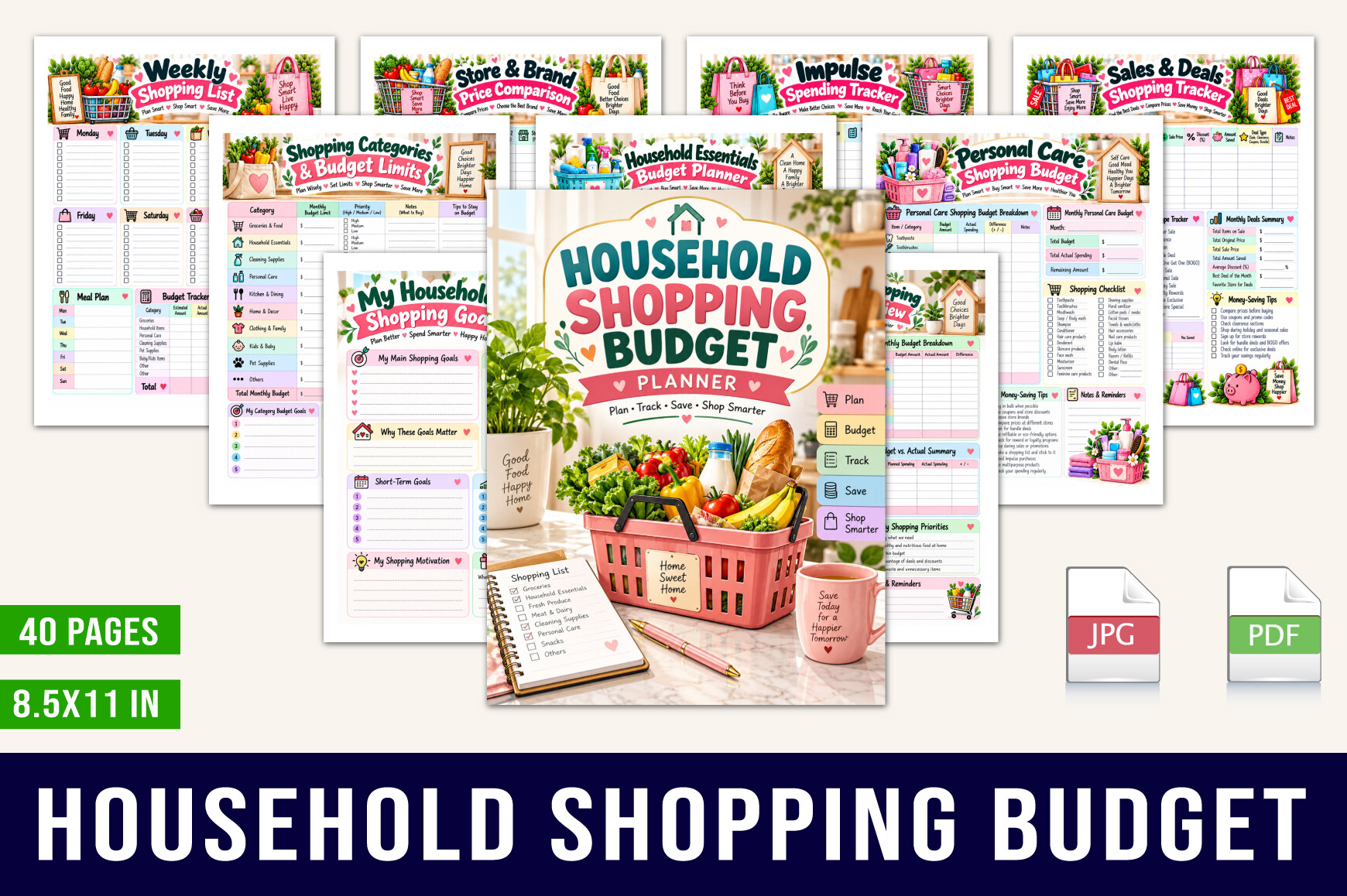
designmela 01’s Household Shopping Budget Planner is an undated broader companion for Black Friday purchases. The listing specifies 40 US Letter PDF pages, including planned versus actual spending, price comparison, coupons, online shopping, needs and wants, subscriptions, and reviews.
This is useful if the sale list mixes household essentials with larger purchases. Use the price-comparison page to record the same product across stores, including delivery costs in your own notes. The needs-versus-wants section can keep the original reason for shopping visible while you browse.
The strength is covering several decisions around a purchase. The limitation is scope: this is a general shopping workbook, not a Black Friday-specific deal calendar. Its no-spend and household pages may be unnecessary if you only need a short sale list. PDF worksheets do not retrieve current prices, validate coupon terms, or guarantee that spending will stay within a plan.
6. Editable Wishlist with Store, Price, and Coupon Fields
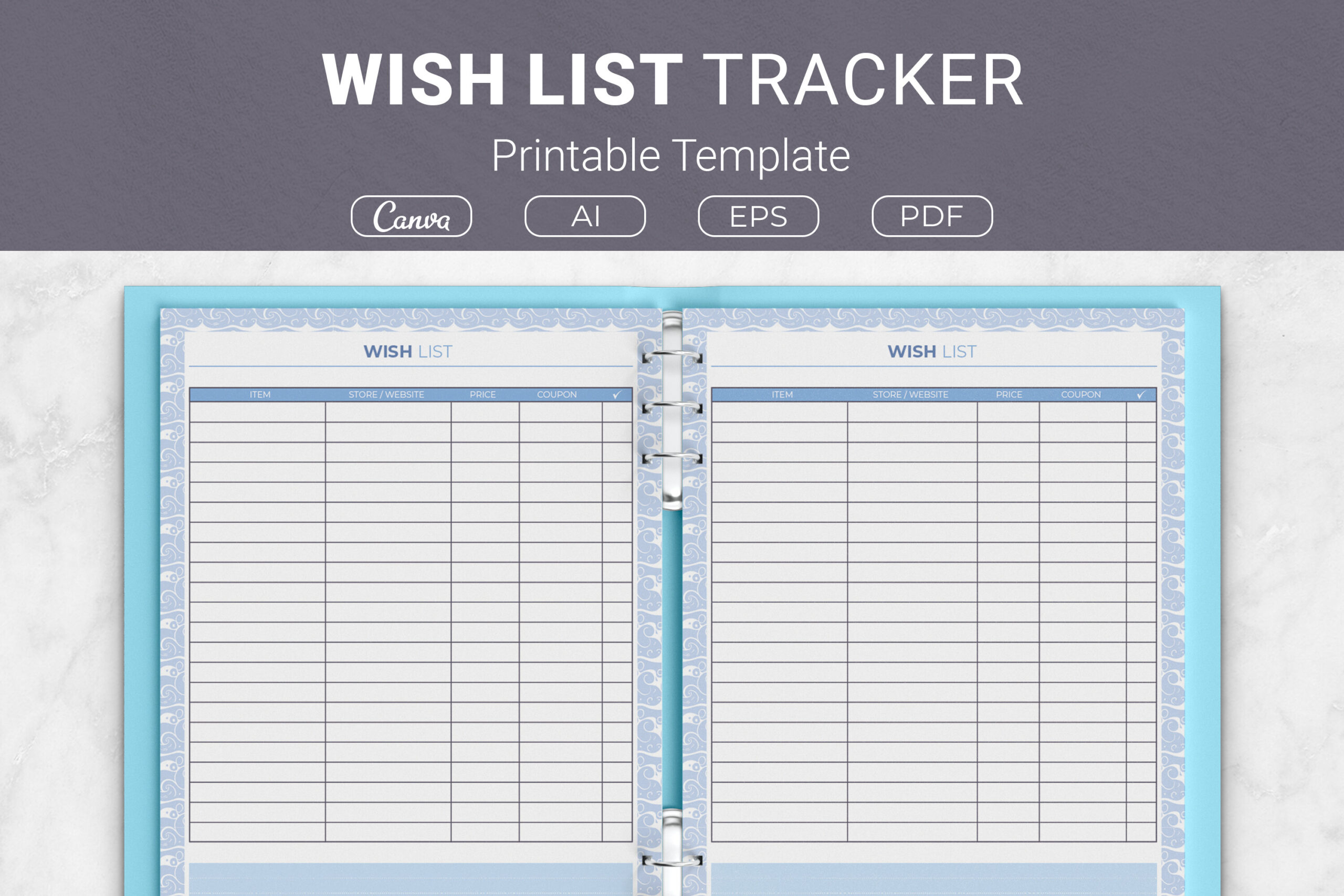
JUNDI’s Wish List Tracker is a general-purpose insert with explicitly described fields for the item, store or website, price, coupon, and notes. The package lists Illustrator AI, EPS, PDF, and a Canva template link in Letter, A4, 7.5 × 9.25-inch, and 6 × 9-inch sizes.
Use it for a shortlist of planned purchases rather than an unlimited collection of ideas. The store and price fields give a comparison a consistent structure, while notes can preserve the exact product version or relevant restriction. Check the coupon information at the store before treating it as part of the final cost.
The benefit is a clearly specified layout with several editing and printing options. The limitation is that the listing does not establish automatic calculations or price updates. It is not exclusively themed for Black Friday, but its purchase-level fields make it a useful companion. Here AI means an Illustrator file, not an automated shopping assistant.
7. Coupon Code and Discount Tracker
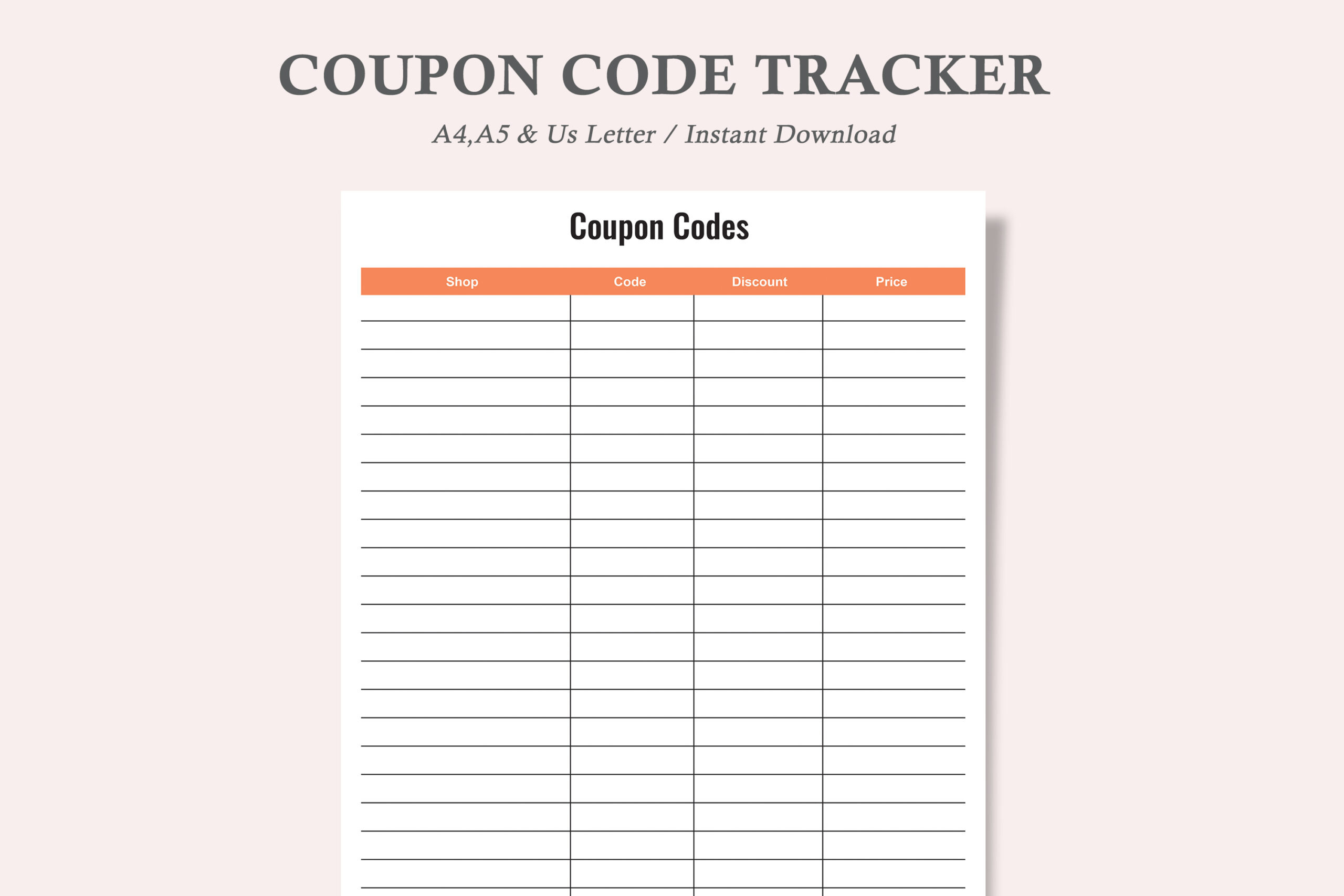
watercolortheme’s Coupon Code Tracker is a small supporting tool for keeping discount information together. The description specifies one design in US Letter, A4, and A5, supplied as three PDFs and three JPEGs. It is described as minimal and ink-friendly, with repeatable printing.
Use it to record codes you might actually apply to planned purchases. Keep any relevant expiry or restriction in your own notes if the layout has room, then verify the code at checkout. A coupon list is most useful when it supports a shortlist you already chose, rather than encouraging additional purchases simply to use a discount.
The advantage is low complexity and three sizes. The limitation is that it is a generic coupon organizer, not a complete Black Friday planner or a live database of valid offers. The files do not verify eligibility, retrieve new codes, or establish editable source templates. Inspect the preview for the exact fields before printing.
8. Online Shopping Tracker for Orders and Returns
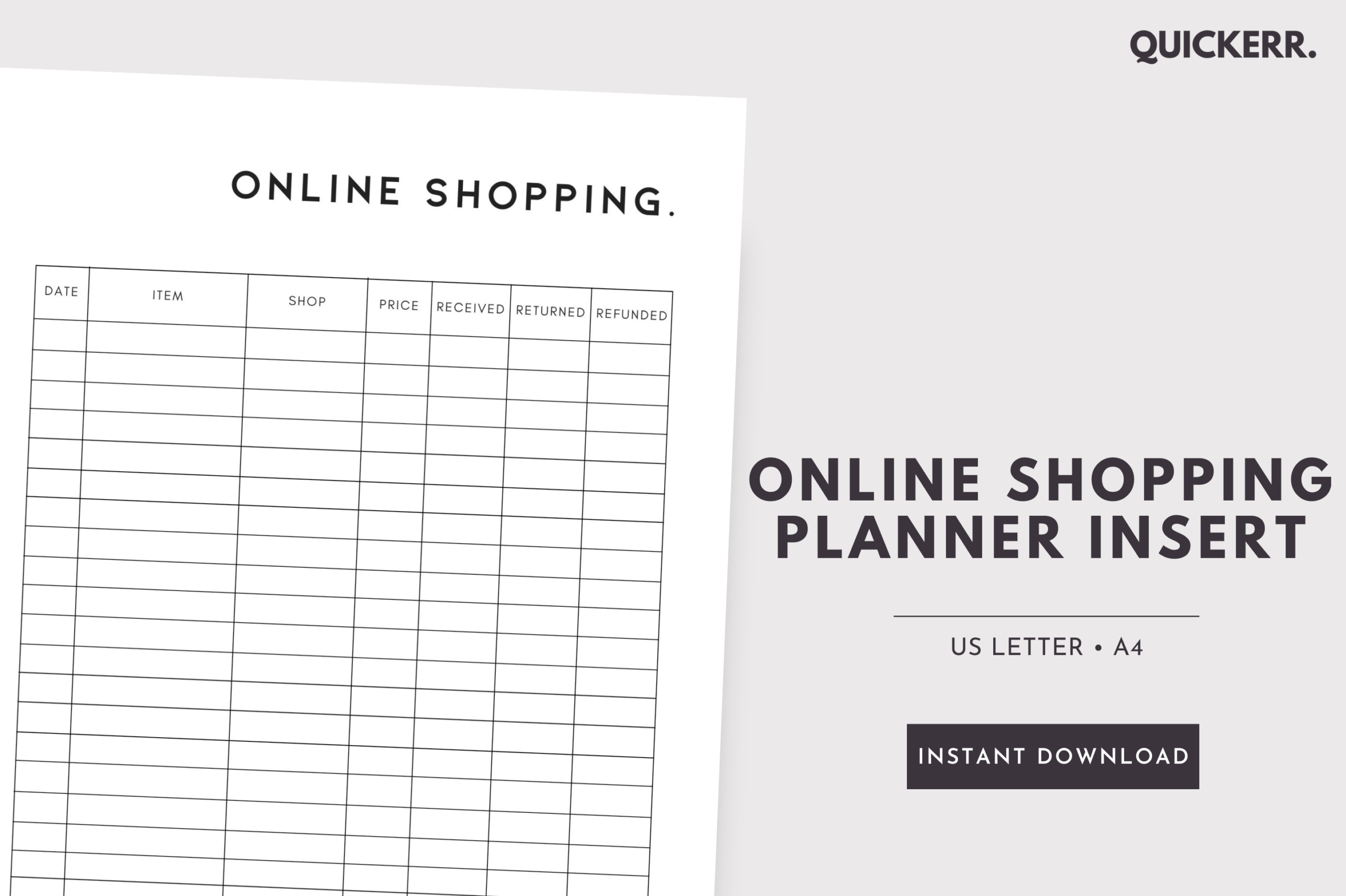
Quickerr’s Online Shopping Tracker is a single undated printable page in A4 and US Letter PDF formats. The listing describes tracking online purchases and, where relevant, returns and refunds. It explicitly states that the page is not editable.
Use it after making purchases, when the main task changes from comparing offers to keeping orders organized. Record the information supported by the layout and keep your own confirmation details accessible. Check any store deadline separately, then add a reminder to the system you normally use.
The strength is a simple follow-through record that can complement the wishlist and budget pages. The limitation is that one page will not provide a full sale-planning workflow, and the stated package does not include an editable source. It does not connect to retailers, retrieve delivery status, initiate returns, or calculate refund entitlement; you update the record manually.
Build your shortlist before browsing offers
Record what you intend to buy and enough detail to identify the exact item. For a product comparison, keep the model, size, quantity, and included accessories consistent; otherwise two prices may refer to different purchases.
Use notes to preserve the reason for the purchase and the information you still need to check. A wishlist should help you decide, not make every interesting offer feel like an unfinished task.
Keep the final cost and order record visible
When comparing stores, include relevant delivery costs and check any coupon conditions directly. Record the final paid amount after checkout so a budget page reflects completed purchases rather than hoped-for discounts.
Use an order tracker for follow-through and keep confirmations where you can find them. Check store policies separately and record any dates you need to act on in your normal reminder system. A printable sheet does not monitor those dates for you.
Which Black Friday shopping planner should you choose first?
Choose a dedicated Black Friday interior for a topic-specific notebook, or the holiday edition if your shortlist mainly concerns Christmas purchases. Use a wishlist insert if a long workbook would be more effort than the shopping plan itself.
For clearer comparisons, consider the household shopping workbook or JUNDI’s item, store, price, and coupon layout. Add the coupon and online-order sheets only when they solve a separate part of the workflow. The goal is a small, usable record from consideration through delivery.