10 Practical Debt Payoff Planner Templates for Clear Payment Records
A debt payoff planner gives balances, payments, and progress a consistent place in your records. The useful choice depends on whether you need a quick overview, a repeatable paper log, an editable workbook, or a spreadsheet that connects repayment records with the household budget.
These 10 Creative Fabrica options range from focused four-debt trackers to broader 2027 workbooks and a Google Sheets dashboard. The comparisons below use the sellers’ documented formats and contents, with limitations called out where the descriptions leave details unclear.
For the surrounding monthly spending plan, the monthly budget planner collection provides companion layouts. This guide focuses on debt records and payment reviews rather than another general budget roundup.
In this guide
Choose a debt payoff planner for the records you need
List the accounts and record fields you want before selecting a design: account name, balance date, payment date, amount, and a place to review progress. A single overview may be enough for a few accounts; a long journal is more useful when you want repeatable transaction notes.
Separate documented features from assumptions. A Canva template provides layout editing, a PDF provides pages, and a spreadsheet may provide calculations only when the seller explicitly describes them. Large page counts can include repeated logs rather than unique worksheets.
Check paper size, writing space, and dated sections before printing. Several options are undated, while the 2027 workbooks include annual framing. Start with a sample page and choose the format you will realistically keep updated.
1. 2027 Debt Payoff Planner by SR KDP
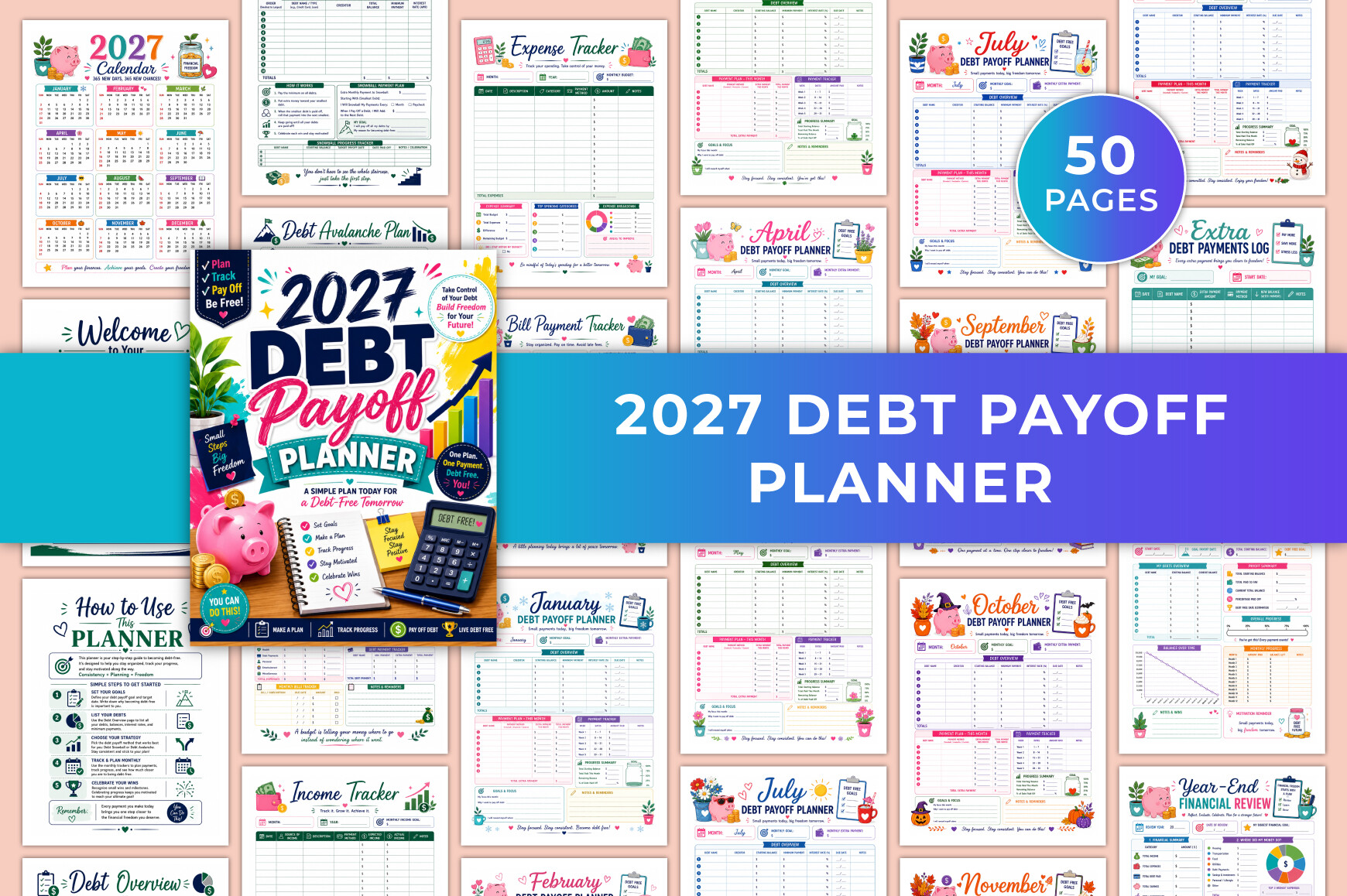
This 31-page US Letter planner is a useful starting point when debt records are scattered between statements and a general budget. Its listed pages cover a debt overview, snowball and avalanche planning, monthly payment records, extra payments, and a year-end review. The package includes a printable PDF, JPG files, and Canva editing, so the layout can be adjusted before printing.
I would use the overview to record the same balance date for every account, then keep monthly payments separate from extra payments. That makes a progress review easier to interpret. The supporting income, expense, bill, and savings pages are a practical advantage if you want repayment records beside the household budget.
The calendar and monthly sections are dated for 2027. This is a manual planning resource; Canva editing does not create a repayment calculator or connect it to a bank. Choose it for an organized annual record rather than automatic interest calculations.
2. 2027 Debt-Free Journey Planner by designmela01
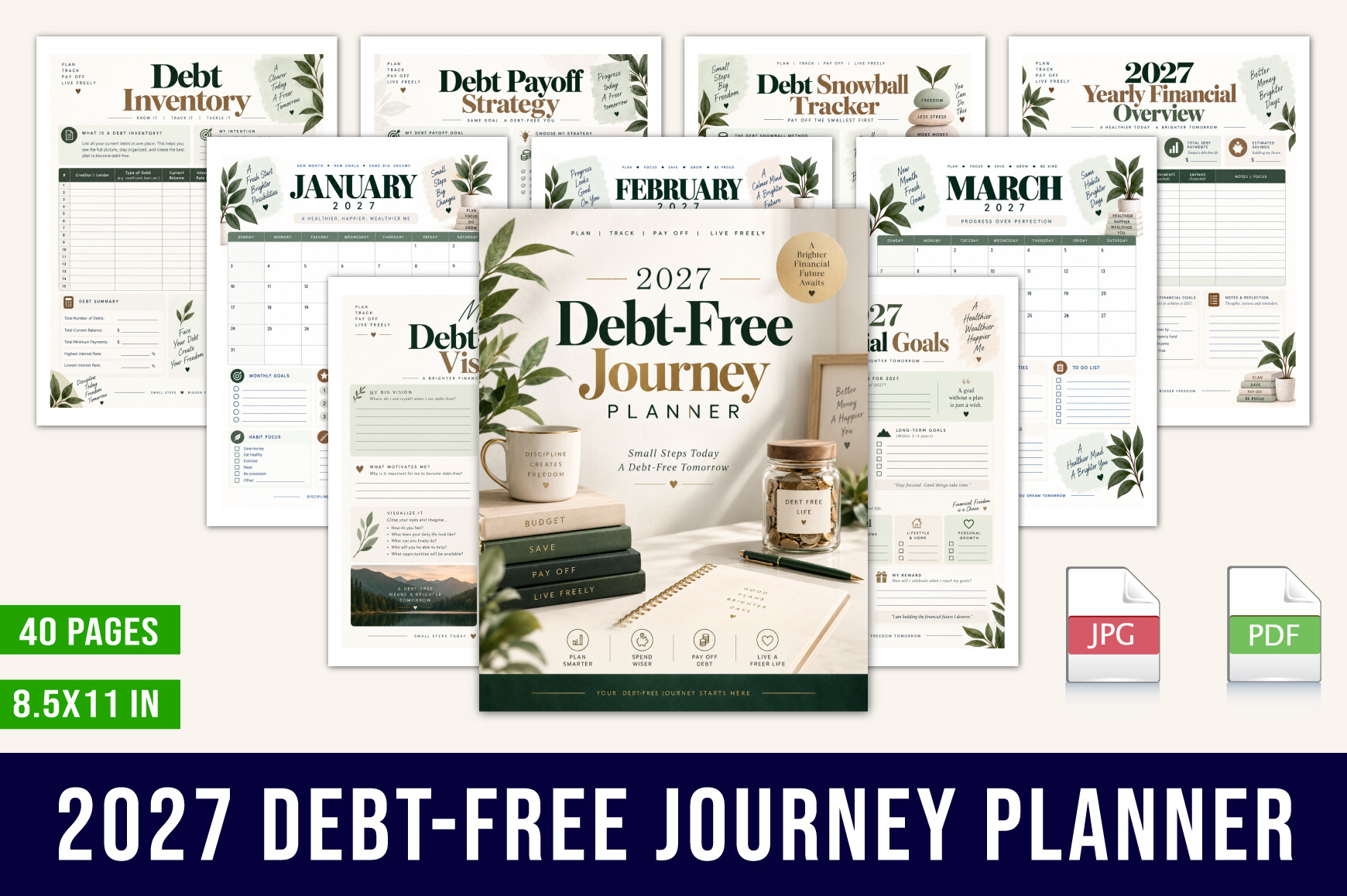
The 40-page Letter-size PDF takes a broader approach to repayment. Alongside debt balances and progress, the seller lists monthly calendars, budget pages, bill and subscription trackers, an emergency-fund tracker, spending records, and financial reflection. Snowball and avalanche worksheets are explicitly included.
This suits someone who wants to review the surrounding spending habits as well as individual payments. A workable setup is to complete the debt overview first, select only the recurring expense pages you need, and use the monthly review to compare planned payments with the amounts actually recorded.
The scope is an advantage, but it can also create more paperwork than a simple payment log. The listed download is a printable PDF; an editable Canva link is not specified. Its 2027 calendars and review prompts also make it less convenient for someone who wants an entirely undated binder.
3. The Debt Tracker Bundle by The Design Niche
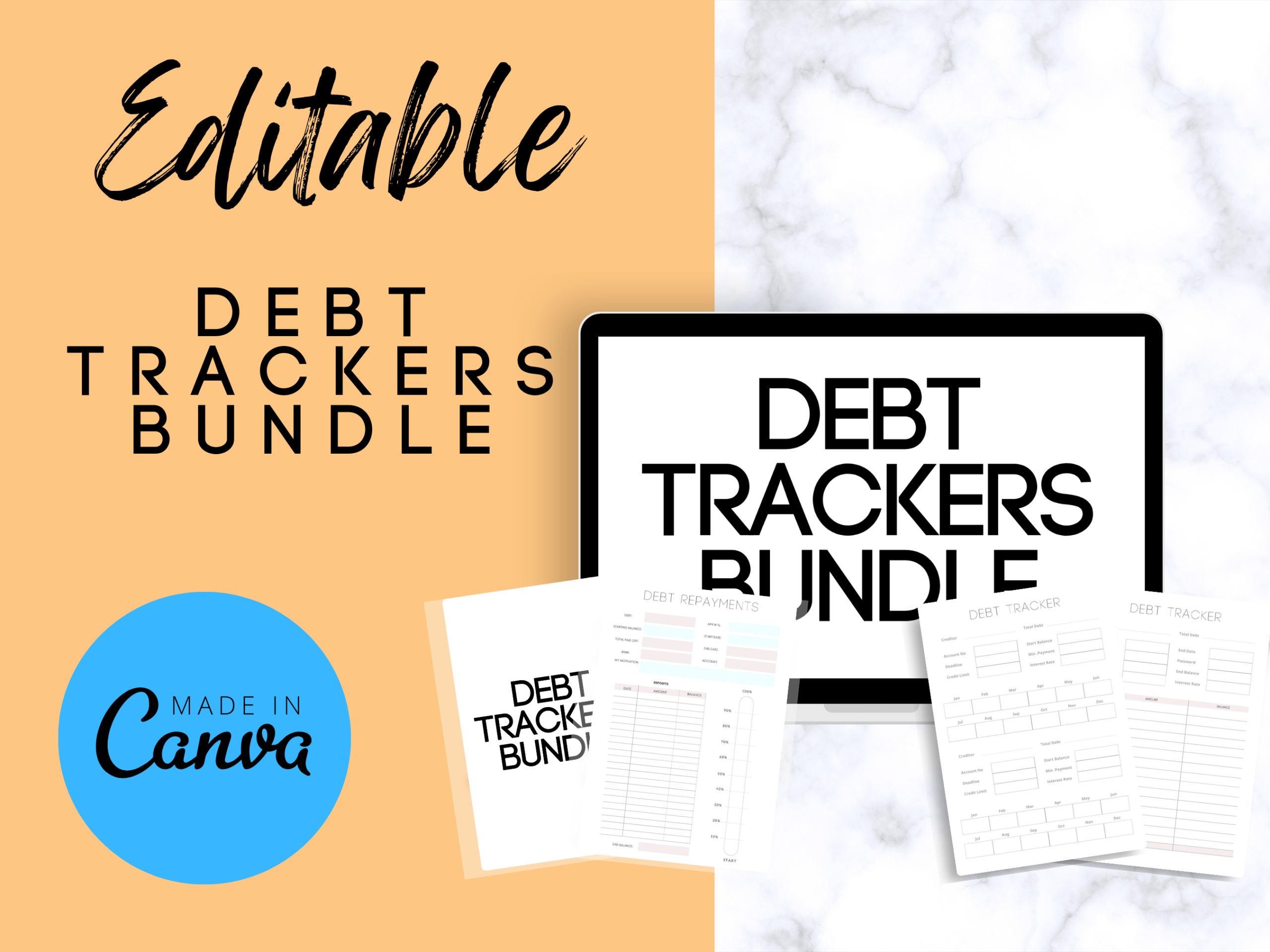
This A4 bundle contains 12 journal pages and is described as editable in Canva. Its product description covers a debt overview, repayment planning, budgeting, savings, reduction goals, and snowball or avalanche comparisons. It is a compact alternative to an annual journal with hundreds of repeated pages.
The appeal is the small working set. Keep the overview as your reference page and duplicate a useful record sheet only when you need another month. Canva is helpful if you want larger writing space, clearer account labels, or a different color scheme before exporting your personal copy.
The seller uses the word calculator and mentions educational and counseling resources, but does not clearly document spreadsheet formulas or a separate software tool. I would treat these as worksheet descriptions, not verified automation. The page count and A4 format are clearer than the exact export-file inventory.
4. Debt Payoff Planner Canva by Justin Ve
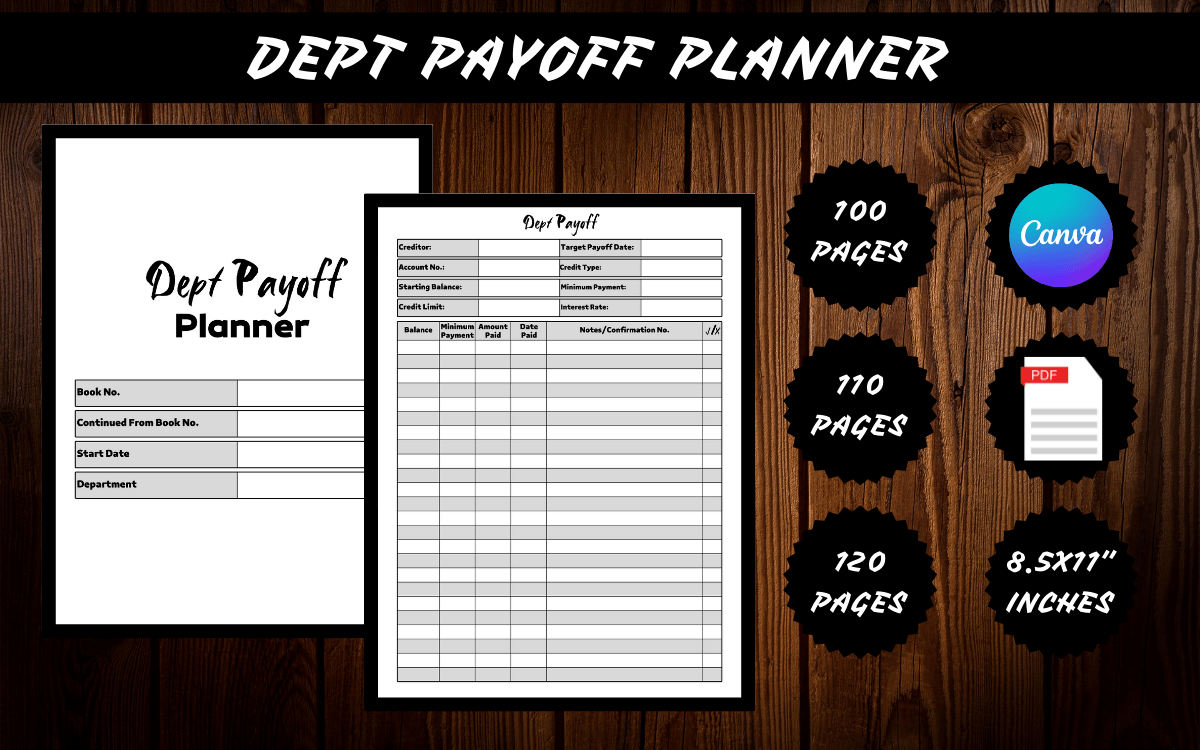
Justin Ve offers a Letter-size debt journal in 100-, 110-, and 120-page versions, with no bleed. The listed package includes a print-ready PDF and a Canva link. The main difference from a short workbook is the amount of ongoing writing space rather than a documented set of advanced financial features.
It is worth considering when you like one consistent log format and expect to keep records over a long period. Before printing the entire file, inspect the preview and print a small sample to check the line spacing. Canva customization can make account names and recurring record headings more useful to you.
The source description does not enumerate every field or explain whether the page-count variants contain different worksheets. Do not equate 120 pages with 120 unique tools. This is best chosen for editable journal capacity, with the preview used to confirm that its record layout matches your needs.
5. Debt Payoff Planner by RenatoRi Designs
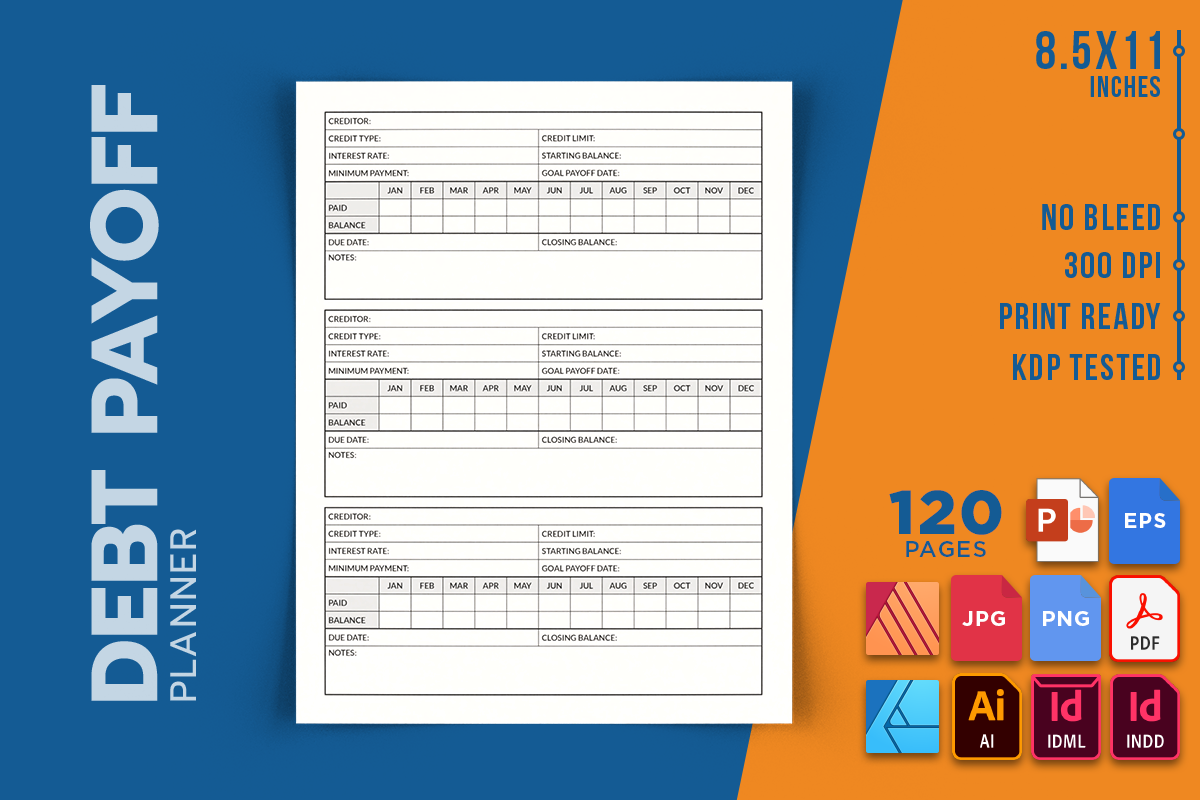
This 120-page Letter-size interior stands out for its extensive source-file package. The seller lists PDF, PNG, JPEG, InDesign formats, Illustrator, EPS, Affinity formats, and PowerPoint. It is supplied without bleed and includes printable pages as well as editable files.
That flexibility is useful if you already work in one of those design applications and want to tailor a repayment notebook. Start with the PDF for a simple personal record, or adjust an editable source to widen columns and simplify labels. Print a test page before committing to a thick binder.
The listing describes an interior only, so a finished book cover is not part of the offer. It also gives file specifications more clearly than the exact debt-tracking fields. The strongest reason to select it is source-file flexibility; it is unnecessary complexity for someone who just wants a single quick tracker.
6. Debt Payoff Planner by BIDADAN
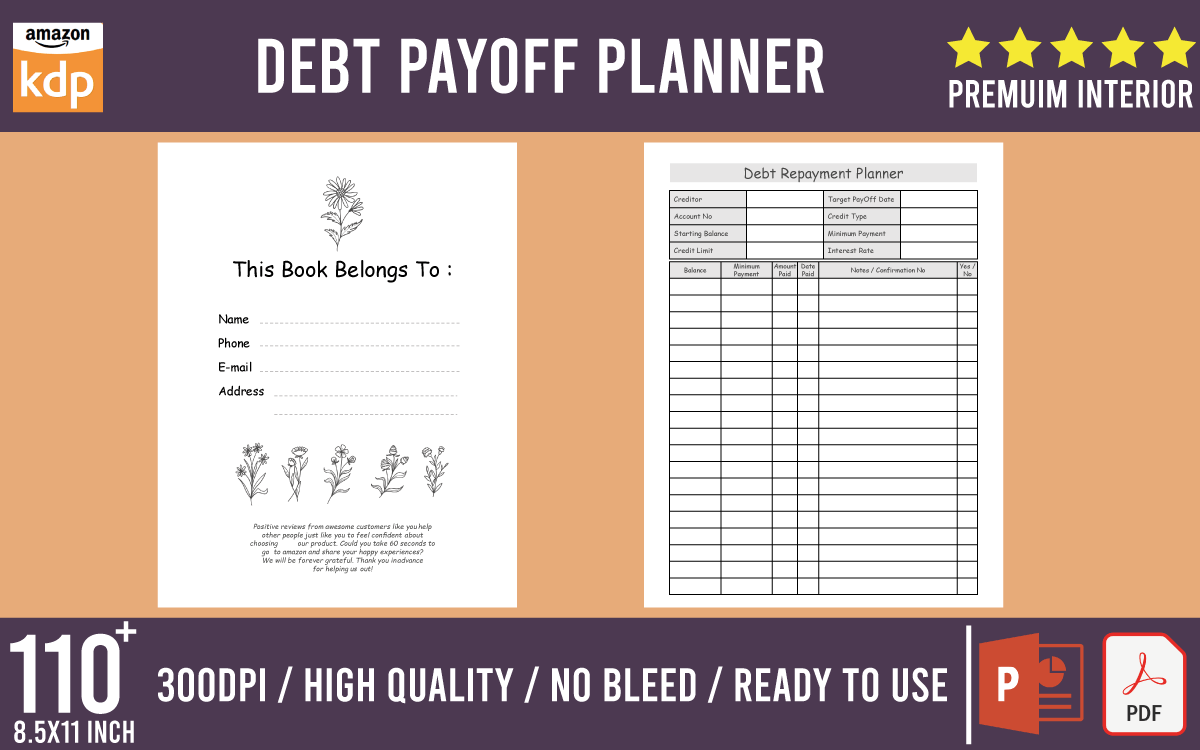
BIDADAN’s option is a 105-page Letter-size logbook supplied as PDF and PowerPoint, without bleed. It is positioned as a personal budgeting and debt-payment record for credit and loan payoff. PowerPoint provides an accessible editing route for readers who do not use Canva or professional layout software.
A sensible use is to keep a repeatable record for each account and review it alongside the current lender statement. The long-form format suits ongoing entries, while the editable source can help make headings or writing areas clearer before printing.
The description does not provide a complete field inventory, a repayment formula, or a breakdown of unique versus repeated pages. Inspect those details in the preview rather than assuming a comprehensive strategy workbook. It is a straightforward candidate for a customized paper log, not verified automated financial analysis.
7. Four-Debt Payoff Tracker by Screech Owl Supply
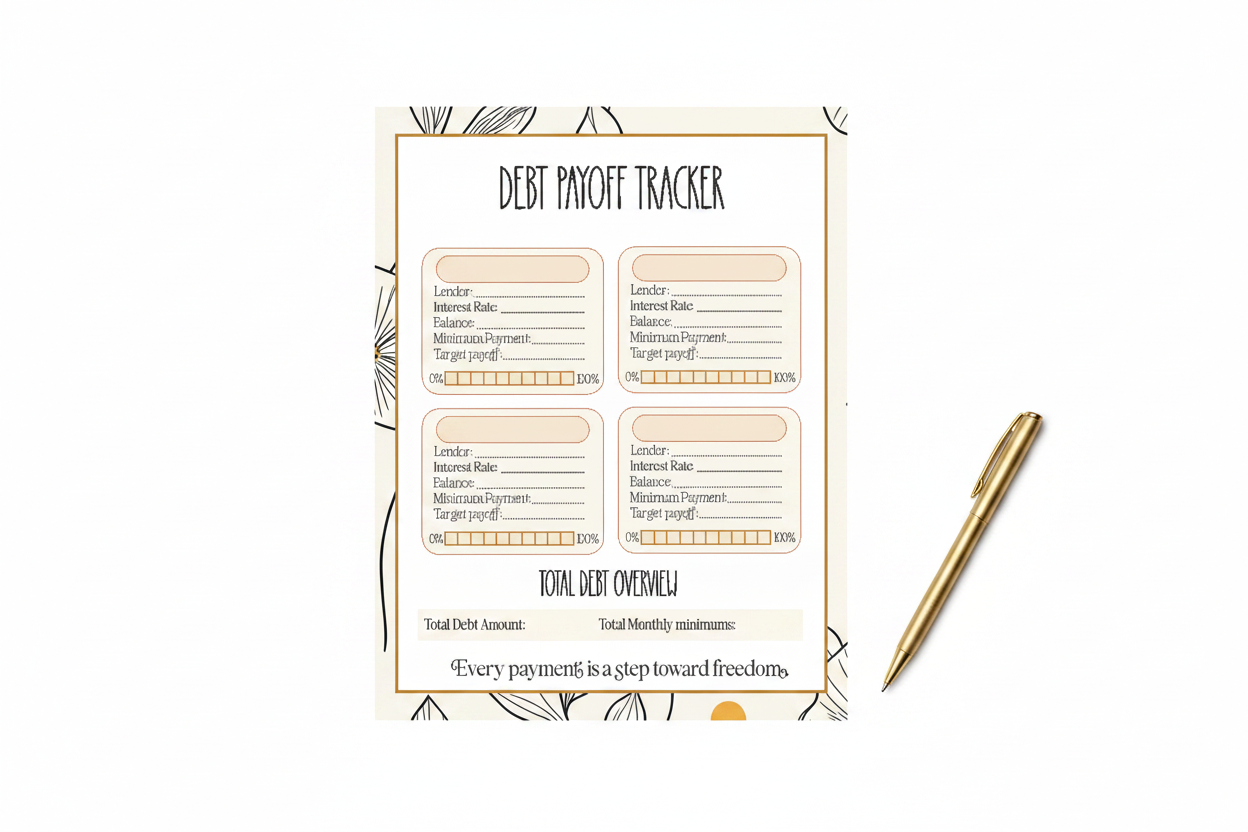
This focused download is a single Letter-size PDF tracker for up to four debts. The seller specifies lender details, interest rates, balances, and a progress bar that can be colored as payments are made. Its deliberately small scope makes it easier to understand than a broad annual planner.
Use the same review date for all four records and keep the page where you review bills. The progress bar can provide a quick visual reference, while the written balances remain the actual record. It is particularly appealing if you want one overview sheet rather than a new journal habit.
Four debts is a real capacity limit, and the listing does not promise editable source files or automatic balance updates. You will need additional sheets for more accounts. Select it for a simple manual snapshot, with payment details and statement reconciliation kept elsewhere if necessary.
8. Debt Payoff Interior by Salah Eddine
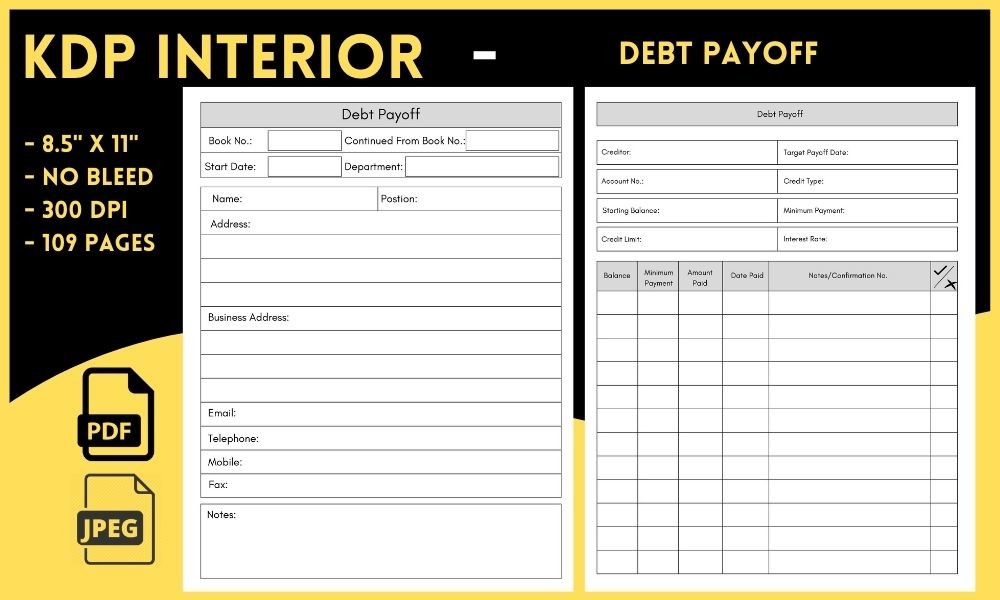
Salah Eddine’s undated interior is listed as 109 pages in Letter size, with PDF and JPEG files and no bleed. It offers another print-oriented route for readers who prefer a notebook-style record to a compact overview sheet.
The advantage is a ready-made page set that can be printed without learning an editing application. I would first check a sample layout, then print only the pages needed for the initial recording period. That avoids filling a binder with repeated forms you may not use.
The listing does not specify a Canva link, spreadsheet, detailed worksheet inventory, or unique-page count. JPEG files are images, not automatically editable forms. It is a reasonable choice when the preview’s writing layout suits you, but a less transparent option for someone seeking a clearly documented repayment workflow.
9. Debt Repayment Planner by Ladamgraphics
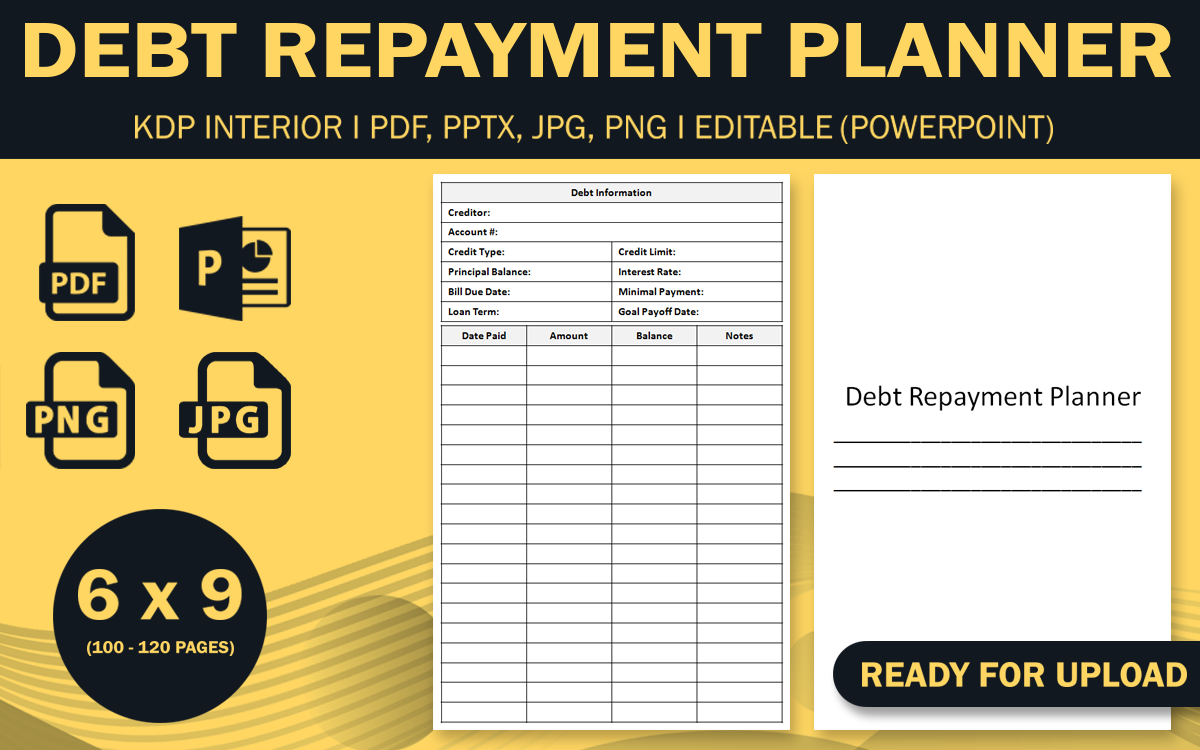
This compact 6 × 9-inch planner includes 100- and 120-page PDF versions, PowerPoint source files, JPG, and PNG. Its smaller trim size can be more comfortable in a portable notebook than a full Letter-size binder. The seller specifies no bleed.
Consider it when you want records close at hand during a regular bill-review session. PowerPoint editing can help adapt the page labels to your accounts before exporting a personal version. The two page-count options provide capacity choices, although the working layout matters more than the larger number.
The product description does not detail every repayment field or distinguish all repeated pages. A smaller page also means less room for long notes and multiple accounts. Check the preview at actual size before printing; choose a larger overview elsewhere if you need to compare many balances on one page.
10. Premium Family Budget Planner by ThePlannersDelight
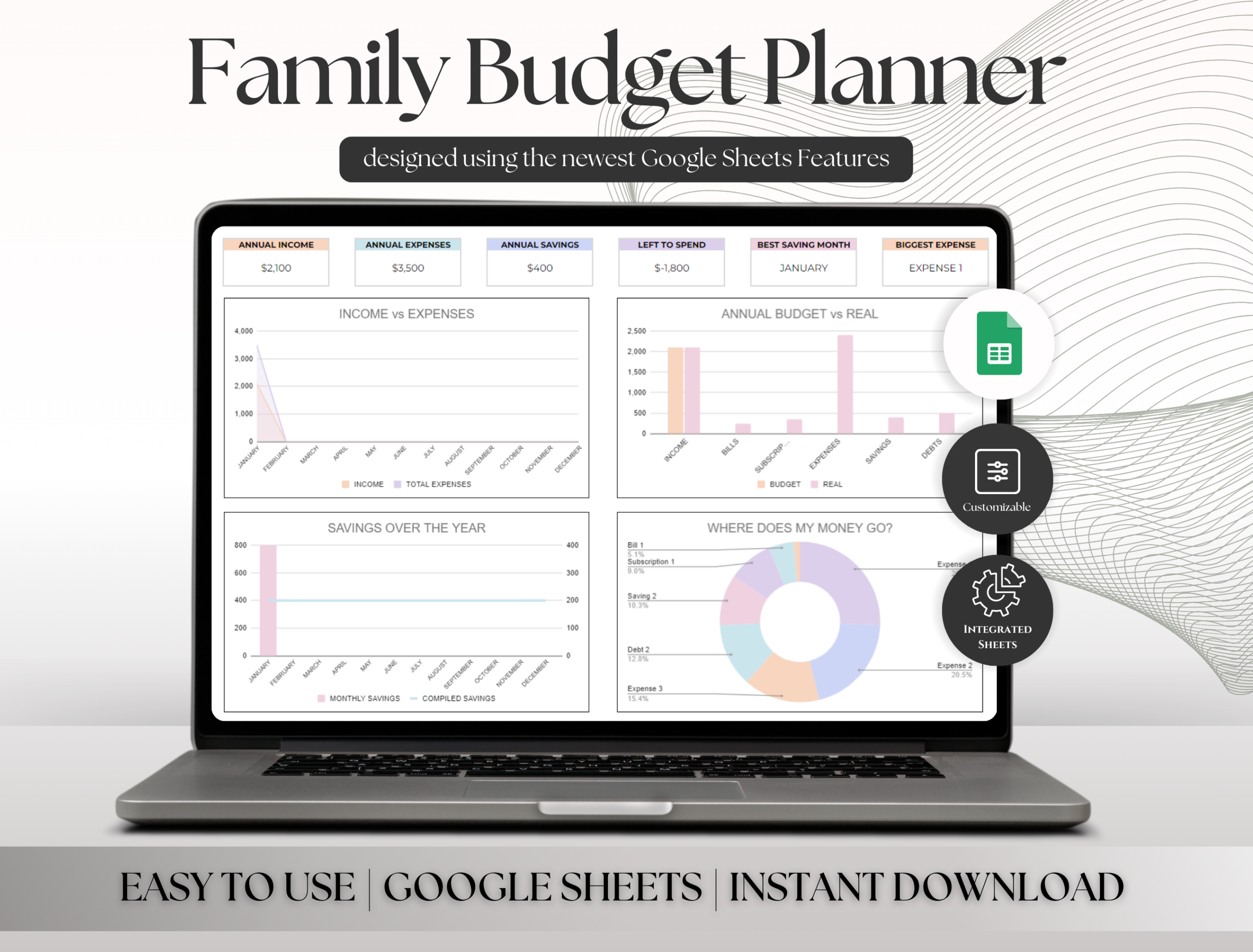
This Google Sheets planner is a broader household system with a specifically documented debt dashboard. The seller describes tracking up to 20 debts, snowball, avalanche, and minimum-payment strategies, an automatic payment schedule, extra payments, and multiple monthly transactions. It also includes budgets, sinking funds, calendars, and family-member allocations.
It is the most relevant option here if you prefer linked spreadsheet records to paper pages. Keep transaction entry consistent and use the debt dashboard together with the monthly budget view. The household allocation feature can be useful when more than one person contributes to shared bills.
The automation is described by the seller; this review does not claim hands-on testing of the formulas. You need Google Sheets and a more involved setup than a printable tracker. The extra investment and net-worth sections may be unnecessary if your only aim is a basic payment log.
Keep payment records consistent
Use a regular review date and keep the source statement beside your tracker. Record actual payments after they happen, with extra payments clearly distinguished from planned amounts. A written progress bar is easier to interpret when the associated balance and date are also visible.
If your budget follows a two-week pay cycle, the biweekly budget planner guide offers complementary spending records. Keep account details in one primary place instead of copying a changing balance into several unrelated forms.
Pick the smallest useful working set
For a compact snapshot, begin with Screech Owl Supply’s four-debt sheet. For an editable paper journal, compare the Canva or PowerPoint options. SR KDP and designmela01 provide more clearly documented annual worksheet collections, while ThePlannersDelight is the spreadsheet-oriented choice.
A broad system is worthwhile only if the additional records help your review. Print a short selection first, adjust the routine, and add pages when a clear need appears. The best debt payoff planner is the one whose information stays current.
Debt payoff planner questions
Are these physical planners? No. The listed products are digital downloads that you print, edit, or open in compatible software. Any binder, paper, tablet, or editing application is a separate requirement.
Do all of them calculate interest or payoff dates? No. Most are manual records. The family-budget spreadsheet explicitly describes repayment automation, but the formulas have not been hands-on tested in this review.
Can an older upload still be useful? Yes, if the pages are undated. A dated 2027 workbook is a different choice from an undated log; check the actual calendar content rather than the product’s upload date.