10 Holiday Pantry Inventory Templates for Meal and Baking Prep
A holiday pantry inventory is a practical first step before buying ingredients for Thanksgiving meals or Christmas baking. The ten resources below are real kitchen-inventory templates: printable lists, fillable PDFs, editable Canva logbooks, and a larger system with an Excel workbook. Most are general, undated pantry tools rather than specially branded holiday planners. This guide shows how their actual formats can support a seasonal stock check.
Use the inventory beside a Thanksgiving meal planner so the shopping list follows the dishes you intend to prepare. A Christmas baking planner can hold batches and recipe details, while a meal prep planner keeps ordinary meals organized between gatherings. The pantry page answers a narrower question: what is already available, and what still needs to be bought?
Choose a holiday pantry inventory around your stock-check routine
Start with one storage area and one upcoming cooking session. Record item names and useful quantities, compare them with the recipes or meal plan, and move only the missing items to the shopping list. A short paper checklist may be enough for a single gathering; a repeatable logbook or workbook is more useful when you plan to maintain the record over several weeks.
Check the technical workflow before downloading. Fillable PDFs allow data entry when supported by your reader, Canva sources allow layout editing, and spreadsheets may offer calculations. Those are different features. The product descriptions below identify exactly what is confirmed, including unknown software requirements and page-count discrepancies. No template can keep quantities current unless you update the information after shopping or cooking.
1. Bohemian Pantry Inventory PDFs with Fillable Item Columns
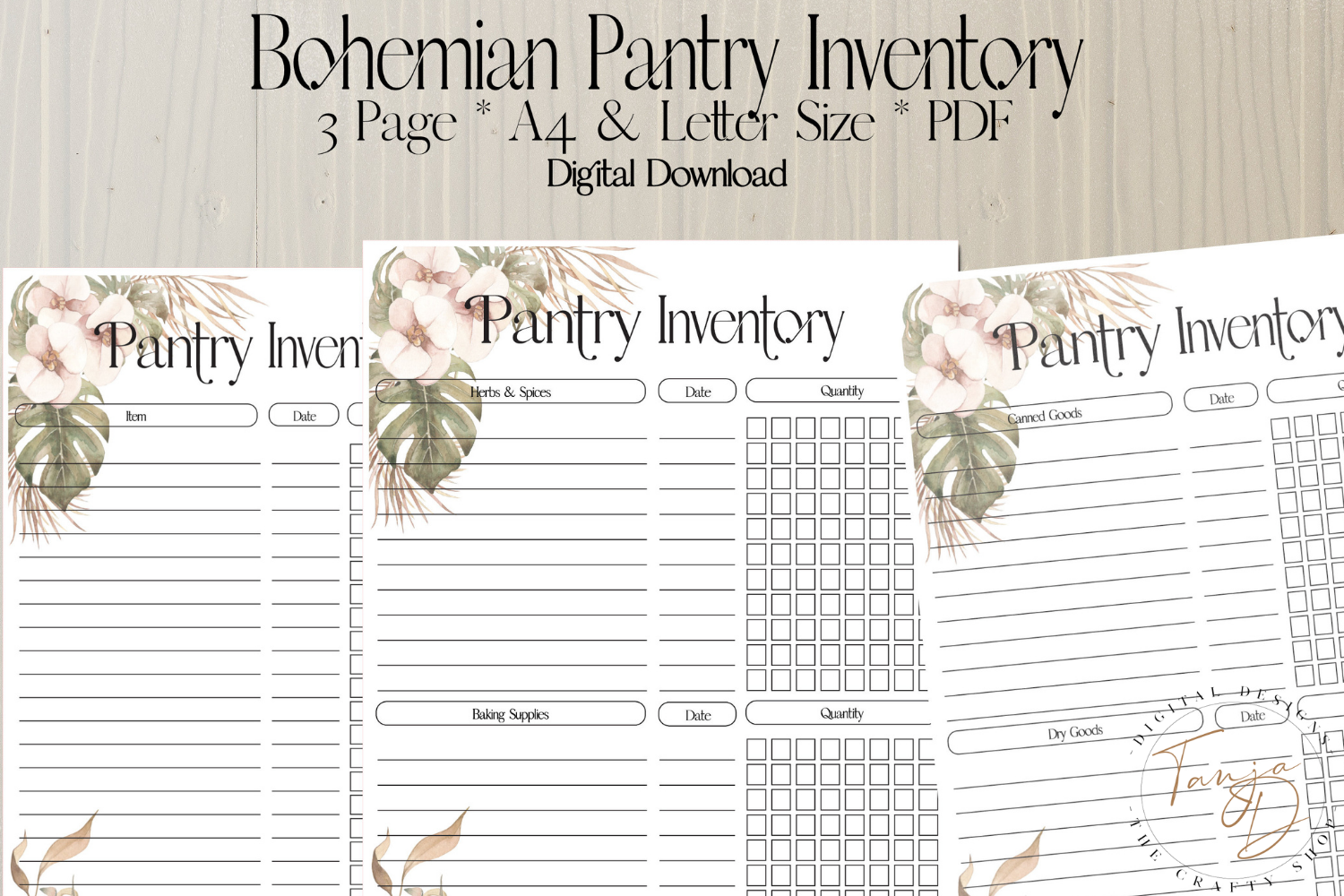
This bohemian inventory collection is useful for a holiday stock check when you want a printable page that can also be typed before printing. The seller supplies two PDFs in A4, 8.3 × 11.7 inches, and US Letter, 8.5 × 11 inches, and specifically confirms fillable item columns. The original preview shows several inventory layouts with soft decorative details. You could use the pages to list baking staples and other shelf ingredients before writing your Thanksgiving or Christmas shopping list.
The two-PDF count describes files, not necessarily two unique page designs; the preview displays more than one layout. Check the actual page inventory before assuming a particular number of forms. The seller also suggests laminating the printout for repeated use with a dry-erase marker, which could suit a kitchen where quantities change often. Fillable item columns do not establish automatic calculations or a live connection to your shopping app. Choose this set for a flexible manual stock record, and update the amounts after shopping or cooking so the page remains useful.
2. A Black-and-White Pantry List for Quick Holiday Stock Checks
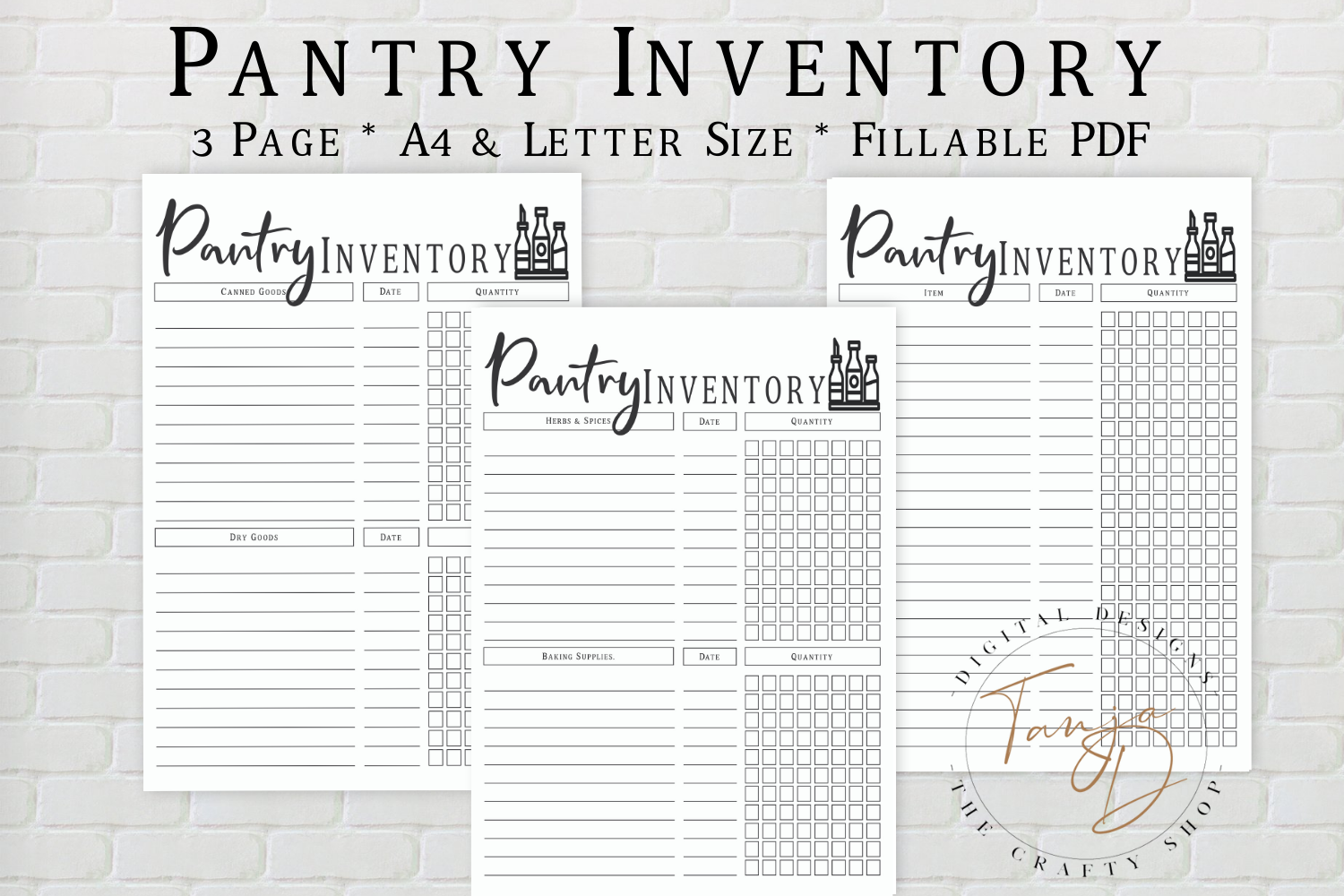
This black-and-white option suits someone who wants the pantry record to stay visually simple. The seller confirms a ZIP with two PDFs, in A4 at 8.3 × 11.7 inches and US Letter at 8.5 × 11 inches. The description suggests printing, laminating, and updating the list with a dry-erase marker. For holiday preparation, it could be a practical place to check flour, sugar, canned ingredients, and other shelf supplies before adding anything to a grocery list.
The preview advertises three pages and a fillable PDF, while the written description confirms two size-specific PDF files without explaining those interactive fields. Treat typing support and the exact layout count as details to verify in the download. The file count and pictured page count are not automatically contradictory, but they describe different things. Start with a plain-paper print at the correct size and decide whether the columns suit your stock-taking routine. This is a manual inventory page; no spreadsheet formulas, automatic restock alerts, or editable design source are confirmed.
3. Floral Fillable Pantry Pages in A4, A5, and US Letter
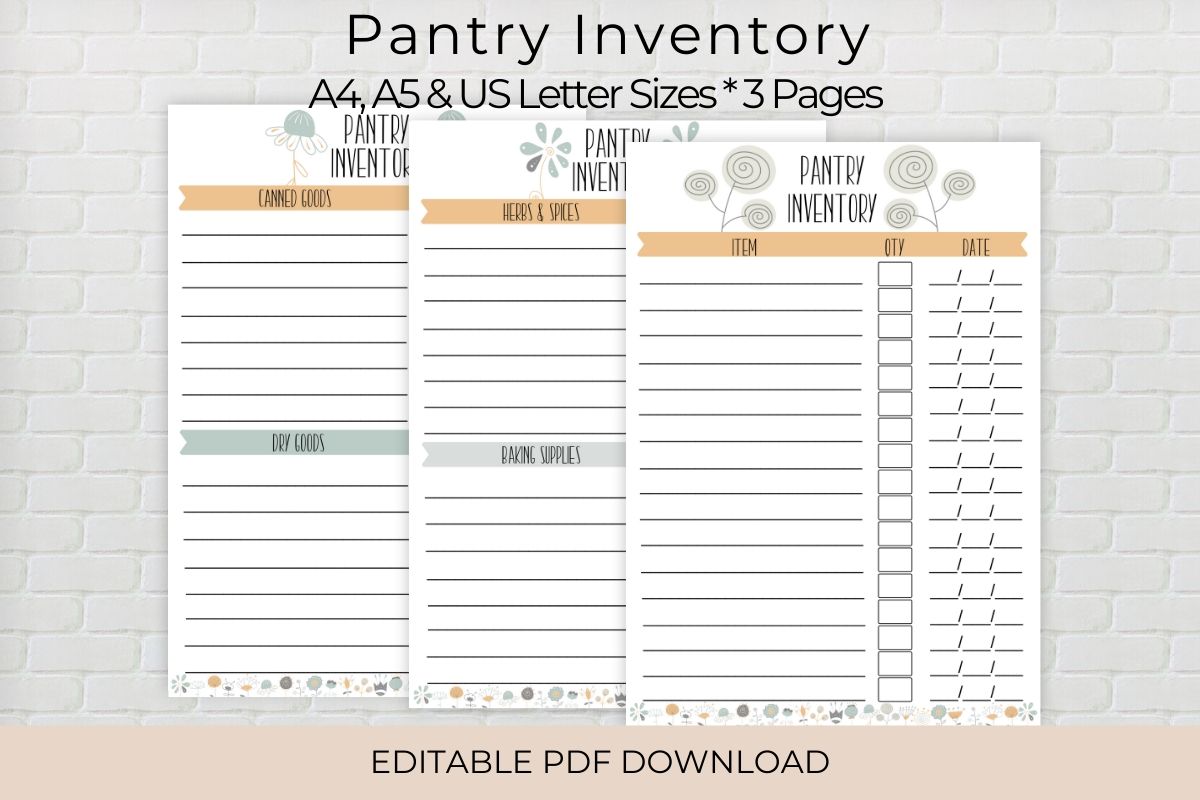
This floral pantry inventory has a clearly documented type-and-print workflow. The seller supplies three fillable PDFs in A4, 8.3 × 11.7 inches, A5, 5.83 × 8.3 inches, and US Letter, 8.5 × 11 inches. You can type into the PDF and print it, write on the paper, or laminate a copy for dry-erase updates. The original preview shows coordinated forms in several gentle colors. That makes it useful if your holiday preparation notes already live in a smaller household binder.
Choose A5 for a portable planning insert or a larger size when you need more writing room for quantities and shopping notes. Fillable does not mean the full page artwork can be redesigned: the listing establishes data entry, not a Canva source or unrestricted layout editing. Numeric resolution and automatic calculations are not specified. A sensible holiday workflow is to type a stable list of pantry staples, then record changing amounts during each stock check. The decorative style can make the page pleasant to use, but regular updates are what connect it to useful meal and baking preparation.
4. A 120-Page Editable Pantry Logbook Interior for Canva
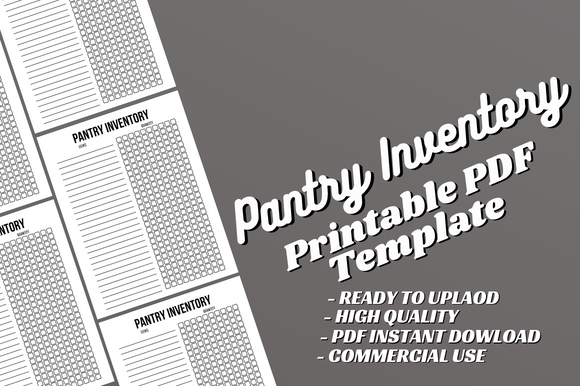
This pantry inventory template is intended for a longer repeated record rather than a single seasonal checklist. The seller confirms a complete 120-page PDF at 8.5 × 11 inches with no bleed, plus an editable Canva source. Text, fonts, and content can be customized. The preview shows practical inventory tables, so you could adapt headings to the categories you use for holiday cooking, then print only the pages needed for your preparation period.
The page count should not be read as 120 different inventory designs. Its value is a repeatable layout with plenty of recording space, particularly for a household that wants to keep stock-check records over time. The listing supplies the interior only, with no finished book cover. A numeric DPI and specific Canva plan requirement are not given. Customize the wording once, export a test PDF, and check that the columns still leave enough room for quantities. This is a document-editing workflow, not a confirmed automated pantry database or a synchronized grocery list.
5. Inventory and Restock Pages for Pantry, Fridge, and Freezer
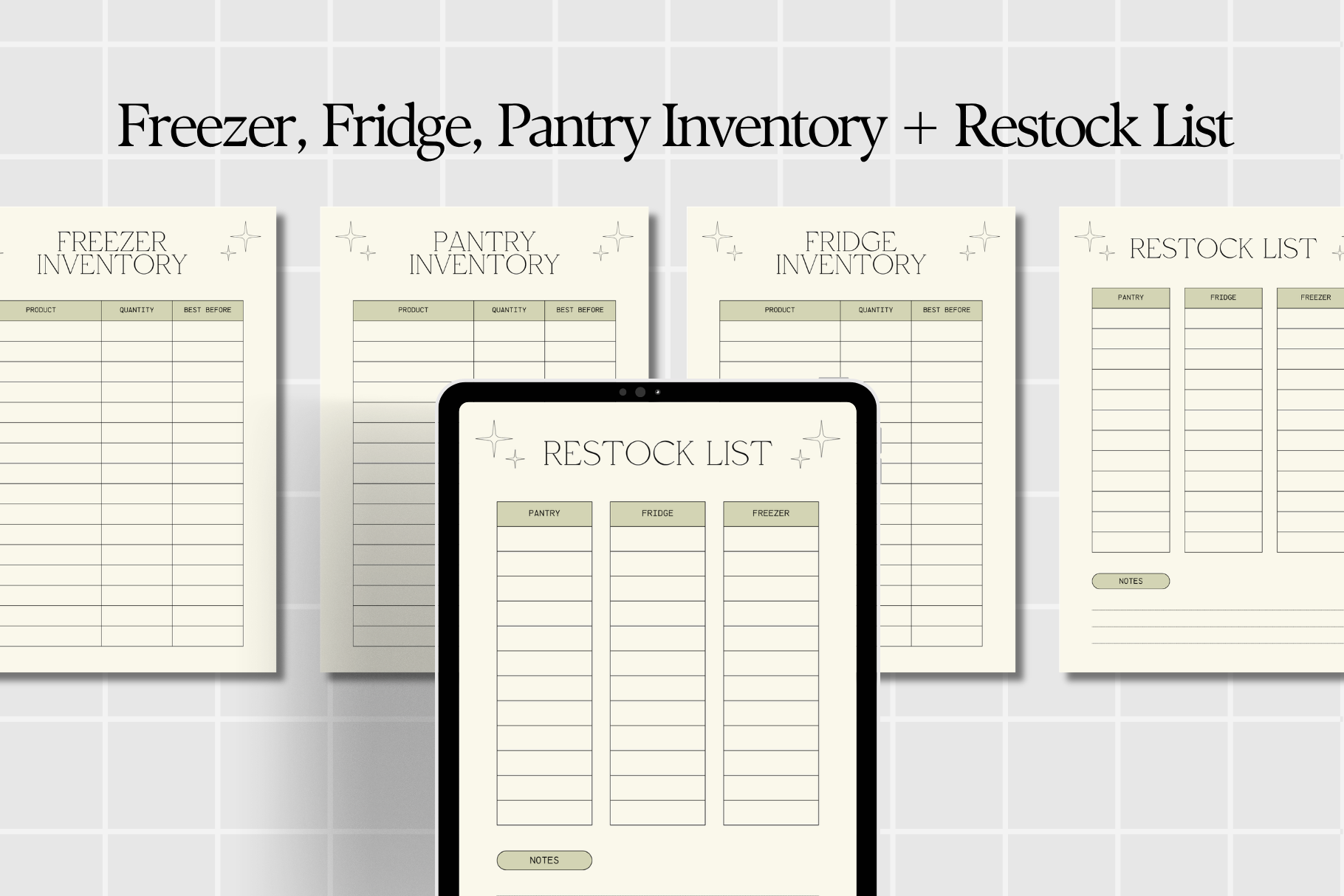
This collection is useful when your holiday shopping depends on more than the dry pantry shelf. The seller confirms a PDF containing freezer, fridge, pantry inventory, and restock-list resources, intended for printing or digital use. The original preview shows the related worksheets together. It could help you separate ingredients already stored in different parts of the kitchen before preparing a single shopping list for the next gathering.
The written listing does not give exact paper dimensions, total page count, fillable fields, or hyperlink navigation. Check the PDF properties before choosing a binder or assuming a particular tablet format. A practical approach is to make one quick record for each storage area, then move only the missing items onto the restock page. That keeps a holiday shopping list from becoming a second copy of everything in the kitchen. The resource is a manual worksheet set; automatic quantity updates or expiry reminders are not established by the description.
6. A Compact 6 × 9-Inch Pantry Logbook in Three Lengths
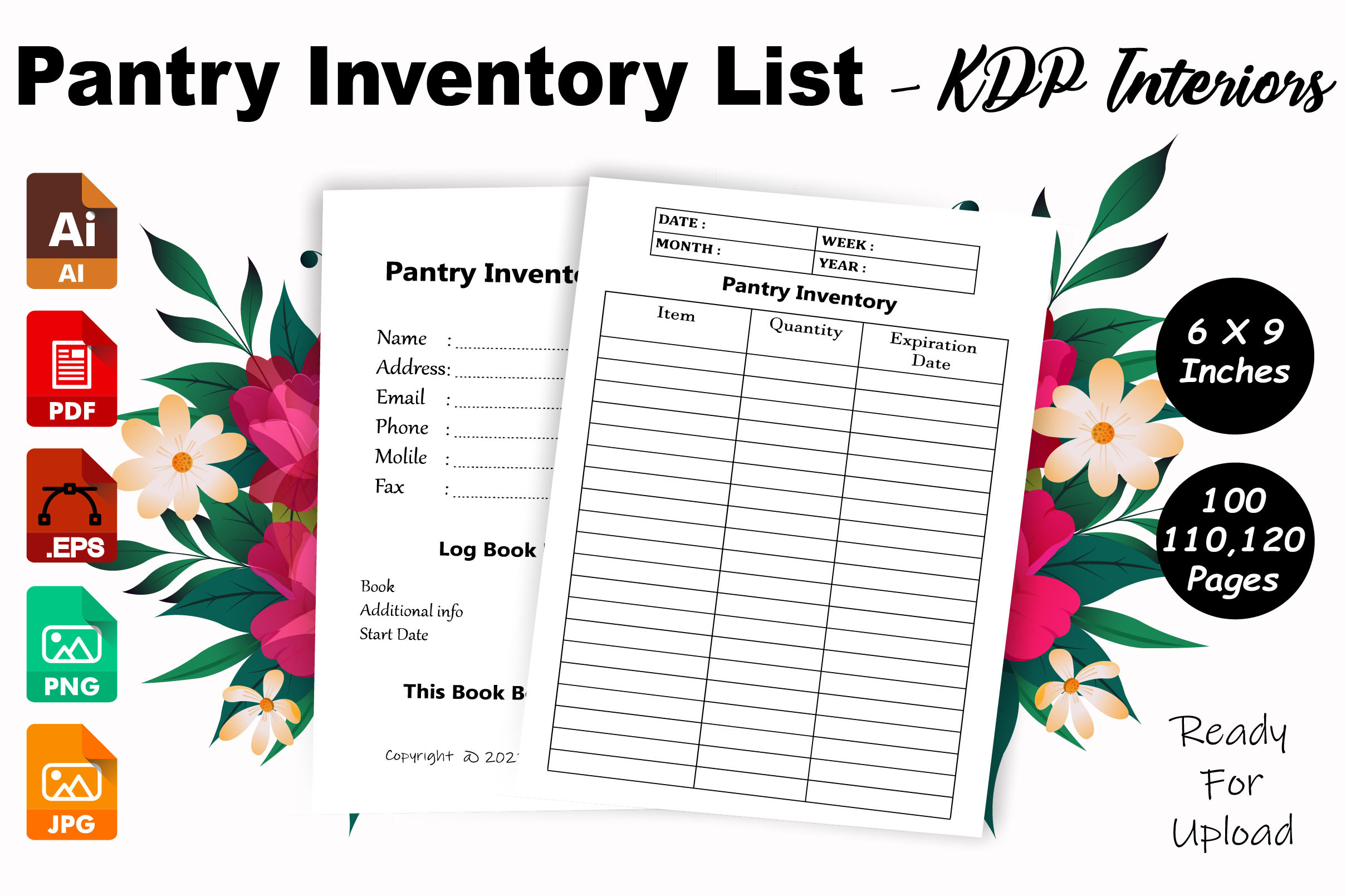
This pantry logbook is a useful size alternative if an 8.5 × 11-inch binder feels too large for your kitchen. The seller documents a 6 × 9-inch interior with 100-, 110-, and 120-page versions, no bleed, and AI, PDF, EPS, JPG, and PNG files. The original preview shows straightforward inventory tables. You could use a small printed record for repeated holiday ingredient checks, especially if you prefer keeping the information in one notebook instead of replacing loose sheets.
The three page lengths are versions of the logbook, not proof of 330 different layouts. The description mentions InDesign in its introductory wording, but the actual inventory does not list an InDesign file, so do not rely on receiving one. A numeric DPI and interactive PDF fields are also unspecified. Choose a length around your actual recording needs, and check the margins before binding. This option offers a compact repeatable document rather than a ready-made physical notebook, an automatic stock calculator, or a planner with recipes already filled in.
7. A Letter-Size Pantry Logbook with a PowerPoint File
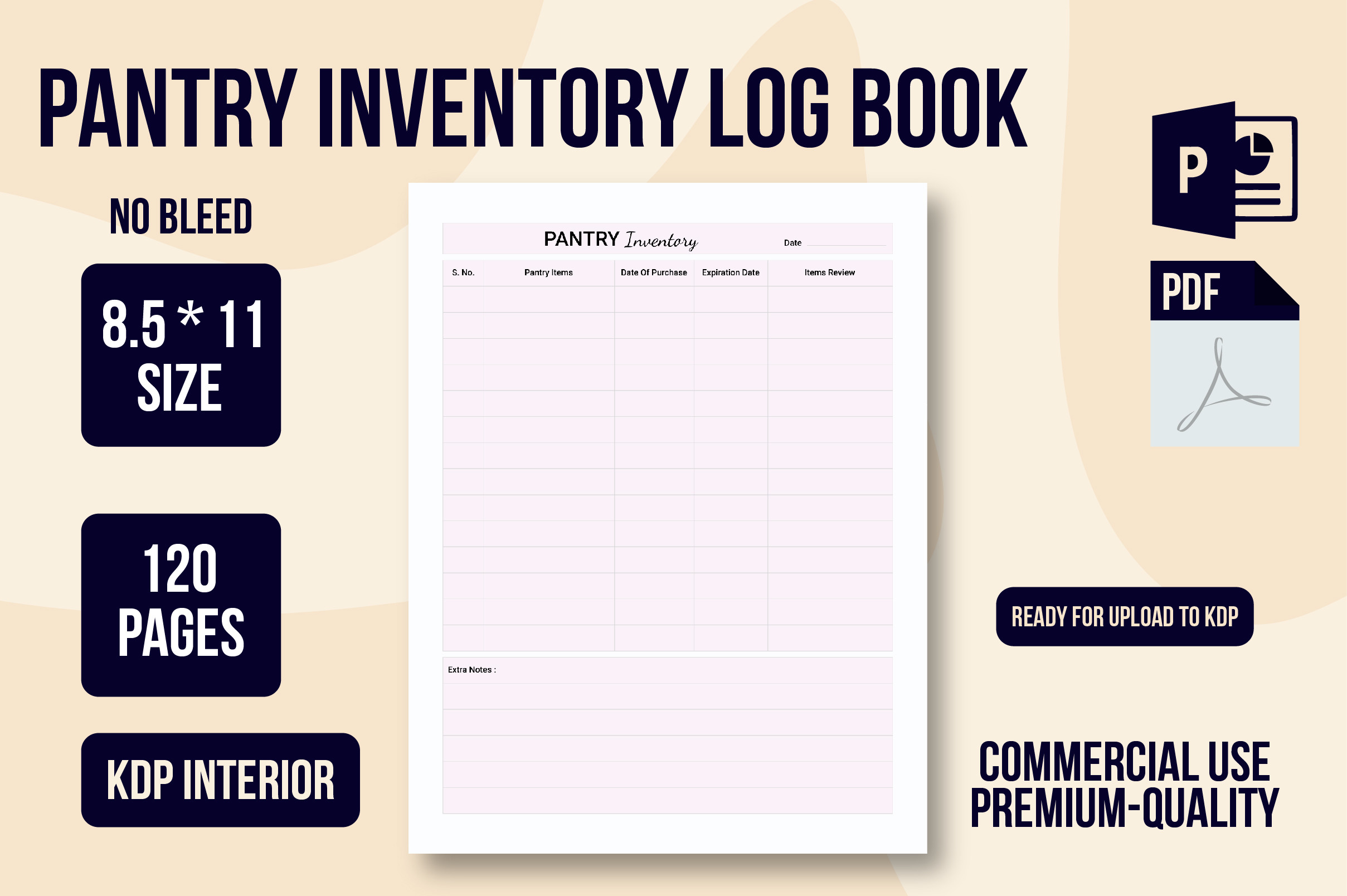
This larger pantry logbook is worth considering if you prefer full-page tables and an office-format source. The seller confirms a 120-page interior at 8.5 × 11 inches, with no bleed, supplied as PDF, PNG, and PowerPoint files. The listed resolution is 300 DPI. The original preview shows a restrained inventory table. It could give you a consistent record for stock checks across several holiday cooking sessions and then continue into ordinary kitchen planning afterward.
A supplied PowerPoint file provides a possible editing route for users with suitable software, but the description does not identify the version or explain which elements can be changed. The 120 pages are recording space, not a documented collection of 120 unique forms. Print a small selection first to check whether the columns match how you count pantry supplies. This is a logbook interior rather than a finished bound book. No formulas, automatic restocking notifications, or live shopping-list integration are confirmed, so choose it for a repeatable written record.
8. Fourteen Food-Inventory Pages with an Excel Dashboard
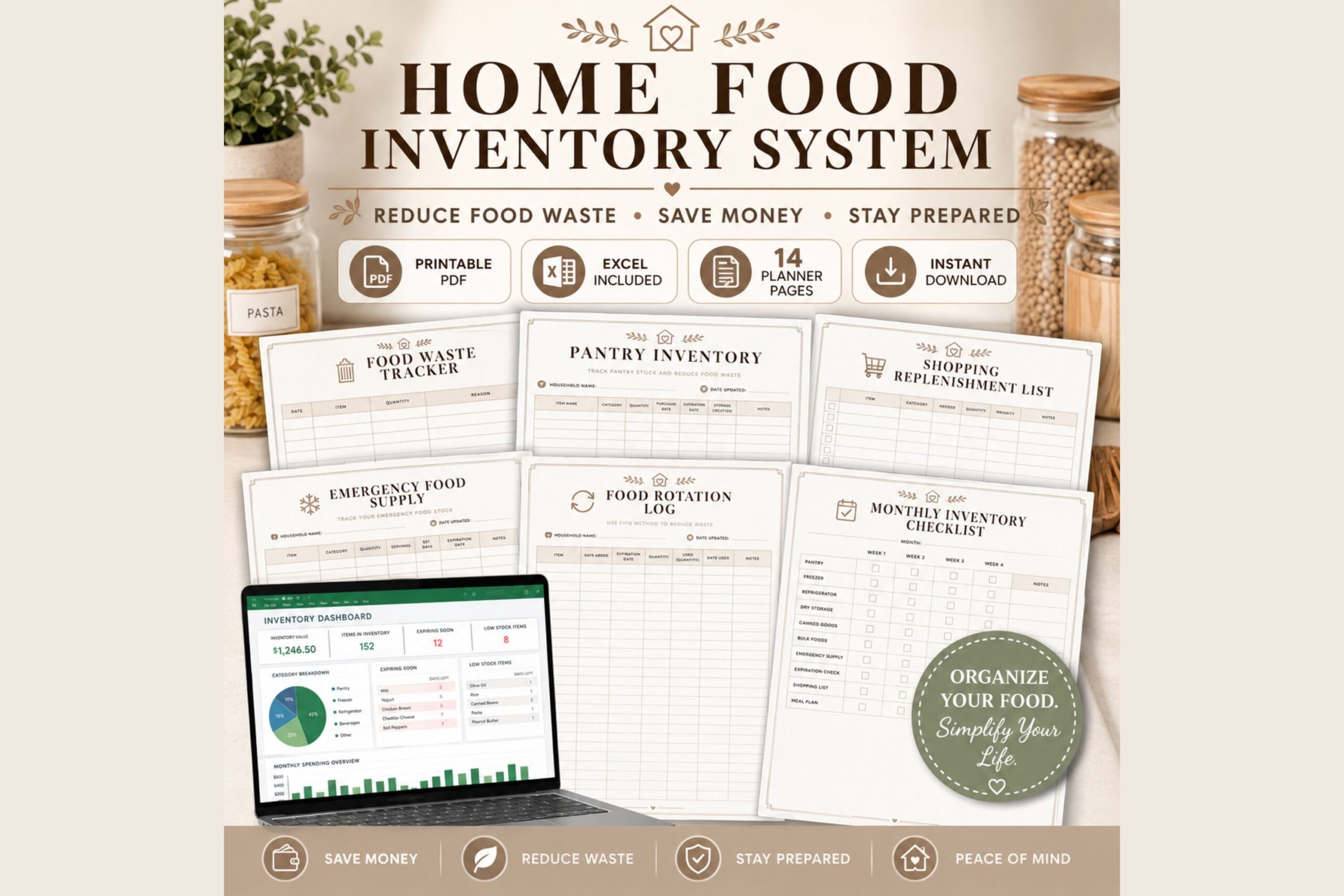
This is the broadest kitchen-stock system in the selection. The seller confirms fourteen printable PDF pages, an Excel inventory dashboard, and a step-by-step guide. The pages cover pantry, refrigerator, freezer, dry storage, canned and bulk food, shopping and replenishment lists, rotation, waste, emergency supplies, monthly inventory, meal-prep stock, and notes. For holiday preparation, that can be useful when a baking list needs to connect with a wider household food record rather than sit alone on the counter.
The seller describes automatic tracking of low-stock items, expiration dates, and spending in the Excel dashboard. Those are documented listing claims, not workbook functions tested for this review. Exact paper dimensions, Excel-version requirements, and compatibility with Google Sheets are not provided. Decide whether you will maintain the workbook or mainly use the printed pages before choosing a workflow. An automatic dashboard still depends on the information entered. Start with the pantry and shopping pages for a single gathering, then add the other sections only if they make your stock checks easier.
9. A Hyperlinked Pantry and Freezer PDF with Maps and Logs
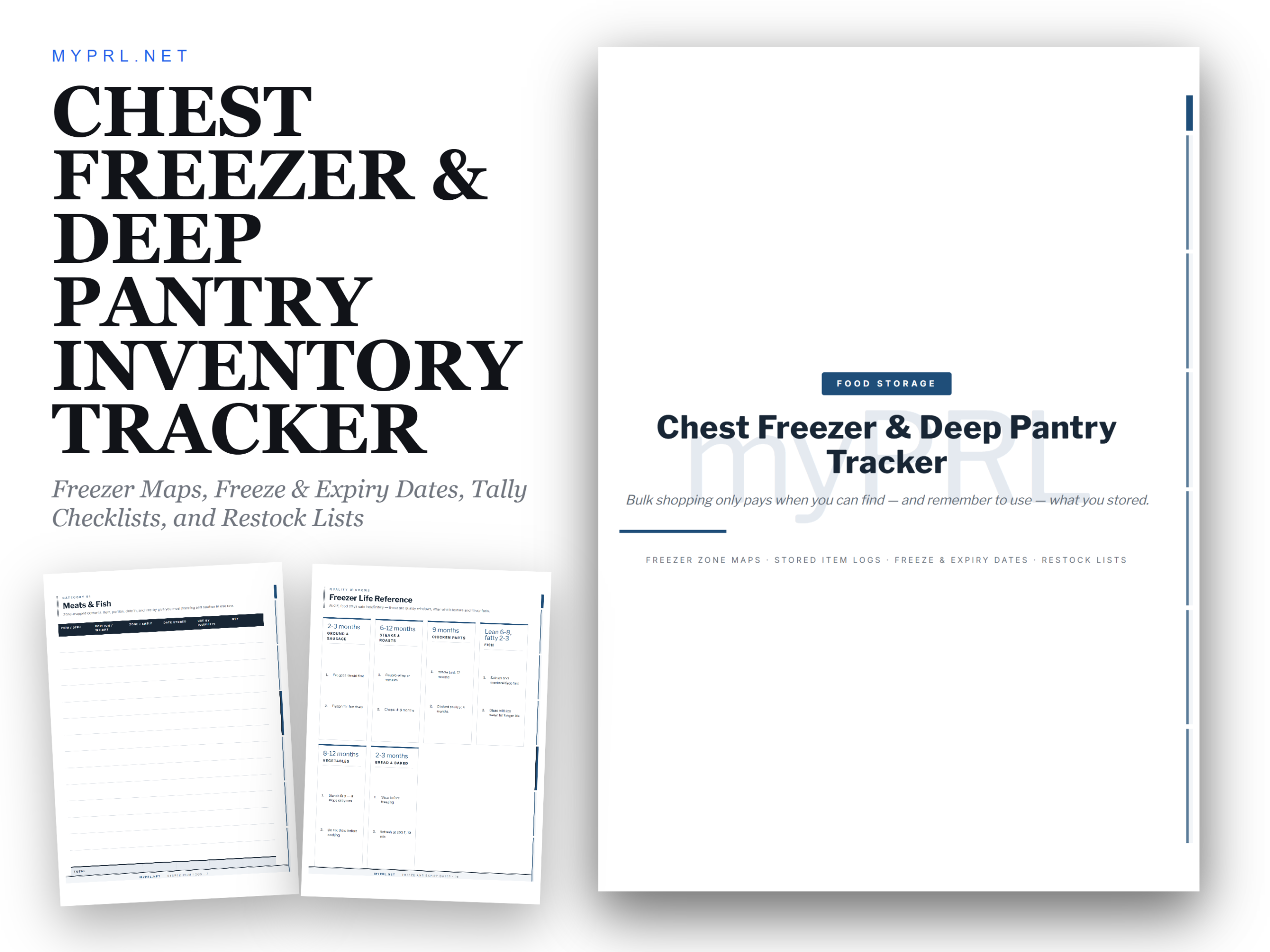
This collection is aimed at larger storage areas where a simple ingredient list may not tell you where anything is. The seller describes a hyperlinked US Letter PDF with zone maps, stored-item logs, date records, stock-take checklists, and restock pages. GoodNotes, Notability, and Xodo are named for on-screen use, while printing at 8.5 × 11 inches and 100% scale is also documented. The mapping approach could be useful before holiday cooking if ingredients are spread across a deep pantry or several freezer areas.
There is a page-count uncertainty: the listing states 24 pages, but the five grouped page counts add to 22. The remaining two pages are not explained, so verify the inventory if the exact count matters. Hyperlinks are described by the seller rather than independently tested in the purchased file. The bundle also includes storage-reference material, but this review assesses the planning format rather than endorsing its food-storage guidance. Choose it for the combination of locations and written stock records, and leave time to set up labels and update the logs.
10. A Single Pantry Inventory Design in PDF and PNG
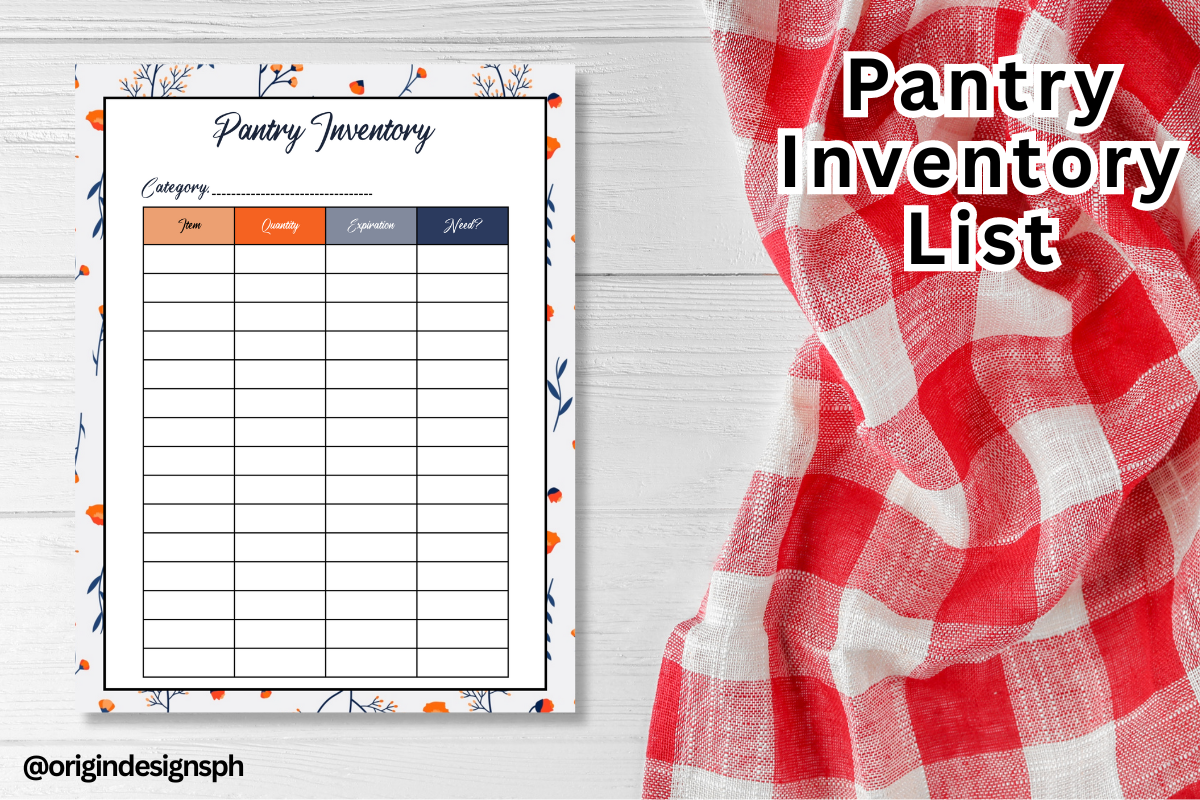
This single-design pantry inventory is a focused option when you only need a page for one holiday preparation session. The seller confirms PNG and PDF formats, says it can be printed on A4 paper, and recommends 100% actual-size printing. The original preview shows a simple inventory table with a colorful heading. You could use it to check baking staples and shelf ingredients, then keep it beside the grocery list while preparing for a family meal.
No numeric DPI, exact image pixels, editable source, or spreadsheet functions are supplied in the description. Make one test print and check that the columns give you enough room for the way you record quantities. The PLR wording is limited to printed copies; the seller does not permit selling the PNG or PDF files. For personal planning, the useful feature is the uncomplicated PDF-and-image choice. It is a manual pantry record, not a complete menu planner, a recipe collection, or a system that automatically updates when ingredients are used.
Make the download work for your routine
Pick the smallest system you will maintain. A single PDF works for a quick baking-stock check, a reusable fillable page suits recurring lists, and the Excel bundle makes sense if you want to keep entering food-inventory data. Print or open one sample before committing to a whole binder. Keep the pantry record focused on available ingredients, and leave menus, recipes, and cooking schedules on their own planning pages.