8 Christmas Thank You Cards for Thoughtful Holiday Order Inserts
Christmas thank you cards give a holiday order a personal closing note. These eight digital templates focus on small business packaging: a short message, your shop details and, where appropriate, space for a return visit. They are editable stationery downloads rather than a shipment of printed cards. The previews range from restrained trees and foliage to starry navy designs and pink festive accents.
Keep the insert design alongside your small business planner so contact details stay consistent. A customer order tracker can help you note which parcels need a seasonal insert, while a craft business planner gives handmade sellers a place for packing supplies and preparation tasks.
In this guide
Choose Christmas thank you cards around the finished parcel
Start with the space available inside your packaging. AN Graphics states a 5.5 × 4.25-inch template size for its four designs below. EveryDay describes an 8.5 × 11-inch print-at-home template, but does not clearly establish that measurement as the finished size of each card. Check the Canva canvas and export before ordering a large print run.
All eight resources use Canva editing. A PDF containing instructions or a template link is an access document; it is not necessarily the finished card artwork. Prepare one short message, a readable shop address and any offer terms before you edit. You can omit a discount entirely and simply thank the recipient for supporting your work.
1. Neutral Christmas Trees on a Compact Canva Card
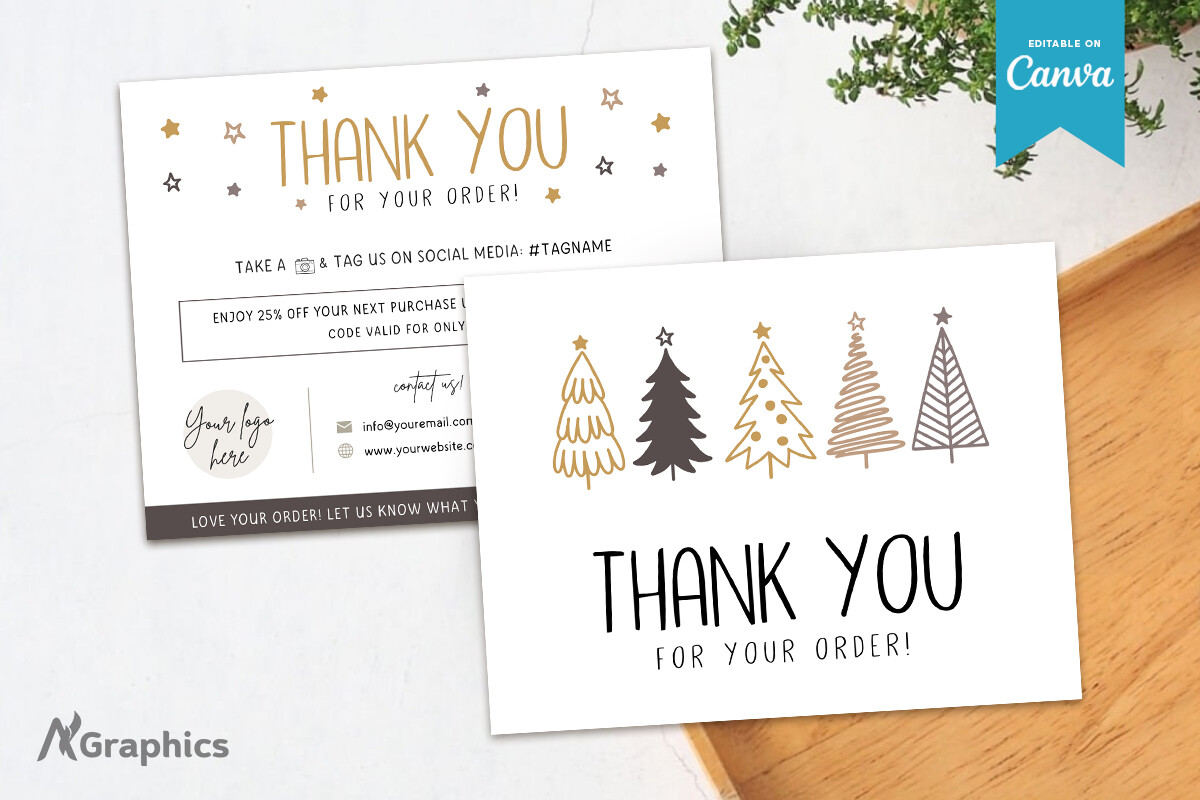
AN Graphics pairs a light background with a row of stylized trees and a prominent thank-you message. The neutral brown, grey and gold-looking details in the preview would sit comfortably with kraft packaging without requiring a matching printed box. The seller specifies one Canva template at 5.5 × 4.25 inches and says a free Canva account can be used to edit it.
This is a practical option when your seasonal insert should feel festive while keeping the shop identity visible. Personalize the wording, fonts, colors and logo area, then check the smallest contact information at actual size. The preview shows multiple views of the artwork, but the description lists one template page; do not count the mockups as a confirmed multi-card bundle.
2. A Navy Star Design with a Strong Thank-You Heading
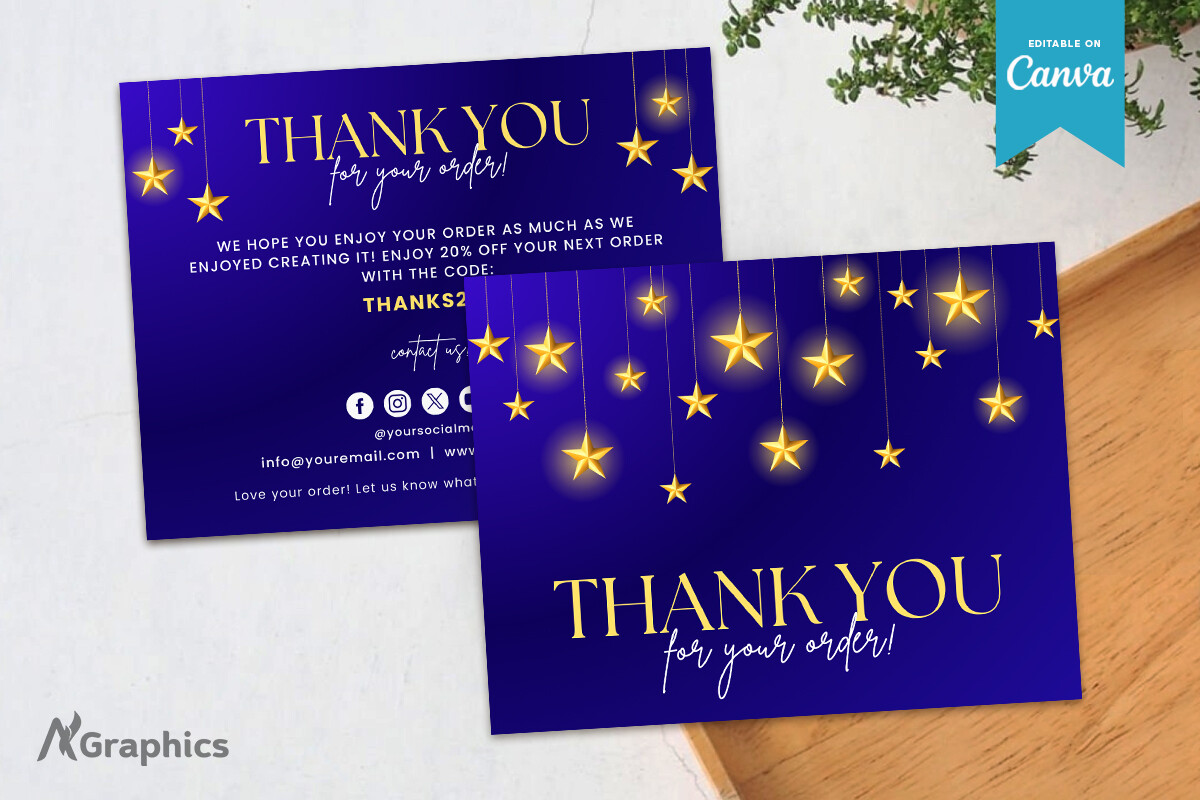
The dark version from AN Graphics uses a deep blue field with hanging stars and gold-colored lettering. It has the same stated 5.5 × 4.25-inch Canva format as the lighter tree design, with one template page listed. Text, fonts and brand colors can be adjusted, so the visual starting point does not lock you into the sample wording.
Choose this layout when the insert is meant to stand out against tissue paper or a light mailer. The star effect is part of the printed artwork, rather than evidence of metallic foil. Proof the dark background and small reversed text before making a larger batch, and keep any handwritten addition on a light area or use a separate note if ordinary ink is hard to see.
3. An Evergreen-and-Berry Border for Seasonal Packaging
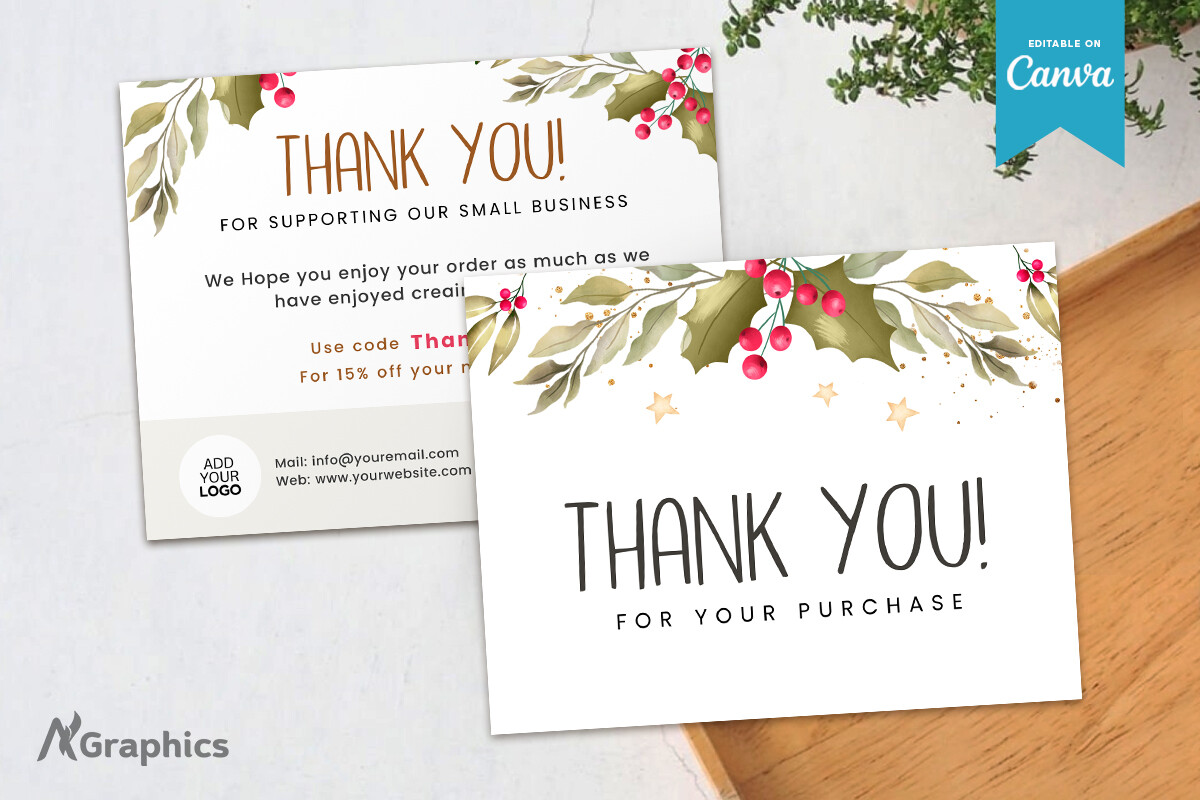
This AN Graphics design puts botanical greenery and red berries around a pale message area. Its preview offers a familiar Christmas palette while leaving the central thank-you easy to locate. The listing describes a one-page, 5.5 × 4.25-inch template edited in Canva, with changes available to text, colors, fonts and branding.
It is a useful starting point for a shop that already uses botanical wrapping or natural paper. Keep the paragraph short so the foliage remains a frame rather than competing with dense copy. If you replace the logo or add a shop address, check the balance of the lower information area; a larger logo can leave less room than the product mockup suggests.
4. Soft Foliage with Space for a Personal Signature
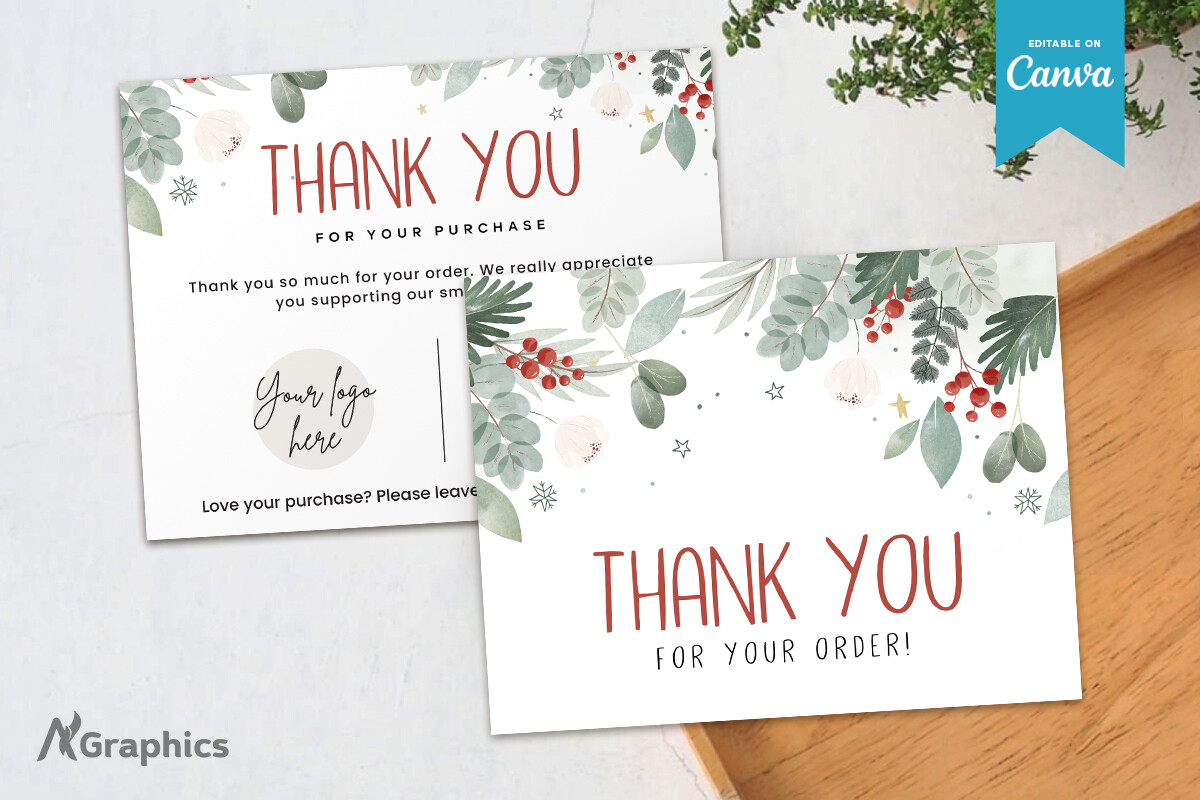
The second floral option from AN Graphics uses softer green leaves and a handwritten-style thank-you treatment in the preview. It remains a distinct visual alternative to the sharper berry border above, even though the seller lists the same one-page Canva format and 5.5 × 4.25-inch size. A free Canva account is stated as sufficient for editing.
This version suits an insert that should read like a personal note from the maker. Replace the sample signature and message with your own wording instead of leaving a generic block of shop text. The soft palette benefits from a test print because pale leaf details may look different on cream stock; judge the proof on the paper you will actually place in orders.
5. A Greenery Frame with a Warm Holiday Greeting
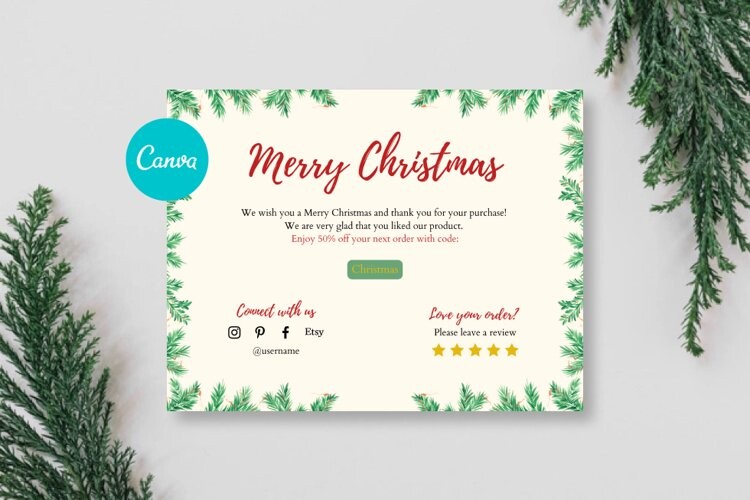
EveryDay presents a cream card with green foliage around the edge and a red seasonal greeting. The preview combines a thank-you message with lower areas for contact information and a review request. The download is described as PDF instructions with a Canva link, and the seller specifies editing on a computer rather than a phone.
The listing calls this an 8.5 × 11-inch print-at-home template without clearly separating sheet size from finished card dimensions. Open it first and measure the intended insert before choosing envelopes or cutting a stack. It works well as a coordinated holiday message if you simplify the lower details to the one action most useful to your customer.
6. Long Pine Sprigs Around a Light Canva Insert
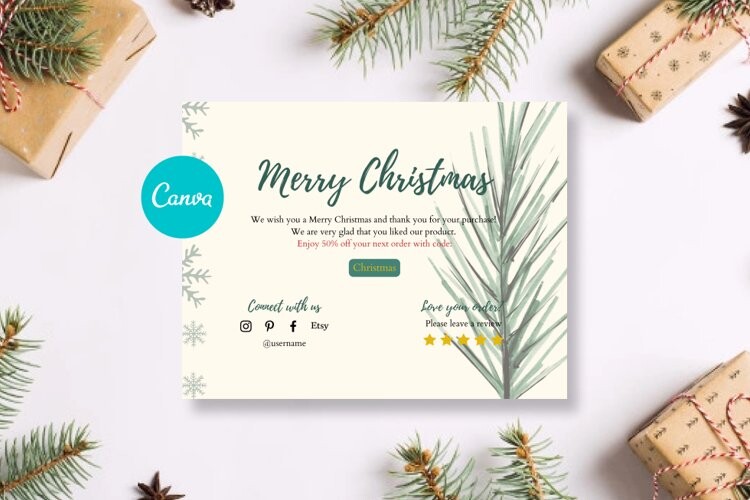
This EveryDay variation places long pine-like sprigs around a light background and uses a green holiday heading. The layout feels more open than the denser greenery frame, with the botanical details concentrated along the edges. As with the related listing, the delivered PDF provides instructions and a Canva link, and computer-based editing is specified.
Use that open middle area for a short thank-you rather than filling it with every shop policy. The stated 8.5 × 11-inch template measurement still needs checking against the finished card layout in Canva. Before printing, replace the sample contact icons and any review or return-visit wording with details you are prepared to keep current throughout the holiday order period.
7. Gift Illustrations with a Green Seasonal Heading
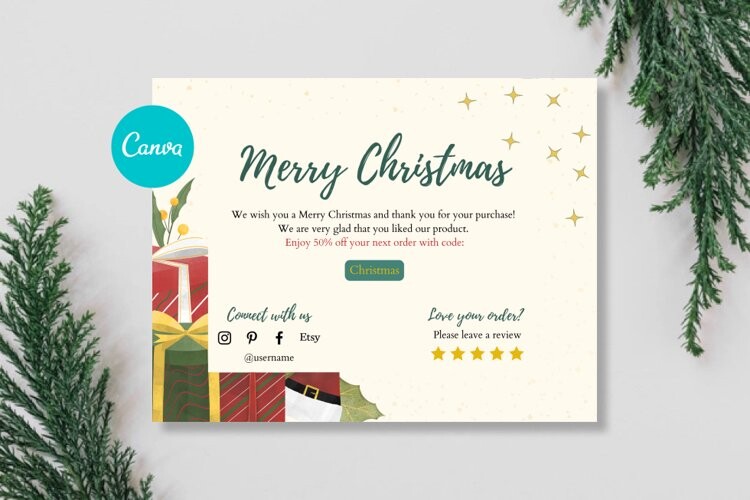
Wrapped presents decorate the lower left of this EveryDay design, while a green greeting anchors the upper section. That makes it an appealing option when your packaging already emphasizes gift giving rather than botanical wrapping. The product supplies PDF instructions for accessing an editable Canva template, and the description calls for editing on a computer.
The preview also includes areas for shop contact details and a customer response prompt. Keep those elements readable after scaling the artwork for a small parcel; the listed 8.5 × 11-inch print-at-home size is not a clear promise of each finished insert’s dimensions. A single trimmed proof will show whether the gift illustration leaves enough room for your preferred message.
8. Pink-and-Gold Accents with a Logo Placeholder
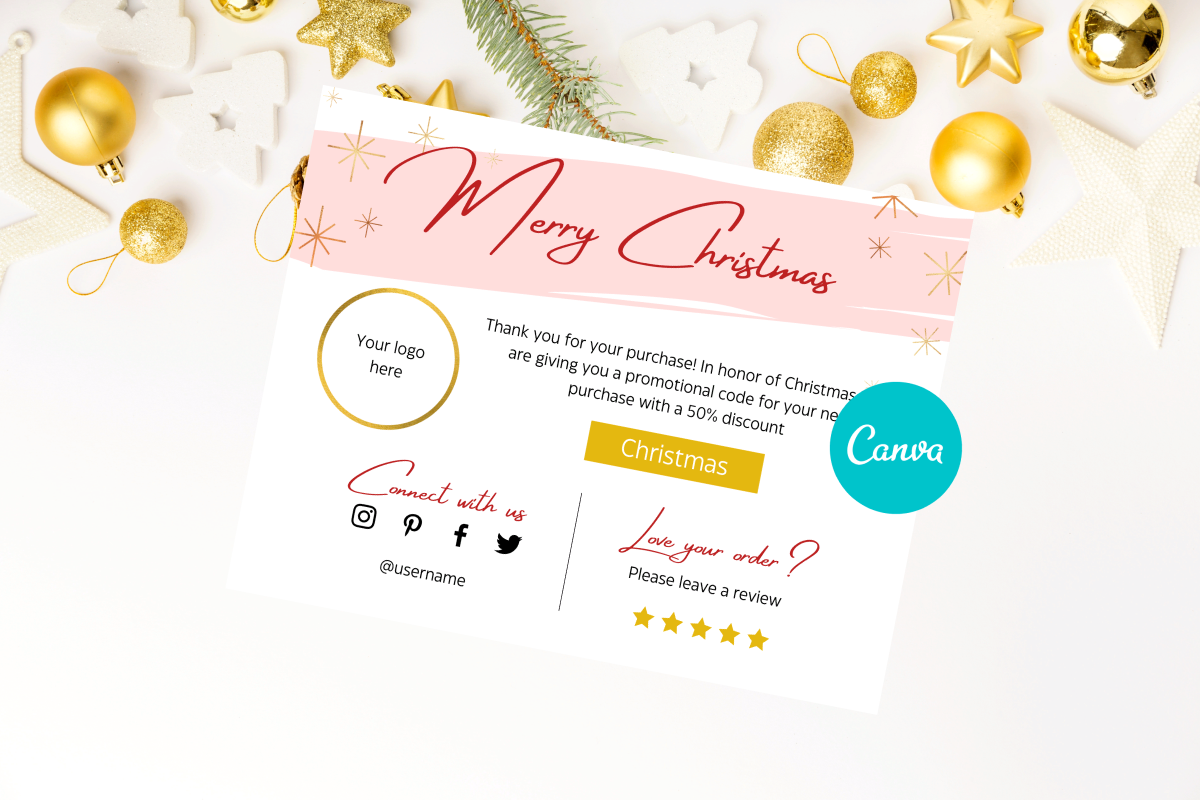
EveryDay’s pink version changes the mood with a blush heading band, gold-colored stars and a round logo placeholder. It offers a softer alternative to the green and red variants while still reading as holiday stationery. The stated delivery is PDF instructions with a Canva link; text and color changes are described for use on a computer.
This layout is useful when the shop logo should be one of the first things the recipient notices. Replace the placeholder, then check that a long business name does not overpower the short thank-you. The listing gives an 8.5 × 11-inch print-at-home template size but does not establish foil, metallic printing or a final card trim size. Treat the gold effect as artwork and proof the finished export.
Prepare a clear message before exporting
Aim for a note the customer can read in a few seconds: a thank-you, a seasonal greeting and one useful next step. Replace every placeholder in the preview, including social handles, contact addresses, coupon codes and signature areas. Remove sample stars or review prompts if they do not fit the message you want to send.
Print a proof at the intended size and place it inside an actual parcel. Check small contact text in ordinary room light, then confirm that dark backgrounds do not rub against pale packaging. If you use both sides, test alignment and orientation on one sheet before printing a batch.
Match the card style to your packing routine
A pale design leaves room for a handwritten name or signature and may suit a simple home-printing setup. A dark design offers a stronger visual contrast but covers more of the sheet with ink. Foliage can coordinate with natural wrapping, while a pink-and-gold insert works as a deliberate accent in otherwise plain packaging.
These downloads do not establish your printer margins, paper weight or the number of cards that fit on a sheet. Decide those details after opening the template. Save the edited version with a clear filename, keep the source access document and set aside a small proof copy so the next batch matches.