9 Practical Order Tracker Templates for Clear Customer Records
An order tracker works best when it makes the next action obvious. For a small handmade business, that might mean checking whether a custom request has been paid, started or shipped. For a growing order queue, it can mean keeping a detailed customer form beside a simpler overview. These nine templates cover printable sheets, editable document sources and notebook interiors, with different levels of detail.
Choose the record you will actually maintain. A PDF can be convenient for printing or annotation, while AI, EPS, PowerPoint and Canva sources are useful when you need to change the design. None of the products below is presented as a live sales integration. Sizes and formats come from each product’s own listing; where an editing claim or file count is unclear, the limitation is explained.
1. Hustle Smart Shop: Simple Order Tracker PDF
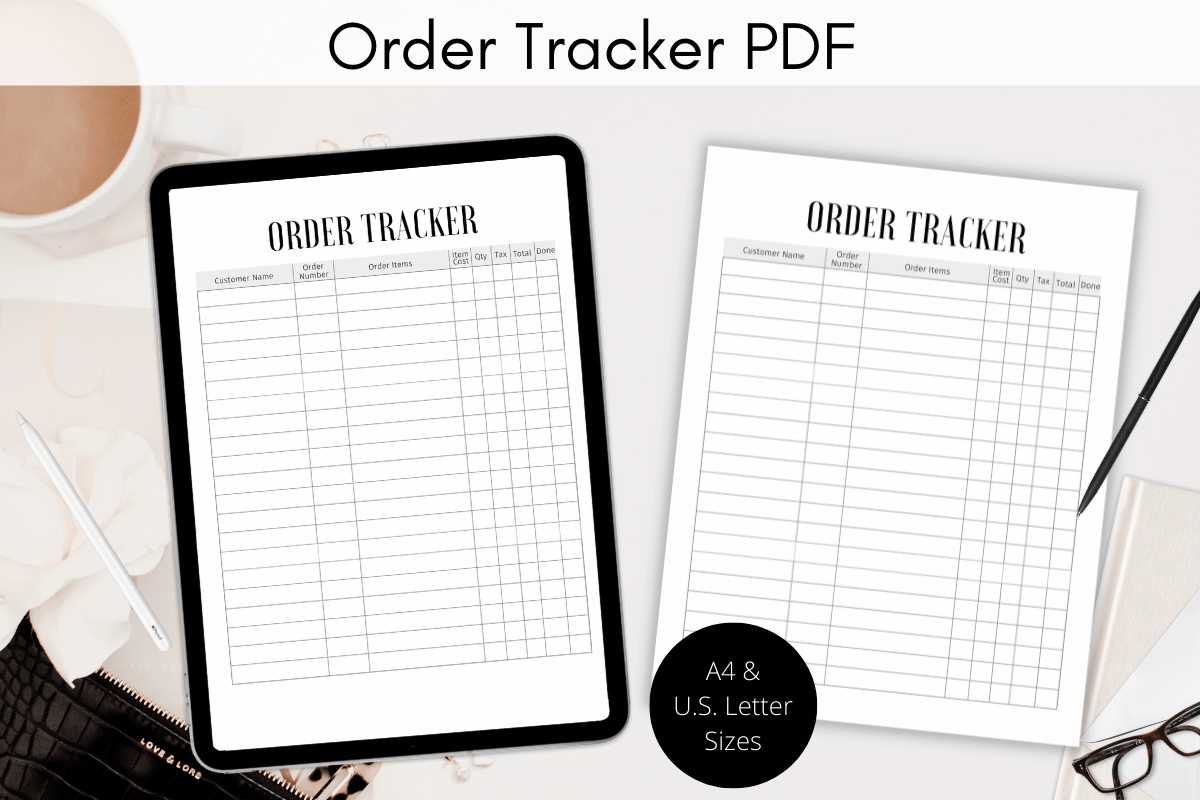
This straightforward order tracker comes as an 8.5 × 11-inch PDF inside a ZIP folder. The designer describes it as a black-and-white sheet for craft, handmade and custom-product businesses, with printing or importing into a digital planner as the intended uses. It is a sensible starting point when orders arrive through several channels and you need one consistent place to record them.
Use a fresh sheet for a market day or keep printed pages together in a business binder. Its appeal is the limited setup: you do not have to build a workbook before recording your first order. The listing does not confirm editable source files, automatic totals or a specific note-taking app, so choose it for a manual record rather than an integrated sales system.
2. AmitDebnath: Order Form and Tracker Pair
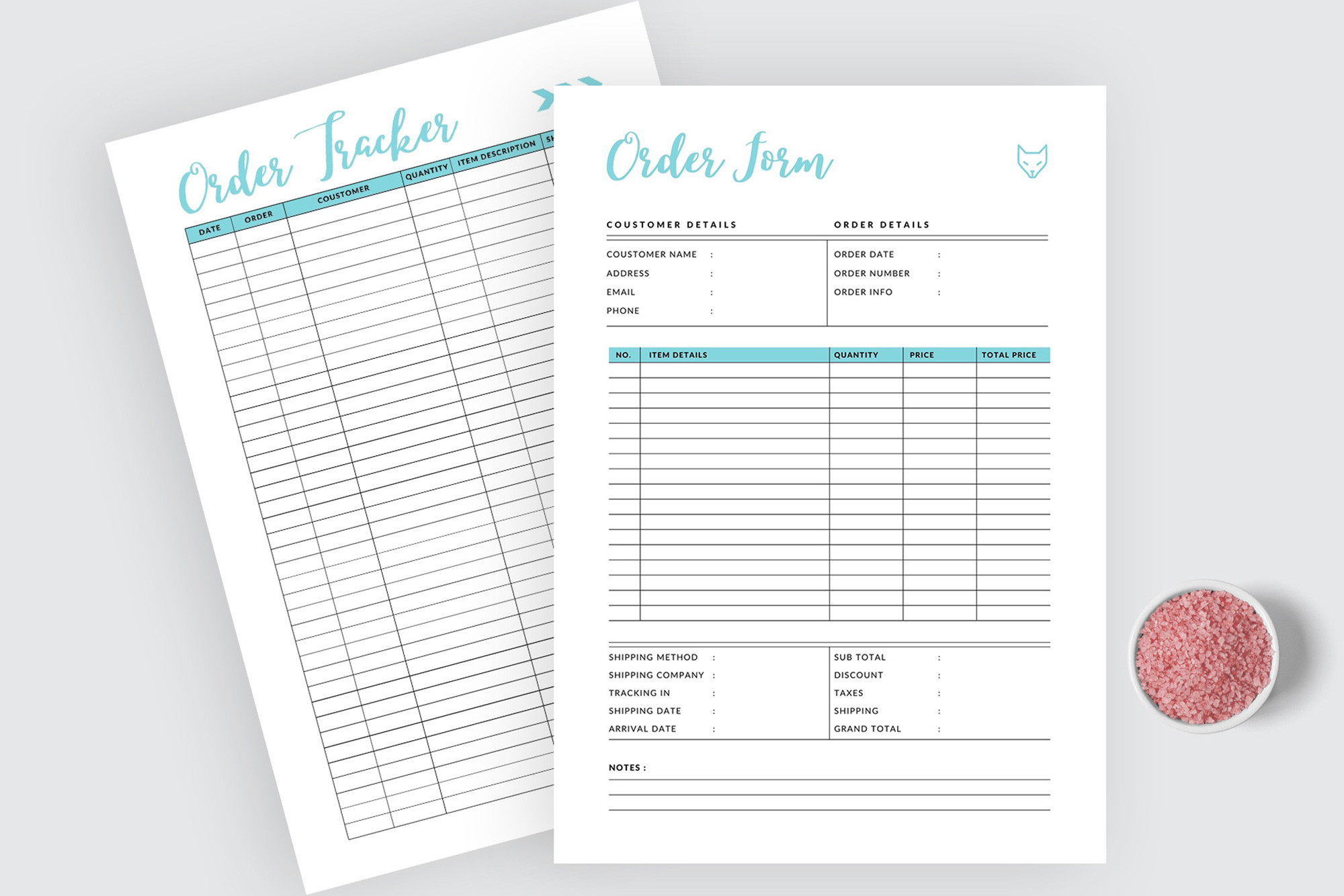
AmitDebnath separates the initial order form from the ongoing tracker in a two-page, non-editable PDF set. A4, A5 and US Letter sizes are included, alongside three color versions. That distinction is useful for custom work: keep the detailed request on one page and use the tracker to review what still needs attention without repeatedly reading every customer brief.
The smaller A5 version can live beside a personal planner, while Letter or A4 gives a more comfortable writing area for a desk binder. Because the files are explicitly non-editable, plan to write on the pages or annotate them using software you already use. The preview artwork is not part of the main download, and the listing does not promise a Canva template or spreadsheet calculations.
3. watercolortheme: Compact Customer Order Log
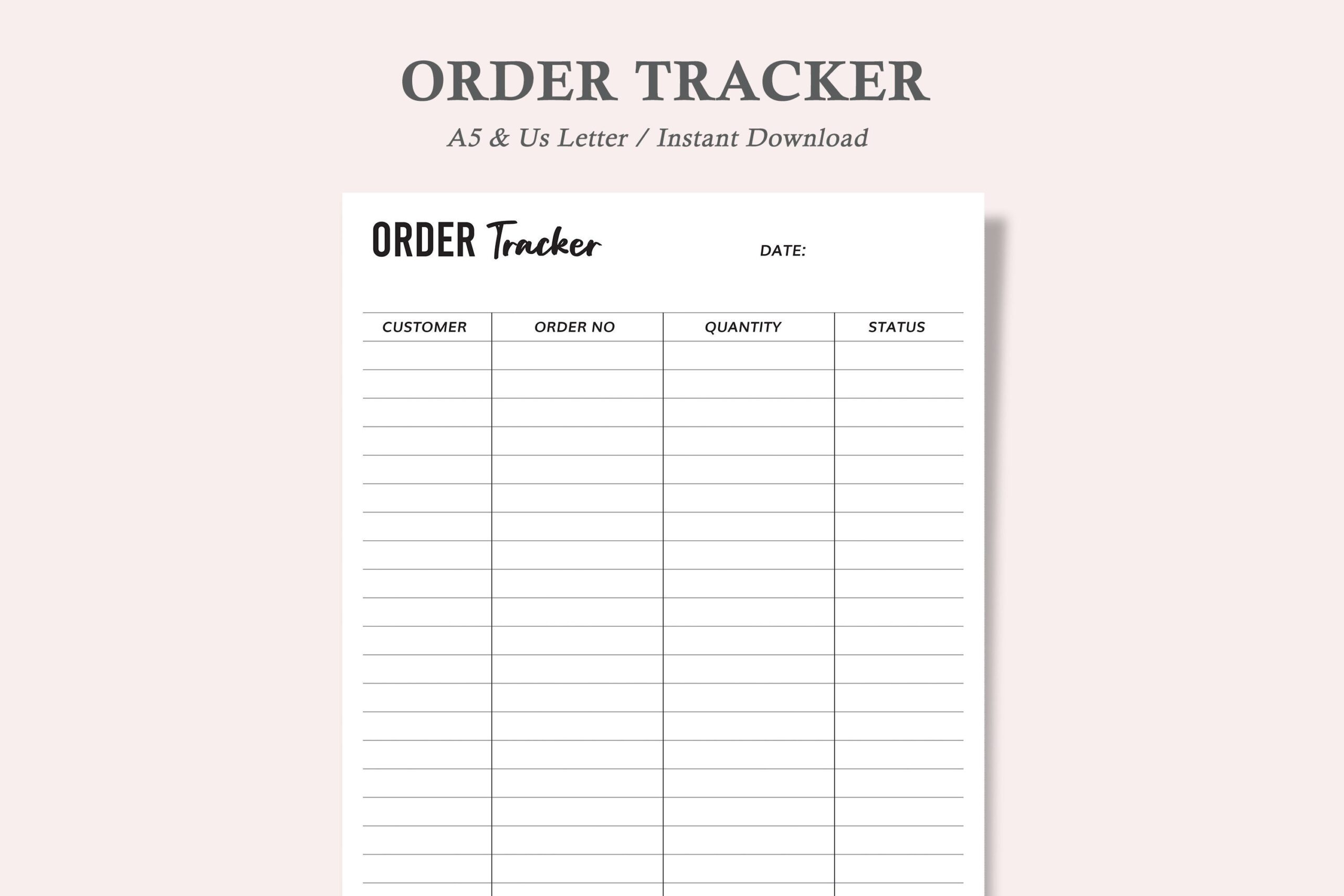
Order Tracker 1 offers one minimalist layout in US Letter, A4 and A5. The download contains three PDFs and three JPEGs, representing the size options rather than six different layouts. It is designed to record customer orders and their current completion status, making it useful for a small queue of handmade commissions or a simple fulfillment check at the end of the day.
Choose the size that matches your existing binder instead of shrinking a larger page and losing writing room. The seller calls the PDF editable but also gives a print-and-fill workflow; the page does not establish whether that means fillable fields or full layout editing. Treat the printable version as the confirmed use and check the downloaded PDF before depending on digital entry.
4. Realtor Templates: A4 Order Planner
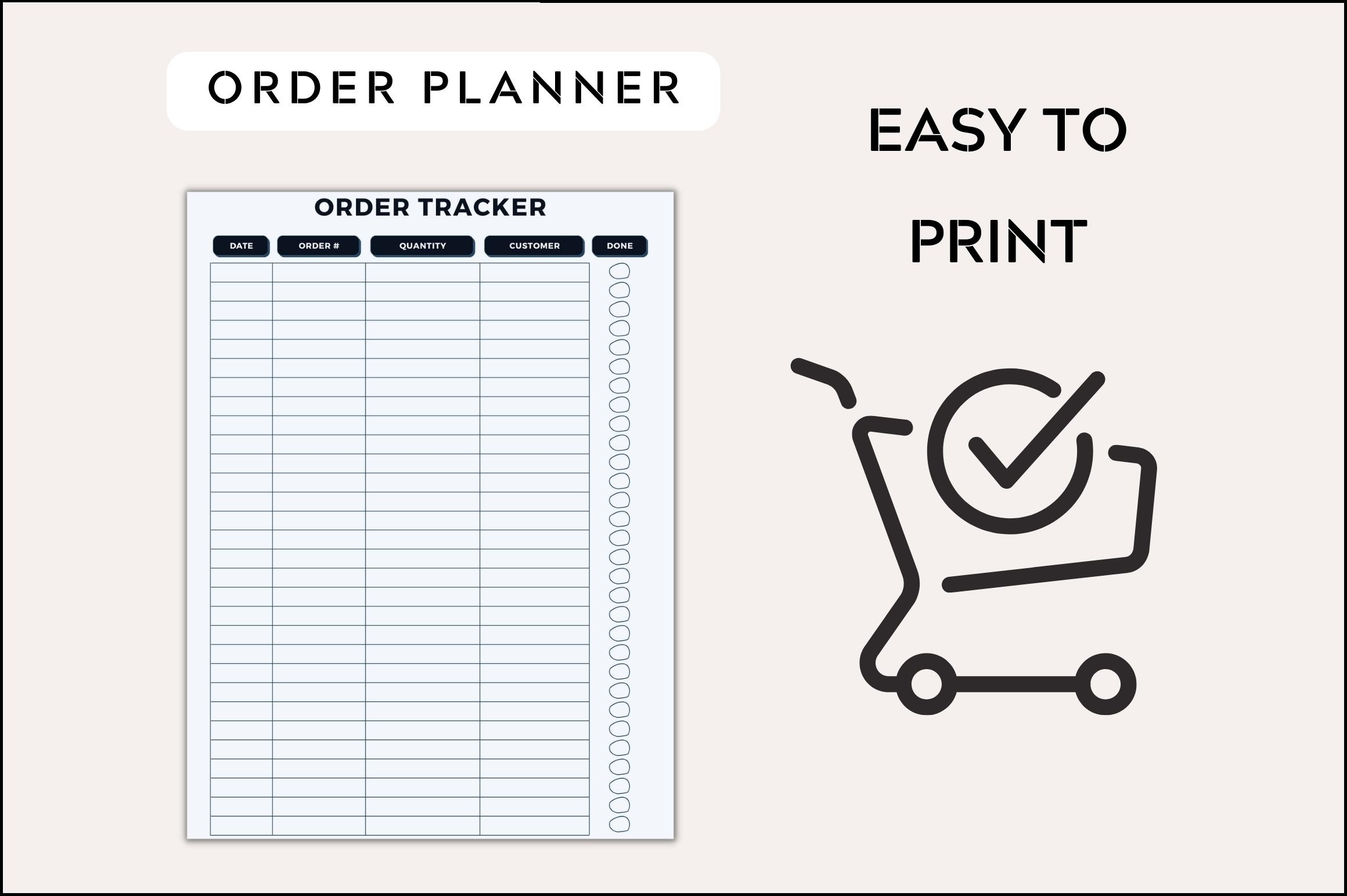
This A4 order planner is presented as a printable PDF with five color variants. It suits someone who wants a consistent order sheet but prefers a softer visual style than a plain monochrome log. The A4 specification is useful if your business documents already use that paper size: you can keep the tracker alongside invoices and packing notes without mixing page formats.
Pick one color for routine work or use separate variants for different order streams, provided the printed labels remain easy to read. There is an important uncertainty: the description mentions customization in a few clicks, but its file information only clearly identifies a printable PDF. An editable Canva link or source file is not confirmed. Choose it for the supplied layout unless the download proves otherwise.
5. Vector Cafe: Online Order Record Notebook
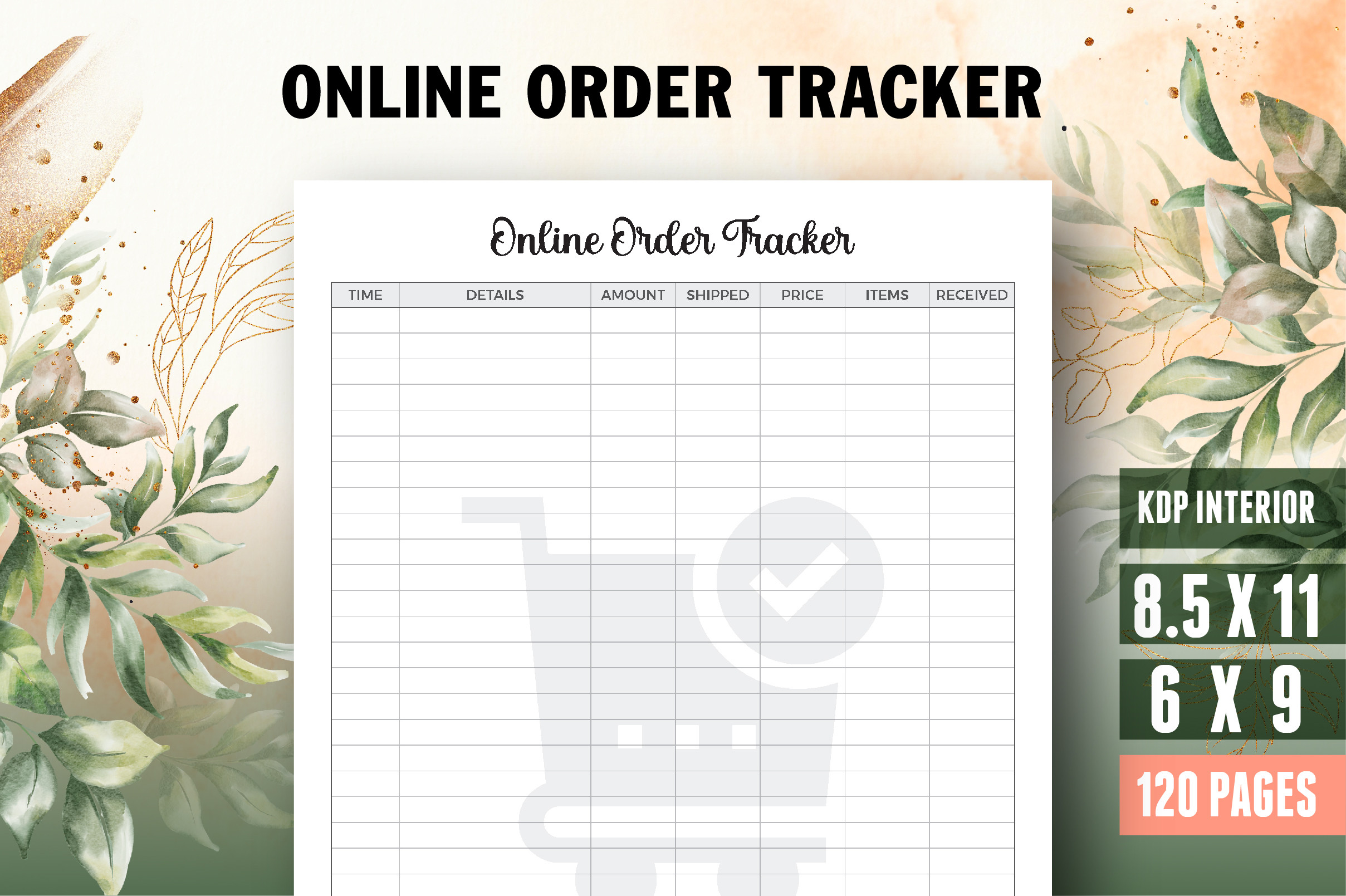
Vector Cafe supplies a 120-page order-tracking interior in two sizes: 8.5 × 11 and 6 × 9 inches. PDF, Illustrator AI and JPEG files are listed, with editable source material, a title or belongs-to page, bleed and 300 dpi output. This is the more substantial notebook option for someone who wants repeated tracking pages collected into a single record.
The larger version gives more writing space; the 6 × 9 version is easier to carry between a workspace and a sales event. Editing the AI source requires suitable design software and is a different task from filling in a PDF. The listing is oriented toward book interiors, so check trim and bleed settings before printing loose sheets. It does not describe a connected online order feed despite the product name.
6. JUNDI: Detailed Order Form Tracker
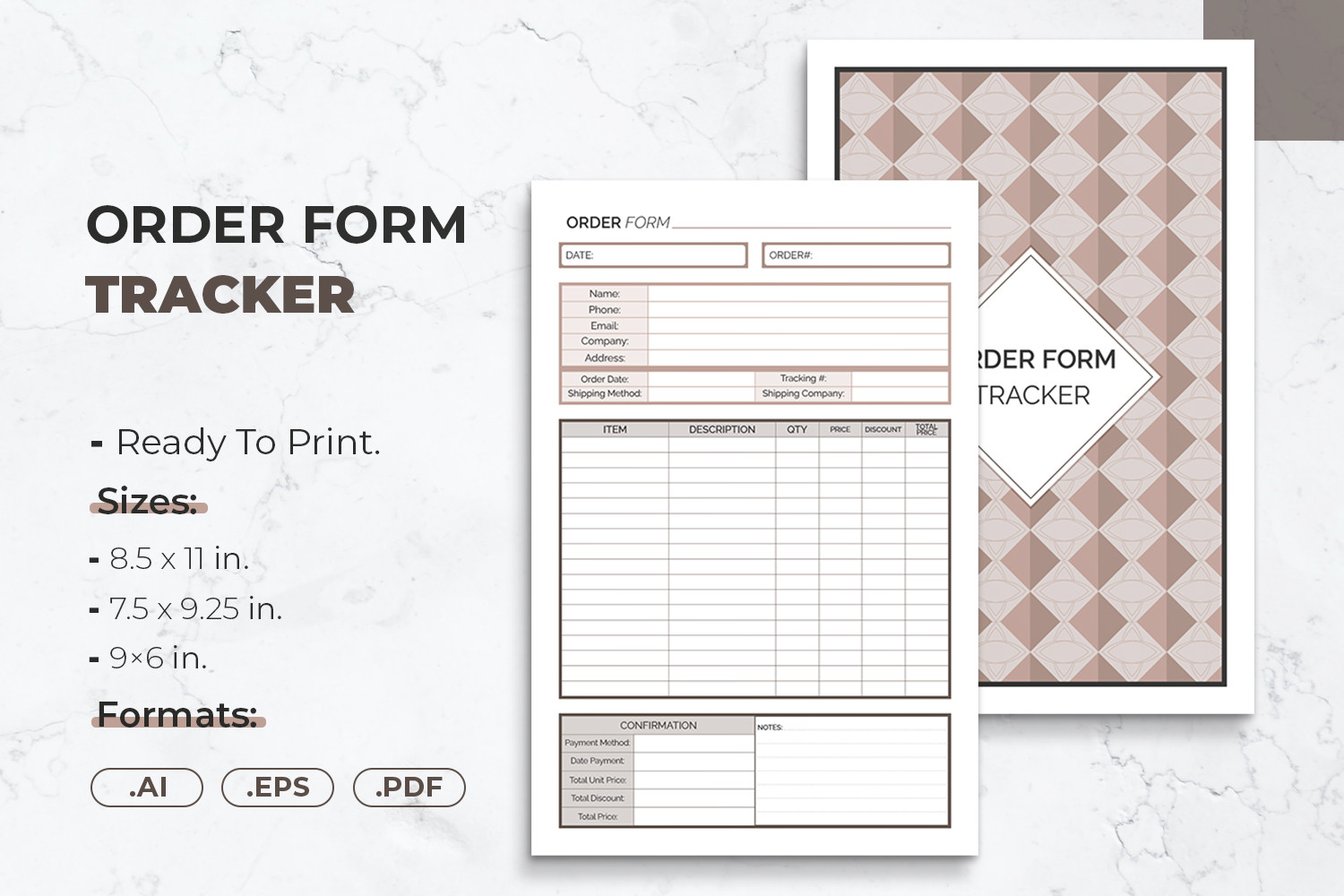
JUNDI’s order form tracker includes Illustrator source files, EPS and four PDFs. The stated sizes are 8.5 × 11, 7.5 × 9.25 and 6 × 9 inches, with 300 dpi print output, bleed and margins intended for binding or hole punching. It is a useful choice when you want a printable form that can also be adjusted in a design workflow.
For a business binder, test one page at the intended print scale before making a full stack, especially around the binding edge. The editable source is the reason to consider this over a fixed PDF, but the description names four PDFs and only three sizes without explaining the fourth file. It also does not clearly state the total page count. Check the download contents rather than assuming four unique layouts or an entire notebook.
7. Cool Worker: Full Customer and Shipping Record
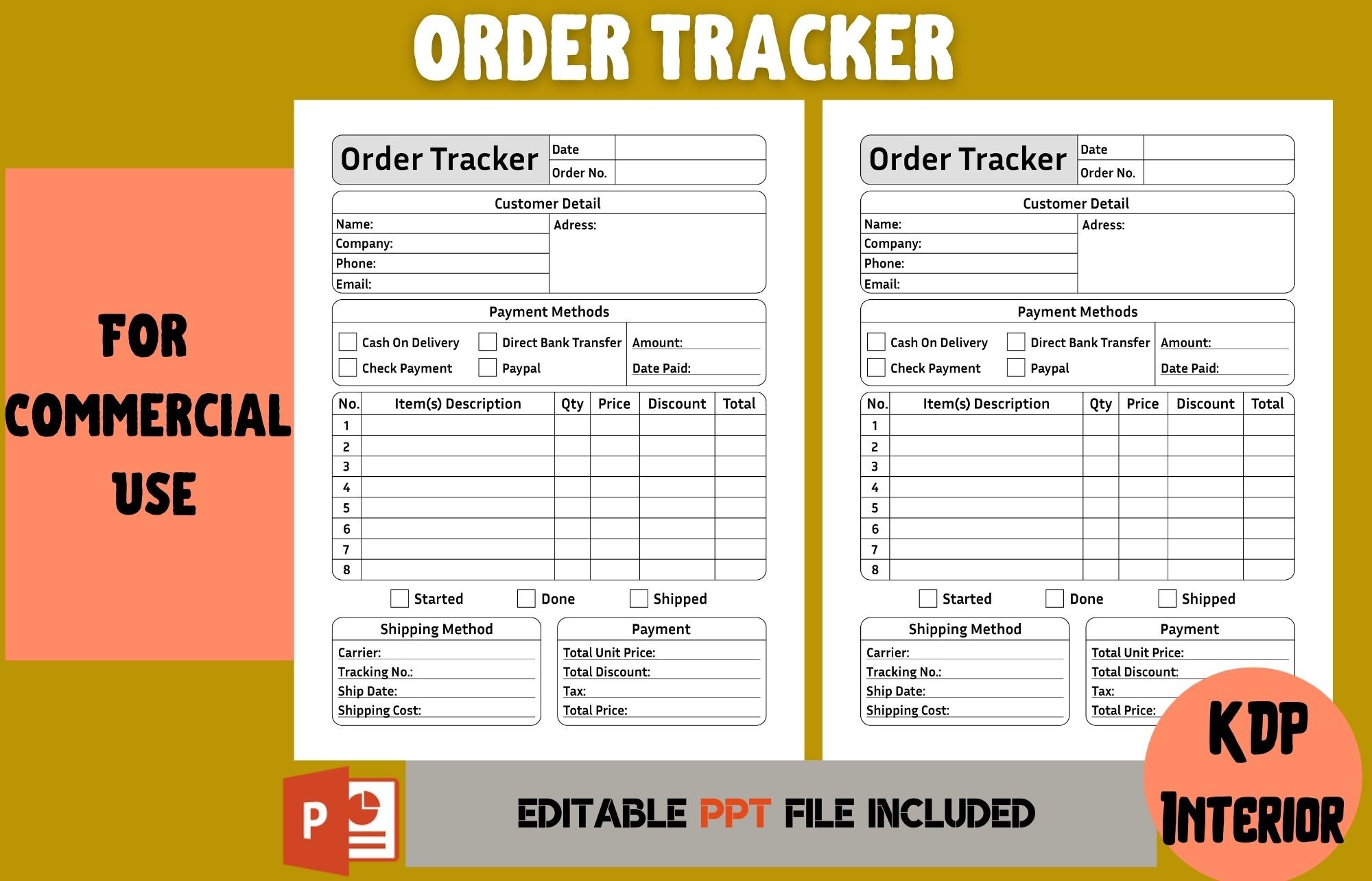
This 120-page, 8.5 × 11-inch interior combines customer contact information, order details, payment methods and shipping information. The listing names PowerPoint and EPS files for making changes, plus a print-ready PDF without bleed. Its fields include order numbers, quantities, prices, discounts, production stages, carrier details and tracking numbers, giving a custom-product seller a more complete record than a short checklist.
Use it when an order requires several steps and you need to keep the customer’s request, payment and dispatch information together. The detailed form needs more writing time than a compact log, so it may be unnecessary for very simple transactions. The presence of price and tax fields does not establish automatic calculations; the confirmed product is a document interior. Review a sample page before committing to the full notebook.
8. Hustle Smart Shop: Floral Order and Customer Set
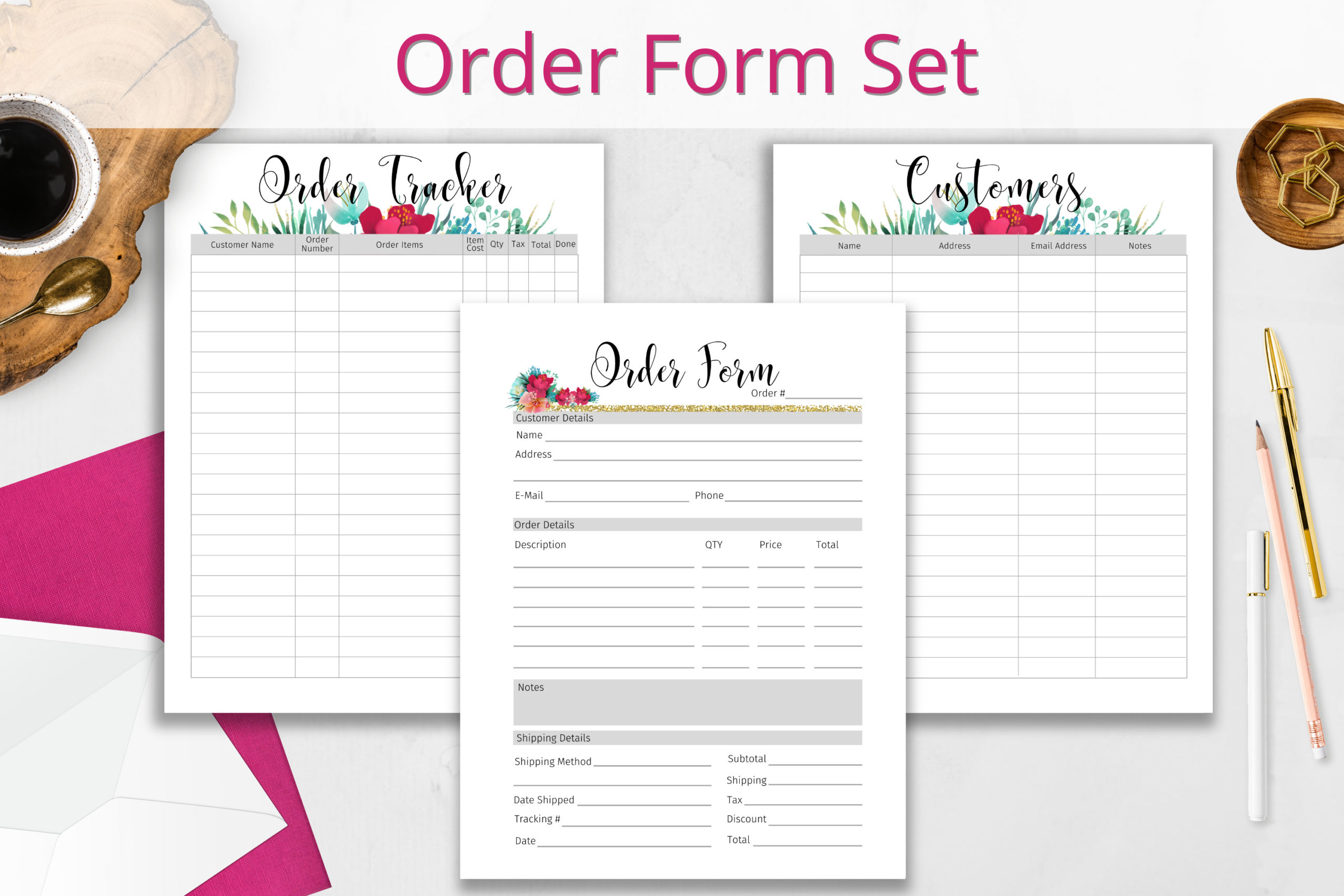
This set pairs an order form with an order tracker and a customer tracker. The designer lists 8.5 × 11-inch, no-bleed PDFs and a Canva link for editing the designs. The combination helps when you want to separate the individual job from an overview of outstanding orders and a reusable customer record, rather than crowding every detail into one sheet.
Keep the three page types in separate binder sections and refer between them using the same order or customer identifier. Canva editing offers more flexibility than a fixed printable, but the listing does not confirm the total number of pages in the supplied PDFs or whether every element is available under a free Canva account. Check those details before rebuilding the layout; the three named forms are the clearly documented contents.
9. watercolortheme: Production-Status Order Tracker
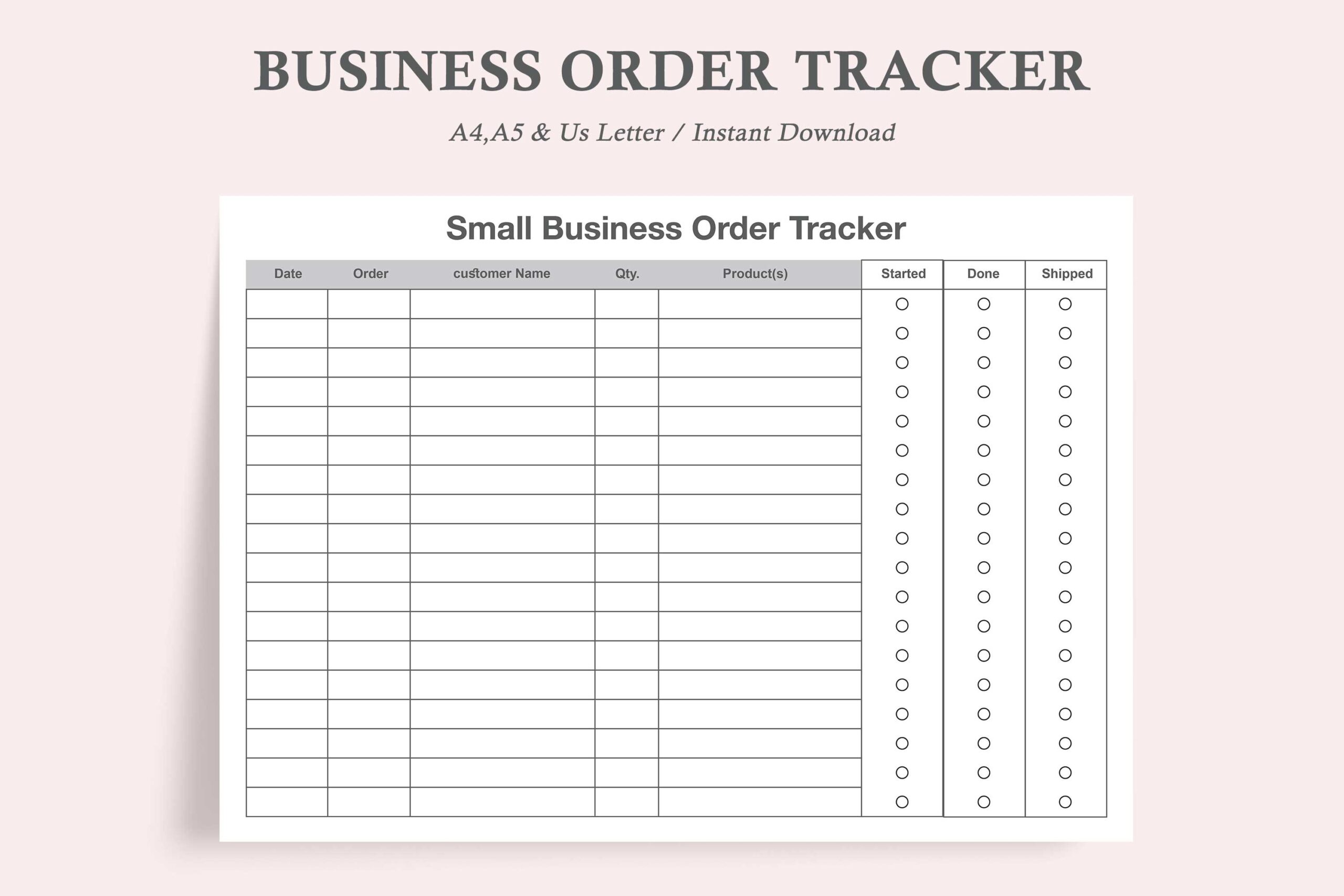
Business Order Tracker focuses on the progress of an order: starting work, completing it and shipping it. Its right-hand circles are intended to be filled as those stages are reached. One layout is supplied as PDF and JPEG in US Letter, A4 and A5, with space at the top intended for hole punching. This makes it a practical overview sheet for a small production queue.
Place the sheet where you review work each morning, and update the stage markers as soon as a job moves forward. The compact overview is useful for catching unfinished work, but it is not a replacement for a detailed customer brief. As with the designer’s other tracker, editable PDF wording does not explain the editing method. Printing and writing are confirmed; full source editing, reminders and automatic shipping updates are not.
How to Choose an Order Tracker
Start with the information that causes delays in your own workflow. If orders get lost between a market stall and social messages, a simple printable log may be enough. If custom specifications and customer details take more space, choose a detailed form or a coordinated set. For repeated records over a longer period, a notebook interior can make more sense than loose pages.
Before printing a large batch, complete one sample order from request to dispatch. Check that you have enough writing room and a consistent way to identify the customer and job. For broader business planning, explore our small business planner templates. Choose the download that fits your record-keeping routine, then make updating it part of your daily review.