9 Plant Care Journal Templates for Houseplants and Daily Records
A plant care journal brings observations, watering records and plant profiles into one place. The most useful format is the one you will actually update while looking at the plant, whether that means a simple sheet near a windowsill or a small binder with a page for each pot. These nine downloads focus on documenting houseplants and their care routines.
For outdoor beds and seed schedules, the separate garden planner collection offers a broader starting point. You can place plant checks alongside a home maintenance planner and use a habit tracker to remember when to inspect the collection. Keep the actual care record specific to each plant instead of giving every pot the same automatic watering schedule.
In this guide
Choose a plant care journal by the record you need
A single tracker page is enough for short dated notes. A larger journal is more useful when you want plant profiles, repotting history, room locations and comparisons over time. Check whether the download is a fixed PDF, an editable Canva source or a presentation file before deciding how much layout work you want to do.
The compact workbooks below use 6 × 9-inch pages, while several larger options use 8.5 × 11 inches or offer A4. A smaller page travels easily between shelves; a larger sheet gives more handwriting space. No listing here establishes an app that reads sensors or sends automatic care reminders. These are records you complete yourself.
1. An Undated Houseplant Binder in A4 and Letter
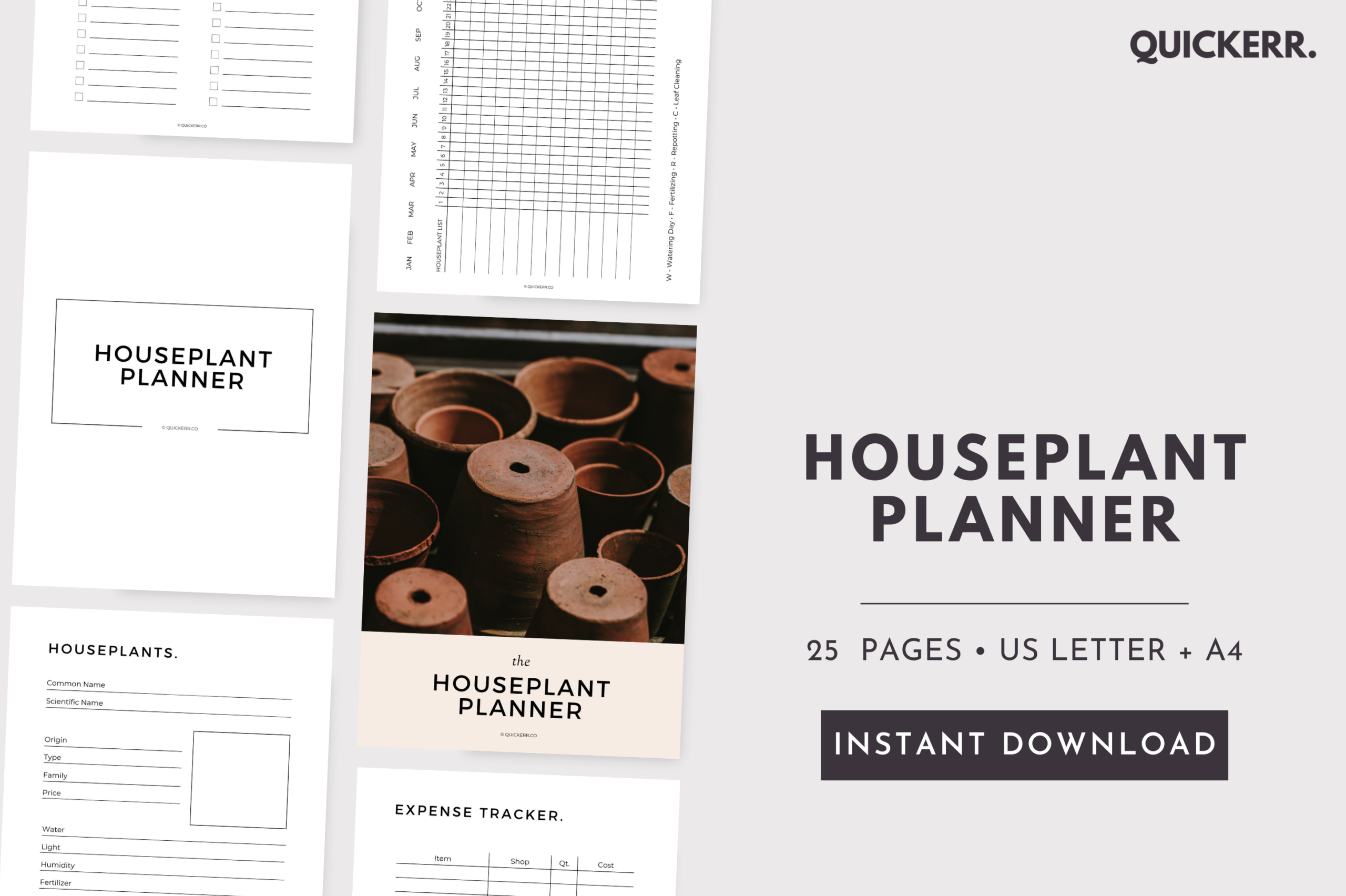
SHEThrivesMedia’s printable planner offers 25 pages in A4 and US Letter PDF formats. Its restrained black-and-white presentation leaves the emphasis on the writing space. The contents include plant profiles, a care calendar, weekly and monthly planning, seasonal tasks, repotting, pests and diseases, plus shopping and expense pages. The seller explicitly describes the planner as undated and not editable.
This suits a reader who wants to print selected sheets and begin recording without adapting a design source. Start with the profile and care-calendar pages, then add expense or project sections only if they serve your collection. Because the PDF is fixed, choose the supplied paper size that matches your printer rather than assuming the labels or field widths can be changed in Canva.
2. A Simple Plant Tracker in Three Paper Sizes
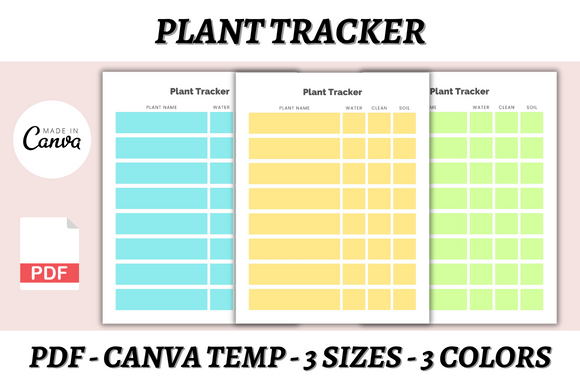
DIGITAL PRINT BOX keeps this resource focused on a single table-style plant tracker rather than a full care workbook. The seller lists three Canva templates and three PDFs across A4, A5 and US Letter, with three colors available. The preview shows pale blue, yellow and green versions of the same basic grid, which can help distinguish different shelves or groups of plants.
Choose it when you mainly need a repeatable page for brief entries and prefer to design your own recording system. A free Canva account is specified for editing fonts, colors and layout. The description does not explain every column, so inspect the template and decide what each field will mean before duplicating it. The supplied PDFs also give you a route that avoids editing entirely.
3. A Compact Botanical Workbook with Observation Pages
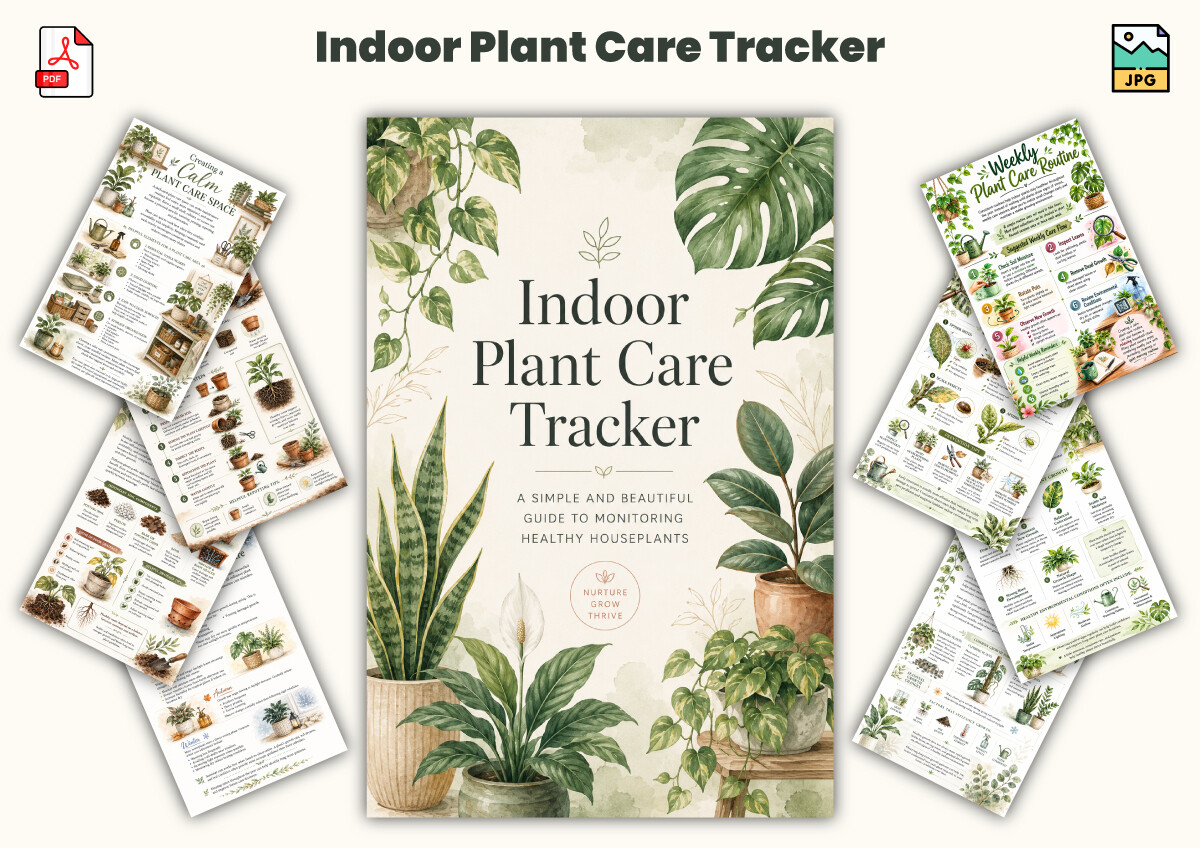
KDPLab lists 25 pages at 6 × 9 inches, supplied as a PDF and JPG files. The botanical preview combines plant artwork with worksheets and reference-style layouts. Listed sections cover inventory, watering, growth observations, propagation, lighting and humidity, along with checklists and reflection pages. It is a compact workbook rather than a single recurring log sheet.
This format suits someone who enjoys reviewing observations as well as recording completed tasks. Print the pages you need at their stated size first: compact worksheets may leave less room for long handwritten notes than a Letter-size binder. Canva or presentation editing is not included in the stated file list, so treat the PDF and JPGs as the confirmed deliverables rather than expecting a customizable source.
4. A 125-Page Journal with Room for Sixty Plants
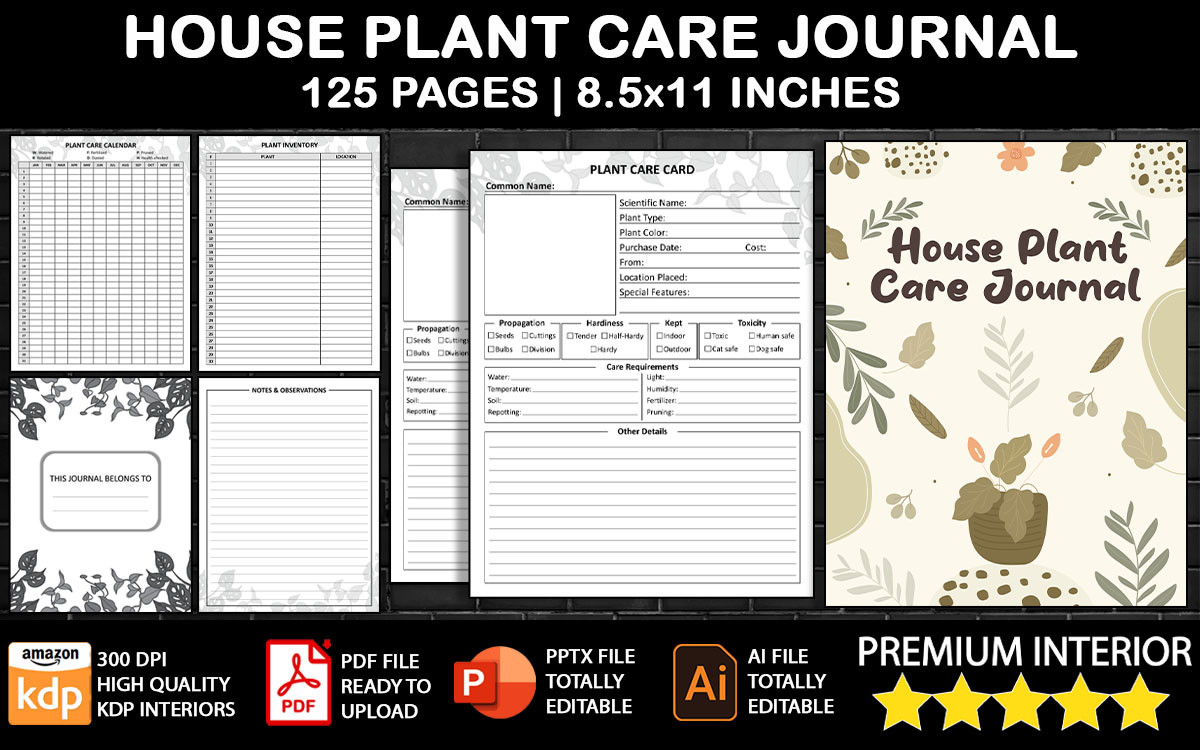
LittleGael’s larger journal provides an inventory with locations, space for information about 60 plants and a 12-month routine calendar. Watering, fertilizing and pruning trackers are included in the stated contents. The seller lists 125 pages at 8.5 × 11 inches with bleed, a PDF interior and an editable PPT source; separate PDF, AI and EPS cover files are also described.
It is a useful candidate for a collector who needs consistent records across many pots. Use the plant numbers and locations to connect each profile with its ongoing entries. The presentation source offers more scope for adjusting pages than a fixed PDF alone, but the cover editing files do not mean every interior field is an Illustrator document. Check the page setup before adapting a bleed-format interior for home printing.
5. A Smaller 130-Page Logbook with Editable Pages
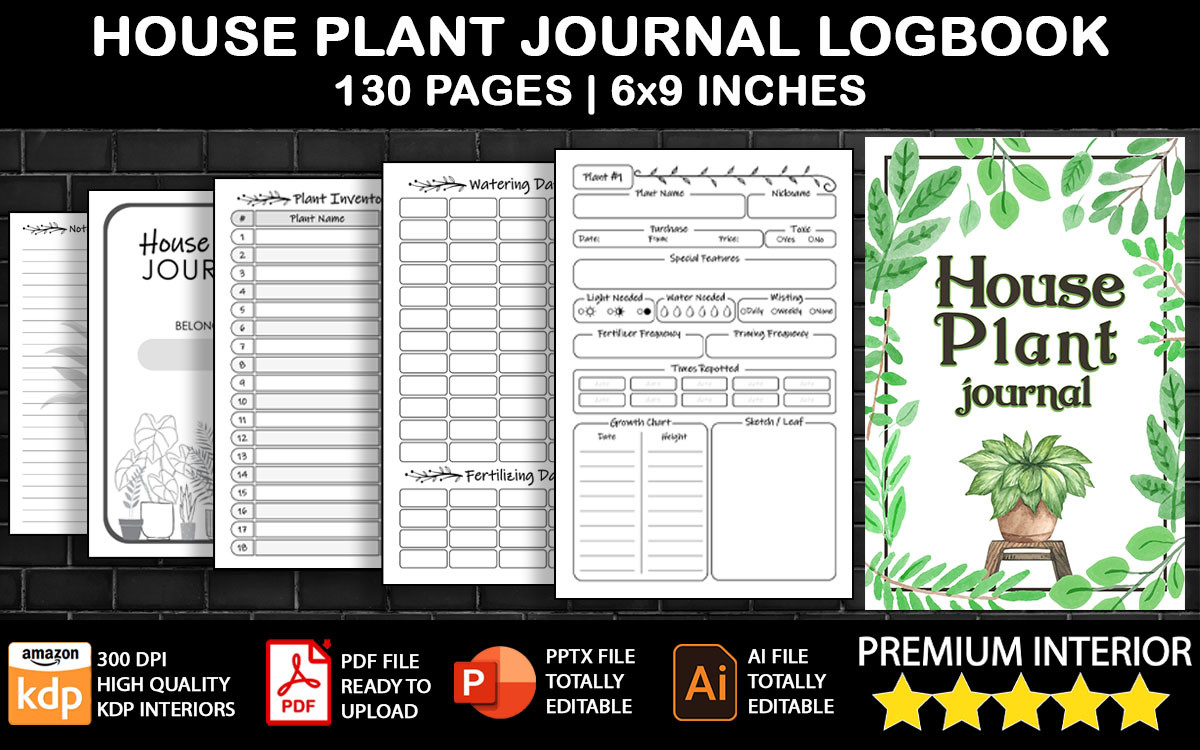
This separate LittleGael logbook uses a 6 × 9-inch, no-bleed format and lists 130 pages. It includes numbered inventory entries, plant locations, individual profiles, watering and fertilizing trackers, and notes. The interior comes as PDF and editable PPT files, while the cover has its own PDF, AI and EPS formats. Its smaller trim is the main practical distinction from the larger journal above.
Choose it when a compact book is easier to carry between rooms than a full-size binder. The profile fields described by the seller include a plant name, nickname, features, light and water notes, and a growth chart. Long observations may still need an additional notes page at this size. Keep the numbering consistent when you add, remove or rearrange pages in the presentation source.
6. An Editable 57-Page Collection for Care and Supplies
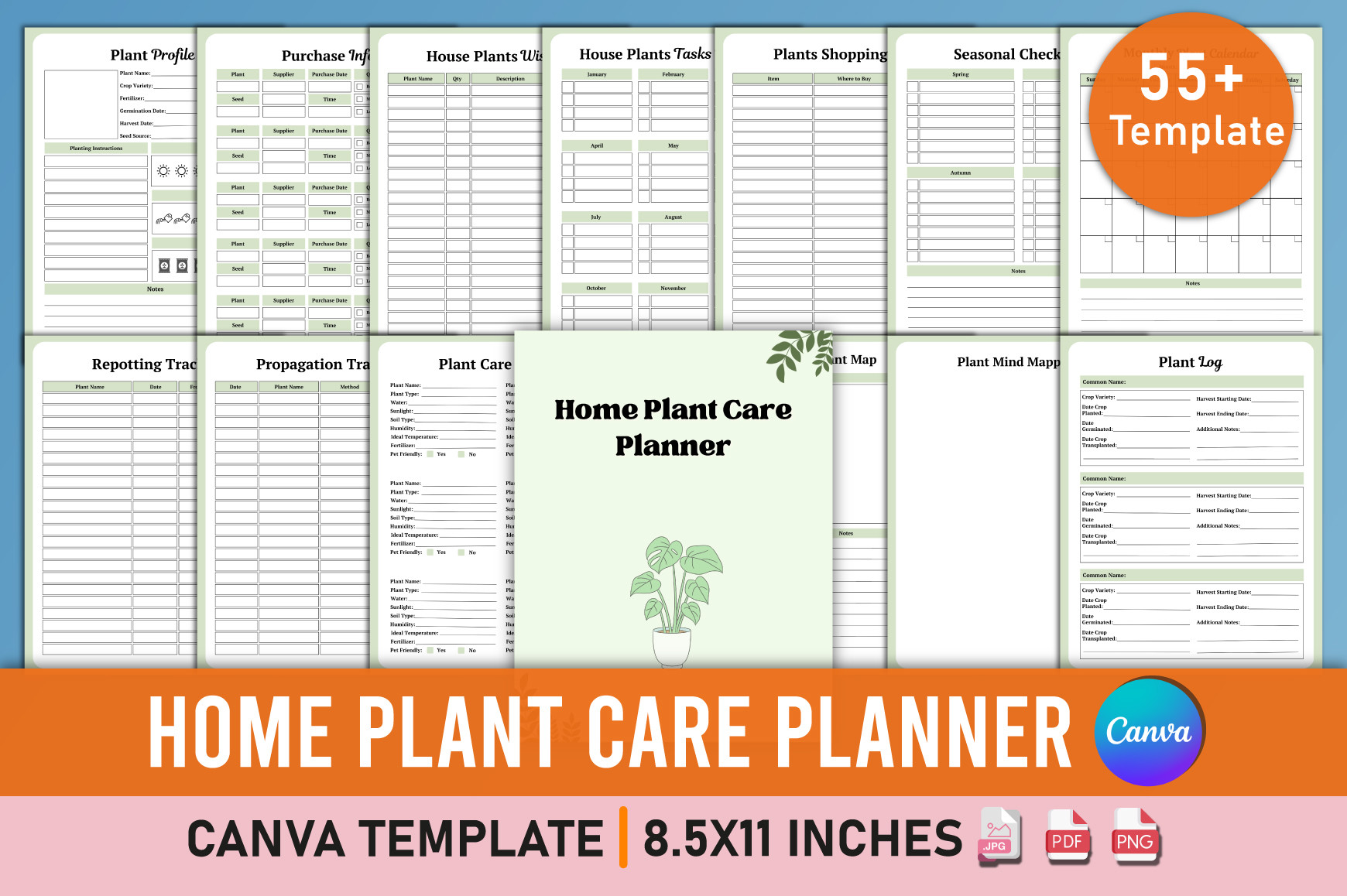
Mustafiz offers 57 Canva templates with ready PDF, JPG and PNG files, stated at 8.5 × 11 inches without bleed. Plant profiles, inventory, repotting, propagation, care guides, watering and pruning records sit alongside shopping, equipment, expenses and budget pages. The preview advertises 55-plus templates, while the written specification gives the more precise total of 57.
This is the broader option for someone who wants plant records and supply planning in the same editable system. Some listed pages, such as harvest calendars and square-foot layouts, reach beyond houseplants; you can leave those out and build a smaller indoor-care binder. Change the labels and order in Canva before exporting, then print one of each frequently used page to check the writing space.
7. A 52-Page Canva System with Profiles and Plant Tasks
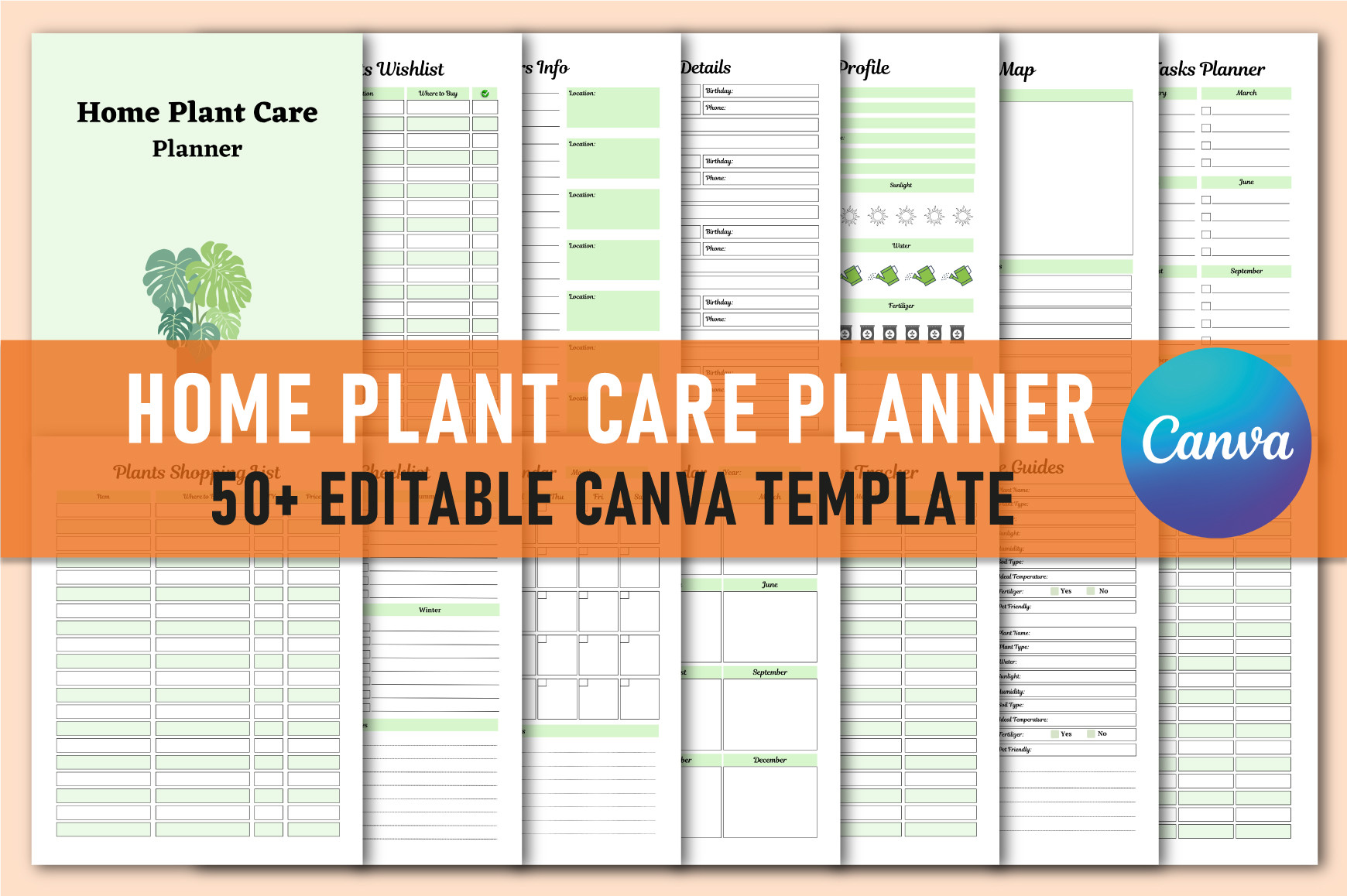
Shumaya’s collection lists 52 different Canva templates at 8.5 × 11 inches, with PDF, JPG and PNG output described. The preview emphasizes a green-accented collection with profiles, plant tasks and records. Listed contents include suppliers, houseplant wishes, propagation, inventory, pruning, plant expenses, budgets and a plant journal. It is a separate product from Mustafiz’s larger collection.
Choose this one if its page arrangement matches the tasks you already track. Its contents also include garden-oriented layouts, so a houseplant owner may prefer a selective export rather than all 52 pages. The written contents do not explicitly promise a dedicated watering-schedule sheet; if that is your main need, inspect the template or adapt a plant-log page instead of assuming every care field is included.
8. A 31-Page Journal for Growth Records and Reflection
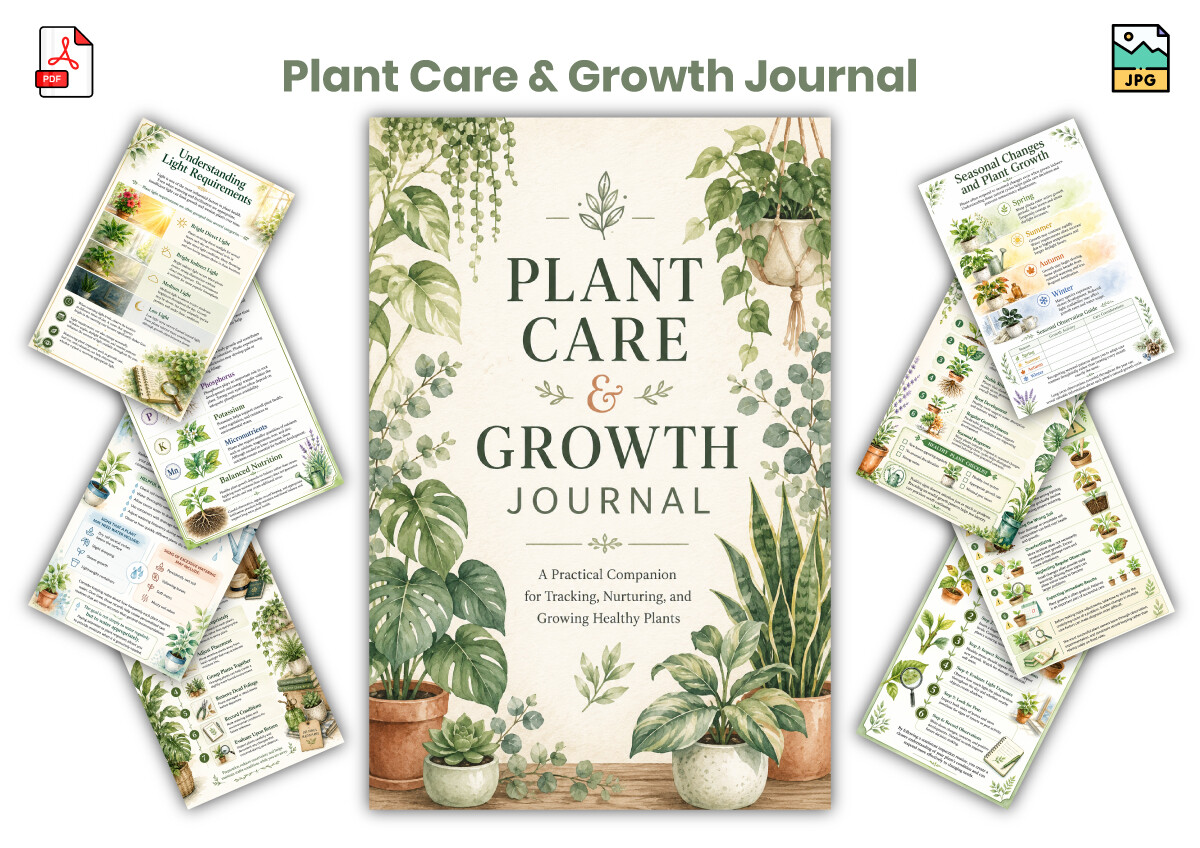
KDPLab’s Plant Care & Growth Journal lists 31 unique pages at 6 × 9 inches in PDF and JPG formats. Watering records, fertilizing logs, weekly care planning, growth milestones and monthly reflection sections form the practical core. The botanical styling resembles the seller’s smaller Indoor Plant Care Tracker, but this listing places more emphasis on recording development and reviewing what you observed.
It suits a reader who wants to connect regular care entries with a longer story of the plant’s growth. Keep measurements and photographs under the same plant name so later reflections have a clear reference. The stated files are printable artwork rather than an editable Canva source, and the small page size favors concise notes. Add a separate dated notes sheet if your observations regularly run beyond the provided fields.
9. A 32-Page Journal with Location Maps and Yearly Review
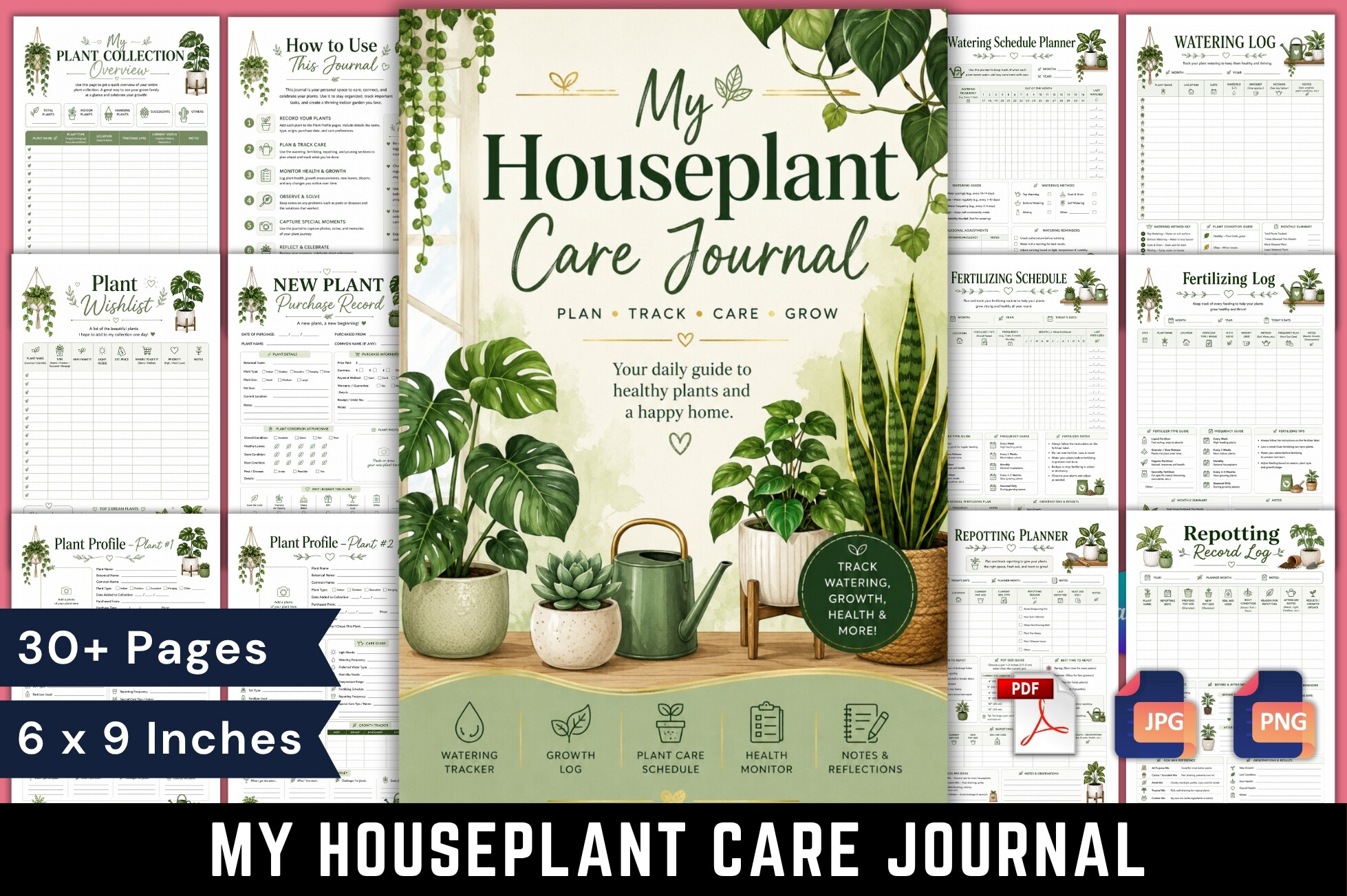
Mahira Pro lists a 32-page, full-color printable PDF at 6 × 9 inches. The contents range from collection overview and individual profiles to a room-location map, watering and fertilizing logs, repotting records, growth measurements and a year-end review. A new-leaf celebration log and blooming record give the journal a more reflective character than a basic care checklist.
This is a good fit when you enjoy documenting visible changes as much as recording routine work. Use the room map after moving a plant and keep its profile number with the related logs. The preview mentions additional image formats, but the written journal details clearly confirm the PDF; check the download contents if separate JPG or PNG pages matter to your workflow. Print a compact page before committing to the whole color journal.
Start with a useful baseline for each plant
Give each pot a recognizable name or number, note its location and record the date of your first observation. Add what you can see: new leaves, growth direction, the condition of the potting mix and any recent move or repotting. A dated photograph stored with the same plant name can make a later comparison easier.
Record an action after it happens and distinguish it from a planned check. A watering entry can include the date and your observation rather than only a tick. If you change a location, pot or routine, write that down too; otherwise a later change in appearance will be difficult to connect with what happened.
Keep the journal easy to review
Use the same plant identifier on the profile, watering sheet and repotting log. For a growing collection, put frequently updated pages near the front and archive filled sheets behind the corresponding profile. Avoid printing a large workbook in full until you know which pages you will use.
Review the records occasionally for missed observations, duplicate names and entries that need a clearer date. A journal can preserve what you noticed and tried; it cannot establish the correct care for every species by itself. Use the template as a consistent record and keep any species-specific reference notes with the relevant plant.