13 Useful Wedding Guest List Templates for RSVPs and Contacts
A wedding guest list becomes useful when it answers more than who is invited. You need to distinguish households from individual people, record replies, keep contact details together and know which information still needs checking. These 13 downloads offer several ways to build that record, from spreadsheets with automatic totals to printable pages you can annotate by hand.
The choices below are undated and reviewed for their actual files, dimensions and editing options. Some are compact invitation registers; others are longer guest-contact interiors that need an extra RSVP column or a separate summary. If you also need budgets and a ceremony timeline, see our wedding planner overview and keep one guest record as your working master.
How to choose a wedding guest list template
Start with the workflow. Google Sheets suits a shared online record, Excel suits an existing spreadsheet routine, and a printable sheet works well beside invitation envelopes or in a wedding binder. Canva is useful for changing the appearance and headings of a page. A Canva design or vector file should not be assumed to calculate guest totals like a spreadsheet.
Before entering names, decide whether one row represents a person or a household. Keep invitation status, RSVP, party size and meal requirements separate, and add a date beside any uncertain answer. For printables, check actual paper dimensions and print one test page. A 120-page book does not necessarily provide 120 different layouts, and a guest contact book is not automatically an RSVP tracker.
1. Google Sheets RSVP and Dietary Tracker
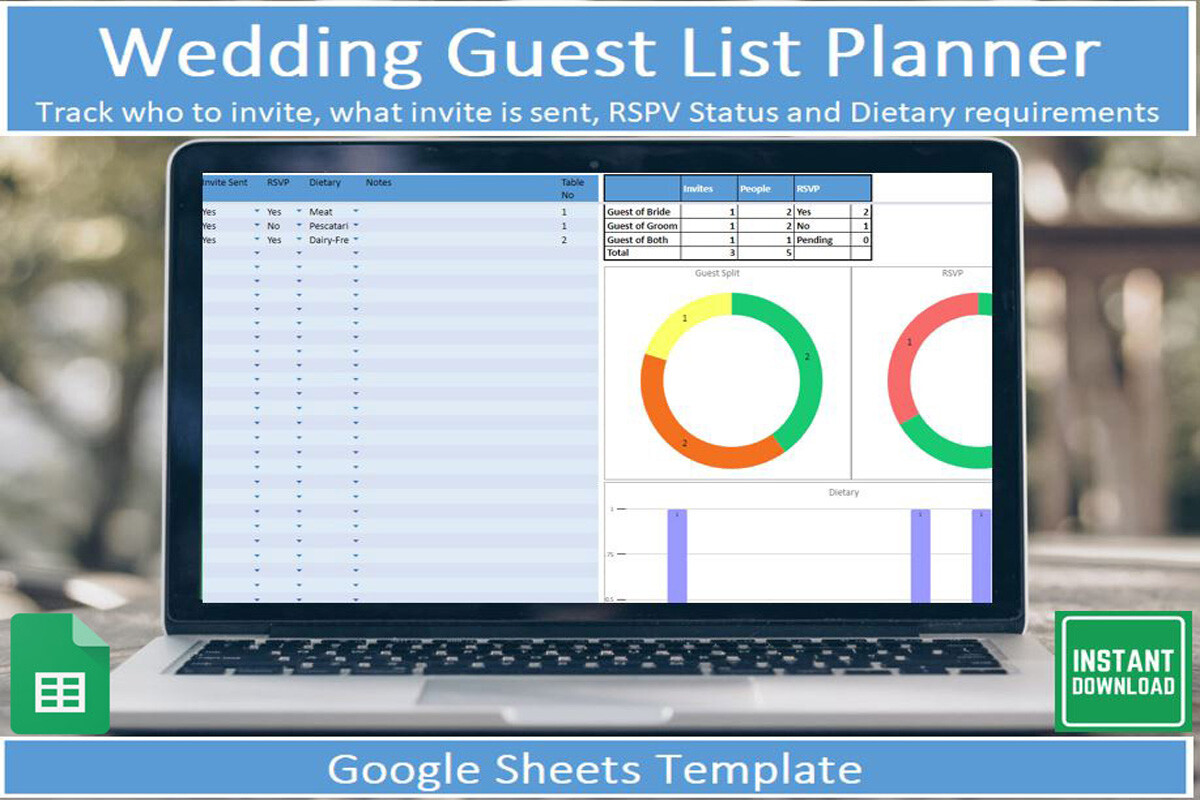
This download delivers a PDF with a link to a Google Sheets guest-list tool, plus instructions for copying and using the template. The listed fields cover invitations sent, RSVP status, contact information and dietary requirements. Automatic totals and built-in graphics provide a summary of the information entered. A free Google account is required; this is an online spreadsheet template rather than a printable PDF register.
It is a practical choice when you want to update replies as they arrive and share one working record with a partner. Make your own copy first, then enter a few test guests to understand which columns feed the totals. The charts summarize the sheet; they do not confirm attendance for you. Protect the calculation cells while editing and distinguish unanswered invitations from a confirmed refusal.
2. Excel Guest List with Automatic Totals
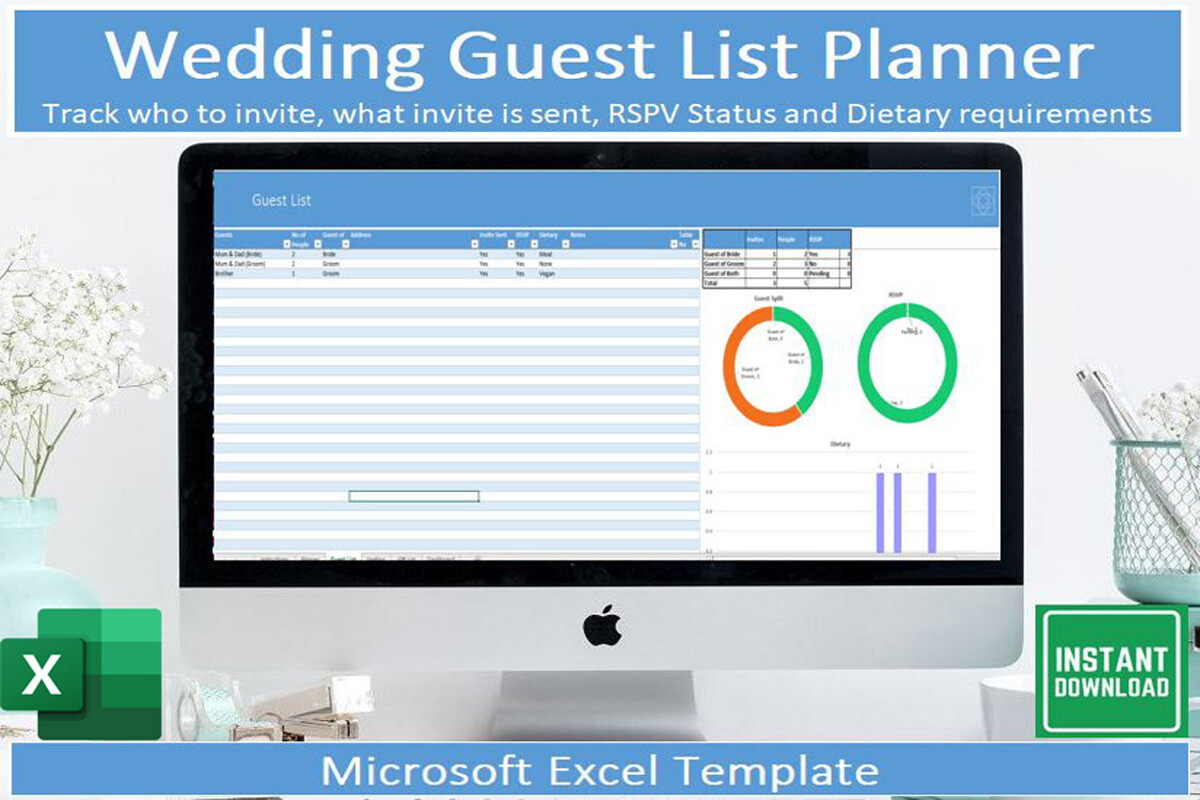
The Excel version provides a downloadable wedding guest-list spreadsheet and usage instructions. Its description confirms columns for invitations, RSVPs, contacts and dietary requirements, together with automated totals and graphics. Microsoft Excel is required. Unlike a paper checklist, it can summarize the data you enter, but the listing does not promise that the file works identically in other spreadsheet applications.
Choose this option if Excel already fits your planning routine and you prefer to keep the guest record in that environment. Enter a small sample before adding the full list, particularly if you plan to use the Excel mobile app mentioned by the designer. Keep an untouched original so you can recover formulas after accidental edits. Household size and individual meal needs still require careful, consistent data entry.
3. Minimal A4 RSVP Tracker
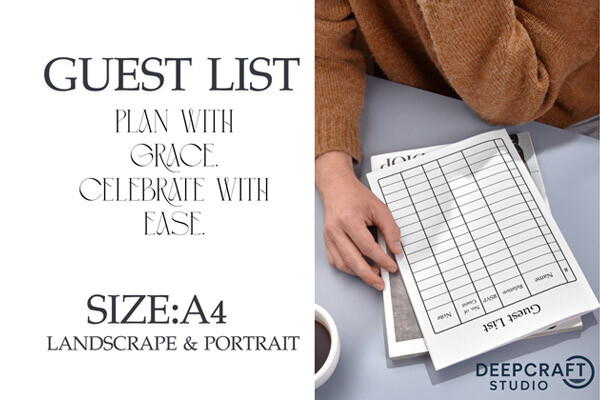
This minimalist tracker is a one-page JPG design offered in A4 portrait and landscape orientations. The description identifies spaces for a guest’s name, relationship, RSVP status, number of guests and notes. It is intended for easy printing and binder or clipboard use. A JPG is a flat image: the page does not include a confirmed editable spreadsheet or a source file for changing the table structure.
The two orientations let you choose between a taller binder page and a wider working checklist. Print several copies if your list outgrows one sheet, and keep a simple page-number system so replies do not become scattered. The guest-count field is useful for parties or households, but it is not an automatic total. Write down a last-checked date and transfer the confirmed count to your final catering record.
4. Canva Guest Planner with Contact Details
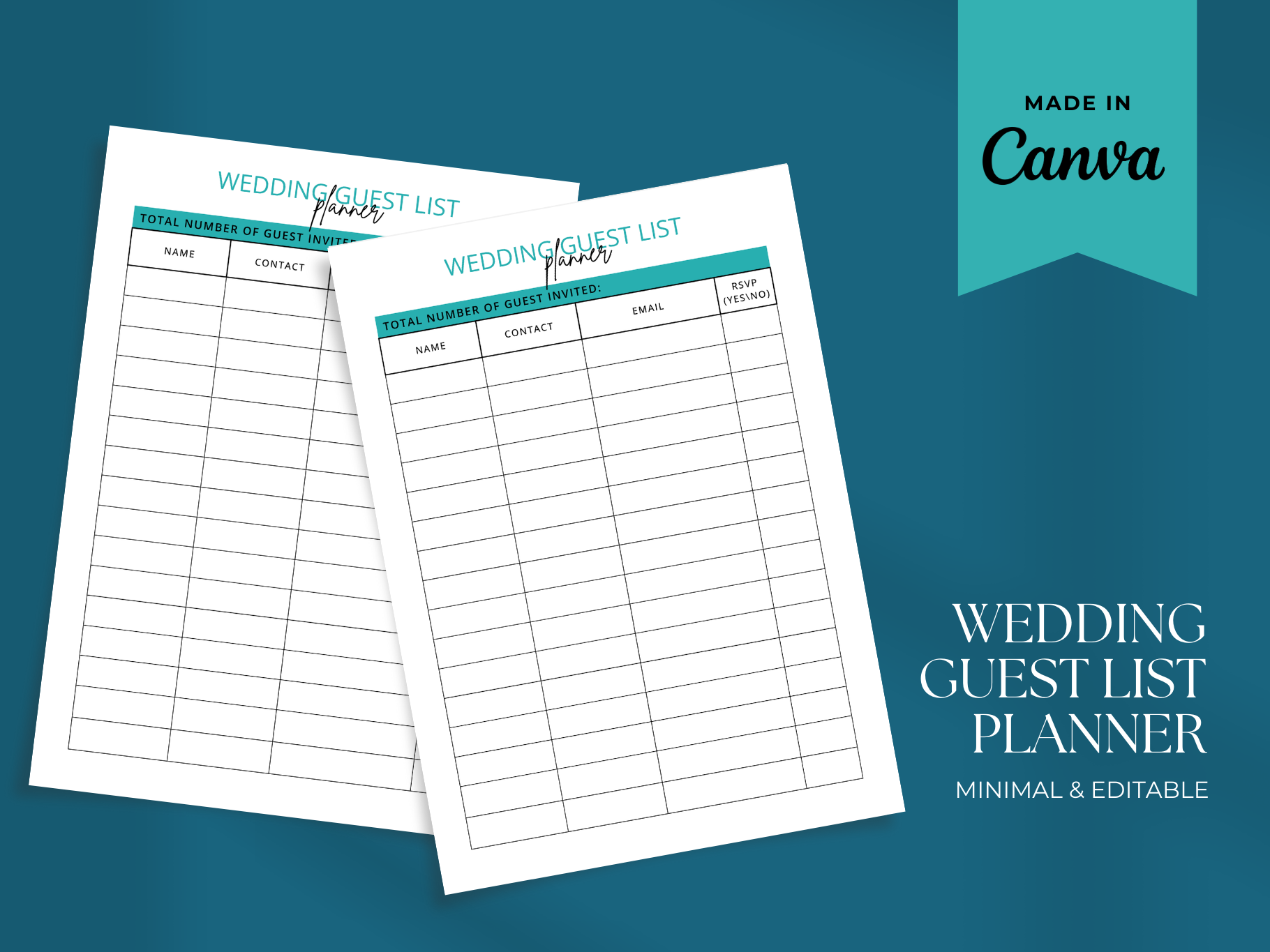
This guest-list planner is delivered through a PDF containing a link to a Canva template. The designer confirms editing with a free Canva account, including colors, fonts, text and images, and describes guest, RSVP and contact organization. The preview shows a clean ruled table with a teal accent. Page dimensions and the total number of template pages are not specified in the description.
It suits someone who wants the table to match a wedding binder without rebuilding the design from scratch. Open the template and inspect the existing column headings before entering names; adjust them to your own contact and reply workflow if necessary. Canva customization changes the page design, not the underlying information accuracy. No automatic guest counting or live RSVP collection is advertised, so keep totals separately.
5. Editable RSVP and Seating Template
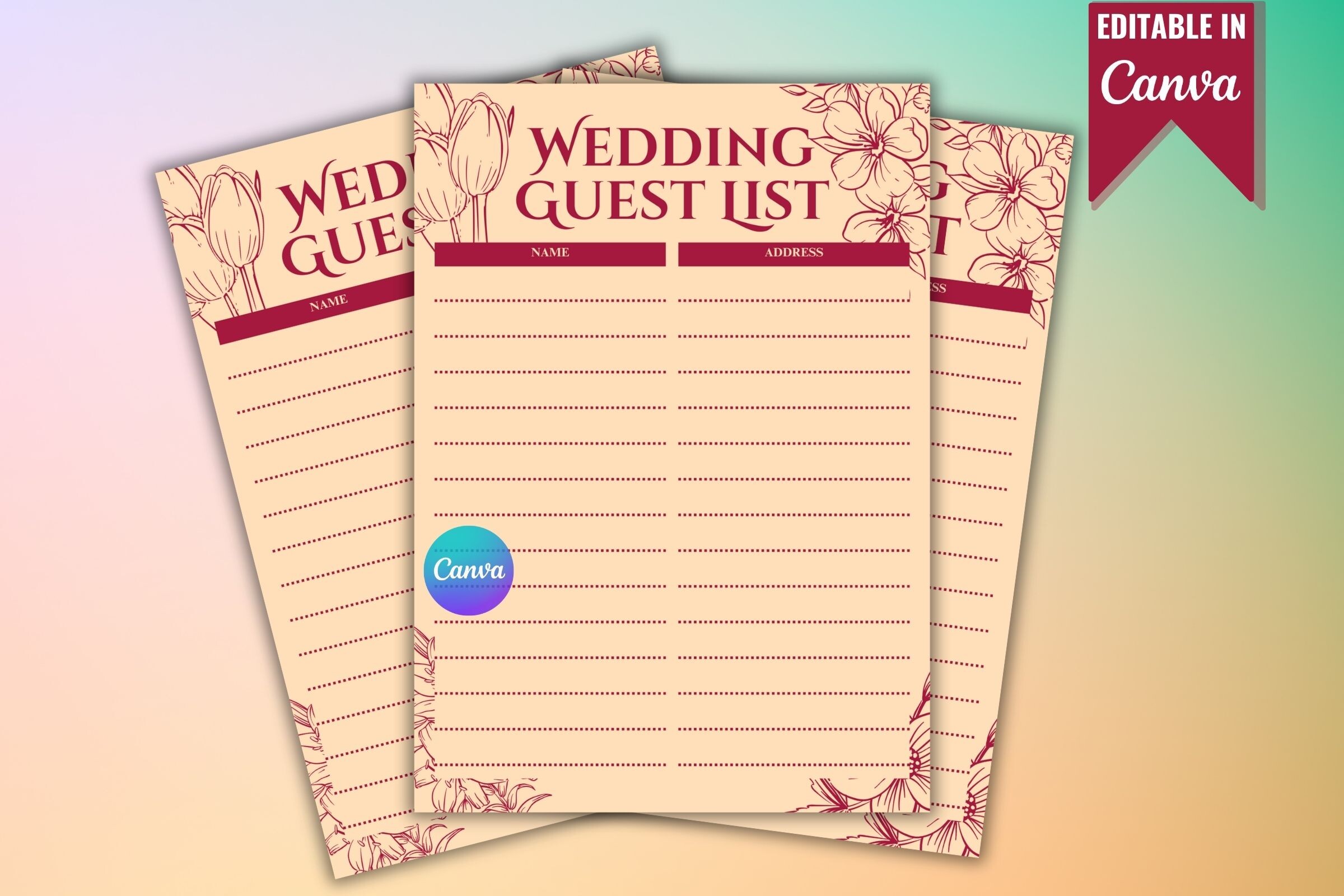
This listing includes an editable Canva link and a printable PDF, using free Canva elements. The description advertises customizable names, tables, categories, fonts and colors, with RSVP, seating and contact organization. However, the main preview looks like a floral lined guest list rather than a detailed multicolumn tracker. Its paper size and page count are not stated, so those advertised fields need checking inside the template.
The floral layout is appealing for a coordinated planning folder or a compact first draft of invitees. If you need separate meal, contact and seating columns, verify that they exist or can be added before relying on this file. The printable PDF gives you a fixed page to use after editing. Treat the Canva version as a design tool, and calculate attendance in a separate record if the page remains a simple list.
6. A4 Contact and Invitation Confirmation Sheet
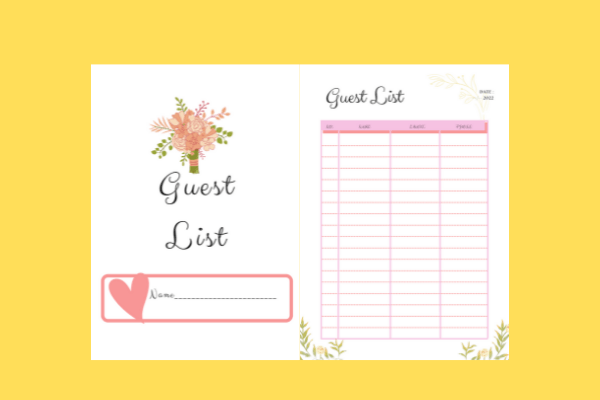
The ZIP download contains a ready-to-print PDF, a PNG and an editable link. The stated dimensions are 8.268 by 11.693 inches, corresponding to an A4 page, and the described fields include guest names, RSVP confirmation, telephone numbers and email addresses. The designer does not identify the platform used by the editable link. You can rely on the confirmed PDF and PNG formats, but should check the editing destination first.
This sheet is useful for keeping invitation replies beside the contact details needed for follow-up. Its compact table suits a wedding folder more naturally than a large guest book with one person per page. Test-print the PDF at the correct paper size and check that handwriting remains readable in the smaller columns. Add your own household or plus-one notation when necessary; no automatic count or meal-preference field is confirmed.
7. Guest and Thank-You Register in Three Lengths
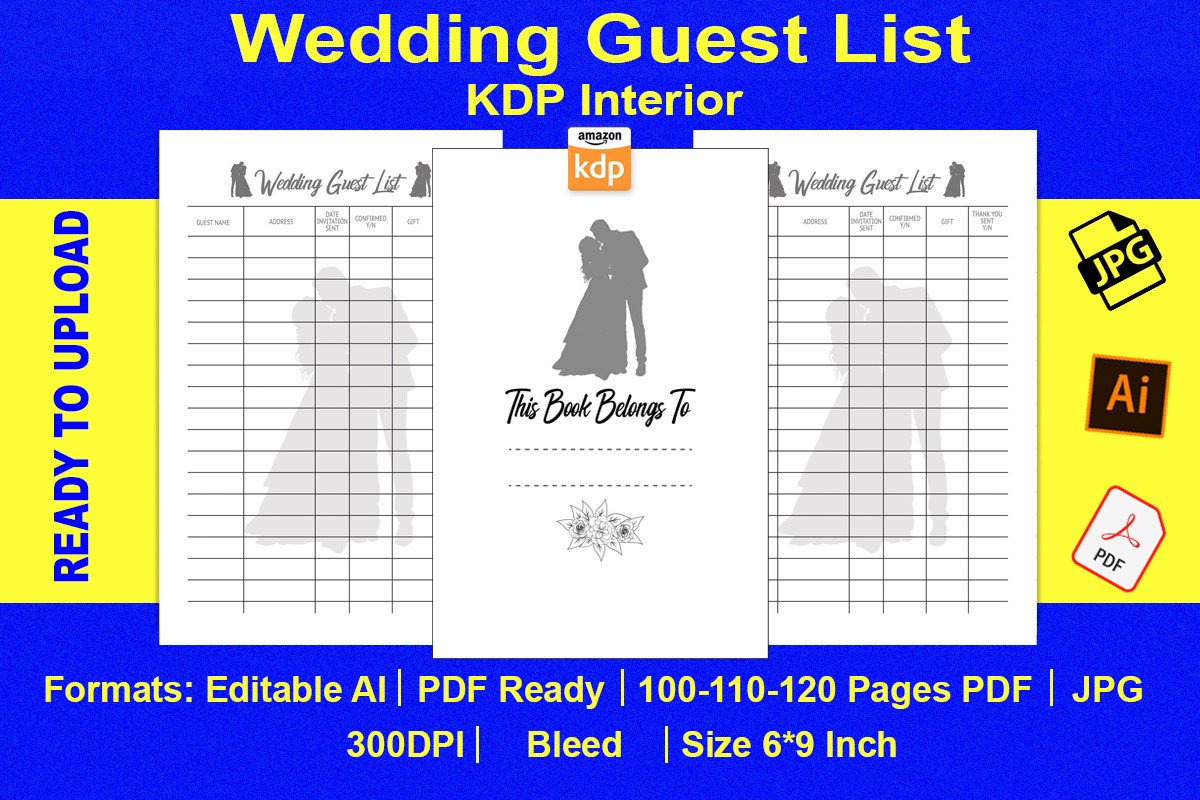
This guest register is offered in 100-, 110- and 120-page versions at 6 by 9 inches, with editable AI and PDF files plus 300 dpi JPG images. Its listed fields cover names, addresses, invitation dates, confirmation, gifts and whether a thank-you has been sent. The description says no bleed, while the preview banner mentions bleed. Check the downloaded page setup before choosing a print or binding workflow.
It is a useful option when you want one record to follow a guest from invitation through the thank-you stage. The compact size fits a smaller planning notebook, though long addresses may need more careful handwriting than on Letter paper. Page count describes the length of the interior rather than a guaranteed number of different designs. Editable files allow layout changes, but a handwritten register will still need a separate confirmed attendance total.
8. Letter-Size Guest Interior with Publishing Files
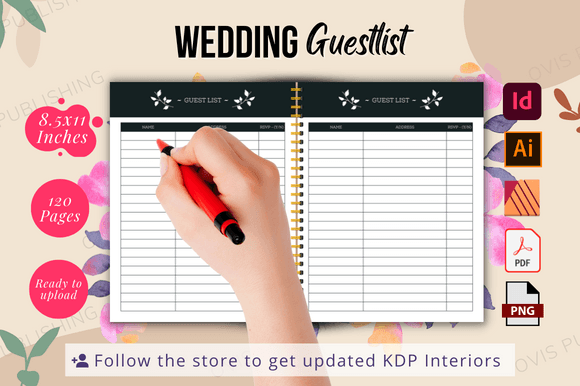
This black-and-white guest interior is a 120-page, 8.5-by-11-inch design with bleed and a belongs-to page. The package includes print-ready PDF and PNG files, plus source files for Illustrator, InDesign and Affinity Publisher. Fonts are not included. The larger page format offers room for handwritten entries, while the range of source files is useful if you want to rebuild headings or adapt the layout.
It fits a planner who wants a printable interior and access to publishing-oriented editing files, rather than a ready-made online database. Check the fonts and page setup in the application you intend to use before changing the design. For home printing, inspect margins and the bleed setting on a test page. Nothing in the listing promises formulas, automated RSVP handling or a completed binding, so those parts remain your own workflow.
9. Illustrator-Editable Guest Planning Book
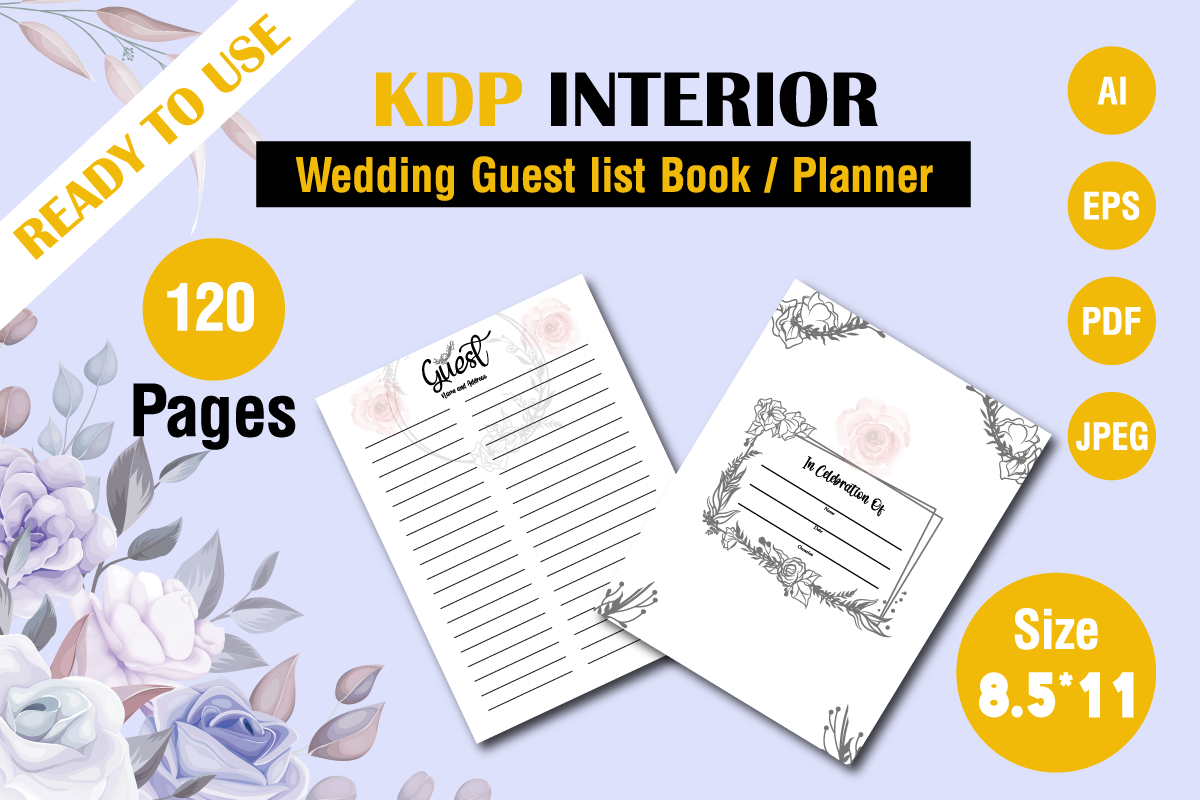
The designer supplies a 120-page interior at 8.5 by 11 inches with no bleed, in JPG, EPS, AI and PDF formats. Adobe Illustrator is named as the editing option. The preview includes ruled guest-contact pages and an introductory page, making this closer to an editable contact book than a spreadsheet. A 5.0 score based on one review is visible on the product page; that small review count is worth keeping in perspective.
This is useful if you want to customize a guest-contact record before printing, especially when you prefer generous writing space. Look through the interior before assuming that RSVP, household size or dietary columns are already present. A contact page can hold important details, but you may still need a separate invitation summary. Keep an original file and test the altered layout with a few realistic addresses before duplicating it.
10. PowerPoint Guest List Interior
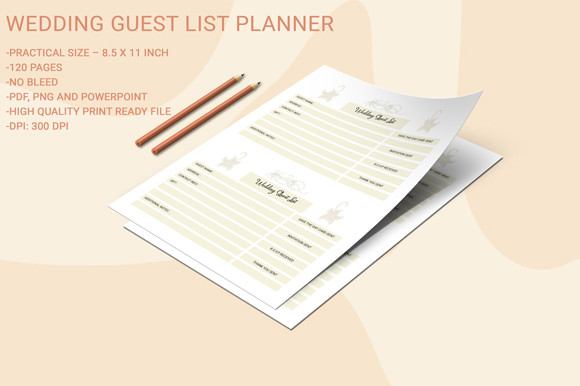
This Letter-size wedding guest-list interior has 120 pages and no bleed. The confirmed file formats are PDF, PNG and PowerPoint, with the listing specifying 300 dpi print quality. The PowerPoint file gives you another route for working with the layout alongside the fixed print files. The description does not itemize every column or explain how much of the PowerPoint design remains individually editable.
It is a sensible candidate if you already work with presentation files and want to examine the layout there before printing. Check text selectability, page dimensions and column spacing instead of assuming all design elements can be changed independently. Print only the pages needed for your guest workflow. The advertised page count does not establish a capacity of 120 households or any automatic total, so confirm the actual row structure yourself.
11. Three-Color Letter Guest List PDF
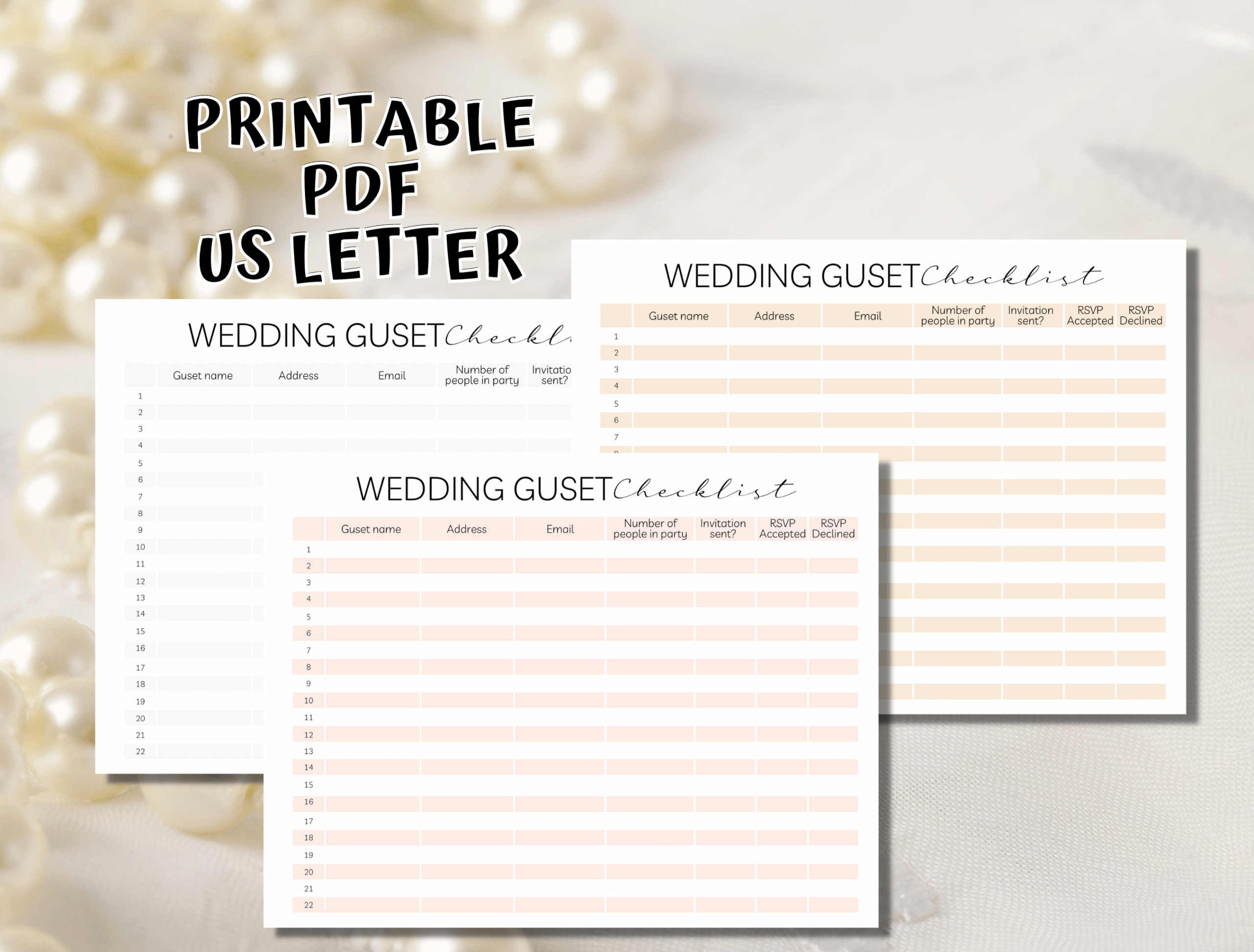
This download offers three PDF files in three color versions, each sized for US Letter paper at 8.5 by 11 inches. The preview shows a clean, compact wedding guest-list table, giving you a choice of appearance without needing design software. Although the tags use editable terminology, the actual description confirms PDFs only. It does not specify a total page count or provide a named editable source file.
Choose a color that remains readable on your printer, then keep that version throughout the invitation process. The straightforward format is useful beside a stack of envelopes or inside a planning binder. The three colors are alternatives, not three different guest-management systems. If you need to add columns or change the structure, verify the PDF’s editing behavior first; the safe starting point is a fixed printable checklist.
12. One-Page Canva Guest List with Meal Notes
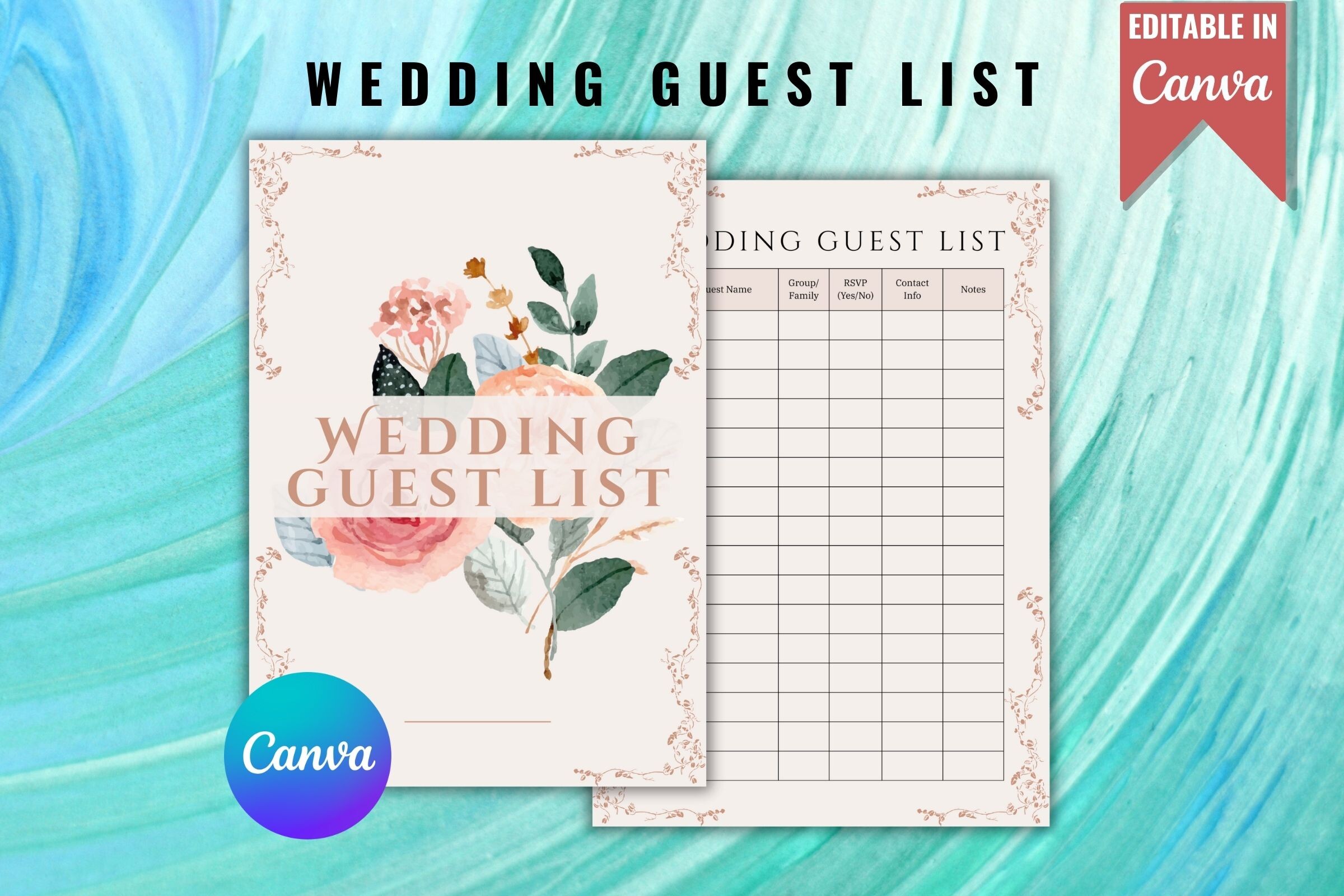
This one-page Canva guest-list design is described as fully customizable with a free account, including its free design elements. The listing also includes an SVG format and mentions RSVP status, meal choices and notes. The preview shows a floral-accented table with several guest-management columns. Paper dimensions are not supplied, so check the Canva document size before printing or fitting it into a particular binder.
The meal and notes fields make this more practical for catering follow-up than a page that only lists names. Adapt the column headings to match the information your venue needs, and make sure each guest’s reply stays connected to the correct meal note. Canva is useful for layout changes; no spreadsheet-style formulas are claimed. Check the completed PDF export on paper before writing in a large guest list.
13. Vector Guest List for Custom Layouts
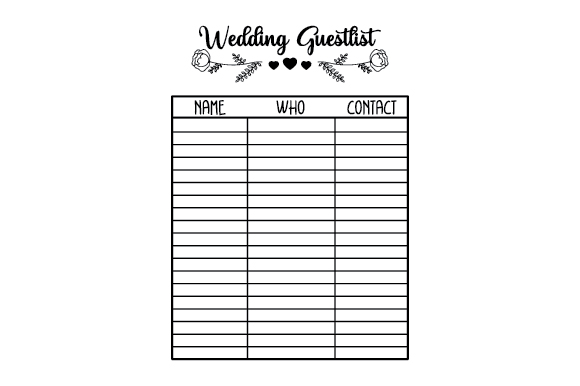
The vector guestlist planner comes in SVG, transparent PNG, EPS and DXF formats. Its main preview shows a simple table labeled Name, Who and Contact, beneath decorative wedding lettering. The product has 34 additions to favorites, but its description does not confirm a page count, paper size or resolution. This is layout artwork you can place into a document, rather than a named Excel or Canva guest-management tool.
It is useful for building a custom invitation register around a small, straightforward contact table. If the middle heading is unclear for your workflow, use suitable vector software to change it to a relationship or household label. Establish the final paper dimensions before printing, especially when using the raster PNG. You will need to add any RSVP, meal or seating information yourself; those fields are not shown in the preview.
Make the download work for your routine
Choose the format you will actually update, then enter a small sample household before transferring the full list. Check how plus-ones, children, dietary notes and unanswered invitations will be recorded. Keep a dated copy before major changes, and reconcile the final guest count with your venue and caterer using confirmed information rather than assumptions.



One Comment