12 Gingerbread Sticker PNG Resources for Christmas Planner Pages
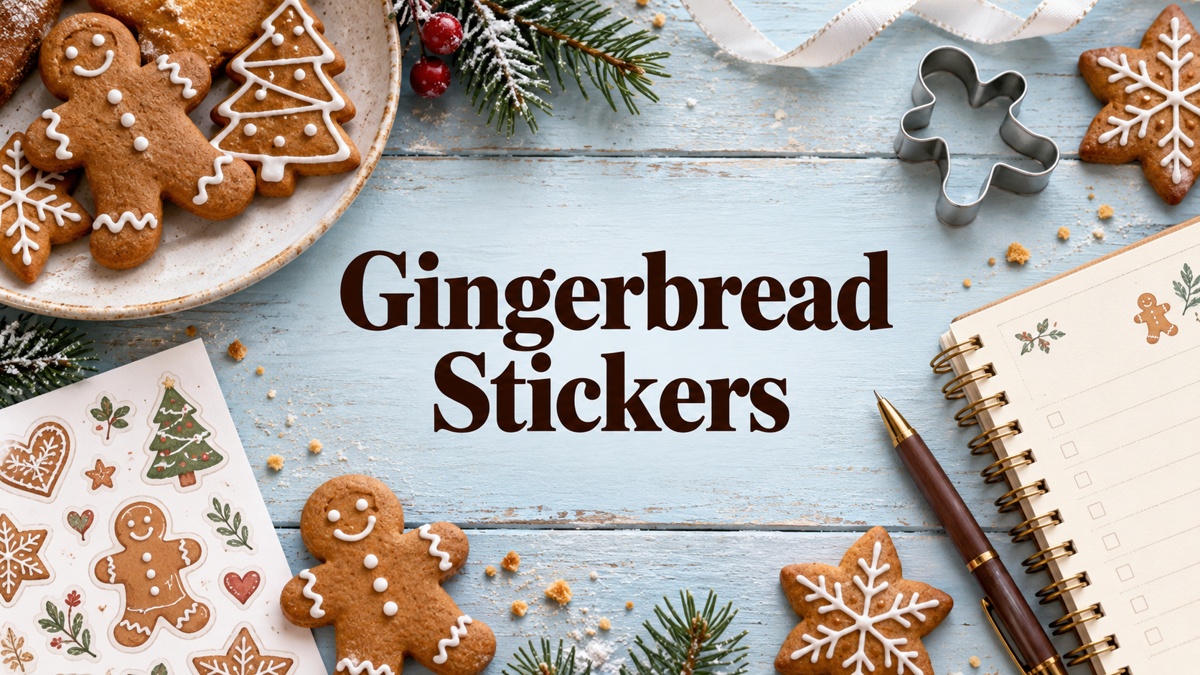
Gingerbread stickers can bring cookie characters, candy houses, and warm bakery details into a Christmas planner. These twelve resources are digital artwork for making your own decorative stickers or arranging images in a supported planner workflow. They include PNG compositions, separate clipart, an alphabet, and one design with confirmed vector formats. They are not advertised here as twelve ready-made sticker sheets or a collection of tested planner-app sticker books.
For a broader holiday theme, explore Christmas planner stickers. Use the artwork beside a Christmas baking planner if you want the decoration to connect with actual preparation tasks, or combine it with Christmas washi tape for simple borders.
Choose gingerbread stickers by file layout and usable detail
A prepared sheet can be quicker for printing, while individual PNGs are more flexible for a custom sheet or digital page. Shadow options, white borders, and detailed icing affect how the artwork looks at a small scale. Start by trying one image at the size you actually use in your planner, and keep writing areas clear so the decoration supports the page rather than filling every available space.
Check whether a download supplies one composed image or separate elements before choosing a layout. A transparent PNG does not prove that vector cut lines, a PDF sheet, or a Goodnotes-format sticker book are included. The reviews distinguish public preview dimensions from download specifications and flag incomplete file counts. Where numeric sizes or editing formats are missing, those limits are stated rather than filled in from a mockup.
1. A Candy-Colored Gingerbread Character for a Festive Accent
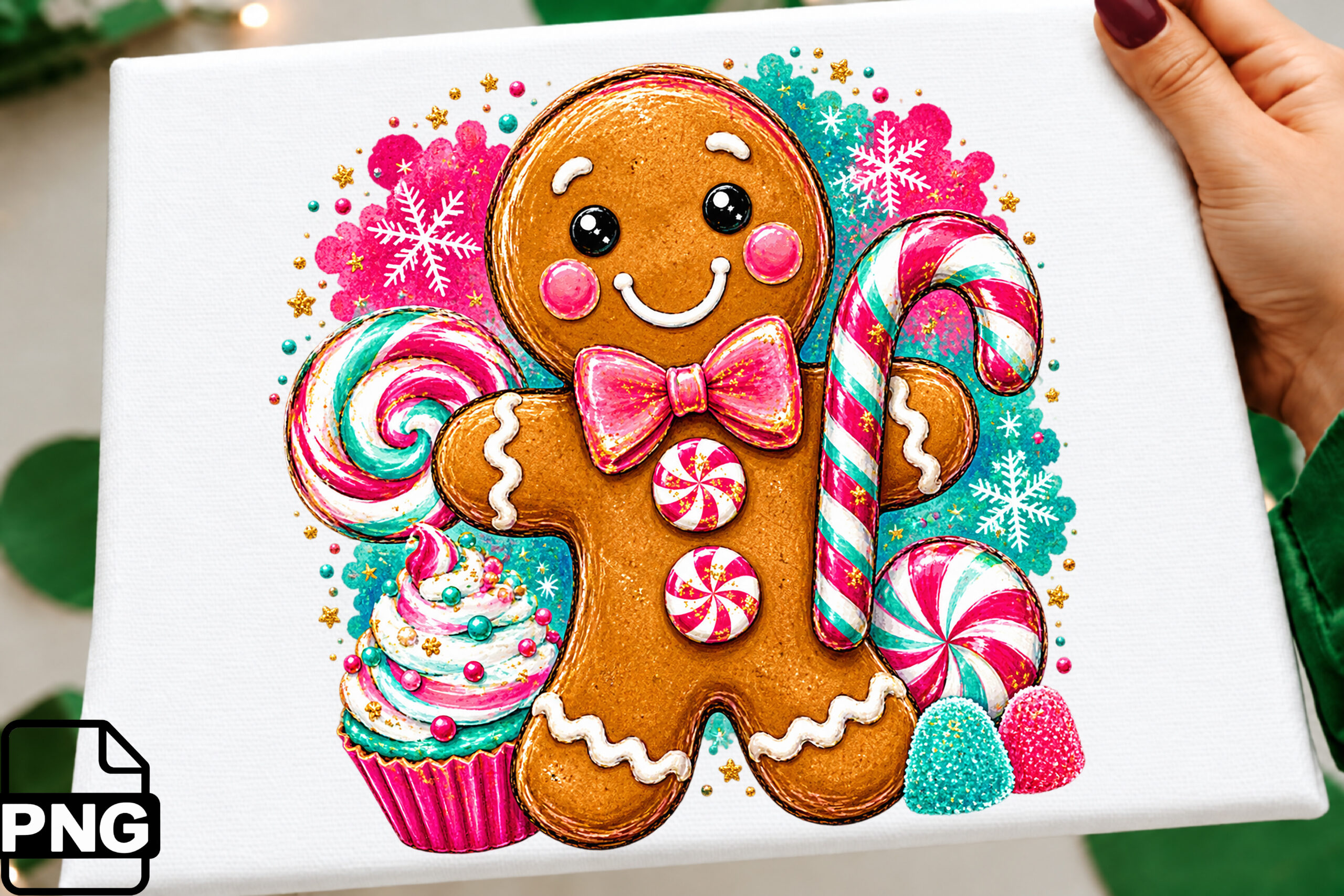
The original preview combines a smiling gingerbread figure with candy canes, bright pink and green sweets, and small snowflake details. This is a colorful focal illustration for a December dashboard or a baking journal divider. The listing confirms one transparent PNG at 300 DPI and explicitly includes stickers, journals, and digital planners among suggested uses. A useful approach is to place the whole composition beside a heading rather than spread its decorative pieces across every daily box. The figure and surrounding sweets read as one artwork, so treat them as a single printable accent.
No pixel dimensions, editable source, prepared PDF sheet, or cutting outline are specified. The hero is a project mockup; it does not mean a physical sticker or the pictured paper is included. You will need to arrange your own print sheet or import the PNG through a supported image workflow. Check the candy and snowflake details at the final size before printing a batch. Choose this option when you want one cheerful centerpiece and are comfortable doing the sheet layout yourself.
2. An Ornate Gingerbread Mansion for a Christmas Divider
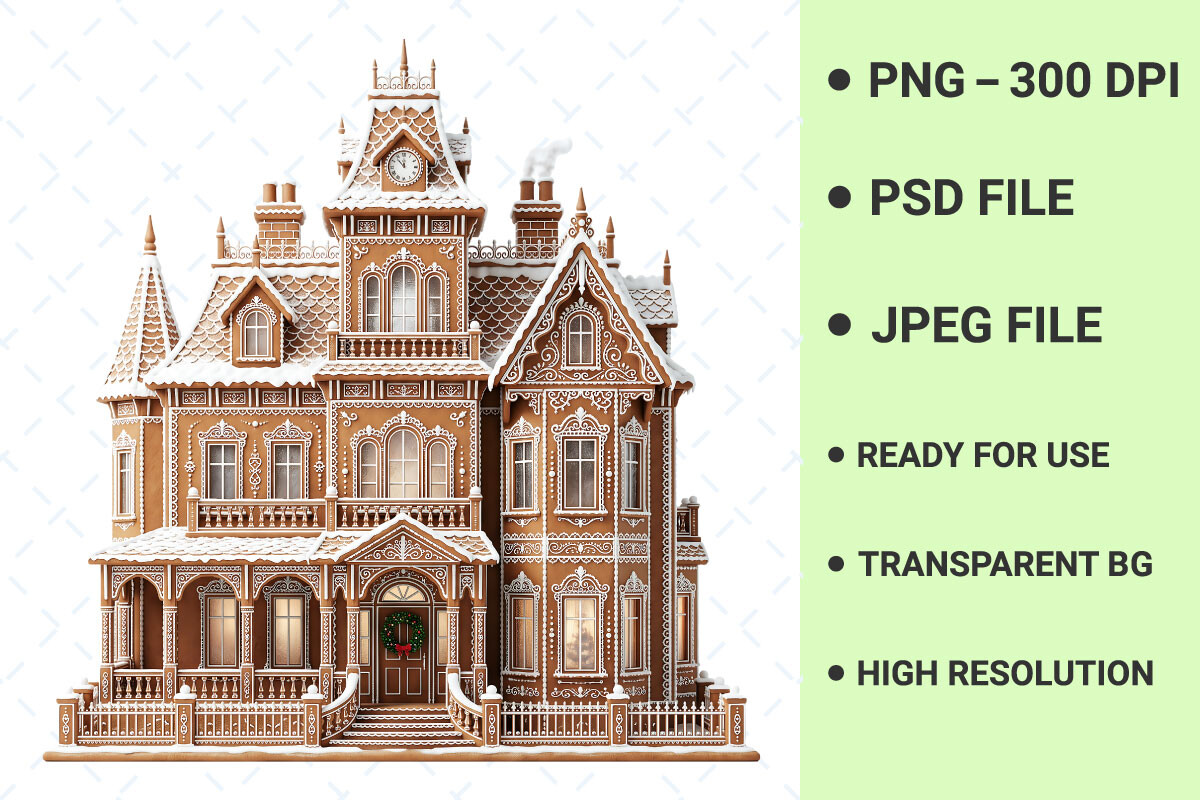
This tall Victorian mansion offers a more architectural gingerbread theme than a simple cookie character. Its original preview shows a clock tower, many windows, pointed roofs, and detailed white icing. The written inventory includes one transparent PNG at 300 DPI, a PSD file, and a JPEG described as a preview. That combination gives you a raster image route for a large decorative sticker and a Photoshop document if you want to investigate a broader editing workflow. Try it on a monthly cover or a separate holiday project page where the building can remain large enough to read.
Although the description calls the illustration a vector, the confirmed file list does not name SVG, EPS, or AI. The PSD’s layer organization and editability are not explained, so do not assume every window or icing line can be recolored independently. Exact pixel dimensions, printable sheets, and prepared machine-cut projects are also unconfirmed. Fine architectural detail can disappear in a tiny daily box. This is a useful choice for one prominent house accent, provided you keep its actual raster inventory in mind.
3. Four Festive Cookie Figures in One PNG Composition
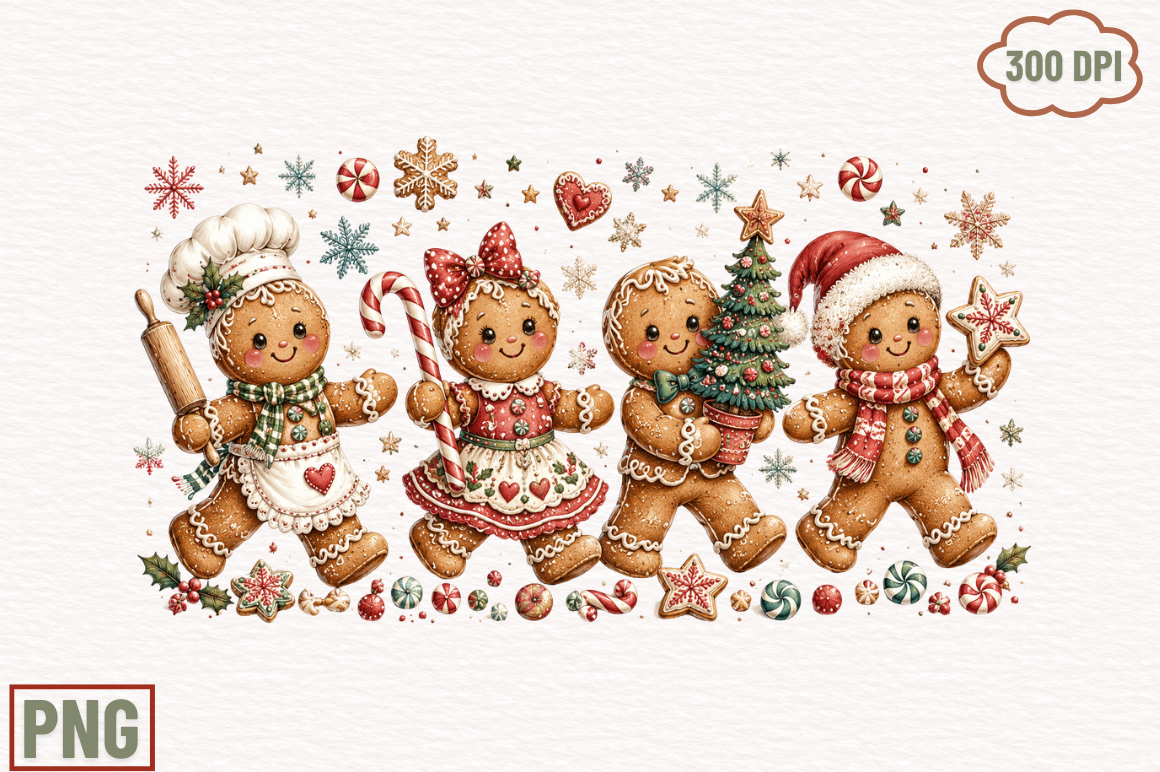
The preview shows four gingerbread characters arranged together: a baker, a bow-wearing figure, a character holding a tree, and a Santa-hat figure. Small sweets and stars surround the group. The description confirms a high-resolution PNG with a transparent background and lists stickers among its uses. It does not confirm four separately supplied character files. Use the group as a wide banner for a holiday memory page, or place the full scene at the bottom of a Christmas planning spread. The coordinated composition can establish a theme without needing to assemble many small decorations.
A 300 DPI badge appears on the original preview, while the written inventory gives no numeric resolution or pixel dimensions. That distinction matters if you are planning a specific print size. No SVG, PDF sticker sheet, or editable source is listed, and separate cropping of the characters would be additional work rather than a supplied feature. Start with one sample at the width of your page. This artwork is better suited to a group accent than a ready-made collection of individually movable daily stickers.
4. A Simple Baby Gingerbread Character with Vector Options
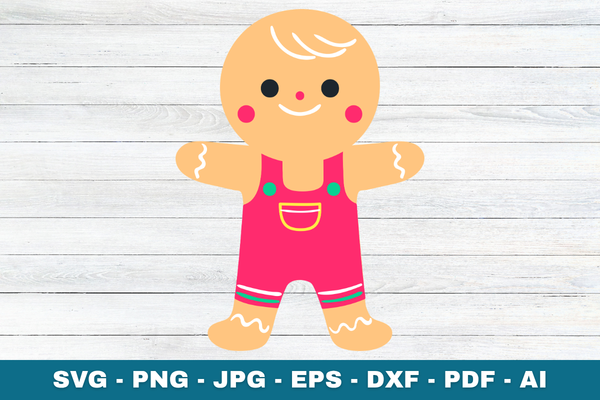
This baby gingerbread design uses a simple silhouette, bright pink overalls, and a friendly face. The clean shapes make it a practical choice for a small decorative mark on a family Christmas planning page. Unlike the PNG-only resources in this selection, the seller lists SVG, PNG, JPG, EPS, DXF, PDF, and AI. The PNG is specified as transparent at 300 DPI, and the description says the vector artwork is layered. Those file options offer a starting point for resizing or recoloring in suitable vector software, while the PNG provides a simpler image-placement route.
The supplied PDF is described for printing, tracing, and paper crafts; it is not confirmed as a sheet of planner stickers. Likewise, the listed SVG does not establish that a prepared Print Then Cut project is included. Exact page dimensions, pixel dimensions, and a final cut size are unspecified. The original public preview is relatively small, so use it to judge style rather than infer the downloaded file’s size. Choose this character when simple shapes and confirmed vector formats matter more than a large coordinated set.
5. An Oh Snap Cookie Design for a Baking Journal
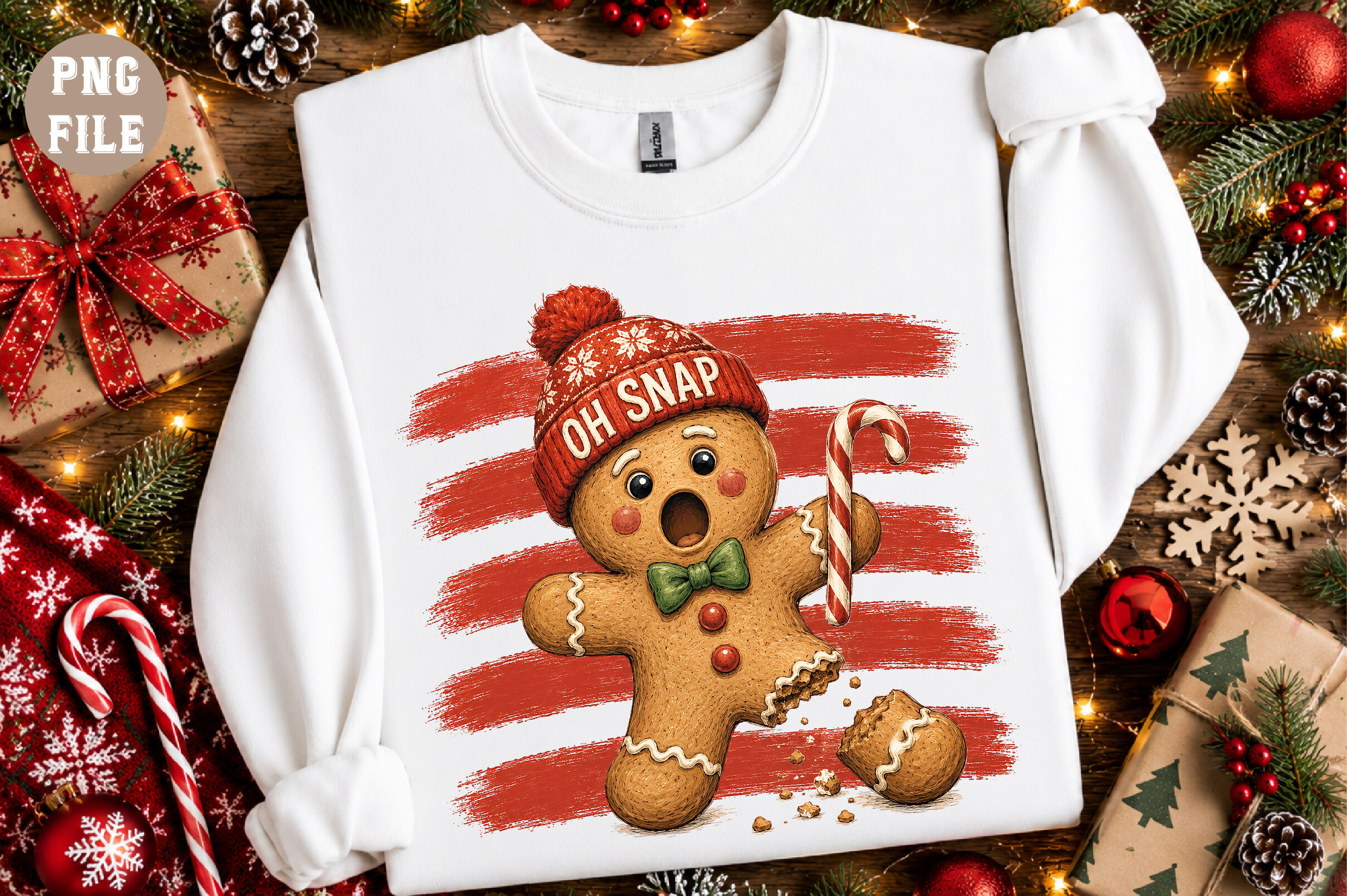
The preview presents a bitten gingerbread character with a candy cane, a winter hat, and an Oh Snap message against a red brushstroke. This playful design can mark a holiday baking session or decorate a recipe divider. The seller confirms one transparent PNG at 300 DPI with an approximately 12-by-12-inch canvas. Stickers, journaling, and digital planners are specifically named as uses. The stated canvas is the artwork’s working size, not the size of a supplied sticker. You can reduce the composition for your page after checking that its lettering remains legible.
The hero uses a sweatshirt mockup, but the download inventory is the PNG artwork. No garment, ready-to-print sticker sheet, SVG, or editable text file is confirmed. The message, character, and brushstroke form a single design rather than independently supplied elements. Test a modestly sized accent before filling a sheet with copies; a very small version may lose the joke and the hat detail. It suits a bold, humorous focal sticker more naturally than a tiny functional icon beside every task.
6. Twenty-Six Cookie Letters for Custom Holiday Headings
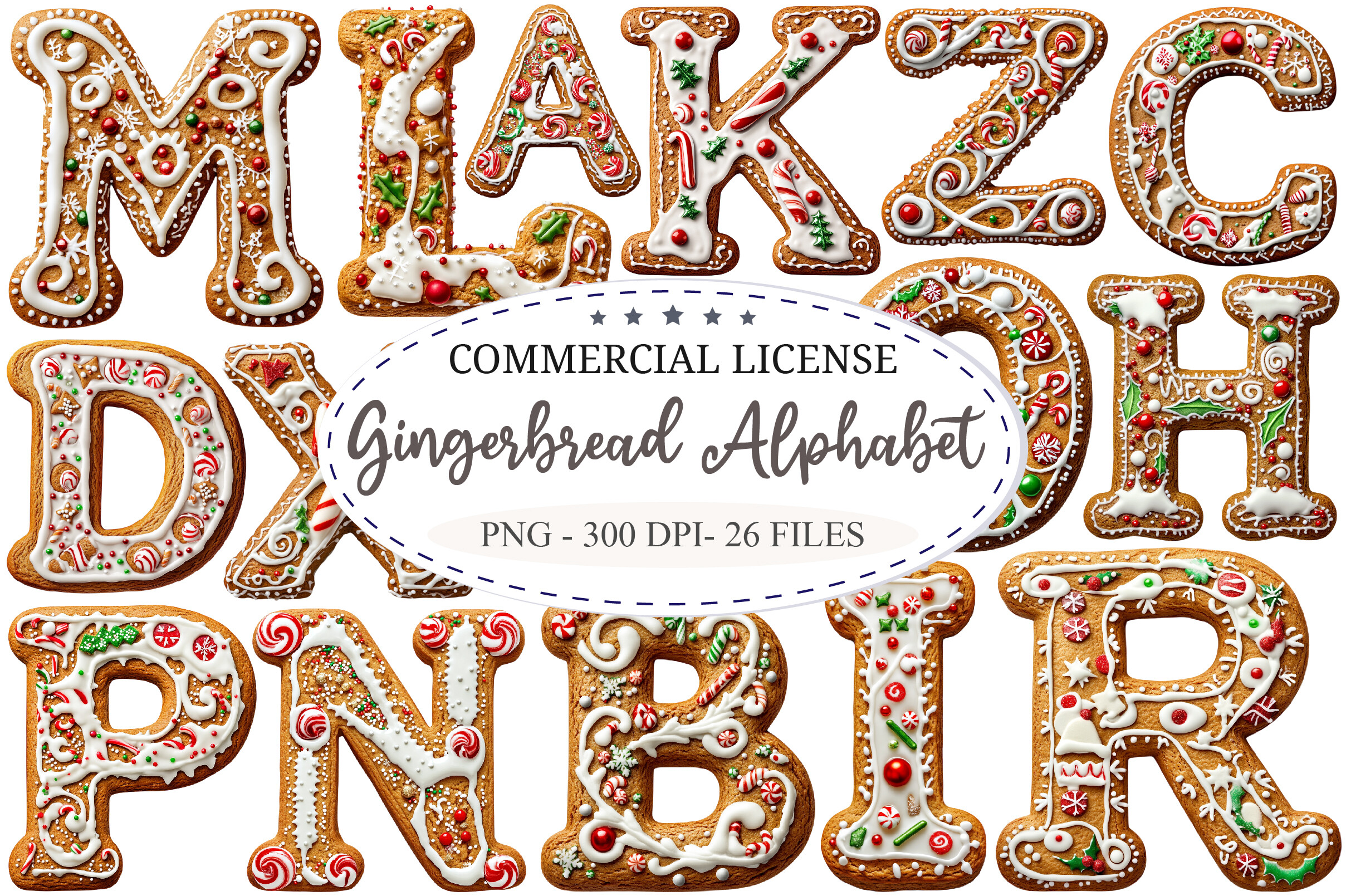
This alphabet gives you a way to build a personal Christmas heading rather than repeat the same cookie figure. The listing confirms 26 designs in PNG format, with transparent backgrounds, 300 DPI, and a stated 12-by-12-inch size. The original preview shows uppercase letters decorated with icing, candy, and festive details, and its badge also identifies 26 files. Use a short word such as BAKE or JOY on a divider, or arrange initials for a holiday journal cover. Separate letter designs offer more layout flexibility than one prewritten seasonal phrase.
Numbers, punctuation, lowercase variants, and a complete font file are not confirmed. This is image-based lettering, so typing a word does not automatically assemble the supplied artwork. No PDF sticker sheet or prepared cutting files are listed either. You will need to place and size the letters consistently in your own layout. Keep headings short and allow enough room for the decorative details. The bundle is useful for personalized letter stickers, but it involves more arrangement than downloading an already finished word.
7. A Snowy Gingerbread Cottage with a Clear Pixel Size
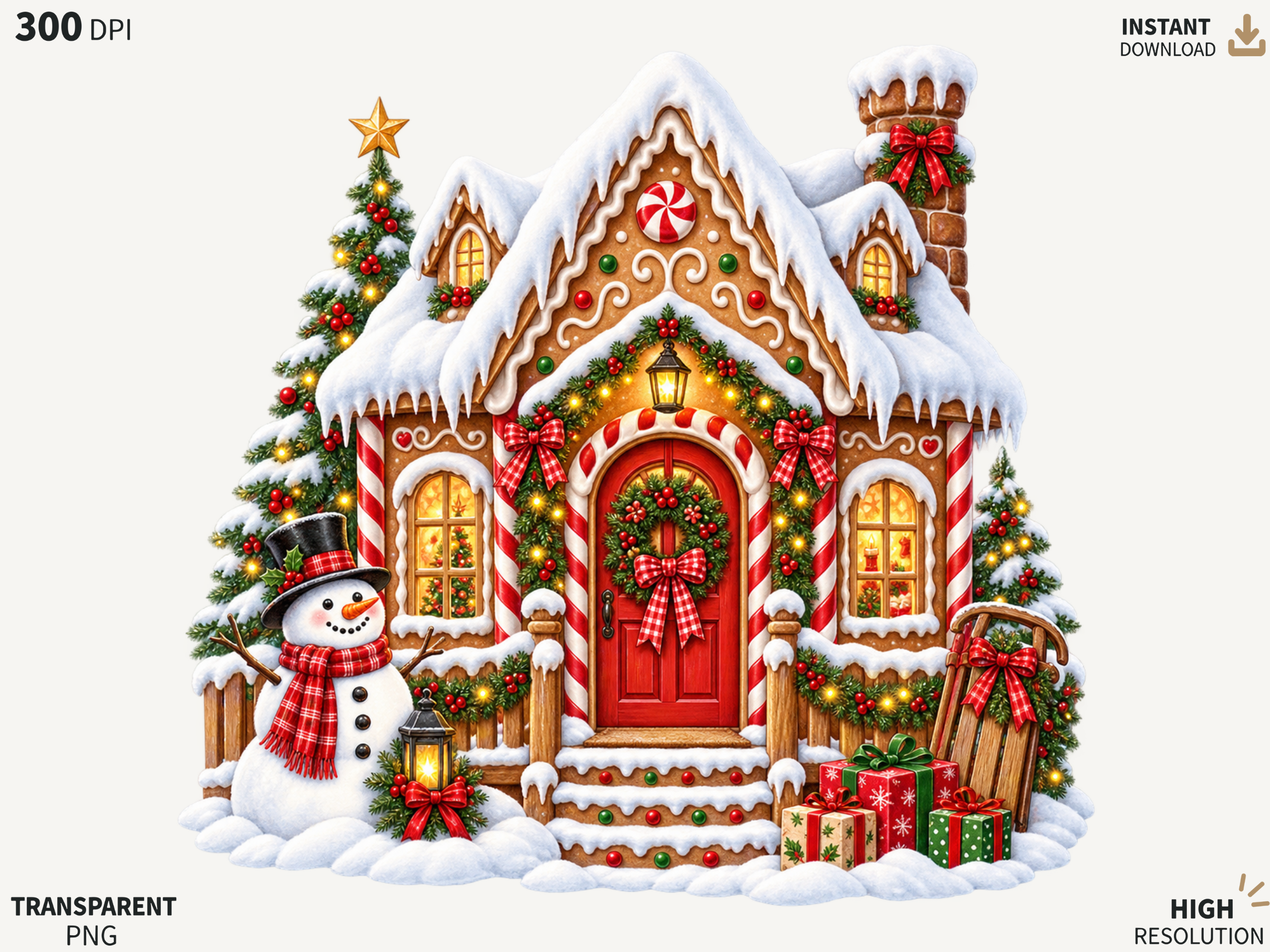
The snowy cottage preview shows a richly decorated cookie house with a red door, festive greenery, gifts, and a small snowman. This offers a cozy alternative to the taller Victorian mansion. The seller confirms one transparent PNG at 4000 by 4000 pixels and 300 DPI. Those are download specifications, separate from the dimensions of the public promotional image. Try the cottage as a large sticker on the opening page of a Christmas baking project, with a short list beside it. Its compact square composition can fit a cover panel without needing a wide character banner.
The inventory does not include SVG, a layered source, PDF sheets, or supplied cut lines. Creating a sticker border or combining the cottage with other artwork would be your own layout step. The seller asks buyers to check PNG support in their software; no specific planner-app file is promised. Small windows, lights, and roof decoration deserve a sample print at your intended size. Pick this house when a clearly stated raster size and a detailed winter scene are more useful than multiple separate designs.
8. A Santa-Hat Cookie Character with a Green Scarf
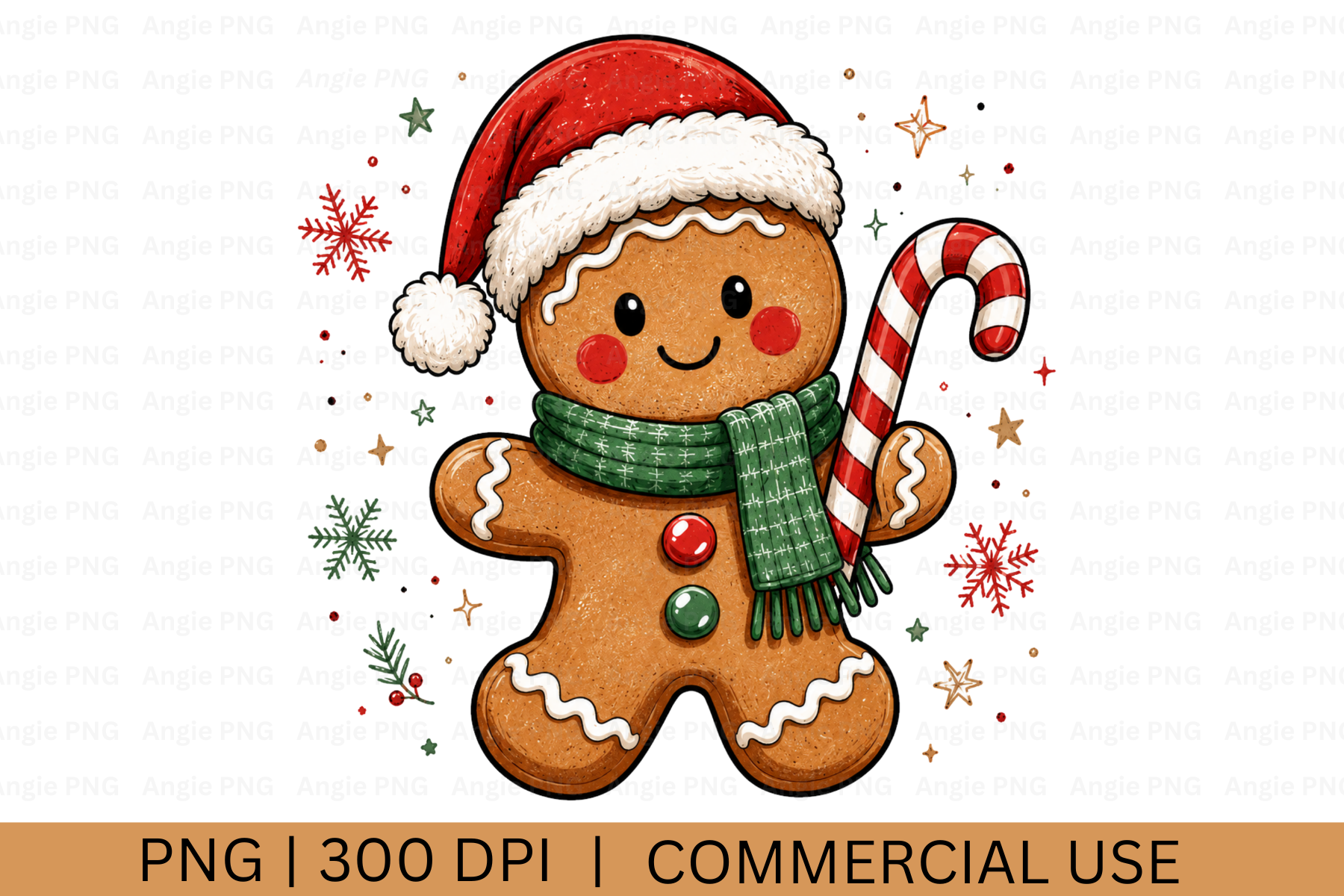
This gingerbread figure wears a red Santa hat and green scarf and holds a candy cane. Stars and snowflake accents give it a Christmas look without requiring a complete house scene. The seller confirms one transparent PNG at 300 DPI. The original hero shows the character prominently, making it a possible accent for a weekly December spread or a holiday shopping note page. Place the whole composition where it can remain recognizable and leave nearby writing space clear. It is a single decorative image, not a confirmed package of separate hat, scarf, and candy-cane pieces.
The description explicitly says the file is not SVG. Pixel dimensions, physical print dimensions, PDF sheets, and an editable source are unspecified. Do not infer a cutting-machine-ready project from the character’s outlined appearance. You will need to prepare your own sheet or use an image-import workflow supported by your software. The public preview is promotional artwork and does not establish the final sticker size. Choose this option for a traditional cookie character when you prefer a simple PNG resource over a larger themed bundle.
9. A Watercolor Fairy and Cookie-House Collection
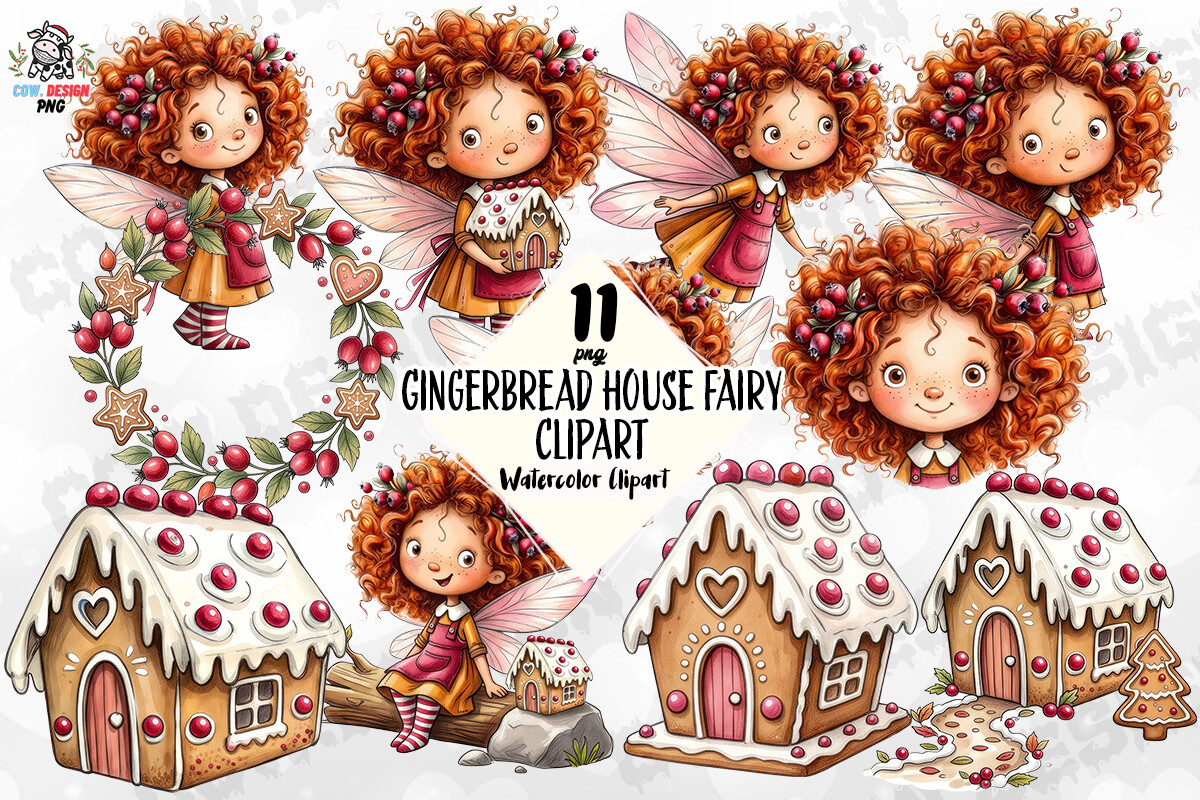
This collection shifts the theme toward storybook decoration. The original preview shows curly-haired fairies, iced cookie cottages, and a wreath, with a warm red and brown palette. The description specifies PNG files at 4500 by 5400 pixels and 300 DPI and names stickers among possible projects. The preview advertises 11 PNGs, but the written inventory does not confirm that count. The product page also displays a 5.0 rating from one review; that is a small amount of feedback rather than broad testing. Consider the collection for a Christmas journal divider with a fairy as the focal image.
Before planning a sheet around eleven distinct files, ask the designer to confirm the exact inventory and whether the stated dimensions apply to each image. Transparency, SVG files, editable sources, and a prepared printable sheet are not specified in the written details. Several promotional poses do not by themselves prove how files are packaged. Use the houses and characters selectively so the storybook detail stays visible. This resource can support a coordinated look, but its uncertain count should remain part of your buying decision.
10. A Gingerbread Fairy with a Sweet-and-Spicy Message
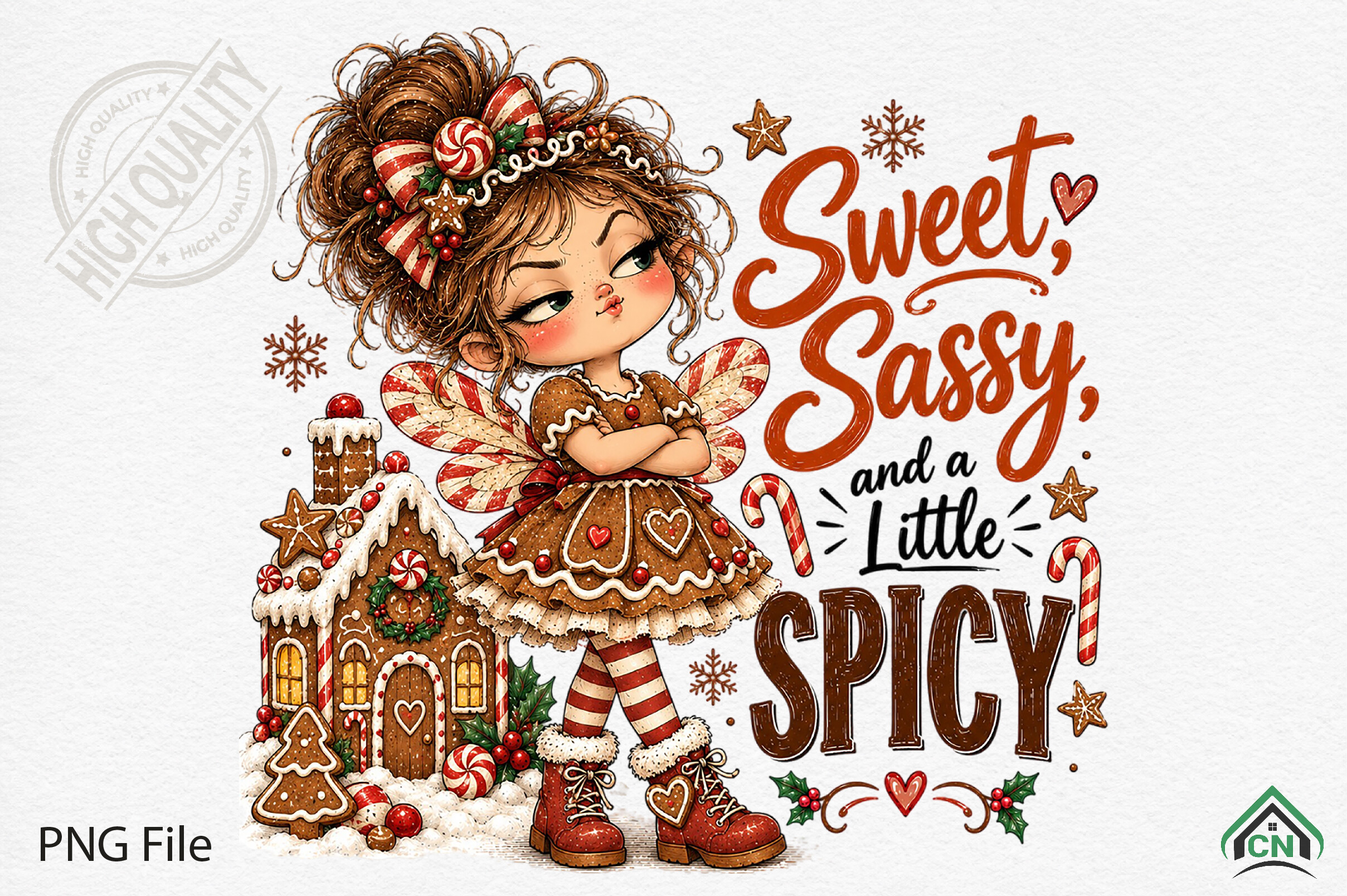
The original preview combines a fairy girl, a cookie house, candy accents, and the message Sweet, Sassy, and a Little Spicy. Its darker hair, cream icing, and red lettering give it a different mood from the watercolor fairy collection. The listing confirms a transparent PNG at 3600 by 3600 pixels and 300 DPI and explicitly suggests Christmas stickers. A practical use is one decorative heading image on a holiday journal page. The text and character are shown together, so plan room for the whole design rather than assume the phrase arrives as editable lettering.
No font file, layered source, separate text elements, printable sheet, or cutting outline is confirmed. The dimensions describe the supplied image, not a physical sticker ready to peel. Reducing a lettered illustration too much can make the message harder to read, so try a sample beside your normal planner headings. This choice suits a playful personal cover or memory page where a quote is welcome. If you want plain cookie icons for daily boxes, a simpler character resource will involve less visual clutter.
11. Forty-Seven Separate PNGs for a Fairy-Mouse Christmas Theme
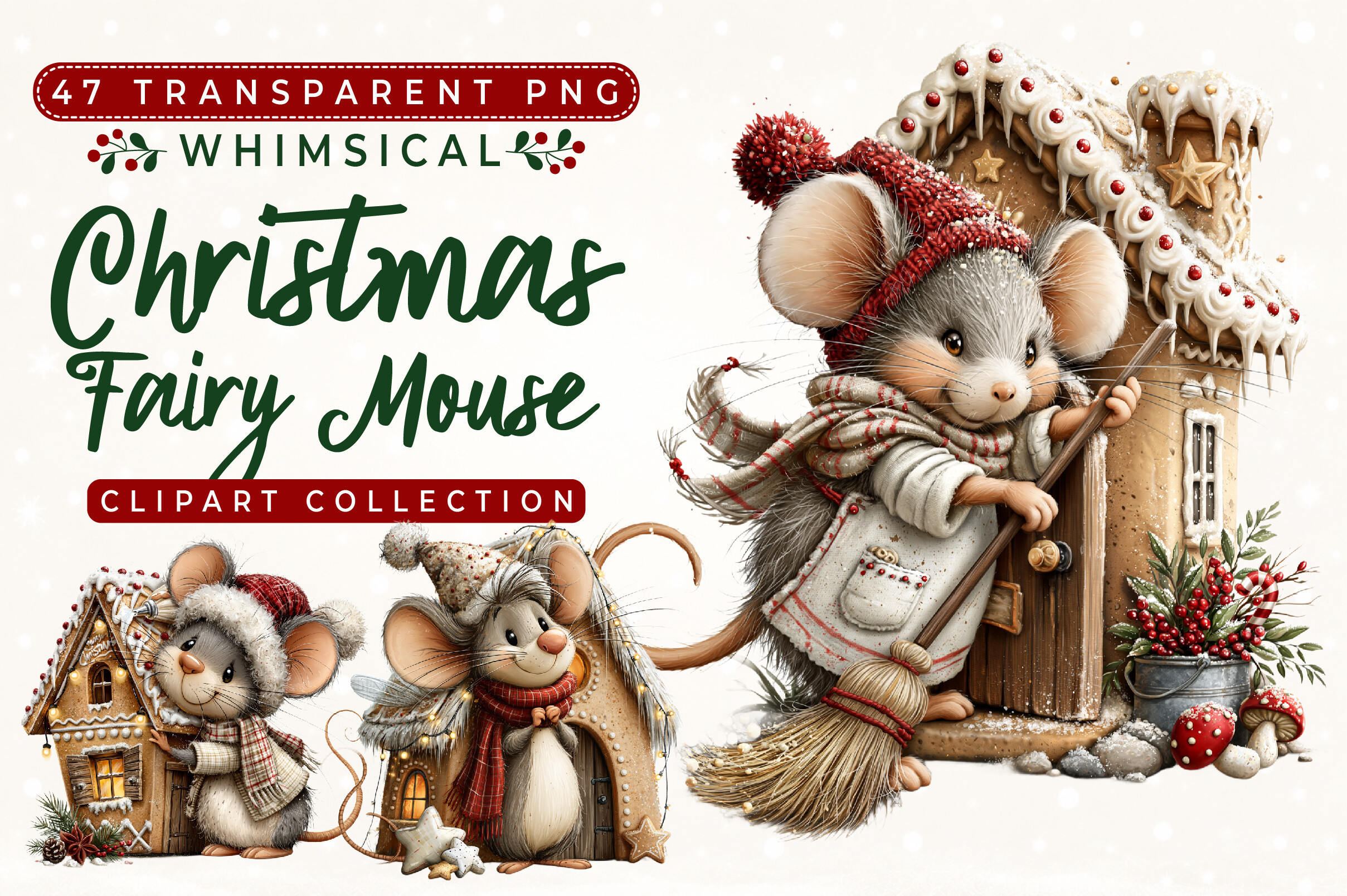
This bundle provides the most clearly confirmed multi-element inventory in the selection: 47 individual transparent PNG clipart files, packaged in one ZIP folder. The description says each illustration is saved separately and names planner decoration and stickers as uses. The original preview combines soft gray mice, warm clothing, and elaborate gingerbread houses. That range makes it useful for arranging several different decorative accents across a Christmas journal. You could pair one mouse with a house on a divider and use other supplied elements for smaller seasonal notes, choosing files after reviewing the actual download.
The seller calls the PNGs high resolution but does not give numeric DPI, individual pixel dimensions, or physical sizes. No SVG, editable source, prepared sticker sheet, or Goodnotes-format book is confirmed. The count is 47 images, not 47 pages or guaranteed sticker layouts. You will still need to select, size, and arrange the elements for printing or image placement. Choose this bundle when independent file placement and a consistent storybook theme matter, and check the details of each chosen image before deciding how small to print it.
12. A Gingerbread-Topped Cupcake for Holiday Baking Pages
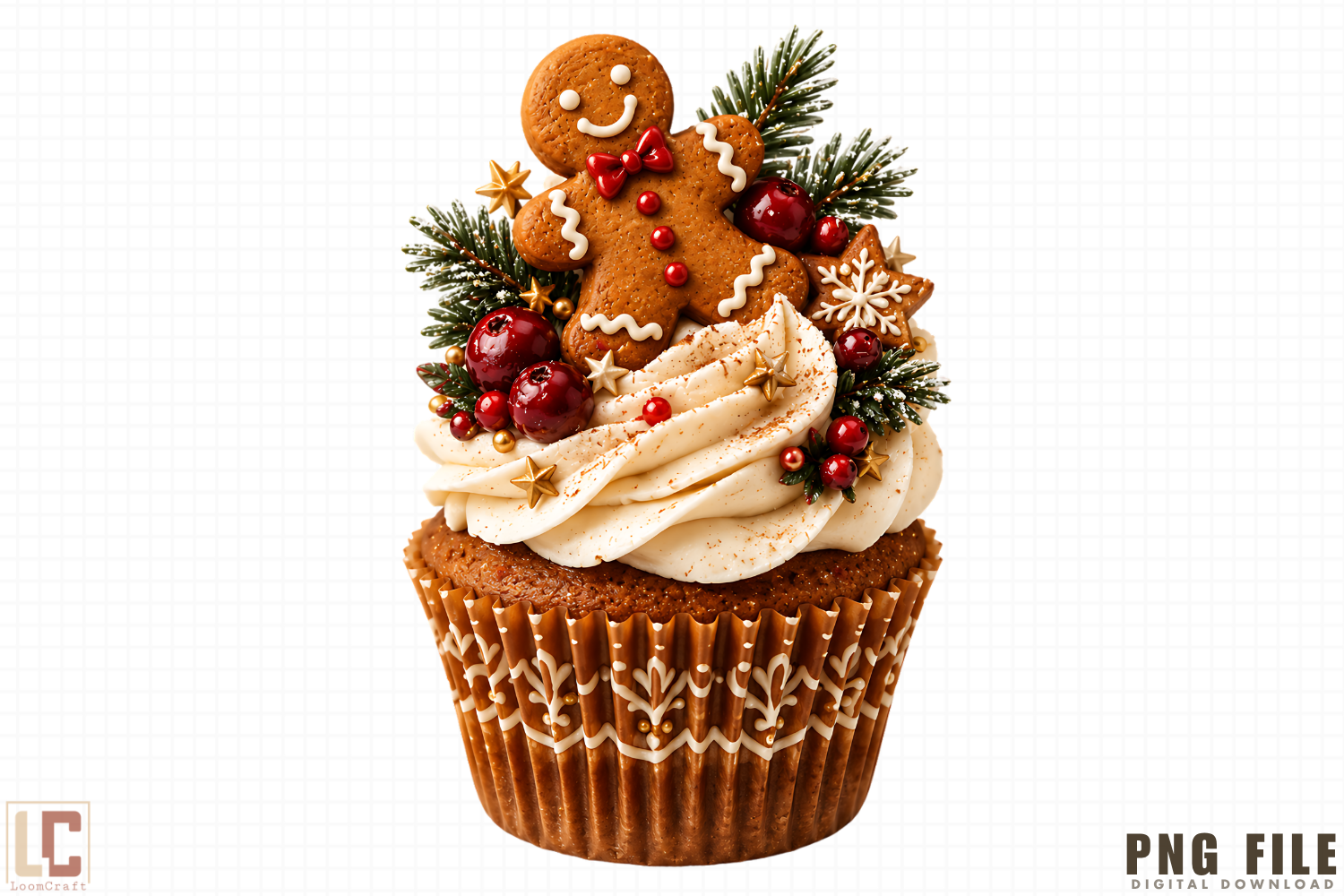
The cupcake preview shows a gingerbread figure sitting above swirled frosting, with evergreen sprigs and red seasonal accents. It ties the decoration directly to baking, making it a useful focal image beside a recipe list or a December treat-planning page. The written description confirms transparent PNG artwork at 300 DPI and includes stickers and DIY crafts among uses. It says file or files without specifying an exact inventory. Treat the pictured cupcake composition as the style example rather than proof of a large bundle. A single well-sized accent can connect a practical baking page with its holiday theme.
Pixel dimensions, an exact file count, editable layers, PDF sheets, and vector cut files are not confirmed. The claim that the artwork is easy to customize does not establish a source format with separately editable frosting or cookie pieces. You would be arranging the supplied raster artwork in your own layout. Try the image at the final sticker size to see whether the smaller greenery and icing details remain clear. This is a focused baking illustration, suited to readers who want a different subject from another standalone gingerbread person.
Make the download work for your routine
For flexible placement, begin with a bundle that confirms separate PNG elements. Choose the alphabet for short personalized headings, the vector character when resizing or recoloring is part of your workflow, or a single scene for one clear focal accent. Arrange a sample sheet and test the final size before committing to a larger print run. Keep writing areas open and let the gingerbread detail support the Christmas tasks or memories you want to record.