8 Freezer Inventory Templates to Track Frozen Food and Restocks
A freezer inventory is most useful when it tells you what is stored, how much remains and where to find it. A short list can suit a kitchen drawer, while a chest freezer may need zones and a separate stock-check routine. These eight templates compare dedicated freezer pages with broader kitchen collections that include a confirmed freezer section.
This guide focuses on the record itself rather than a seasonal pantry checklist. The reviews distinguish fillable PDFs, repeated logbook interiors, Canva sources and a linked storage planner. For putting available ingredients into a working meal schedule, compare our meal-prep planner templates.
In this guide
Choose a Freezer Inventory around Your Storage Layout
For a small freezer, a simple item-and-quantity page may be enough. For several drawers or a deep chest freezer, add a clear location convention so the list helps you find an item as well as remember it. Use a consistent unit when recording quantities, such as packages, containers or portions.
Fillable fields are useful for typing the starting list, but are different from editing the whole page design. Canva and Illustrator sources can support changing labels, while a PDF can be printed or annotated in suitable software. Select only the surrounding kitchen pages you will maintain so the freezer record remains easy to review.
1. Lemon-Themed Freezer Inventory PDFs in Three Sizes
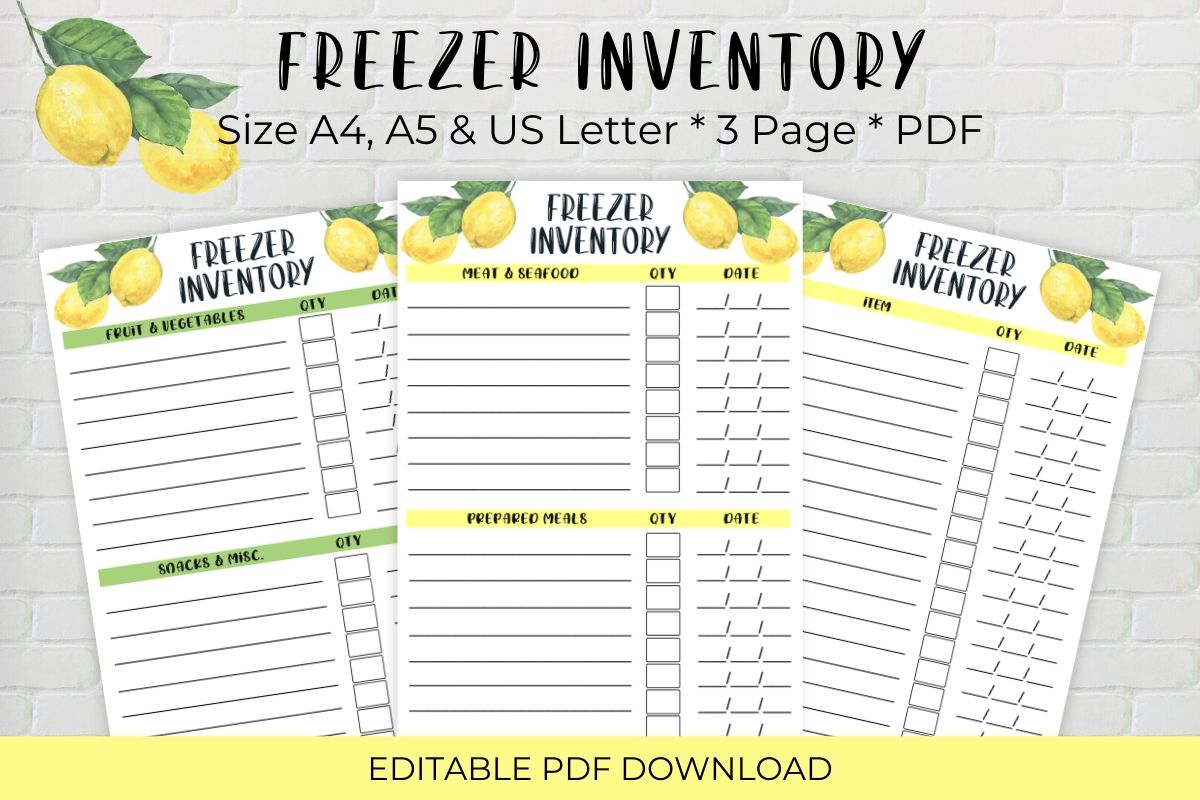
The Crafty Shop’s Freezer Inventory Editable Printable supplies three PDFs in A4, A5 and US Letter sizes. The designer describes editable columns for recording freezer contents and quantities, and the preview shows lemon-decorated inventory pages. This is a compact dedicated freezer resource rather than a large home-management binder.
Use it if you want to type the starting list and then update quantities on paper as items are added or removed. The seller also suggests laminating a printed sheet for dry-erase use. Check which fields are editable in your PDF application before treating the whole page as a design template. A consistent item name and unit, such as containers or portions, will make the record easier to compare with what is actually stored.
2. Bohemian Freezer Pages with Fillable Item Columns
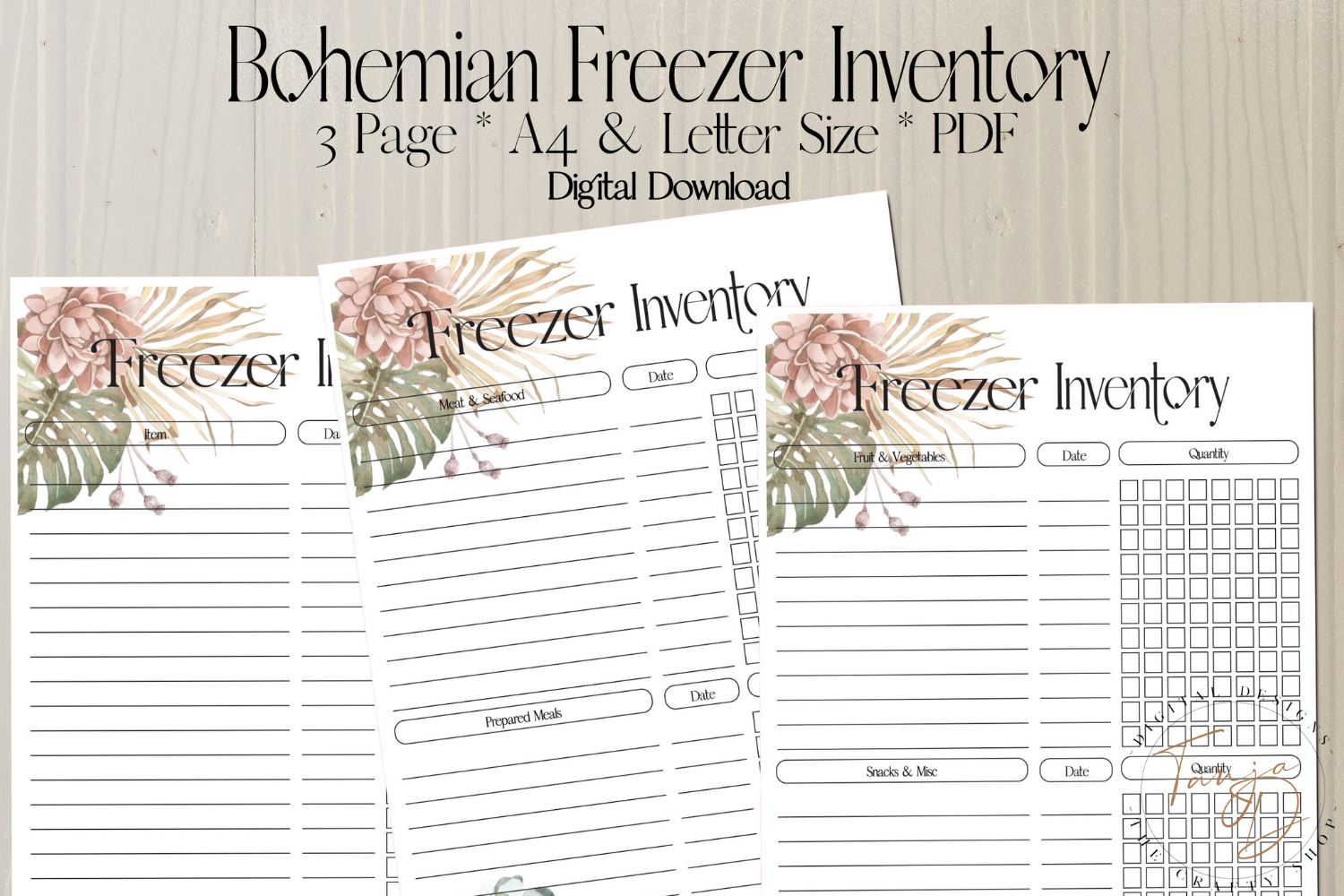
The Crafty Shop’s Freezer Inventory Pages Fillable PDF lists two PDF files, one A4 and one US Letter, with fillable item columns. The preview advertises three page layouts and shows botanical bohemian styling, including quantity grids. The file count and layout count describe different things, so inspect the pages within each PDF rather than assuming there are only two worksheet designs.
Choose it if you like recording items in a typed list while adjusting the working quantities by hand. The seller describes printing and laminating the sheets for daily dry-erase updates. Decide what each mark in the quantity grid represents before you begin, especially when packages vary in size. Fillable item columns do not establish automatic stock calculations, shared updates or a linked database of the freezer’s contents.
3. Freezer Inventory and Restock Sheets in a Kitchen PDF
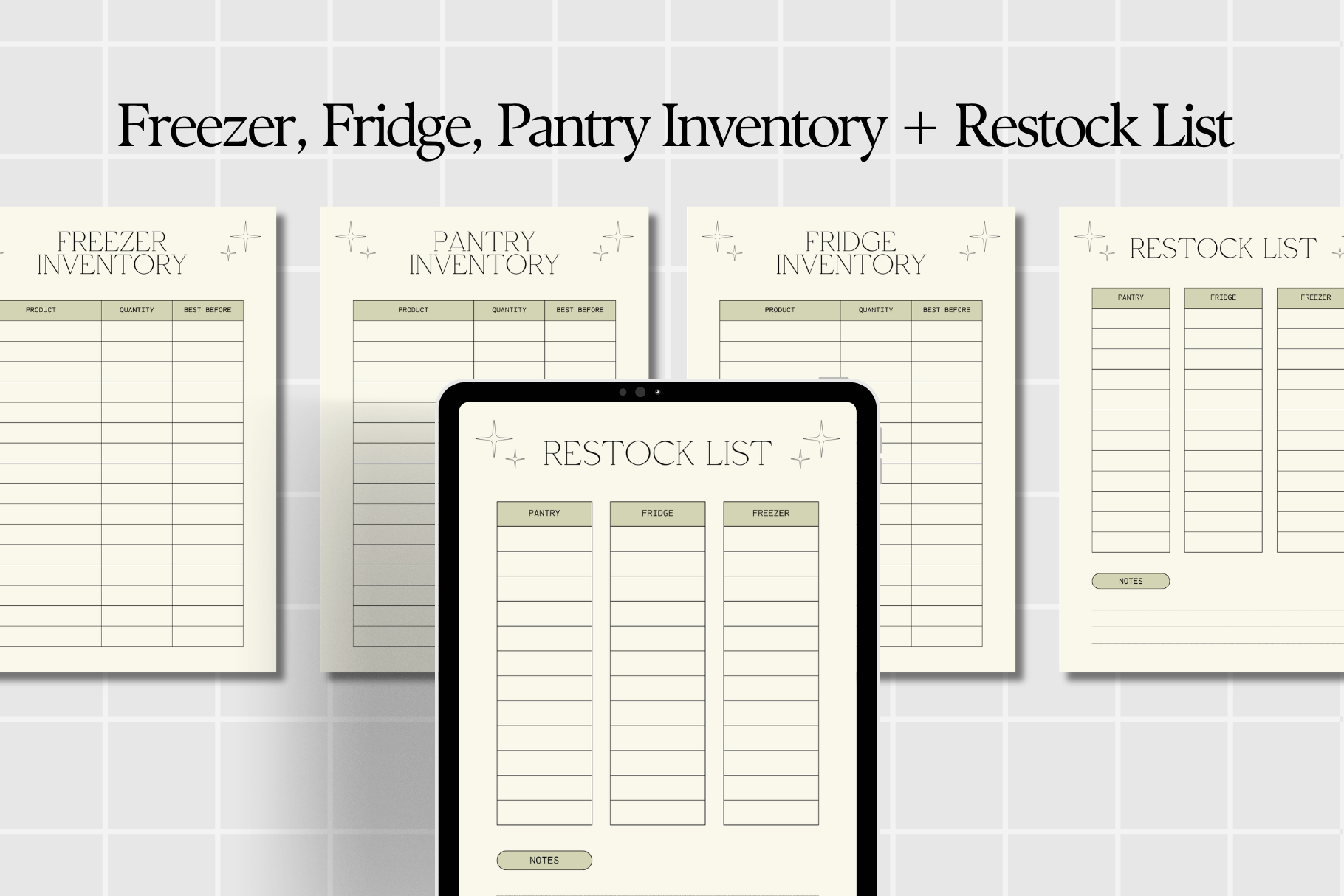
Anny Sketches’ Freezer Fridge Pantry Inventory Print supplies a PDF containing inventory and restock resources for three storage areas. The preview shows a separate freezer worksheet alongside pantry, fridge and restock sheets. The written description confirms printing or digital use, but does not state page dimensions, total page count or fillable-field behavior.
This is useful when a freezer record needs to feed into the same shopping list as the rest of the kitchen. Keep the freezer sheet separate so frozen items do not become mixed with cupboard stock, then move actual shortages to the restock page. The digital-use wording does not establish a dedicated app file or automatic totals. Check the supplied PDF size and annotation behavior before incorporating the worksheets into an existing binder or tablet planner.
4. A Repeated Freezer Logbook with Illustrator Sources
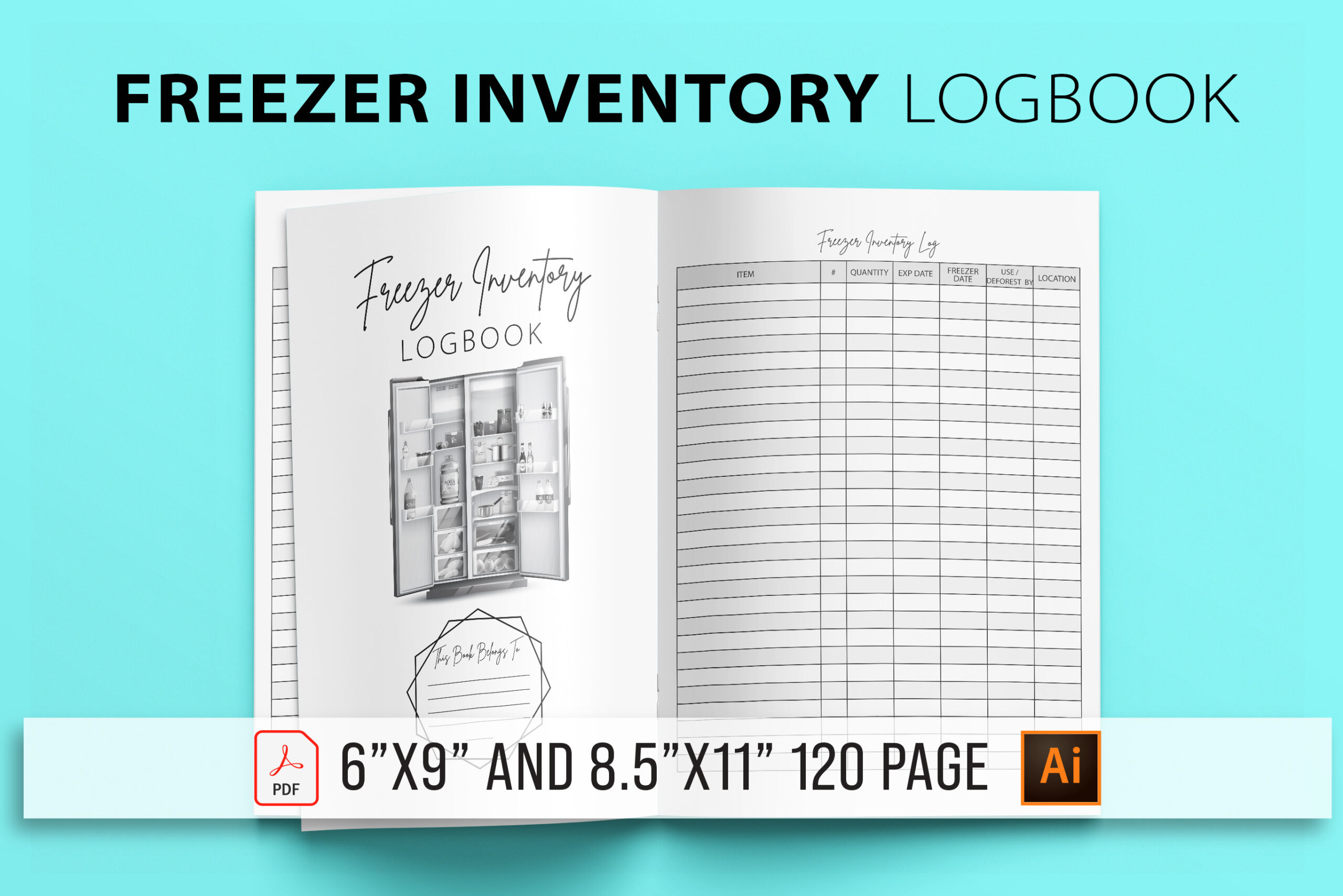
GN Shop’s Freezer Inventory Logbook lists a 120-page PDF, Illustrator AI and EPS sources and high-resolution PNG files. Two size variants are stated: 8.5 × 11 and 6 × 9 inches, with no bleed. The preview shows a plain repeated inventory table, making it a practical record-keeping option when decoration is less important than consistent columns.
Choose it for repeated stock checks over a longer period, or print selected pages as a working log. The large page total is the interior length, not a promise of 120 different inventory layouts. Editable Illustrator sources can help you adapt headings in compatible software. The listing does not confirm fillable PDF fields or automatic quantities, so plan on maintaining the entries yourself in the paper or digital workflow you choose.
5. A Two-Size Freezer Interior Supplied as PDF and JPG
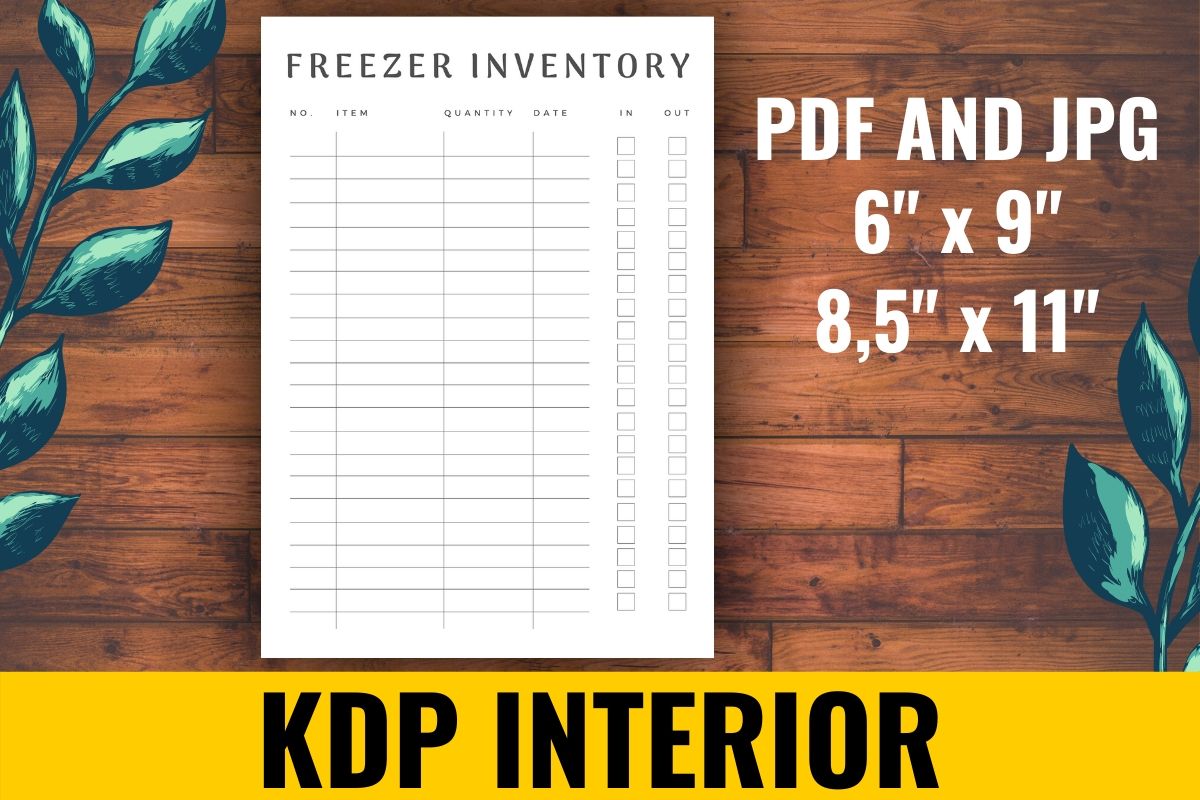
atlasart’s Freezer Inventory KDP Interior contains one hundred pages in PDF and JPG formats, with 6 × 9-inch and 8.5 × 11-inch versions. The inspected preview shows a restrained inventory grid with room for a food item and other record fields. Its static file delivery offers a straightforward alternative to collections with design-source links.
Use it when you want repeatable pages that match a compact notebook or a full-size binder. Print a small sample before preparing the whole interior so you can check the column widths against your handwriting. The written description does not list editable sources, fillable fields or a bleed setting. One hundred pages describes the package length, while the record still needs a consistent update routine whenever stock changes.
6. Freezer Records beside Refill and Meal-Planning Pages
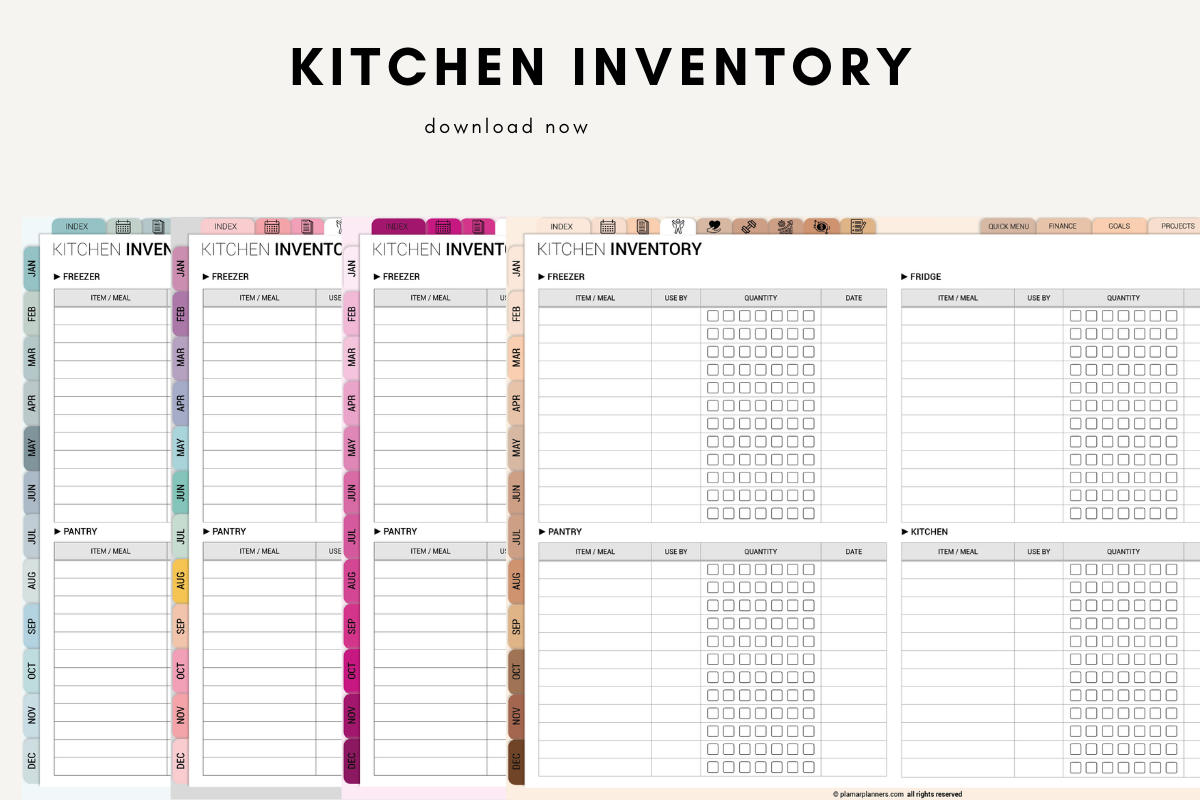
Plamarplanners’ Kitchen Inventory Printable Digital includes a freezer inventory page with pantry, refrigerator, shopping-refill, date-tracking, notes and meal-planning sections. The listing names A4 and US Letter printable PDFs and describes use in GoodNotes and Notability. The preview shows several quantity-grid layouts, giving the freezer sheet a coordinated place within a broader kitchen record.
Choose it if you want the inventory and next shopping decisions to use matching pages. Decide how you will record quantities and update them when food leaves storage, then move refill needs to the separate list. Check the actual download before assuming an app-specific file or live hyperlinks are supplied. The record fields organize what you enter; the product description does not establish automatic stock detection or a connection to shopping services.
7. A Hyperlinked Zone Map and Freeze-Date Log Collection
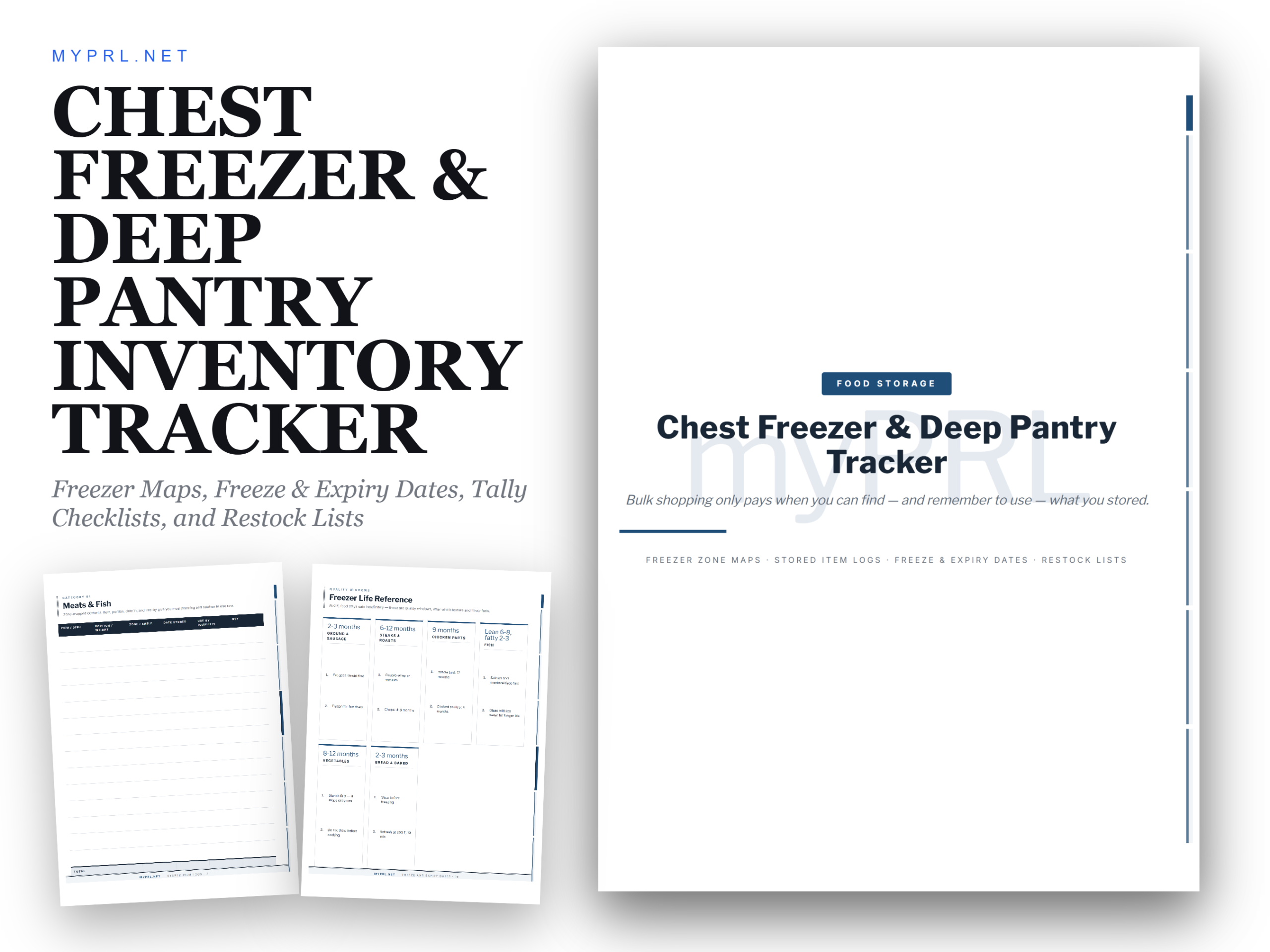
Healers Hub co’s Chest Freezer Deep Pantry Inventory lists twenty-four US Letter pages in a hyperlinked PDF. Its stated sections include a freezer-zone map, labeling legend, stored-item ledgers, freeze-date and expiry-watch logs, stock-take checklists and restock pages. The seller describes use in GoodNotes, Notability or Xodo, or printing at 100% scale.
This option suits a chest freezer where knowing the storage zone matters as much as listing an item. Name the areas consistently and connect each entry to the corresponding zone so you can find it later. Test the advertised navigation in your chosen PDF app before relying on the tabs. The included reference and routine pages are part of the seller’s collection; the confirmed planning function is a manually maintained map and log rather than an automatic inventory system.
8. A Canva Freezer Worksheet within Ten Kitchen Templates
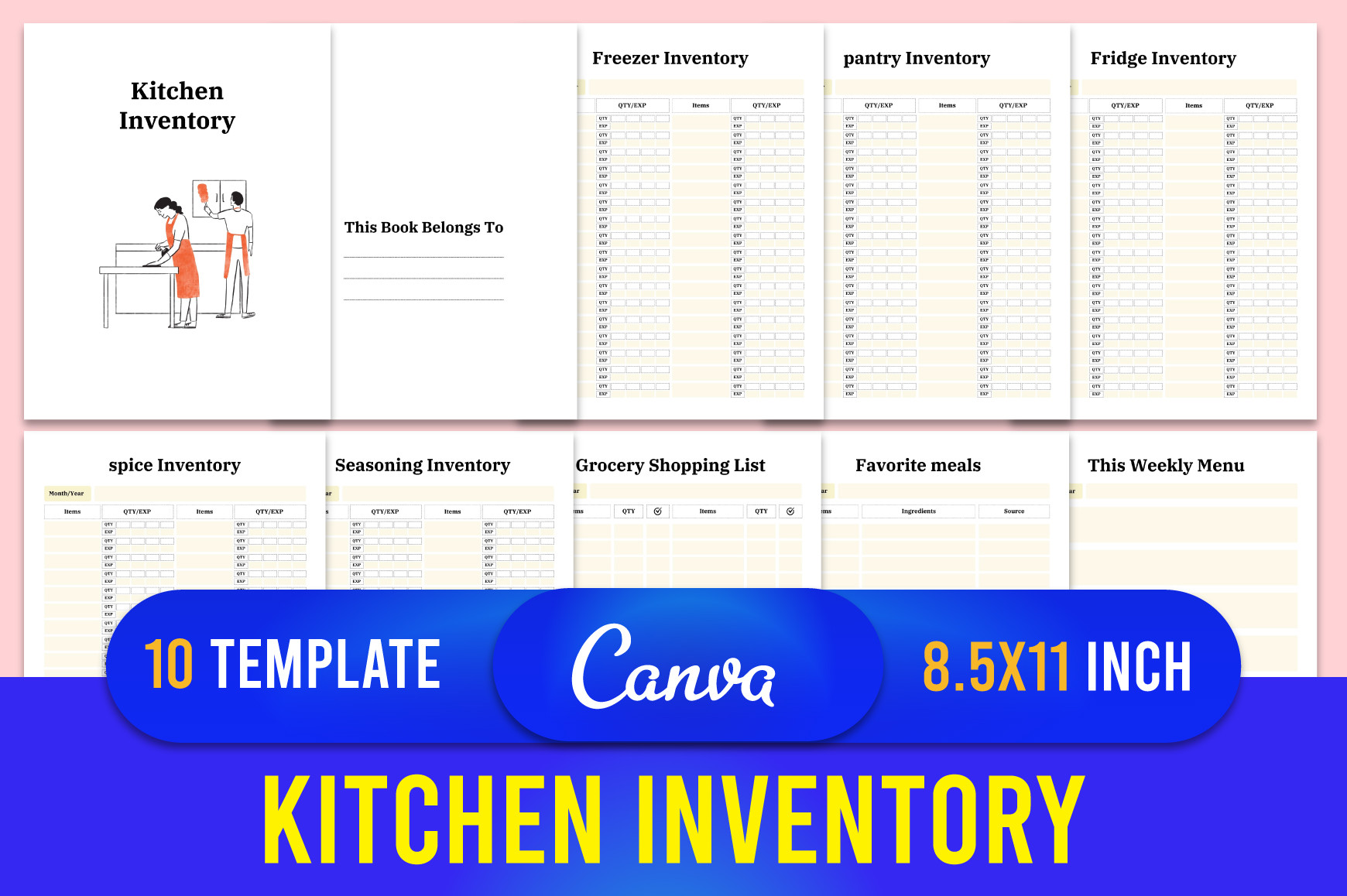
designmela01’s Kitchen Inventory Planner Canva Template includes a freezer page within ten templates, alongside pantry, fridge, spice and seasoning inventories, groceries and menu planning. The listing supplies an editable Canva link with PDF, JPG and PNG files at 8.5 × 11 inches, 300 DPI and no bleed. A free Canva account is described as sufficient for editing.
Choose it when the standard headings need adapting to your household’s storage routine. Make a copy in your own Canva account, as the designer requests, then export only the freezer and related pages you plan to maintain. Ten templates is the scope of the full kitchen collection rather than ten freezer layouts. Canva editing changes the page design; quantities still need recording and updating manually in your exported working copy.
Keep the Record Connected to Meal Planning
Update the working list when something is added or removed, rather than relying on memory at the next shopping trip. Put new purchases in the intended zone and record their quantity consistently. Keep a small restock list separate from the inventory so an item that is running low does not disappear among completed entries.
Our monthly meal planner guide offers formats for turning the record into planned meals. Use a recipe binder for recipes you repeat. A manual inventory can support those decisions, but any totals and location information remain dependent on your entries.
Which Freezer Inventory Should You Choose?
The Crafty Shop’s lemon and bohemian PDFs suit a short dedicated freezer record with stated fillable columns. GN Shop is the more flexible logbook choice if Illustrator sources matter; atlasart offers repeated PDF and JPG pages in two sizes. Those page totals describe full interiors, not unique layout counts.
Anny and Plamar connect the freezer page with restocking and the other kitchen storage areas. Healers Hub is the most explicit map-and-navigation option for deep storage, while designmela01 supplies Canva customization within a wider ten-template collection. Choose the smallest system that records the information you will actually keep current.