8 Useful Book Review Journal Templates for Thoughtful Reading Notes
A book review journal preserves the part of reading that a title list misses: what you thought, what stayed with you and who might enjoy the book next. A short response written soon after finishing can be more useful than a long summary that never gets completed.
These eight Creative Fabrica options focus on repeated review pages, from printable inserts to editable notebook interiors and a linked tablet journal. The broader reading journal guide covers reading lists, library records and challenges; this selection concentrates on the space and structure for your own response to each book.
The file and size comparisons use the product descriptions and inspected previews. Where the two disagree, the uncertainty is stated. KDP interiors can provide personal review pages, but a seller’s publishing claims are not proof of current acceptance or a reason to print an entire notebook.
In this guide
Choose between inserts, notebook interiors and tablet reviews
A single review insert is easy to add to a binder you already use. A longer interior gives consistent repeated entries, but page count is not the same as template variety. For tablet planning, a linked journal can make a large review library easier to navigate; static PDF and PNG forms still rely on your app for annotation.
Canva, PowerPoint, Illustrator and InDesign are different editing routes. Choose the one you actually know rather than collecting source files you cannot open. None of the products here is established as a Notion database, Google Sheets workbook or Excel file, and automatic book-data importing should not be assumed.
1. Large-Page PowerPoint Book Review Interior
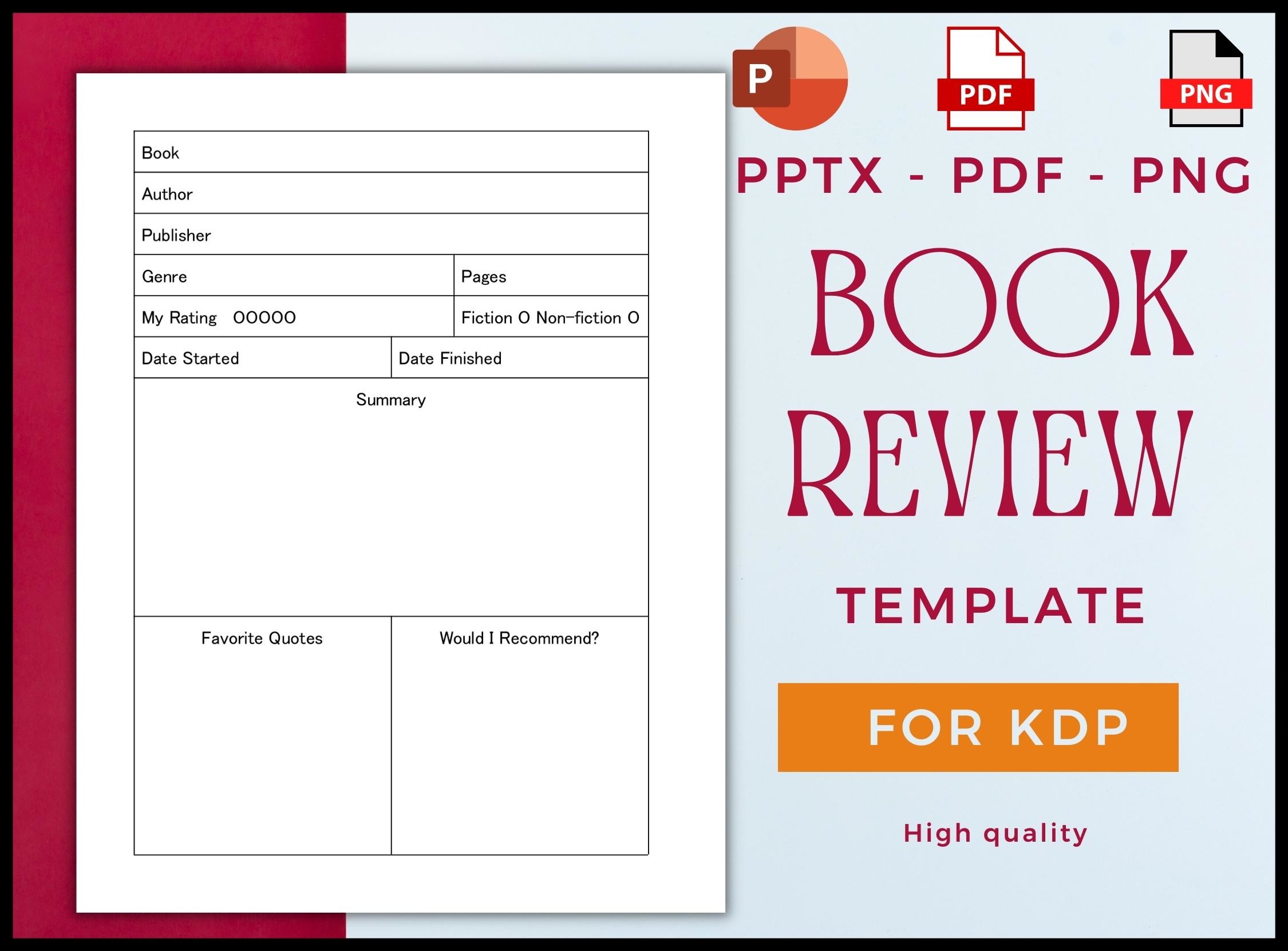
GKT’s Book Review Journal is a 120-page, no-bleed interior in 8.5 × 11-inch format, supplied as PDF, editable PPTX and PNG. The preview shows bibliographic fields, a rating, start and finish dates, a summary, favorite quotes and a recommendation box. Its generous sheet size makes the summary area easier to use than a very compact notebook when your reflections run beyond a few lines.
Choose it when you want a consistent review structure and a familiar PowerPoint editing route. Keep the summary short enough that your own response still has room, and write who you would recommend the book to rather than only checking whether you liked it. The seller’s KDP testing claim does not establish current publishing approval. For a personal journal, print selected pages; 120 interior pages should not be read as 120 different review layouts.
2. Compact Review Notebook with Vector Source Files
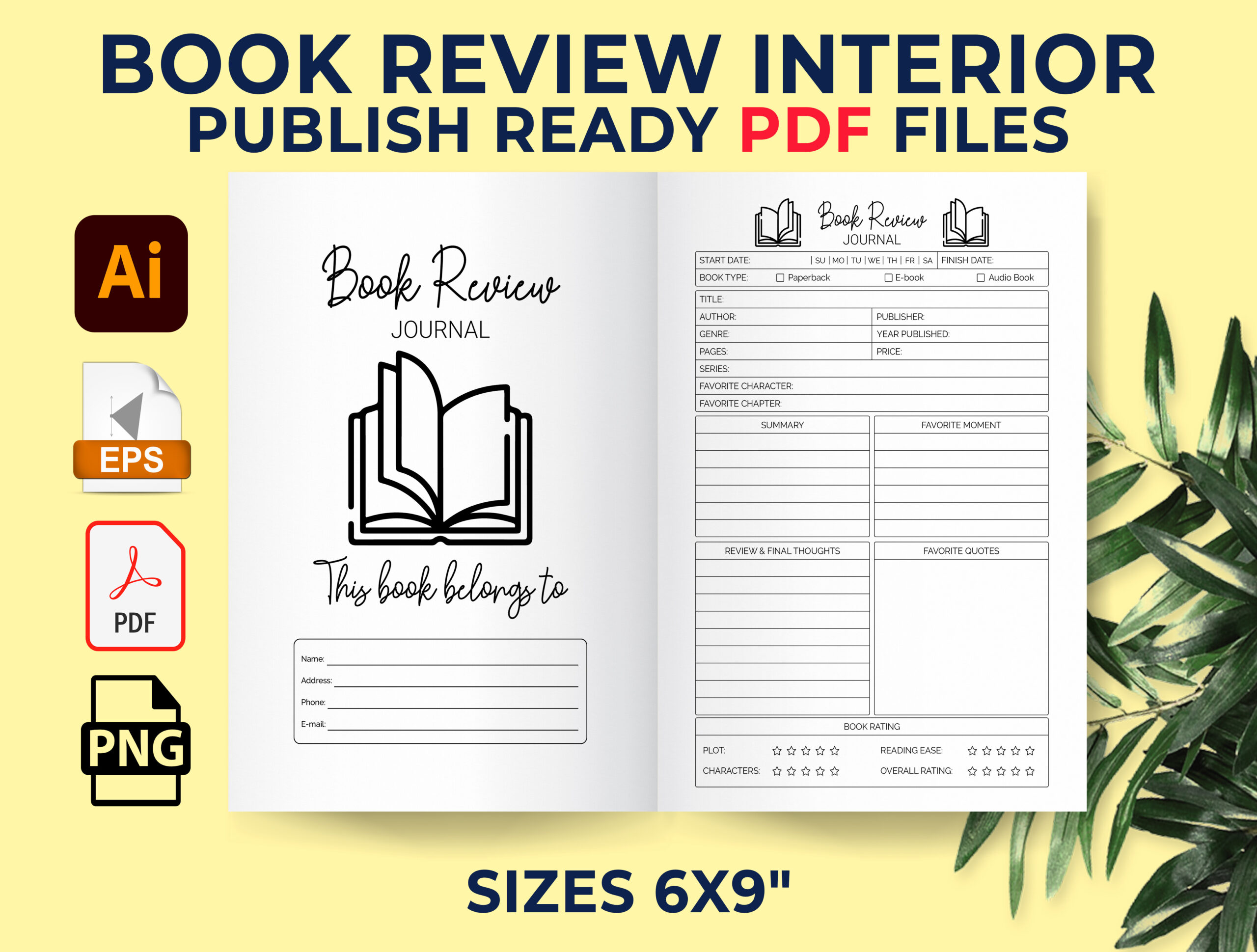
Cozy Pik’s Book Review Journal uses a 6 × 9-inch, 120-page format with an introductory page and no bleed. The listing identifies PDF, Illustrator AI, EPS and PNG files at 300 DPI, and describes space for plot summaries, characters, quotations and notes. The inspected preview shows a compact repeated review sheet and a belongs-to page rather than a large annual planning dashboard.
This is a good fit for readers who prefer carrying a small notebook and writing a little after each book. Record one specific scene or idea that explains your rating; that makes the entry useful months later. The vector formats offer a customization route in suitable design software, but they do not establish Canva editing. If you change the page count, check how the repeated interior and binding margins behave before printing or preparing a bound book.
3. PowerPoint Review Notebook in Three Lengths
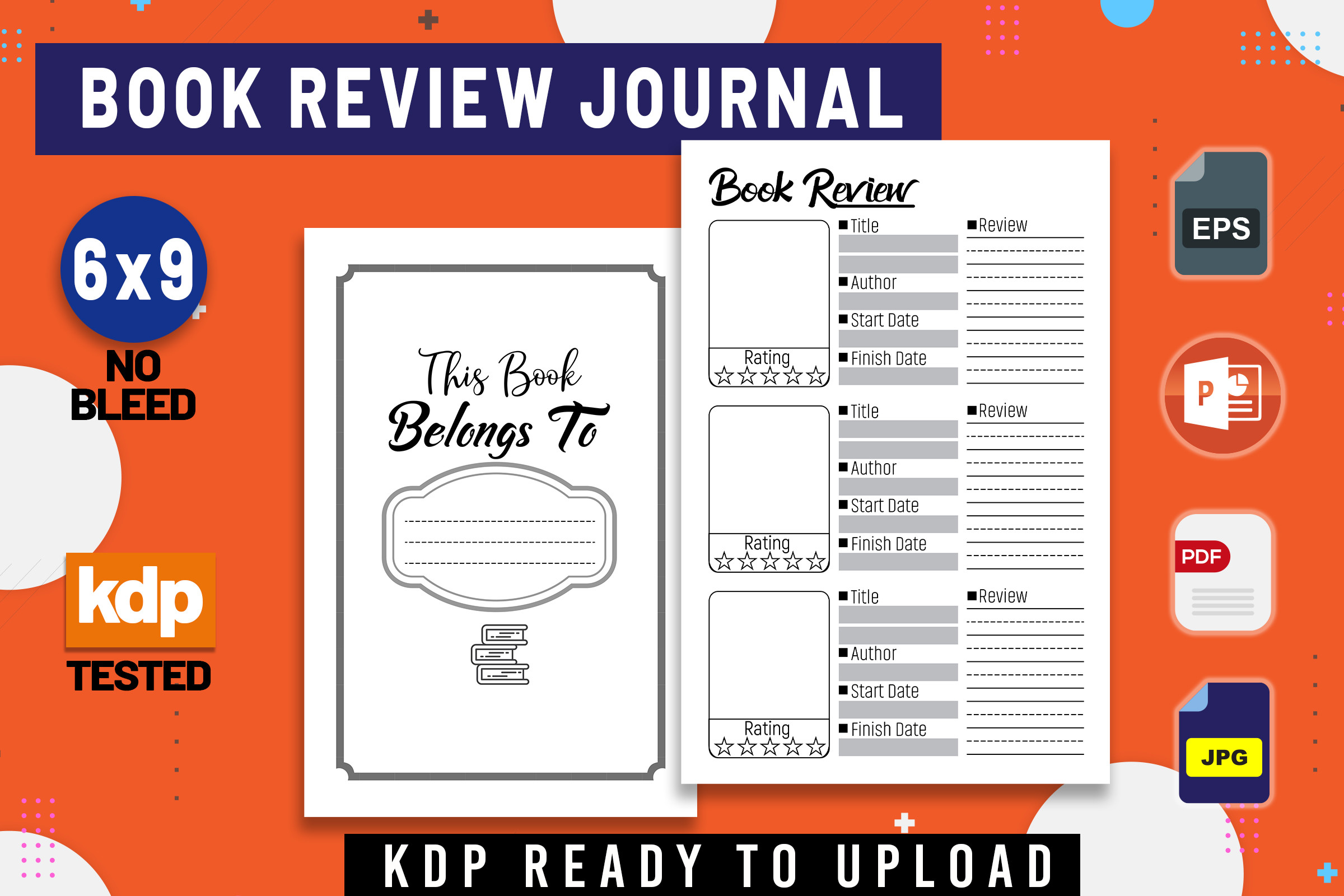
KDP Studio’s Book Review Journal Notebook comes in 100-, 110- and 120-page versions at 6 × 9 inches, with no bleed. The described files are PDF, PPTX, JPEG and EPS, and a belongs-to page is included. The preview organizes book details and rating above larger writing areas, making it a practical repeated review format rather than a collection of unrelated reading challenges.
Consider it if you want the same entry structure but need a choice of notebook length. A shorter interior may be easier to print and use consistently; the longest version is useful only if you actually want that many entries. Open the PPTX in your preferred editor and check fonts, spacing and margins before modifying it. The seller reports KDP testing, but printing your own review pages and publishing a paperback remain separate workflows.
4. Two Book Review Page Variations in Three Sizes
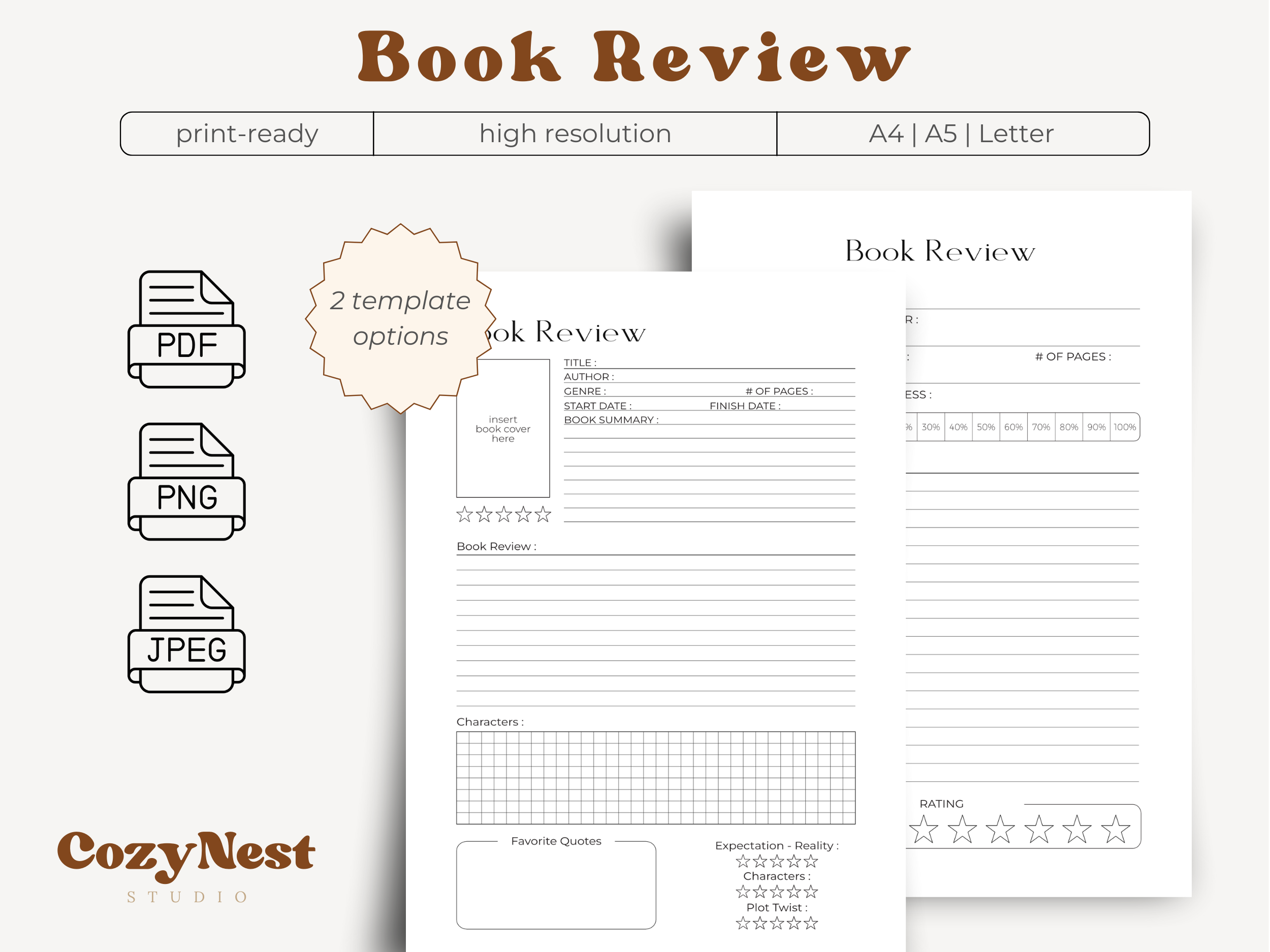
CozyNest Studio’s Book Review Template offers two design variations for reviews, character analysis, quotes and ratings. The package lists three PDFs, three PNGs, three JPEGs and printing instructions in A4, A5 and US Letter sizes, with binding-safe margins. This is a focused insert set that can join an existing journal without requiring you to adopt a whole new reading system.
Use the variation with more room where you need it most: reflection, summary or a memorable quotation. A5 works for a portable binder, while A4 or Letter gives longer notes more breathing space. The supplied images can also be imported into a suitable annotation workflow, but the listing does not establish fillable fields or linked navigation. Mockups and decorative backgrounds in the presentation are excluded, so judge the actual review forms when choosing.
5. Three-Length Review Interior with Illustrator Editing
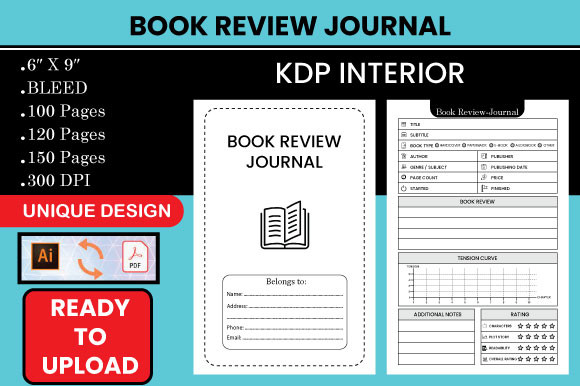
Hasna Unique Design’s Book Review Journal lists three PDF interiors and three Illustrator AI files in a 6 × 9-inch format at 300 DPI. The written page counts are 110, 120 and 150, while the main preview shows 100, 120 and 150. This discrepancy makes the first version’s exact length uncertain. The listing also specifies bleed, which matters when preparing the file for a printing workflow.
Choose it only after confirming the version and margins you want. The preview shows a structured review page with book details, a rating and separate notes areas, suitable for repeated short reflections. Illustrator files allow design editing in compatible software; they are not automated reading records. The available main preview is only 580 × 386 pixels, so inspect any additional product views or ask the designer for a sample if fine layout details affect your decision.
6. InDesign Book Review Journal with Two Page Counts
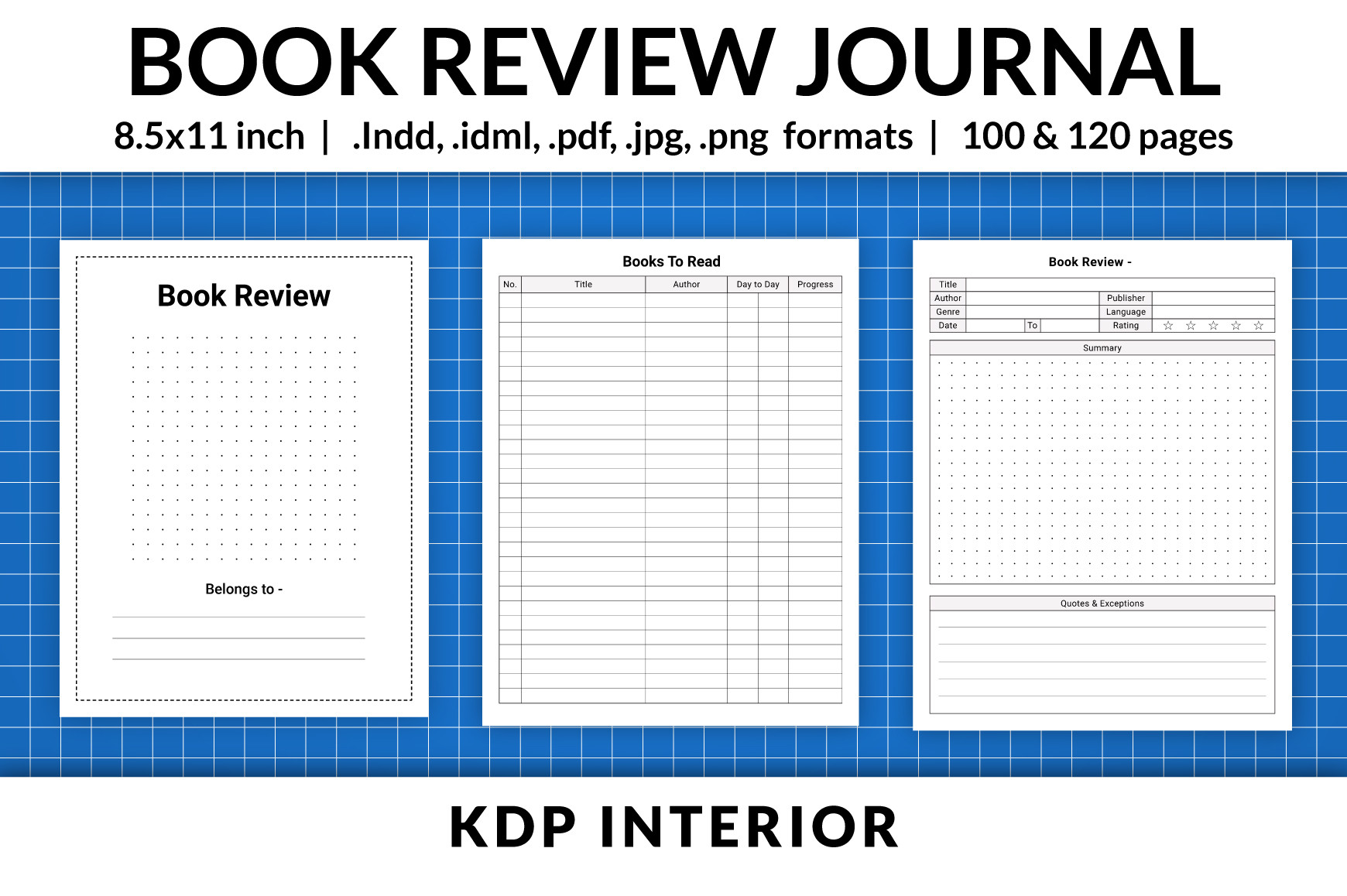
Vector Engineer’s review interior supplies 100- and 120-page PDFs, InDesign INDD and IDML source files, PNG and JPG. The description’s opening says 8.5 × 11 inches, but its specification section says 6 × 9 inches; the preview also advertises 8.5 × 11. The paper size therefore needs confirmation in the downloaded PDF rather than being treated as a settled specification.
This is the option to consider if InDesign is already part of your workflow and you want to tailor a repeated review page. The seller identifies INDD for InDesign 2020 and an IDML route for older software. Check the actual file in your installed version before committing to a layout change. Both stated interiors are no bleed, and their length does not prove that they contain a large number of unique templates or a linked digital library.
7. Minimalist Printable Review Form
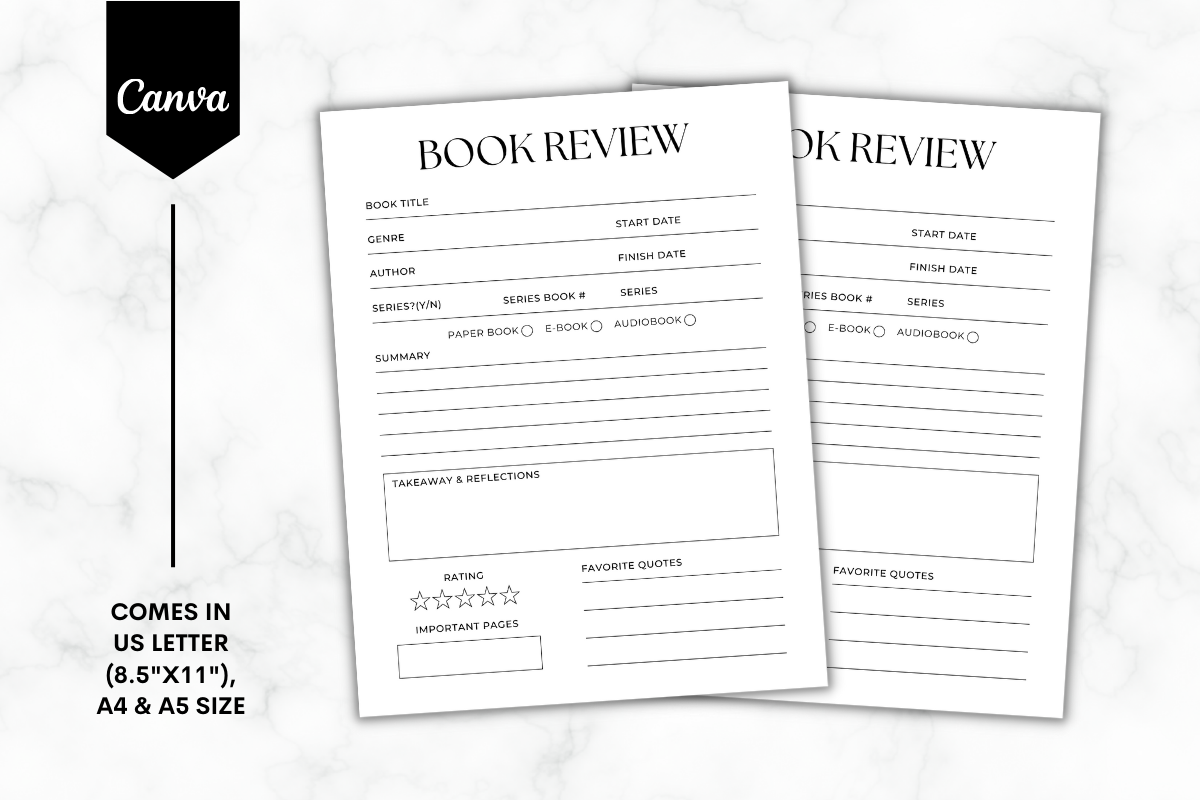
Sundiva Design’s Minimalist 1 book review form is listed as PNG and PDF in US Letter, A4 and A5. The preview shows a restrained writing layout with book details, dates, a rating and room for a review. It also displays a Canva badge, but the written delivery list does not confirm a template link; choose it on the basis of the stated PNG and PDF files unless the designer clarifies that extra.
This suits a reader who wants one repeatable page without maintaining library and challenge sections. Finish a short response while the book is still fresh, then file it by title, author or reading date. A rating becomes more useful when you explain its reason in the notes. On-screen annotation depends on the software you use; a PDF does not automatically mean a fillable form. Print one page first to check the space available at your chosen size.
8. Hyperlinked Tablet Journal with Individual Book Reviews
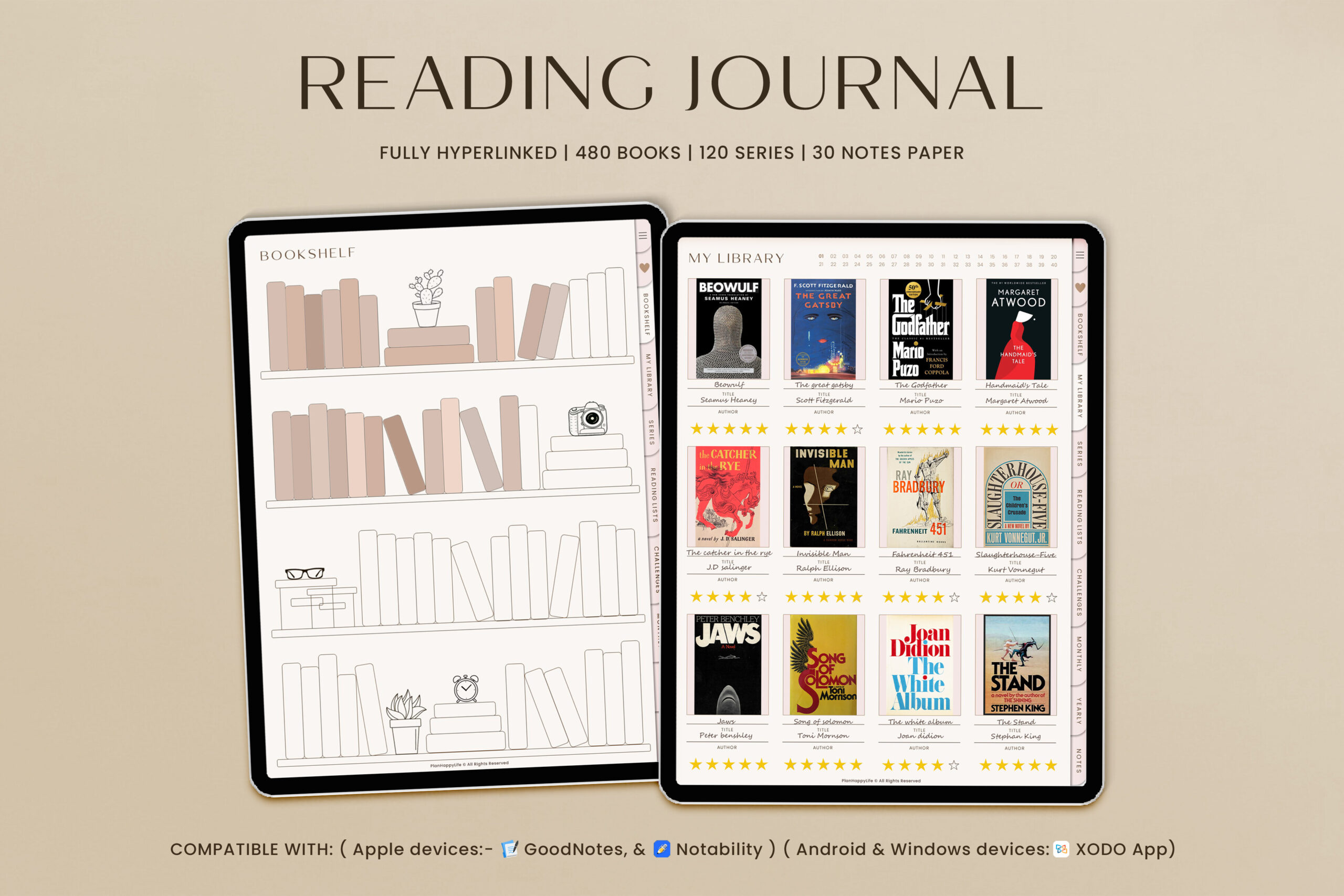
TrendyCreative’s portrait reading journal is an undated 733-page digital system advertised for GoodNotes, Notability and Xodo on iPad and Android tablets. The designer describes a library for up to 480 books linked to individual reviews, reviews for up to 120 series, an index, challenges and ten custom sections. These are explicit navigation claims, making it a different workflow from importing a single static review image.
Choose it when you want many book reviews in one tablet journal and are comfortable navigating a larger file. Start with the library and review pages, then add series or challenge sections only when they serve a purpose. The apps and stylus are separate requirements and may cost extra. The description establishes linked pages but does not clearly name every delivered file extension, so confirm the package before purchase. It does not promise automatic book-data imports or a synchronized online catalog.
Write reviews you will want to read again
Start with one specific observation: a character choice, an argument, an unexpected ending or a practical idea. Add why it mattered to you and who might appreciate the book. A short plot outline can provide context, but it should not consume every line intended for reflection.
Leave a reason beside a star rating. If a book was interesting but difficult to read, explain that distinction. You can use reading planner stickers to mark finished books or monthly highlights, while the journal holds the actual written review.
Which book review journal is the best fit for your routine?
For a small binder, choose a multi-size review form. For familiar document editing, consider the PPTX interiors. Choose the InDesign version only after confirming its conflicting size information, and verify the first page-count version of the Illustrator interior before printing. The tablet system suits readers who want linked individual reviews in a larger file.
If you are still building reading time into the week, a habit tracker can hold that routine. Keep the review itself light enough that you return to it after the next book. Start with one page and a few honest sentences.