8 Useful Craft Project Planner Templates for Ideas and Finished Makes
A craft project planner connects a good idea with the materials, steps and finishing details needed to make it happen. These eight downloads focus on hobby projects, sketches, supply records and creative progress. Some include business-oriented extras, but the comparison prioritizes what helps you finish a sewing piece, handmade gift or other creative project without losing your notes.
If your main task is selling products, compare our craft business planners for shop operations. Use a general project planner for broader deadlines and team work, or add a Christmas gift planner when several handmade presents share a delivery date. The reviews below explain the actual print sizes, file formats and customization limits stated on each product page.
Match your craft project planner to the way you make things
For each active project, keep a sketch or reference, a materials list, a budget and the next practical step together. A supply inventory is useful only if you update it when materials are used or bought. Print the pages needed for one project first; a thick collection of untouched forms can make a simple hobby feel harder to manage.
Canva, PowerPoint, Illustrator and InDesign are different editing routes. A seller who says a file is editable without naming the source does not establish Canva compatibility. A KDP interior may contain repeated layouts rather than a hundred unique worksheets, and a 6 × 9-inch page is smaller than US Letter. Check margins, writing space and any premium-element requirements before customizing the complete download.
1. Complete Forty-Three-Page Canva Craft Organizer
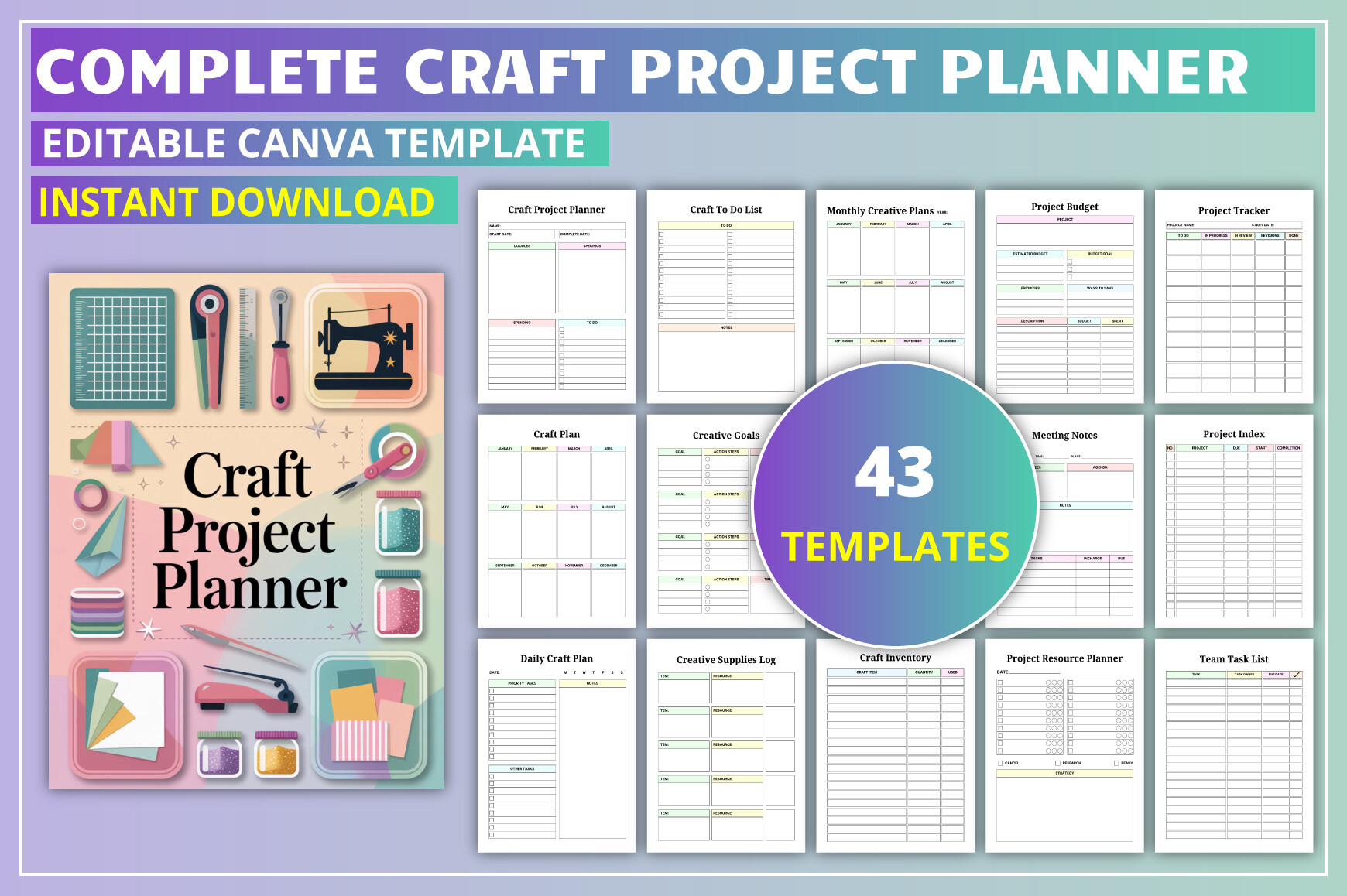
This 43-page craft organizer is supplied as a Canva template plus PDF, JPG and PNG files. Its 8.5 × 11-inch, no-bleed layout is stated at 300 DPI. Project planning, resource records, deadlines, budgets, supply logs and sketch pages sit alongside daily, weekly and monthly planning. That range makes it useful when several handmade projects share materials and workspace, rather than when you need only a single project sheet. The own listing showed 48 favorites.
Start with a project plan, supply log and deadline tracker, then add the broader scheduling pages if you actually use them. Team, client and banking sections are additional options, not requirements for a personal craft binder. The seller warns that some premium Canva elements may require Canva Pro to access or export all features. Check that requirement before making extensive changes, and do not assume the printable PDF itself is fillable or contains clickable navigation simply because an editable Canva version is included.
2. Illustrator-Editable Six-by-Nine Craft Notebook
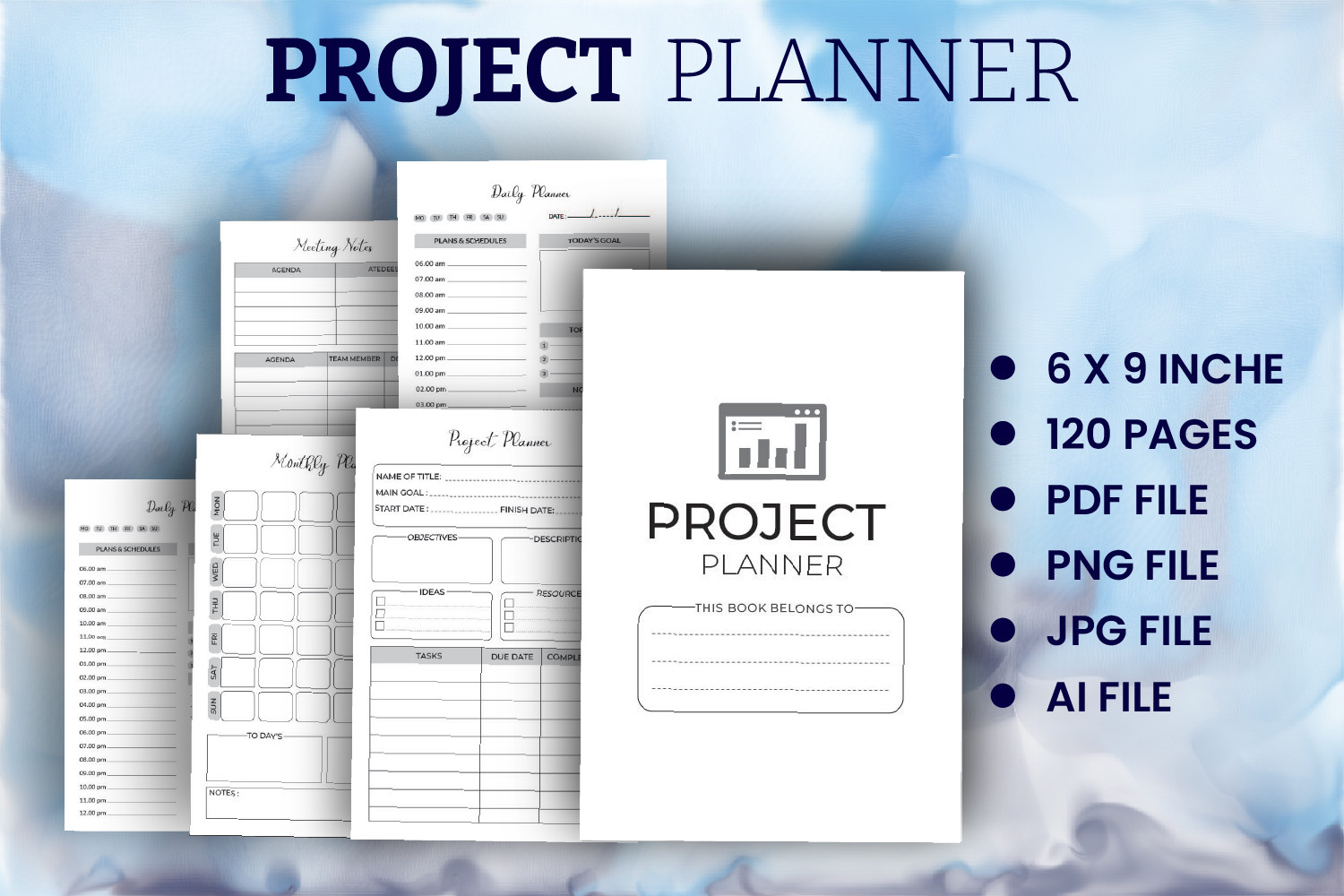
This notebook download lists an AI source file, PNG assets and a 120-page print-ready PDF with no bleed. The stated page dimensions are 6 × 9 inches. Although the description also calls that size Letter, those are different specifications: the numerical dimensions should guide your printing decision. The compact format may appeal if you prefer keeping project records in a small notebook rather than spreading pages across a full-size creative binder.
An AI file offers an Illustrator editing route; it does not establish a Canva template or a beginner-friendly online editor. The seller gives little detail about the individual interior layouts, so do not interpret 120 pages as 120 unique planning prompts. Inspect the preview for the project fields you need and print a sample page at the stated size. Twenty favorites were visible on the product page. The file package remains a relevant compact-format alternative for readers comfortable working with Illustrator sources. The preview also labels JPG files, which are not listed in the written package; their inclusion remains unconfirmed.
3. Letter-Size Crafters Journal with InDesign and PowerPoint
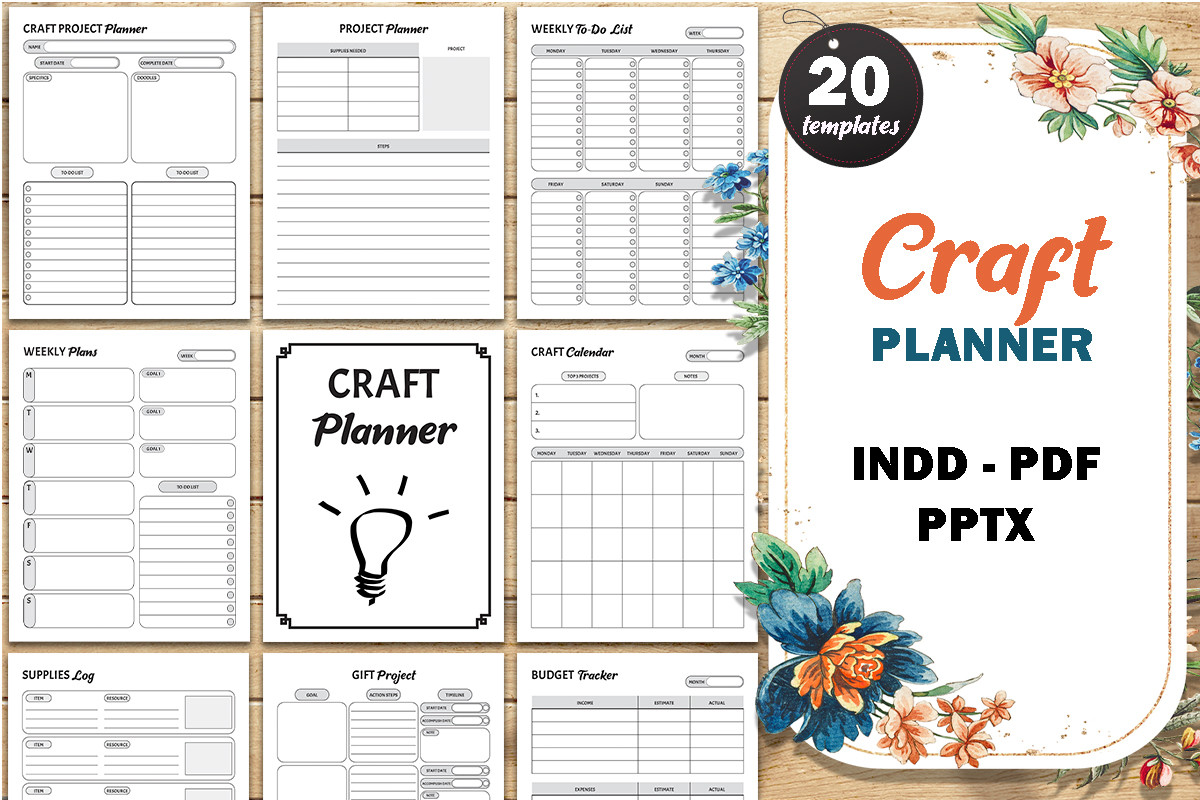
This crafters journal combines project planning with gift projects, weekly to-do lists, budgets, supply logs, inventory, calendars, sketches and inspiration records. The files include an editable InDesign source, a PowerPoint file, PDF and JPGs, all stated at 8.5 × 11 inches. PowerPoint is specifically offered for adding or removing pages, which is useful when you want a tailored binder instead of printing every section. Its 298 verified favorites are a strong visible interest signal.
Build one project section with the sketch, material list and expense page, then reuse those forms as your workflow develops. The written listing does not confirm a total page count or a numerical resolution, so do not infer either from the preview montage. InDesign and PowerPoint also require their own compatible software; neither implies a Canva link. This is a flexible page library for creative records, while the actual materials quantities, project estimates and completion dates still need to be entered by you. The preview advertises 20 templates, but the written description does not independently state that count.
4. Forty-Five-Page Canva Planner with Project and Supply Logs
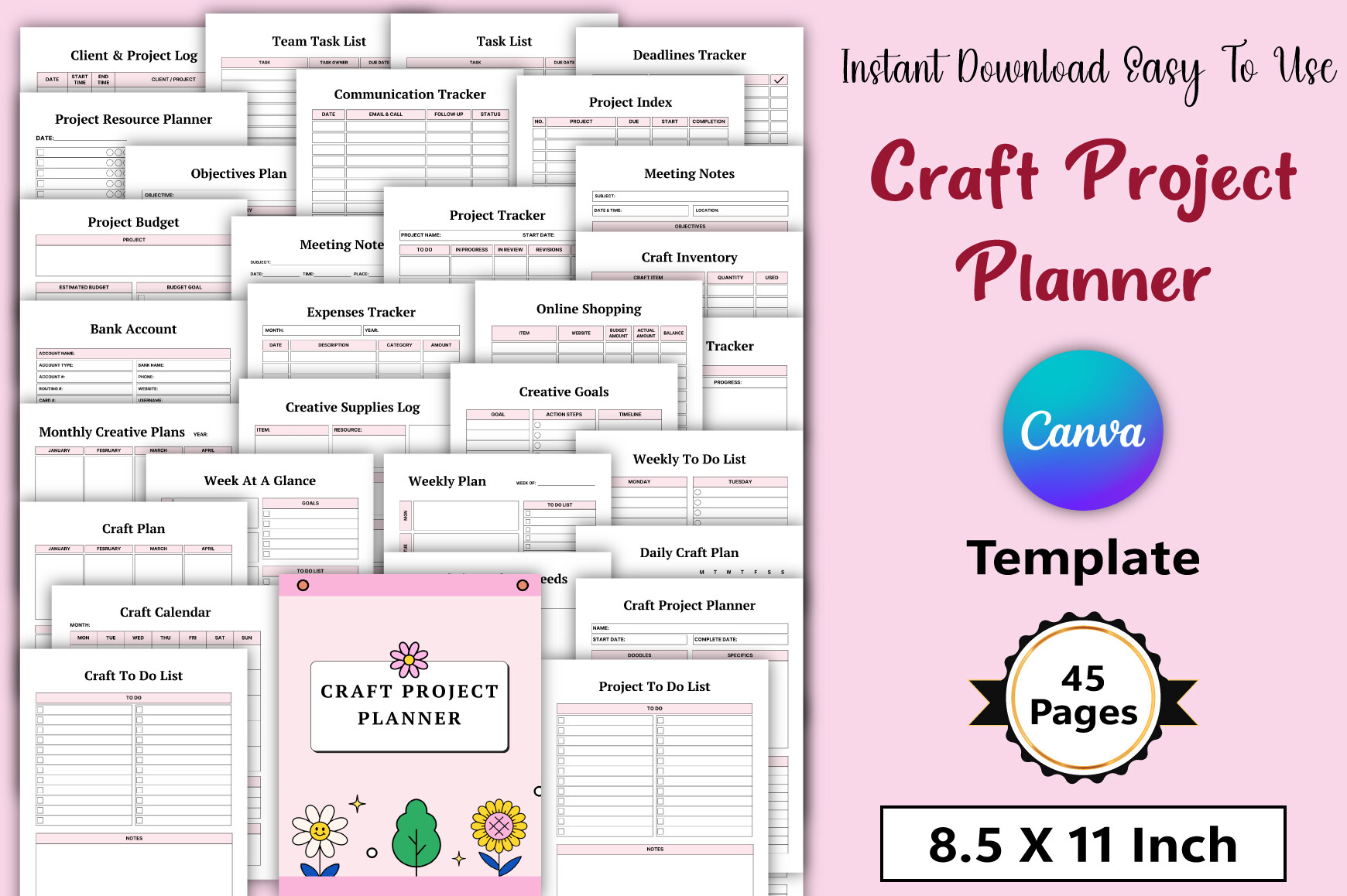
This 45-page planner supplies an editable Canva link, PDF, JPG and PNG files. The stated specification is 8.5 × 11 inches, no bleed and 300 DPI. Its broad page list includes project resources, communication records, objectives, deadlines, budgets, creative supplies, gift projects and five notes pages. It is useful when your making process involves several stages and you want to keep planning, purchasing and progress notes in one adaptable collection. Forty-four favorites were verified.
Use the project index to find your active work, then duplicate only the detail sheets needed for each make. The client and team forms can be helpful for shared projects, but hobby users can omit them. The seller explicitly says some templates contain premium elements and that Canva Pro is needed to access and download the whole item. Factor that editing requirement into your choice. No automated inventory counts, cost calculations or tablet hyperlinks are confirmed in the product description.
5. Twenty Letter-Size Craft Templates with Print-Ready PDFs
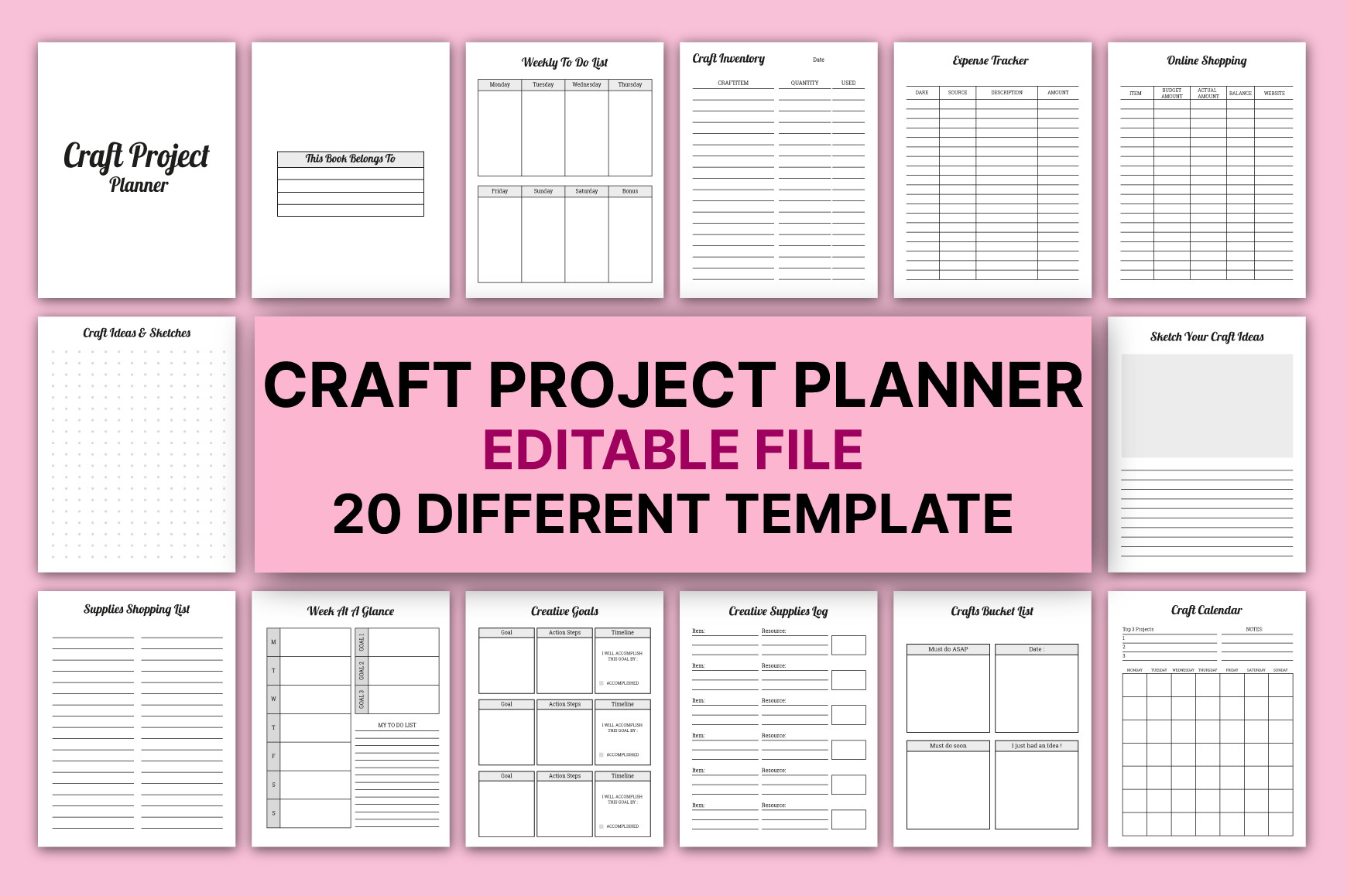
This collection lists 20 different craft templates at 8.5 × 11 inches, without bleed, in CMYK at 300 PPI. The page list covers creative goals, gift projects, supplies, sketches, weekly tasks, expenses, inventories and monthly planning. Print-ready PDFs are confirmed, and the seller also refers to editable files. The collection suits a modular craft binder where you want different functional page types rather than a long notebook of repeated project records. It showed 120 favorites.
Choose the forms that describe your actual project: a material log for a mixed-media piece, an expense record for bought supplies, or a sketch page for a design variation. The description does not name the editable source format or software, so Canva, Illustrator and PowerPoint access cannot be assumed. It also repeats monthly creative plans in its list, which is another reason to use the stated 20-template specification rather than count every line as a separate unique worksheet.
6. Forty-Six-Page Craft Planner with a Canva Template
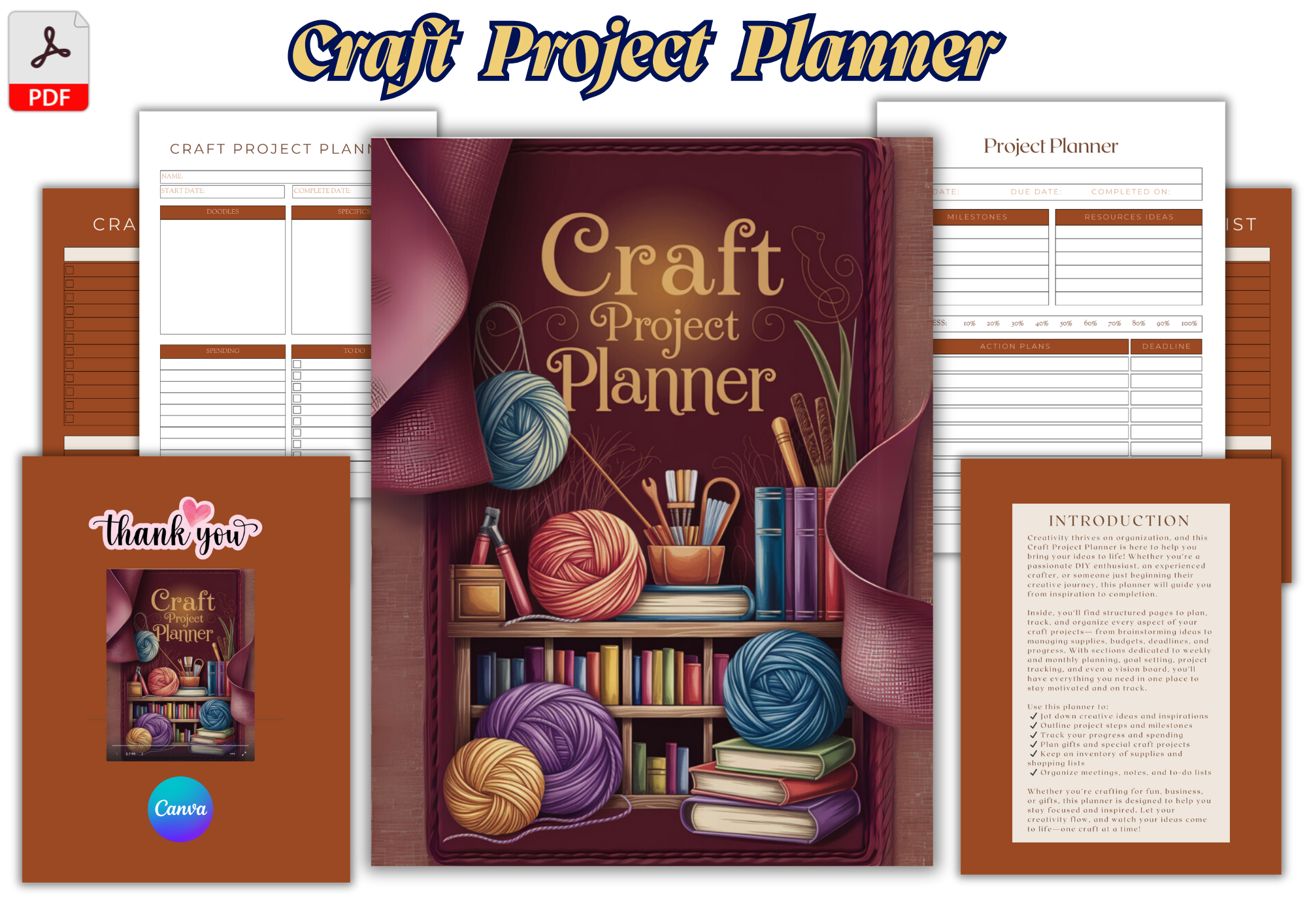
This 46-page craft project planner is described as a printable PDF with an editable Canva template at 8.5 × 11 inches. It groups project planning, to-do lists and progress tracking with sketches, inventory logs, budgets, shopping, weekly and monthly calendars and a vision board. That structure is useful when you want inspiration and practical follow-through in the same binder. The own product page showed 158 favorites, a stronger interest signal than many simple notebook interiors.
Use the vision-board and idea pages to narrow your next project, then move to a material checklist and a concrete sequence of tasks. The listing confirms Canva customization but does not specify numerical DPI, bleed settings or whether premium elements are used. Check the template before planning a complete redesign. A printable planner also does not update costs or supply quantities automatically; the advantage here is keeping those records close to your project notes, with enough page variety to build a reusable personal system.
7. Sewing Project Pages for Fabrics, Measurements and Alterations
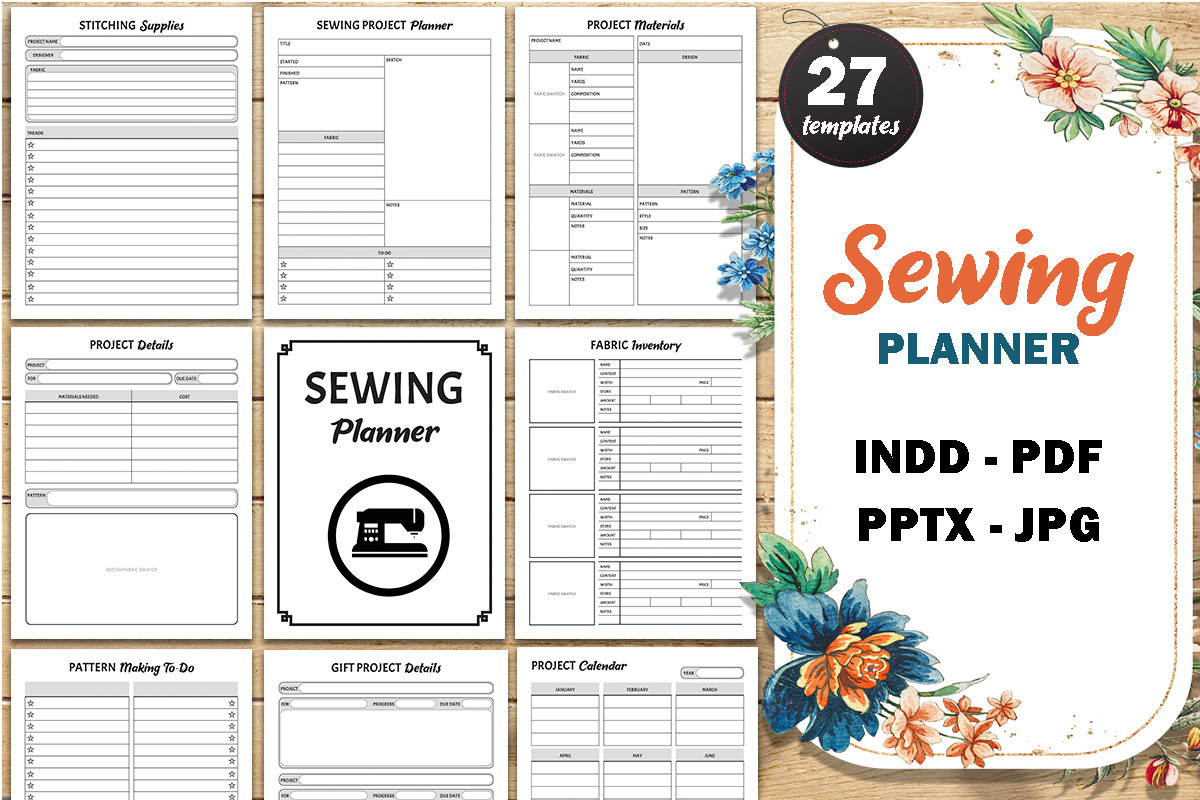
This sewing-focused journal is a useful specialist choice within a craft project planner search. It includes fabric inventory, measurements, alterations, materials, blank and dotted sketches, pattern lists, project calendars and gift-project details. The delivered files are editable InDesign and PowerPoint sources plus PDF and JPG files at 8.5 × 11 inches. Its 202 verified favorites give it a strong visible interest signal, while the sewing-specific fields distinguish it from a general craft task list.
Keep one project section for each garment or sewn gift, with the sketch, measurements and alteration notes together. That can prevent useful changes from disappearing into a separate notebook after a fitting. The seller does not confirm the total page count or a DPI value, and the download is a planning journal rather than a collection of sewing patterns. The pattern wishlist and supply forms organize information you provide; they do not supply garment instructions, grading rules or verified fit recommendations. Its preview labels 27 templates; the written inventory does not confirm that numerical count.
8. Thirty-Five-Page Craft Workbook for Progress and Reflection
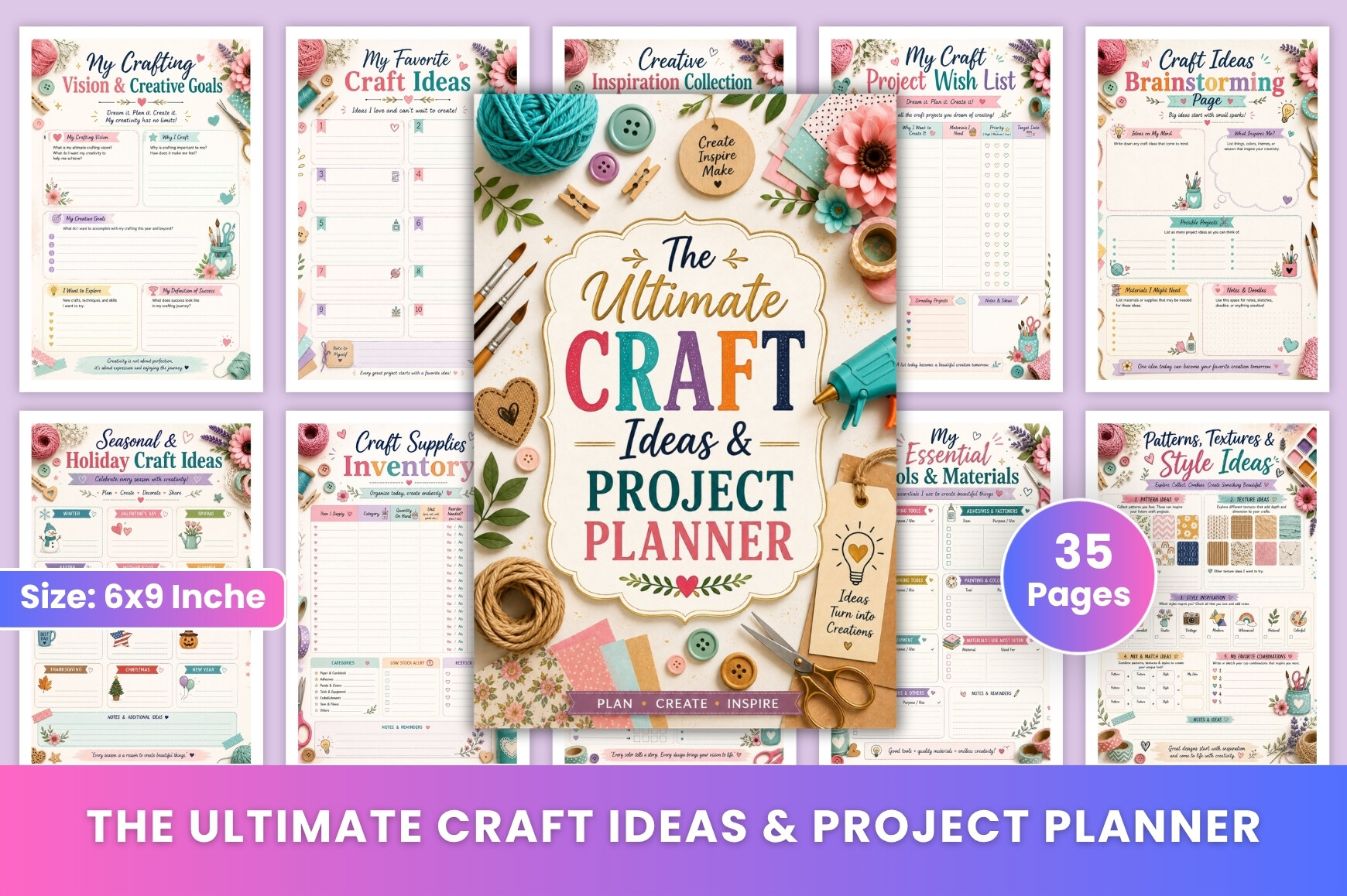
This 35-page workbook is a print-ready PDF at 6 × 9 inches, no bleed and 300 DPI. Its emphasis extends beyond supplies and deadlines to work-in-progress checks, problem solving, finishing details, completed-project showcases and lessons learned. It suits a maker who wants to document how a project evolves and improve the next attempt. Seasonal and holiday craft ideas are included as page topics, but the workbook is not tied to a stated calendar year.
Use a progress check when a project stalls, recording the current problem and the next small adjustment instead of starting another idea immediately. The compact page size is useful for a notebook but leaves less sketch space than Letter-size forms. No editable source, Canva link or additional image-file package is confirmed. Seven favorites were visible, a modest interest signal; the reason to consider this option is its clear reflection and problem-solving structure rather than popularity or an assumed large template library.
Make the download work for your routine
Choose the template that gives your current project a usable next step. Record the materials already on hand, sketch the important details and reserve one place for changes made during the build. A short review after finishing is more valuable than filling every page simply because it came in the download.