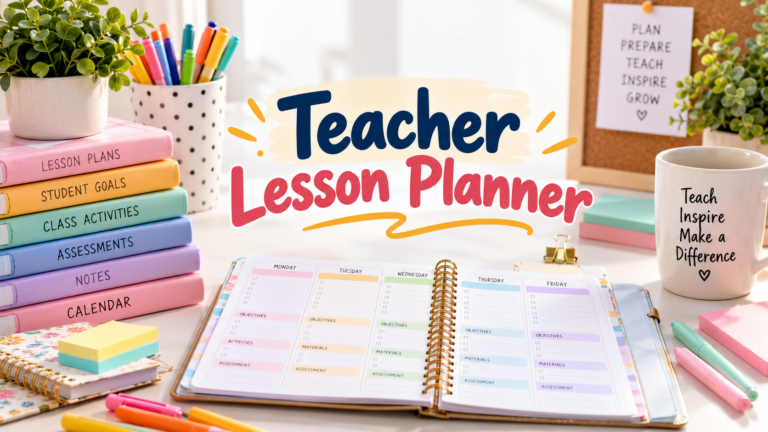
9 Practical Exam Planner Templates for Focused Revision Sessions
An exam planner becomes useful when it connects an approaching test with the work you need to do before it. Recording the date is only the beginning. The next decisions are which topics need attention, which practice tasks will check your understanding, and how you will respond when a question goes wrong.
This guide focuses on revision and exam preparation rather than the full academic year. The nine Creative Fabrica options include a 2027 revision workbook, a practice-test and mistake log, minimal printable inserts, editable book interiors, and a specialist history planner. Their roles differ, so a large page count is not treated as evidence of a more effective study system.
The reviews use the designers’ published specifications. They distinguish stated file formats and features from details that need checking in the preview. None of these planning files is presented as a guaranteed route to higher grades, an official syllabus, or a source of automatically marked exam questions.
In this guide
How to choose an exam planner for your revision
Start with your actual exam requirements and available weeks. A countdown or revision workbook helps turn the remaining time into topic-level tasks. A lightweight insert can be enough if you already have a course plan and mainly need a visible place for the next actions. A practice-test log is more useful when you need to review recurring mistakes.
Check the file inventory carefully. PDF and image files are usually the quickest route to printing. Canva, Illustrator, EPS, SVG, and PowerPoint sources offer different editing workflows and require suitable software. A product described as a book interior may contain repeated pages rather than many distinct worksheets.
Choose paper size around the notes you actually write. Compact 6 × 9-inch pages are portable, while US Letter or A4 can leave more room for formulas, examples, and error notes. Print a sample before committing to a bound copy. If your main need is organizing classes and assignments across a semester, start with an academic planner instead.
1. 2027 Academic Revision Workbook
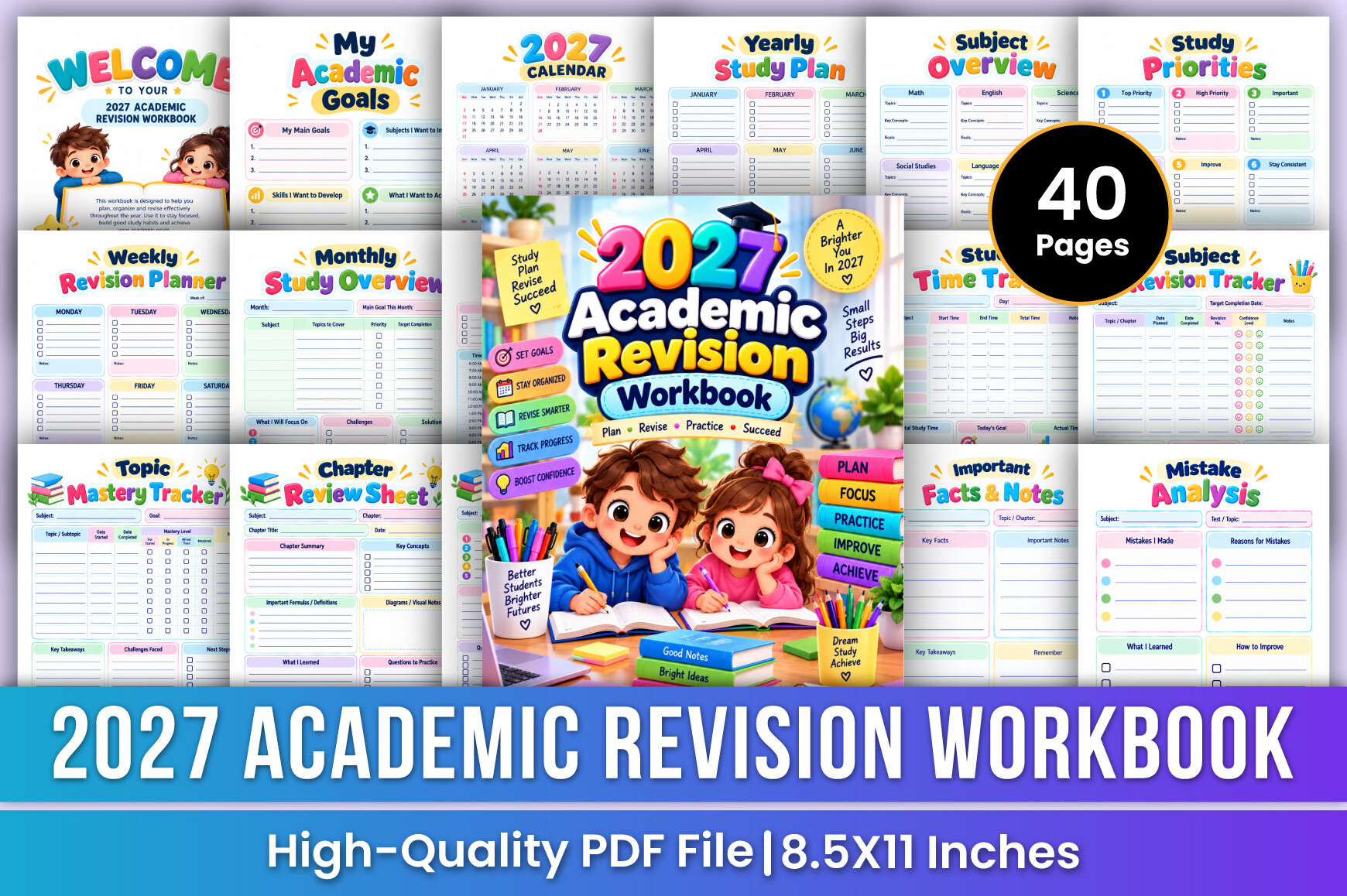
Mustafiz’s 2027 Academic Revision Workbook is the strongest starting point here when you want to work backward from an exam rather than simply record its date. The designer lists 40 US Letter pages, a print-ready PDF, CMYK color, and no bleed. Its sections include an exam countdown, subject study plans, weekly focus, concept review, formulas, vocabulary, progress, habits, and reflection.
Use the countdown page to identify the remaining study weeks, then choose topics for each week according to your actual syllabus. Keep the quick-revision pages for material you have already studied, not as a substitute for the original lessons. A formula or definition page is most useful when you can explain its examples without looking at your notes.
The advantage is a clear revision emphasis inside a relatively manageable workbook. The limitation is the 2027 calendar: check that your exam dates fall within the intended edition. This is a planning and recording tool, not a subject textbook, a set of official practice papers, or a source of marked answers. You still supply the material and check it against your course.
2. Study Focus Journal with Practice-Test Tracking
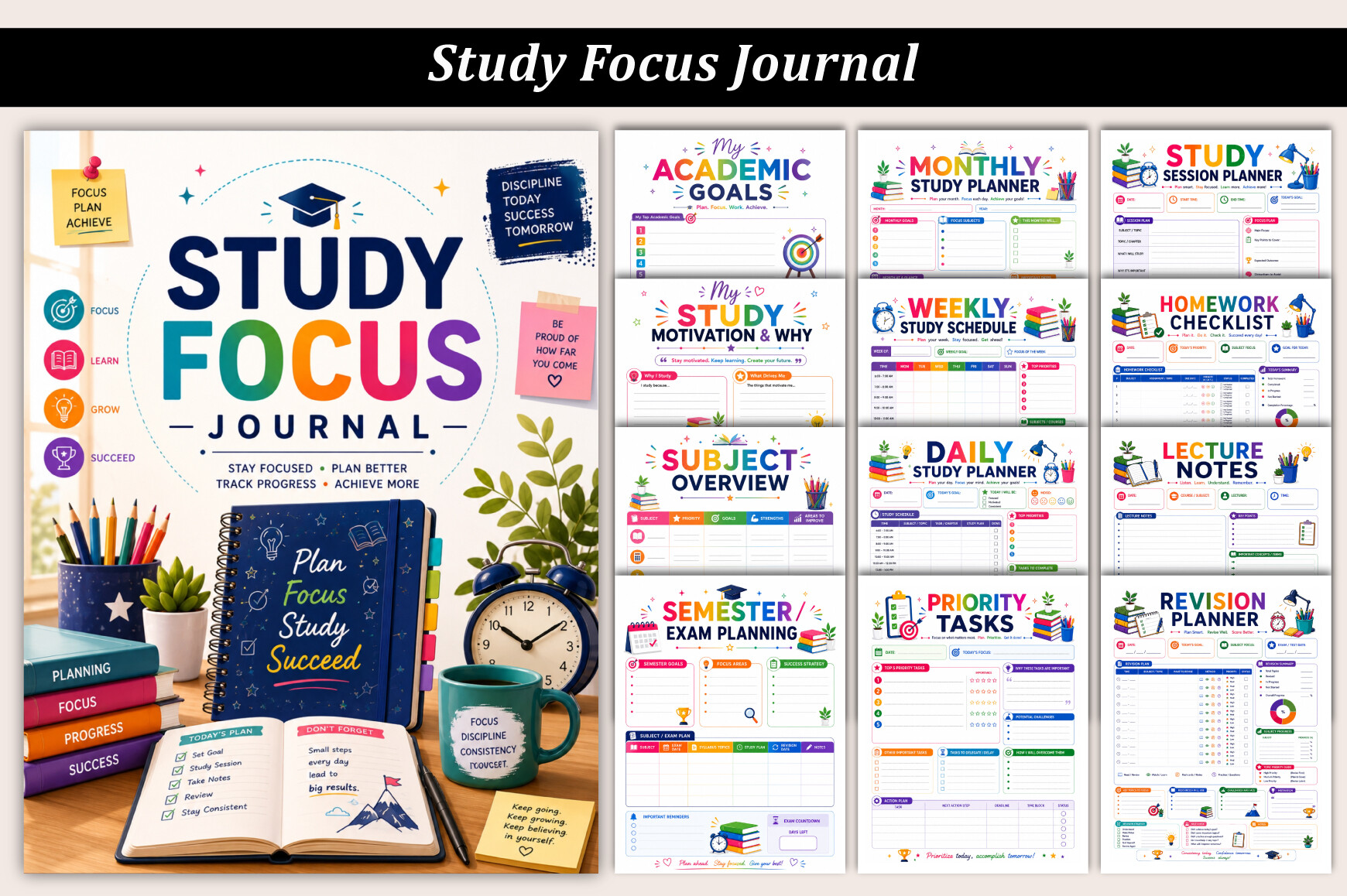
Designs Market’s Study Focus Journal is a broader organizer with particularly useful exam-preparation sections. The listing identifies one 35-page US Letter printable PDF. Alongside subject planning and daily study pages, it includes revision worksheets, a practice-test log, mistake analysis, topic completion, study-session and Pomodoro tracking, distractions, and weekly review.
Choose this if your problem is finding out why practice sessions go wrong. After a timed paper or question set, use the mistake tracker to distinguish a missing concept from a misread question or an unfinished answer. Then make the next study task specific to that problem. A topic-completion tracker can help separate material you merely read from material you can apply.
The benefit is connecting study time with evidence from practice, rather than relying entirely on a completed-hours total. The limitation is breadth: assignment, mood, sleep, and habit pages may be unnecessary if you only need a short exam plan. Start with the revision, test, mistake, and review pages. The log records your results; it does not grade work or provide the practice tests themselves.
3. Editable Exam Prep Planner
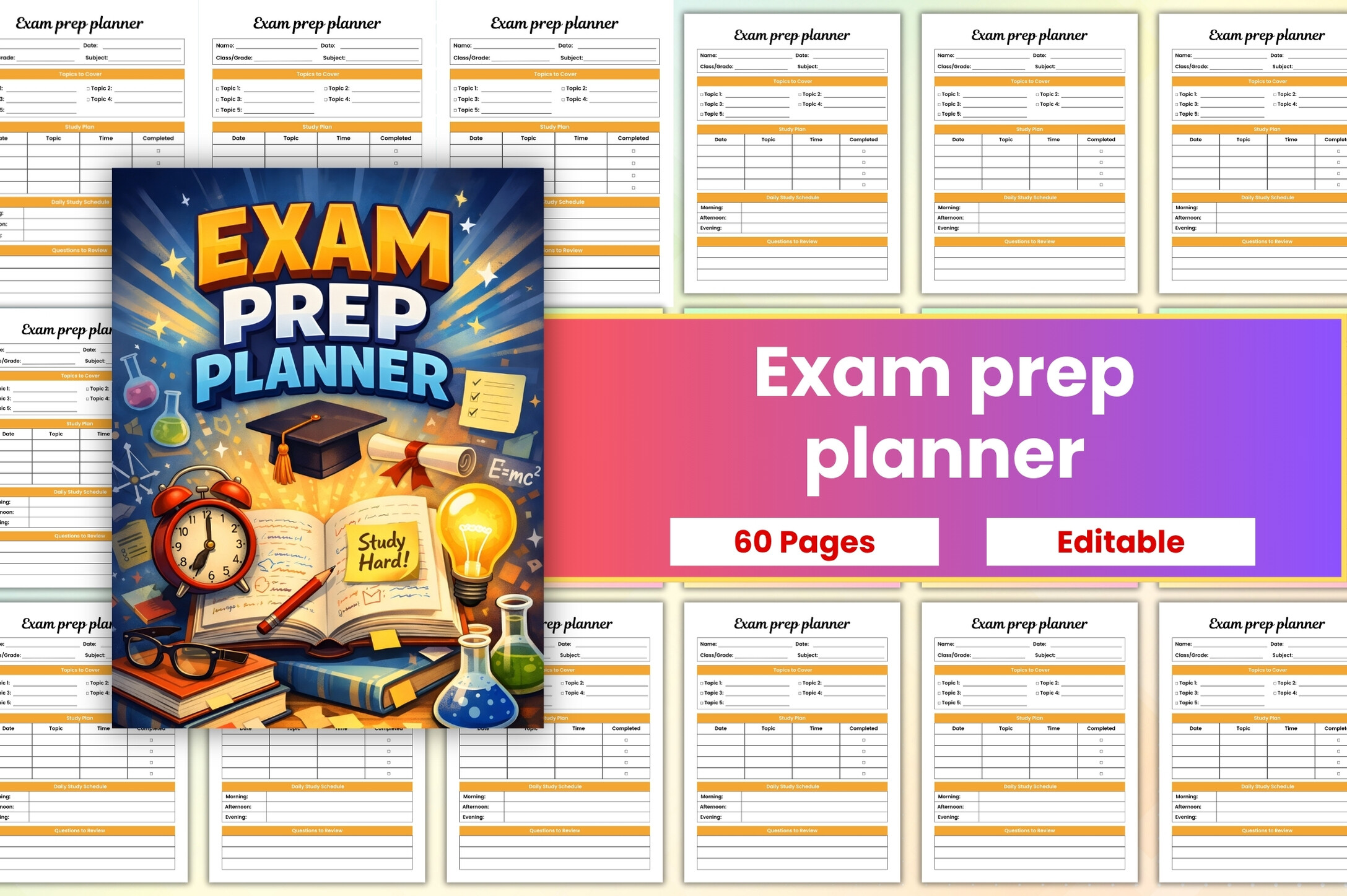
CreativeMela Studio’s Exam Prep Planner is a flexible option for turning subjects into manageable study sessions. The published description lists PDF, JPG, PNG, and a Canva link. It describes structured spaces for study sessions, goals, daily achievements, notes, reminders, and focused tasks, without clearly establishing a page count or paper size.
Use the editable layout to give each session a concrete purpose. Instead of writing “revise biology,” write the chapter or question type, the resource you will use, and the point you want to check afterward. Record what you finished before setting the next task. That makes the page a working plan rather than a calendar full of vague intentions.
The strength is customization without committing to a long fixed workbook. The limitation is the sparse specification: inspect the product preview and confirm dimensions before printing a binder set. A Canva link makes editing available, but does not establish an automatically scheduled study program, interactive reminders, or progress assessment. The planner supports your preparation; it cannot promise a particular exam result.
4. Minimal Exam Revision Tracker
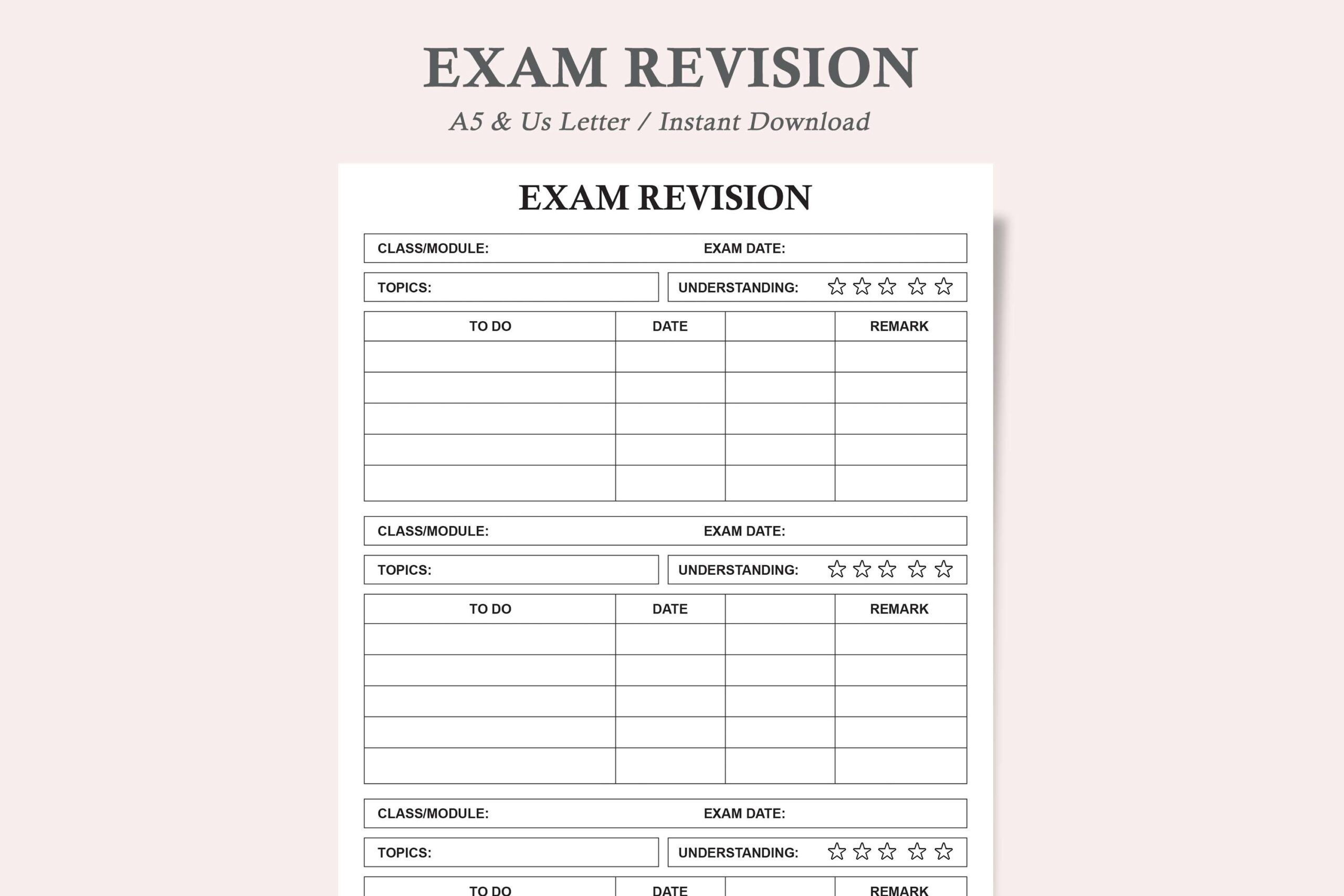
This Exam Tracker and Exam Revision Planner listing offers a minimal repeatable sheet rather than a large collection of academic layouts. The actual file inventory specifies two PDFs and two JPEGs: one version in US Letter and A5 sizes. The designer describes an ink-friendly design that can be printed again whenever you need another page.
It is a sensible choice if your exam plan needs to remain visible on the desk. Use one printed sheet for the information shown in the preview, and add your own consistent notation for the next revision task. A5 works better inside a smaller planner, while Letter leaves more writing space. Try one busy study week before printing a whole stack.
The benefit is low maintenance and a choice of two common formats. The limitation is that the long listing title mentions many student-planning uses, while the delivered-file list establishes one revision-planner design. Do not assume a separate assignment tracker, homework planner, and full college organizer are included. Nor do PDF and JPEG files establish editable source files or interactive digital navigation.
5. Multi-Size Exam Planner by TiveCreate
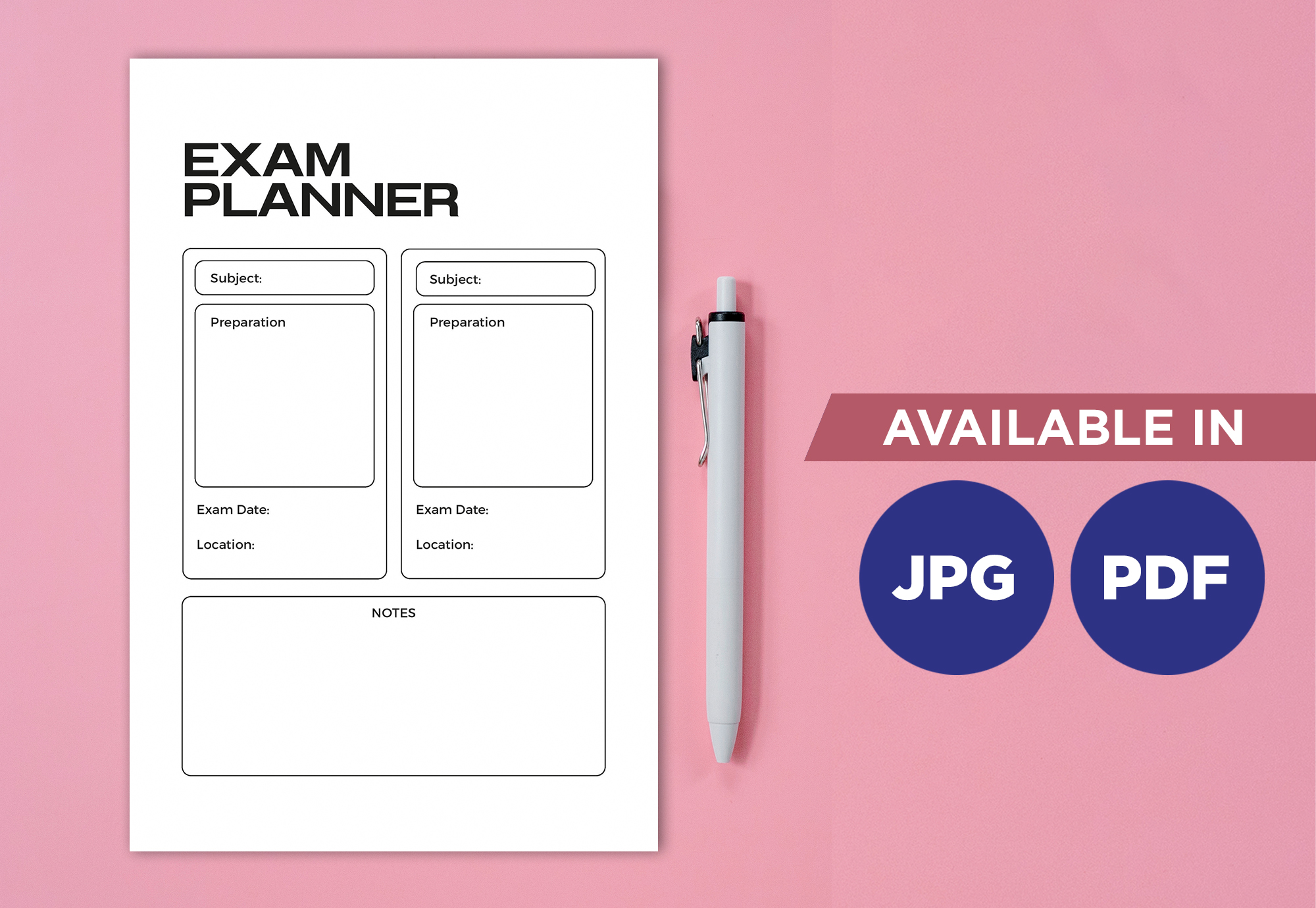
TiveCreate’s Exam Planner is another lightweight printable, with more size choices than the minimal tracker above. The published package contains four JPG files and four PDFs in A4, A5, 6 × 9-inch, and 8.5 × 11-inch formats, delivered together in a ZIP folder. That makes it useful when you want the same design to fit an existing binder or smaller notebook.
Choose the size around how you will use it. A desk plan benefits from a larger sheet that stays readable beside your textbooks. A portable notebook may suit A5 or 6 × 9 inches, provided the preview leaves enough space for your handwriting. Print a sample at the intended size and check whether exam details and revision notes remain legible.
The advantage is practical format flexibility without a large workbook to maintain. The limitation is that the description does not provide a detailed list of internal fields or a clearly stated number of unique layouts. Its mention of note-taking apps does not establish hyperlinks or automatic reminders. Treat it as a printable planning insert and verify the preview against your own exam workflow.
6. Canva-Editable Exam Revision Planner
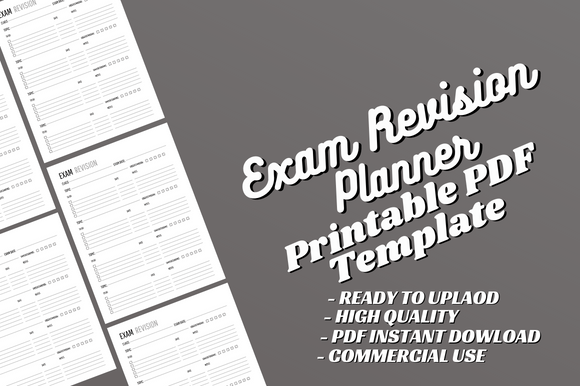
This Canva-editable Exam Revision Planner is a 120-page US Letter interior supplied as a print-ready PDF with no bleed. The listing explicitly describes the design as editable in Canva, including text, fonts, and added content. It is positioned as an interior rather than a complete printed planner, and the seller states that a separate cover is needed for KDP production.
Consider it if you want to customize a longer revision notebook before printing. Start by inspecting the repeating layout and testing a short sample. If you edit it, reserve space for the subject, a concrete revision task, and a follow-up note only where the supplied design allows. Consistency across pages matters more than changing every visual element.
The strength is Canva-based customization for a user who wants control over a book-length interior. The limitation is that 120 pages does not establish 120 different worksheets or a comprehensive subject curriculum. The description does not itemize every revision field. Inspect the preview and the delivered editing instructions before expecting a particular exam tracker, calendar, or practice-test section.
7. Exam Planner with Illustrator and PowerPoint Files
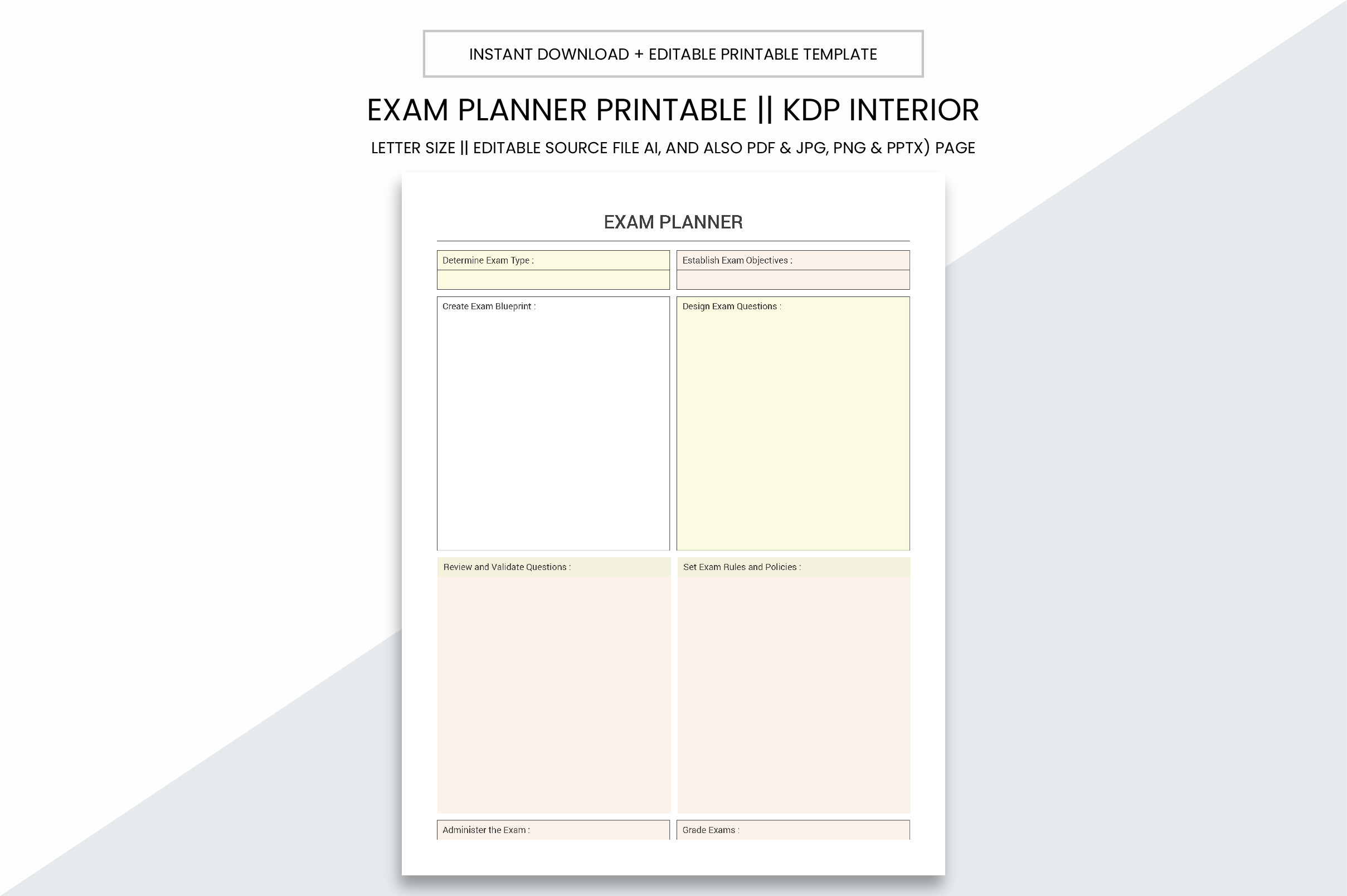
Graphic_hero’s Exam Planner Printable KDP Interior offers several source formats for people who want to adapt the design. The listing specifies a 109-page US Letter PDF, no bleed, 300 PPI, and AI, JPG, PNG, and PPTX files. AI refers to an Adobe Illustrator source document here, not artificial-intelligence tutoring.
The practical reason to choose this option is software choice. If you already work in Illustrator or PowerPoint, inspect the source and adjust a sample page to match the notes you need during revision. Keep the finished page simple enough to use between study sessions, and check the exported PDF before printing more than a few pages.
The limitation is that the listing is much clearer about files than about the actual exam-planning fields. Do not assume a mock-exam tracker, dated countdown, or marking rubric just because the package is long. The format collection also does not establish compatibility with every note-taking app. Choose it for the stated files and confirm the internal layout in the preview.
8. Exam Revision Planner by HandyBooks
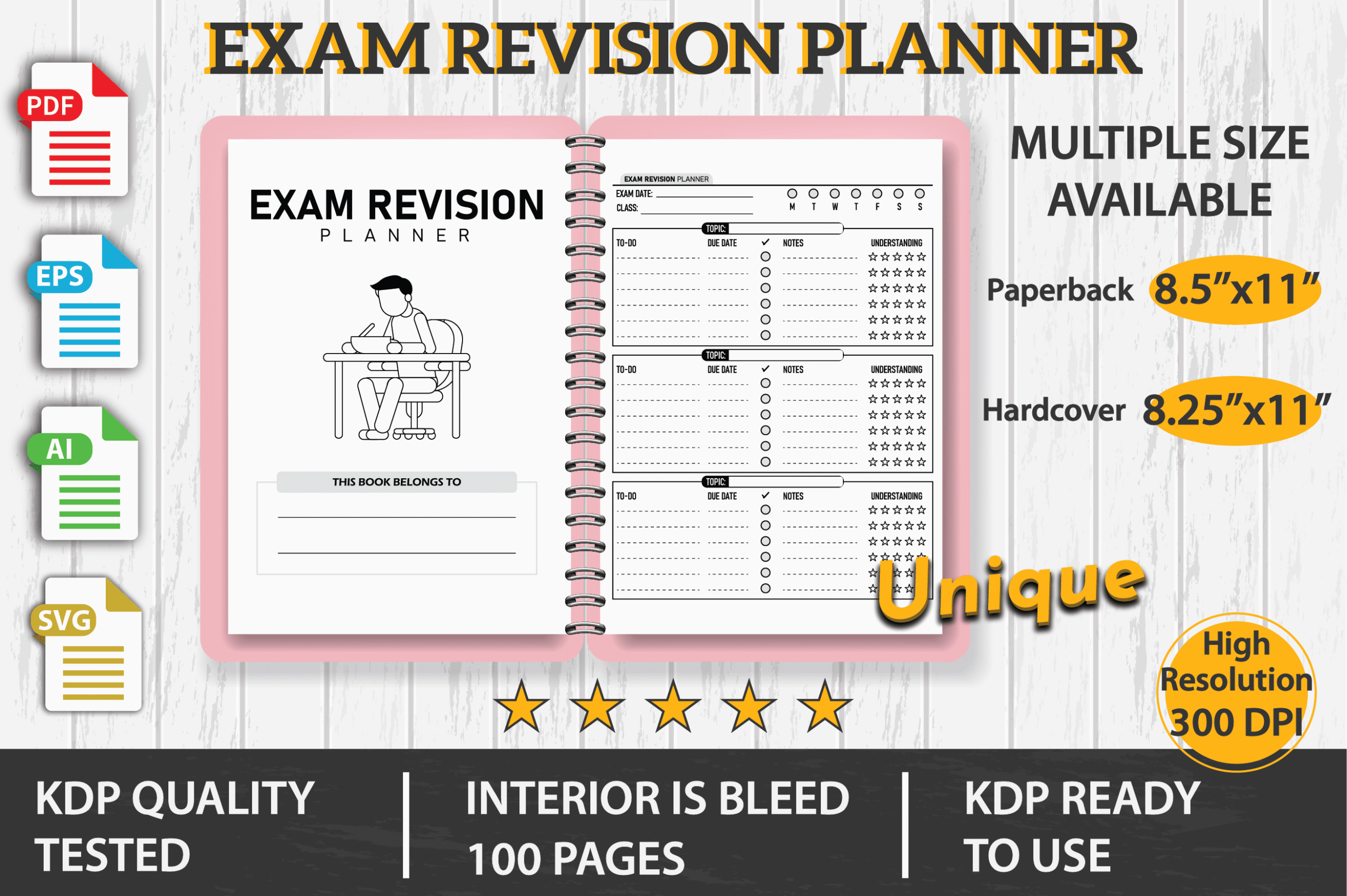
HandyBooks’ Exam Revision Planner is a 100-page print interior with more vector-source choices than a PDF-only product. The description lists 8.5 × 11-inch and 8.25 × 11-inch dimensions, a bleed area, and PDF, EPS, AI, and SVG files. It also identifies an introductory belongs-to page and an editable source.
This is a useful candidate for someone building a customized printed revision notebook. Compare the preview with the information you want to record, then test the intended size with your printer or production workflow. If you edit the source, preserve a consistent layout so completed pages remain easy to scan when reviewing several subjects.
The strength is access to editable vector formats and a shorter interior than the 120-page options. The limitation is the sparse description of individual worksheets and the need for appropriate editing software. Bleed also makes this a different print setup from the no-bleed interiors above. The package does not establish a full dated exam schedule or included subject lessons; confirm the layout before choosing it.
9. History Study Planner for Subject-Specific Revision
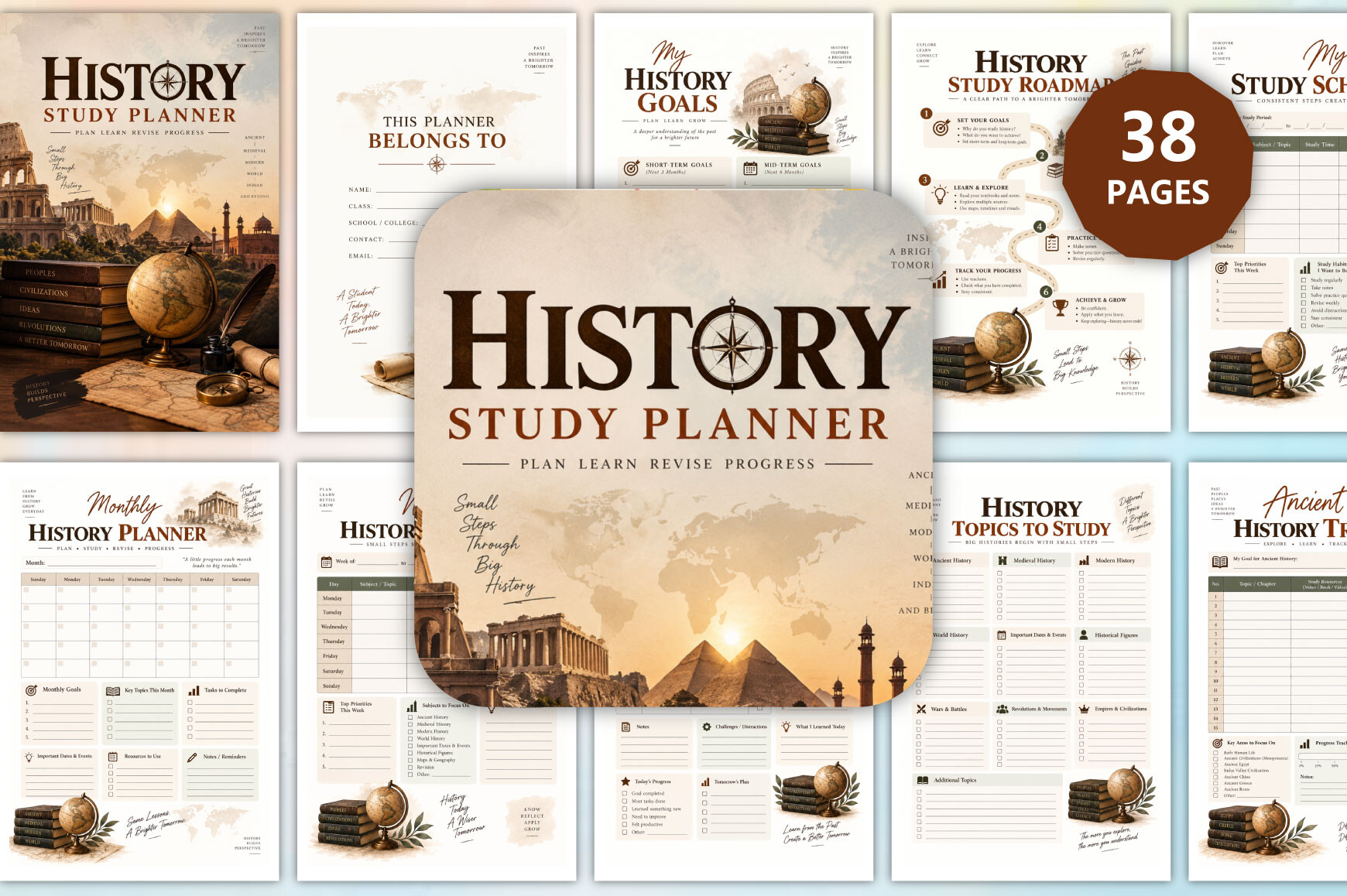
munjixpro’s History Study Planner is the specialist option in this guide. The designer lists 38 pages, 6 × 9 inches, PDF and JPG files, no bleed, and 300 DPI. Its advertised sections include timelines, important dates, historical figures, chapter notes, vocabulary, practice questions, quizzes, revision progress, mistakes, and a six-step exam-preparation plan.
Use this when a history exam requires connecting events rather than memorizing a disconnected list of dates. Record causes, outcomes, and links between topics in the appropriate pages, then use your own course questions to check whether you can explain those relationships. The mistake and reflection sections can capture gaps worth revisiting before the next practice session.
The advantage is a subject-specific structure that a generic calendar cannot provide. The limitation is equally clear: it is not a universal exam planner for mathematics, languages, or science. Its planning pages do not establish an official syllabus, an authoritative history textbook, or a supplied bank of marked exam papers. Use it beside your actual course resources and inspect the preview for writing space.
Build an exam revision schedule around specific tasks
List the exam dates and the topics required by your course. Then choose a manageable next task for each study session: explain a concept, work through a question type, check a formula, or review an earlier error. “Revise everything” is too broad to tell you when a session is complete.
Keep some time unallocated for topics that take longer than expected. At a weekly review, move unfinished work consciously and reduce the plan if needed. A planner is useful when it makes the next decision clearer, rather than recording an increasingly unrealistic list.
For several subjects, keep the big picture on one overview page and detailed revision notes in subject-specific sections. Avoid copying every task into every layout. The study plan guide covers the broader routine if you need help coordinating revision with other commitments.
Use practice-test results to improve the next study session
After a practice task, record what went wrong and what you will try next. A missed definition needs a different follow-up from an answer you knew but could not finish in time. Use the mistake-analysis page where one is included, or a short consistent note in your chosen layout.
Check your work against the appropriate course materials or available mark scheme. A completed tracker box is not proof that you understand a topic. Return to the problem later and see whether you can explain or solve it again without relying on the same notes.
Which exam planner should you start with?
For a structured countdown and revision workbook, consider the 2027 Academic Revision Workbook. For practice-test records and mistake analysis, choose the Study Focus Journal. The editable Exam Prep Planner is a lighter option when you want to adapt the wording and keep the workflow short.
Choose the minimal tracker or multi-size insert if an elaborate workbook would get in the way. The longer source-file interiors suit people who want to customize a printed notebook. The History Study Planner belongs with history-specific preparation, rather than being treated as a universal option.
Pick one core layout, use it through an ordinary week, and add pages only when they solve a real problem. The most useful exam planner is the one that keeps your next task, your weak areas, and your available time easy to see.