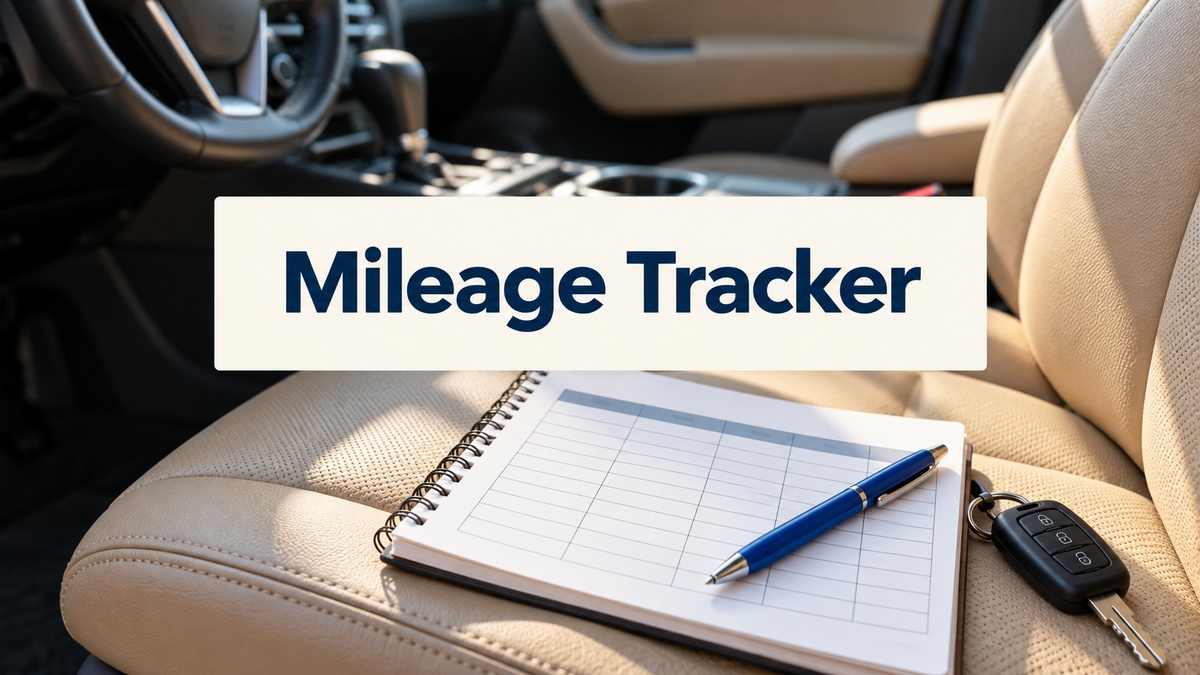
8 Practical Mileage Tracker Templates for Clear Trip and Fuel Logs
A mileage tracker is most useful when it is easy to complete after each trip. A one-page insert can be enough for occasional driving, while a longer logbook gives frequent journeys a consistent place. These eight downloads include printable sheets, Canva layouts and editable design files, with several options that also record fuel or other driving details.
For a broader view of running costs, pair the log with our expense tracker templates. This overview focuses on the files and practical recording workflow, not on promising automatic calculations. Each selected product provides an actual log interior or working form rather than only a book cover. The sizes, page counts and editing options below are checked against the product’s own listing.
Choose a mileage tracker that fits your recording routine
Decide which information you need to keep together: date, trip purpose, starting and ending readings, and any related fuel record. Inspect the preview for those fields and leave enough room for your handwriting. A compact insert is easier to carry, while a larger page may be more comfortable for several trips in one day. Print a sample before producing a full notebook.
Editable design files let you change labels or spacing in compatible software; they do not automatically turn a paper log into a spreadsheet or GPS tracker. For other business records, our small business planner templates can hold the surrounding tasks and administration. Keep units and recording habits consistent, and make totals separately when the download does not provide an actual calculation tool.
1. A Letter-Size Mileage Log with PDF and Illustrator Files
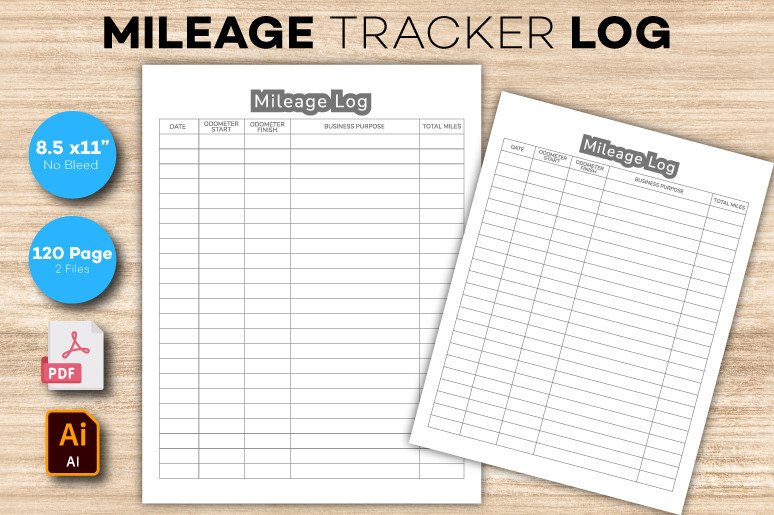
This Mileage Log interior provides a 120-page PDF and an Illustrator source file at 8.5 × 11 inches, with no bleed and 300 dpi output specified. The preview shows a practical table for dates, odometer readings, business purpose and total miles. That is a useful starting point for someone who wants the same straightforward recording layout across a longer notebook rather than a large decorative planner.
The editable AI file gives you an option to adjust the design in compatible software, while the PDF is the simpler route for printing. The 120-page count describes the interior, not 120 different log formats. Check the margins and writing room on a sample before preparing the whole book. No automatic distance calculation, online synchronization or spreadsheet formulas are confirmed, so the readings and totals remain part of your own recording process.
2. A One-Hundred-Twenty-Page Canva Mileage Log
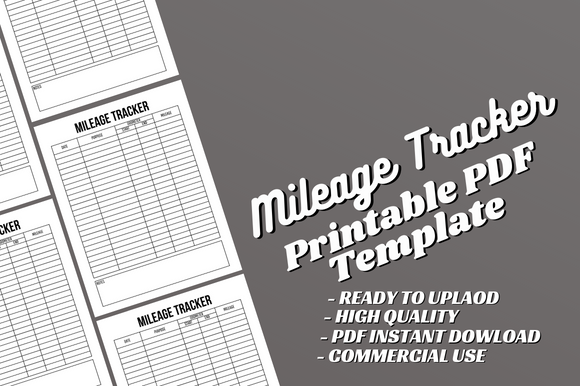
The Mileage Tracker Log Canva template includes a 120-page, Letter-size PDF and editable Canva source, with no bleed. It is an interior-only download, so it suits someone who wants to customize the table or wording before printing a longer record book. Canva editing can be helpful if you want a familiar layout with clearer headings or more space for a particular trip detail.
The listing explicitly says a cover is not included. Keep that separate from the page count, and do not assume each of the 120 pages is a different layout. Test the PDF after any design changes, especially the column widths and printing margins. The product is a design template rather than a confirmed mileage app or calculating spreadsheet. If your main need is an occasional trip log, printing a small subset may be more useful than assembling the entire interior.
3. Canva Mileage Pages with PDF and Image Exports
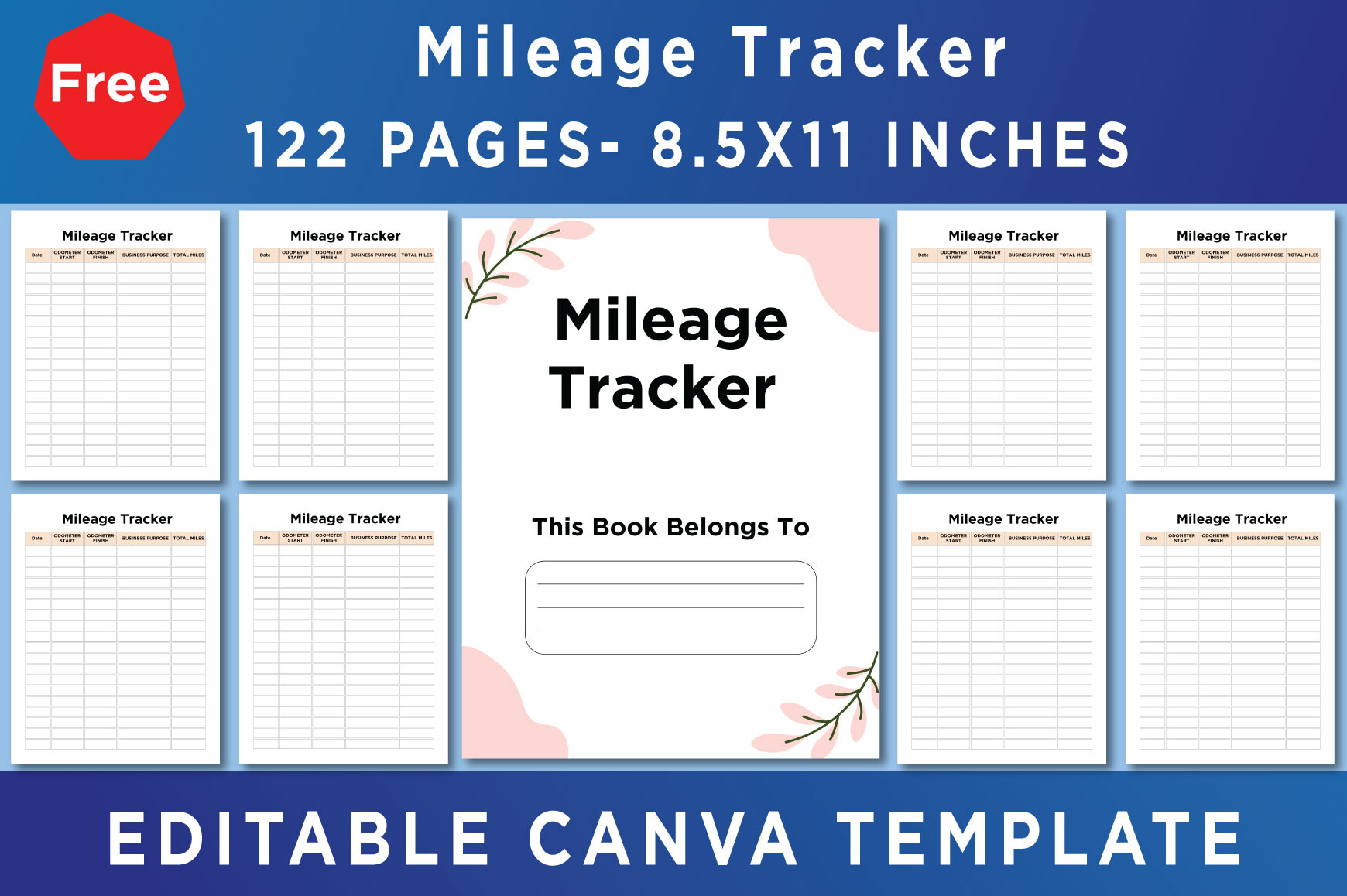
This Canva Mileage Tracker collection lists PDF, JPEG and PNG output, an editable Canva link and Letter-size pages at 300 dpi. It describes a no-bleed, CMYK setup and 122 Canva templates. The short content list identifies a belongs-to page and the mileage tracker, giving you a starting point for a personalized record book with image exports as well as printable documents.
Treat the 122 count as the stated template inventory, not a guarantee of 122 distinct recording layouts. The preview also labels 122 pages, while the written list describes only two types of page. Make a copy in your own Canva account before editing, as the creator requests. Although the listing says a free account can be used, review any element requirements in the actual file. Nothing in the description confirms formulas, automatic totals or a link to vehicle data.
4. A Simple Undated Mileage Insert in A4 and Letter
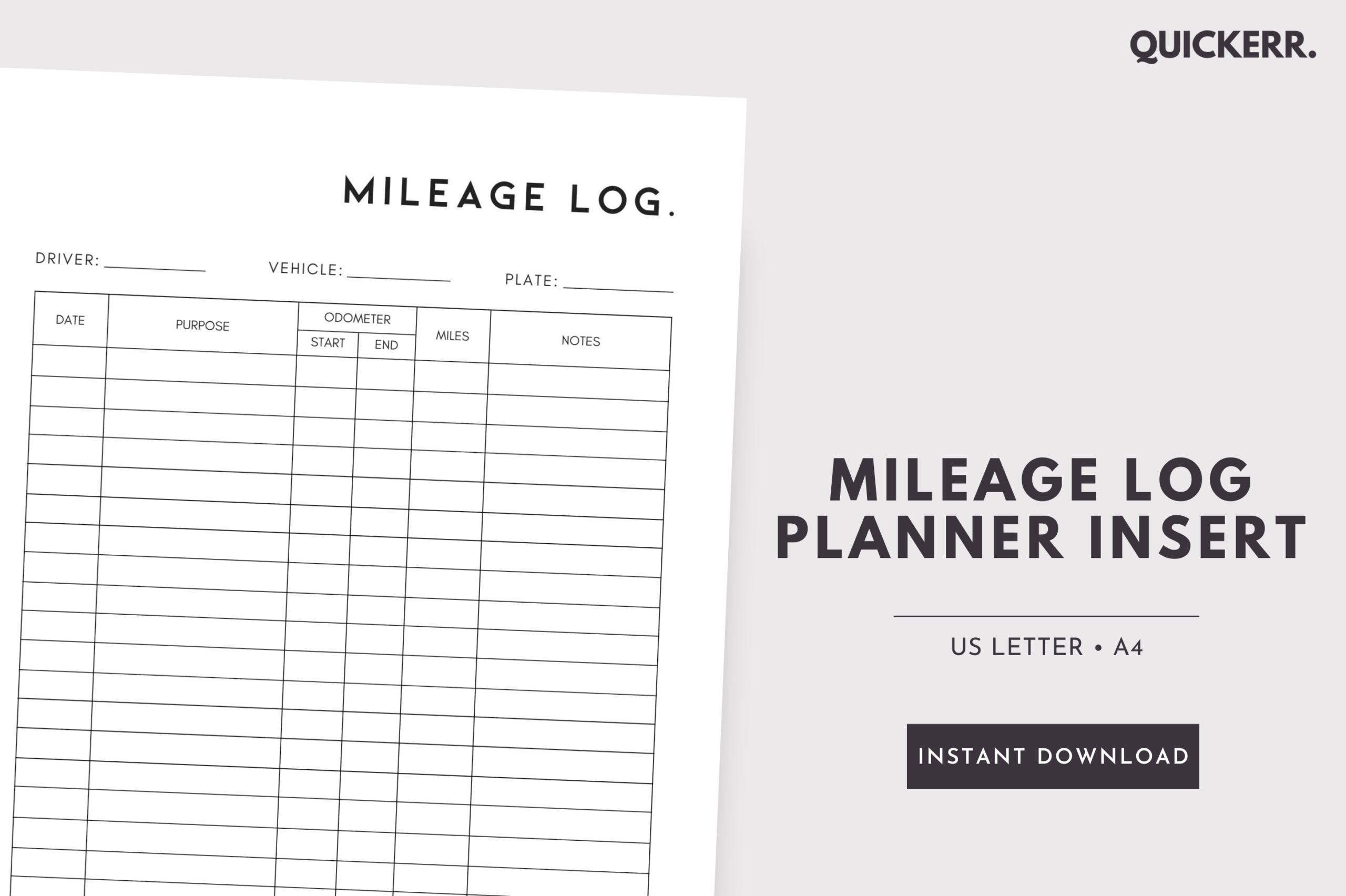
Quickerr’s Mileage Log insert is the most focused option here: one undated layout supplied as an A4 PDF and a US Letter PDF. The creator explicitly says the page is not editable. That makes it a useful choice if you want to start recording trips immediately without customizing a long notebook or opening a design application. You can print another copy whenever the current sheet is full.
The two paper sizes are versions of the same layout, not two separate log systems. Check the preview for the fields you need and print at the correct scale for your binder or folder. If the column wording or spacing does not suit your routine, the fixed PDF may be less useful than an editable option. It is a printable record sheet rather than an app, so entry, arithmetic and storage still depend on the process you set up.
5. Mileage, Fuel and Monthly Balance Sheets in Seven-by-Ten
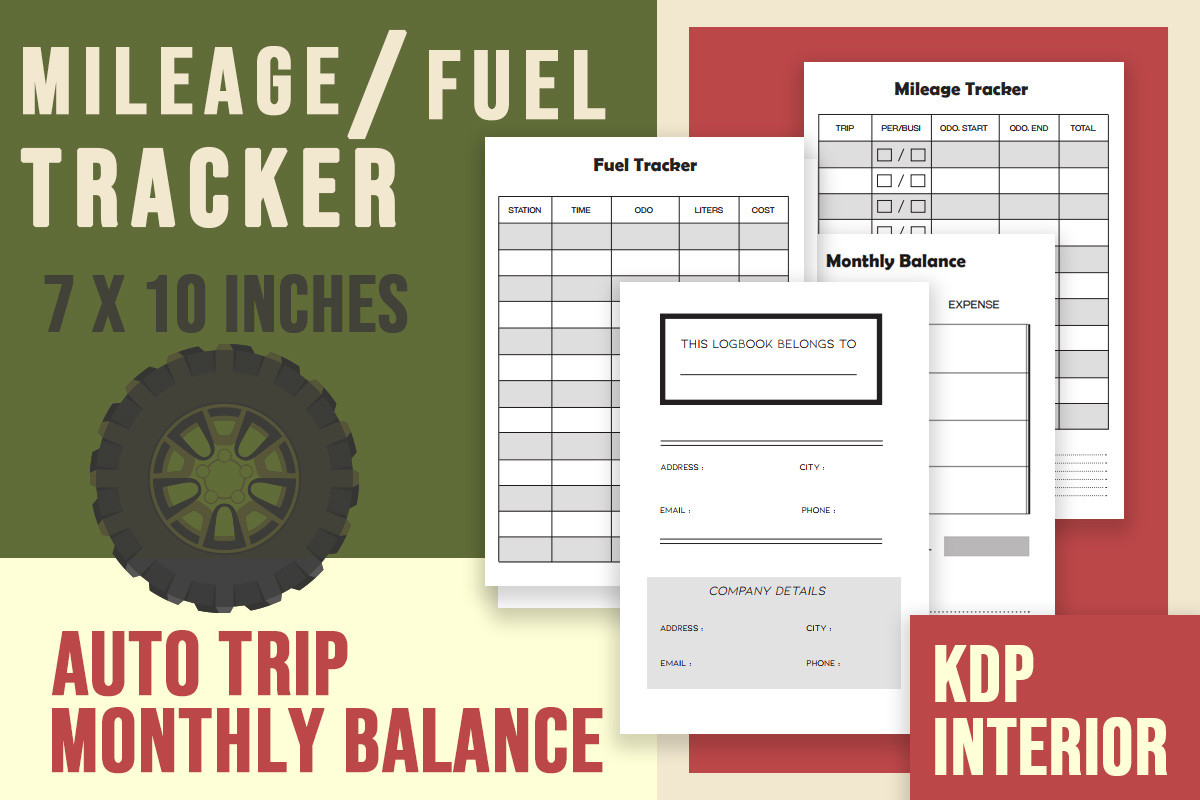
This seven-by-ten-inch collection combines mileage, fuel and monthly balance records with a belongs-to page. The listing gives four PDF files and three JPG files, with no bleed and 300 dpi output. It is useful when you want driving distance and fuel information together in a smaller notebook, rather than keeping several unrelated sheets in different folders.
The file count does not establish a large 120-page interior; it describes the supplied documents and images. Check whether you want to repeat the mileage page, fuel page or both when assembling your own book. The 7 × 10-inch trim size also needs a deliberate home-printing layout on your available paper. These are flattened PDF and JPG records, without confirmed editable source files or automatic monthly calculations. Keep the units and date ranges consistent so your separate records remain easy to compare.
6. An Editable PSD Log for Delivery Driver Activities
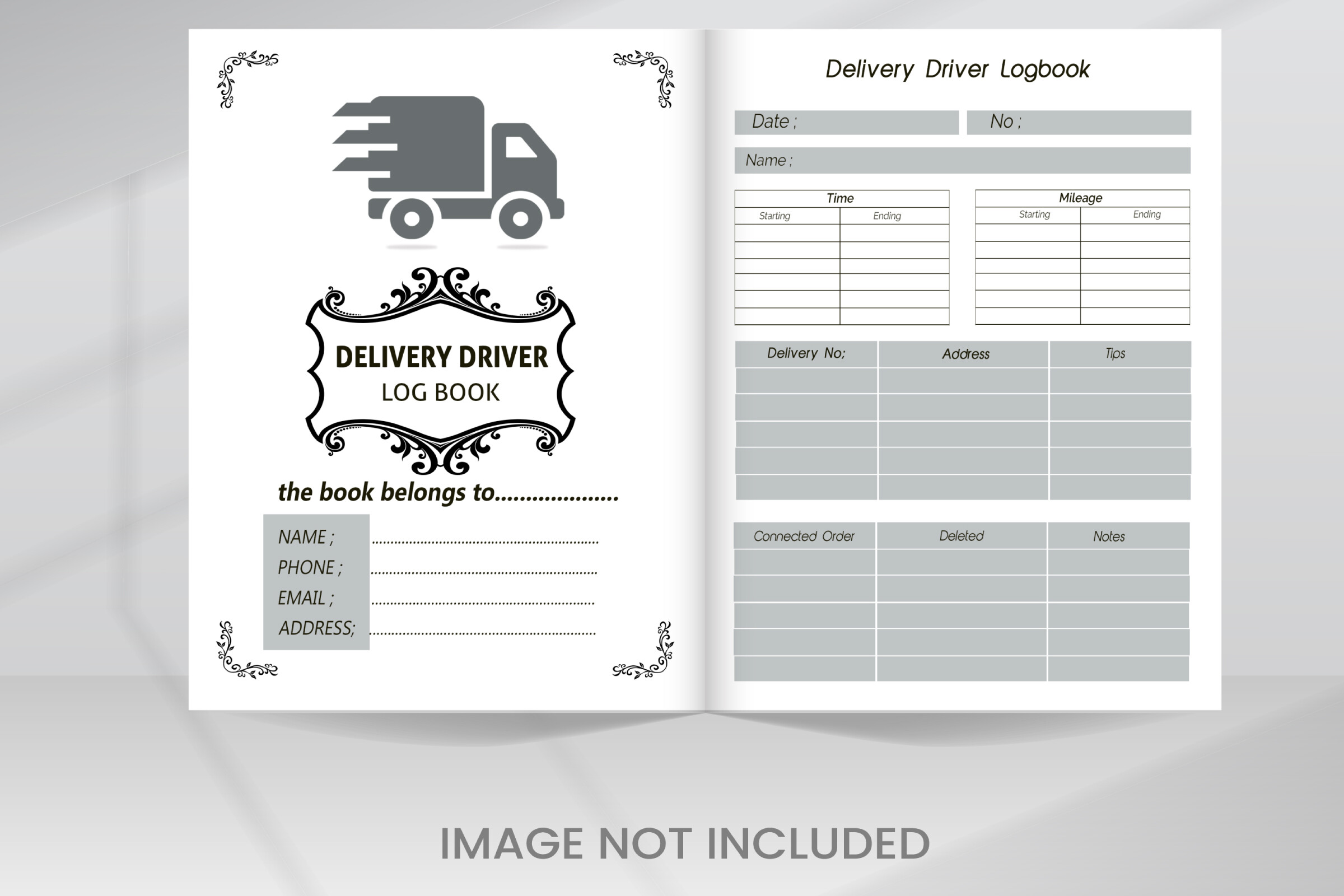
The Driver Daily Activities template is supplied as a PSD with organized layers and editable design elements. Its preview shows a delivery-driver log layout rather than a simple decorative cover alone. That can suit someone whose mileage notes belong beside other daily delivery details, particularly if they already use compatible software and want to adjust the form to their own workflow.
The written inventory does not specify page dimensions, numeric resolution or an exact page count. It also states that preview images are not included in the download, so do not expect every pictured visual element to be part of the file. A ready-to-print PDF is not listed. This is an editing-first choice: inspect the layers, confirm the actual document size and export a test page before printing. The source does not establish automatic mileage totals or a connection to a delivery service.
7. A Truck Mileage Log with Fuel and Work-Hour Records
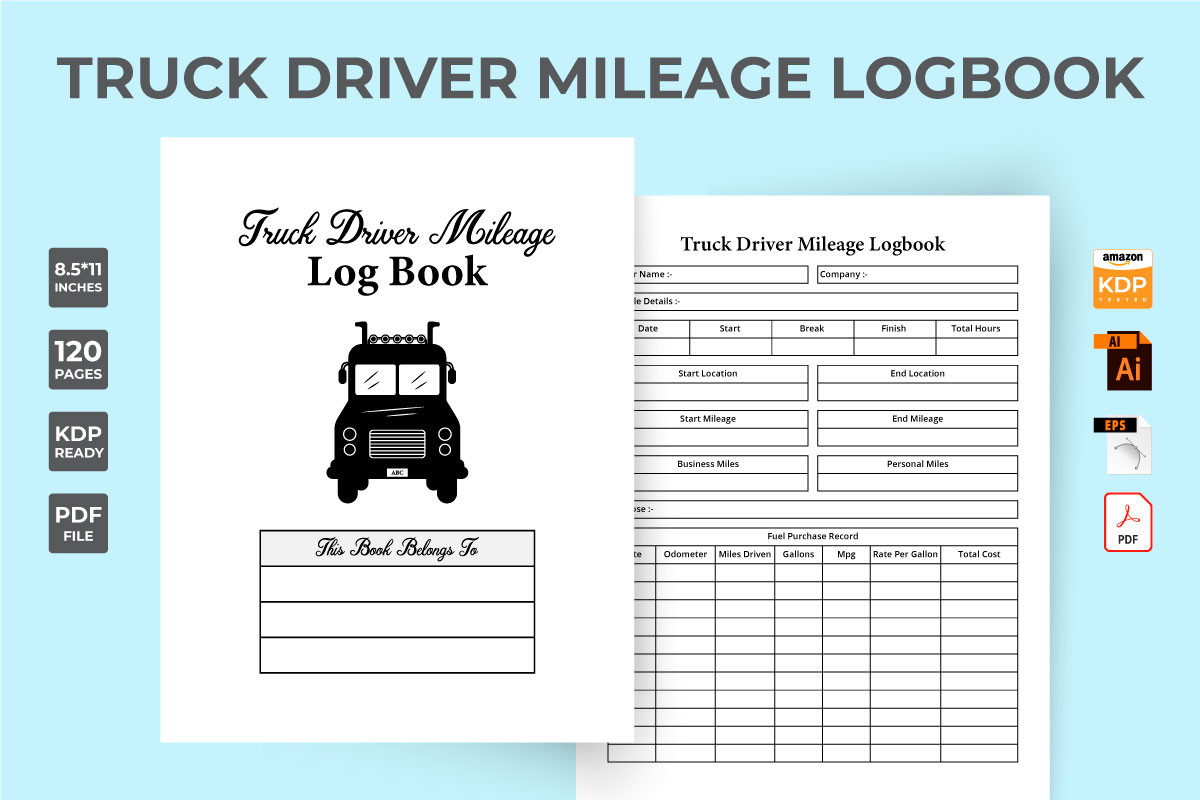
The Truck Mileage Tracker interior is a broader driver record, with a 120-page PDF plus editable AI and EPS files. The description identifies driver and company information, work-hour records and fuel purchases alongside mileage. This can be useful when a driving log needs to sit within a more detailed daily notebook, rather than as a standalone sheet for occasional personal journeys.
The product is specified with bleed, but the written description does not give an exact trim size. Confirm the actual PDF dimensions before printing or adapting it for a binder. The AI and EPS files provide source-editing options in compatible software; the seller’s broad cutting-machine claims do not establish a universal workflow. Choose it for the stated record fields, not for unverified calculations, tracking integrations or compliance guarantees. A sample page will show whether the additional sections help your routine or create unnecessary repetition.
8. A Two-Size Mileage Log with Editable Illustrator Source
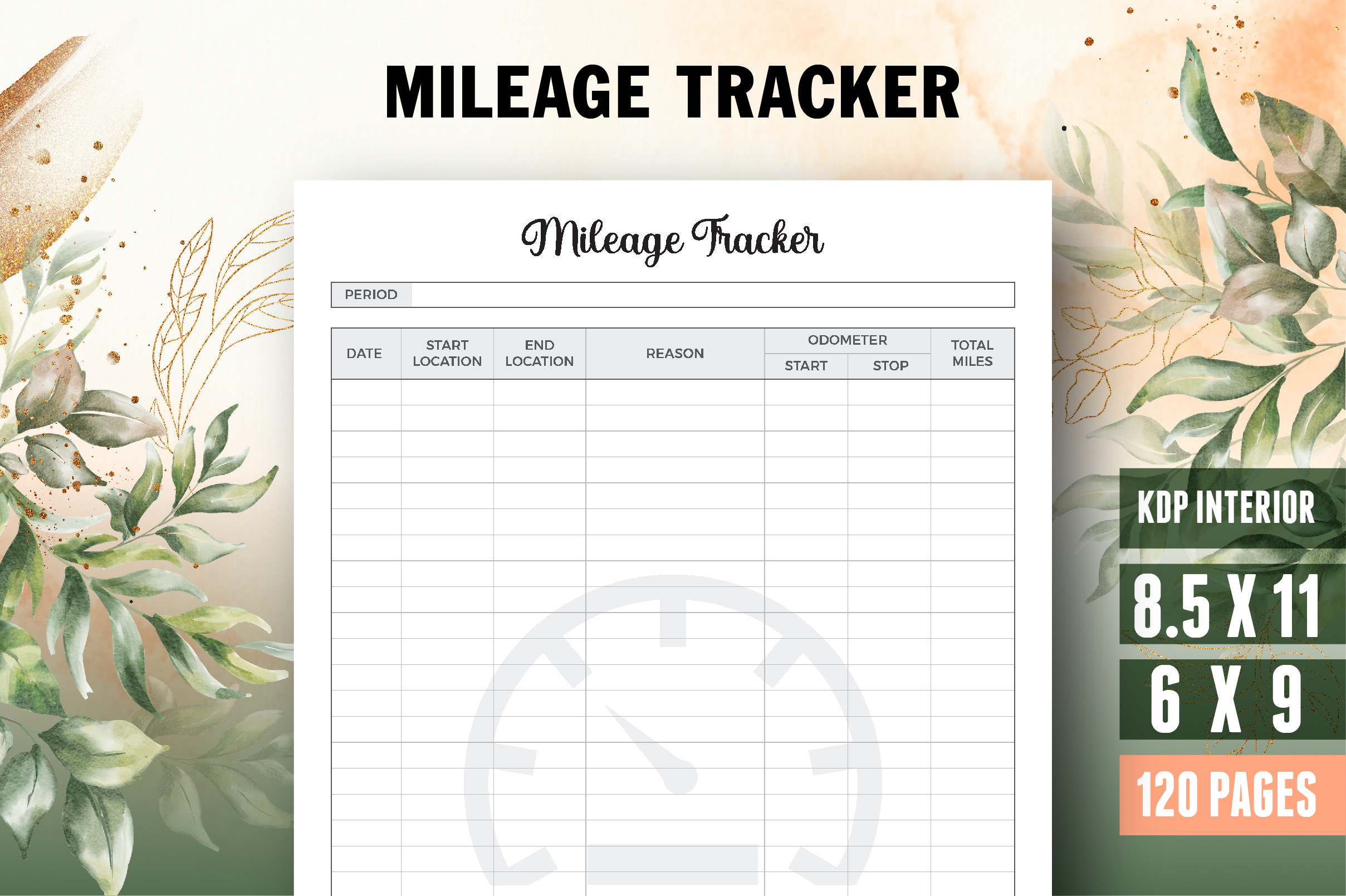
This mileage notebook is supplied in two stated sizes: 8.5 × 11 inches and 6 × 9 inches. The inventory includes a 120-page interior, a belongs-to page, PDF, Illustrator and JPEG files, with bleed and 300 dpi specified. The smaller size is useful if you want a compact book, while Letter gives longer trip descriptions more room.
Check how the size variants are packaged before deciding what to print. The listing does not establish 120 different layouts or separate calculation tools, and editing requires compatible software for the AI source. Bleed settings also need attention when adapting the file for ordinary home printing. Choose the size based on actual writing comfort rather than portability alone: a compact log that leaves no room for a clear purpose or destination can be less useful than a larger sheet you keep in a folder.
Make the download work for your routine
Choose the smallest log that gives you enough room for clear, consistent entries. Record trips while the details are fresh, then review your notes and totals regularly. If the driving belongs to a larger trip plan, our travel budget planner templates can organize the surrounding costs. Download a suitable mileage tracker, print a sample and check the fields before preparing a full notebook.