9 Practical Appointment Planner Templates for Clear Bookings
An appointment planner keeps meeting times and booking details easy to find. A time-slot schedule is useful for a busy service day, while a simpler table may be enough for a list of upcoming appointments. Paper size and writing space matter as much as appearance.
These nine Creative Fabrica templates cover compact notebooks, Letter-size records, Canva editing and an undated A4 schedule. We checked file formats, dimensions and stated contents. Where a listing is inconsistent, the review explains what to confirm before printing or assembling a book.
A printable template is a manual record, so confirmations, reminders and changes still need your own process. Choose it alongside your existing calendar workflow. For broader priorities and tasks, a home planner can hold the information that does not belong inside an appointment slot.
1. Letter Appointment Planner by KDP Store
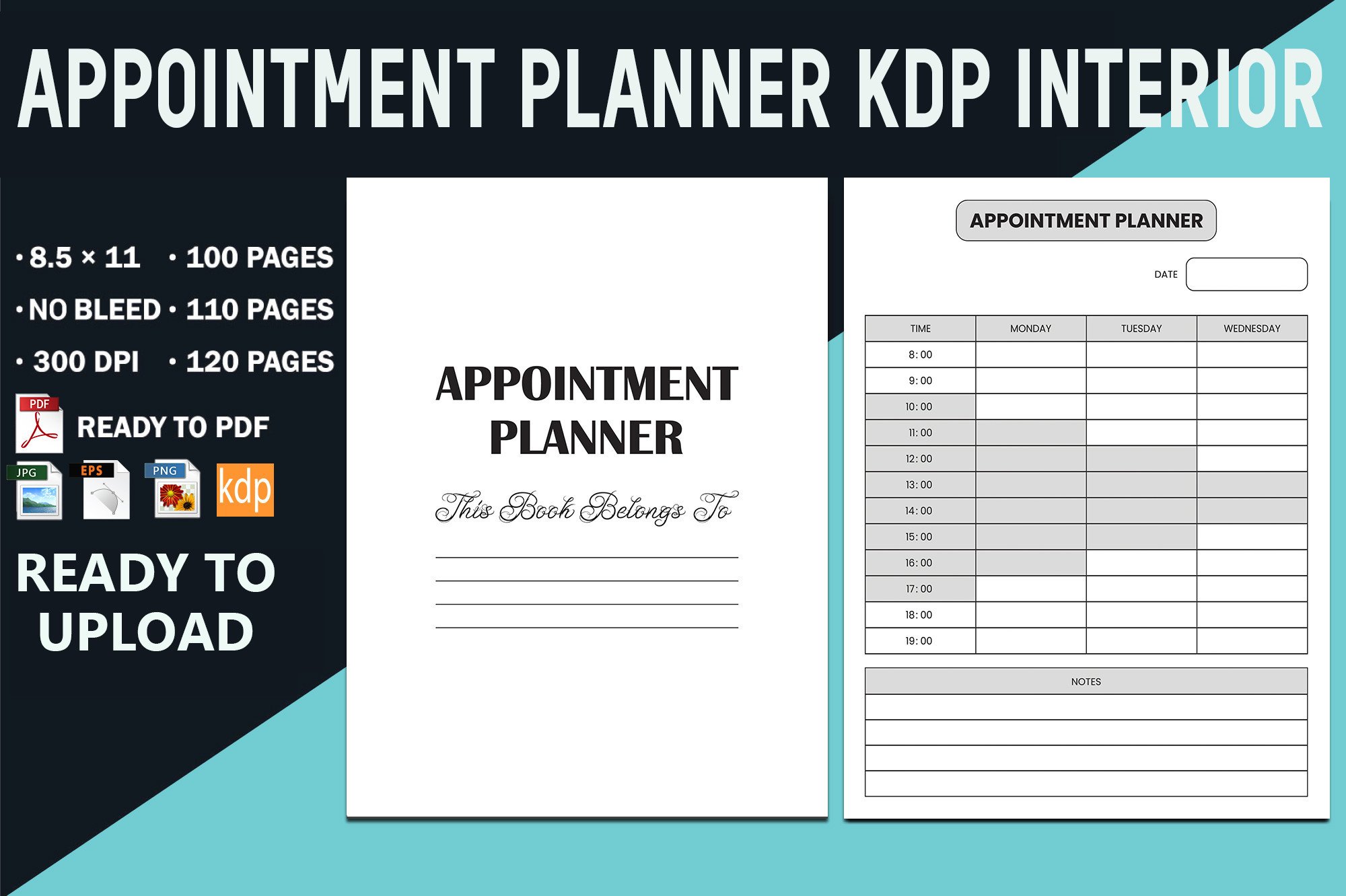
KDP Store lists an appointment planner in 100-, 110- and 120-page versions at Letter size, with no bleed and 300 DPI. PDF, EPS, transparent PNG and JPG files are described. The preview shows a time-based schedule, making it useful for recording a day of bookings in a large, straightforward format.
Check the exact start time, end time and interval on the downloaded page before deciding it fits your workday. EPS offers an editing route in compatible software, while PDF is convenient for printing. Multiple page counts describe different assembled lengths rather than confirmed unique layouts. A printable schedule does not send reminders or prevent two people from making conflicting bookings.
2. Compact Appointment Planner by dvect_artist
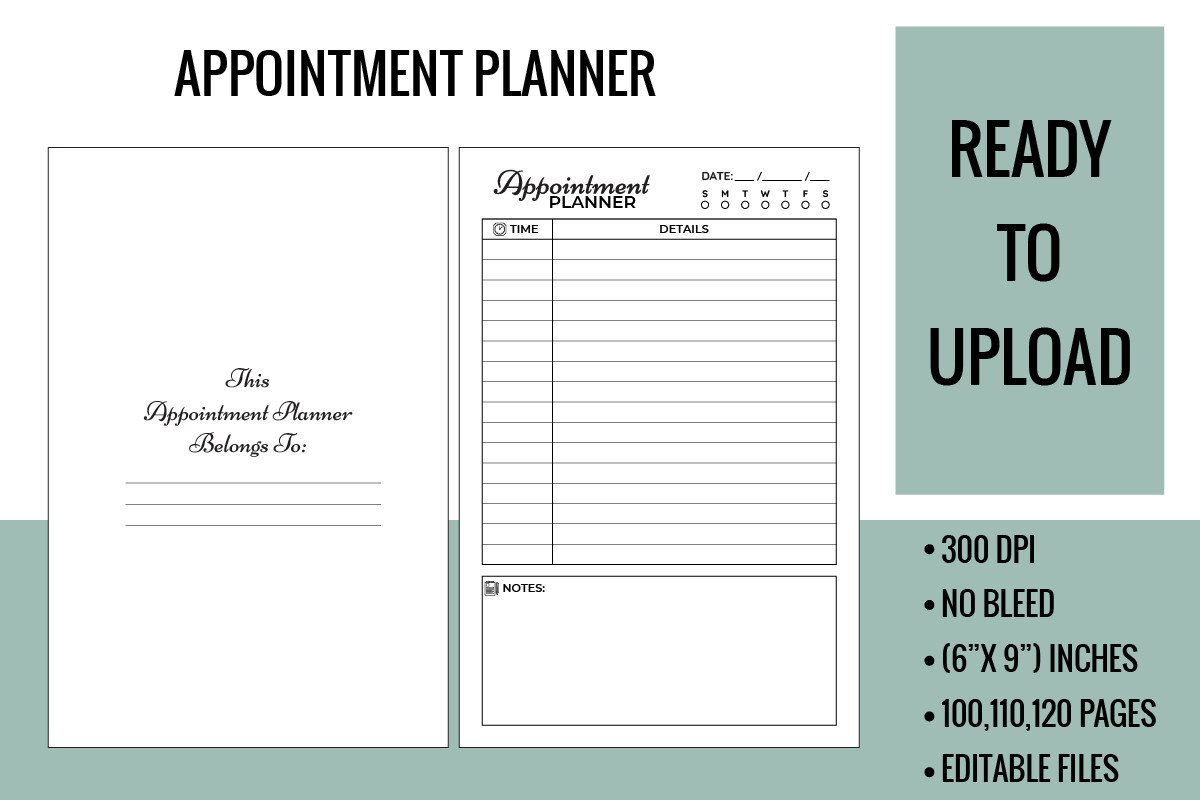
This appointment planner lists PDF interiors with 100, 110 and 120 pages at 6 by 9 inches, no bleed, and an AI source file. The preview separates a time schedule from priority and notes areas. It suits a portable notebook when you want appointments and a few supporting reminders together.
The cover is not included, so plan for one if you are preparing a bound book. Check whether your typical client notes fit the smaller writing space before printing a full interior. Editing the AI source requires compatible software. Keep longer notes separately rather than crowding time slots, and use your own calendar process to confirm changes or cancellations.
3. Two-Size Appointment Logbook by Vectozone
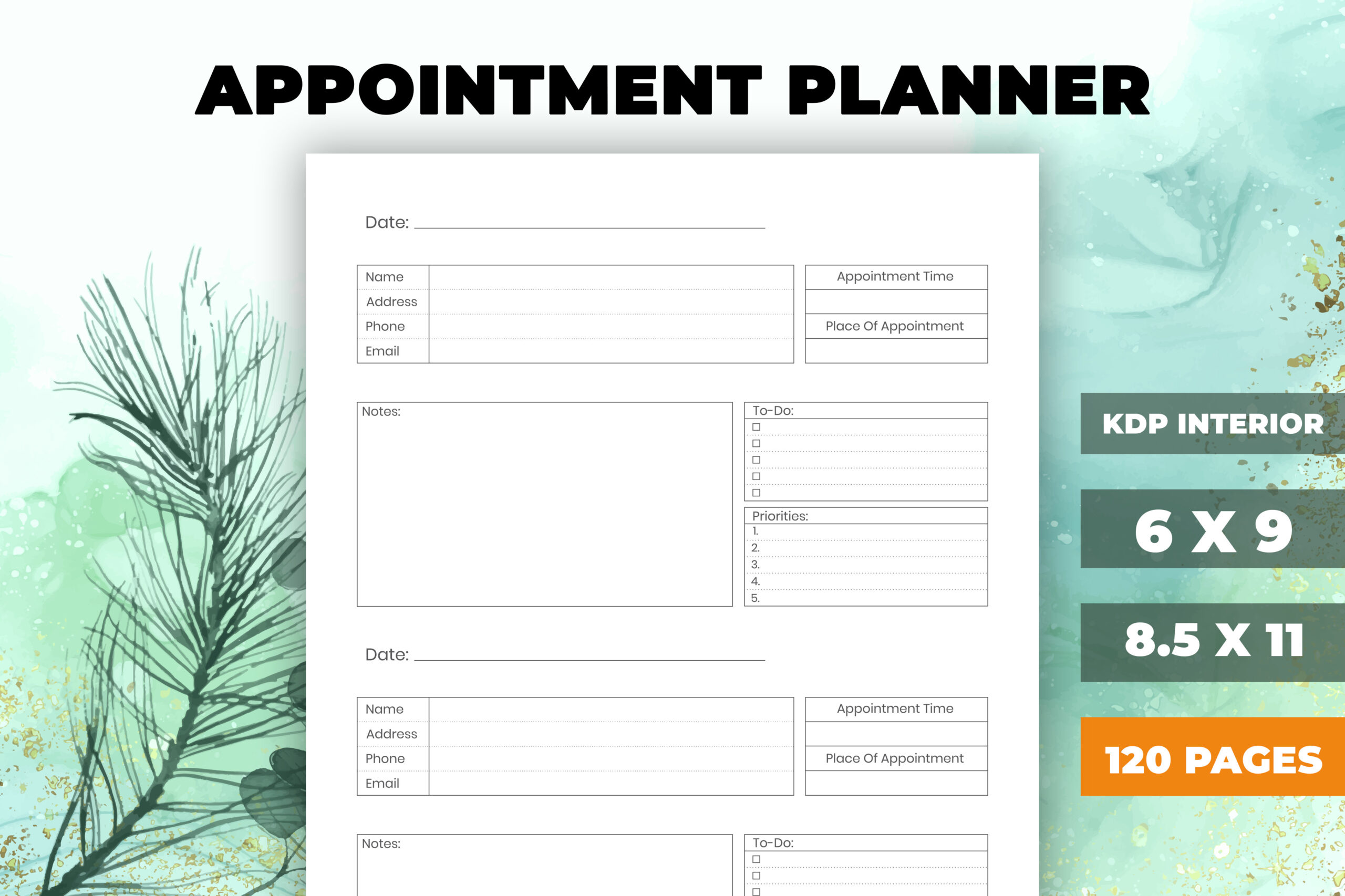
Vectozone lists a 120-page appointment planner in 6-by-9-inch and Letter sizes, with PDF and editable EPS files. An introduction and ownership page are included, and the interior uses bleed. The preview shows appointment details alongside a daily schedule, making it useful when you need both a booking record and a time overview.
Select the size that matches how much information you record per appointment. Confirm the PDF dimensions and bleed setup before preparing a bound version. The description does not establish automated booking or notification features. A paper log works best when one person is responsible for keeping it current, especially when appointments are changed in a separate digital calendar.
4. Appointment Planner by Coco Sway
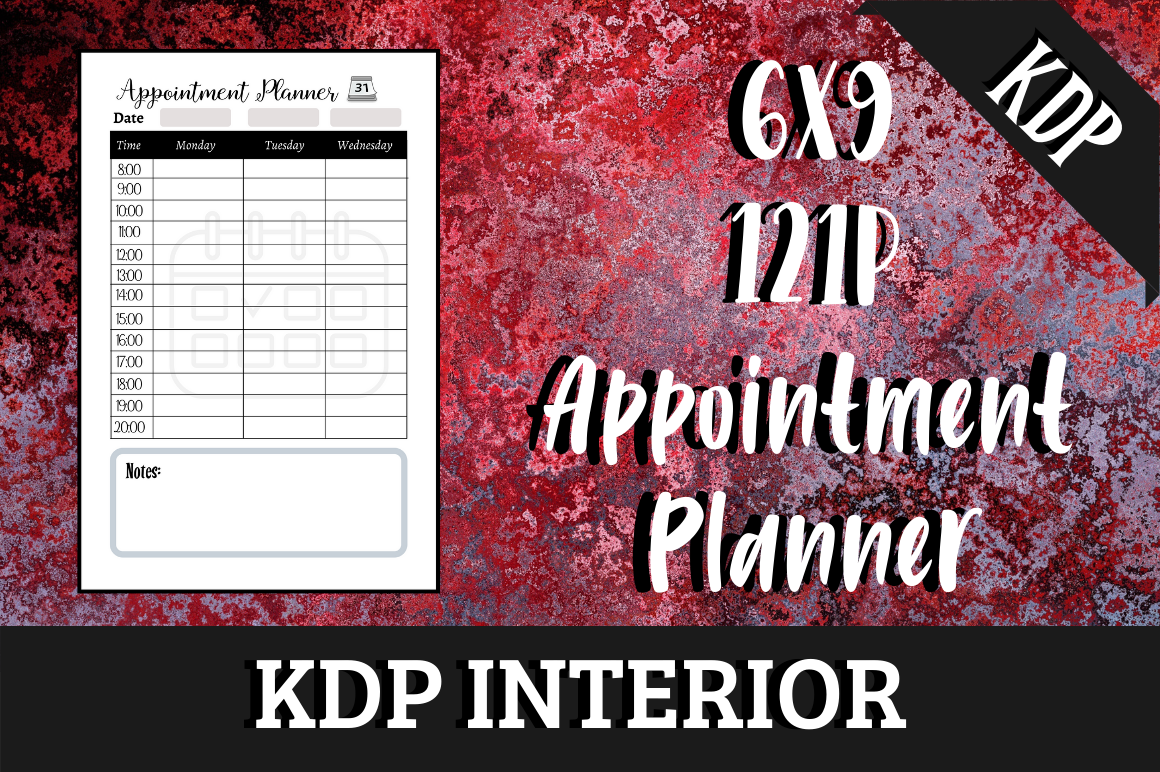
Coco Sway lists a 121-page, 6-by-9-inch appointment planner with no bleed and four PDF variants. The preview uses a clear time-and-details layout, offering a compact alternative to a larger desk schedule. It is a sensible choice when you want an assembled printable interior and do not need to design every page yourself.
Four PDF variants should be compared before printing; the description does not explain every difference. Editable source files are not confirmed. Check whether the schedule covers your usual hours and whether each line leaves enough room for useful details. A compact book is portable, but may be less convenient for a busy day with several bookings at the same time.
5. Nail Appointment Planner by Templates by amleyy
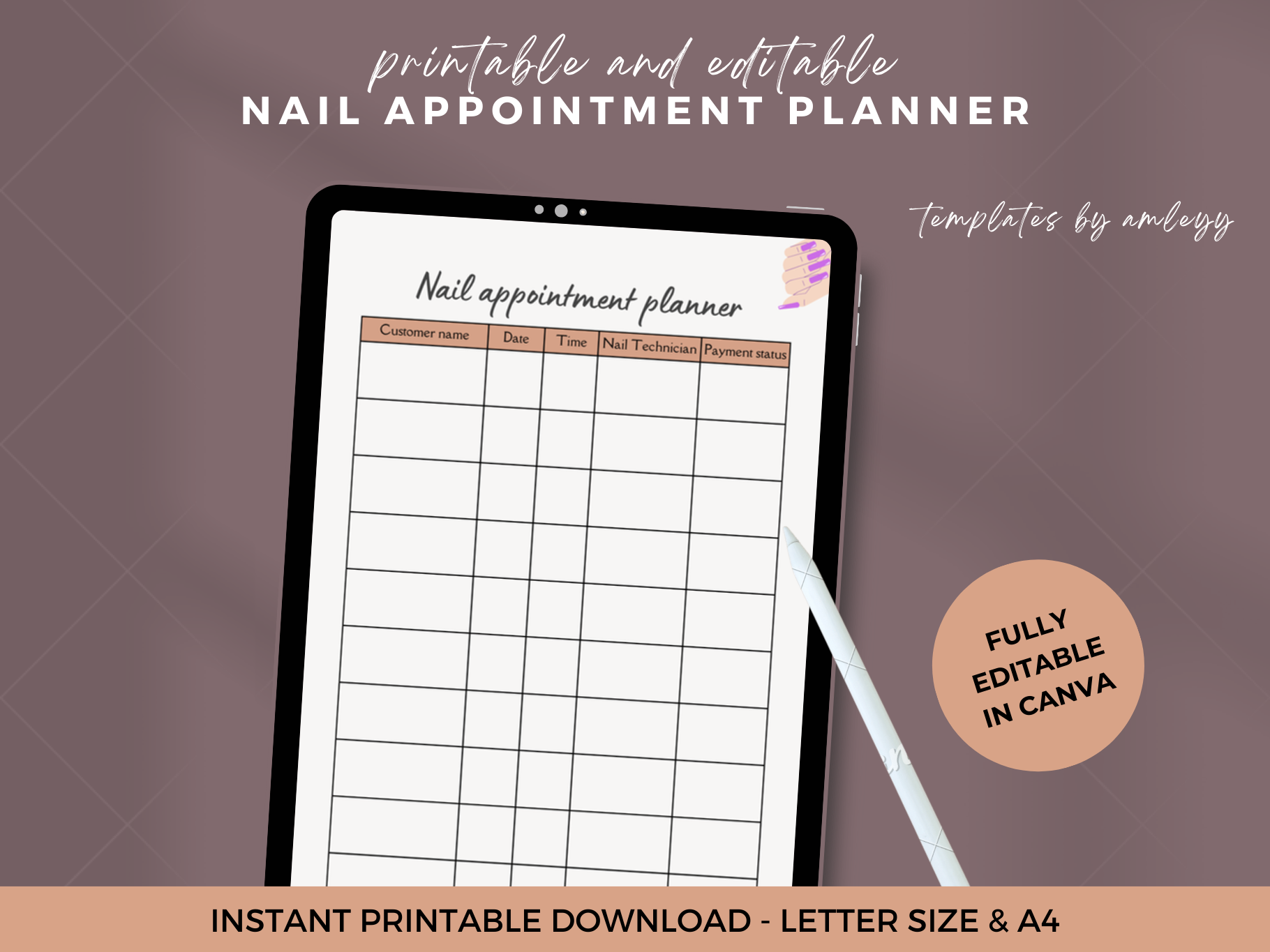
This Canva appointment planner is designed around nail-service bookings, with space described for client details, services, technicians, time slots and preferences. The preview labels Letter and A4 formats. It suits a salon or independent technician who wants headings tailored to service appointments rather than a generic personal diary.
The listing describes compatibility with free and Pro Canva accounts, but check the actual elements before exporting. Exact page count and delivered export formats are not stated. References to reminders should be understood as recording space; automatic alerts or a booking system are not established. Customize the fields you actually need, and test whether the printed grid leaves enough room for changes.
6. Small Appointment Planner by cristycomm
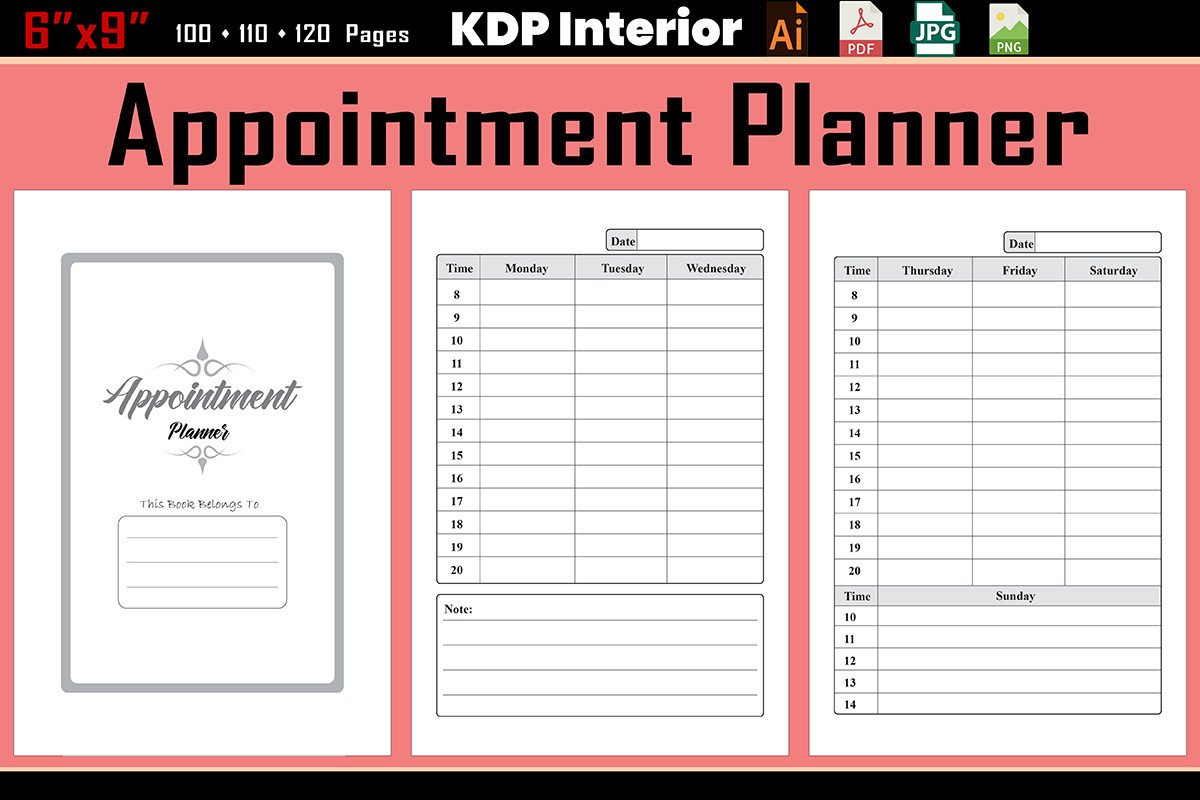
Cristycomm lists three 6-by-9-inch PDFs with 100-, 110- and 120-page versions, an introduction, JPG and PNG files, plus AI customization files. The interior has no bleed. The preview shows a recurring appointment table, making it suitable for a compact notebook focused on straightforward booking records.
Compare the available lengths before printing, and check the actual table headings against your workflow. The smaller format can be convenient to carry but gives each appointment less writing space than Letter. Keep detailed notes somewhere appropriate instead of squeezing them into a booking line. If you edit the AI source, export and print a sample before repeating the altered layout throughout the book.
7. Undated A4 Appointment Book by Georgia White
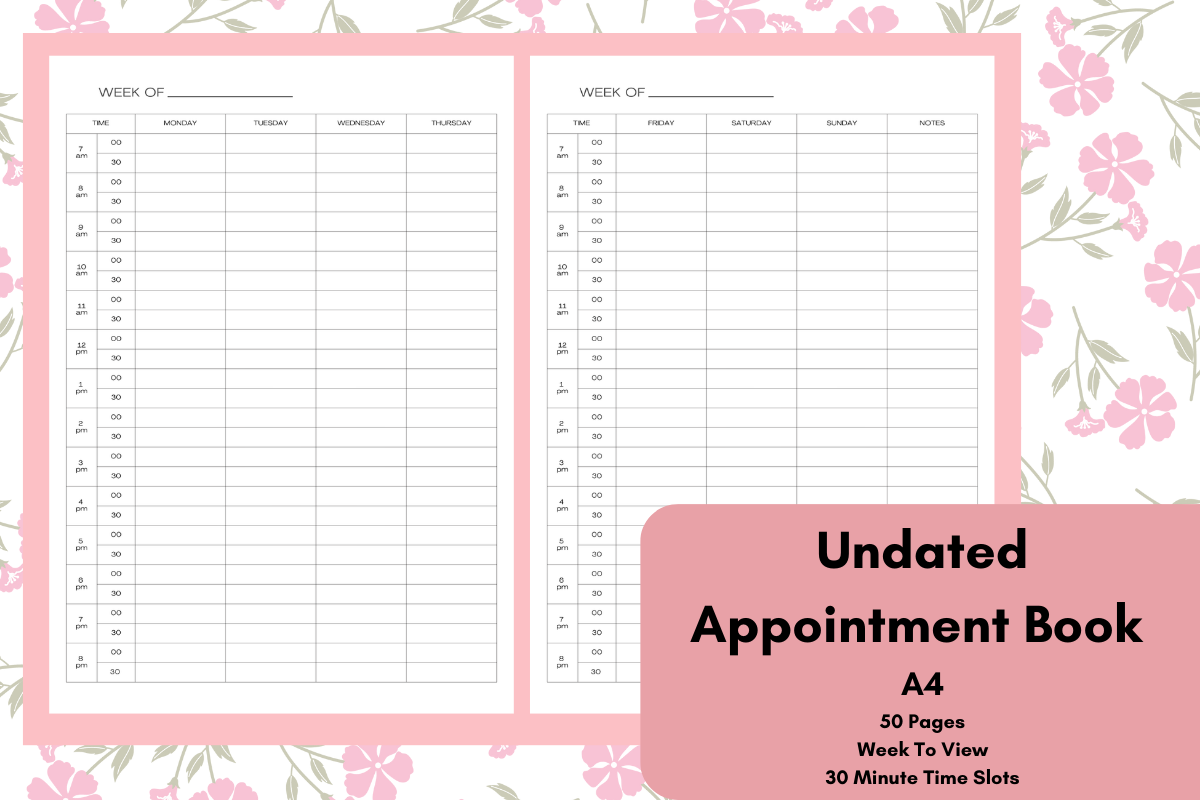
Georgia White describes an undated appointment page with 30-minute intervals and a notes area. The preview labels an A4, 50-page book, suitable for a desk schedule that can start at any time. The half-hour structure is useful when appointments tend to fit a regular interval rather than varying widely in length.
The description calls the download a PDF in one place but lists an A4 PNG ZIP in another. Check the actual files and page count before printing. Goodnotes use is described, but a native app file is not confirmed. Reserve adjacent slots for longer appointments and leave realistic gaps where needed; a paper grid cannot enforce travel time or send automatic reminders.
8. Appointment Tracker by RakibS
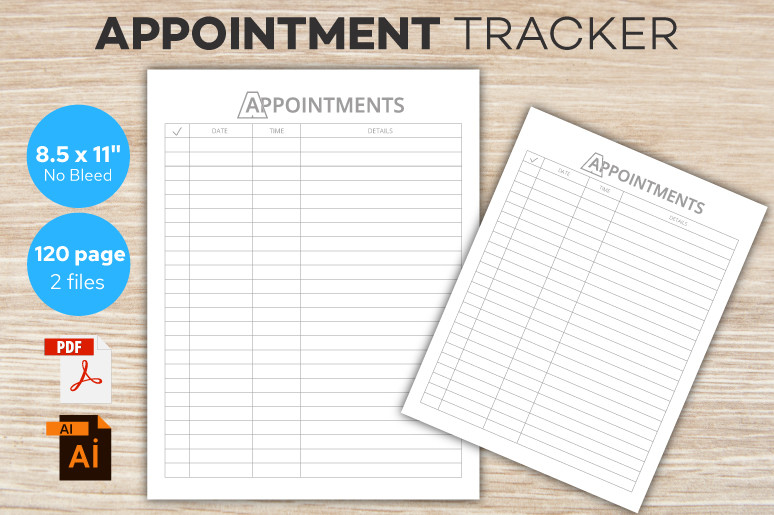
RakibS lists a 120-page Letter-size appointment tracker with no bleed and 300 DPI, supplied as one PDF, one AI file and one EPS file. The preview shows a structured appointment table. It suits someone who wants a written record of dates and details rather than a highly decorated daily planning spread.
The available original preview is only 774 by 515 pixels, so inspect the downloaded page to judge small headings and line spacing. AI and EPS require compatible software for editing. Check which fields the table actually contains before committing to the whole interior. Use it as a manual record; notifications, calendar synchronization and booking automation are not established.
9. Canva Appointment Tracker by Alternative Creative Studio
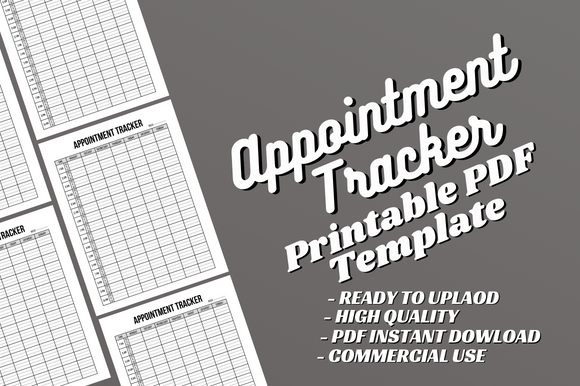
Alternative Creative Studio lists a 120-page Letter-size PDF with no bleed and an editable Canva source. It is explicitly an interior-only product. The preview shows a simple table design, useful for someone who wants a printable appointment record and the option to change wording or fonts without using Illustrator.
A cover must be supplied separately if you plan to bind the interior. The original preview is small, so check the template at full size before deciding the lines are comfortable to use. Duplicate the Canva file before editing, then export a test page. This is a document template, not an online scheduler; appointment confirmation and reminders remain part of your own workflow.
How to Choose an Appointment Planner That Fits Your Day
Check the schedule intervals against your typical appointments. A half-hour grid may suit regular sessions, while an open table can be better for varied durations. Leave room for changes and practical gaps, and distinguish confirmed appointments from tentative plans with a clear convention.
Print one sample at actual size before producing a full interior. Compare writing space, time labels and margins with your binder or notebook. Editable Canva, AI and EPS sources require different workflows; use the finished PDF when the supplied layout already meets your needs.
Keep one authoritative schedule and update it when a booking changes. A printable appointment planner can be a convenient desk record, but it does not synchronize calendars or send alerts unless a separate system provides those functions. Review the next day’s entries so cancellations and changes remain visible.


One Comment