10 Smart Meeting Notes Templates for Clear Actions and Records
Good meeting notes make it easier to find the purpose of a discussion, the decisions made and the next actions afterward. A useful template should leave enough writing space while making responsibility and deadlines easy to identify.
These ten Creative Fabrica options include printable inserts, editable Canva forms and longer meeting notebooks. They differ in size, structure and included source formats, so the best choice depends on whether you attend occasional calls or keep a continuous project record.
For a wider workflow around meetings, tasks and deadlines, explore our business planner ideas. Here the focus is the meeting record itself rather than an entire daily or business planner.
1. Plannah: Meeting Notebook with Action Owners
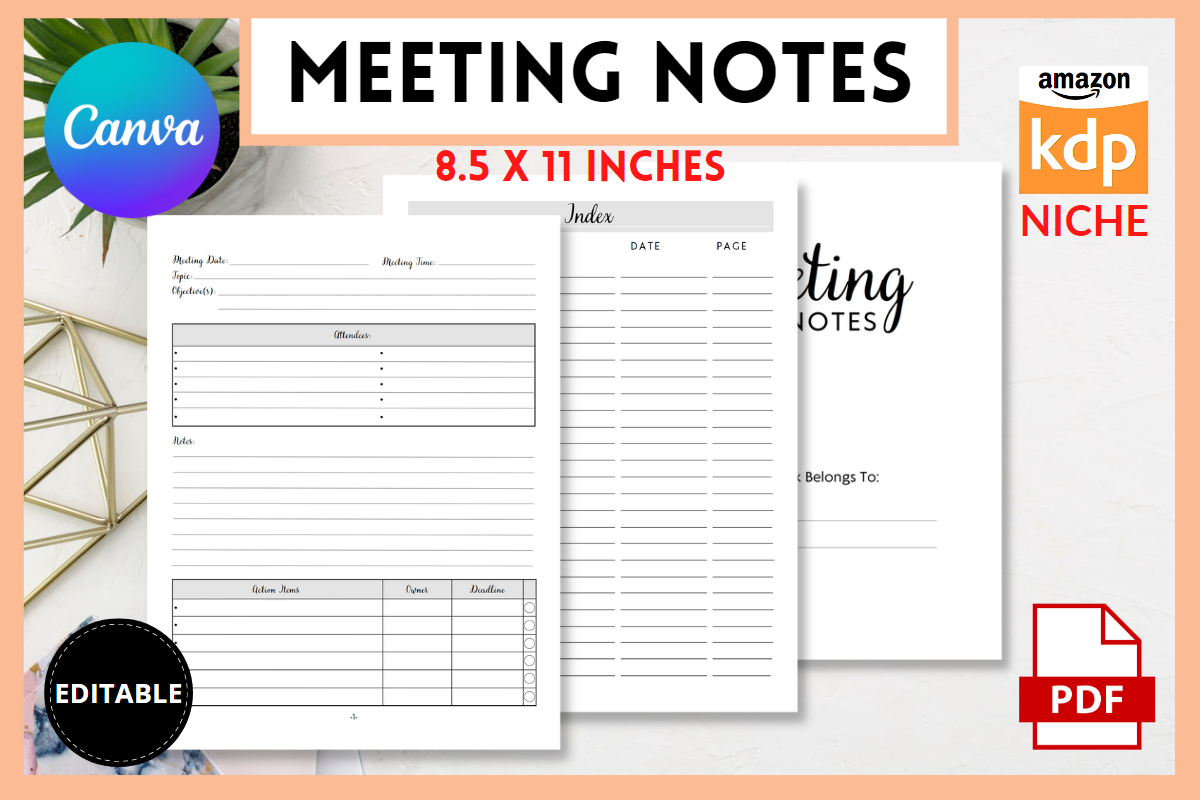
Plannah lists a 105-page US Letter meeting notebook supplied as a PDF and editable Canva link. Its documented sections include an index, meeting date and time, topic, objectives, attendees, notes, actions, owner and deadline. The action-owner pairing is particularly useful for turning a conversation into a record of who will do what next.
Choose it when you regularly attend meetings and want a consistent notebook rather than scattered sheets. Fill in the purpose before the meeting, then review owners and deadlines at the end. A long interior supports an ongoing record, but may be excessive for occasional calls. Confirm whether the supplied index method fits how you find past discussions.
2. KDP GALLERY: Minimal Canva Meeting Journal
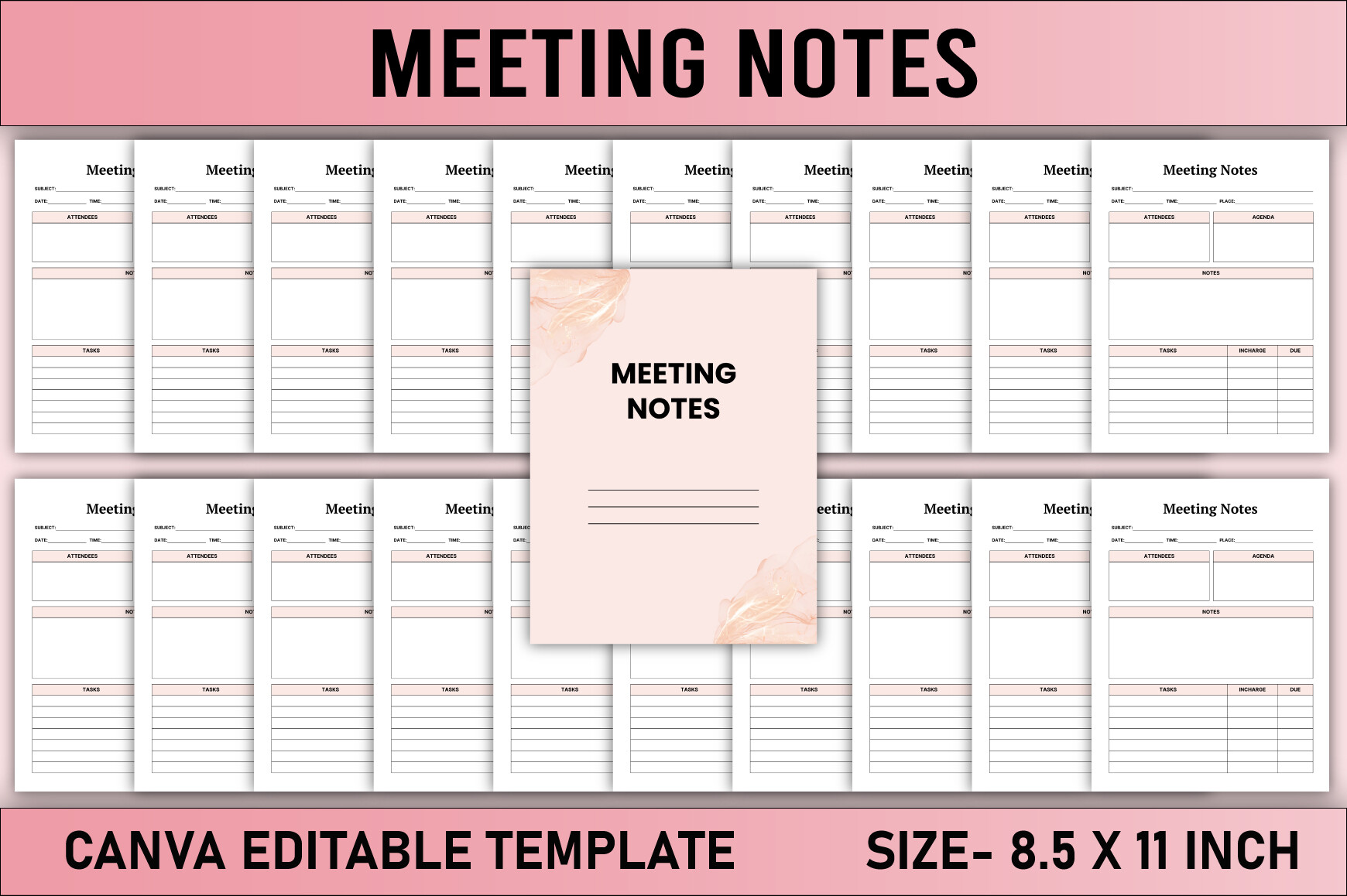
KDP GALLERY describes a 120-page US Letter meeting-notes interior, without bleed at 300 DPI in CMYK. PDF, JPG, PNG and an editable Canva link are listed, including a belongs-to page. The preview shows a clean, sectioned design with plenty of repeated note-taking space.
Choose it if you prefer a notebook you can customize before using. Print a sample to check writing space and make a copy in your own Canva account before changing the layout. The word “Free” is part of the listing title; current access may depend on the download route. The journal records what you enter and does not replace a shared task-management system.
3. JUNDI: Structured Meeting Record in Four Sizes
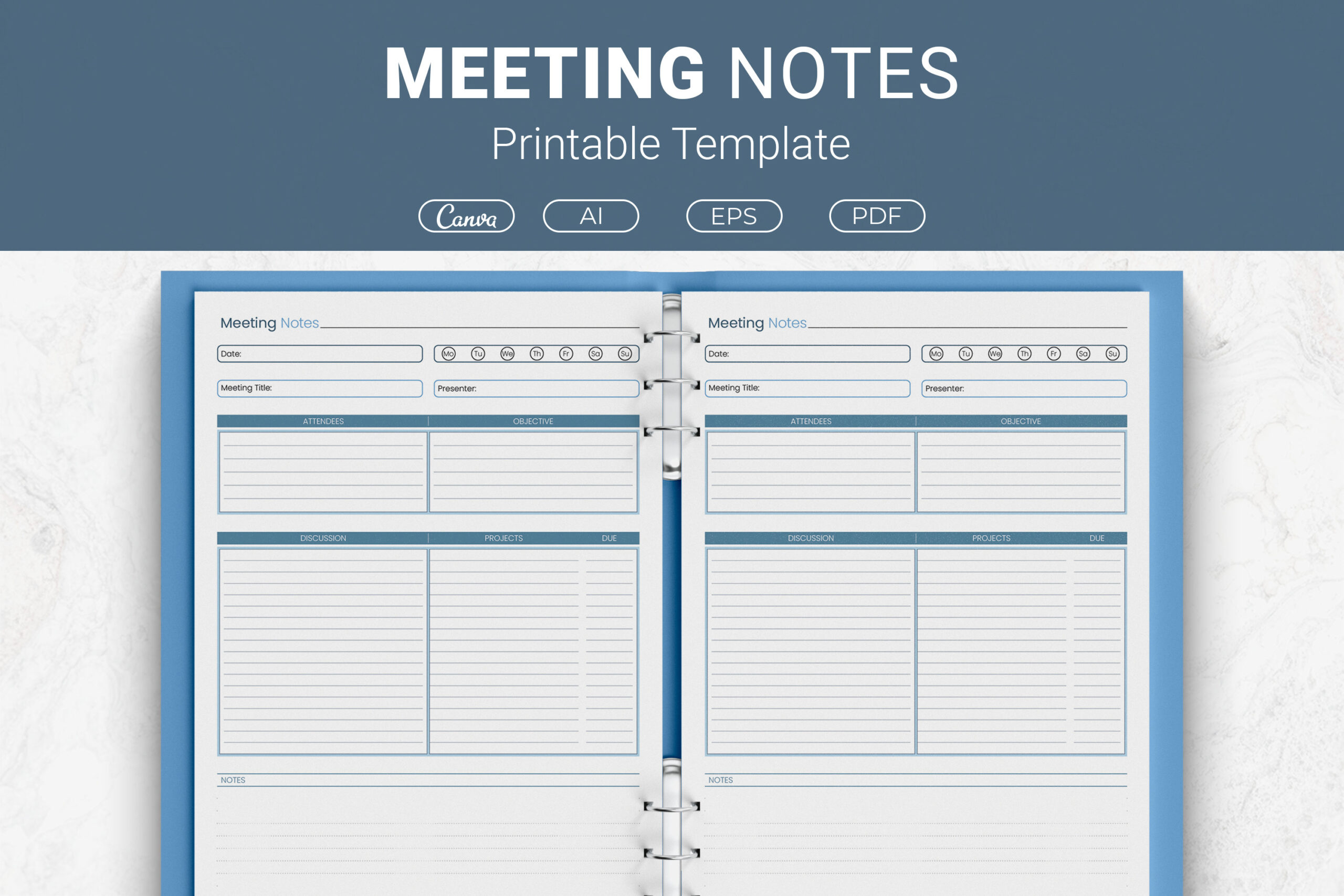
JUNDI documents fields for meeting title, presenter, attendees, objective, discussion, projects, due dates and notes. The package lists PDFs, AI, EPS and Canva links in Letter, A4, 7.5 × 9.25-inch and 6 × 9-inch sizes. This is useful when you want a defined record structure with several possible editing workflows.
Choose the smallest format that still leaves enough room for your usual notes. Use the objective field to keep the discussion focused, and add a clear next step beside each due date. A complete page count is not specified, so check the package rather than assuming a large notebook. Editing options are available, but their suitability depends on your software.
4. watercolortheme: Compact Meeting Notes Insert
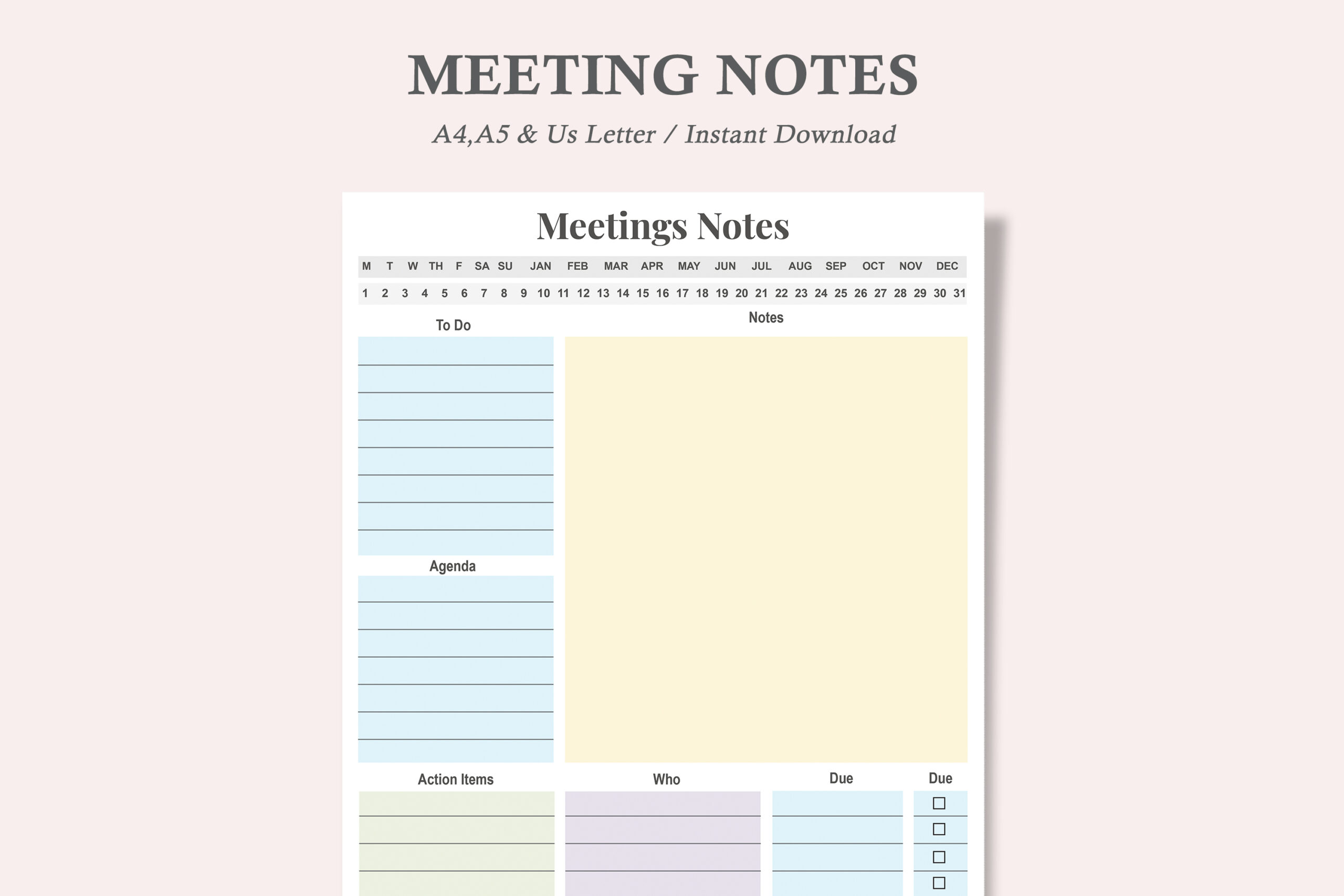
This printable set contains one meeting-notes layout in US Letter, A4 and A5, with three PDFs and three JPEGs. The preview divides the sheet into distinct note and action areas, offering more structure than a blank ruled page without requiring a whole workbook. Its pale accents give the different sections a clear visual separation.
Choose it for occasional meetings or for adding only the pages you need to an existing binder. The description calls the PDF editable but does not document interactive fields, so verify that point if typing directly into the file is essential. Test the A5 version before printing many copies, especially if you tend to take long handwritten notes.
5. watercolortheme: Agenda and Follow-Up Sheet
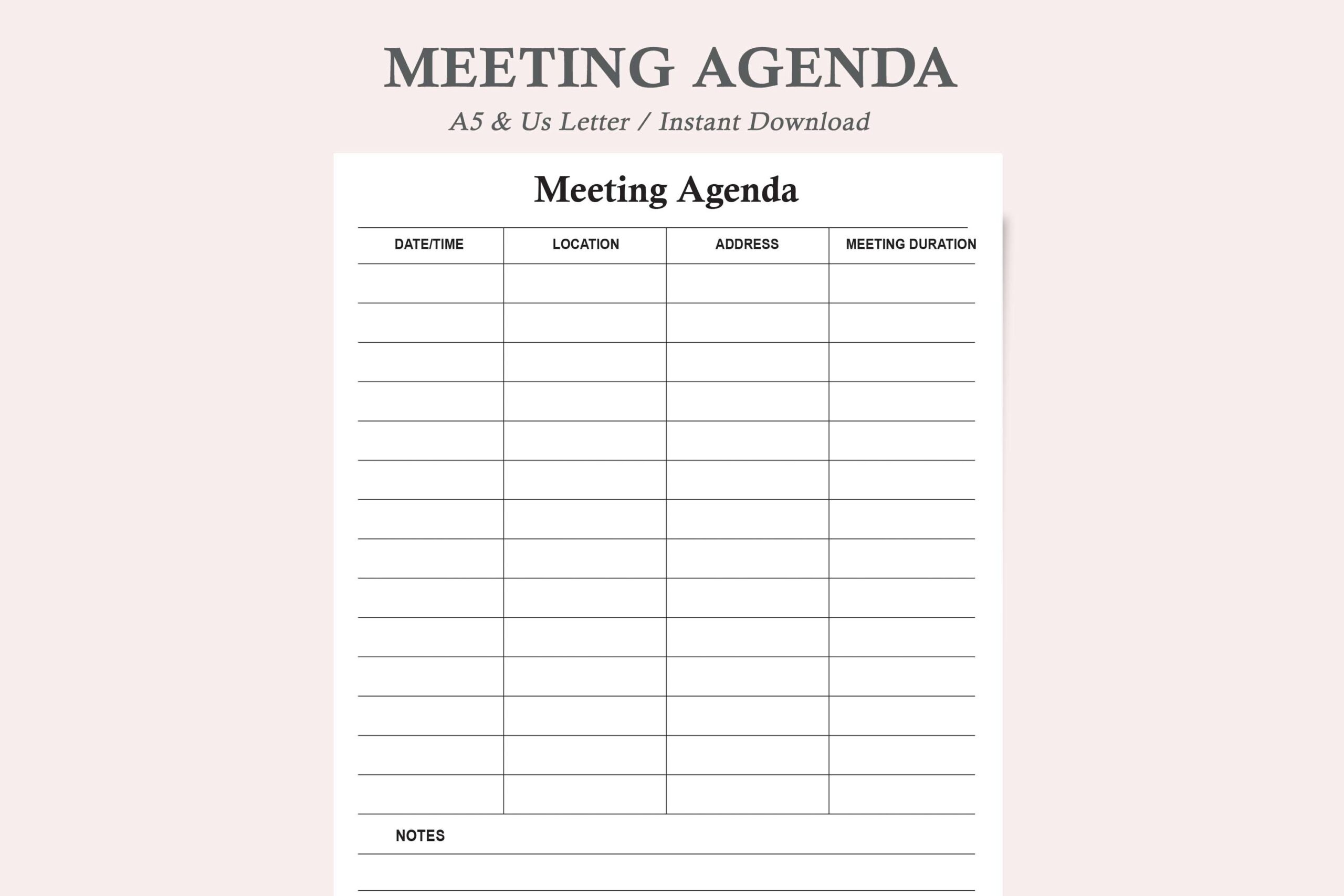
This meeting-agenda listing provides one version in US Letter and A5, supplied as two PDFs and two JPEGs. The description positions it for objectives, agenda planning, meeting notes, decisions and action items. The preview is a restrained, lined agenda sheet, making it a useful option for preparing a discussion before participants arrive.
Start with a short list of topics and the outcome needed for each one. After the meeting, copy decisions and follow-up tasks into the appropriate shared system. This is a digital printable file, with no confirmed editable source format. Choose it for a light agenda workflow rather than expecting the depth of a full meeting-minutes journal.
6. DIGITAL PRINT BOX: Colorful Editable Meeting Notes
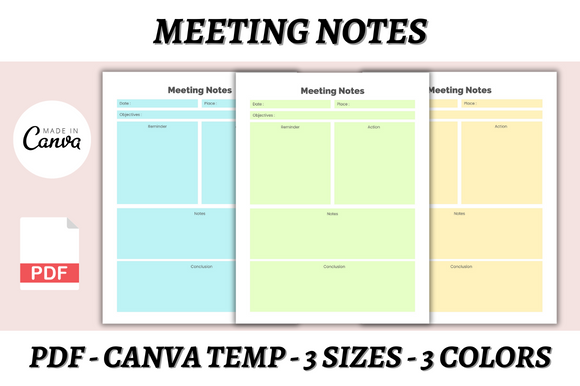
DIGITAL PRINT BOX lists three Canva templates and three PDFs for A4, A5 and US Letter, with three color choices. A free Canva account can be used to change fonts, sizes, colors and layout. The preview separates meeting information and notes with distinct colored panels, which may suit readers who find visual grouping helpful.
Choose a color version that remains easy to read when printed on your own printer. Check the smaller format before relying on it for lengthy discussions, and adjust space in Canva if necessary. Color can help you locate sections, but the quality of the record still depends on capturing decisions, responsible people and clear follow-up dates.
7. Gfx Shaown: Customizable Meeting Minutes Form
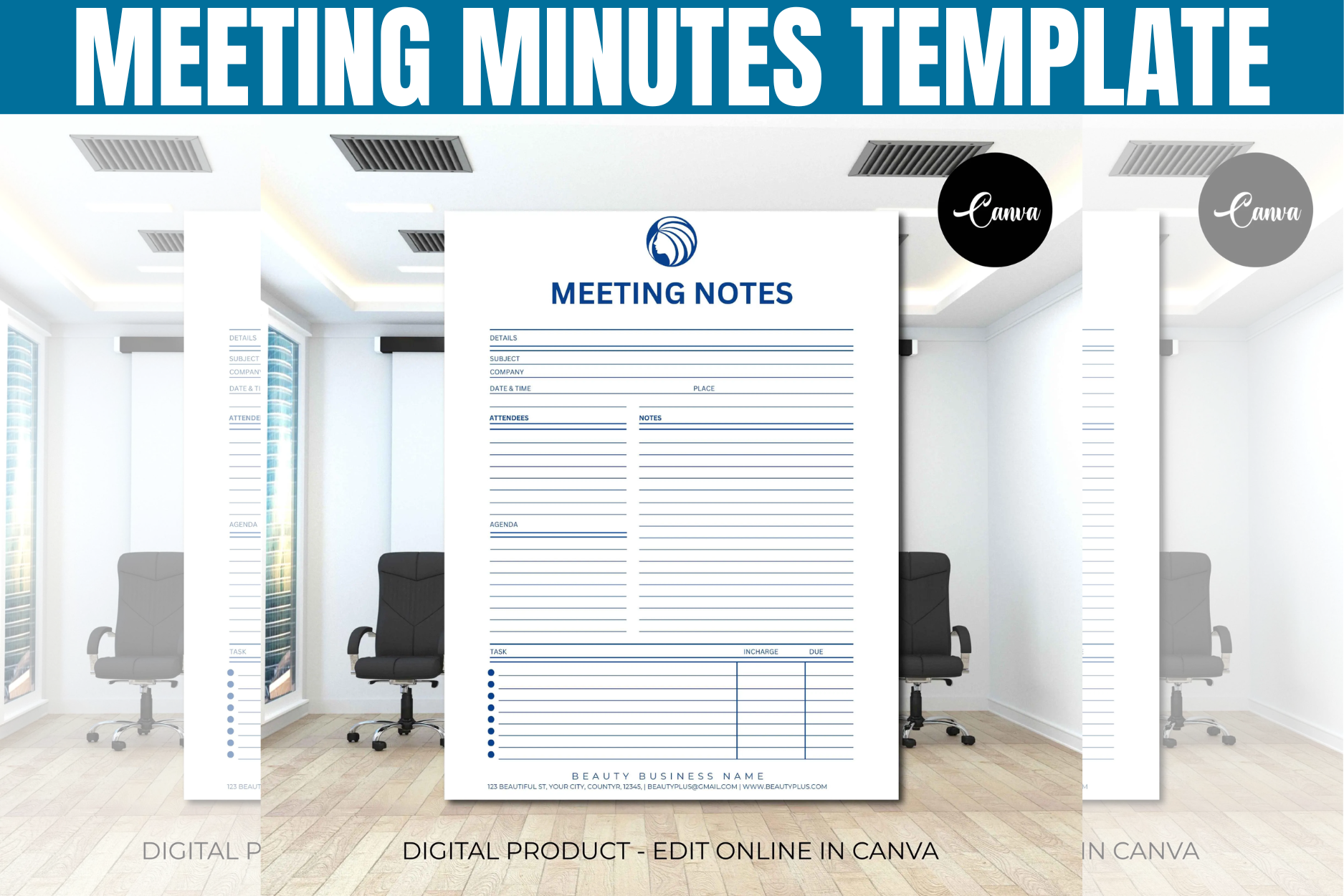
Gfx Shaown describes a US Letter meeting-minutes and notes template accessed through editable online links, with additional business-form templates as a bonus. Fonts, colors, layout, elements and branding can be changed. The description also explains that you can print the finished form or export a PDF for annotation in a compatible tablet app.
Choose it for adapting a form to your own organization, but do not assume a specific page count or native Goodnotes file; neither is confirmed. The seller states private use within a business or organization and prohibits redistributing the template file. For formal minutes, check that the customized form captures the fields your organization requires before making it your standard record.
8. munjixpro: Meeting Notes and Planning Workbook
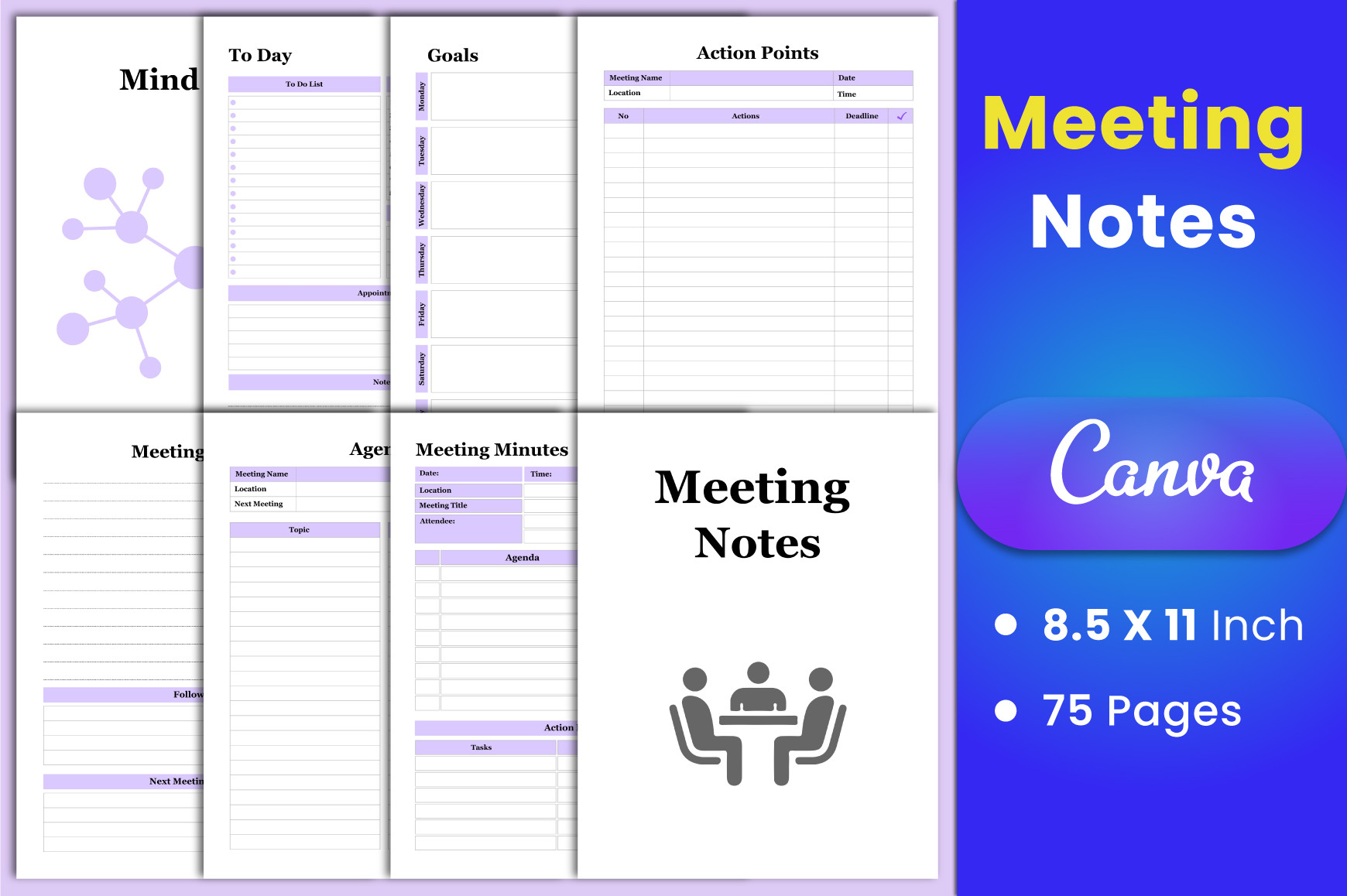
munjixpro lists a 75-page US Letter workbook without bleed at 300 DPI, with PDF, JPG, PNG and an editable Canva link. Meeting minutes, notes, agenda and action points sit alongside schedules, goals, mind maps and brainstorming pages. This broader collection is useful when a meeting is part of an ongoing project rather than an isolated event.
Select a small set of pages before printing: an agenda, notes sheet and action list may be enough for many meetings. The other worksheets are optional support rather than tasks you must complete every time. A free Canva account is supported. Use the extra planning pages when they clarify the work, and keep a single reliable place for the final agreed actions.
9. Vector Cafe: Meeting Notebook in Two Paper Sizes
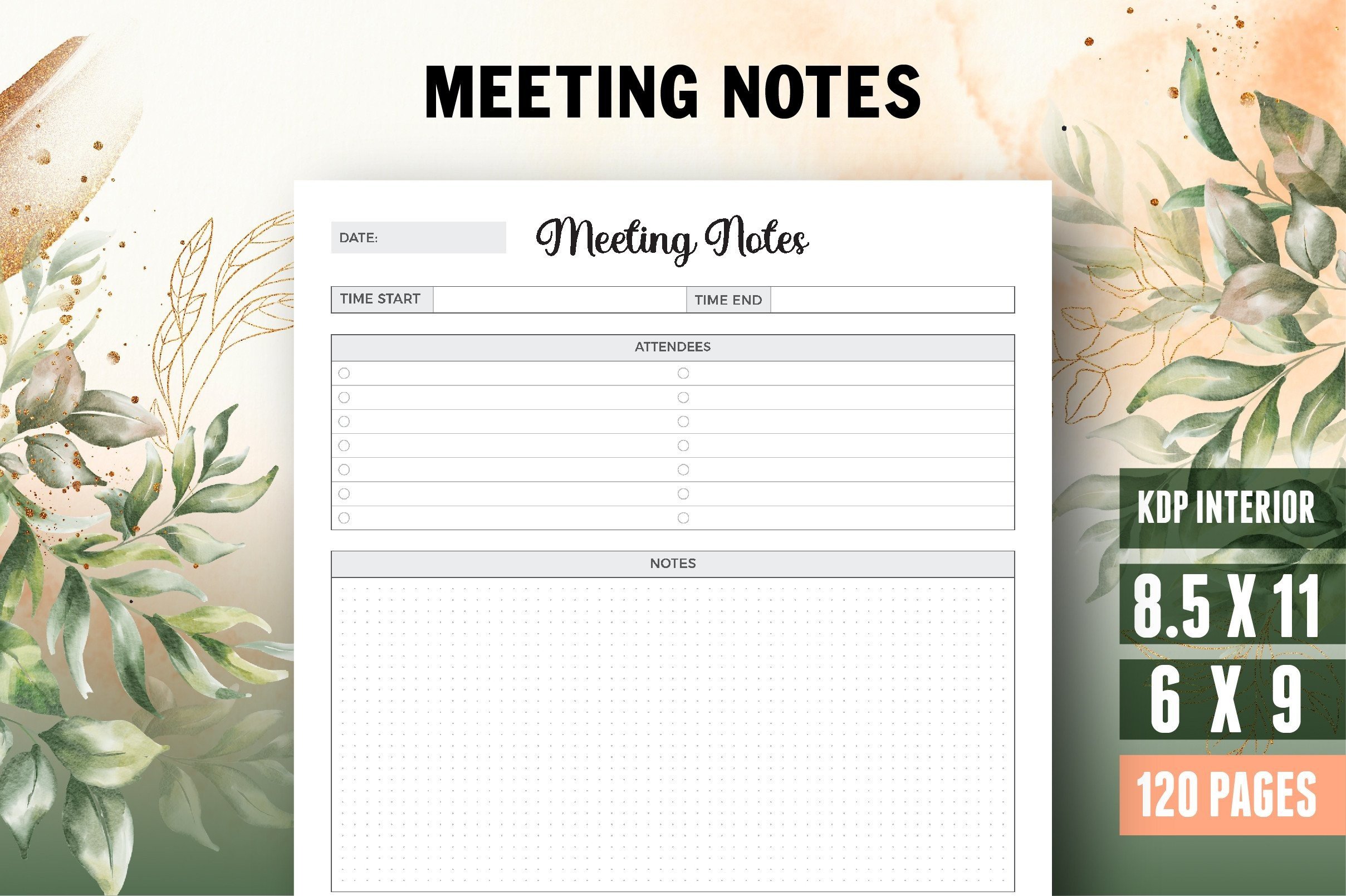
Vector Cafe specifies a 120-page meeting notebook in US Letter and 6 × 9-inch sizes, with bleed at 300 DPI. PDF, AI and JPEG files are listed, including a title or belongs-to page. The preview presents a clean note-taking layout with a roomy main writing area.
Choose Letter if you usually take detailed notes and the smaller version if carrying the notebook matters more. Check the bleed-inclusive PDF properties before setting up home printing or binding. AI source files allow a compatible editing workflow, but require suitable software. A repeated notebook format is convenient for continuity, while separate inserts may be easier to share after individual meetings.
10. GN Shop: Printable Meeting Notes Interior
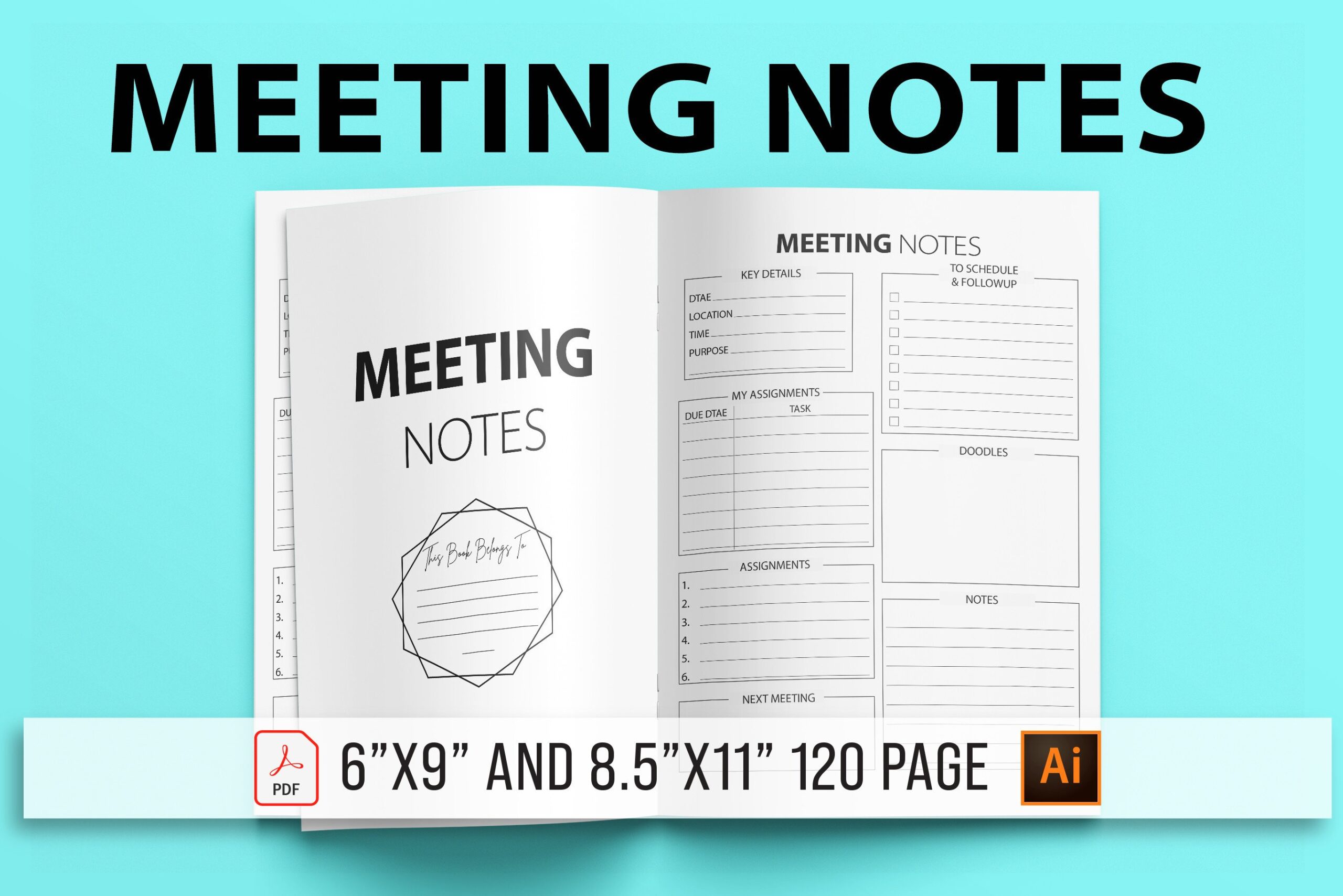
GN Shop lists a 120-page meeting-notes interior in two sizes, 8.5 × 11 and 6 × 9 inches, without bleed. The documented package includes AI, EPS, PDF and high-resolution PNG files. The preview uses a divided note-taking format, offering a dedicated meeting notebook with source files for compatible design applications.
Print one page at actual size to check whether the sections match the way you record discussions. If you customize the source, reserve clear space for decisions and next actions rather than adding decoration. The product is a printable interior; an automatic transcript, searchable meeting database or linked task tracker is not documented. Use it alongside the workflow your team already follows.
How to Choose a Meeting Notes Template
Choose a single printable insert for occasional meetings, a Canva form for adapting fields or a longer notebook for an ongoing record. Match the paper size to the amount of writing you normally need, not just the size of your bag.
Write the meeting purpose before the discussion. Afterward, review decisions, actions, owners and deadlines, then transfer agreed tasks into the shared system your team uses. This makes the notes useful beyond the meeting itself.
Check the source formats and print one sample before committing to a full notebook. A PDF that can be annotated on a tablet is not automatically a native hyperlinked digital planner or an interactive form.