
7 Digital Fitness Planners for PDF, OneNote and Workout Records
A digital fitness planner is first a place to record a routine, and its file format determines how you can use it. These seven listings include PDF annotation, OneNote, Canva source editing and a spreadsheet-style option. Compare those working requirements before choosing the number of pages or trackers.
Some packages focus on workout records; others include a wider lifestyle collection. The existing dated 2026 options are retained for that calendar period, with their limitations stated below. A ready page does not establish an individualized training plan, and an editable source file does not mean every annotation app can change its layout.
Quick workflow comparison
| What you need | Start with | Check first |
|---|---|---|
| PDF annotation with Canva source | Digital Workout Planner | Canva Pro needed for source editing |
| A OneNote workflow | OneNote Fitness Planner | Designed specifically for OneNote |
| Spreadsheet-style recording | Exercise Planner Template | Seller instructions mix fitness and finance; verify workbook |
| A broad portrait planner | Fitness Digital Planner | 552 pages include a wider lifestyle system |
In this guide
Choose the App Before the Fitness Planner
PDF annotation, OneNote and a spreadsheet are different workflows. Choose the product designed for the software you already use, and check its actual file list. A Canva source is for editing the design; it is not itself evidence of automatic calculations or a finished hyperlinked PDF.
Are These Free Digital Fitness Planners?
These are Creative Fabrica downloads with current access and account conditions shown on each listing. A free trial, an account-specific offer and a permanently free file are different things. This page compares products rather than promising seven unrestricted free downloads. Check app costs and any Canva requirements separately.
1. Digital Workout Planner
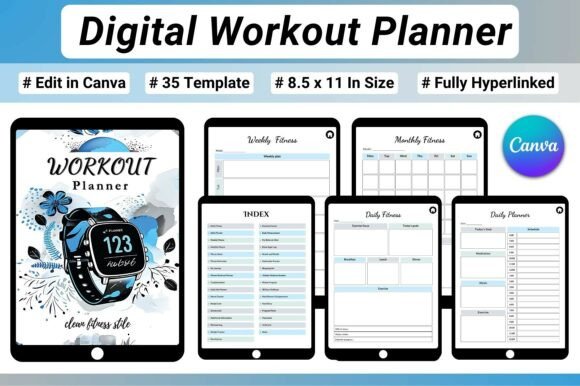
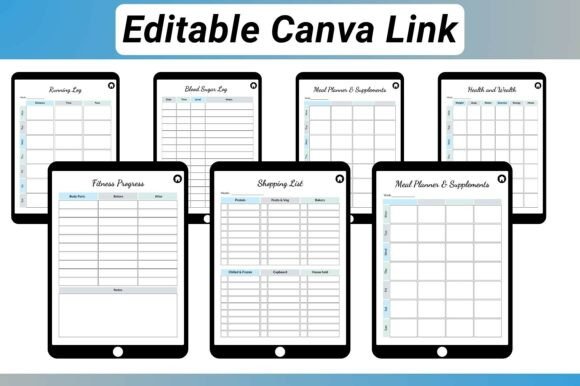
What caught my attention here is the balance between workout tracking and general fitness organization. This 35-page planner is built around digital use and includes a clickable index and hyperlinked navigation, so you can move between sections without endlessly scrolling.
The workout side covers daily fitness planning, weekly workout routines, a monthly fitness calendar, workout and activity logs, running tracking, exercise intensity, sets, reps, and calories. There are also dedicated pages for fitness goals, habits, challenges, body measurements, weight, progress photos, and transformation tracking.
Nutrition is included too, with meal planning, food tracking, macros, grocery lists, and recipe cards. That makes it more comprehensive than a basic gym log without turning it into an enormous all-purpose planner.
I think this one makes sense for someone who wants one organized digital fitness journal covering workouts, progress, and nutrition in the same place. It is supplied as a US Letter digital PDF and also includes editable Canva, JPG, and PNG files.
Editing note: the current listing says a Canva Pro account is needed for this product’s editable template. The ready PDF is a different workflow from editing its source; confirm app and account requirements before choosing it mainly for customization.
2. Digital 2026 Workout Template
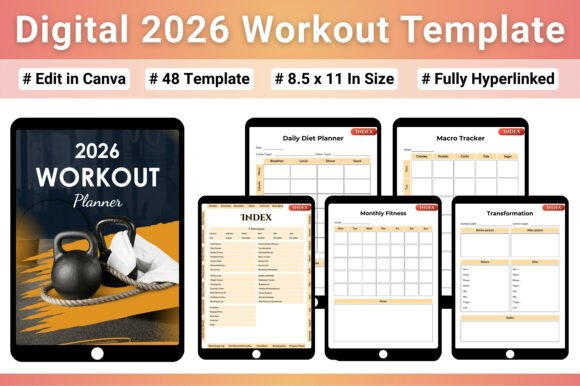
This one takes a particularly structured approach. The product is a 48-page hyperlinked PDF built around fitness, workouts, diet, and progress tracking, with a 2026 calendar included.
The workout sections cover daily and weekly planning, workout logs, running, exercise routines, and transformation tracking. On the progress side, you can record weight, body measurements, progress photos, and fitness progress.
I also like how much attention is given to nutrition. The digital fitness planner includes a food diary, calorie and macro tracking, nutritional information, recipe cards, grocery lists, and shopping planning. Sleep, energy, water intake, and other wellness information are included as well.
Another practical advantage is the format flexibility. The listing states that the files come in five sizes — US Letter, A4, A5, 6×9, and Half US Letter — and that the planner can be used digitally or printed. The PDF is designed for apps such as GoodNotes and Notability, while editable Canva files are also included.
I’d put this near the top of the list for someone who wants a structured 2026 fitness system rather than a simple workout log
Date check: the calendar is explicitly 2026. In October 2026 that leaves a short current-year window; this is not a 2027 planner, and changing a cover year would not update its calendar pages.
3. OneNote Fitness Planner
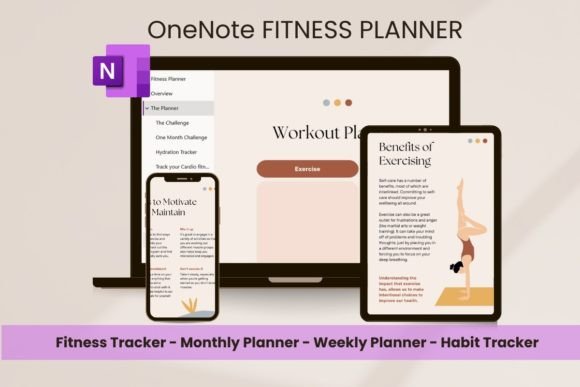
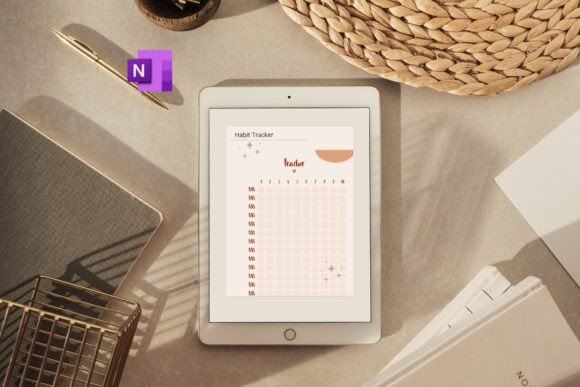
Not every digital fitness planner needs to revolve around GoodNotes or an iPad. This one is specifically designed for Microsoft OneNote, including desktop versions for Windows and Mac. The planner also uses hyperlinked bookmarks and click-through navigation.
The focus is a 12-week weight-loss and fitness journey, which gives this planner a more defined timeframe than some of the broader options in this collection.
That distinction matters. If you work inside OneNote already, switching to another note-taking ecosystem just to use your fitness planner can be unnecessary friction. Here, the planner is designed around the software you already use.
I’d choose this one primarily for OneNote users who want a dedicated fitness planning system, particularly if a 12-week goal gives you enough structure without committing to a huge year-long planner.
The listing clearly states that this is a digital-only product rather than something shipped physically.
Use the OneNote-specific version for the stated OneNote workflow. A product prepared for OneNote should not be treated as a Goodnotes PDF simply because both products are called digital planners.
4. Exercise Planner Template
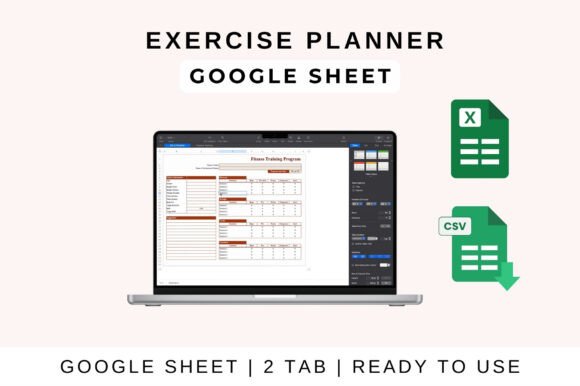
This option stands apart from the more journal-like planners. Instead of relying primarily on a traditional digital planner layout, it is presented as a customizable exercise journal/template designed for organizing, scheduling, and tracking workouts.
The useful part is the level of workout detail: the listing says you can schedule daily, weekly, or monthly workouts and track exercise type, sets, reps, duration, and rest time. It is also described as suitable for everyone from beginners to advanced athletes.
Another reason I would separate this from the other recommendations is its stated compatibility with Google Sheets, Microsoft Excel, and Apple Numbers.
That makes it interesting for people who prefer rows, columns, structured data, and spreadsheets over decorative digital journals.
If your main objective is to record exactly what happened during a workout and compare performance over time, a spreadsheet-style fitness planner can actually be more practical than a heavily designed digital journal.
Listing check: the opening description says this is a workout template for Sheets, Excel and Numbers, but the setup instructions then discuss income, expenses, invoices and taxes. Those unrelated instructions do not verify workout formulas. Inspect the preview and confirm the delivered workbook with the designer before relying on automatic fitness calculations or cross-app behavior.
5. Fitness Digital Planner, Digital Planner
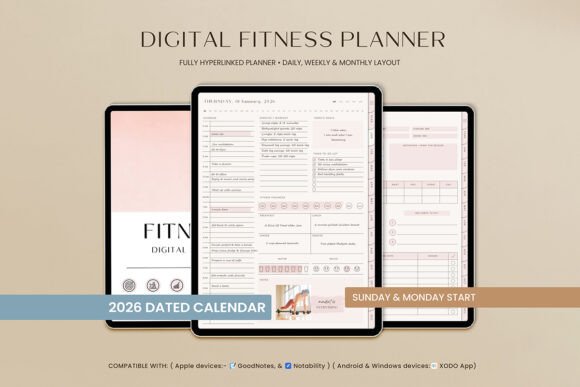
At 552 pages, this is by far one of the most expansive choices in the group. It combines fitness planning with broader lifestyle organization and uses a portrait layout with a boho, modern, chic visual style.
The fitness sections include goals, running logs, workout logs, strength training, supplement tracking, challenges, weight tracking, progress statistics, and progress photos. There are also monthly fitness progress pages and habit and sleep trackers.
What really separates it from a basic workout planner is the amount of life organization built around the fitness component. You get meal planning, grocery and shopping lists, daily planning, notes, vision-board pages, financial tracking, and multiple note formats.
Navigation is handled through hyperlinks, including an index and tabs. The digital fitness planner supports iPad and Android tablets and is designed for apps including GoodNotes, Notability, and Xodo.
I’d recommend this one to someone who sees fitness as part of a larger lifestyle-management system. If you only need a workout log, 552 pages may feel excessive. If you want everything connected, that’s exactly the point.
The 552-page total includes a broader daily, weekly, monthly and lifestyle framework. It is not 552 unique fitness forms. The listing names GoodNotes, Notability and Xodo, and notes that compatible software can involve a separate charge.
6. Workout & Fitness Plan Digital Planner
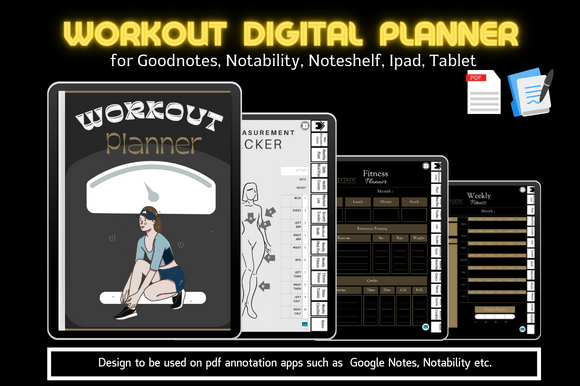
This is another dedicated digital fitness planner, but its strength is how clearly the different tracking areas are separated.
The planner includes a cover and index, hyperlinked tabs, body measurement tracking, monthly planning, daily meal planning, health tracking, workout logs, growth tracking, workout goals, weekly meal planning, weekly fitness planning, steps tracking, checklists, and notes.
It is designed to work with PDF annotation apps such as GoodNotes and Notability on an iPad or tablet, and the listing specifically recommends an iPad with Apple Pencil and Goodnotes.
Compared with the giant 552-page option above, this feels more like a purpose-built fitness journal. You can keep workouts, meals, measurements, and goals together without bringing in unrelated areas of your life.
For someone who wants a traditional fitness planner experience with digital navigation rather than a spreadsheet, I’d keep this one on the shortlist.
This is an annotation-app workflow with hyperlinks and tabs, not an automatic exercise coach or a synced health-data dashboard. Confirm that your app supports the navigation behavior you need before making it your main training record.
7. 2026 Digital Fitness Journal Bundle
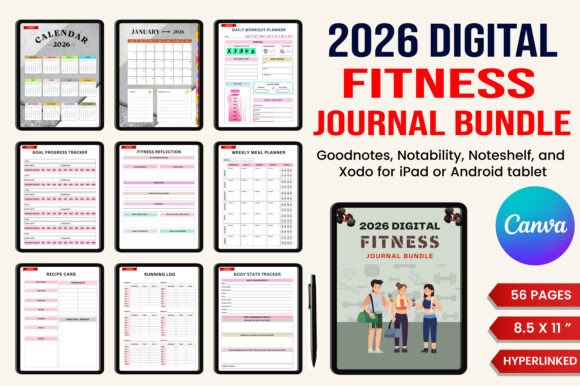
If you like having a page for practically every part of your fitness journey, this is the option I’d look at first. The bundle contains 56 Canva templates and ready-to-upload PDF files, with a full-year 2026 structure.
Its scope goes well beyond recording sets and reps. There are daily and weekly fitness planning pages, fitness goals, reflections, transformation tracking, workout logs, running logs, step tracking, weight and body-measurement tracking, flexibility and mobility logs, and several fitness challenges.
Nutrition gets similar attention. The digital fitness planner includes a daily diet plan, weekly meal planner, macro tracker, recipe card, nutritional information, and calorie tracking. There are also pages for vitamins and supplements, habits, stress, and general notes.
For me, the biggest appeal is breadth. Rather than building your own collection of separate trackers, you get a single system covering exercise, nutrition, body progress, habits, and challenges.
It is especially worth considering if you enjoy reviewing your progress over weeks and months rather than simply checking off today’s workout.
This package lists 56 Canva templates and US Letter PDF files with a full-year 2026 calendar. It is not a 2027 replacement. Keep an original copy before editing, and check dated pages individually if you intend to adapt any non-calendar content.
How I’d Choose Between These Digital Fitness Planners
The biggest difference between these planners isn’t simply the design. It is how much information you actually want to manage.
For a relatively focused fitness routine, the 💪 Digital Workout Planner and Workout & Fitness Plan Digital Planner are sensible starting points. Both concentrate on workouts while still giving you room for goals, progress, and related fitness tracking.
If you want to monitor nutrition alongside exercise, the 2026 Digital Fitness Journal Bundle and Digital 2026 Workout Template are stronger candidates because their sections extend into meals, macros, calories, and other health-related tracking.
For people who enjoy a full lifestyle dashboard, the 552-page Fitness Digital Planner stands out. It combines fitness with habits, meal planning, daily organization, notes, and even financial sections.
The OneNote Fitness Planner is the obvious specialist choice if OneNote is already part of your workflow. Meanwhile, the Exercise Planner Template is worth considering if you would rather manage workouts in Google Sheets, Excel, or Numbers.
One more thing I’d pay attention to: dated vs. more flexible planning. The 2026 products suit the remaining 2026 calendar period rather than a new 2027 planning year, while a dedicated workout system can make more sense when your goal is simply to start tracking your training without tying yourself to a calendar year.
Start with a Small Recording Workflow
Test one workout log in the chosen app before importing the whole system. Record what you actually did and a brief note for next time; a blank log is a recording tool rather than an individualized training prescription. For a broader comparison, see workout planner templates. Pair it with a weekly meal planner when menu organization is useful, or use step tracker templates for a simpler walking record. Choose the format that reduces friction and inspect the current download before building your routine around it.
If the device and app are still undecided, compare our GoodNotes planner templates for a broader PDF-planning context. For paper records, the printable fitness planner collection is a separate comparison; a printable page should not be assumed to include tablet navigation or editable source files.

4 Comments