11 Aesthetic Digital Planner Options for Clear and Stylish Planning
A digital planner can be much more than a calendar on a screen. The right aesthetic digital planner can make everyday organization feel more enjoyable while giving you space for schedules, goals, habits, self-care, and everything else you want to keep track of.
I put together this collection with different planning styles in mind. You’ll find huge 600+ page planners, multi-year designs, hyperlinked systems, ADHD-friendly options, life planners, and self-growth bundles. Some are minimalist and practical, while others put much more emphasis on personal development and wellness.
In this guide
1. iPad Daily Digital Planner – 620 Pages
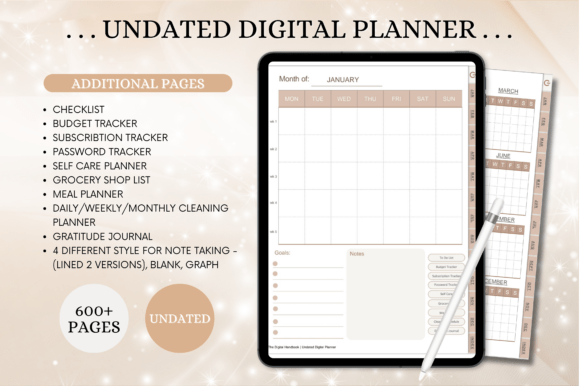
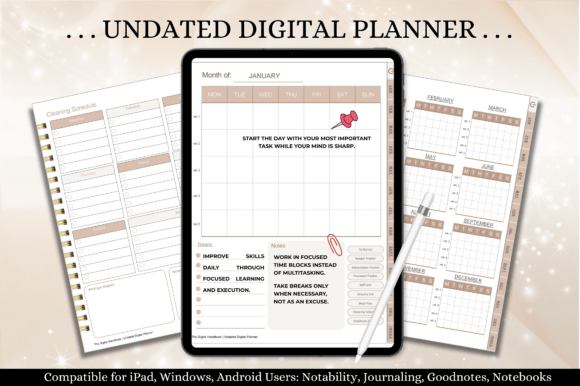
If you like having practically everything in one digital planning system, this 620-page iPad planner is hard to overlook. It combines daily, weekly, and monthly planning with a large collection of additional pages for different areas of everyday life.
The planner is undated, so you can reuse it instead of being tied to a particular year. It includes hyperlinked navigation, a yearly overview, monthly calendars, weekly and daily pages, along with sections for budgeting, subscriptions, passwords, self-care, groceries, meals, cleaning, and gratitude.
I particularly like the combination of flexibility and depth. You can use only the sections you actually need rather than feeling obligated to fill every page.
For iPad users who want an aesthetic digital planner that can become a central organization hub, this is a strong place to start.
The current listing specifies a 620-page portrait PDF with hyperlinks and undated pages. GoodNotes, Notability, Noteshelf, Xodo and Samsung Notes are named by the seller; this review has not tested those integrations. Check navigation in your own annotation app before choosing a large workbook, and use only the sections you need.
2. Aesthetic Digital Planner 2026–2030
If aesthetics are one of your main priorities when choosing a planner, this one naturally fits the collection. The Aesthetic Digital Planner 2026–2030 is designed as a multi-year planning system, so you don’t have to replace your entire setup every January.
I think multi-year planners are particularly convenient for people who enjoy keeping long-term goals alongside their regular weekly and daily planning. Instead of treating every year as a separate project, you can keep one familiar system going over a longer period.
The design also gives this planner a more lifestyle-oriented feel rather than making it look like a basic digital calendar. It’s a good option if you want your planning space to feel visually appealing enough that you’ll actually enjoy opening it.
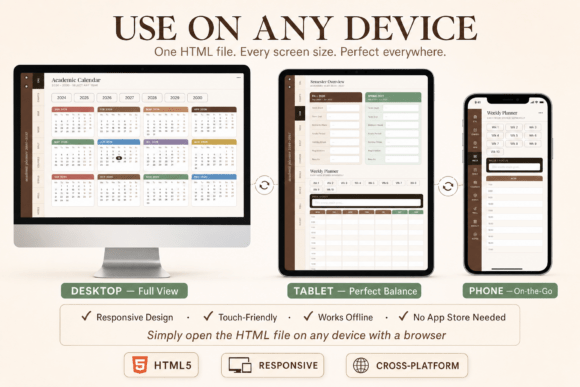
Despite the 2026–2030 product name, the current description lists an academic calendar spanning 2024–2030 and describes an interactive browser-based planner with autosave. It is a different workflow from an annotation-app PDF. Confirm the actual files and browser storage or export options; automatic saving has not been tested here, and earlier calendar years are not current planning pages.
3. Mega Digital Planner Bundle Canva
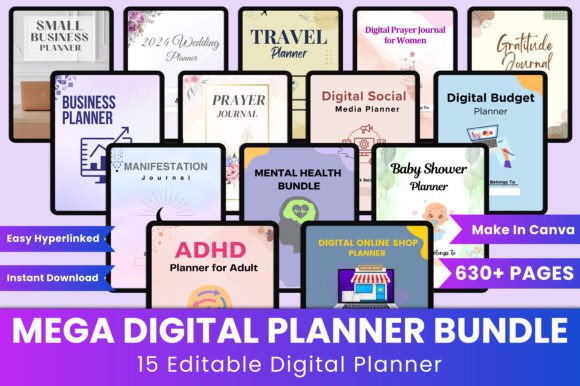
Sometimes you don’t want to choose between a daily planner, budget planner, goal tracker, and wellness journal—you want them all. That’s where a mega digital planner bundle can be useful.
This Canva-based collection is designed for people who want a broad planning system that can be customized. The current product listing describes an editable Canva collection with several specialist planning themes.
The Canva format is particularly appealing because you can personalize the templates rather than simply accepting a fixed design. If you’re already comfortable using Canva, building a planning system around templates can be much more flexible than starting from a blank document.
I’d consider this option if you enjoy experimenting with different planning pages and want the freedom to create a setup that matches your own lifestyle.
The actual product listing specifies more than 630 Canva templates in US Letter, no bleed, with an editable link plus PDF, JPG and PNG files. Its listed collections include budget, business, travel, wedding, gratitude and other specialist pages. Compare the included sections before printing, and do not assume that every PDF is fillable or hyperlinked after export.
4. Undated Digital Planner – 620 Pages
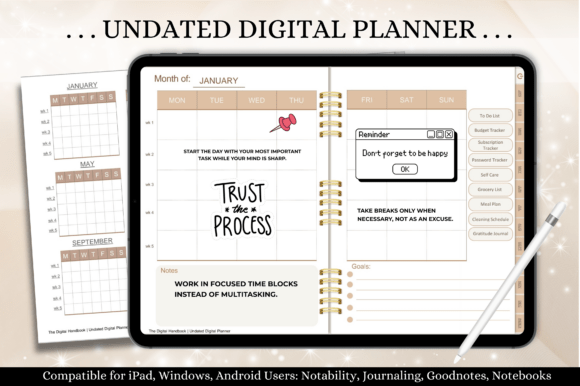
An undated planner is one of my favorite formats for digital planning because it removes the pressure of using a specific calendar year. You can start whenever you want, skip weeks when life gets busy, and return to the planner whenever you’re ready.
This 620-page undated option is especially appealing if you want a large planning system rather than a simple daily schedule. Its format gives you plenty of room to create a long-term digital organization routine while keeping the planner reusable.
I would choose an undated planner over a dated one if I wanted something that could become a permanent part of my digital planning setup. There’s no need to buy a new file every year—you can simply continue using the same system.
The stated download is a 620-page horizontal PDF with hyperlinks, rather than the portrait layout in the first product. The seller names several PDF annotation apps. Similar section names and page counts appear elsewhere in this collection, so compare the page previews before choosing multiple products; different listings do not establish entirely different worksheet libraries.
5. Digital Planner 2027 – Fully Hyperlinked
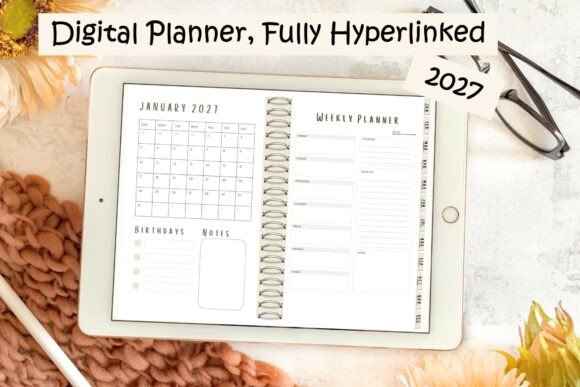
One of the biggest advantages of digital planning is navigation. Instead of flipping through hundreds of pages, you can jump directly to the section you need. This 2027 Digital Planner takes advantage of that with fully hyperlinked navigation.
The aesthetic digital planner allows you to move through all 12 months with clickable links and provides monthly and weekly planning views. Its neutral color palette also leaves plenty of visual space for adding stickers, themes, or your own personal touches. The PDF is designed to work across tablets, laptops, and phones.
I think this is a particularly good option for someone who wants a clean aesthetic without an overly decorated interface. The neutral design can become whatever you want it to be.
The current description confirms a single dated 2027 PDF with hyperlinks, twelve months, monthly and weekly views and a neutral palette. It broadly mentions tablets, laptops and phones but does not give a tested app list or precise page total. Confirm the PDF's navigation and writing workflow in the software you intend to use.
6. ADHD Undated Digital Planner for Goodnotes
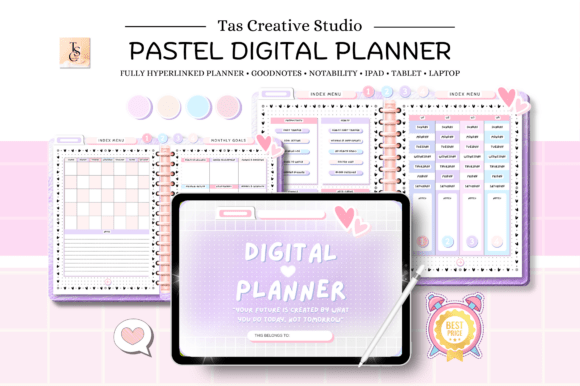
An aesthetic digital planner doesn’t have to sacrifice functionality. This ADHD-focused digital planner is designed for Goodnotes users and combines digital planning with tools intended to make organization more manageable.
The undated format means you can begin at any point and reuse the planner as needed. That’s especially useful if you don’t want your planning routine tied to a specific calendar year.
I like the idea of combining an attractive visual layout with ADHD-friendly planning features because the goal isn’t simply to make your digital workspace look good. It should also help you actually use it.
For Goodnotes users who want something more focused than a generic digital planner, this is an option worth exploring.
This is listed as a sixty-page horizontal hyperlinked undated planner, with an instructions guide and an 11 × 8.3-inch layout. Daily, weekly, self-care, meal, productivity and finance records are named. The seller's supported-app list is not an independent compatibility test, and tracker pages do not establish a medical benefit.
7. Daily ADHD Digital Planner – 60 Pages
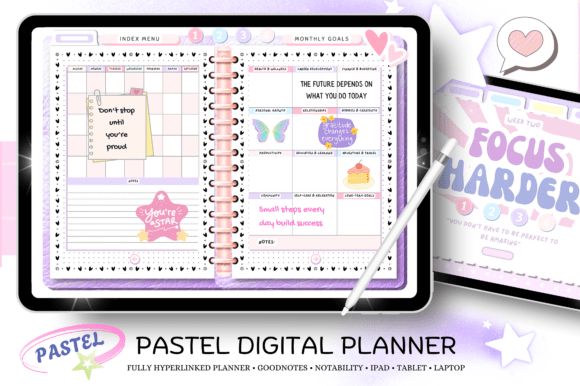
If a massive planner feels overwhelming, a smaller daily-focused system can sometimes be a better choice. This 60-page ADHD Digital Planner takes a more focused approach to everyday organization.
Rather than giving you hundreds of pages to work through, a compact planner can make it easier to concentrate on the planning tools you actually need. For someone who struggles with overcomplicated systems, that can be a significant advantage.
I would consider this one if your priority is getting through today’s tasks, organizing your immediate responsibilities, and creating a manageable daily routine rather than building a huge life-management system.
It’s also a nice reminder that an aesthetic digital planner doesn’t have to be enormous to be useful.
The listing states a sixty-page horizontal PDF with hyperlinks and undated planning pages. It names daily and weekly layouts, meal and self-care records, productivity tools and finance sections. Compare its actual page design with the previous sixty-page product before choosing both; the matching page totals alone do not show how much content differs.
8. Daily Life Digital Planner – 620 Pages
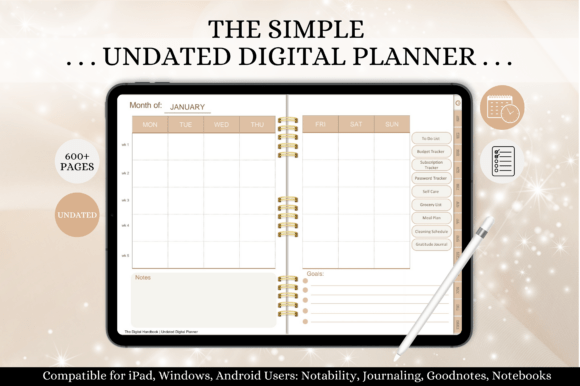
For someone who wants to organize more than just their schedule, a life planner can make a lot of sense. This 620-page Daily Life Aesthetic Digital Planner is designed around the idea of bringing different areas of everyday organization into one digital workspace.
A planner of this size gives you plenty of room to build a personalized routine. Instead of maintaining separate files for different planning needs, you can keep your daily organization, broader life planning, and additional tracking pages together.
I think this format is particularly appealing for people who enjoy detailed planning and want their digital planner to become a central hub. The downside is simply that there is more to explore, so I’d recommend starting with a few core sections instead of trying to use everything immediately.
The stated package is a 620-page horizontal hyperlinked PDF with an index, calendar views and household, budget, meal, gratitude and note pages. Its written section list closely resembles the other large undated planner in this guide. Compare their actual layouts rather than assuming the Daily Life name means a wholly separate set of features.
9. Digital Planner Canva Planner
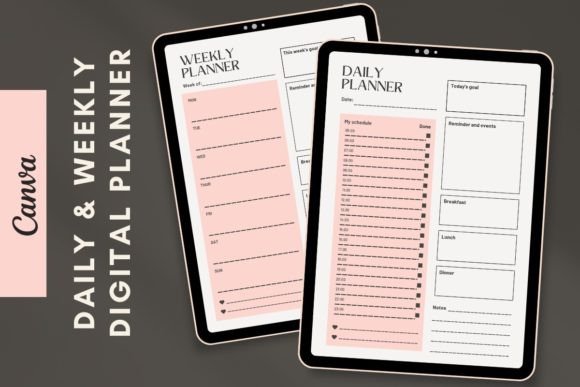
If you enjoy designing your own planning pages, Canva can be a great starting point. This Digital Planner Canva template gives you the flexibility of working with an editable design instead of using a completely fixed planner.
That’s particularly useful if aesthetics matter to you. You can create a planning system that reflects your preferred colors, fonts, and visual style while still starting from a ready-made structure.
I would recommend this approach to anyone who has looked at digital planners and thought that they’d love one with a few personal changes. Rather than searching endlessly for the exact perfect design, you can start with a template and make it your own.
The download is described as two Canva-editable planners: daily and weekly, delivered through a PDF containing a link. The seller says the elements and fonts work with a free Canva account. This is design editing before export, not a promise of fillable PDF fields or a large app-specific planner book.
10. Focus ADHD Digital Planner – 72 Pages
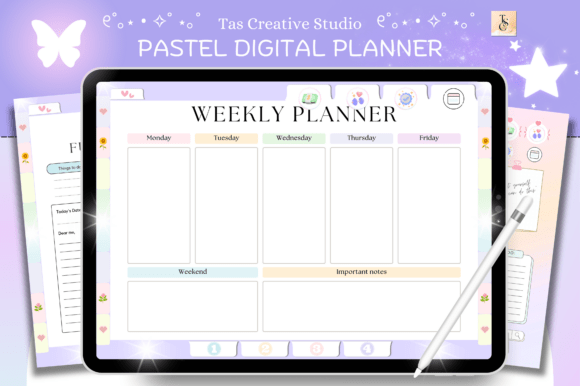
Sometimes the biggest challenge isn’t planning everything—it’s deciding what deserves your attention first. This 72-page Focus ADHD Aesthetic Digital Planner is designed around a more focused approach to productivity and organization.
Compared with giant all-in-one planners, a smaller system can feel much less intimidating. You have enough space for meaningful planning without opening a file containing hundreds of pages every time you want to organize your day.
I think this could be a good fit for someone who wants to combine digital aesthetics with a more targeted productivity routine. If your main goal is improving focus rather than tracking every part of your life, a planner with a narrower purpose can be much easier to stick with.
This option is a seventy-two-page undated horizontal PDF with hyperlinks, including planning, habit, finance, reading and other record sections. Its larger total differs from the sixty-page designs, but suitability still depends on the page layout you need. Treat health-related logs as record pages, and verify your annotation app's behaviour rather than assuming tested compatibility.
11. Bloom Self-Growth Planner Bundle
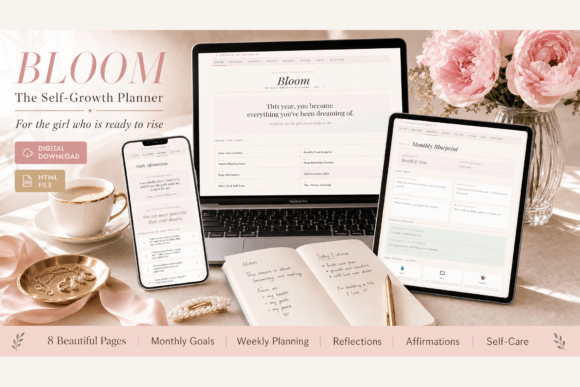
The Bloom Self-Growth Planner takes digital planning in a slightly different direction. Instead of focusing purely on schedules and productivity, it combines organization with self-development, reflection, wellness, and personal growth.
The interactive HTML planner includes monthly goal setting, weekly planning, daily tasks, habit tracking, reflection prompts, mood tracking, gratitude exercises, affirmations, wellness tracking, hydration, sleep, movement, and self-care pages. It also offers customizable themes, colors, fonts, icons, and planner text.
What I particularly like is that it works directly in a browser rather than requiring a dedicated planning app. It’s designed for desktop, tablet, and mobile use, so it can fit into different digital routines.
If you want an aesthetic digital planner that feels more like a personal growth workspace than a traditional calendar, Bloom is one of the more distinctive options in this collection.
Bloom is an HTML planner opened in a browser, with interactive checklists, themes, fonts and reflection sections described by the seller. It is not a conventional PDF sticker book or an annotation-app planner. Check the delivered file, persistence and any backup/export instructions before relying on it for records you need to retain.
Which Aesthetic Digital Planner Is Right for You?
The best aesthetic digital planner isn’t necessarily the one with the prettiest cover or the largest number of pages. It should fit the way you actually like to plan.
If you want an enormous all-in-one system, the 620-page planners give you plenty of room to build a detailed setup. For something more flexible, an undated planner lets you start whenever you want and reuse it over time. A hyperlinked 2027 planner makes sense if you prefer a dated system with quick navigation.
For people who want more specialized planning, the ADHD-focused options can provide a more targeted approach to focus and organization. And if your idea of planning includes personal development, wellness, habits, and reflection, the Bloom Self-Growth Planner offers something quite different from a traditional calendar.
Personally, I’d start small. Pick the sections you genuinely need, customize the visual style so you enjoy opening the planner, and build your routine from there. The most aesthetic planner in the world won’t help much if it becomes another file you never open.
You may also like:
9 Best Digital Budget Planner Templates to Organize Your Money and Spending
9 Printable Fitness Planners Editable and Printable for Progress
11 Printable and Digital Study Planners for Students
Choose an Aesthetic Digital Planner by File and Workflow
Compare the file you will actually use. A hyperlinked PDF belongs in an annotation workflow; a Canva link opens an editable design; an HTML planner runs in a browser. Autosave, form fields, hyperlinks and cloud sync are separate features. Check the actual download and your software before choosing a large collection.
For a wider comparison, see the published digital planners. If you want a focused annotation-app overview, compare the GoodNotes planner templates. Choose one daily page and check navigation, writing space and how records are retained before moving an entire planning routine into a new file.


4 Comments