
7 Weekly Planner Templates for Clear Schedules and Practical Plans
A weekly planner template is useful when you want enough structure to see the whole week without breaking your schedule into dozens of separate pages. The right layout can help you decide what actually matters, reserve time for important tasks, and keep everyday responsibilities from becoming a messy list.
But “weekly planner” can mean very different things. Some templates are minimalist and printable, others are designed specifically for Canva, while more comprehensive options add daily, monthly, goal-setting, and productivity pages. There are even templates built around meal planning or social media content.
For this collection, I focused on that difference. Rather than treating every template as interchangeable, I’ve grouped them by how and why you’d actually use them. If you want a straightforward weekly overview, a customizable Canva design, a productivity system, or a specialized weekly planner, you’ll find a different option below.
For a general weekly plan template, start with options 2–4 below: they focus on the week itself. Options 1 and 6 are specialist meal and content planners, while options 5 and 7 are larger editable systems. That distinction matters if you want a simple weekly planning template rather than a publishing project.
In this guide
Choose the right weekly planner template format
| Planning need | Start with | What to check |
|---|---|---|
| General weekly schedule | Printable weekly PDF | A4 size and room for daily notes |
| Editable personal weekly plan | Undated floral Canva page | Letter-size layout and Canva access |
| Week, day and task planning | Three-template Canva set | Which pages you will actually use |
| Meals or publishing work | Specialist weekly layouts | Meal planner here; content planner at option 6 |
1. Canva Weekly Meal Planner Template — A Clean Option for Meal Organization
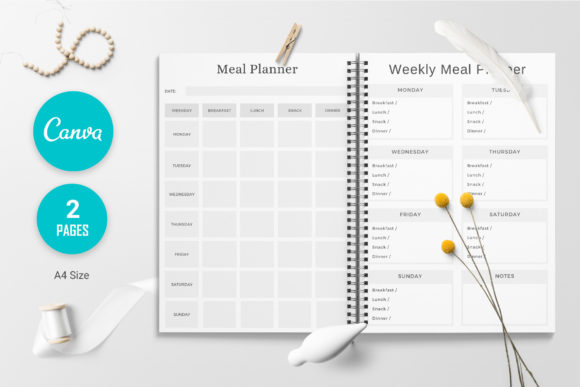
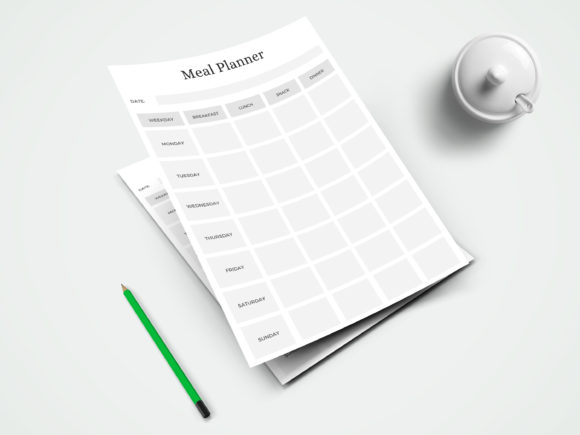
At first glance, this isn’t a conventional weekly planner template— and that’s exactly why I included it. Instead of organizing appointments and work, this template applies the weekly planning format to meals and food preparation.
The design is described as minimal and clean, with two A4 template pages. Because it’s editable in Canva, you can change colors, fonts, backgrounds, and individual elements, then download the finished pages for printing. The template can also be reused.
I think this is a particularly practical choice for someone who likes the idea of weekly planning but wants to solve one specific problem: deciding what to eat throughout the week.
It also illustrates something important about choosing a weekly planner template: the best format depends on what you’re trying to organize. A general productivity planner may be unnecessary if your main weekly challenge is meals.
The main limitation is that this template is specifically designed for Canva desktop rather than the Canva mobile app, according to the product listing.
I’d choose it for a focused, repeatable meal-planning routine rather than general scheduling.
You may also like:
2. Weekly Planner Template | Printable PDF Template — A Pretty Printable Weekly Overview
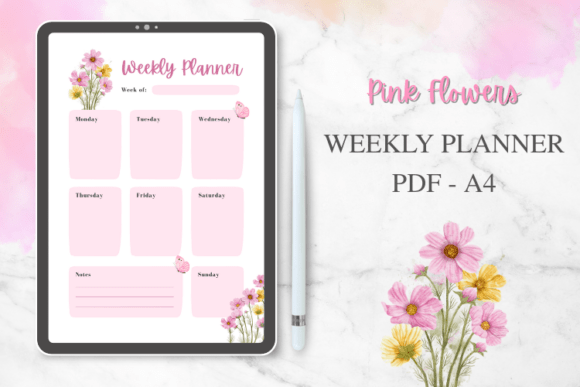
If you prefer to put your weekly plan on paper, this template takes a much more traditional approach.
The layout includes a weekly schedule along with sections for weekly goals, daily tasks, notes, and reminders. The product is supplied as an A4 PDF and features a soft, feminine floral design. It can be printed or imported into apps such as GoodNotes and Notability for digital planning.
What caught my attention is the balance between decoration and function. The floral aesthetic gives the page more personality, but the underlying structure remains focused on the things most people actually need from a weekly spread: what needs to happen, what you want to accomplish, and what shouldn’t be forgotten.
I’d lean toward this one if a completely plain productivity sheet feels a little too clinical.
It’s also relatively versatile. Students, teachers, professionals, and busy parents are specifically mentioned in the listing, so it isn’t tied to one particular lifestyle.
For me, this sits firmly in the pretty-but-practical category.
3. Floral Canva Planner Template — Minimalist Style With Room to Customize
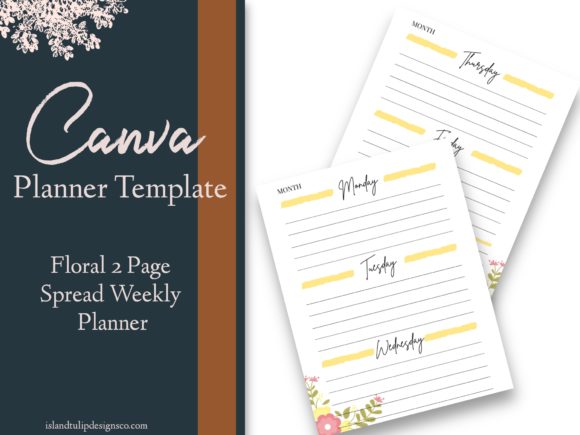
This is another floral option, but its purpose is somewhat different from the printable PDF above.
The product is an undated weekly planner template supplied through Canva. The listing describes it as a minimalist design and explains that users can change colors, rename the planner, and adjust the style. The template is US Letter size, with a PDF containing access to the Canva template.
The undated format is a major advantage if you don’t want your planner tied to a particular year or calendar.
I also like the customization potential here. Instead of simply downloading a finished design and accepting its appearance, you can adapt the visual identity to your preferences.
That makes it especially interesting for someone who enjoys creating a planner that feels personal rather than completely off-the-shelf.
One thing I’d keep in mind is that this product is a template, not a physical planner. The listing explicitly states that no physical item is sent.
If you’re looking for an editable Canva weekly planner template with a softer floral aesthetic, this is one of the more focused options in the collection.
4. Elegant Canva Planner Templates — A Flexible Three-Template Set
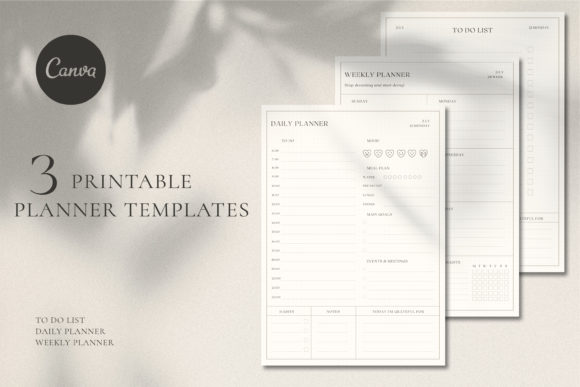
If you don’t want to choose between a weekly planner and a couple of complementary planning pages, this set takes a broader approach.
The collection includes three templates: a weekly planner template, daily planner, and To Do list, along with PDF instructions. They’re editable in Canva and can be customized using either the free or Pro version of Canva, according to the product listing.
That combination is what makes this more useful than a standalone weekly page.
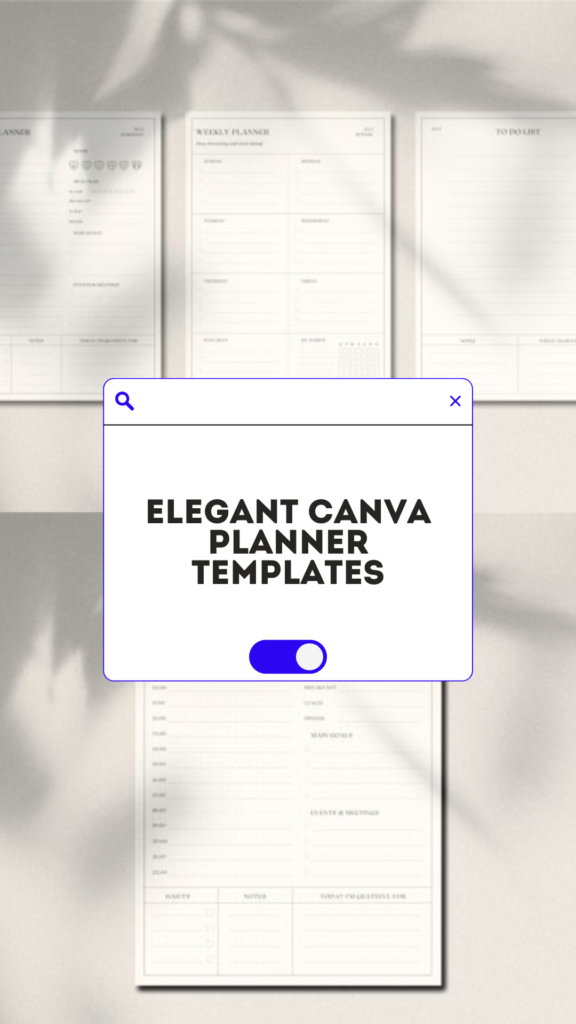
You can use the weekly layout for the big picture, then move individual tasks into the daily format when you need more detail. The To Do list can handle items that don’t belong neatly on a particular day.
I think that creates a nice planning hierarchy:
Weekly → Daily → Tasks
You don’t have to use every page every day. The weekly page can remain your home base, with the other layouts providing extra detail when necessary.
The visual direction is elegant, minimal, clean, and softly aesthetic, with tags on the product page also highlighting pastel and beige tones.
I’d pick this one if you want a weekly planner template that can grow into a small planning system without immediately becoming a huge all-in-one planner.
5. Professional Planner Canva Template | 28 — A Comprehensive Productivity System
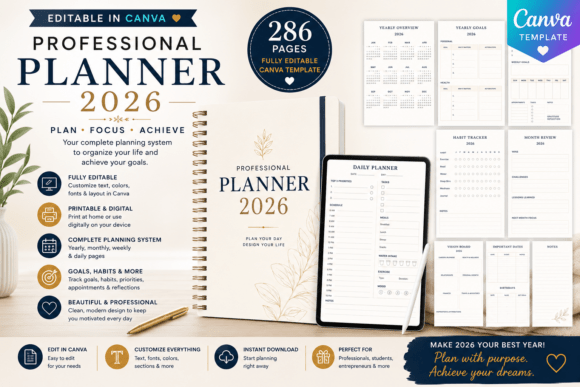
This is the biggest departure from the simple weekly planner concept in this collection.
Instead of providing only a weekly spread, this Canva template contains 286 editable pages covering yearly, monthly, weekly, and daily planning. It also includes goal-setting worksheets, habit trackers, appointment trackers, task-management pages, reflection pages, gratitude pages, notes, and productivity tools.
That makes the word “template” particularly important here. You’re not simply buying a finished weekly schedule; you’re getting a much broader framework that can be customized.
The template is A4 format and includes an instant Canva access link. The product listing also identifies entrepreneurs, coaches, virtual assistants, students, small businesses, and digital-product creators among its intended users.
Would I choose this for someone who only needs a weekly schedule? Probably not.
But if your weekly planning is connected to goals, habits, appointments, daily tasks, and longer-term organization, the additional structure starts to make sense.
For me, this belongs in the feature-rich and comprehensive category rather than the minimalist one.
6. Weekly Content Schedule Template — A Smart Choice for Creators
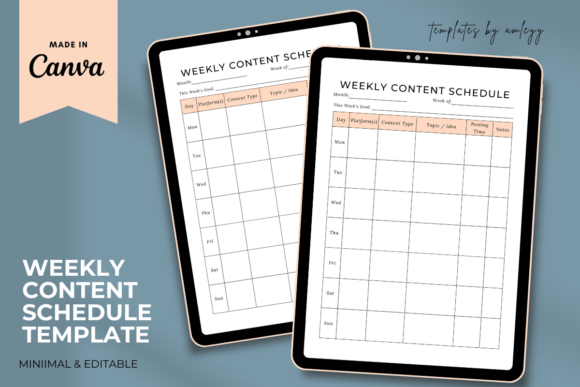
A weekly planner doesn’t have to be about personal appointments. For creators and business owners, the week can revolve around what needs to be published.
This Canva template is specifically designed as a social media content planner and content strategy calendar. The product description highlights planning posts across platforms, tracking captions, hashtags, deadlines, and engagement goals. It’s aimed at influencers, marketers, content creators, and small businesses.
I particularly like this concept because content creation has a natural weekly rhythm. Instead of keeping ideas in one place, captions somewhere else, and publishing deadlines in a separate calendar, a dedicated weekly content layout gives those pieces a shared context.
The weekly planner template is editable in Canva, allowing changes to colors, fonts, branding, and sections. It can be used digitally or printed, and the listing says it works for platforms including Instagram, TikTok, YouTube, and Facebook.
This obviously isn’t the right choice for someone searching for a household schedule.
But if you’re a content creator or small business owner, I’d consider this far more useful than a generic weekly planner because its structure reflects the actual workflow behind publishing content.
7. Editable Canva Weekly Planner for KDP — Built for Customization
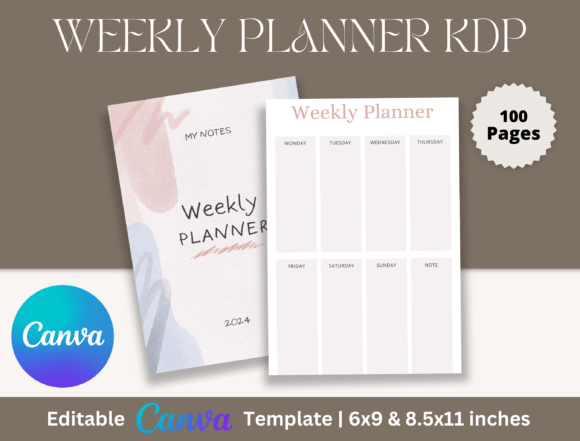
The final option is particularly interesting if you’re approaching weekly planners from the design and publishing side rather than simply looking for one to use.
This Canva template contains 100 pages and includes an editable Canva link, print-ready PDF files, and JPG files. The available sizes include 6×9 and 8×11 inches. The template can be customized by changing text, colors, fonts, size, and layout.
That makes it considerably more expansive than a single weekly page.
The KDP focus also changes the intended use. This is less about downloading a planner and immediately writing in it and more about having an editable foundation that can be adapted into a finished planner product.
I’d therefore separate it from the consumer-focused templates above.
If you’re simply trying to organize your week, one of the printable or Canva planning options is likely more appropriate. But if you’re interested in creating or customizing a weekly planner for publishing, this format is much more relevant.
The listing also describes the files as suitable for personal and commercial use under its stated license terms.
How to Choose the Right Weekly Planner Template
The seven options above actually fall into several very different categories, which is why I wouldn’t rank them using a simple “best to worst” list.
For simple personal scheduling
Start with the Weekly Planner Printable PDF Template. It gives you a straightforward weekly schedule plus goals, tasks, notes, and reminders without turning planning into a complicated project.
For a prettier weekly spread
The Floral Canva Planner Template and the floral printable PDF are more visually expressive. The Canva version is particularly useful if you want to customize the design yourself.
For a small but complete planning system
The Elegant Canva Planner Templates are more versatile because they combine weekly, daily, and To Do layouts. That gives you additional detail without jumping all the way to a hundreds-of-pages planner.
For serious productivity tracking
The Professional Planner Canva Template is the obvious feature-rich option. With 286 pages spanning yearly, monthly, weekly, and daily planning plus productivity and reflection tools, it is designed for a much more comprehensive workflow.
For content creators
The Weekly Content Schedule Template is much more specialized. If your week revolves around social media posts, captions, deadlines, and content ideas, a dedicated content planner is likely more useful than a generic weekly spread.
For meal planning
The Canva Weekly Meal Planner takes the same weekly-planning principle and applies it specifically to meals. Its reusable, editable Canva format makes sense if food organization is the main reason you’re searching for a weekly template.
For creating a planner rather than simply using one
The Editable Canva Weekly Planner for KDP is aimed at customization and publishing, with 100 pages and multiple editable/output formats.
You may also like:
How to use a weekly planning template
Start with fixed appointments and deadlines, then choose the few outcomes that matter most for the week. Place flexible tasks around those commitments, leaving some unscheduled space for work that takes longer than expected. A weekly overview becomes more useful when it shows both the time you have and the priorities competing for it.
For example, a student might reserve Tuesday and Thursday for revision, place an assignment deadline on Friday and keep errands in a separate list. A work-focused plan can use the same structure with meetings, project milestones and follow-up tasks. You do not need a different template for every role if the layout leaves enough room to label your own categories.
Printable weekly plans, editable pages and online tools
A printable PDF provides a stable page layout. A Canva template lets you change its appearance and labels before exporting. Neither description alone promises a live calendar, automatic reminders or an Excel or Google Sheets workbook. Choose a spreadsheet-specific resource separately if formulas and shared cells are the feature you need.
For a dated appointment structure, compare the weekly schedule planner collection. For a broader set of possible layouts, use our weekly planner ideas. For a single detailed day alongside the weekly overview, see the daily productivity planner guide.

6 Comments