11 Study Planners for Assignments, Revision and Student Schedules
A good study planner can make a busy semester feel far less overwhelming. In this collection, I’ve gathered 11 printable and digital planners for tracking assignments, organizing classes, preparing for exams, managing deadlines, and building a study routine that works for you. Choose the format that fits your learning style and start planning with more clarity.
Choose a study planner by how you will use it during the semester: print a repeatable worksheet, edit a page set in Canva, annotate a digital PDF or duplicate a Notion workspace. These are different formats, not interchangeable apps. The eleven existing selections remain below, with the four similar Canva kits identified by their actual design names.
Choose the right study planner format
| Planning need | Start with | What to check |
|---|---|---|
| Print a compact academic set | Student printable bundle | A4 pages and the supplied editing route |
| Customize a study kit | Terra Canva templates | 48 templates in A4 and Letter; styles 3–5 vary |
| Use both paper and tablet | Printable and digital bundle | Separate print and hyperlinked files |
| Manage coursework in Notion | Notion student hub | Duplicate to a Notion account, not a PDF app |
| Plan a future school year | Dated 2027 school planner | Date range rather than an undated kit |
1. Student planner printable
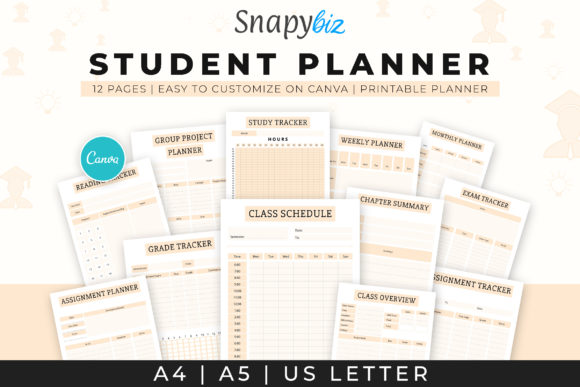
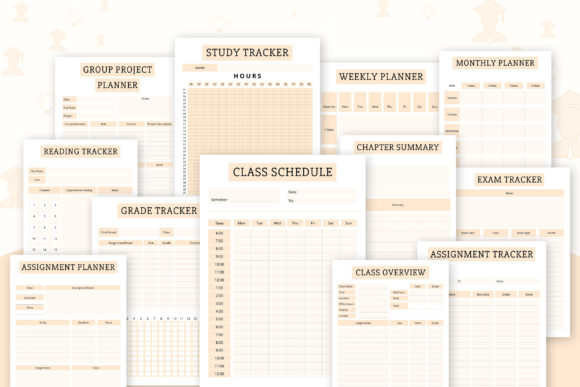
This printable study planner helps me keep schoolwork from piling up at the last minute. I can map out classes, homework, tests, and weekly priorities in one place, then print extra pages whenever my schedule gets busy. It’s a simple way to stay focused without overcomplicating my study routine.
The current listing describes twelve A4 printables with Canva editing, including a class schedule, study tracker, reading tracker, group-project page, chapter summary and exam tracker. That makes it a compact academic bundle rather than a dated diary for every day of the year. Start with the schedule and assignment-related pages you actually need, then add the specialist trackers.
2. Study Planner Canva Templates — Terra
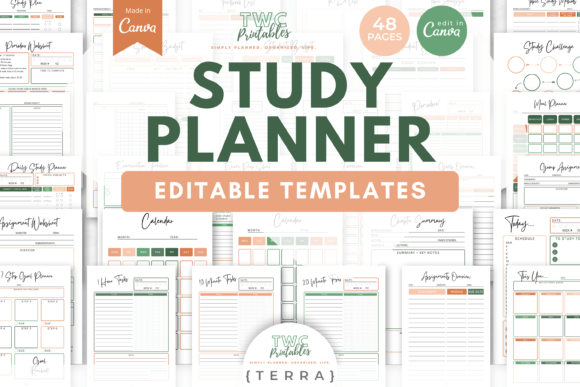
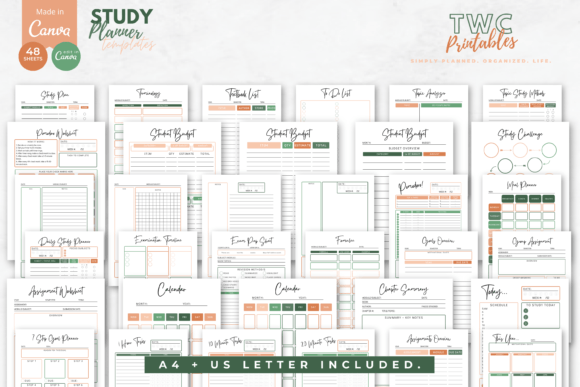
When exams, assignments, and classes overlap, I need more than random notes to stay on track. This editable study planner lets me create a personalized study tracker and checklist in Canva, so I can shape each page around my workload, deadlines, and learning habits.
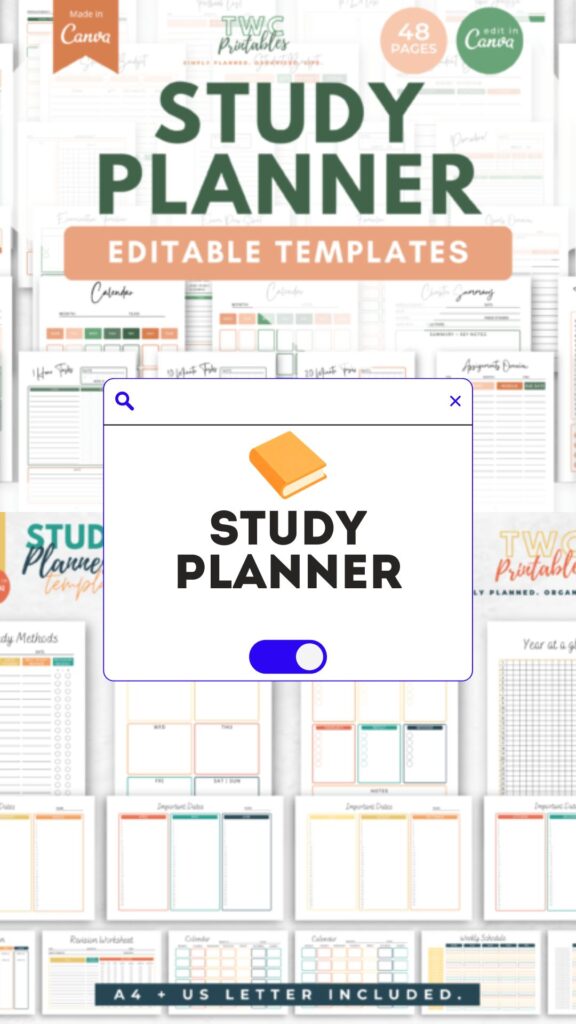
This is the Terra version of the seller’s 48-template Canva study kit, supplied in A4 and US Letter formats. It includes revision, assignments, exam preparation, weekly study and timed-work worksheets alongside notes pages. A free Canva account is described as sufficient. Compare the actual colors and labels with the other three styles before buying more than one similar kit.
3. Study Planner Canva Templates — Greyscale
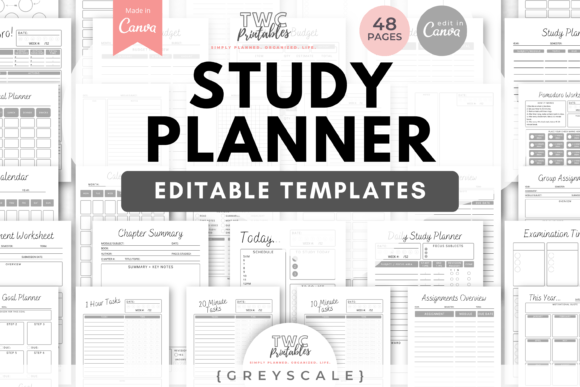
The clean grayscale layout keeps my schedule easy to read when study life gets hectic. This editable study planner works for school, college, or university, giving me space to organize assignments, classes, and revision plans while tailoring the Canva pages to my own workflow.
This is the Greyscale version of the 48-template Canva collection, again supplied in A4 and US Letter sizes. The listed planning tools overlap with the Terra kit, including revision, study sessions, assignments and exam preparation. Its main distinction is the neutral visual treatment, so choose by readability and printing preference rather than assume a wholly different academic system.
4. Study Planner Canva Templates — Miami Sunset
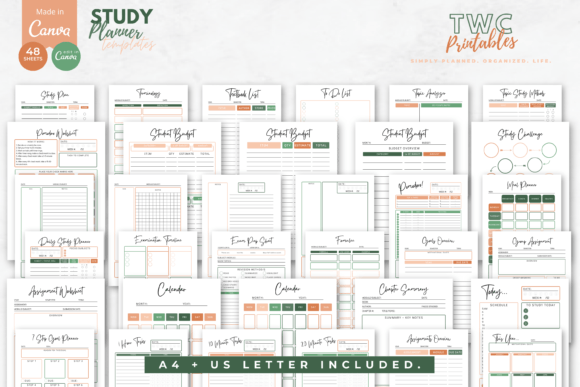
I’d choose this study planner when I want a more colorful, motivating setup for the semester. Its editable Canva pages help me turn exams, classes, assignments, and revision into a clear visual plan, with trackers and checklists that make it easier to see what needs attention next.
The current product identifies this design as Miami Sunset: 48 editable Canva templates in A4 and US Letter. The underlying study toolkit includes weekly planning, topic analysis, assignments, exam preparation and timed-work pages. It is an alternate visual treatment of the broader collection. Use the preview to judge how the colors will sit beside your own handwriting or digital annotations.
5. Study Planner Canva Templates — Bright
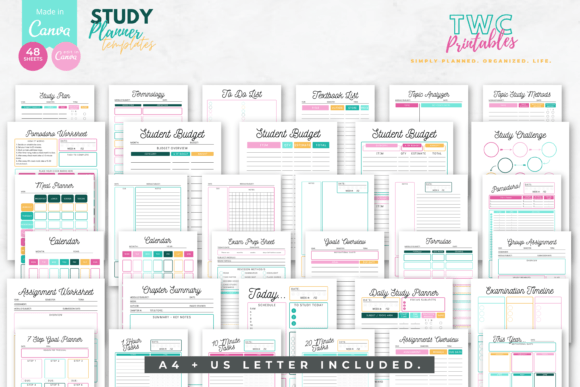
This study planner is a good match when I want my academic routine to feel more energetic, not like another dull task list. With 48 editable Canva templates, I can arrange daily and weekly study sessions, coursework, exam preparation, personal goals, and even a student budget in my own style.
This is the Bright design of the 48-template Canva study kit, available in A4 and US Letter. Its listed tools include daily and weekly study plans, revision worksheets, assignment records, exam preparation and a student budget. The similar page list matters when comparing the four kits: the design varies more than the core study workflow.
6. Homeschool Planner Canva KDP Interior
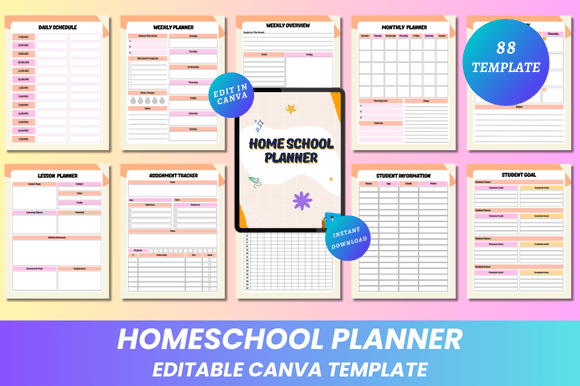
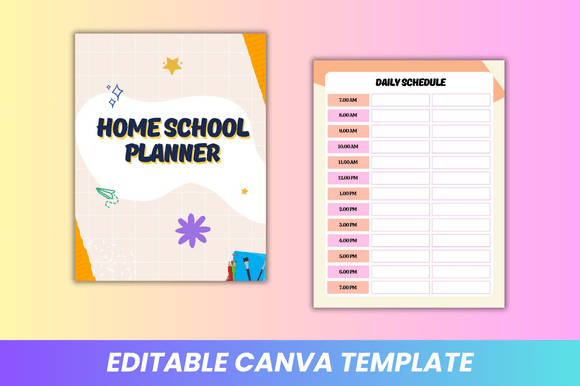
For homeschooling, I need a flexible system that works around our real schedule rather than a fixed school calendar. This editable planner gives me a ready-to-customize interior for organizing lessons, activities, and learning goals, then exporting it as print-ready PDF, JPG, or PNG files.
The seller lists 88 Letter-size pages without bleed, with PDF, JPG and PNG files plus an editable Canva link. Lesson planning, attendance, progress reports, reading and curriculum records make this more family- or teaching-oriented than a simple student homework diary. Choose it when those broader home-education records are useful, rather than only for a weekly revision timetable.
7. ADHD Work & Study Planner
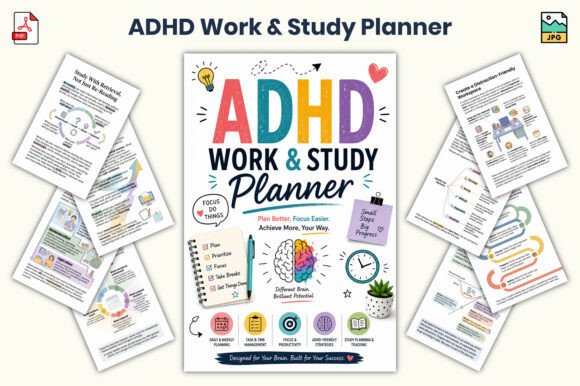
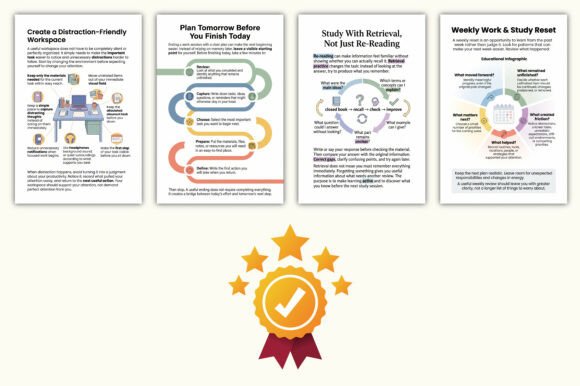
When my attention is pulled in too many directions, I need a plan that breaks work and study into manageable steps. This study planner helps me prioritize tasks, keep deadlines visible, and build a calmer daily routine that supports focus instead of adding more pressure.
The updated listing describes a 32-page, 6 × 9-inch collection supplied as PDF and JPG, mixing planning records with work-and-study guidance and reflection pages. It includes topics such as distraction management, deadlines and visible next actions. Treat those as organizational tools rather than a native app or an interactive PDF form; the listed formats do not establish those features.
8. Student Planner Printable Digital
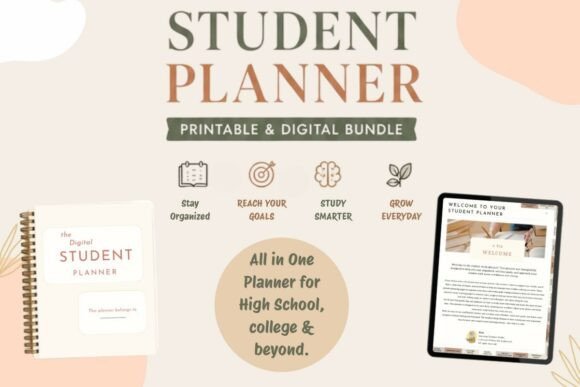
I like having the freedom to plan on screen or switch to paper when I need fewer distractions. This study planner keeps my classes, homework, deadlines, and weekly goals together, making it easier to check my priorities at a glance and keep my semester moving forward.
The product currently lists a printable PDF and two hyperlinked digital versions in light and dark themes. Those are separate routes for paper and tablet use, not a promise that one file works identically everywhere. The seller names PDF annotation apps for the digital versions. Check the archive instructions before rearranging linked pages or assuming an editable Canva source is included.
9. Student Notion Planner Editable
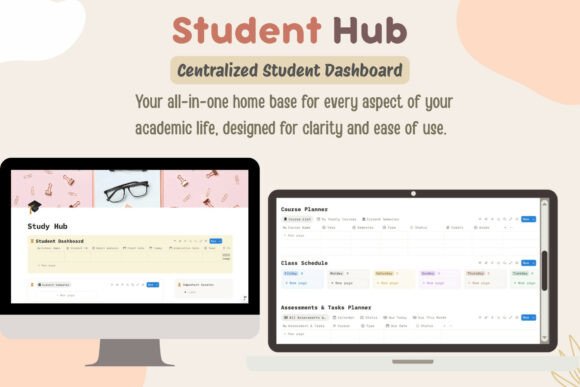
I like keeping everything digital when my course load gets complex, and this planner turns Notion into a full academic hub. It brings my class schedules, assignments, study materials, and resources into one connected space, so nothing gets lost between different apps or notebooks.
The verified delivery is a PDF containing a link to duplicate the student workspace into Notion. The described hub includes course and semester planning, class schedules, assignment status views and an academic progress area. It is not a PDF planner for handwriting in GoodNotes, so choose it when database-style coursework organization fits your routine and you already want to use Notion.
10. Editable 2027 Back-to-School Planner
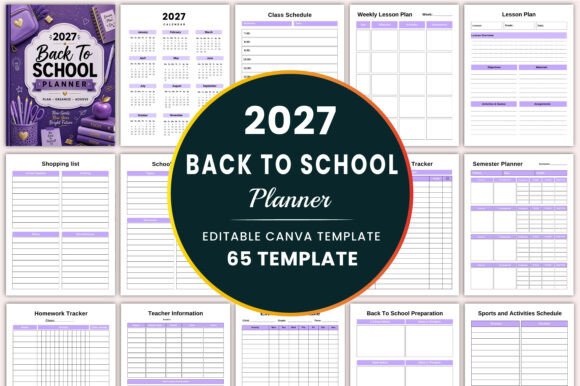
A new school year feels more manageable when I begin with a plan I can make my own. This editable planner helps me organize lessons, assignment deadlines, activities, and important dates for 2027, while allowing me to adapt the pages, colors, and details to my academic routine.
The seller lists 65 different Letter-size templates without bleed, with PDF, PNG, JPG and an editable Canva link. The calendar and monthly planning pages are explicitly 2027, alongside assignments, timetables, reading and school-preparation records. That suits future-year planning. If you need a planner for the current semester, compare the undated and 2026–2027 alternatives before choosing this dated set.
11. 2026–2027 Back to School Planner
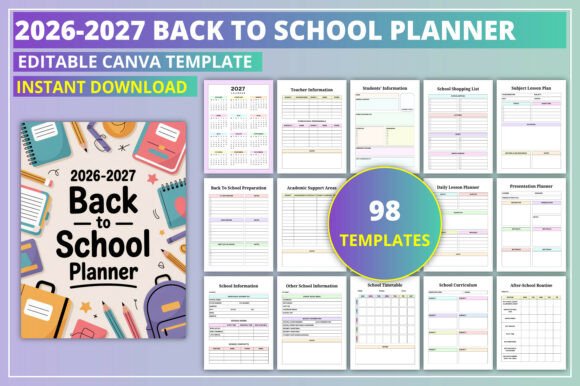
I’d use this study planner to start the academic year with fewer loose notes and forgotten dates. Covering 2026–2027, it gives me room to map out classes, assignments, weekly tasks, and goals, while editable Canva pages let me tailor the layout to the way I actually study.
The current listing specifies 98 Letter-size pages without bleed, supplied as PDF, JPG and PNG with Canva editing. Its date coverage includes 2026 and 2027, with class schedules, homework, assignments, exams, revision and school routines. It is a broader school-planning collection rather than a focused single-page study schedule, so print or customize only the sections relevant to your role.
Conclusion
The right study planner can turn a packed academic schedule into a clear, workable routine. Whether you prefer printable pages, editable Canva templates, or a digital Notion hub, choose the format that feels natural to use. Start with your next deadline, break larger tasks into smaller steps, and let your planner support steady progress all semester.
Build a study plan from your next deadline
Start with the assignments and exams you already know, then work backward to the preparation each requires. Write a concrete study task, such as reviewing one chapter or completing a practice set, instead of putting a vague subject name in every box. Keep class times separate from flexible revision sessions so you can see the time actually available.
A weekly check can move unfinished work, identify a difficult topic and reserve time for the next deadline. For a more specific exam routine, compare our exam planner guide. The student planner collection covers a wider academic schedule, while study plan ideas can help you decide how to structure the sessions themselves.
Printable, digital and Notion study planners are different tools
A printable PDF is a fixed layout for handwriting. Canva access allows design changes before printing or export. A hyperlinked PDF can be used in an appropriate annotation app, while a Notion template is duplicated into a workspace and used through Notion. Check the actual download rather than infer a format from the word digital in a title.
These are third-party planning resources, not a collection of unrestricted free downloads. Verify access terms on the product page, and choose dated academic files only when their calendar matches your intended use. A 2027 planner can support forward preparation, but an undated or current academic-year option is usually more convenient for work that starts now.
One Comment