
12 GoodNotes Planner Templates for iPad, Daily and Weekly Planning
A GoodNotes planner can turn an iPad into a surprisingly effective planning tool. Instead of carrying a paper planner around, you can keep your schedule, tasks, notes, and other planning pages together and write on them with your Apple Pencil or another compatible stylus.
The tricky part is choosing the right digital planner. Some are built specifically around GoodNotes, others are designed for iPad use more generally, and the actual planning experience can vary considerably. You might want a minimalist daily layout, a complete all-in-one system, an undated planner you can start whenever you like, or simply a weekly spread without unnecessary extras.
I went through these 12 options with that in mind. Rather than ranking them as if one planner could suit everyone, I’ve separated them by planning style, visual design, level of detail, and flexibility. That should make it easier to find a GoodNotes planner that fits the way you actually use your iPad.
Start with the file and date range, then compare the layout. Most options here use PDFs for annotation; one also supplies a native GoodNotes file. Existing products and links are retained, including a legacy first listing whose written description still specifies 2022. That date limitation is made explicit below instead of presenting it as a current-year recommendation.
In this guide
Choose the right GoodNotes planner format
| Planning need | Start with | What to check |
|---|---|---|
| Undated daily planning | Minimalist daily planner | 365 linked daily pages; app required |
| A small schedule page | Daily schedule and task PDF | Two start-time versions; no full-year book promised |
| Reusable weekly overview | Undated weekly planner | GoodNotes file plus PDF; notes-link restrictions |
| Dark or colored layouts | Dark all-in-one and undated choices | Select a current-year or undated version |
| Legacy dated listing | Original first selection | Description specifies 2022; verify before use |
1. Digital Planners GoodNotes Planner — A Dedicated GoodNotes Option
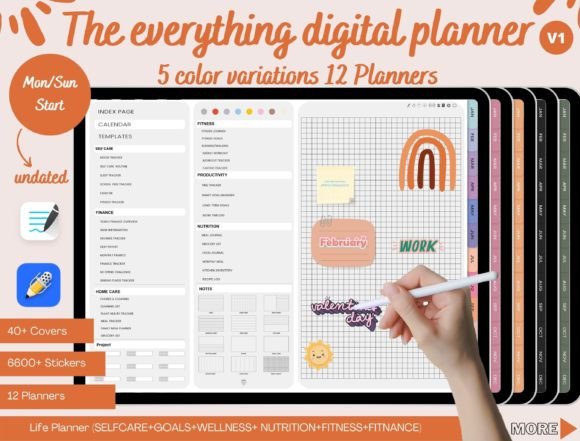
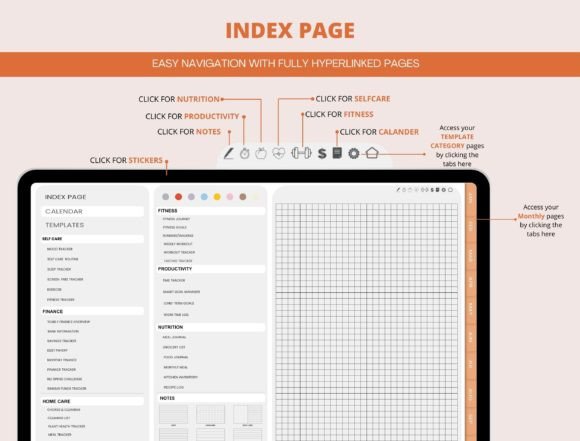
The first existing selection is retained for continuity, but its current product description explicitly specifies more than 900 planner pages for 2022. It should therefore be treated as a legacy dated listing, not a current-year recommendation. The original title does not make that limitation clear. Check the archive and date coverage before choosing it for present-day scheduling.
The seller describes a hyperlinked PDF for use in an app supporting PDF annotations and links. That establishes a document format, not proof of a refreshed calendar or a particular app release. If you want date flexibility now, compare the verified undated daily and weekly resources elsewhere in this collection while keeping this original link available for reference.
2. Digital Minimalist Daily Planner — Clean Pages for Focused Days
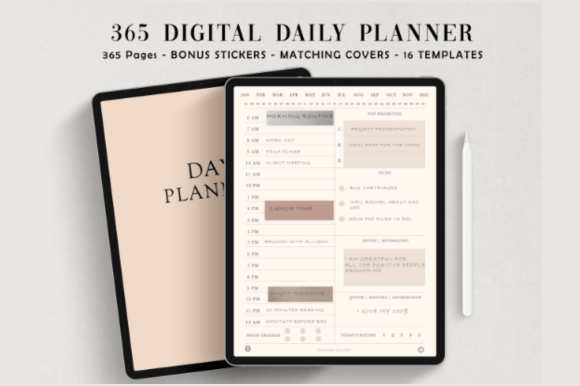
Minimalism makes a lot of sense on a digital screen.
When you’re already dealing with app icons, notifications, browser tabs, and multiple windows, a planner doesn’t necessarily need to add more visual noise. A minimalist daily layout keeps the attention on your schedule and tasks.
This is the kind of GoodNotes planner I’d consider for work-focused or study-heavy days, particularly if you prefer a clean digital workspace.
The daily format is also useful when your schedule changes from one day to the next. Instead of trying to squeeze several different priorities into a generic weekly overview, you get a dedicated space for the day in front of you.
For me, the biggest advantage of minimalist digital planning is not the aesthetic itself. It’s the fact that the design stays out of the way.
If decorative planners tend to make you spend more time looking at the planner than actually using it, a restrained daily format may be a better fit.
3. Digital Daily Planner — A Straightforward Everyday Format
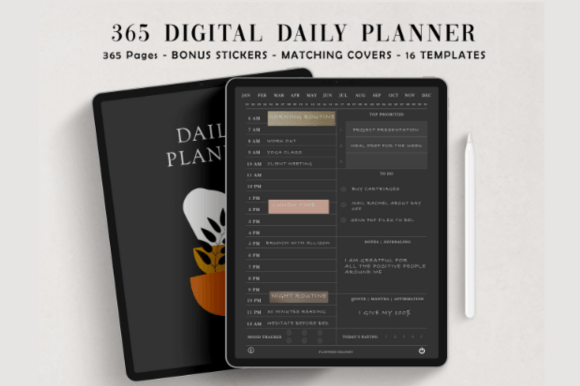
Not everyone needs an elaborate digital planner with dozens of trackers.
A straightforward daily planner can be much easier to maintain, especially if your main goal is to organize today’s priorities rather than build a complete productivity database.
I’d use a format like this for a simple morning planning routine: open the planner on the iPad, look at the day ahead, add appointments and tasks, and then work through the page as the day progresses.
One advantage of digital planning is that the page doesn’t have to be your entire productivity system. You can keep your other notes and files on the iPad while using the planner specifically for organization.
That separation can actually be helpful.
Instead of turning your GoodNotes planner into a place for absolutely everything, you can let it do one job well: help you understand what needs your attention today.
If that’s all you need, there’s little reason to choose an oversized planner simply because it contains more pages.
4. Daily Schedule Planner & Daily To-Do List — Combine Time and Tasks
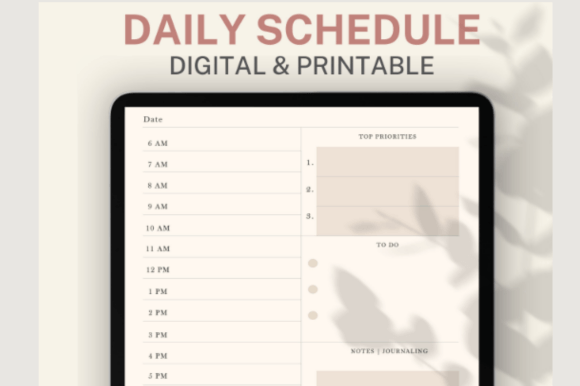
One of the biggest differences between digital planners is whether they focus on time or tasks.
A schedule tells you when something happens. A to-do list tells you what needs to happen. Keeping both ideas together can make a daily page considerably more useful.
That’s the appeal of this option.
I’d choose a layout like this if your day tends to involve a mixture of appointments and flexible tasks. For example, you might have meetings at specific times but also need to fit in email, studying, errands, workouts, or project work around them.
The iPad format makes this particularly convenient because you can write directly into the page rather than switching between a calendar and a task app.
For someone who frequently ends a day thinking, “I knew what I had to do, but I didn’t really know when I’d do it,” combining a schedule and to-do list can be a useful change.
It turns the planner from a simple list into a visual plan for the actual day
The current listing specifies 5 AM and 6 AM start versions and two page templates, but describes the number of color variants inconsistently as three and four. Check the actual PDF inventory before choosing it for a particular color count. This is a daily schedule resource, not a verified full-year calendar or a native GoodNotes file.
5. Dark Mode All-in-One Digital Planner — A Different Look for iPad Planning
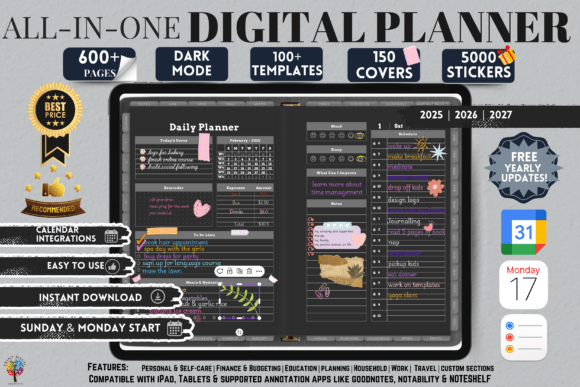
If you spend a lot of time on your iPad, you may appreciate a planner that takes a completely different visual approach.
The Dark Mode All-in-One Digital GoodNotes Planner is designed around a dark aesthetic and the idea of bringing multiple planning functions together. That makes it particularly interesting for someone who doesn’t want the typical bright, white digital-planner appearance.
The “all-in-one” concept is also important here. Instead of buying a separate daily, weekly, and goal planner, an all-in-one format is intended to give you a broader planning environment.
I’d choose this one primarily for the combination of visual style and comprehensive planning.
It’s also a reminder that digital planning gives you possibilities that paper doesn’t. A dark interface can feel completely different on an iPad, particularly for someone who already prefers dark-mode apps.
If you’re bored with conventional pastel or white digital planners, this is one of the more distinctive options in the collection.
6. Undated Digital Planner for GoodNotes — Start Whenever You Want
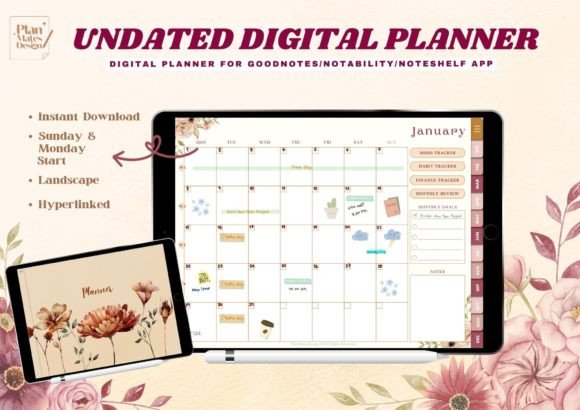
An undated planner solves one of the most annoying problems with dated digital planners: buying one doesn’t mean you have to wait for January.
You can start when you actually need it.
This undated GoodNotes planner is therefore a particularly flexible choice. If your planning habits come and go, you can use the planner whenever you’re ready to restart rather than feeling like you’ve wasted pages because you missed a few weeks.
That’s valuable for anyone who wants a low-pressure planning system.
I also like undated planners for people who are experimenting with digital planning. You don’t have to commit to a specific year or calendar period before knowing whether the format works for you.
If you’re searching specifically for an undated GoodNotes planner, this is one of the options I’d compare first.
7. Digital Planner for iPad GoodNotes 7 — Designed Around the iPad Experience
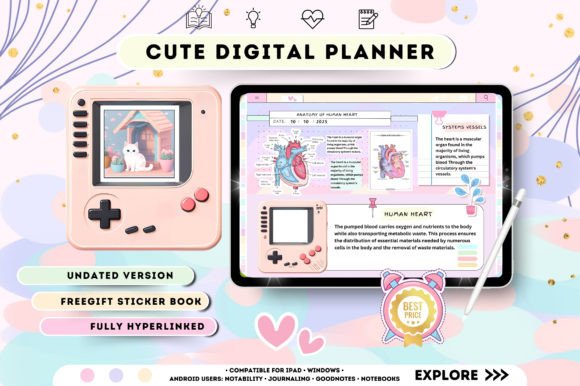
There are two words worth paying attention to here: iPad and GoodNotes.
This planner is positioned specifically for iPad and GoodNotes users, which makes it a natural candidate if your tablet is the center of your planning workflow.
I would look at an iPad-focused goodnotes planner when you want the digital planning experience to feel more like a purpose-built notebook than a generic PDF opened on a screen.
This type of planner is especially appealing if you regularly use your iPad with a stylus. Handwriting can make digital planning feel considerably more natural, while the tablet still gives you the portability and storage advantages of digital files.
Rather than thinking of this as simply a replacement for paper, I’d treat it as a digital notebook designed around your existing iPad habits.
If GoodNotes is already part of your daily workflow, keeping your planner there can make the whole system easier to maintain.
8. Digital Planner for iPad GoodNotes 6 — Another iPad-Centered Choice
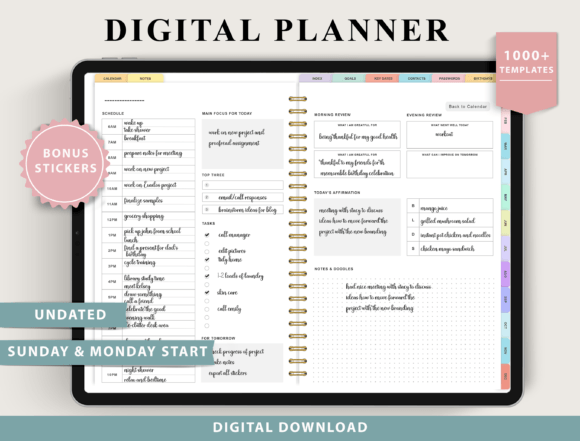
This option gives you another iPad-and-GoodNotes-oriented design to compare.
At this point, I wouldn’t choose between the two simply because one has a higher number in its product title. The more useful question is whether the specific layout and visual style suit your planning habits.
That’s an important lesson when shopping for digital goodnotes planners. Compatibility gets you through the door, but usability determines whether you continue using the planner.
If you’re already comfortable with GoodNotes, I’d spend some time comparing the actual page layouts, navigation, and organization of the options you’re considering.
For someone who likes planning on an iPad but doesn’t want to build their own pages from scratch, a ready-made digital planner can save a considerable amount of setup time.
The best choice is the one that makes opening GoodNotes feel like the natural next step when you need to organize your day.
9. Digital Planner Beige 2025–2027 Undated — A Soft, Neutral Aesthetic
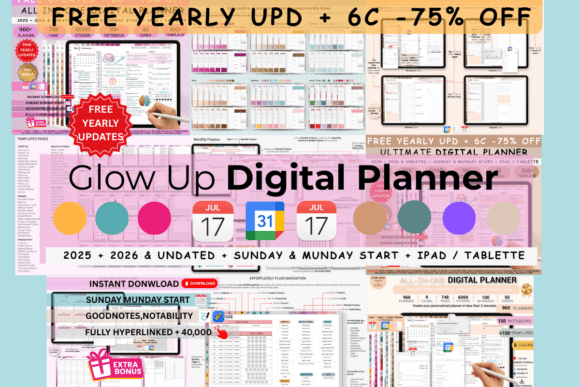
If aesthetics matter to you, beige and neutral digital goodnotes planners have a very different feel from dark-mode or minimalist black-and-white layouts.
This planner combines a beige visual style with an undated format, making it a good option for someone who wants both flexibility and a softer aesthetic.
The undated format is particularly useful because the planner isn’t tied to a single calendar year. You can start when you want and continue using the format without worrying about the date printed on the page.
I’d consider this one if your iPad setup already has a neutral, understated visual style.
There’s also a practical advantage to choosing an aesthetic you genuinely enjoy. A planner is something you’ll return to repeatedly, so the visual experience matters more than it might seem at first.
For me, this sits between functional digital organization and lifestyle stationery.
10. Digital Planner Blue 2025 Undated — A More Colorful Alternative
Not everyone wants beige neutrals or stark minimalism.
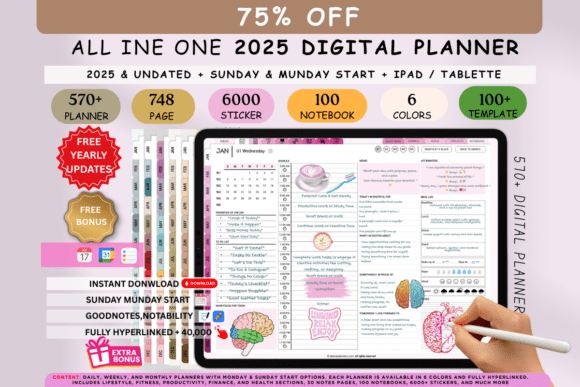
This blue undated digital goodnotes planner provides another aesthetic direction while retaining the flexibility of an undated format.
I think color can be surprisingly useful in digital planning because it gives your workspace an identity. When you open the planner every morning, it feels like a dedicated environment rather than another generic document.
The important thing is not to choose a color simply because it looks attractive in a product preview. Think about whether you’ll enjoy seeing it every day and whether the design gives your handwriting and information enough room to stand out.
I’d put this option on the shortlist for someone who wants a little more personality from their digital planner while still avoiding a rigid dated system.
If you are comparing this with the beige planner above, the decision may ultimately come down to visual preference rather than functionality.
11. Undated Weekly Digital Planner — A Lighter Alternative to Daily Planning
Planning every single day isn’t necessary for everyone.
If your schedule is relatively predictable or you simply prefer seeing the bigger picture, a weekly digital planner can be more comfortable than working through individual daily pages.
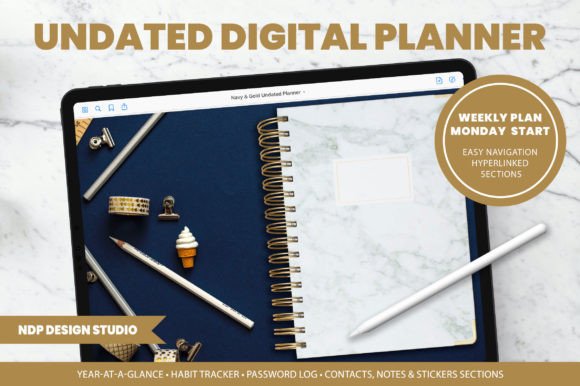
This undated weekly option gives you that broader perspective without locking you into a particular calendar year.
I’d use a weekly planner for planning priorities, appointments, deadlines, and major tasks, then keep smaller details elsewhere if necessary.
That’s often enough structure for people who don’t want to spend several minutes every morning filling out a detailed daily page.
The undated format adds another layer of flexibility. You can begin whenever you want and use the planner around your own schedule.
If daily planning feels like too much maintenance, don’t assume you need a daily planner simply because you’re searching for a GoodNotes-compatible option. A weekly spread might actually fit your life better.
12. Deep Blue Undated Digital Planner — Bold Style With Flexible Timing
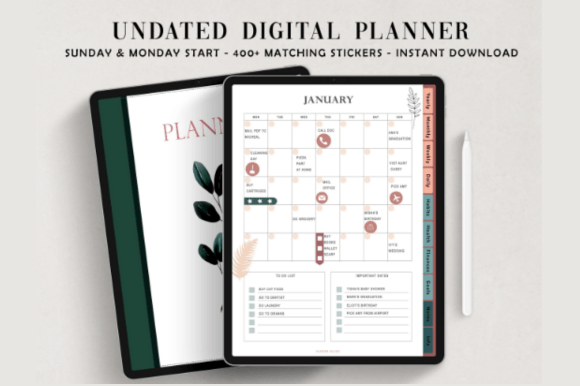
The final option combines two themes that appear repeatedly in this collection: strong visual identity and an undated structure.
The deep blue aesthetic makes it stand out from the softer beige planner, colorful blue version, and minimalist options above.
I would consider it if the visual experience of your digital planner matters almost as much as its organization. After all, a planner lives on your screen every day, so there is no reason it has to look like a spreadsheet if that’s not your style.
The undated format is also useful for anyone who doesn’t want their planner tied to a specific year.
What I like most about having several aesthetic options is that it demonstrates how personal digital planning can be. Two planners can serve essentially the same broad purpose while creating completely different experiences.
Choose the one you’ll actually enjoy opening.
GoodNotes Planner vs. Paper Planner
For me, the biggest advantage of a GoodNotes planner is convenience.
Your planner can stay on the iPad alongside notes, documents, calendars, and other digital resources. You don’t need to carry a separate notebook, and you can keep multiple planning systems on one device.
Paper still has its own appeal, though. Some people simply think better when they physically write on paper, and there’s something satisfying about crossing out a task with a pen.
So I wouldn’t choose digital simply because it’s newer.
If you already use an iPad regularly and enjoy handwriting on a screen, a GoodNotes planner is a natural fit. If you rarely use your tablet or prefer physical notebooks, a printable planner may be more comfortable.
The best planning format is the one that disappears into your routine.
You may also like:
Check the download before importing into GoodNotes
A PDF access guide may lead to the actual planner archive; it is not necessarily the planner file itself. Keep the original download, extract the archive where necessary and import the intended PDF or supported native file. Check one page of handwriting and one navigation link before duplicating or reorganizing pages. Follow any product-specific restrictions on linked sections.
Goodnotes’ current PDF hyperlink instructions explain how to open existing links. On Android, Windows and Web, Read Only Mode provides direct link selection; in Edit Mode, press and hold and choose Open Link. Menu behavior can vary by platform, and importing a plain page does not create hyperlinks that were never in the file.
Choose a planner you can keep using
Choose an undated daily option if you want detailed notes without committing to a calendar year, or a weekly layout if a broad overview is enough. Treat product-title numbers as listing identifiers unless the creator clearly defines them as software versions. For bundles that include older years, select the supplied current-year or undated file rather than assume the first file is the appropriate one.
The existing digital planner collection compares ready-made files with Canva editing. Our aesthetic digital planner guide focuses more closely on visual styles, while undated digital planners offer a date-flexible starting point. Compare the actual preview and supplied file list before choosing by color alone.
9 Comments