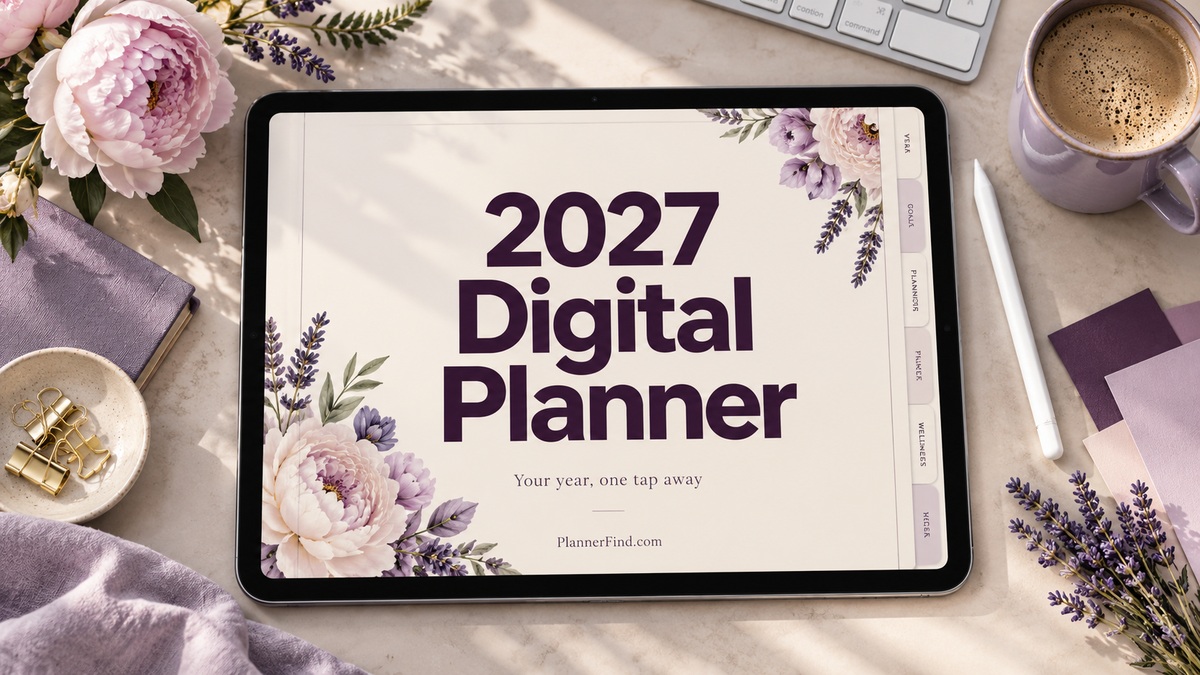
10 Practical 2027 Digital Planner Options for Your Tablet Routine
A 2027 digital planner should make dates and priorities easy to reach on the device you actually use. This comparison includes 10 Creative Fabrica products: confirmed 2027 or multi-year options alongside three explicitly undated alternatives that you can date for 2027 yourself.
The guide focuses on digital planning workflows rather than printable Canva agendas. Hyperlinks, orientation, week-start options, download access, and stated device restrictions matter more than a large decorative library. App compatibility and integration features are reported from seller listings, not presented as hands-on tests.
In this guide
Check your device before choosing a 2027 digital planner
A PDF annotation app is usually the working environment for these products. Confirm the exact app and device requirements, then compare portrait and landscape previews with how you hold or position your tablet. A file that opens on a phone may still be awkward for normal planning.
Choose Monday or Sunday start deliberately, and confirm that the current download includes 2027 where dated versions are advertised. Calendar integrations require setup and should not be assumed to convert every handwritten entry into a calendar event. For broader app-oriented choices, see our GoodNotes planner guide.
1. All-in-One Digital Planner 2027
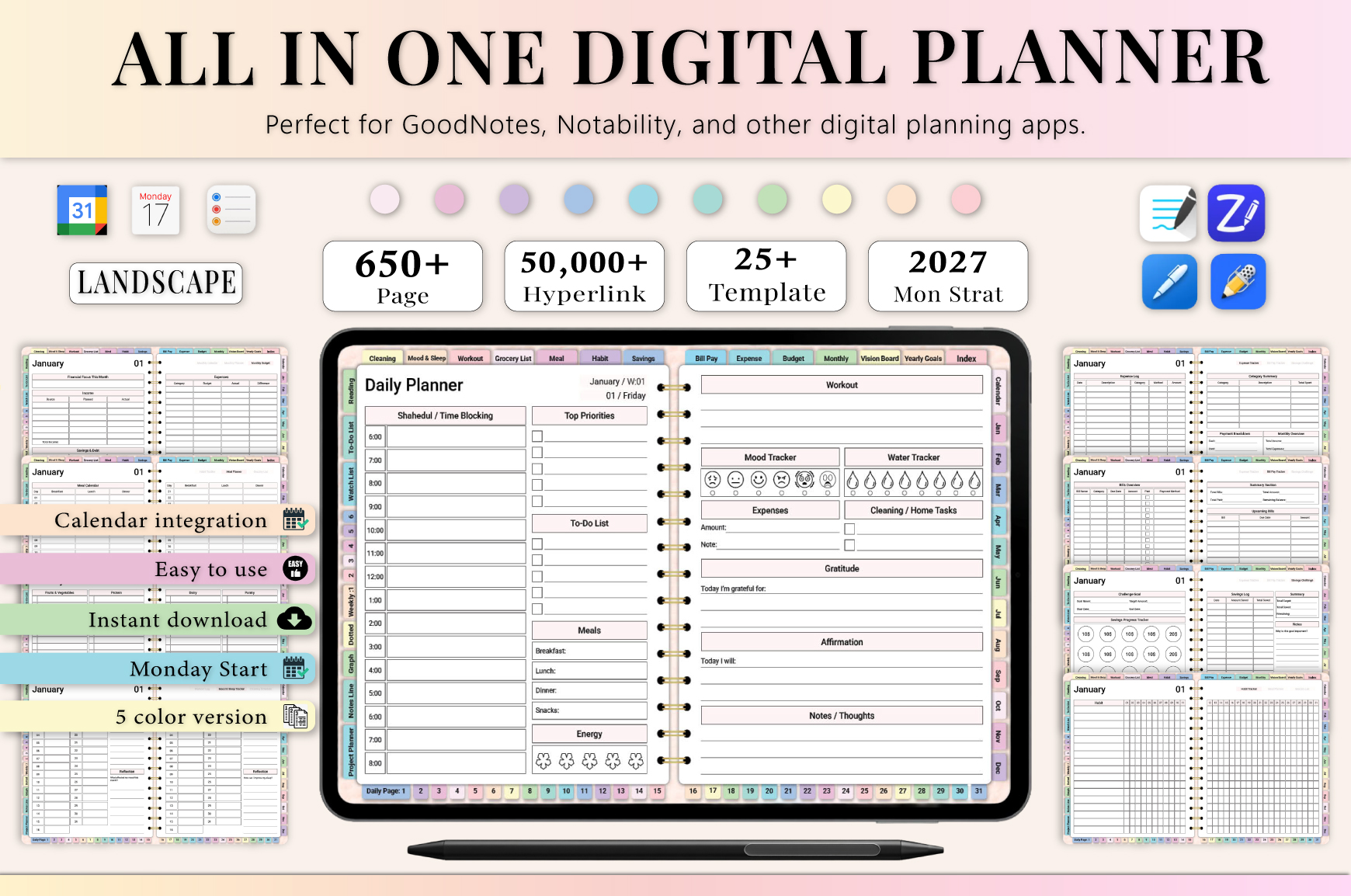
Heartcraft Studio’s All-in-One Digital Planner 2027 is a 655-page interactive hyperlinked PDF with yearly, monthly, weekly, daily, finance, wellness, home-management, productivity, and note sections. The listing names GoodNotes, Notability, Noteshelf, Xodo, Penly, ZoomNotes, and Samsung Notes among supported PDF annotation apps.
Choose this 2027 digital planner if you want a single dated workspace rather than separate notebooks for meals, expenses, and appointments. Start with calendar navigation and weekly priorities, then activate only the trackers you will maintain. The separate note-paper styles can also keep meeting or project notes near the planning pages.
The seller notes that a paid GoodNotes account may be needed to use a large planner smoothly. Compatibility is reported from the listing rather than tested for this review. Undated note pages are reusable, but the dated 2027 calendars should not be described as automatically updated for later years.
2. 2027 Digital Planner | Monday and Sunday
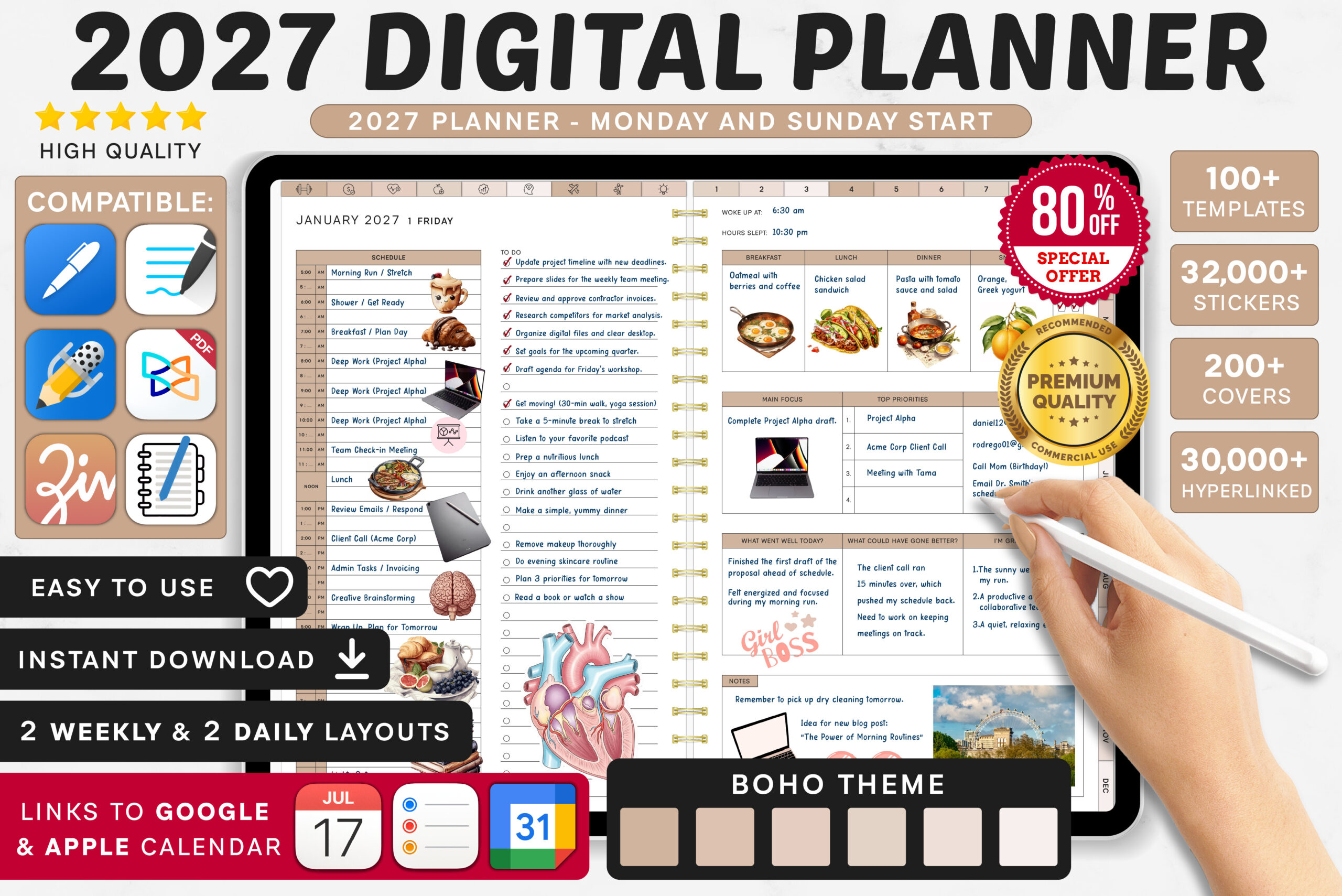
SuperDigitalPlanners’ 2027 Digital Planner — Monday and Sunday Start supplies eight planner versions with extensive hyperlinks, yearly and quarterly views, monthly and weekly planning, daily layouts, and a large collection of trackers. The listing advertises Apple Calendar, Reminders, and Google Calendar integrations as well as numerous stickers, icons, and covers.
Choose your week-start convention before importing the file so it matches the calendar you already consult. The weekly reflection and priorities pages are useful for a regular planning review, while monthly goals can keep daily work connected to a broader objective. Add decorative extras only after the basic navigation feels comfortable.
A PDF annotation app is required, and the seller explicitly says the product is not designed for OneNote. Calendar integration is an advertised feature that requires its own setup; do not assume handwritten entries automatically synchronize. The eight versions provide layout choice, which may be unnecessary if you already know exactly what you prefer.
3. 2027 Bundle Digital Planner, Goodnotes
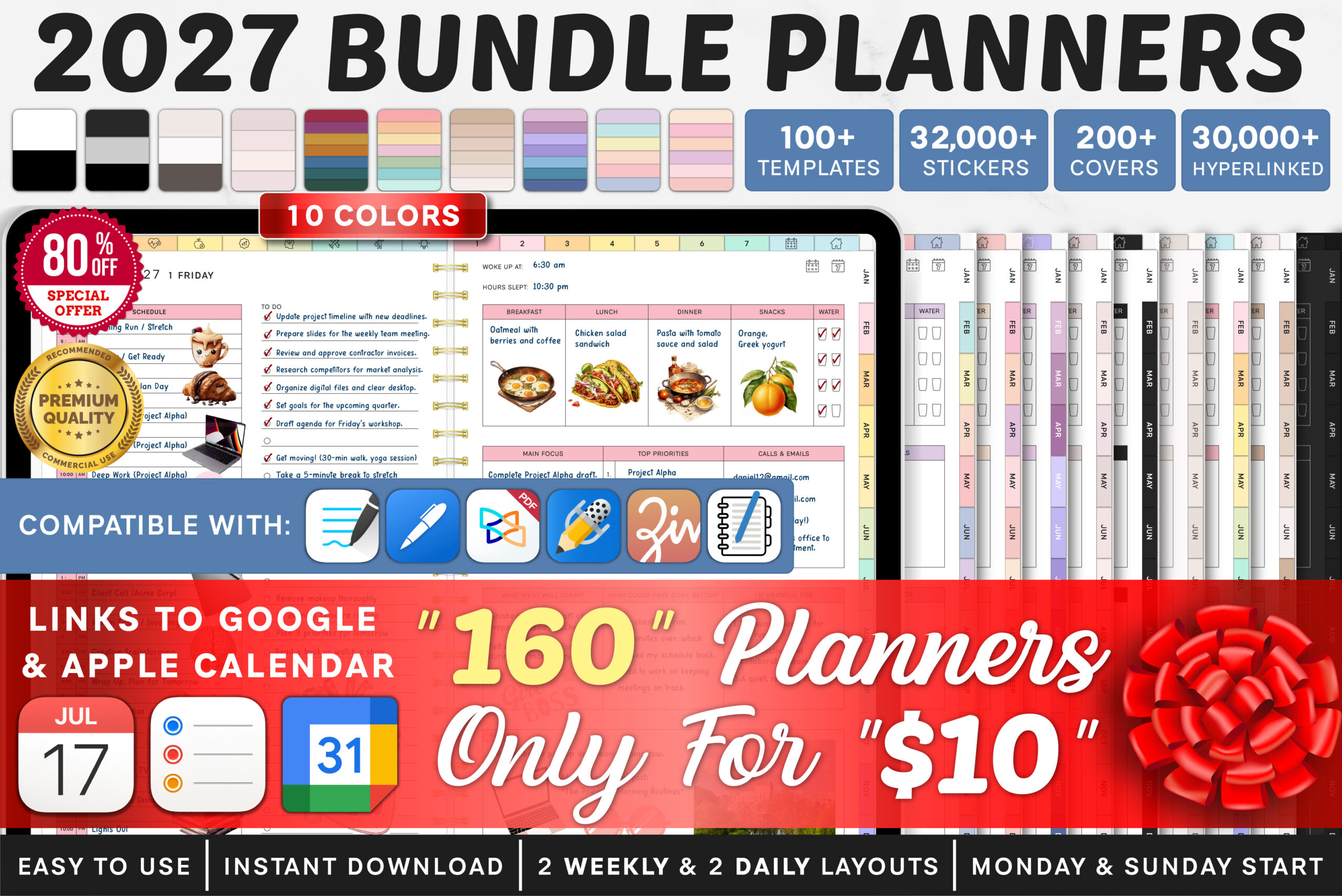
The 2027 Bundle Digital Planner, Goodnotes by SuperDigitalPlanners is the larger choice from the same seller, listing 160 planner variants with Monday and Sunday starts. It includes hyperlink navigation, yearly and quarterly views, monthly, weekly, and daily sections, and advertised Apple Calendar, Reminders, and Google Calendar integrations.
This is best for a reader who genuinely wants to compare visual and layout choices before settling on a working planner. Choose one version and use it consistently rather than splitting a schedule across the bundle. The listed project section and reusable note templates can be useful once the main dated calendar has become part of your routine.
The 160 variants should not be confused with 160 different planning systems or a recommendation to use every file. An annotation app is required, and OneNote is explicitly excluded. The seller’s extensive sticker and cover library adds customization, but it also creates more setup choices than a simple single-file planner.
4. Digital Planner 2027 Fully Hyperlinked.
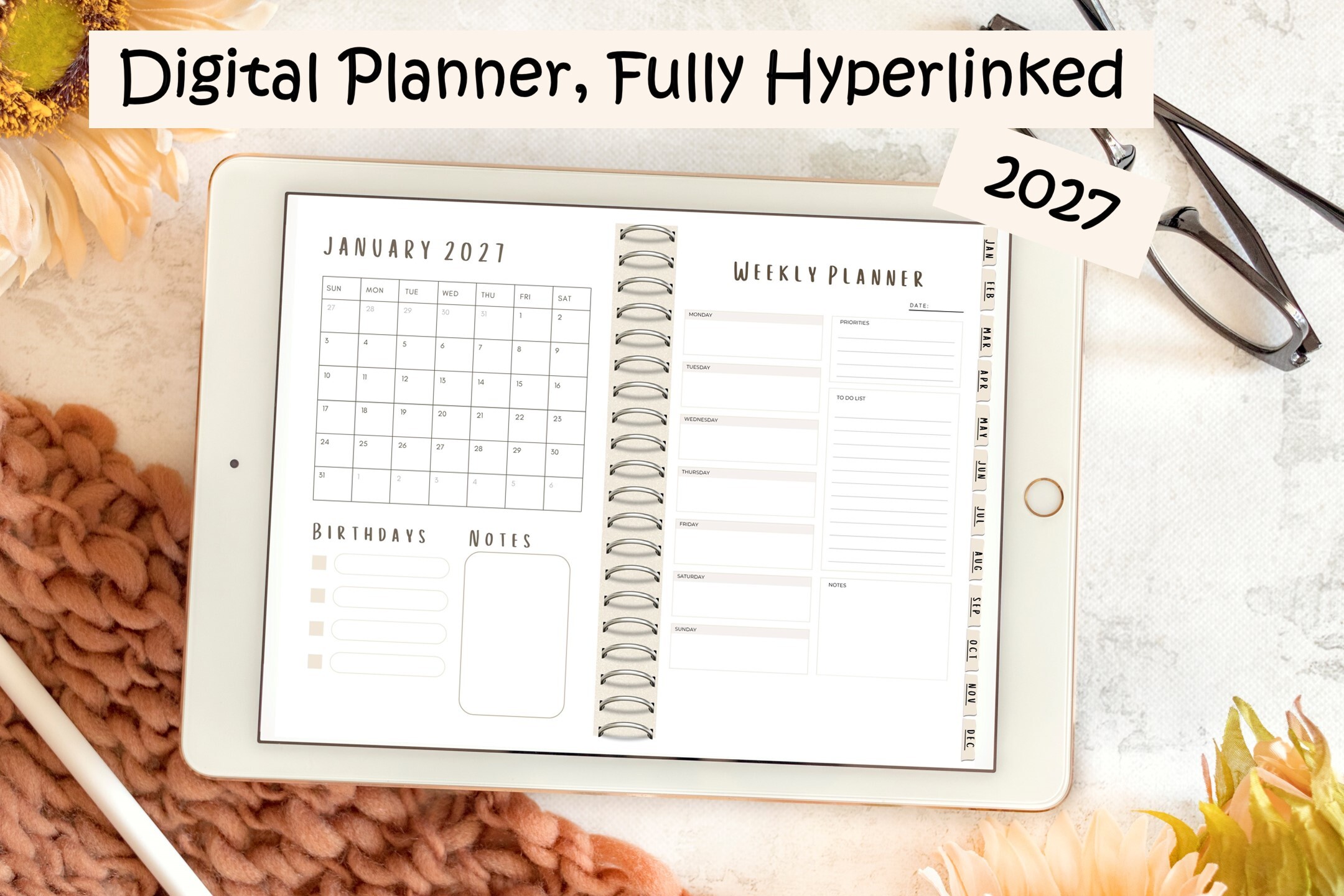
The Paper Princess’ Digital Planner 2027 Fully Hyperlinked is supplied as a single PDF with clickable navigation across all 12 months. The description identifies monthly overviews followed by weekly planning and a neutral color palette. It is a narrower, less specification-heavy listing than the very large lifestyle bundles in this guide.
Choose this when the main goal is to move between months and weeks rather than maintain dozens of specialized trackers. A neutral page style also provides room to add your own stickers or writing without competing with strong decorative elements. Test the month links in your preferred PDF app after importing the file.
The listing does not establish an exact page count, a specific week-start option, calendar integrations, or a named app-by-app compatibility test. Its broad device wording should not be treated as a guarantee that every phone or app will offer the same experience. Review the preview and import requirements before purchasing for a particular device.
5. Daily Digital Planner (Portrait)
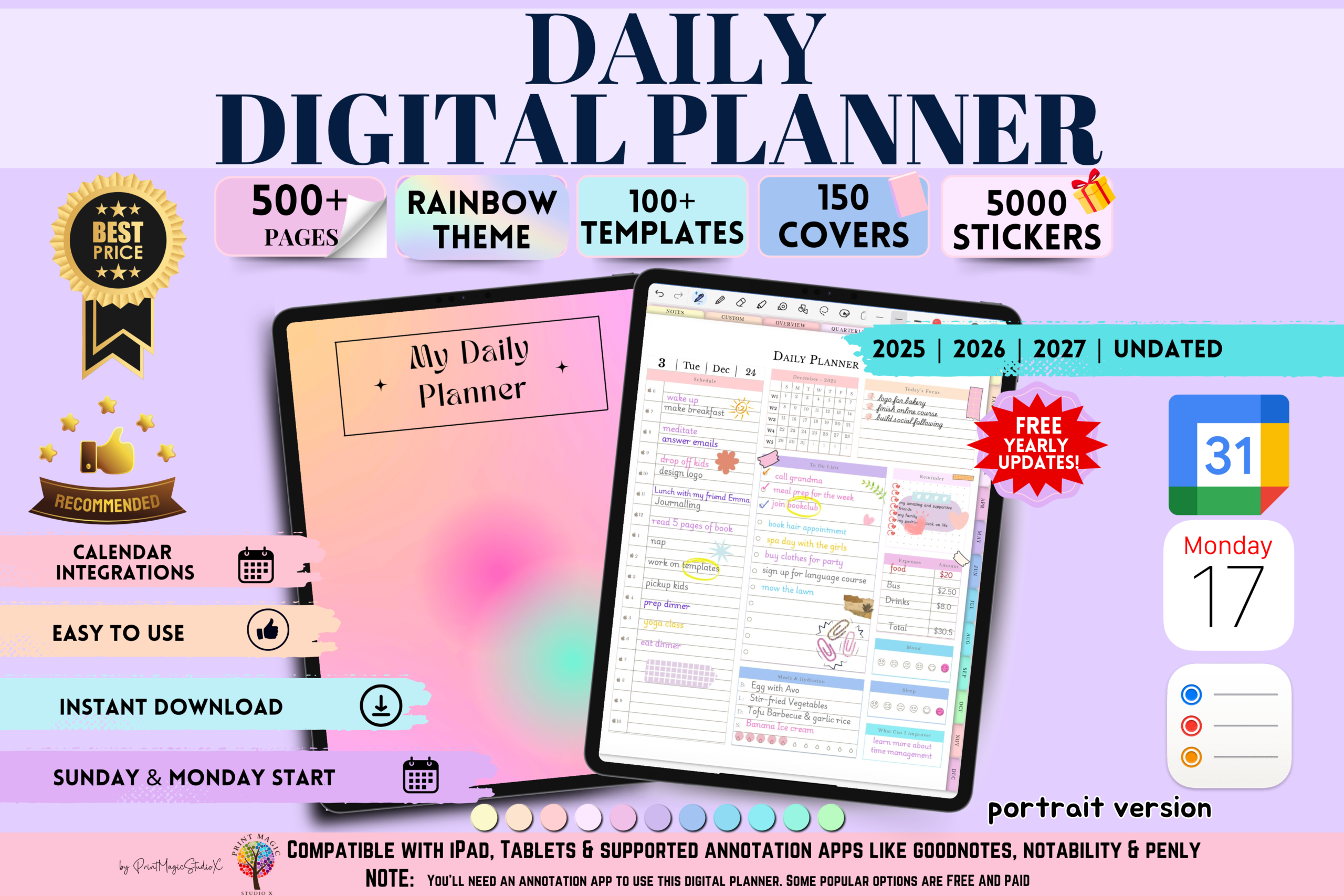
Print Magic StudioX’s Daily Digital Planner Portrait includes dated 2025, 2026, and 2027 versions plus an undated option. The listing describes more than 500 hyperlinked pages, yearly and quarterly planning, monthly, weekly, and daily layouts, 20 custom sections, and note templates. Delivery is through a PDF download-link file with import instructions.
This is a good fit when daily scheduling and project notes matter more than decorating every page. Assign a clear purpose to the custom sections, such as a project or a recurring meeting, before filling them. Select the 2027 dated version at setup so older included years do not become your accidental working calendar.
The seller advertises Apple Calendar, Reminders, and Google Calendar integration, plus future yearly updates; those claims are not independently tested here. A compatible annotation app is needed. Portrait orientation is deliberate, so compare its preview with your tablet’s usual writing position before choosing it over a landscape layout.
6. All in One Digital Planner (Portrait)
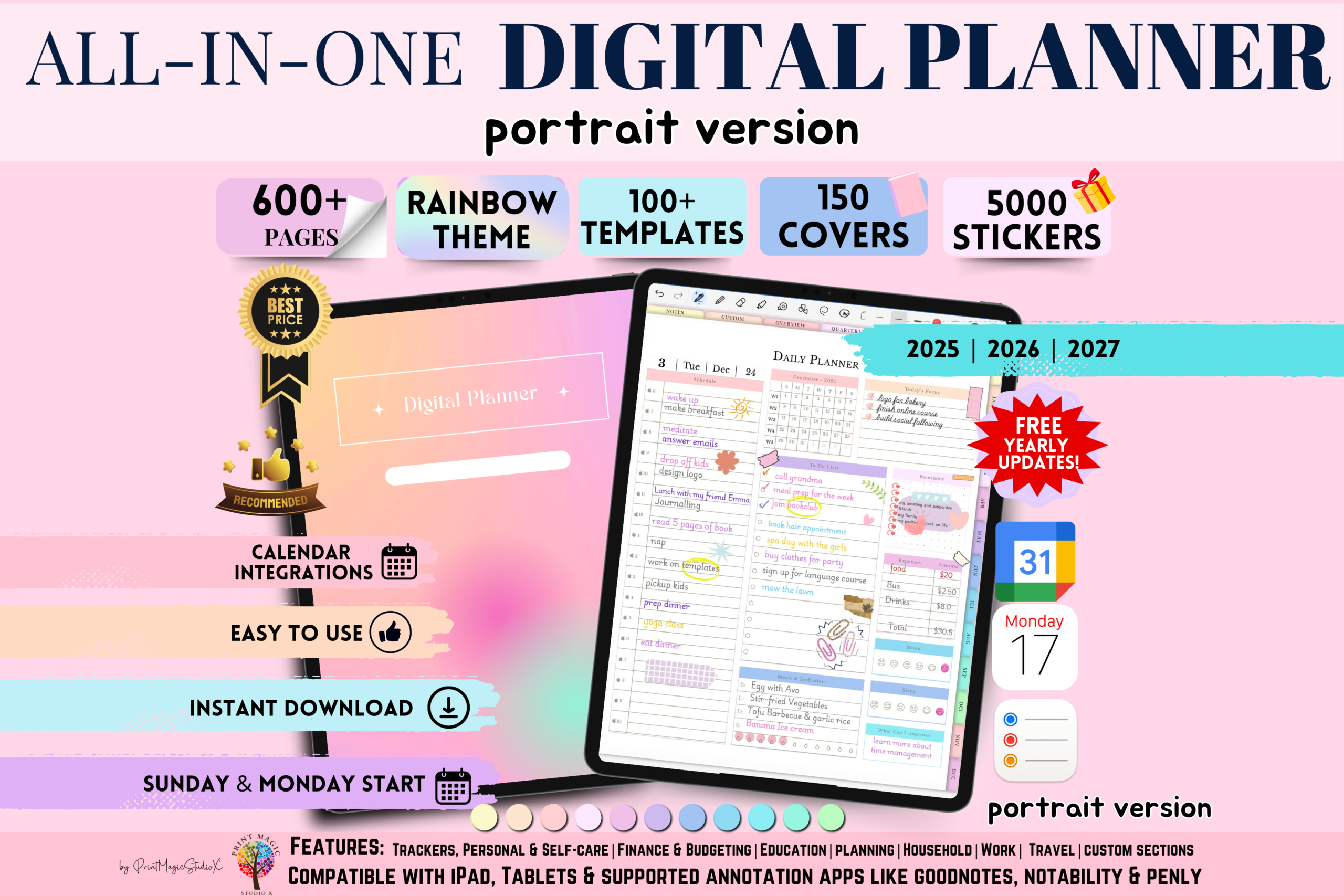
Print Magic StudioX’s All in One Digital Planner Portrait is presented for 2025, 2026, and 2027 with a rainbow theme, more than 86 templates, 5,000 stickers, 150 covers, and 12 note-paper templates. The listed sections cover scheduling, goals, personal growth, budgeting, household organization, and reflection. A PDF provides access to the planner download.
Choose it if a colorful portrait workspace makes a broad digital planner more inviting to use. Keep one main calendar and use additional sections as references rather than duplicating the same task list everywhere. The note-paper choice can help distinguish free-form brainstorming from the dated schedule.
This version is explicitly portrait only. The seller advertises calendar integration and yearly updates, but the review does not verify those services or promise future delivery. An annotation app is required; the large decorative library can also make initial setup longer if you want a minimal planning routine.
7. Digital Planner 2025, 2026, 2027 & Undated
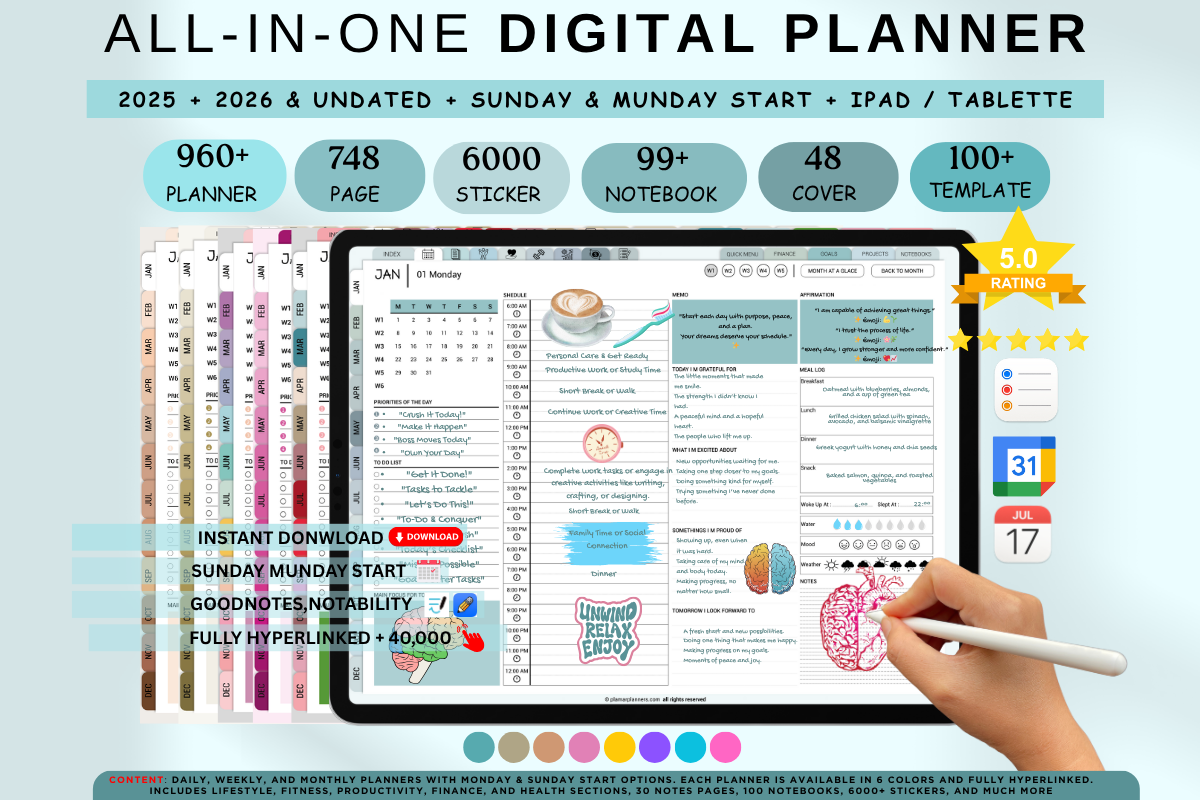
Plamarplanners’ Digital Planner 2025, 2026, 2027 & Undated lists dated versions for all three years plus a reusable undated option. The product description offers six color themes, four weekly layouts, four daily templates, Monday or Sunday starts, hyperlinked navigation, covers, stickers, and an extensive range of planning sections.
Choose this bundle when layout experimentation is a real priority. Compare the weekly layouts first, settle on one, and then choose a theme. The 2027 dated version gives the year a ready-made structure, while the undated option is useful if you want to reuse the same planning format later.
The listing advertises Apple and Google calendar integration and yearly updates, but its copy also contains references to older years. Confirm that the current download contains the promised 2027 version and follow its setup guide. The large combination count describes choices; it is not evidence that thousands of different planning methods are included.
8. Undated Digital Planner Goodnotes
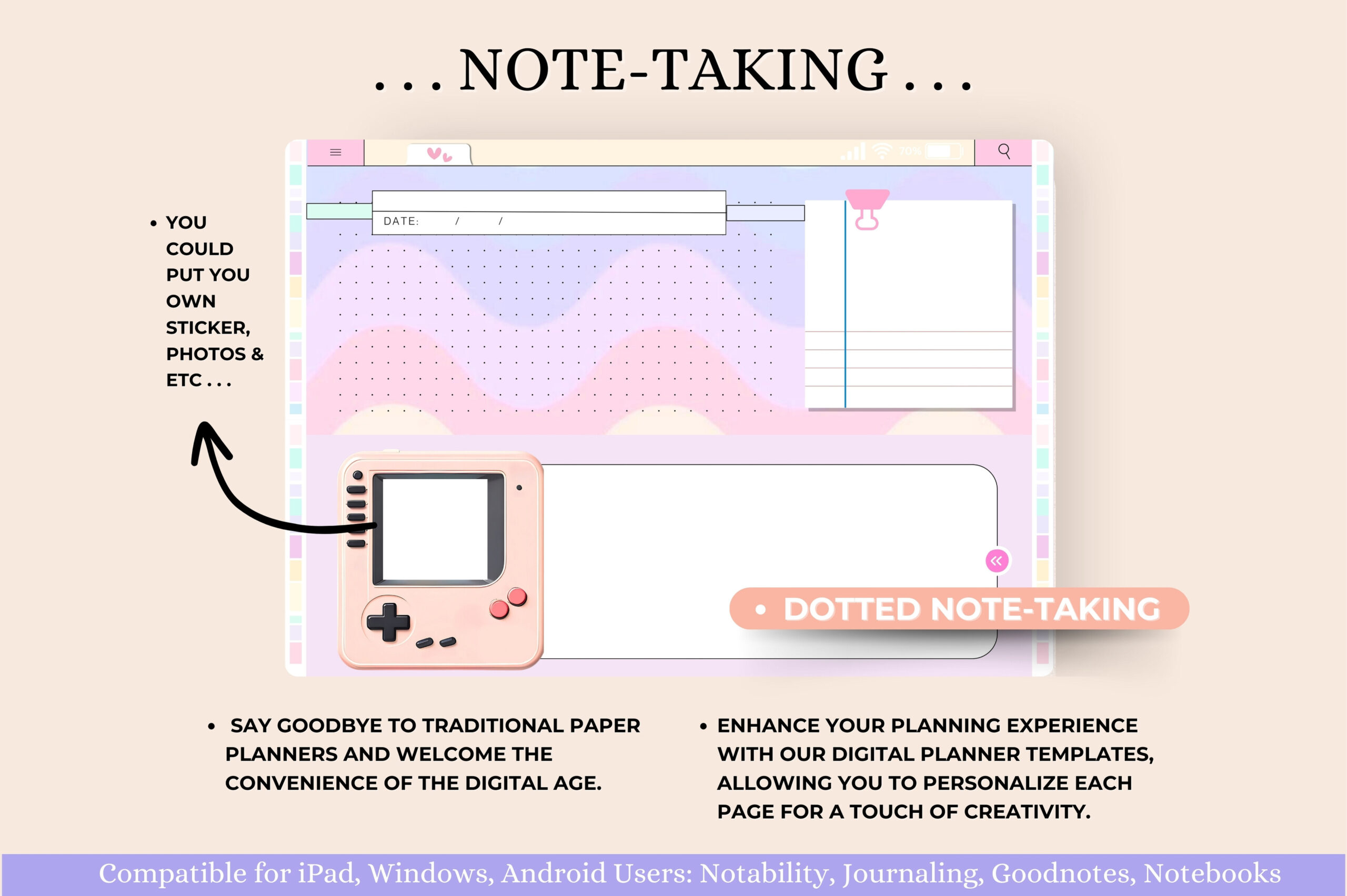
Tas Creative Studio’s Undated Digital Planner Goodnotes is a horizontal, 11 × 8.3-inch planner with hyperlinked daily, weekly, and monthly pages and 12 month modules. The listing includes instructions and a five-page blue-and-pink sticker book, plus goal, vision, finance, reading, and wellness planning sections.
This is a reusable alternative for 2027 if you are comfortable adding dates yourself. A horizontal view suits a wider desk-style planning routine and can keep the week visible while writing. Set up the month and week dates before depending on it for appointments, then add only the extra trackers you need.
It is explicitly undated, so it does not arrive with a prefilled 2027 calendar. The seller lists popular PDF planning apps, but app-specific behavior has not been tested for this review. Choose it for flexible repeated use rather than for automatic calendar scheduling or a ready-dated annual file.
9. IPad Daily Digital Planner ( 620 Pages )
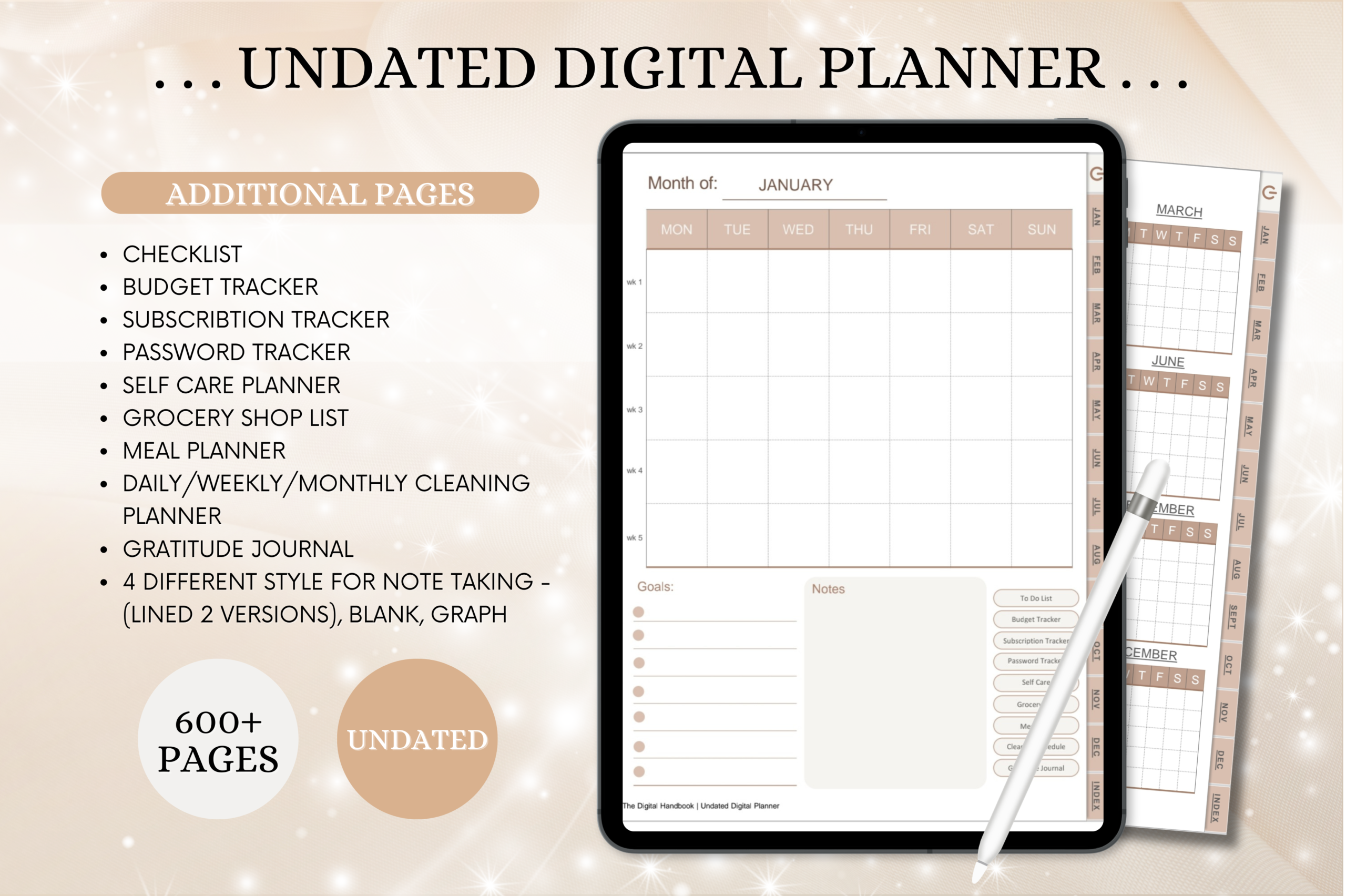
Tas Creative Studio’s iPad Daily Digital Planner contains 620 undated portrait PDF pages with a linked index, monthly, weekly, and daily planning, and additional household and finance sections. The description includes meal planning, grocery shopping, cleaning, budgeting, subscriptions, self-care, gratitude, and four note-taking styles.
Choose this reusable option when portrait orientation and a large everyday-life notebook fit your tablet routine. For 2027, add dates to a small working set first and test how easily you can move between the daily page and monthly view. The household sections are useful if you already plan chores and meals digitally.
This is an undated planner that can be used in 2027, not a product with confirmed prefilled 2027 dates. Six hundred twenty pages also create more navigation than a compact weekly planner. Supported apps are named in the listing; verify import and link behavior on your own device before making it your only schedule.
10. Digital Planner for Ipad, GoodNotes
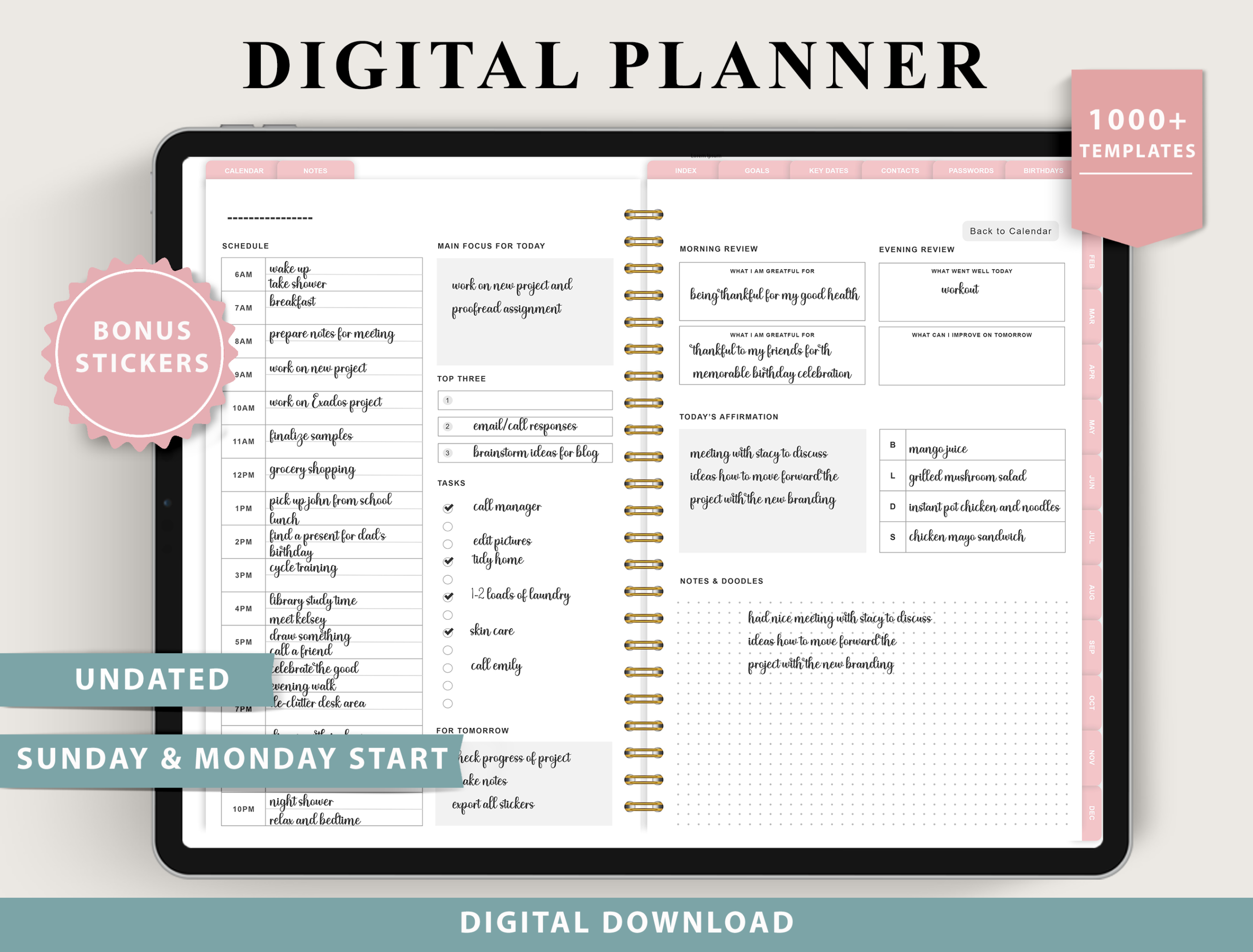
ThePlannersDelight’s Digital Planner for iPad, GoodNotes is an undated collection with Monday and Sunday starts, four weekly layout options, four daily layouts, and more than 100 templates. The documented sections span goals, time planning, finances, meal planning, wellness, household routines, and travel, alongside digital stickers.
Choose it for 2027 when you want to build a reusable layout around your preferred weekly view. Select one weekly and one daily format first, then keep your goal or project notes in a consistent place. The undated format can also suit readers who sometimes skip detailed daily planning and restart without unused dated pages.
The listing explicitly excludes OneNote, printing, Kindle, Chromebooks, and normal phone-first use; phones are described mainly as a reference option. It also identifies some tablet exclusions, including reMarkable 2. These limitations matter more than the large advertised variant count, so confirm your exact device before purchasing.
Build a manageable digital planning routine
Import one working version and test the month, week, and day links before adding appointments. Set up only the sections you will use immediately, then add project notes or trackers once the main schedule feels familiar. Consistent use of one version is more useful than scattering plans across a large bundle.
Keep a practical backup routine through your app’s supported export or sync options. Decorative stickers and covers can make the planner inviting, but they should not obscure dates or priorities. Undated options also need deliberate date setup before you rely on them for commitments.
2027 digital planner questions
Are all options already dated for 2027? No. The Tas Creative Studio undated products and ThePlannersDelight option are clearly labeled reusable alternatives. You add the dates yourself; they are not presented as predated 2027 calendars.
Does a PDF automatically synchronize with Apple or Google Calendar? No. Some sellers advertise integrations, but those depend on their instructions and supported setup. Hyperlinks inside a PDF are a different feature from calendar integration.
Can you use every digital planner in OneNote or print it? No. Some sellers explicitly exclude OneNote or printing. Read the product-specific limitations instead of treating a PDF file as proof that every workflow is supported.