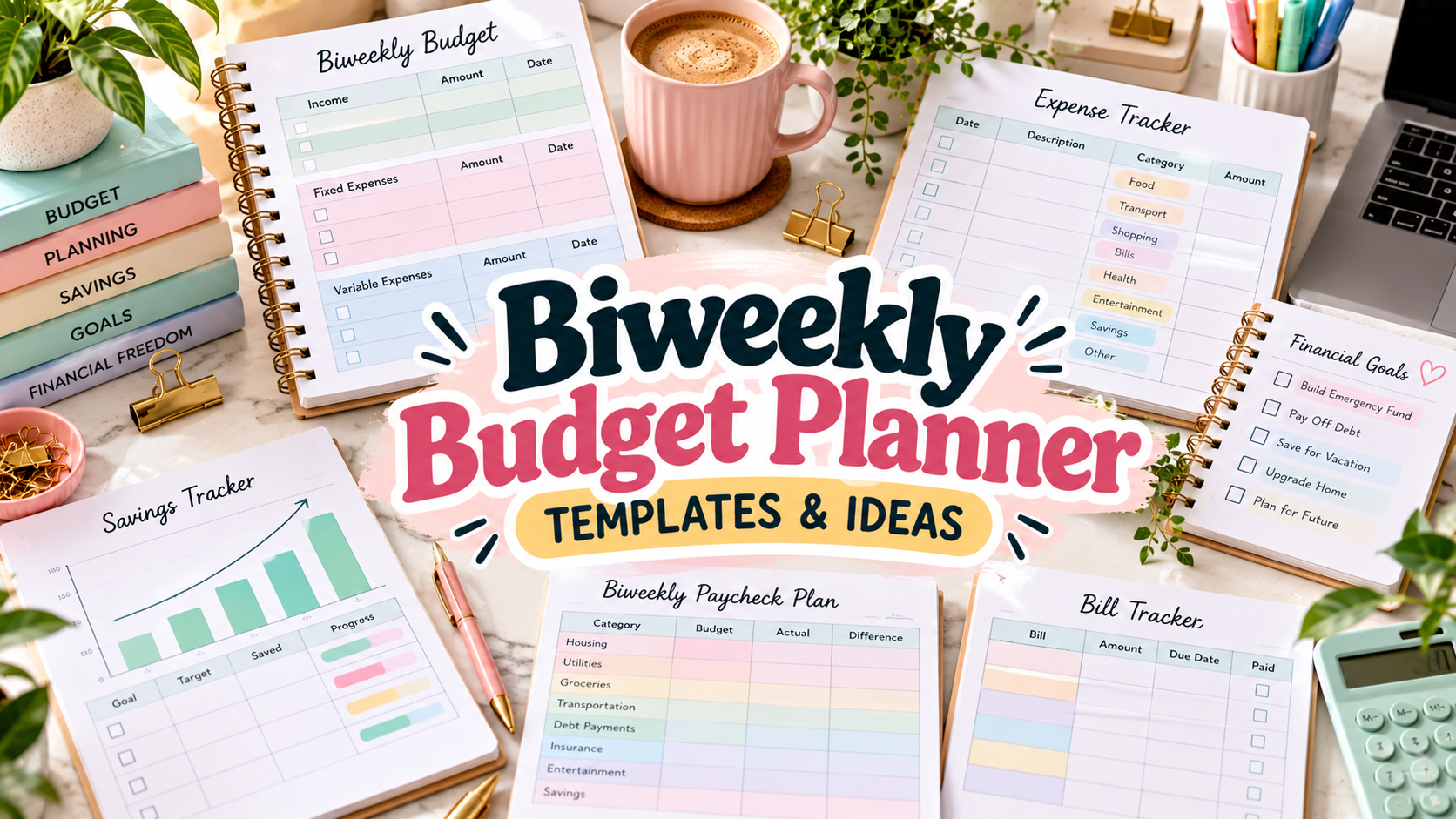
10 Practical Biweekly Budget Planner Templates for Every Paycheck
A biweekly budget planner can make money management much easier when your income arrives every two weeks. Instead of forcing a monthly budget to match a paycheck schedule it was not designed for, you can decide which bills, savings goals, debt payments, and everyday expenses each check needs to cover.
I compared ten Creative Fabrica options ranging from simple printable paycheck sheets to editable Canva pages and automated Excel and Google Sheets systems. The best choice depends on whether you want to write by hand, type into a fillable PDF, customize the layout, or let a spreadsheet calculate the numbers for you. You can also compare our monthly budget planners and printable budget planner templates.
What Should a Biweekly Budget Planner Include?
At minimum, look for a place to record each paycheck, fixed bills due during that pay period, variable expenses, savings, and debt payments. A planned-versus-actual column is especially useful because it shows whether your assumptions matched what you really spent. If you regularly have money left after essentials, sinking funds can help you reserve it for irregular costs before it disappears into everyday spending.
Format matters too. Printable PDFs are quick and easy to repeat every two weeks. Fillable PDFs work well if you prefer typing but do not need automatic calculations. Canva templates prioritize customization, while Excel and Google Sheets are better when you want formulas, graphs, categories, and longer-term financial analysis.
1. Biweekly Paycheck Budget Tracker
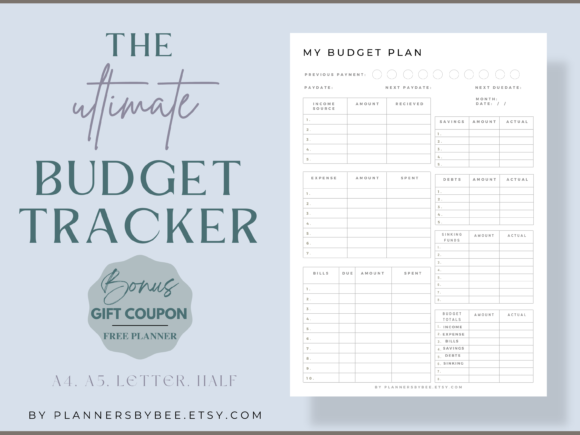
This printable is built specifically around a two-week paycheck cycle, with space to compare planned and actual income, savings, and expenses. It can work for traditional or zero-based budgeting and comes as four 300-DPI PDF files in A4, A5, Letter, and Half Letter sizes. The layout also leaves room for planner punches. Creative Fabrica shows 81 favorites, which makes it one of the stronger popularity signals in this roundup.
Where I think it works best: Printable paycheck-by-paycheck planning.
2. Editable Biweekly Budget Planner Printable
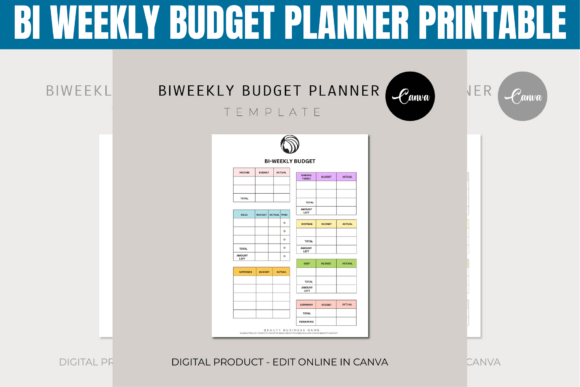
This newer editable template focuses on the core decisions you make every two weeks: income sources, bill payments, variable expenses, savings goals, and debt tracking. Categories, amounts, and time periods can be customized before you print the planner or keep an updated digital copy. It is a practical choice for households, freelancers, or anyone whose spending plan changes from one pay period to the next.
Where I think it works best: Customizable biweekly categories.
3. Ultimate Paycheck Budget Spreadsheet
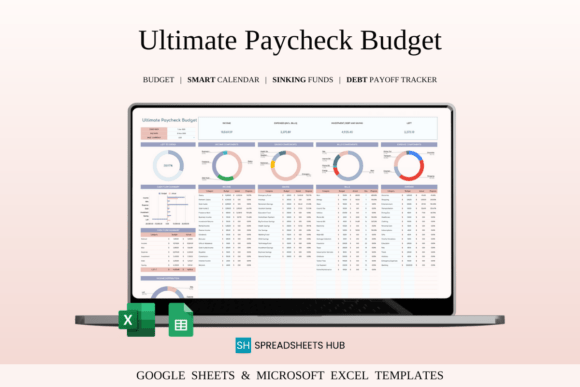
For spreadsheet users, this 2026-edition template is the most capable option here. It supports weekly, biweekly, or monthly pay periods in Excel and Google Sheets and combines income, expenses, savings, and debt tracking. You can create up to 50 categories, use a bill and debt calendar, and work with multiple currencies. Creative Fabrica shows 97 favorites. I would pick it when automatic calculations and a reusable financial dashboard matter more than handwriting a printable page.
Where I think it works best: Excel and Google Sheets automation.
4. Budget Planner for Excel & Google Sheets
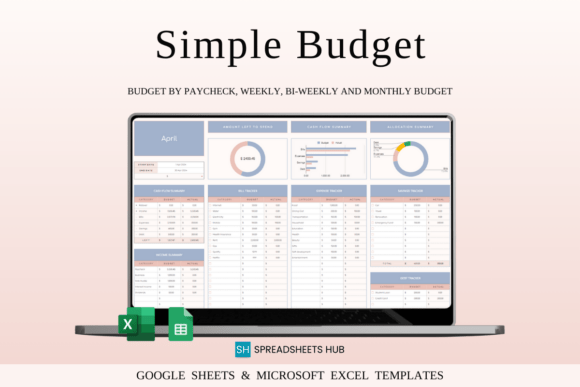
This beginner-friendly one-tab spreadsheet supports monthly, weekly, and biweekly budgeting and handles calculations automatically after you enter transactions. It includes customizable income and expense categories, an initial balance, cash-flow overview, expense breakdowns, budget-remaining and spending graphs, checkboxes for bills, debt, and savings, plus a goal-tracker tab. Creative Fabrica shows 279 favorites, the strongest popularity signal among these ten options.
Where I think it works best: Simple spreadsheet budgeting with visual summaries.
5. Biweekly Budget Planner Canva Template
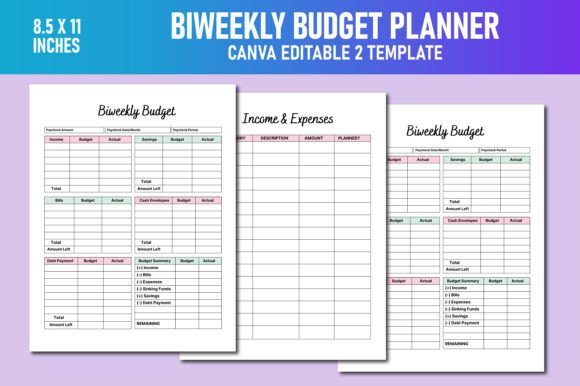
This is a compact editable Canva option for anyone who wants to change the visual design before using the planner. The package includes two biweekly income-and-expense templates/pages, an editable Canva link, print-ready PDF, PNG, and JPG files in 8.5 × 11-inch format, 300 PPI resolution, and no bleed. Creative Fabrica lists 92 favorites. It is especially useful if you want a printable that can be recolored or rebranded rather than a fixed PDF.
Where I think it works best: Canva customization.
6. Biweekly Paycheck Budget Worksheet
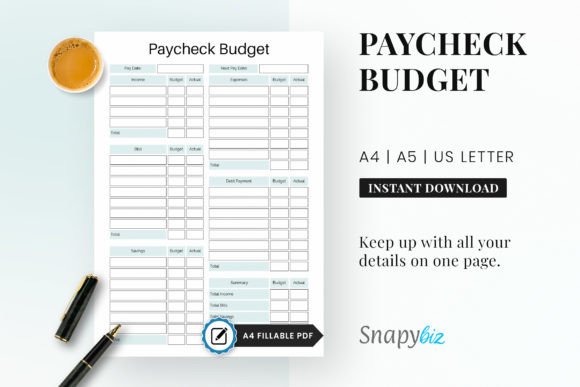
This paycheck worksheet is designed for planning where each check should go across spending, saving, and investing. It can be used as a printable or inside Goodnotes and Notability, and the download includes a single-page PDF in A4, A5, and US Letter plus an A4 fillable version. Creative Fabrica shows 15 favorites. The simple format works well if you want one repeatable page for every pay cycle rather than a large finance binder.
Where I think it works best: A repeatable one-page paycheck worksheet.
7. Budget by Paycheck — Biweekly Budget
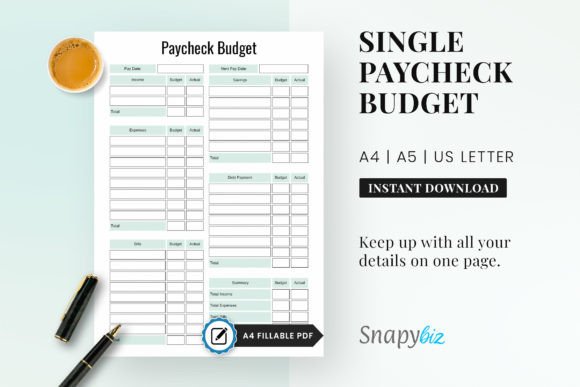
This straightforward paycheck planner is supplied as editable PDFs in A4, A5, and US Letter sizes. Its focus is less on dashboards and more on giving every paycheck a clear job, making it suitable for people who want to understand where money is going without maintaining a complicated system. Creative Fabrica lists 22 favorites. The editable PDF format is useful when you want to type figures first and still retain the option to print the finished page.
Where I think it works best: Editable PDF paycheck budgeting.
8. Budgeting Biweekly Paycheck Binder
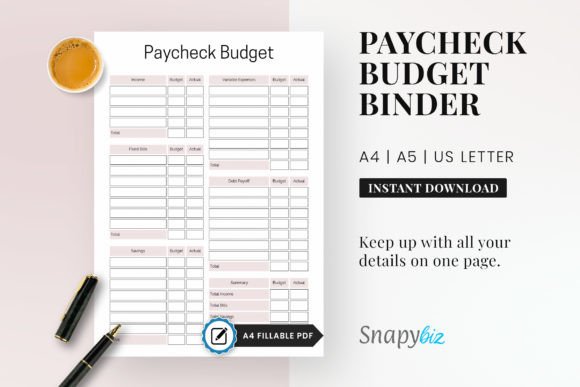
This biweekly paycheck binder emphasizes payment schedules, bill tracking, and setting money aside for future extras such as vacation funds. The single-page template comes in A4, A5, and US Letter sizes with an A4 fillable PDF version. Creative Fabrica shows 32 favorites. It is a good middle ground for someone who wants a classic printable budget-by-paycheck workflow but also wants a fillable file for digital entry.
Where I think it works best: Bills and payment scheduling.
9. Paycheck Budget Printable Planner
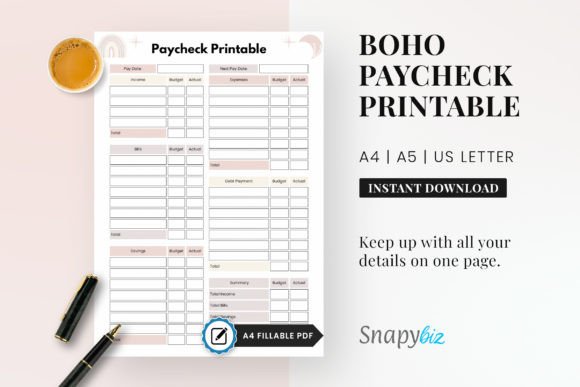
This boho-style paycheck printable combines biweekly budgeting with a spending log and expense tracker, so it is useful if your main challenge is seeing what happened after you planned the paycheck. The download includes a single-page design in A4, A5, and US Letter plus a fillable A4 file. The structure can help you compare planned spending with actual day-to-day expenses without moving to a full spreadsheet system.
Where I think it works best: Spending and expense tracking.
10. 120-Page Biweekly Budget Finance Planner
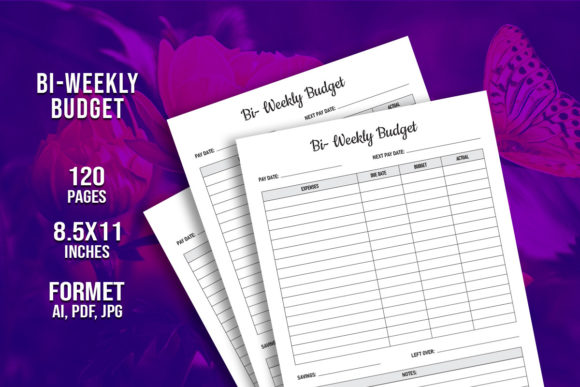
If you want repeated pages rather than a single worksheet, this KDP-style interior provides 120 pages in 8.5 × 11-inch format. The package includes a print-ready PDF, an AI source file, and two JPG files at 300 DPI, with a bleed layout. Creative Fabrica shows 14 favorites. It is less automated than the spreadsheet choices, but the large page count makes it useful for building a long-running physical biweekly budgeting book.
Where I think it works best: A long-term printed budget book.
How to Budget When You Get Paid Every Two Weeks
Start each pay period with the amount that actually reaches your account. List every bill due before the next paycheck, then reserve realistic amounts for groceries, transportation, and other variable essentials. After those are covered, assign money to savings, debt, and sinking funds. The important part is giving the paycheck a plan before discretionary spending begins.
Biweekly pay also creates an advantage that monthly budgeting can hide: in many years you receive two months with three paychecks instead of two. Rather than treating the extra check as ordinary spending money, decide in advance whether it will strengthen your emergency fund, pay down debt, cover annual expenses, or fund a specific goal.
Printable vs. Spreadsheet Biweekly Budgeting
Choose a printable if writing the numbers yourself makes you more aware of your spending or if you want a low-maintenance binder. Choose Excel or Google Sheets if you regularly change categories, want calculations handled automatically, or need to see trends over several pay periods. A fillable PDF sits between the two: it keeps the simple worksheet structure while letting you enter figures digitally.
A Simple Biweekly Budget Routine
On payday, update income first and immediately assign bills that fall before the next check. Set aside savings and debt payments before estimating discretionary spending. Midway through the two-week period, compare actual expenses with the plan and adjust only the categories that genuinely changed. Before the next payday, review what remained and decide whether to roll it forward or move it toward a goal.
If your income varies, budget from the amount you can reasonably expect rather than your best paycheck. Higher-than-expected income can then be allocated intentionally instead of becoming part of a spending plan you may not be able to repeat.
Which Biweekly Budget Planner Is the Best Fit?
For a classic printable, the Biweekly Paycheck Budget Tracker is the strongest starting point. If you want automation, the Ultimate Paycheck Budget Spreadsheet offers deeper financial tracking, while the one-tab Excel and Google Sheets Budget Planner is easier for beginners. The Canva template is the best choice for visual customization, and the 120-page finance planner works well when you want to build a dedicated physical budget book.
The most useful system is the one you will update every payday. Start with enough detail to cover bills, spending, savings, and debt, then add complexity only when it helps you make a better decision with the next paycheck.



One Comment