12 Practical 2027 Monthly Planner Templates for a Clearer Year
A 2027 monthly planner earns its place on your desk when you can see the month clearly and still have room to write what matters. That might mean one page pinned above your workspace, a two-page binder spread, or a monthly section that connects appointments with goals and spending.
The twelve options below cover different approaches: simple dated calendars, editable Canva templates, compact book interiors, and more complete planning systems. The comparisons use the designers’ published specifications. Suggested workflows are practical ways to use those layouts, rather than claims that we have downloaded or tested the paid files.
In this guide
How to choose a 2027 monthly planner
Start with writing space. A one-page calendar is easy to display, while a two-page spread gives appointments and deadlines more breathing room. Check your binder size before selecting A4, A5, US Letter, or a 6 × 9-inch book layout; shrinking a large page can make its boxes uncomfortable to use.
Next, decide whether you want to edit the design or simply fill it in. Canva and PowerPoint source files allow more customization than a finished PDF. A fillable PDF allows typing into fields, but does not necessarily let you change fonts or colors. A PDF that can be imported into a tablet app also does not automatically include hyperlinks.
Finally, choose the correct week start and date coverage. Some products include both Monday and Sunday calendars, while others offer only one. Two-year options below explicitly include 2026–2027; print the 2027 section if you want a current-year binder without unnecessary pages.
1. Editable 2027 Monthly Planner Template by Pugazh Logan
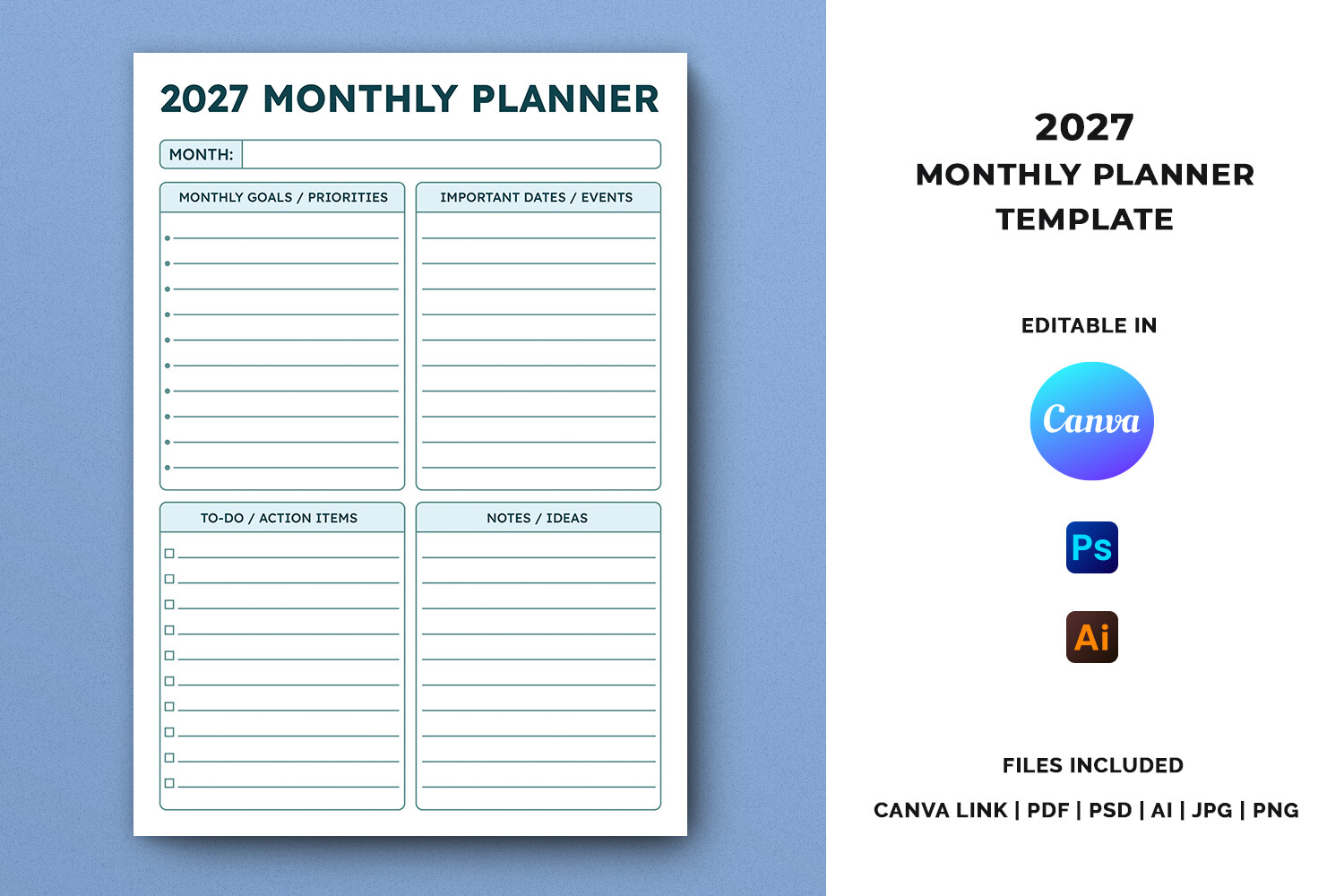
This A4 template combines monthly goals, priorities, important dates, to-dos, action items, and notes. The designer lists a Canva link alongside PDF, Illustrator, Photoshop, JPG, and PNG files, with an instruction PDF inside the ZIP. That makes it a flexible option when the standard labels do not quite match the way you plan.
For a work-focused month, rename priorities around deliverables and keep the action area for the next concrete step. For home planning, use important dates for appointments and the notes area for things that need checking before the month begins. The editable source files are its main advantage.
The listing does not specify a complete twelve-month dated page count, so check the preview and download contents before treating it as a finished annual calendar. Canva is the accessible editing route; the AI and PSD files require appropriate software. Print a sample after changing text so the writing areas remain readable.
2. Two-Page 2027 Monthly Planner by MyLifePlans
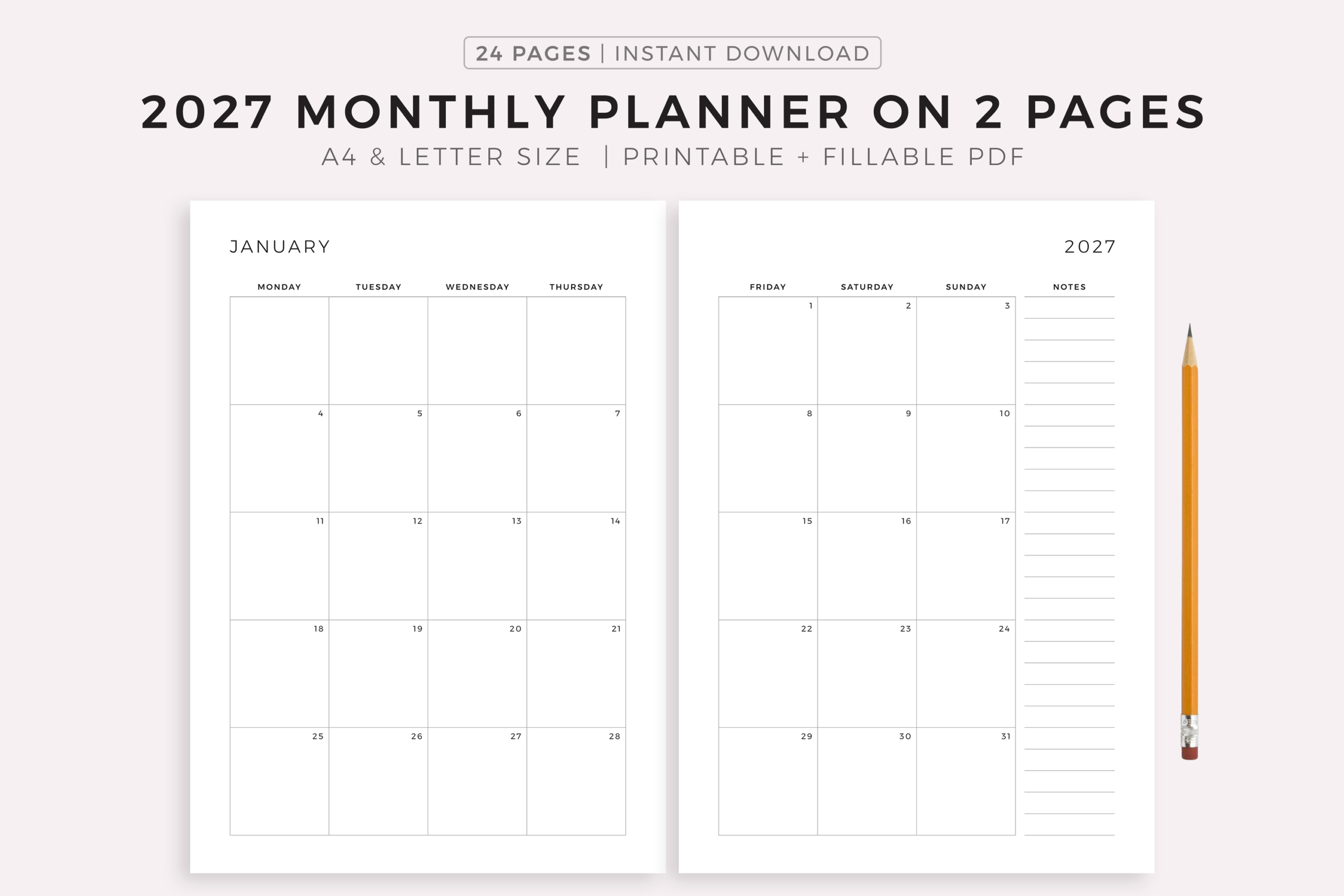
MyLifePlans spreads a month across two pages and includes A4, Letter, and a fillable A4 version. The designer also leaves room for hole punches on either side. This is a sensible choice when crowded one-page calendars make appointments difficult to distinguish.
Use the spread as the calendar section of a binder, with one pen color for fixed commitments and another for tentative plans. The extra space is useful for days with several activities, while the fillable A4 version offers an alternative if you prefer typing before printing.
Fillable does not mean the design is editable: the listing explicitly says its text and colors cannot be altered. The fillable option is specified for A4, so do not assume Letter has identical fields. Check your binding position and print both halves together before punching the entire year.
3. Sunday-Start 2027 Monthly Calendar by NexeDesigns
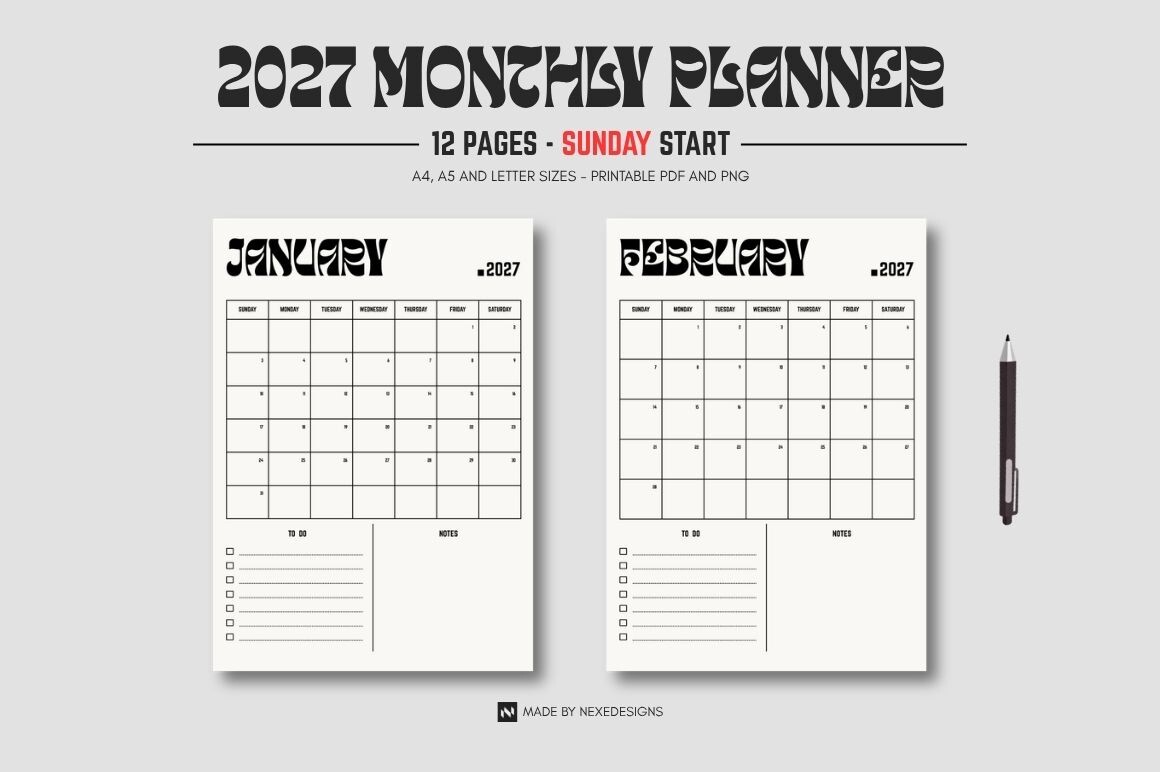
This portrait calendar offers all twelve months of 2027, one month per page, with a Sunday-start layout. The detailed delivery list specifies three PDFs and three folders of monthly JPEG images in A4, A5, and US Letter. Those clear size choices make it straightforward to match a desk binder or a smaller organizer.
Choose the larger version for family appointments or recurring commitments that need room for short notes. A5 works better for quick references than long daily descriptions. The separate monthly images can also be useful when you want to display just the current month.
The heading mentions PNG, but the detailed file list says JPEG; base your expectations on the specified delivery list and confirm if PNG matters to you. The designer also states personal use only, so clarify applicable permissions before commercial reuse. This is a clean calendar option rather than an extensive goal-setting workbook.
4. 2027 Printable Calendar Bundle by Design Zone
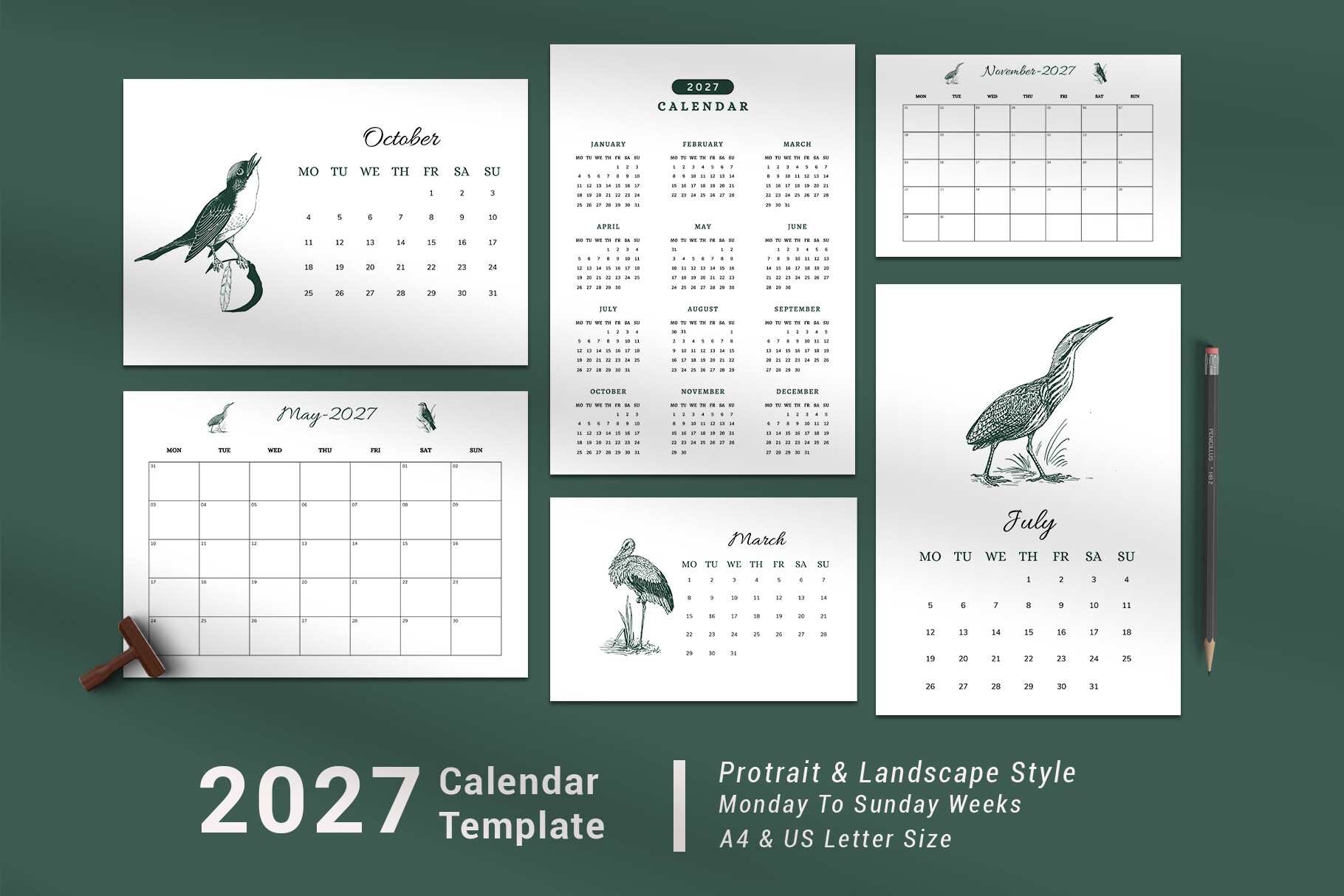
Design Zone lists more than 75 pages in this calendar and monthly planner collection. Confirmed sizes include A4, A5, and US Letter, and the delivered formats are printable PDF and JPEG. It suits readers who want a selection of ready-made layouts instead of building a design from scratch.
Browse the previews before printing, then choose one consistent monthly style for your main binder. Keeping the remaining designs as optional alternatives is more practical than printing the entire collection. A smaller size can serve as a portable reference while a larger page stays near your workspace.
The PDF is explicitly non-editable, and the designer says the preview mockup is not included in the main file. Another size label is unclear in the listing, so do not rely on it without asking the seller. The large bundle is its strength, but selection still matters more than page quantity.
5. Editable PowerPoint 2027 Monthly Planner by Ilyas Designs
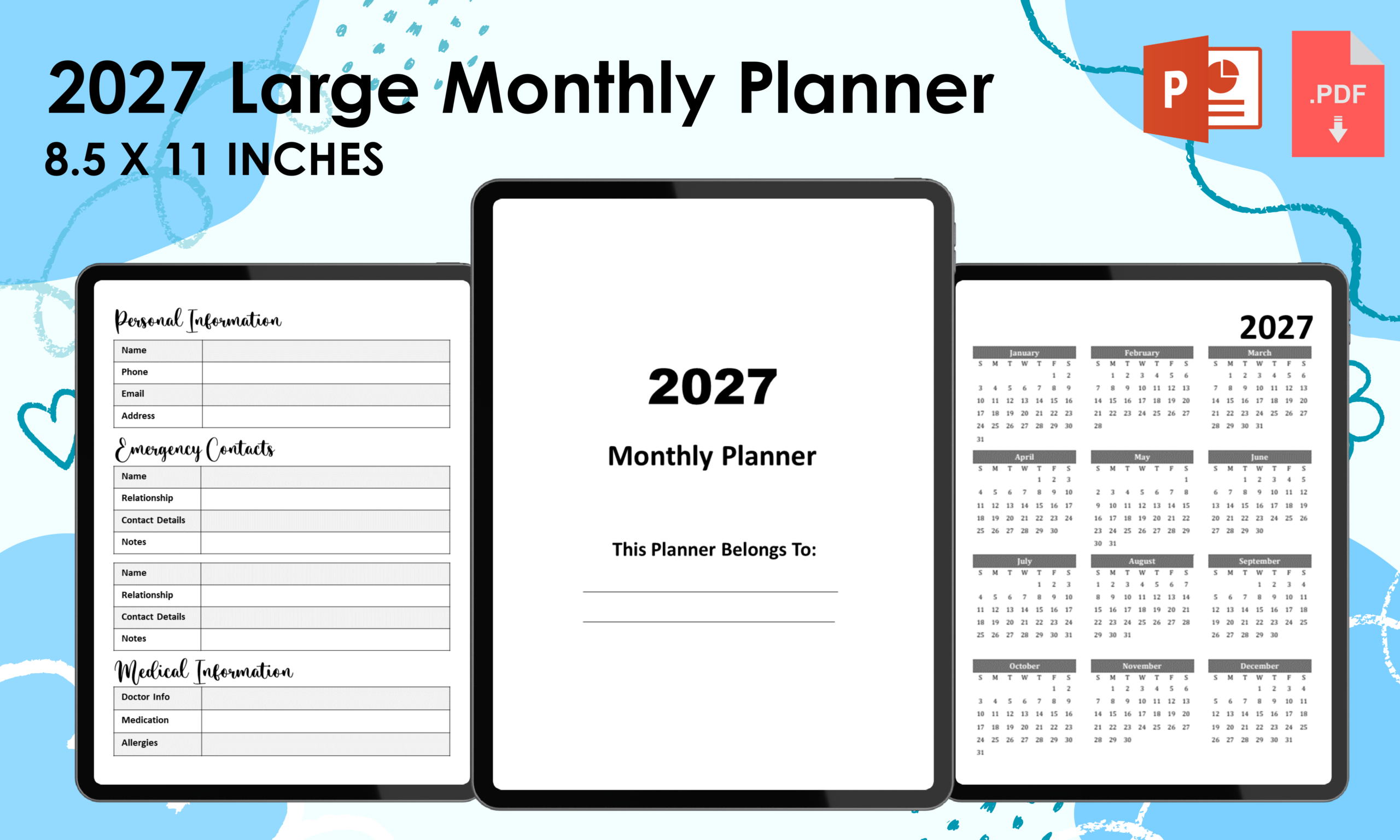
This 59-page interior covers January through December 2027, with each month across two pages and space for brief notes and to-dos. The files include a ready PDF and an editable PowerPoint version in 8.5 × 11 inches with bleed. Supporting pages include important dates, contacts, and reference information.
PowerPoint editing is useful if you want to adapt labels or remove reference sections before making a personal planner. For a straightforward setup, keep the monthly spreads and a few notes pages, then place recurring commitments on the calendar before adding flexible tasks.
The bleed specification is important for binding or publishing and should be checked against your intended output. The listing includes US federal holidays, but verify dates relevant to your own location. Seller statements about KDP testing do not replace checking your final exported file, trim settings, and current publishing requirements.
6. 2027 Two-Page Monthly Organizer by Mol Tazime
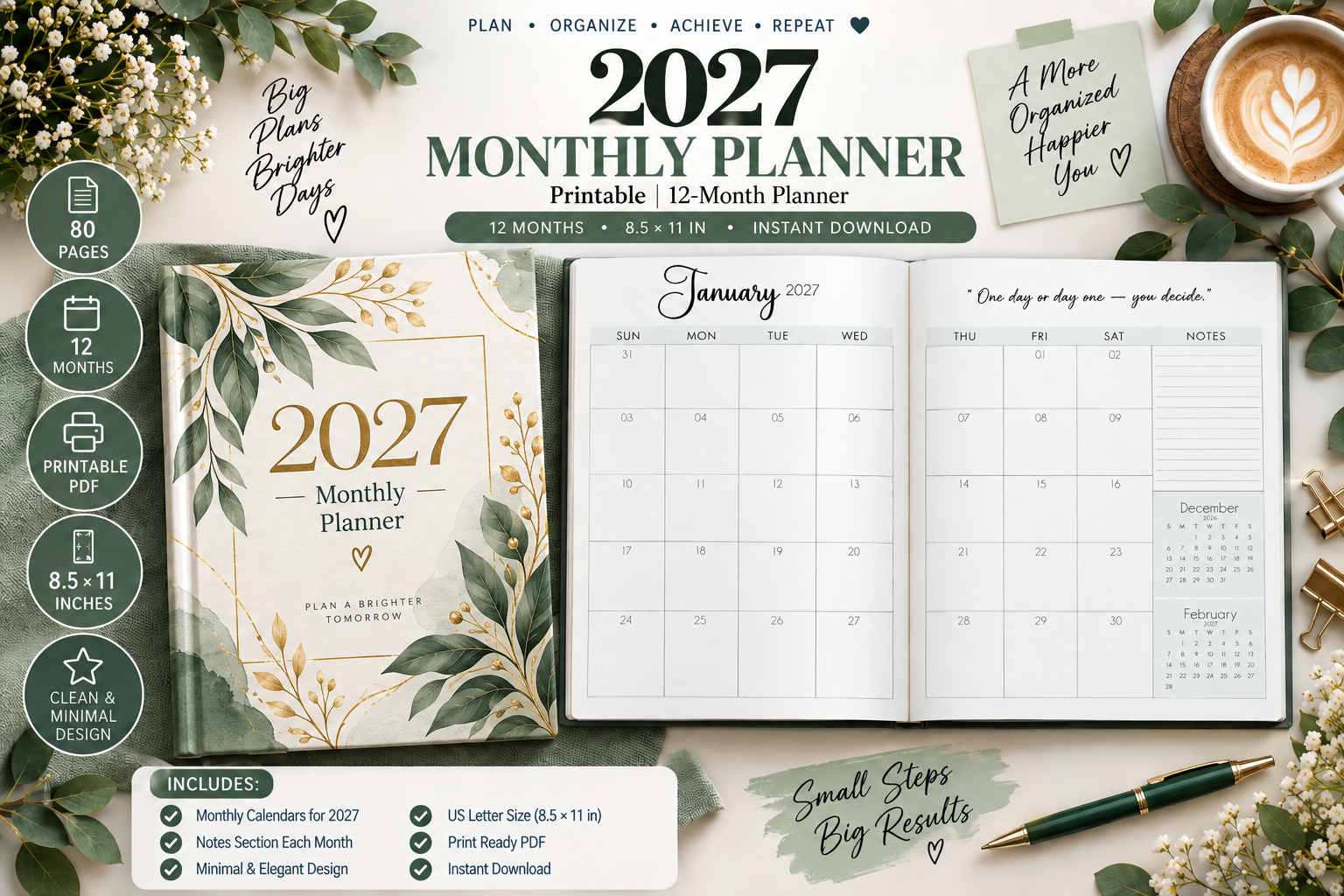
Mol Tazime lists 24 monthly pages for 2027, using a two-page spread for each month. PDF and PNG files are specified at 300 DPI, with additional personal information, contacts, reminders, goals, and notes sections. The appeal is a calendar with practical reference pages close at hand.
Keep the monthly spread for appointments and the goals section for decisions that need attention during that month. A separate reminders page can stop unfinished administrative tasks from crowding the calendar. You can select the supporting pages you actually need rather than filling every section.
The description uses some multi-year language, but its explicit monthly coverage here is 2027. A paper size is not clearly stated, so confirm dimensions before ordering a binder or printing a full set. GoodNotes and Notability compatibility is advertised; hyperlinks and other interactive features are not confirmed.
7. Minimal 2027 Monthly Calendar by floradigitaldesigns
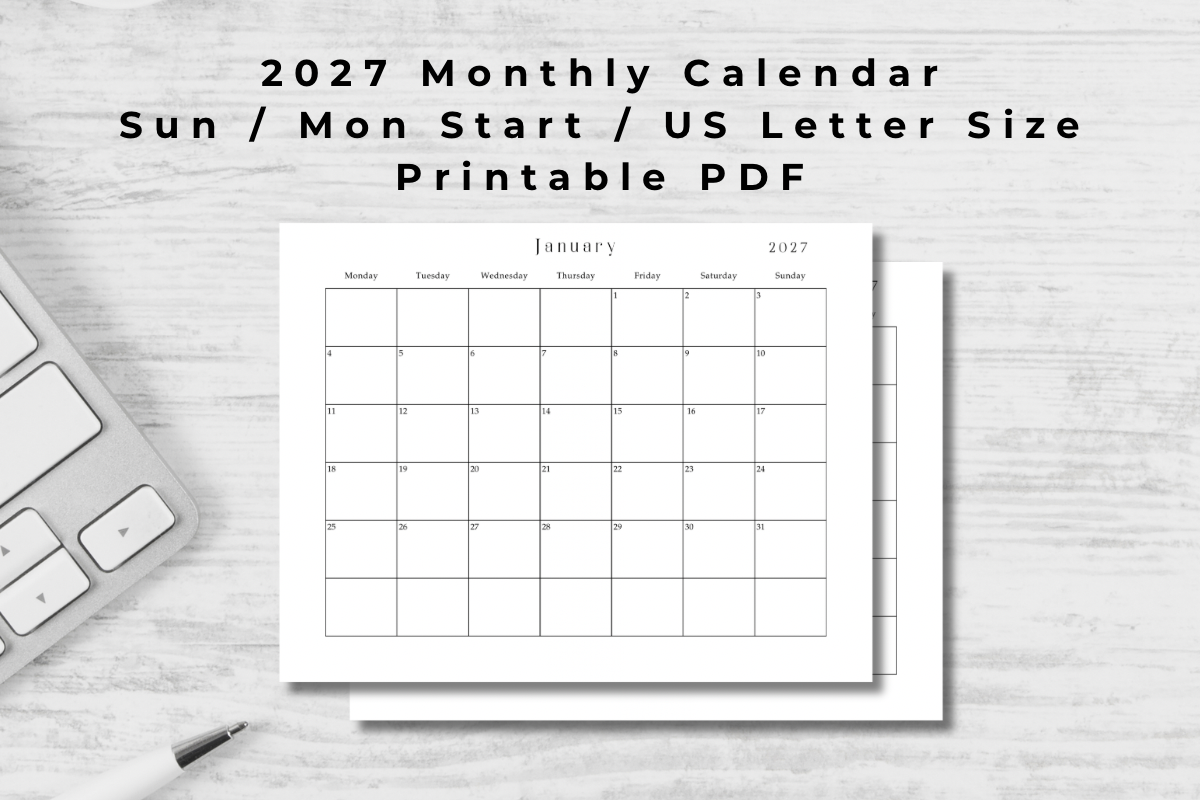
This pared-back product is a dated 2027 calendar in printable PDF format, sized for US Letter. The listing specifies Sunday and Monday starts and says it can be printed or used digitally. It is worth considering when you want the calendar itself to do most of the work.
Choose the week start that matches your existing schedule, then keep entries short: the event, time, and any deadline that must be remembered. Displaying a single current-month page beside your desk can be more useful than carrying an elaborate workbook you rarely open.
The listing is brief and does not state an exact total page count, so verify the download contents if that affects your choice. There is no confirmed editable source file or interactive navigation. Its strength is a simple date overview, rather than detailed project planning or habit tracking.
8. Monday-Start Landscape Planner for 2026–2027 by Mol Tazime
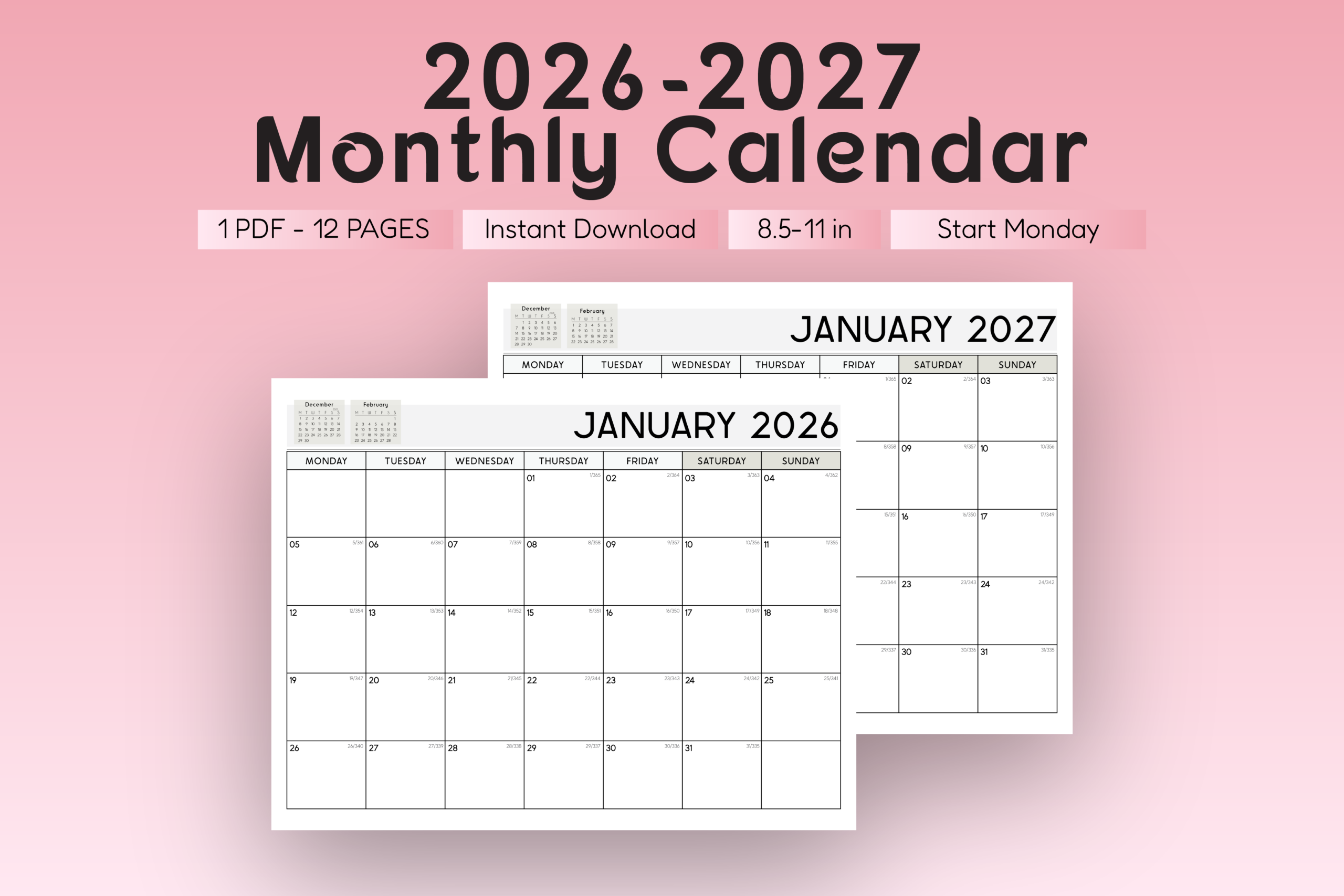
This landscape option covers January 2026 through December 2027, a total of 24 months, and uses a Monday-start calendar. The designer specifies PDF and PNG files and a clean, wide monthly overview. It is a useful alternative if you prefer a horizontal page to a portrait binder insert.
Use the 2027 portion for a desk planner and keep the previous-year pages only if you need a historical reference. A wide overview can make it easier to compare commitments across a week, particularly when planning work deadlines alongside personal appointments.
Confirm the actual page dimensions before selecting paper or a binder; the listing does not clearly name them. Tablet compatibility is advertised, but navigation links are not specified. The two-year coverage is helpful for continuity, although it means more pages than a 2027-only calendar.
9. Complete 2027 Monthly Planning System by Aamo
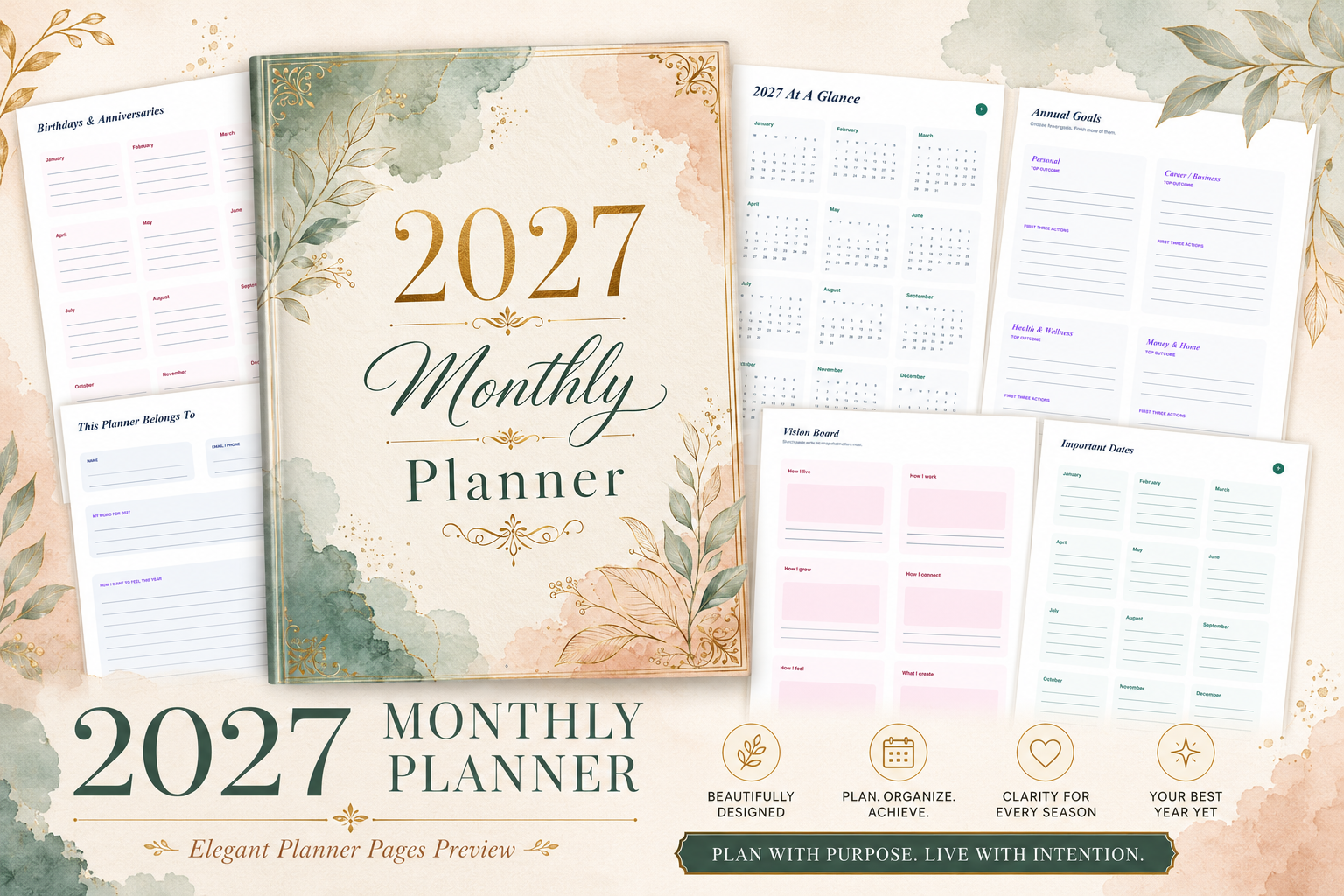
Aamo’s 120-page US Letter planner goes well beyond date boxes. The listed sections include annual goals, twelve monthly planning sections, weekly pages, habit and mood tracking, budgeting, and month-end reflection. A printable PDF and Canva-editable pages are specified in a no-bleed format.
Use one monthly intention and a few priorities to connect the calendar with the action-plan pages. The planned-versus-actual spending sections can support a regular financial check-in, while weekly pages help translate larger goals into tasks. Coordinated accent colors make the sections easier to distinguish.
The breadth is also the main limitation: printing every page may create more maintenance than you want. Start with calendars, weekly plans, and one relevant tracker, then expand if those pages prove useful. Mood and self-care sections are personal recording tools; choose them for reflection rather than expecting health outcomes.
10. Compact 2026–2027 Monthly Planner by Interior Creative
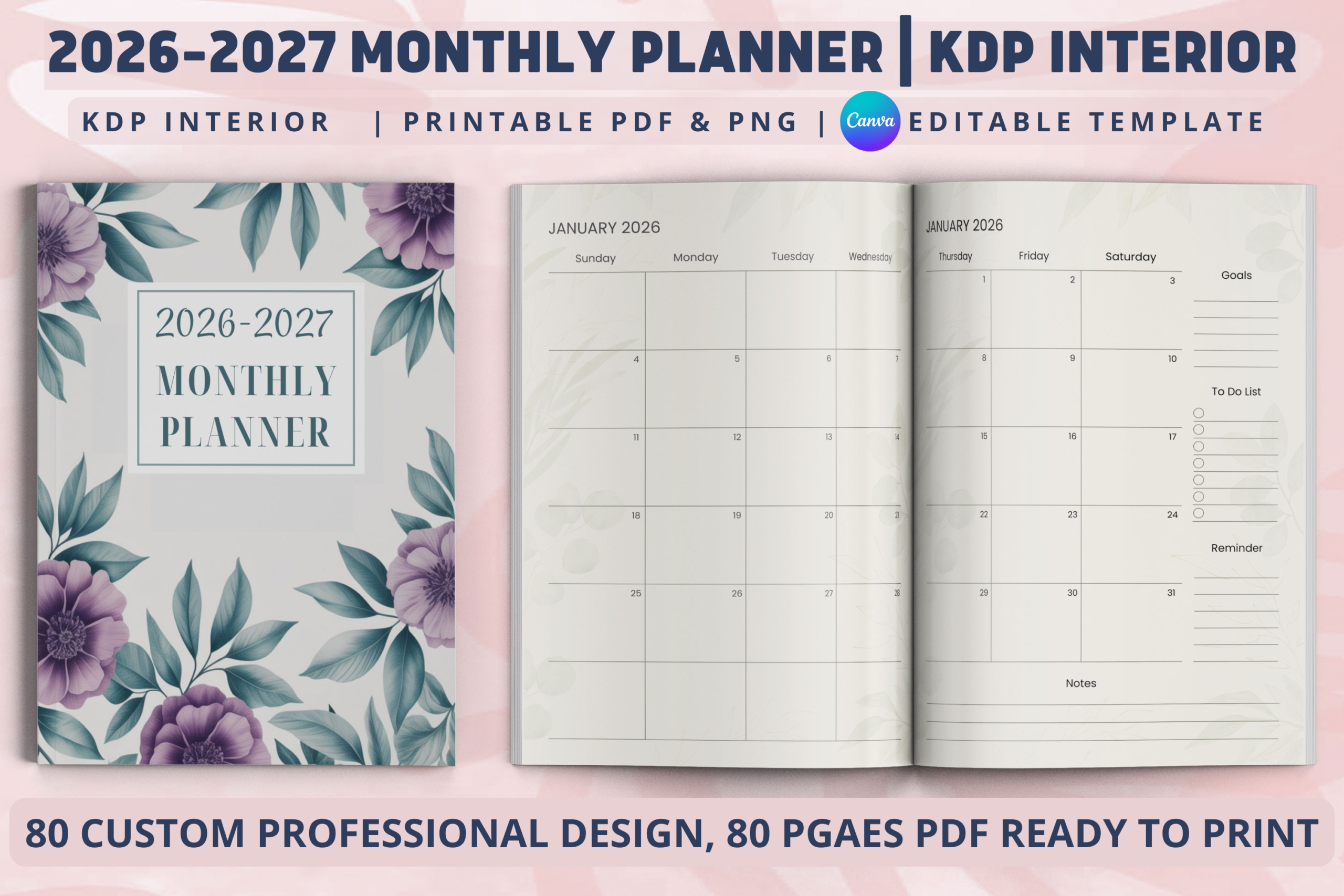
This 80-page interior includes a two-page monthly layout, goals, reminders, to-dos, notes, and reference sections for 2026–2027. The designer specifies a 6 × 9-inch layout with bleed, a printable PDF, PNG files, and an editable Canva template. It offers a smaller book format than the Letter-sized options.
For a portable planner, customize the labels in Canva and retain only the reference pages that are useful to you. The two-page spread provides a workable monthly overview while keeping the finished book compact enough to carry.
Smaller pages naturally leave less space for busy dates, and the bleed needs checking before home printing or binding. Holiday lists should be reviewed for your own location. The listing promotes KDP use, but review your exported interior and applicable permissions before publishing a modified product.
11. 2027 Monthly Reflection Planner by Mahira Pro
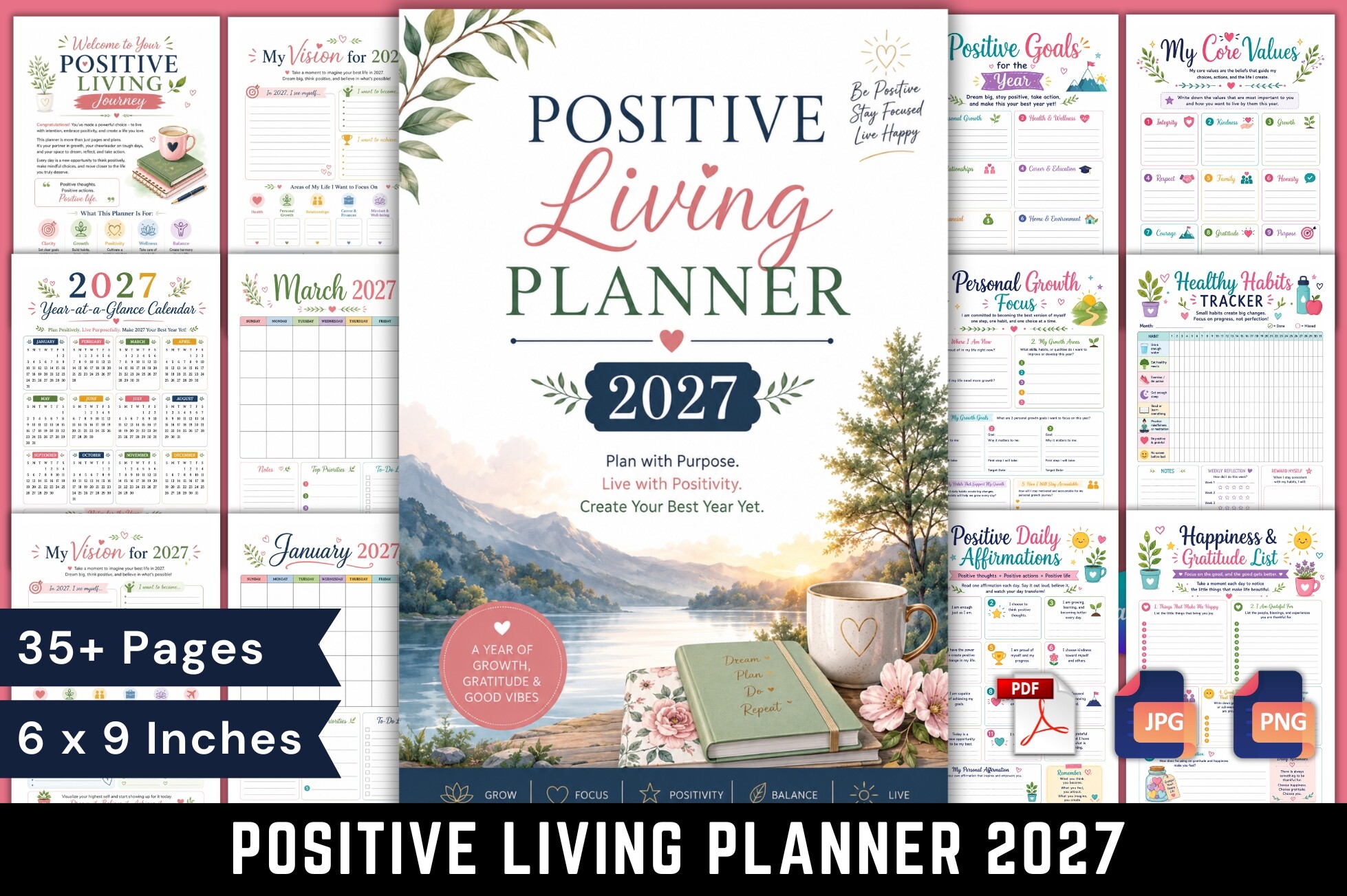
The Positive Living Planner 2027 contains 37 full-color pages in a 6 × 9-inch printable PDF. The designer explicitly lists the twelve monthly calendars alongside goals, habits, gratitude, self-care planning, and reflection exercises. It suits readers who want monthly planning connected with personal check-ins.
A manageable approach is to set a monthly priority, note key dates, and choose one reflection page to complete at month-end. The habit and energy sections can help you notice patterns in what you record without turning every day into a lengthy journaling exercise.
This is a compact workbook, so it does not provide the same daily writing capacity as a large monthly-and-weekly system. Full-color pages may also cost more to print. Treat the positive-living language as a design theme and journaling approach, rather than a promise of improved wellbeing.
12. Matching Monthly and Weekly 2027 Bundle by Azhir
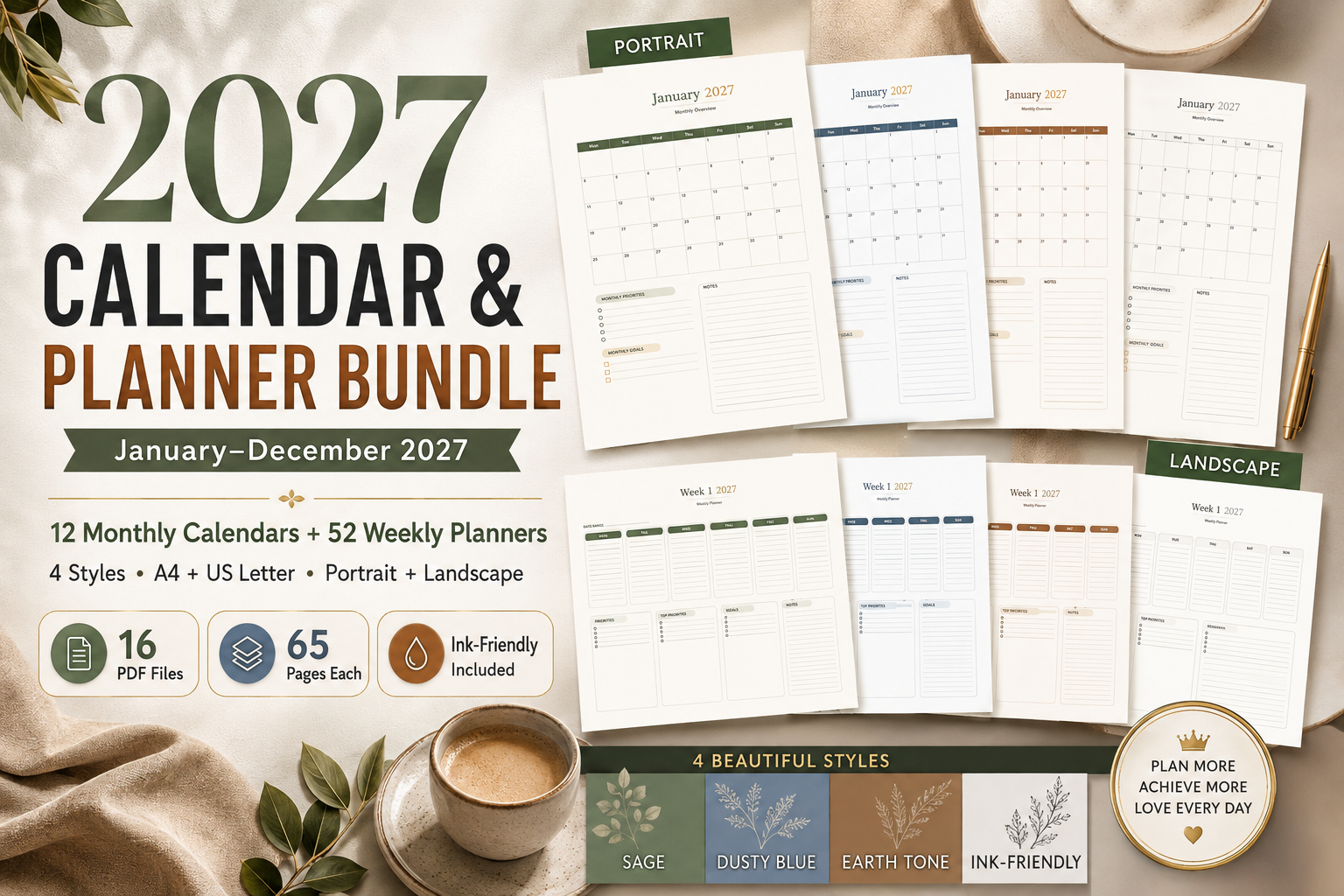
Azhir’s bundle combines twelve dated monthly overviews, 52 weekly planner pages, and a year-at-a-glance. Four styles are listed: Sage Green, Dusty Blue, Earth Tone, and Ink-Friendly. The PDFs come in A4 and US Letter, with portrait and landscape versions.
The Monday-start monthly pages include goals, priorities, and notes, while weekly pages offer space for focus and tasks. This makes the bundle useful when you want one consistent visual system instead of mixing unrelated inserts. Use the monthly calendar for fixed dates and the weekly section for actions.
Choose a size, orientation, and style before printing so the large collection stays manageable. The ink-friendly version is a practical starting point for frequent home printing. Editable source files and interactive hyperlinks are not listed, so expect ready-made printable pages rather than a customizable app-like planner.
Set up your monthly pages without overloading them
Add fixed commitments first: appointments, travel, renewals, and deadlines that other people depend on. Then choose a small number of monthly outcomes and leave space for changes. Writing every task inside a date box makes the calendar harder to scan, especially near the end of a busy month.
Use the monthly page as an overview and a separate weekly page for detailed actions. Our weekly planner templates can help you make that handoff without turning every calendar square into a miniature to-do list. At month-end, move unfinished work deliberately instead of copying it forward automatically.
Printing, binding, and digital use
Test one page before printing the full file. Check actual-size settings, writable margins, and whether your printer can handle the selected orientation. For a two-page layout, lay both sheets side by side before hole-punching so the binding does not swallow important date boxes.
Digital use depends on the delivered file and your app. Importing a PDF can give you a useful writing surface, but it does not confirm interactive navigation, editable design elements, or automatic reminders. If a tablet-first monthly setup is your priority, compare our monthly digital planner options as well.
Which 2027 monthly planner should you choose?
Choose NexeDesigns for a clearly specified Sunday-start calendar, MyLifePlans for a two-page spread with a fillable A4 option, or Azhir’s bundle when you want monthly and weekly pages in matching styles. Aamo offers a much fuller planning system with habits and budgeting; the Ilyas PowerPoint version suits readers who want to adjust a book interior.
The most useful choice is the one you will consult throughout the month. Pick a manageable layout, print or import a sample, and begin with the dates and decisions that matter most. Add extra trackers only when they answer a question you actually use.