10 Useful Job Application Tracker Templates for a Clear Job Search
Job application tracker templates give each vacancy a place in your records: what you sent, when you applied, the next conversation and the follow-up you intend to make. The useful choice depends on whether you want a sortable spreadsheet, a paper log or a broader career-planning workbook.
These ten resources include finished printable interiors, editable design files, a Google Sheets tracker and bundles with interview materials. They do not submit applications or connect to employers. Compare the actual file type and fields before choosing a large page count, and check dated sections where a product names a specific year.
In this guide
1. Google Sheets Job Application Tracker with Interview Stages
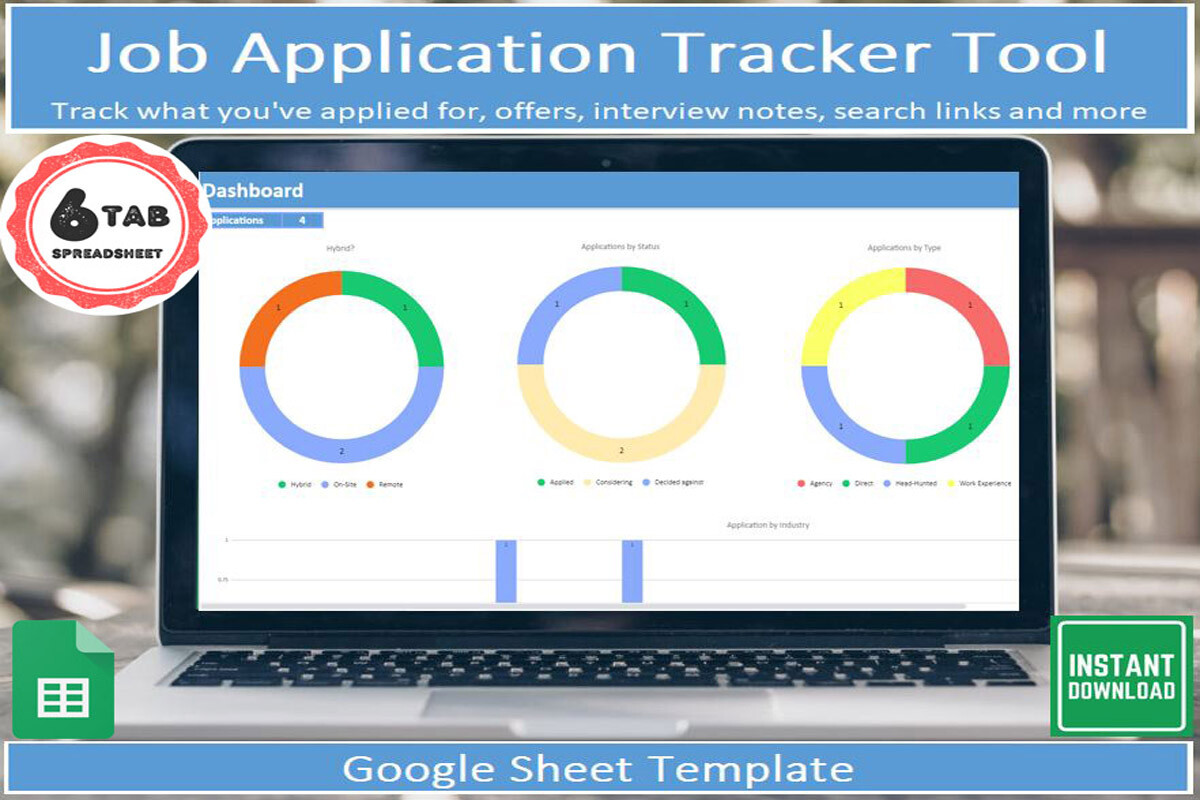
When a vacancy moves through several conversations, a single applied-date column soon feels cramped. This Google Sheets template records up to eight interview stages and the offer process, with separate areas for search keywords, job-board links and questions to prepare. Dropdowns, filters and a visual dashboard suit someone who wants to keep changing records in one place.
The download supplies a PDF containing the template link and instructions; a free Google account is required to make your own copy. It is a spreadsheet rather than a printable workbook or an application-submission service. The listing describes colour changes for offered and accepted statuses; no live employer connection is claimed.
2. Job Search Tracker with Multiple Editable Source Formats
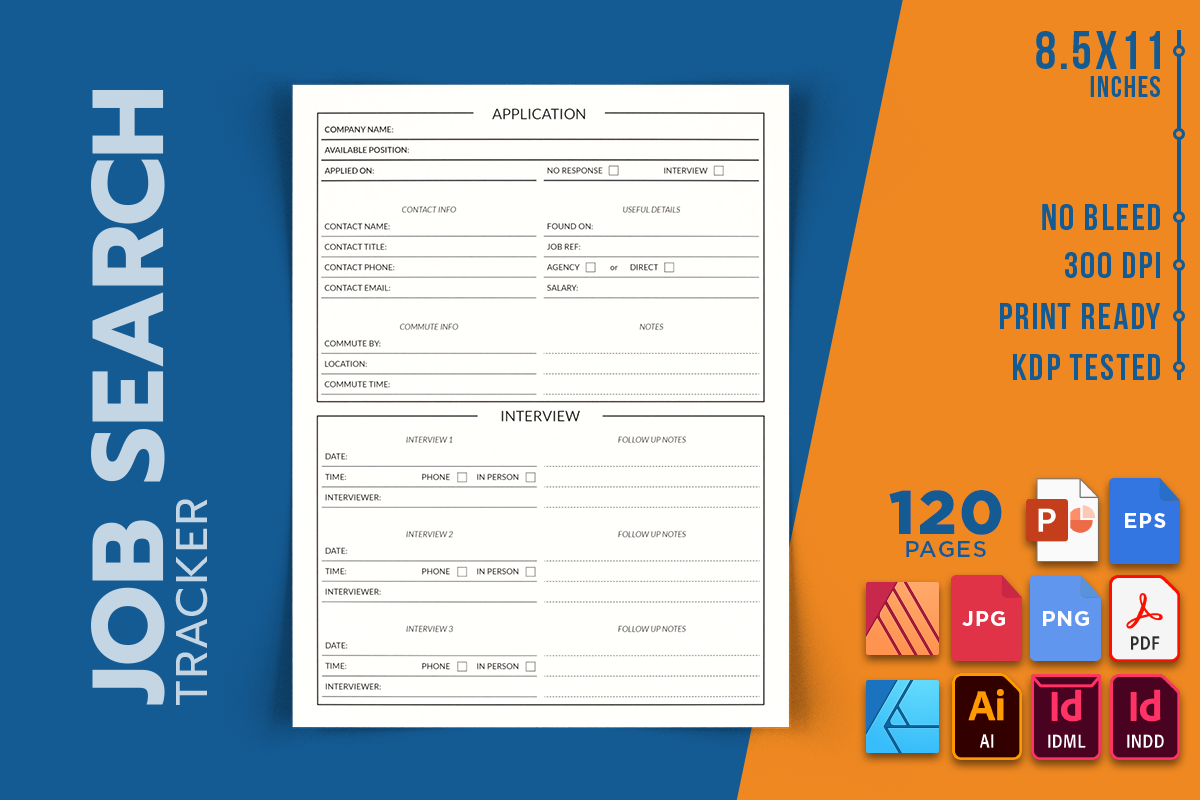
This 120-page tracker is a practical option when you want a printed job-search book but also need access to the underlying layout. The listing supplies PDF, PNG and JPEG alongside InDesign, Illustrator, Affinity and PowerPoint-related formats: INDD, IDML, AI, EPS, AFDESIGN, AFPUB and PPTX. Choose it for source-file flexibility rather than assuming every file opens in the same program.
The stated trim is 8.5 × 11 inches with no bleed and 300 DPI output. It is an interior-only package, so a bound project would need a separate cover. Compare the actual tracking fields in the preview before printing repeated pages; 120 pages describes the book length, not 120 different worksheet designs.
3. Floral Job Application Logbook in US Letter Size
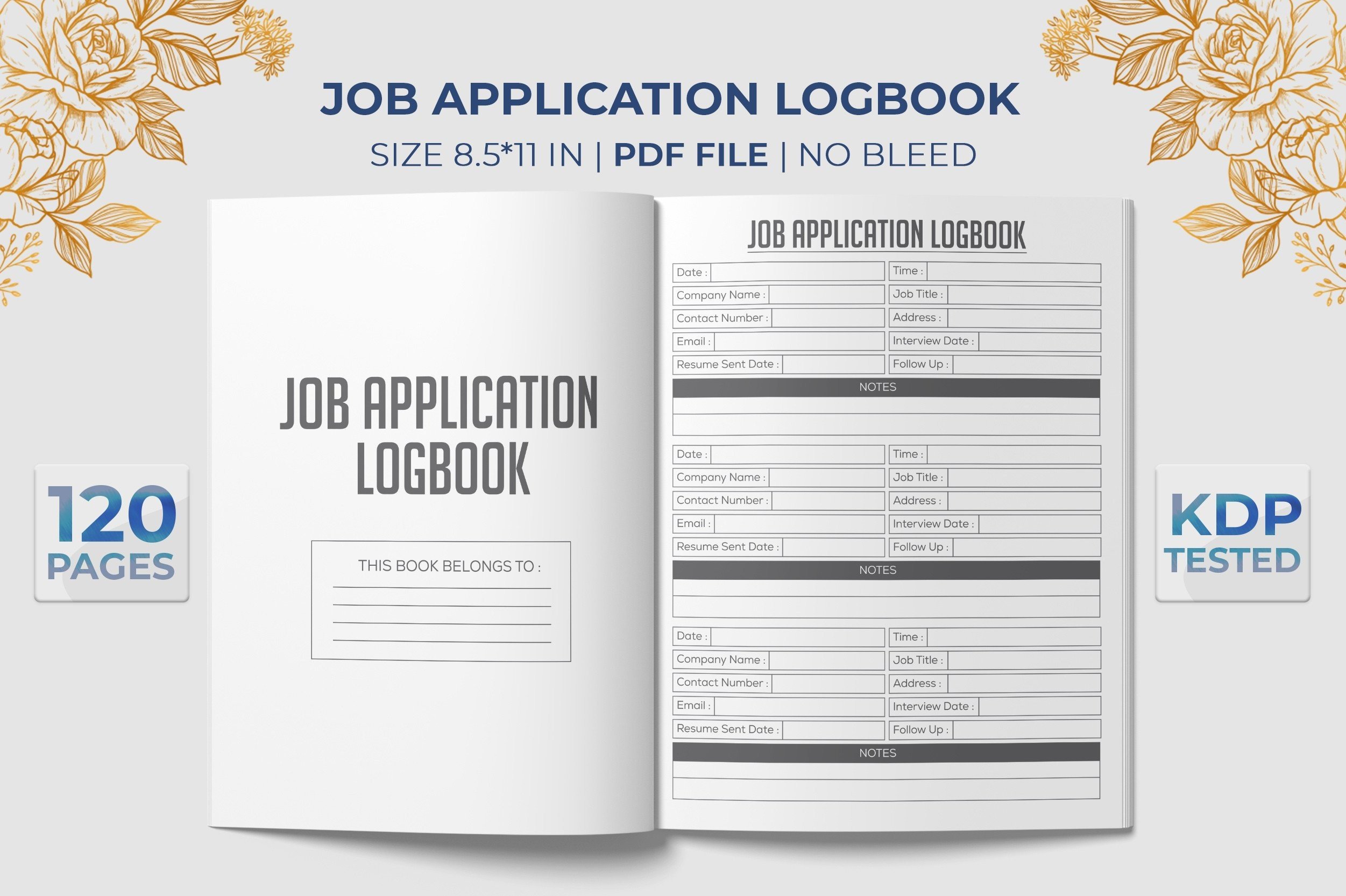
A decorative cover and a straightforward log can make a paper search record feel less like another administrative form. This job application logbook offers a US Letter-sized interior for recording applications, with a floral presentation in its preview. It suits someone who wants to write by hand and keep the search record together rather than maintain another spreadsheet.
The listing states 120 pages, 8.5 × 11-inch dimensions, no bleed and PDF/JPG formats. Those are finished page files; an editable Canva or Word template is not listed. Print a sample record at the intended scale and check that the rows leave room for company names, dates and the amount of follow-up detail you want to add.
4. Job Application Logbook with an Editable EPS Source
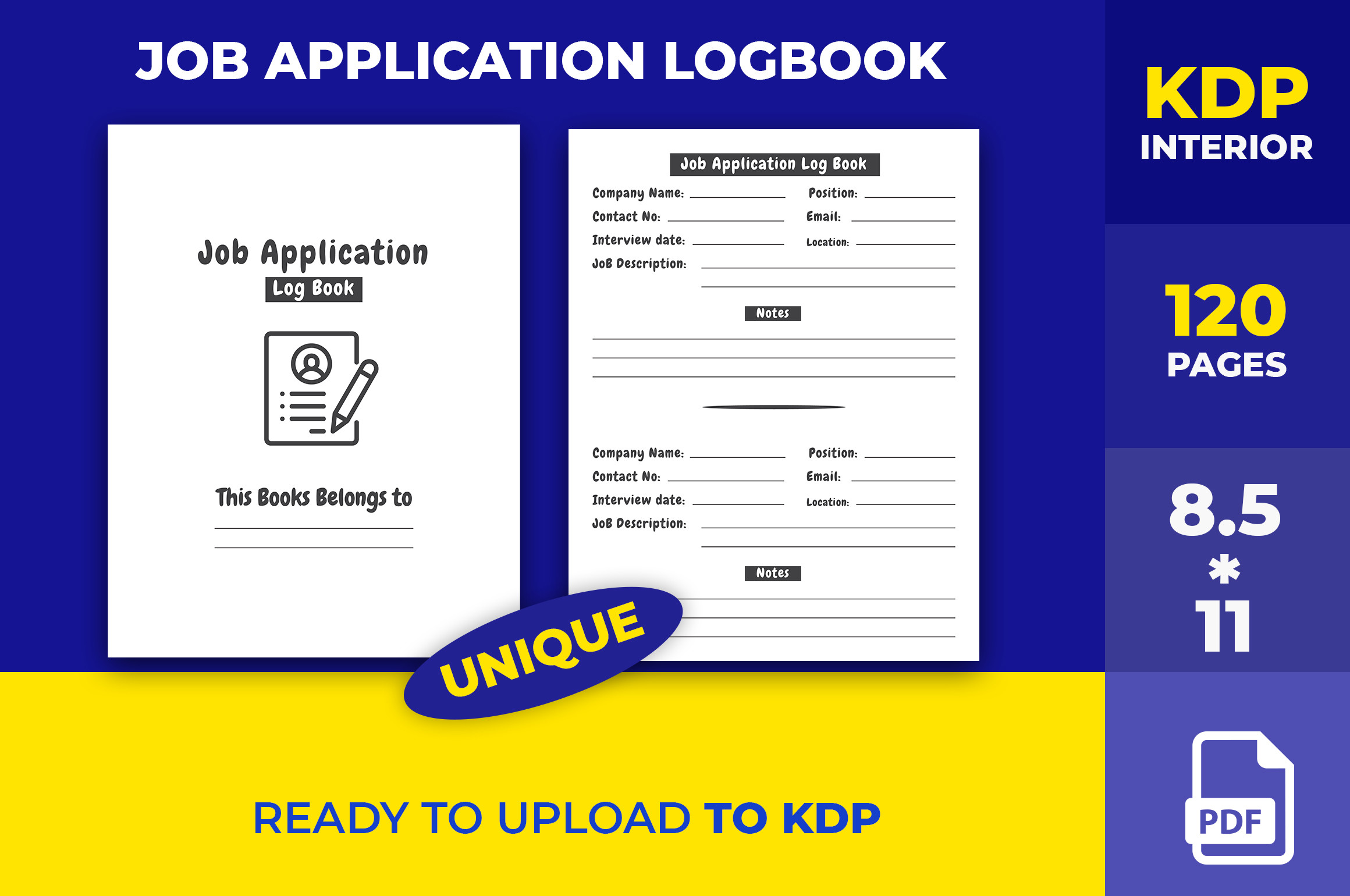
This alternative combines the same familiar application-record purpose with a different editing route. Its useful distinction is an EPS source file described as editable in Illustrator. That makes it worth considering if you want to change the layout in a vector-design workflow before producing your own printed record.
The published specifications give 120 pages, an 8.5 × 11-inch trim, no bleed and high-resolution interiors. Check the delivered archive for the exact final-print files: the description explicitly names the EPS source but does not provide a complete format inventory. An editable vector file should not be confused with a fillable PDF or a ready-to-use online tracker.
5. Compact Job Search Log Book with PDF and Vector Files
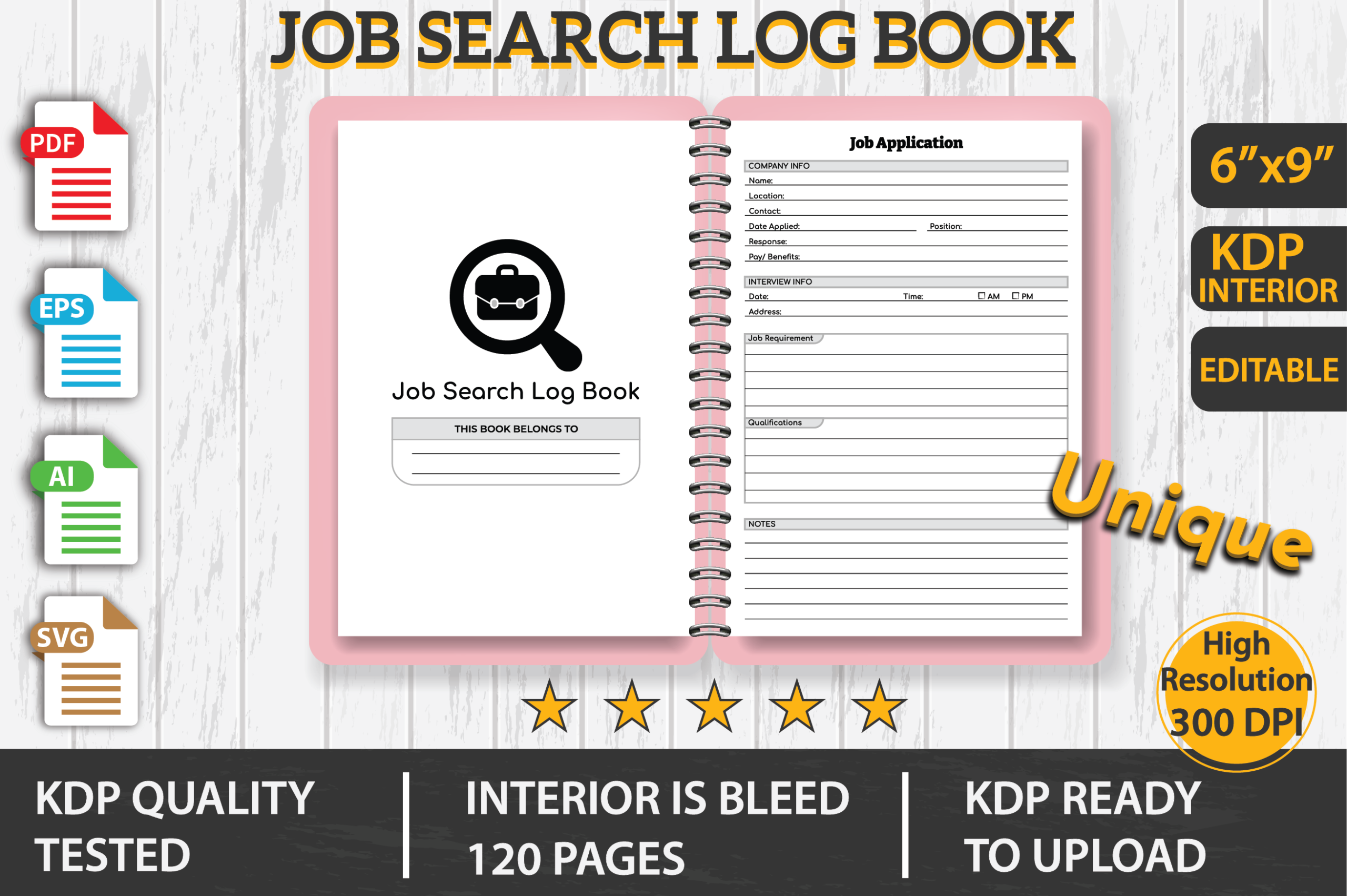
A smaller book can fit a bag more comfortably during interviews or careers events. This log uses a 6 × 9-inch format and includes a belongs-to page plus a repeated application record. The preview gives a useful starting point for judging whether its compact writing space matches the details you normally keep.
The package is described as 120 pages with bleed, supplied in PDF, EPS, AI and SVG formats. The PDF provides the print-oriented route; the other files need suitable editing software. Bleed settings differ from several no-bleed options in this guide, so check the file dimensions and print scaling rather than applying another product’s settings.
6. 100-Page Job Search Log with Interview Information
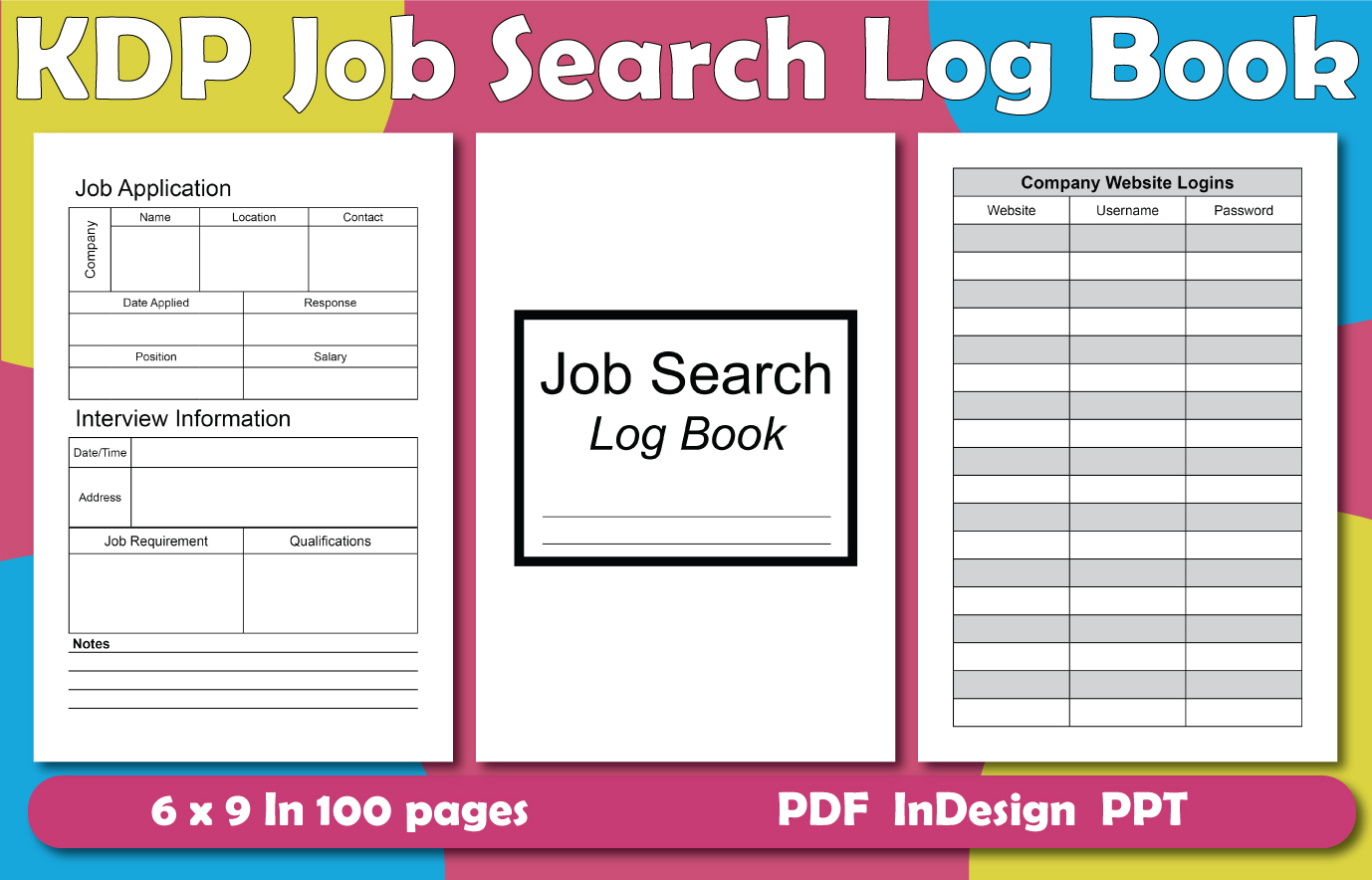
This log is the most explicit about the information it asks you to collect. Application entries cover the company, location, contact, date applied, response, role and salary; interview areas include date, time, address, job requirements and qualifications. Choose it when a record of each conversation matters as much as the list of applications itself.
The listing specifies 100 pages in a 6 × 9-inch size and supplies PDF, InDesign and PowerPoint files. It also includes website-login fields. Keep sensitive credentials out of a casually carried notebook or shared planning file; you can use that space for a non-sensitive account reference instead. The editor formats do not imply automatic tracking or employer updates.
7. Resume Bundle with a Job Application Tracker and Interview Schedule
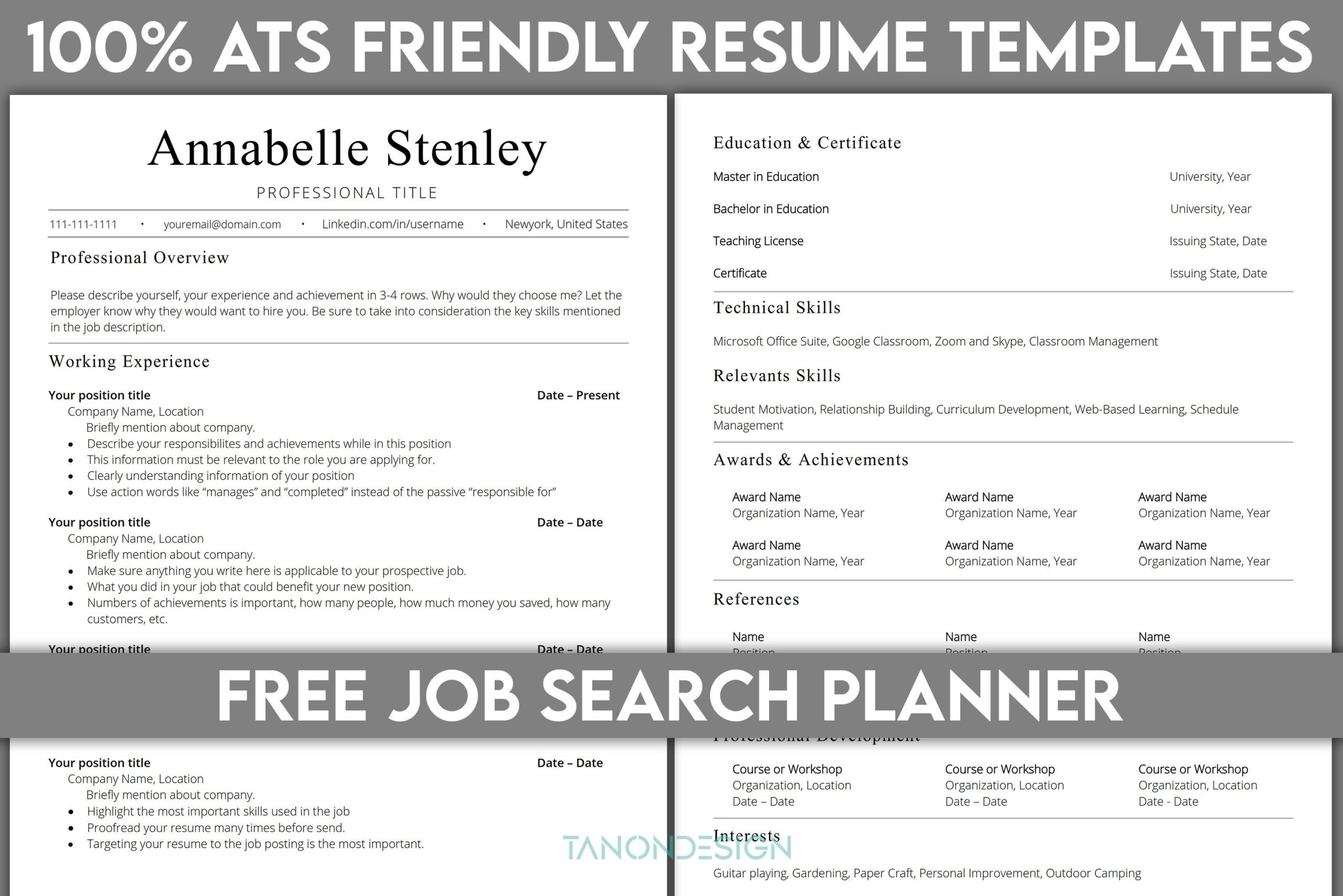
If your search paperwork is scattered across several files, this bundle groups an application tracker, job-search log, interview schedule, monthly interview schedule, job comparison and interview checklist with resume-related documents. It is the option to compare when you need the record-keeping pages and accompanying application materials together.
The listing gives A4 and Letter sizes and names Word DOCX for the resume. It does not clearly assign a file format to every planner component, so verify those files before relying on a specific editing workflow. The product’s ATS-friendly name is the seller’s description, not a guarantee that a resume passes a screening system or produces an interview. The included signature font is marked for personal use only.
8. 2026–2027 Job Application Log with Two Trim Sizes
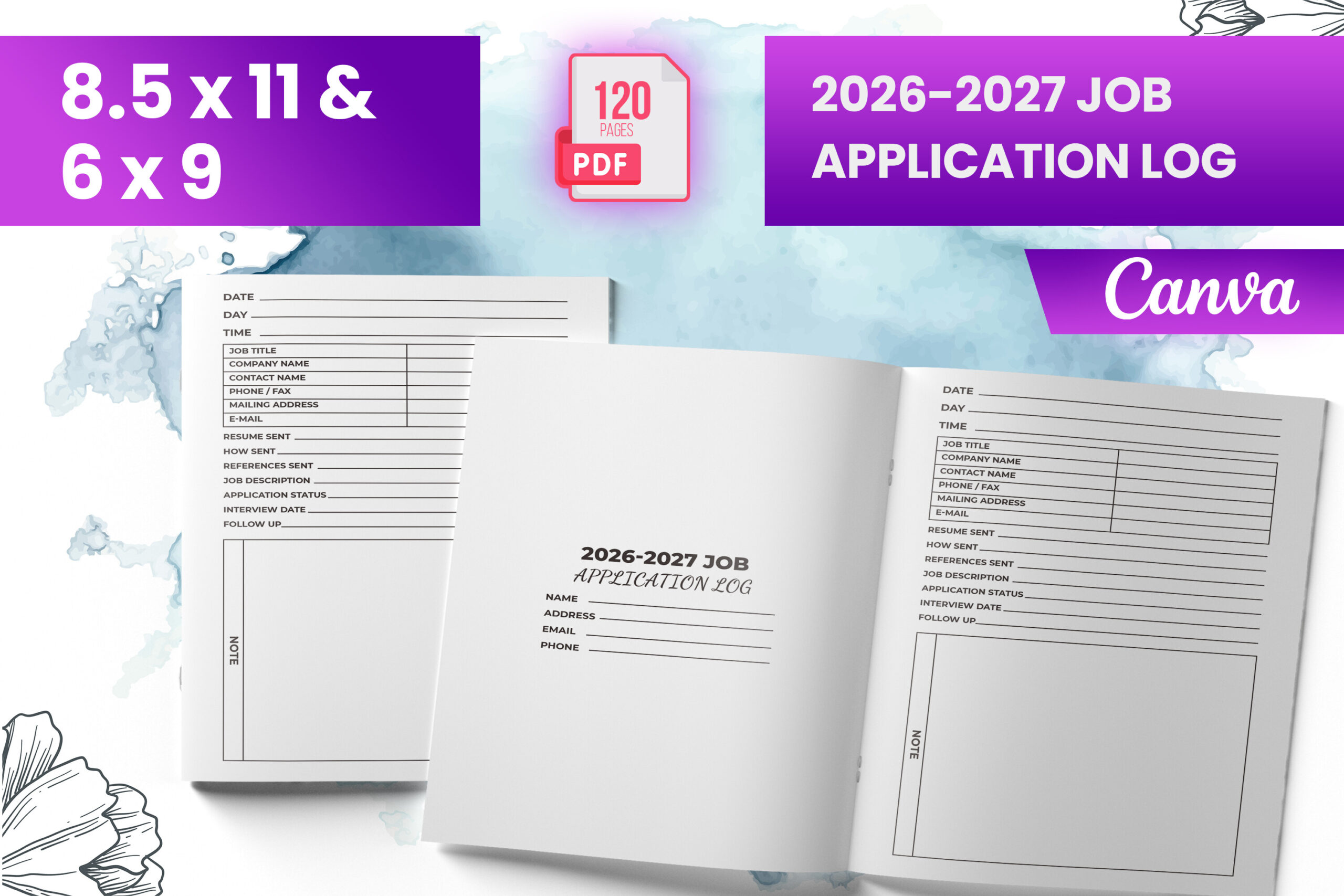
This current two-year-labelled log can suit a search spanning the end of 2026 and the following year. Its preview shows a structured application record, while the listing offers both 6 × 9 and 8.5 × 11-inch sizes. Compare the compact and larger formats according to how much room you need for interview notes.
The stated package contains a ready-to-upload PDF, PNG and JPG files, an introduction page and 120 total pages with bleed. Although the description mentions a Canva-template interior, its included-files list does not explicitly confirm an editable link. Check the archive and any dated sections before choosing it for a different year; the date in the product name should not be ignored.
9. Job Application Planner Log in JPEG Format
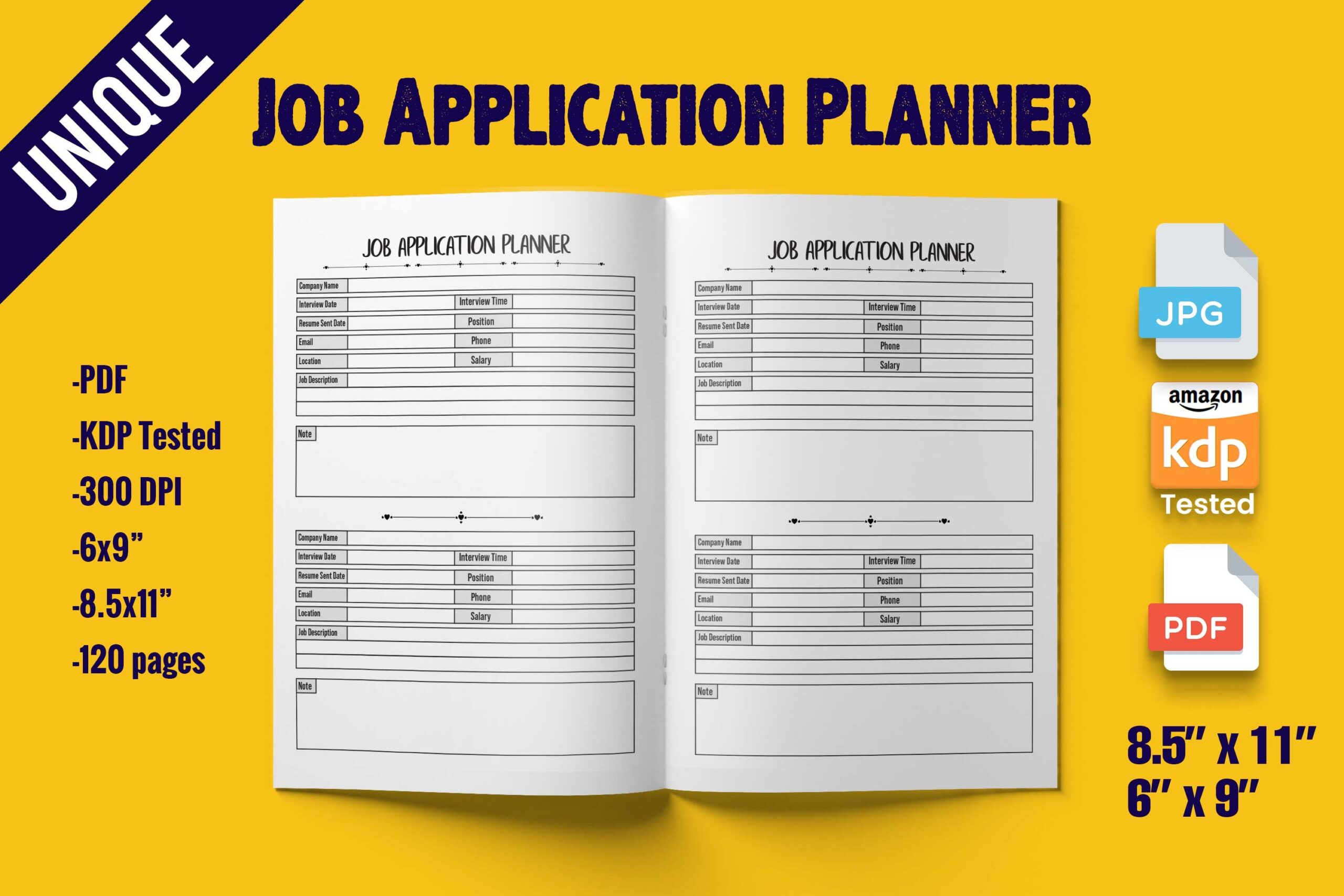
This planner log is worth comparing when you prefer an image-based print workflow. The preview shows a job-application record with space for company and interview information, giving you a visible layout to assess before committing to a full book. It is a separate alternative to the PDF and spreadsheet products above.
The description lists 120 pages, 6 × 9 and 8.5 × 11-inch formats, a cover page and 300 DPI JPEG files. It does not explicitly list a PDF or editable Canva link. Confirm the number of delivered images and print setup in the archive; do not assume the two trim sizes mean two interactive digital planners.
10. Career Compass Planner with Applications and Networking Records
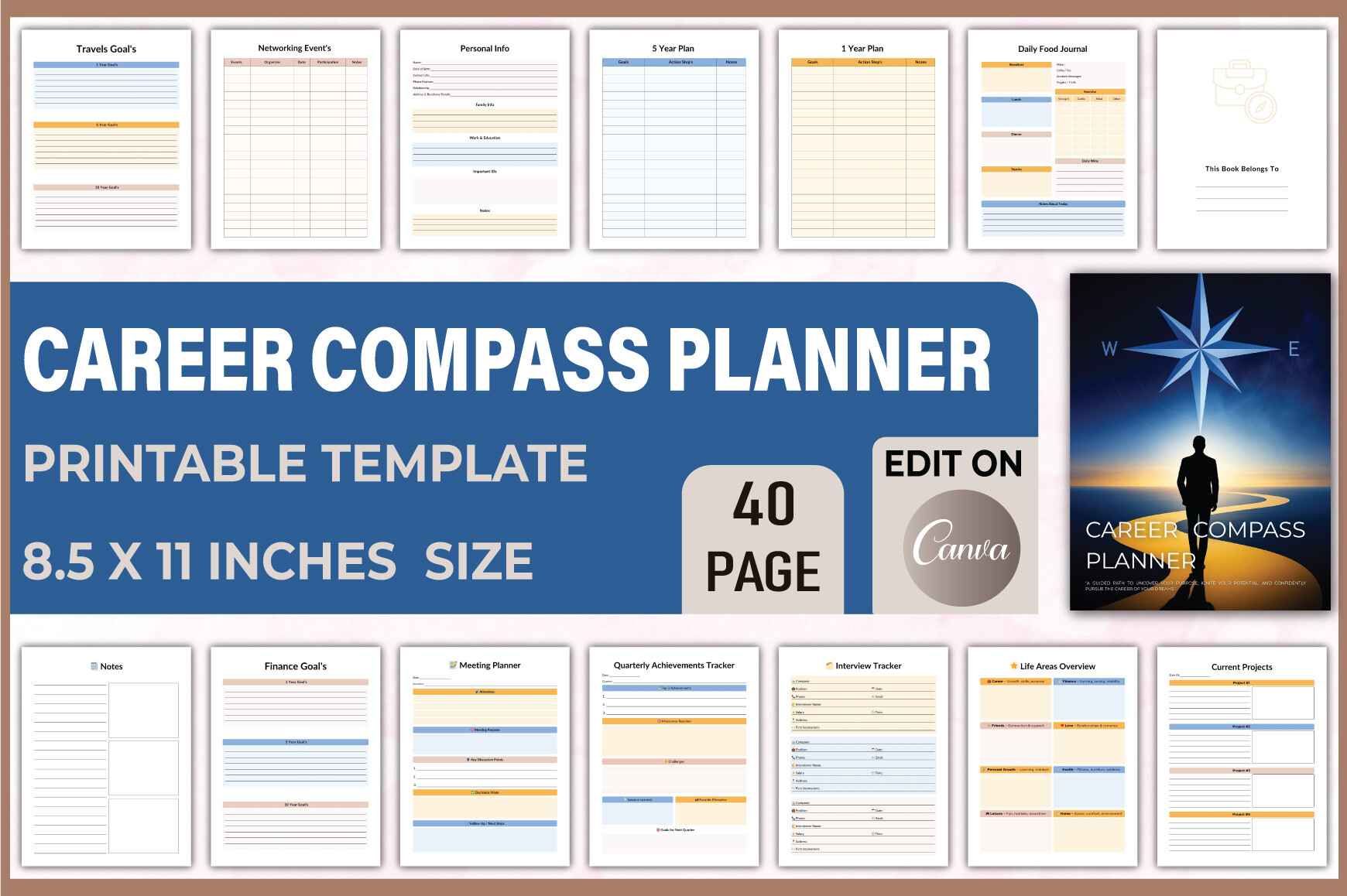
For some searches, the useful question is not just where you applied but what kind of work you want next. Career Compass combines application, interview and networking records with longer-term career goals, skills, achievements and performance reviews. It can sit alongside a focused application log when you want to connect the search to a wider professional plan.
The listed download includes an editable Canva link, print-ready PDFs, JPGs and transparent PNGs, with 40 unique layouts in US Letter size, no bleed and 300 DPI. It also includes daily-life and habit sections. Choose it for that broader structure; if you only need a compact table of applications, several earlier options are more direct.
Choose Job Application Tracker Templates by Workflow
Start with one real vacancy and the information you need to retrieve later. Company, position, application date, source link, contact, current stage and next action can be more useful than a long list of fields you never update. A spreadsheet is convenient for sorting changing records; a printed log offers a simpler handwriting workflow.
A PDF, an editable vector file and a Canva link are different products. The download may be an interior intended for book production, and some products supply only images or source files. Check that you can open and print the actual files before committing to a full notebook.
Build a Small Weekly Review Around the Tracker
Use a weekly planner template for the time you want to set aside for applications and follow-ups. The tracker can remain the record of what happened, while the weekly page holds your next actions.
For longer-term priorities, compare the monthly goal planner templates. If you prefer to keep appointment notes and daily tasks in a broader system, explore the digital planners and choose a workflow you can maintain without duplicating every record.
Open one sample page or make a private copy of the spreadsheet, enter a single application and check how easily you can find the next step. Choose the format that makes that small routine clearer, then add other sections only when they serve a purpose.