16 Practical Weekly Planner Ideas for Paper, Spreadsheets and iPad
These weekly planner ideas compare sixteen resources for different working formats: printable pages, editable Canva layouts, spreadsheets and PDF planners for annotation. Start with the schedule you need to see, then choose the file and app that let you maintain it. A large planner is useful only when its extra sections serve your routine.
A focused weekly sheet, a calendar-free task tracker and a full dated planner are different choices. This collection retains those alternatives and labels the dated listings so you can compare them without assuming every package includes a current-year calendar. Check the supplied date range before moving your schedule into a new file.
Weekly planner ideas work best when they solve a specific scheduling problem. Start with option 1 for editable daily and weekly pages, option 2 for Excel or Google Sheets, or a verified current-year or undated PDF for tablet handwriting. Option 15 is a task tracker rather than a calendar.
Quick workflow comparison
| What you need | Start with | Check first |
|---|---|---|
| Editable daily and weekly pages | Simple Daily and Weekly Planner | Canva Free source and PDF access link |
| Spreadsheet planning | Weekly Planner for Excel and Google Sheets | Check supplied workbook and app behavior |
| A calendar-free task list | To-Do List Tracker | A task tracker is not a weekly calendar |
| A vertical layout example | Rose Quartz Digital Planner | Written listing still says 2025; legacy dated option |
In this guide
Weekly planner ideas: choose a useful format
Use the numbered product headings to compare the file type and practical fit. Start with the simplest layout that covers your actual records, then check calendar dates, editing requirements and the supplied instructions before downloading.
1. Simple Daily and Weekly Planner
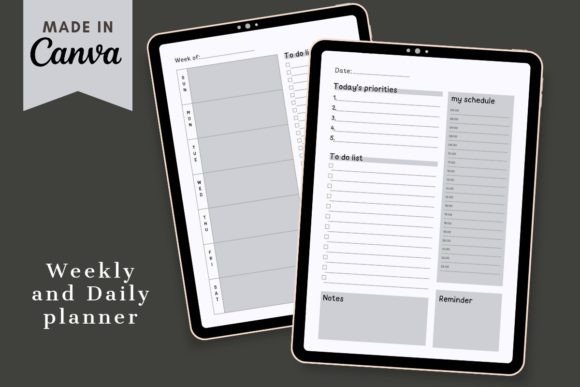
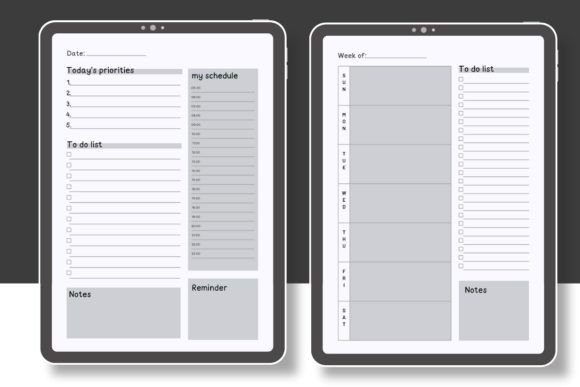
Sometimes a planner doesn’t need dozens of pages to be useful. This Simple Daily and Weekly Planner caught my attention because it focuses on the basics: giving you a clean space to organize both individual days and your overall week.
The template is editable in Canva, which makes it a flexible option if you enjoy personalizing your planning pages before using them. You can adjust the design to suit your own style and create a planner that feels more personal instead of working with a fixed layout.
I think this is a particularly nice choice for anyone who prefers a simple weekly planner without too many extra sections. It can work well for everyday tasks, appointments, priorities, and general planning.
2. Weekly Planner Template for Excel and Google Sheets
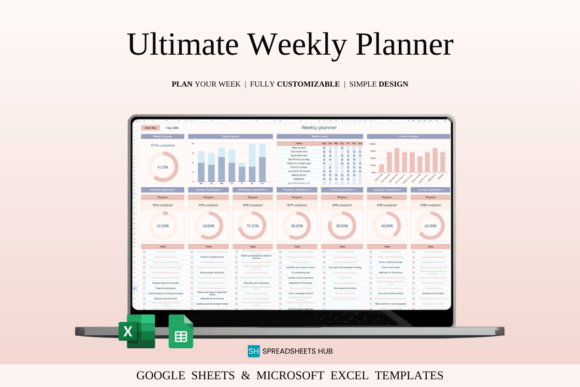
If you spend most of your day on a computer rather than in a notebook, a spreadsheet-based weekly planner can be surprisingly practical. This template is designed for both Excel and Google Sheets and brings weekly tasks, habits, notes, and planning into a digital workspace.
What I like about this format is the combination of structure and flexibility. You can use it to see the bigger picture of your week while still keeping track of smaller daily tasks. The template also includes options for monitoring habits and progress, making it useful for more than just scheduling appointments.
This is a great weekly planner idea for students, professionals, or anyone who already uses spreadsheets regularly and wants their planning tools to stay accessible across devices.
3. Interactive Daily & Weekly Planner Bundle
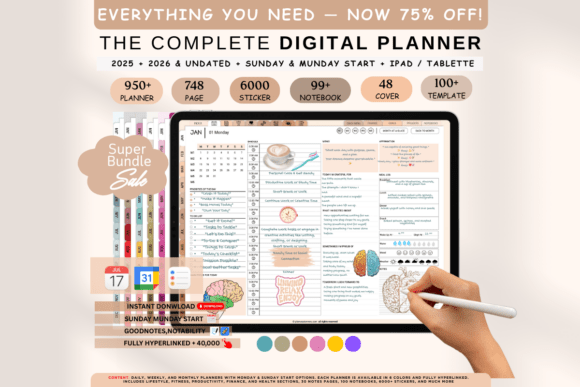
For people who enjoy digital planning, this Interactive Daily & Weekly Planner Bundle offers a more connected experience than a basic PDF page. Its interactive approach makes it especially interesting for users who want to move through different parts of a planner digitally.
The bundle combines daily and weekly planning, which can be helpful when you like to start with a broad overview and then break your schedule into smaller, more manageable steps. Rather than choosing between a daily planner and a weekly planner, you can have both planning perspectives available in one system.
I would consider this one for anyone building a digital planning routine on a tablet. It has a more complete feel than a single weekly sheet while still keeping weekly organization at the center.
4. Rose Quartz Digital Planner – Vertical
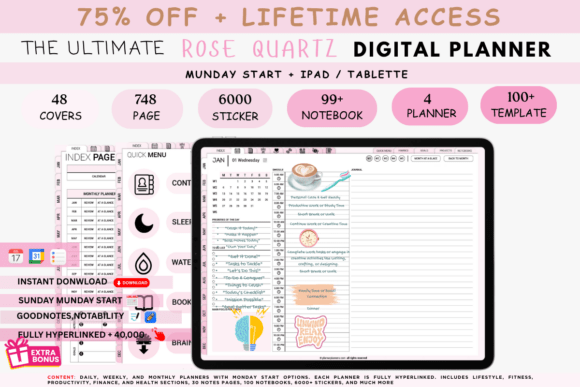
A planner can be functional without looking boring, and the Rose Quartz Digital Planner brings a softer visual style to everyday organization. Its vertical format gives the planner a familiar notebook-like feel while keeping everything in a digital format.
This option stands out in the collection because of its aesthetic direction. If the look of your planning space motivates you to actually open and use it, a design with a more intentional visual identity can make a real difference.
The planner is suited to people who want a digital organizer that can support regular planning while feeling more personal than a plain spreadsheet. It is a nice option for anyone looking for a visually appealing weekly planner experience with room for broader life organization too.
The current written listing specifically calls this a 2025 planner, despite the product title omitting the year. The link and original product are retained, but treat this as a legacy dated option unless the actual archive confirms an updated calendar. Its Monday-start vertical columns can still illustrate a layout idea; they do not establish a current-year file.
5. All-in-One Digital Planner
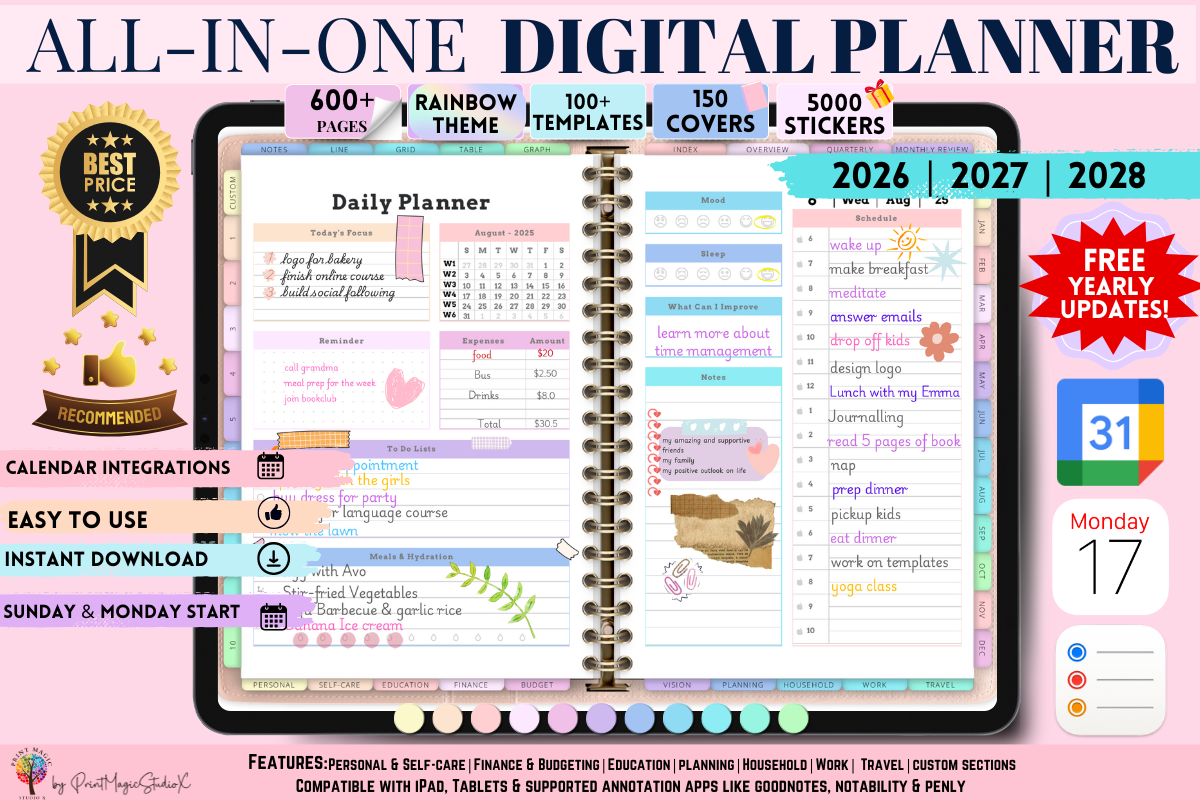
If you like the idea of keeping different areas of your life together, an all-in-one planner can be much more convenient than switching between several separate notebooks. This digital planner is designed as a broad organizational system rather than just a single calendar.
That makes it a strong option for weekly planning because your schedule doesn’t exist separately from everything else. Tasks, goals, notes, and other planning areas can all be part of the same routine.
I would recommend this type of planner to someone who enjoys having plenty of space to customize their planning system. It may feel like more than you need if you only want a basic weekly schedule, but for people who enjoy detailed organization, that’s exactly the appeal.
6. Dark Mode All-in-One Digital Planner
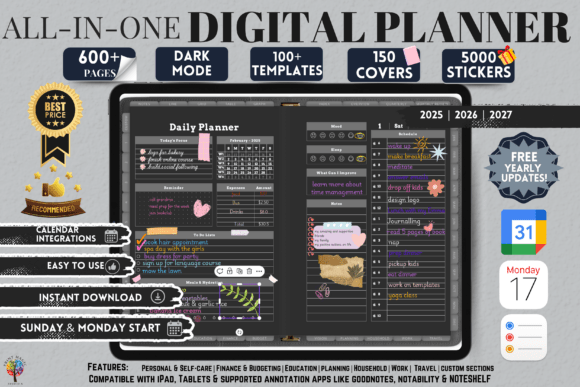
This Dark Mode All-in-One Digital Planner offers something a little different from the bright and minimalist designs that dominate many planner collections. The dark interface gives it a distinctive look and may appeal to people who prefer planning in a darker visual environment.
Beyond the style, the all-in-one concept makes it useful for organizing more than a single week. You can use a comprehensive digital planner as a central place for your schedule and other planning needs instead of scattering information across different apps.
For me, the biggest reason to choose this version would be the design. If you already know you enjoy dark-mode apps and interfaces, using a planner with a similar visual feel could make your weekly planning routine more enjoyable.
7. PLR – RESELL 2026 Digital Planner
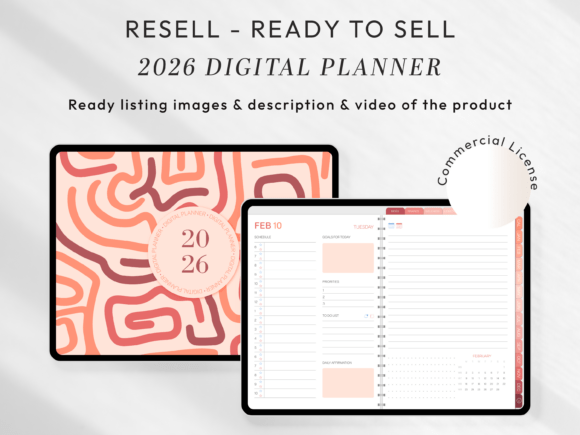
This 2026 digital planner is a little different from the other options in this roundup because it is presented as a PLR/resell product. That makes it potentially interesting not only as a planning resource but also for people working with digital products, depending on the applicable license and usage terms.
From a planning perspective, having a dated 2026 planner can make it easier to organize the year and move from long-term plans into monthly and weekly routines. Dated planners are especially convenient if you prefer opening your planner and getting straight to the correct week.
For the remaining months of 2026, compare whether the dated pages fit your schedule. Just be sure to review the product’s current license details before using it for anything beyond personal planning.
The verified package is a 2026 resell kit with Monday- and Sunday-start PDF planners plus marketing files. Those extras are aimed at publishing workflows. The calendar remains 2026, and any commercial reuse depends on the supplied current terms. For personal weekly use, compare the planning pages rather than pay attention only to the marketing bundle.
8. All-in-One Digital Planner 2026 – Sunday Start
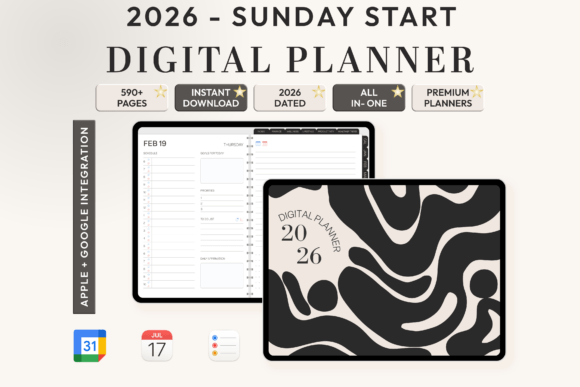
The way a week begins can make a surprisingly big difference when choosing a planner. This All-in-One Digital Planner is designed for 2026 and uses a Sunday-start format, making it a useful option for people who naturally organize their week that way.
The all-in-one approach also means this planner is intended to support broader organization rather than simply displaying seven days on a page. That can be helpful if you like connecting your weekly schedule with goals, tasks, and other parts of your routine.
I would put this one near the top of the list for anyone using the remaining 2026 dated pages and prefers Sunday as the first day of the week.
9. All-in-One Digital Planner for Goodnotes
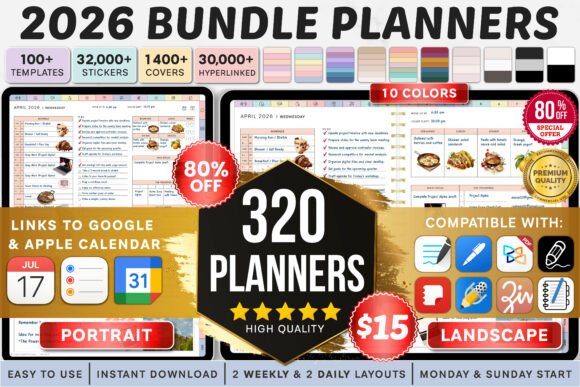
Goodnotes users often want more than a collection of static pages. They want a digital planner that can become part of their everyday workflow, and this all-in-one option is built with that type of planning in mind.
What makes a comprehensive planner useful is the ability to keep different planning categories together. Your weekly schedule can sit alongside goal planning, routines, lists, and other organizational pages instead of being isolated in a separate file.
This planner includes a wide range of planning and tracking sections, so it will likely appeal most to people who enjoy building a detailed system around their daily and weekly routines.
The current description distinguishes landscape and portrait 2026 planners, Monday and Sunday starts, ten color themes and two daily and weekly layouts. The large bundle count represents combinations, not proof that you need many separate planners. Select a single suitable layout and follow the supplied setup guide before moving your schedule.
10. Premium 2026 Digital Planner for Goodnotes
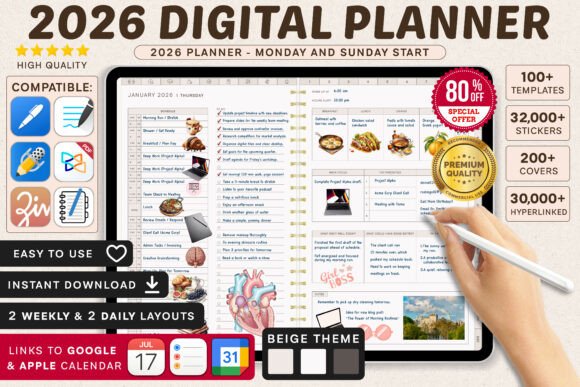
Planning a week is easier when it connects to the bigger picture, and this Premium 2026 Digital Planner is designed for people who want a more complete planning system for its stated calendar year.
In addition to regular calendar planning, the planner includes sections that cover different areas of life, making it suitable for someone who doesn’t want to maintain multiple separate planners. The 2026 format also gives the experience a clear timeline, which can be useful when planning ahead.
I think this is best suited to detailed planners—the kind of people who genuinely enjoy sitting down at the beginning of the week and reviewing everything they want to accomplish.
This listing describes a 2026 collection of sixteen planners with Monday and Sunday starts and two daily and weekly layouts. Its description closely overlaps the next selection. Check the actual previews, archive and intended color treatment before choosing; the similar wording does not demonstrate two different planning systems.
11. Premium 2026 Digital Planner for Goodnotes: Alternative Listing
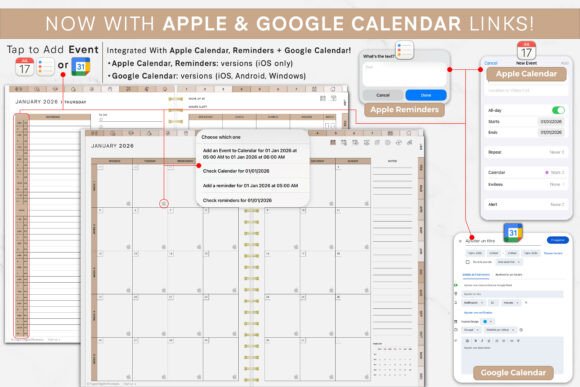
A good weekly planner should match the way you actually live, and comprehensive planners can give you more freedom to build a routine around your own priorities. This Premium 2026 Digital Planner is another feature-rich option for Goodnotes users who want their planning space to go beyond a weekly calendar.
It includes a variety of organizational sections covering different aspects of everyday life. That makes it useful for someone who likes reviewing tasks, goals, routines, and future plans from one central place.
The detailed nature of this planner won’t be for everyone, but that’s also its strength. If simple weekly pages leave you wanting more room for planning, tracking, and reflection, a larger digital system like this can be a better fit.
The written specifications closely match selection 10: a 2026 sixteen-planner bundle with two daily and weekly layout choices and both week starts. The original URL remains for continuity. Compare the previews and files to find the actual difference, and avoid treating the second listing as a wholly new feature set.
12. Digital Planner 2025–2026–2027 – Jewel Tones
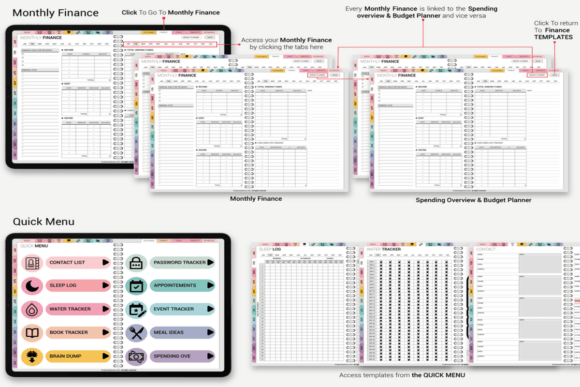
One of the most useful things about a multi-year planner is that you don’t have to replace your entire planning system every January. This digital planner covers 2025, 2026, and 2027, giving you a longer timeline for organizing your weeks and future plans.
The Jewel Tones design also gives it a richer visual personality than a plain neutral planner. For people who enjoy color and want their digital workspace to feel more expressive, that can be a major plus.
I especially like the idea of a multi-year weekly planner for anyone who doesn’t want to rebuild their planning setup every year. You can settle into one familiar system and continue using it as your needs evolve.
The seller describes dated 2025, 2026 and 2027 files together with an undated version, in Jewel Tones colors. Choose the current or undated file from the archive. Seller-described yearly updates and calendar integrations are not proof that every downloaded version has the same setup or requires no additional steps.
13. All-in-One Digital Planner 2025–2027
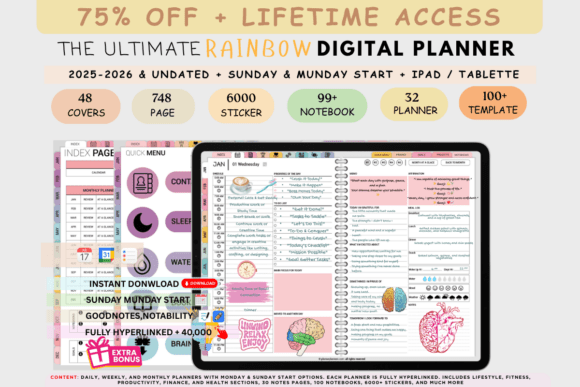
If you’re looking for a planner that can stay with you for several years, this All-in-One Digital Planner is another strong option. Covering 2025 through 2027, it offers a longer planning window than a standard one-year planner.
That can be particularly helpful if you enjoy setting bigger goals and want your weekly planning to connect with plans that extend beyond the next few months. Instead of thinking about each year as a completely new start, you can keep your organizational system consistent.
This is a good choice for someone who wants an all-in-one digital planner but also values longevity. Once you get comfortable with the layout, you can continue using the same system through multiple years.
The Rainbow collection describes the same broad multi-year and undated approach as the Jewel Tones version, with four daily and four weekly layout choices. Its distinction is primarily the visual treatment. Choose by readability and the actual file you will use, rather than expect a new scheduling method solely because the palette changes.
14. All-in-One Digital Planner Boho Color Bundle
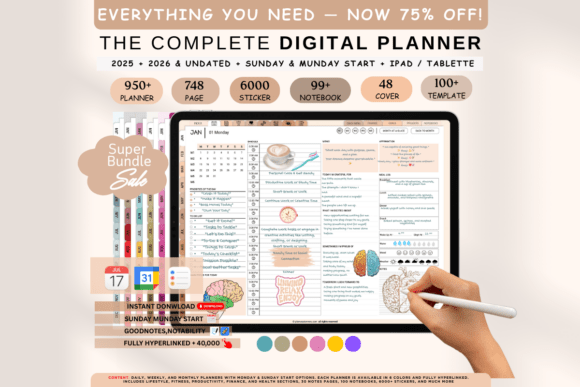
If choosing just one planner design feels limiting, a bundle can give you more freedom to find a layout and style that feels right. This Boho Color Bundle stands out because it focuses on variety while keeping the planners within a consistent visual direction.
The boho-inspired aesthetic gives these planners a warmer and more relaxed appearance than a traditional office-style organizer. That makes the bundle appealing for people who want their planning space to feel creative and personal.
A collection like this can be especially useful if you’re still experimenting with digital planning. Rather than committing immediately to one design, you can explore different options and discover what actually helps you stay consistent with your weekly planning routine.
The current Boho bundle listing describes 2025 and 2026 dated versions plus an undated version, with four weekly and four daily layouts. It names PDF annotation apps including GoodNotes, Notability, Samsung Notes and Xodo, and explicitly excludes OneNote, Kindle and reMarkable. Inspect the supplied archive for the year you need; a lifetime-update promise is not proof of an included 2027 calendar.
15. To-Do List Tracker Template for Excel
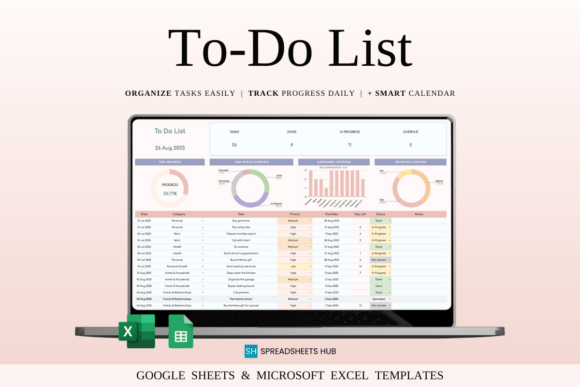
A weekly planner doesn’t always have to look like a calendar. For some people, the most important part of planning is simply knowing what needs to get done. This To-Do List Tracker Template takes that task-focused approach and puts it into a spreadsheet format.
It’s a useful companion to weekly planning because it can help turn a long list of responsibilities into something more organized and easier to review. Spreadsheet planning is also convenient if you already spend time working in Excel and prefer keeping your productivity tools in the same environment.
I would recommend this option to anyone who finds traditional planner pages too restrictive. If your week revolves around projects and tasks rather than fixed appointments, a tracker may actually be the better planning tool.
16. Digital Life Organizer with Hyperlinked Pages
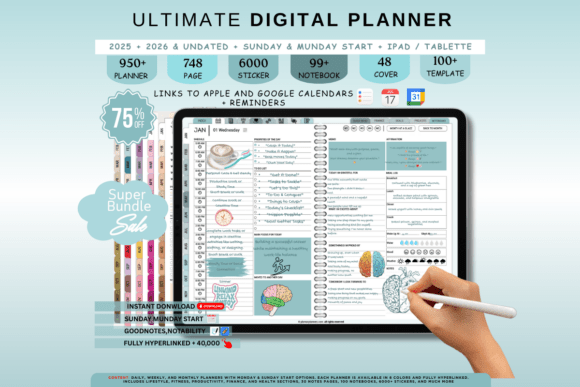
The final planner in this collection is a Digital Life Organizer with hyperlinked pages. Hyperlinks can make a large digital planner much easier to navigate, especially when you want to move quickly between different planning sections.
This kind of organizer is ideal for someone who wants their weekly schedule to be part of a larger personal organization system. Instead of opening multiple files for different parts of your life, you can keep everything connected inside one digital workspace.
What I like about hyperlinked planners is that they can feel more natural to use on a tablet. You can jump directly to the section you need and return to your weekly planning pages without scrolling through dozens of pages.
Which Weekly Planner Is Right for You?
The best weekly planner is ultimately the one you’ll actually enjoy using every week. If you prefer something simple, a clean Canva template or spreadsheet planner may be all you need. If you like detailed organization, one of the all-in-one digital planners can give you much more room to build a complete planning system.
For tablet users, interactive and hyperlinked planners are worth exploring, while multi-year planners are a convenient choice if you want a system that lasts beyond a single calendar year.
My advice is to think less about finding the planner with the most pages and more about finding one that fits your real routine. A simple weekly planner you use consistently will always be more valuable than an incredibly detailed planner that stays unopened.
Hopefully, this collection gave you a few ideas for your next planning setup. Take a look through the designs, compare the formats, and choose the one that makes organizing your week feel a little easier.
Set up a weekly planner around real commitments
Before adding flexible tasks, mark the appointments and deadlines that already have a time. Choose three outcomes for the week and identify one concrete next action for each. Put those actions into available spaces, leaving room for tasks that take longer than expected. A useful weekly spread shows both commitments and the time left around them.
For example, use Monday to outline a report, Wednesday to finish a first draft and Friday to review it. Keep errands in a separate list until you know when they fit. Use one area for appointments, one for priorities and one for notes; decorating every box is optional. Review unfinished tasks before copying them into the next week.
Choose a weekly format without duplicating your planning system
A Canva page is edited before printing or export. A spreadsheet supports entries and any supplied formulas. A hyperlinked PDF is imported into a suitable annotation app; it is not automatically a live calendar with reminders. Check the actual archive, date range and instructions before moving your schedule into a new system.
For a smaller selection centered on repeatable weekly pages, compare our weekly planner templates. The weekly schedule planner guide focuses on scheduling, while our digital planner collection explains broader tablet and Canva options.
For a new dated planning year, compare our 2027 weekly planner templates. If dates are the main source of friction, the undated printable planner collection offers a separate paper-first route. The older date ranges retained above are references to those specific listings, not a promise of an included calendar update.

3 Comments