9 Digital Budget Planners for Spreadsheets and Editable PDF Pages
Managing money feels much easier when you can actually see where it’s going. A good digital budget planner can bring your income, expenses, savings goals, and bills together in one place without relying on piles of paper or complicated budgeting apps.
For this collection, I picked a variety of digital budget planners for different planning styles. Some are simple spreadsheets for Google Sheets or Excel, while others offer a more complete financial planning experience with trackers, dashboards, and hyperlinked pages. Whether you’re trying to build a monthly budget, save more consistently, or simply get a clearer picture of your spending, there’s a useful option here.
A digital budget planner can mean a spreadsheet with formulas or a document you annotate by hand. Start with options 1–6 for spreadsheet workflows and options 7–9 for Canva or annotation-based planning. The original nine products remain in order, with important Google Sheets-only and mobile-use limits clarified below.
In this guide
Choose your digital budget planner format
Compare the stated app or paper size first, then the records you intend to maintain. A format that matches your existing workflow is easier to evaluate than a large collection whose editing or printing requirements are unclear.
1. Budget Planner Excel – Rainbow Theme
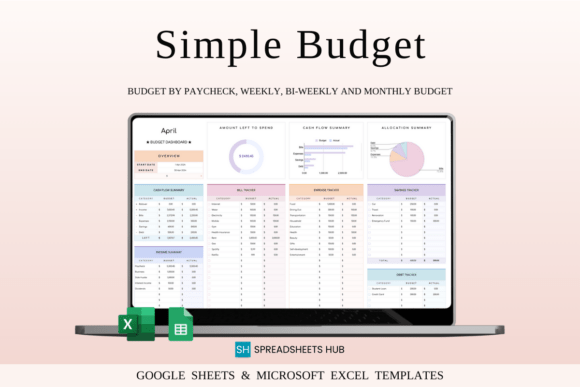
Budgeting doesn’t have to mean staring at a dull spreadsheet. This Rainbow Theme Budget Planner adds a more colorful and approachable feel to financial planning while keeping the familiar structure of a spreadsheet.
Designed for use with Excel and Google Sheets, it gives you the flexibility to choose the platform that already fits your workflow. That makes it a convenient option for people who like the practicality of spreadsheets but still want their planning space to feel visually enjoyable.
I think this digital budget planner is especially appealing for anyone who finds that a bit of color makes routine tasks easier to stick with. A planner you’re happy to open regularly is much more likely to become part of your financial routine.
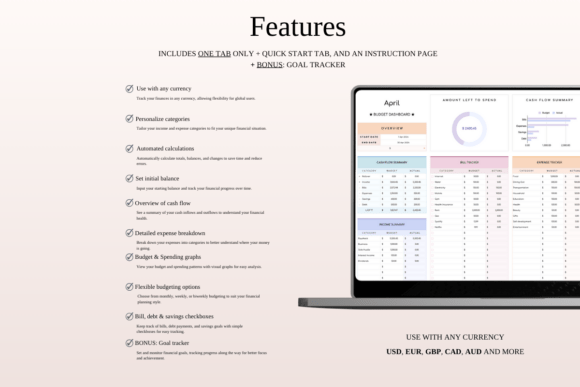
The listing supplies sample and blank versions for both Excel and Google Sheets, together with instructions and a goal-tracker bonus tab. The main workflow is a one-tab budget with transaction entries, categories and calculated summaries. Choose the version you actually use and keep demonstration entries separate from your own working record.
2. Monthly Budget Planner for Google Sheets
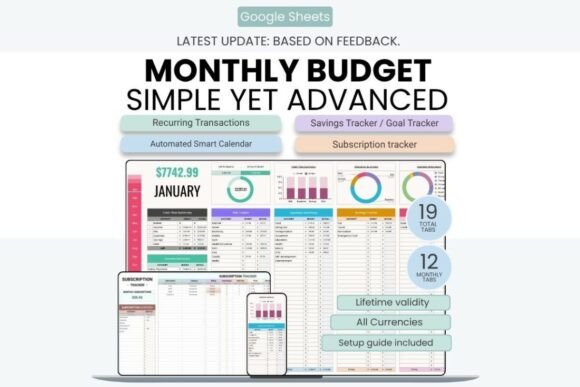
If you want to keep most of your financial information inside one spreadsheet, this Monthly Budget Planner for Google Sheets offers a particularly detailed setup. It brings together income, expenses, bills, savings, subscriptions, sinking funds, and financial goals in one connected system.
One feature that stands out is the broader overview. Along with monthly planning, the template includes dashboards, annual summaries, transaction tracking, and an automated calendar for scheduled transactions. That makes it useful for someone who wants to look beyond a single month’s numbers.
Because it works in Google Sheets, your budget can also stay accessible across your devices. This is an option for anyone who wants a feature-rich digital budget planner without switching between multiple financial tools.
The current product is Google Sheets only and explicitly excludes Microsoft Excel. It lists nineteen tabs, monthly dashboards, an annual overview, recurring transactions and a scheduled-transaction calendar. A free Google account and internet connection are required. Its automatic calculations work from the workbook’s records; the listing does not establish a connection to your bank.
3. Pink Budget Tracker Excel Template
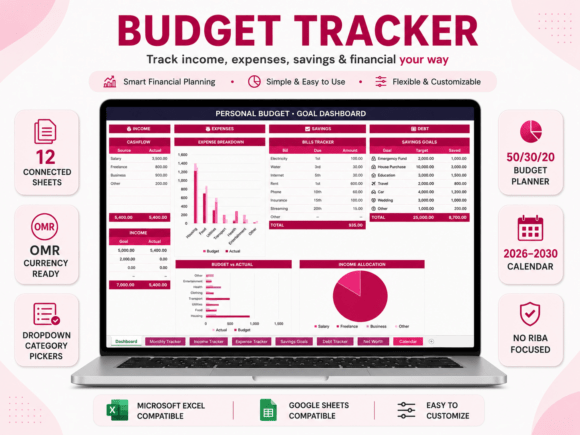
This Pink Budget Tracker combines a soft visual style with a surprisingly comprehensive financial setup. Built for Excel and Google Sheets, it includes connected sheets designed to give you a clearer view of income, expenses, savings, debt, and overall financial progress.
What I like about this template is that it goes beyond basic expense tracking. It also includes areas for savings goals, debt tracking, net worth calculations, and a 50/30/20 budgeting approach with adjustable percentages. The connected structure and automatic calculations can save time if you don’t want to build formulas yourself.
This is a great option for someone who wants a digital budget planner that feels organized from the start but still offers enough detail to grow with their financial goals.
This is a twelve-sheet collection for Excel and Google Sheets, with dropdown categories, calculation-based summaries and a 2026–2030 calendar. The listed percentage-based budgeting page is adjustable. Choose this for the actual workbook features and file versions rather than assume the pink styling changes how calculations or record entry work.
4. 50/30/20 Budget Planner Template – Light
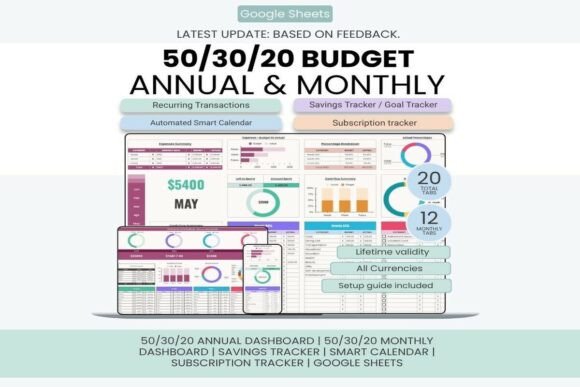
The 50/30/20 budgeting method is popular because it gives spending a simple framework: separating money into needs, wants, and savings or financial goals. This planner is built around that approach, making it a good choice for anyone who prefers a clear system rather than starting with a blank spreadsheet.
The light palette offers a restrained visual treatment, but the current listing describes a substantial twenty-tab workbook. Compare the actual dashboards and record fields before choosing it as a supposedly minimal single-page tool.
Choose it when this category-based workbook fits the records you want to maintain. Its named percentages are template settings to evaluate, not a personalized recommendation about how to divide your own income.
The verified description specifies twenty Google Sheets tabs, with twelve monthly dashboards, an annual dashboard, transaction records and a calendar. The Light name refers to the design, not a tiny single-page workbook. Google Sheets and a free Google account are required; the percentage categories describe this template’s structure, not a universal allocation for every user.
5. Budget Planner for Google Sheets
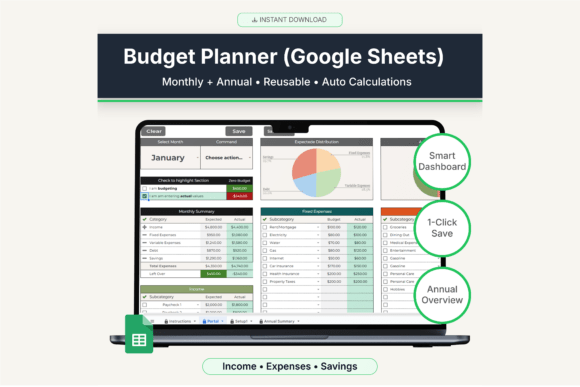
Not everyone needs dozens of financial tabs to manage a budget. This Google Sheets planner takes a more streamlined approach, with a main portal where you can enter and update your monthly numbers while the information is stored across the planner’s monthly sections.
The setup includes monthly planning pages, an annual summary dashboard, category customization, and automatic calculations. A central entry page may suit readers who prefer fewer navigation steps, subject to the seller’s desktop and mobile limitations below.
The seller describes a Google Sheets Portal page with Save, Save + Next and Clear actions, plus monthly sheets and an annual summary. It recommends desktop use and says some buttons may not work in the mobile app; mobile users are directed to an Action dropdown. Follow those instructions instead of assuming identical controls on every device.
6. Premium Family Budget Planner
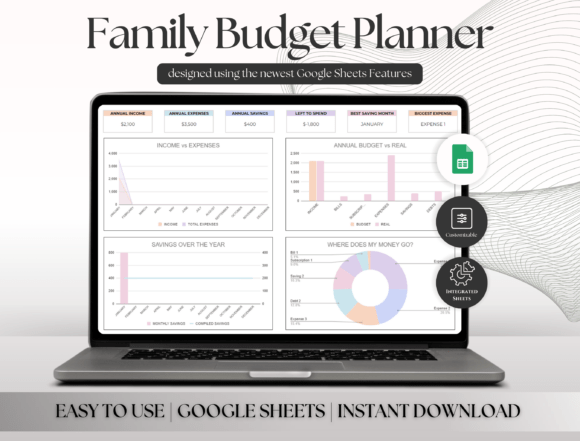
Managing a household budget often involves more than tracking a few personal expenses. This Premium Family Budget Planner is designed for a broader financial picture, with sections for bank accounts, annual finances, income and expense distribution, sinking funds, debt, net worth, and investment forecasting.
The family-focused approach is what makes this template stand out in the collection. Instead of treating budgeting as a single monthly task, it provides tools for looking at different areas of household finances together.
I would consider this one for families or couples who want to build a more complete financial planning system. The automated annual dashboard and summary features can also be helpful when you want to step back from individual transactions and see the bigger picture.
The download is a PDF containing a link to the Google Sheets workbook, accessed with a Google account. The listed tools include account records, monthly summaries, sinking funds, debt, net worth and an investment forecast. Account fields do not by themselves establish automatic bank access; forecast outputs depend on the values and assumptions entered.
7. Editable Digital Budget Planner Template
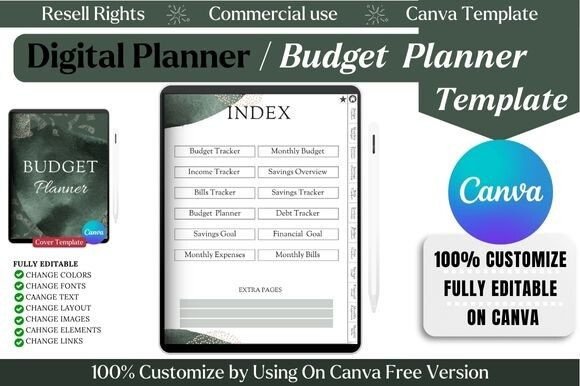
One of the biggest advantages of using a template instead of a ready-made planner is the ability to make it your own. This Editable Digital Budget Planner Template is designed in Canva and can be customized using the free version of the platform.
You can change elements such as colors, fonts, text, and layouts, making it a flexible choice for people who have a specific idea of how they want their financial planner to look. The template includes pages for budgeting, income, bills, savings, debt, financial goals, and monthly expenses.
Another useful detail is the inclusion of hyperlinked elements for easier navigation. If you enjoy digital planning but don’t want to design an entire planner from scratch, this template gives you a starting point that you can personalize.
The current listing explicitly supports editing in Canva Free, with an index, financial record pages and editable links. This is a design source rather than an Excel or Google Sheets workbook. Export and test any intended navigation after editing, and do not assume that the page labels add spreadsheet-style calculations or a fillable PDF form.
8. Digital Budget Planner & Financial Planner
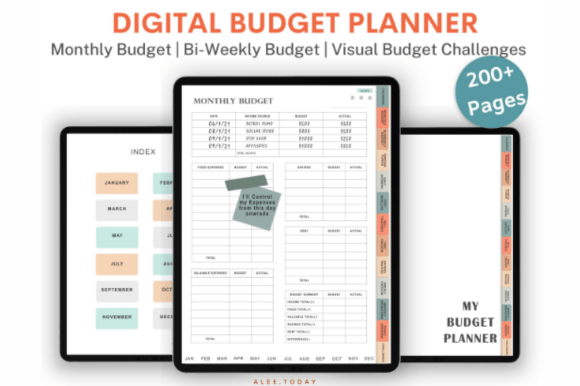
For anyone who enjoys planning on a tablet, this Digital Budget Planner offers a much more interactive experience than a traditional spreadsheet. It includes more than 200 pages and uses extensive hyperlinks to make moving between months and financial sections easier.
The planner covers a wide range of budgeting activities, including monthly and bi-weekly budgets, spending logs, sinking funds, bills, debt, savings, and expense check-ins. It also includes a yearly overview and several financial trackers and challenges.
What caught my attention is the way it combines detailed planning with navigation designed specifically for digital use. The planner is intended for apps such as GoodNotes, Noteshelf, and Notability, making it a strong choice for people who prefer writing and planning directly on a tablet.
The seller describes more than two hundred linked planning pages, monthly record types and over two hundred pre-cropped PNG stickers, for use with GoodNotes, Noteshelf or Notability. This is an annotation-based planning resource rather than a transaction-calculating spreadsheet. Check the actual archive and app requirements, then test navigation before reorganizing linked pages.
9. To Do List Ultimate Digital Planner – Mini
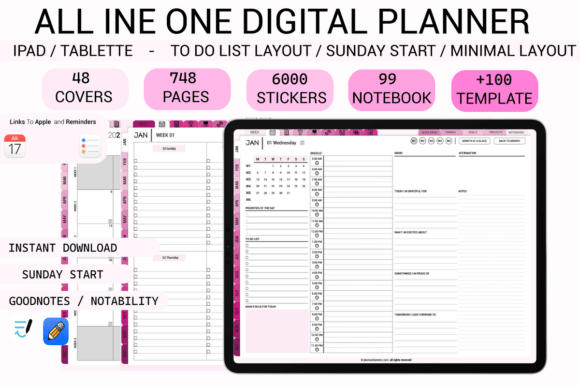
A digital budget planner doesn’t have to focus exclusively on numbers. Staying organized with tasks can also make it easier to keep up with financial responsibilities such as paying bills, reviewing subscriptions, or working toward savings goals.
This To Do List Ultimate Digital Planner – Mini takes a productivity-focused approach and can work as a useful companion to a dedicated budget planner. Its compact format is centered around organizing tasks rather than building a full financial dashboard.
I included it in this collection because personal organization and money management often go hand in hand. If your biggest challenge isn’t calculating your budget but remembering everything you need to do, adding a task-focused digital planner to your routine may help create more structure around your financial habits.
This Pink Rose, Sunday-start resource is a broad daily and weekly organizer that also lists budget, bill and spending pages. It is not a dedicated finance-only workbook. The seller names PDF annotation apps and excludes OneNote, Kindle and reMarkable; check the supplied files and integration instructions rather than infer automatic financial calculations from the all-in-one description.
Which Digital Budget Planner Should You Choose?
The best digital budget planner depends on how you prefer to manage your money. If you already spend a lot of time in spreadsheets, a Google Sheets or Excel template can give you a familiar and flexible way to track your finances. More detailed templates are useful when you want to monitor savings, debt, subscriptions, and long-term financial goals in one place.
For families, a comprehensive household planner may make more sense, while people who enjoy tablet-based planning might prefer a hyperlinked digital planner designed for GoodNotes or similar apps.
My biggest recommendation is to choose a system that matches your habits rather than the one with the longest feature list. A simple budget you update regularly can be far more useful than a complicated planner you stop opening after a few weeks. Explore the options, think about what you actually want to track, and pick the one that makes managing your money feel easier.
Choose a digital budget planner by its working format
A spreadsheet can calculate totals from the transactions you enter. A Canva source lets you change the design before export, while a linked annotation planner provides pages to write on and navigate. Those formats are not interchangeable. A decorative chart or a hyperlink does not establish a live bank connection or automatic transaction imports.
For paper records, compare our printable budget planner templates. Our monthly budget planners focus on a monthly routine, while a bill tracker planner gives recurring due dates their own record.
Set up the record before relying on its dashboard
Keep an untouched original and begin in a working copy. Check the instructions, currency setting, category labels and whether a sample file contains demonstration data. Enter a small example and compare its total with your own arithmetic before adding a full month of records. Edit input cells rather than overwrite formulas unintentionally.
Decide which records you will actually maintain. A useful review compares planned and recorded amounts and preserves notes about timing or one-off entries. More tabs do not automatically create a better routine. Treat forecast pages as calculations based on assumptions, not promises of future results, and check the actual file before depending on an advertised automation feature.





4 Comments