8 Christmas Invitation Templates for Festive Parties and Gatherings
Christmas invitation templates help turn an idea for a gathering into a clear plan your guests can act on. The design sets the mood, but the date, location and reply instructions do the practical work. These eight selections include botanical cards, traditional tree illustrations, a playful party scene and an animated digital option, with different editing and printing routes explained.
Decide the event details in your Christmas party planner, coordinate the food with a Christmas meal planner, and use your Christmas card tracker to record which invitations have gone out. The selections below focus on actual party invitations rather than ordinary greeting cards. Replace every sample date and contact detail before sharing a finished design.
In this guide
Choose Christmas invitation templates for print or digital sharing
Start with how your guests will receive the invitation. A 5 × 7-inch card suits envelopes and a printed keepsake, while a digital layout can be read directly on a phone. An animated invitation offers a different presentation, but it still needs the essential details to remain visible long enough to read.
Check the seller’s stated size and access format before editing. A PDF containing a Canva link is an access document rather than necessarily the final invitation artwork. Export options vary, and features such as resizing or certain file types can depend on your account and design. Choose the confirmed workflow you need instead of assuming every export is included.
1. Two Botanical Christmas Party Cards in Canva
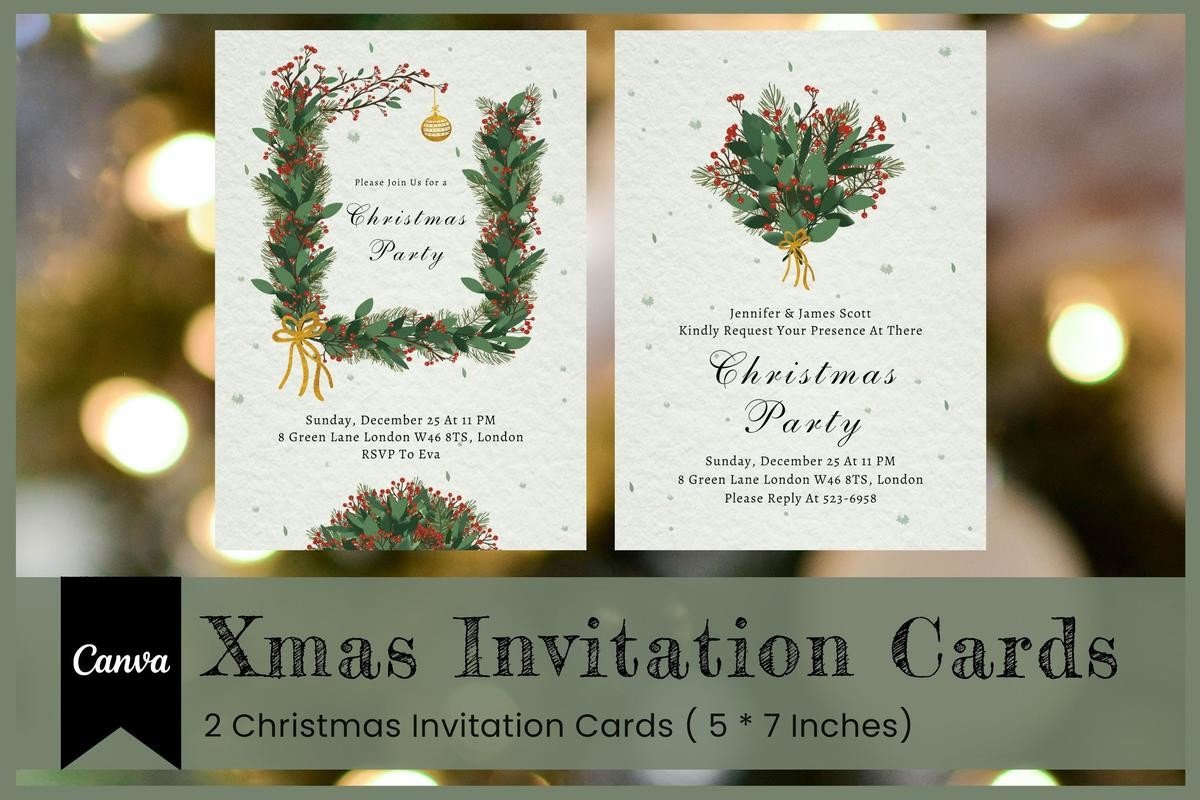
3Motional’s pair uses watercolor greenery, red berries and gold-colored ribbon details to frame a Christmas party message. One layout places a wreath around the heading, while the other leaves more open space beneath a small bouquet. The coordinated botanical look suits a holiday dinner or a gathering where you want a festive invitation with a relatively calm writing area.
The seller lists two 5 × 7-inch Canva cards accessed through a PDF, with a help guide. The preview’s weekday, date, time and address are examples and need replacing together; no fixed printed year is required for the design. Choose the layout that fits your event details without shrinking the smallest text, then export a test version for your intended print or digital delivery.
2. Playful Tree-Decorating Party Invitation

Come Cosi Design’s invitation shows people decorating a Christmas tree on a warm neutral background, with a strong red-and-green heading. It is a useful choice for an informal gathering where the illustration can establish the mood without a long introduction. The open lower section holds the practical details, so keep those lines clear when replacing the sample text.
The product supplies one PDF with a Canva template link and describes customizable text, colors and fonts in free or Pro Canva. Exact finished dimensions are not clearly stated, so check the design size after opening it rather than assume a standard card format. The sample weekday and date should be updated as a pair. Print a test if you plan to use an envelope or a specific paper size.
3. Lighted Christmas Tree Invitation with a Two-Up Print Layout
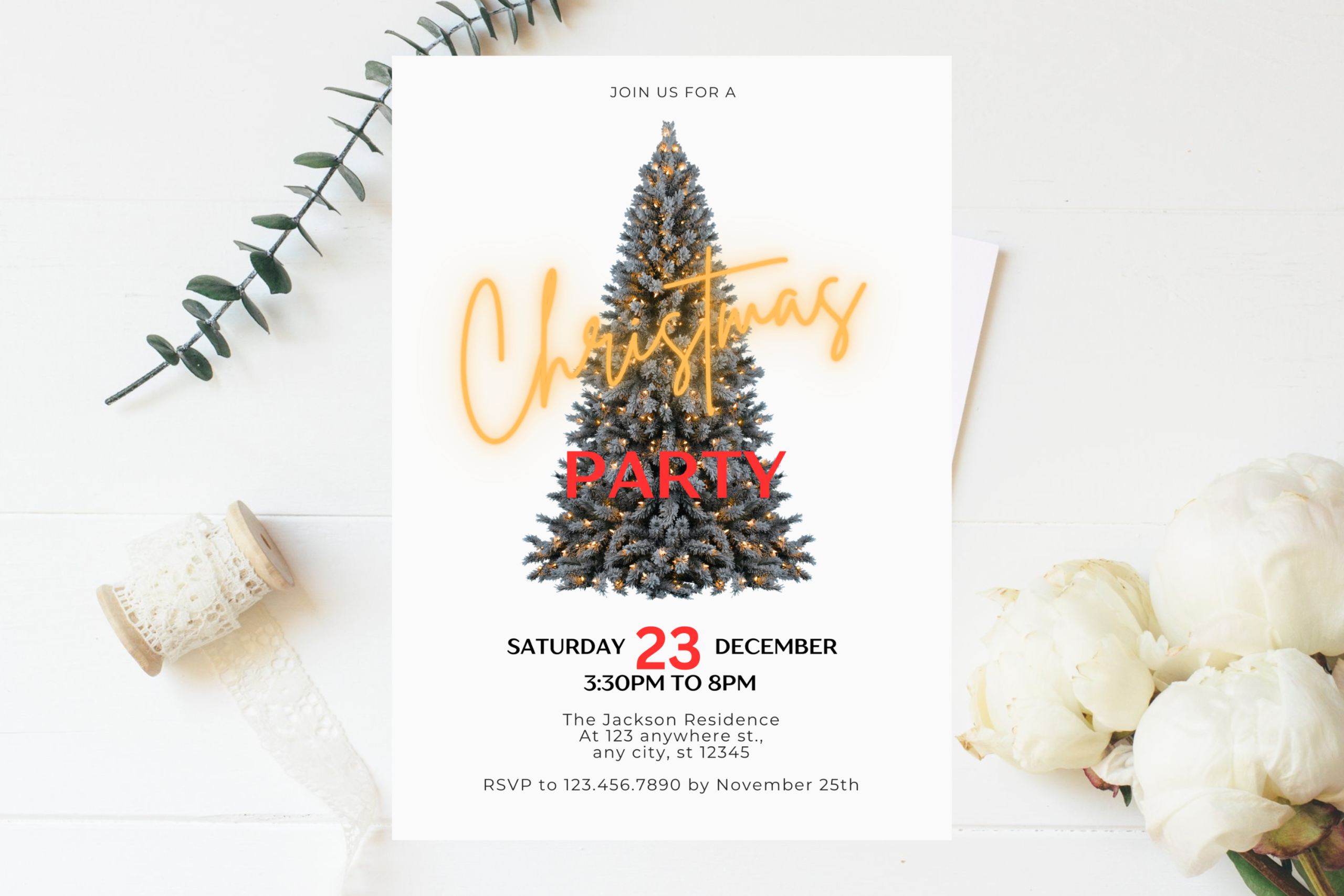
AlishaSDBoutique’s design places a lighted Christmas tree behind large festive lettering on a clean white card. The strong central illustration makes the theme immediate, while the lower area keeps the event information separate. It suits a traditional holiday party when you want a recognizable Christmas image and a practical layout that can be prepared for several guests.
The package includes a PDF with access to a 5 × 7-inch Canva invitation and a second layout placing two invitations on an 11 × 8.5-inch sheet with cutting marks. JPEG and PDF exports are described. Replace the sample day, date, time and reply deadline together, then test the two-up arrangement against your printer’s margins. The supplied layout does not remove the need to check the final physical size.
4. Deep Green Invitation with Gold-Style Botanical Edges
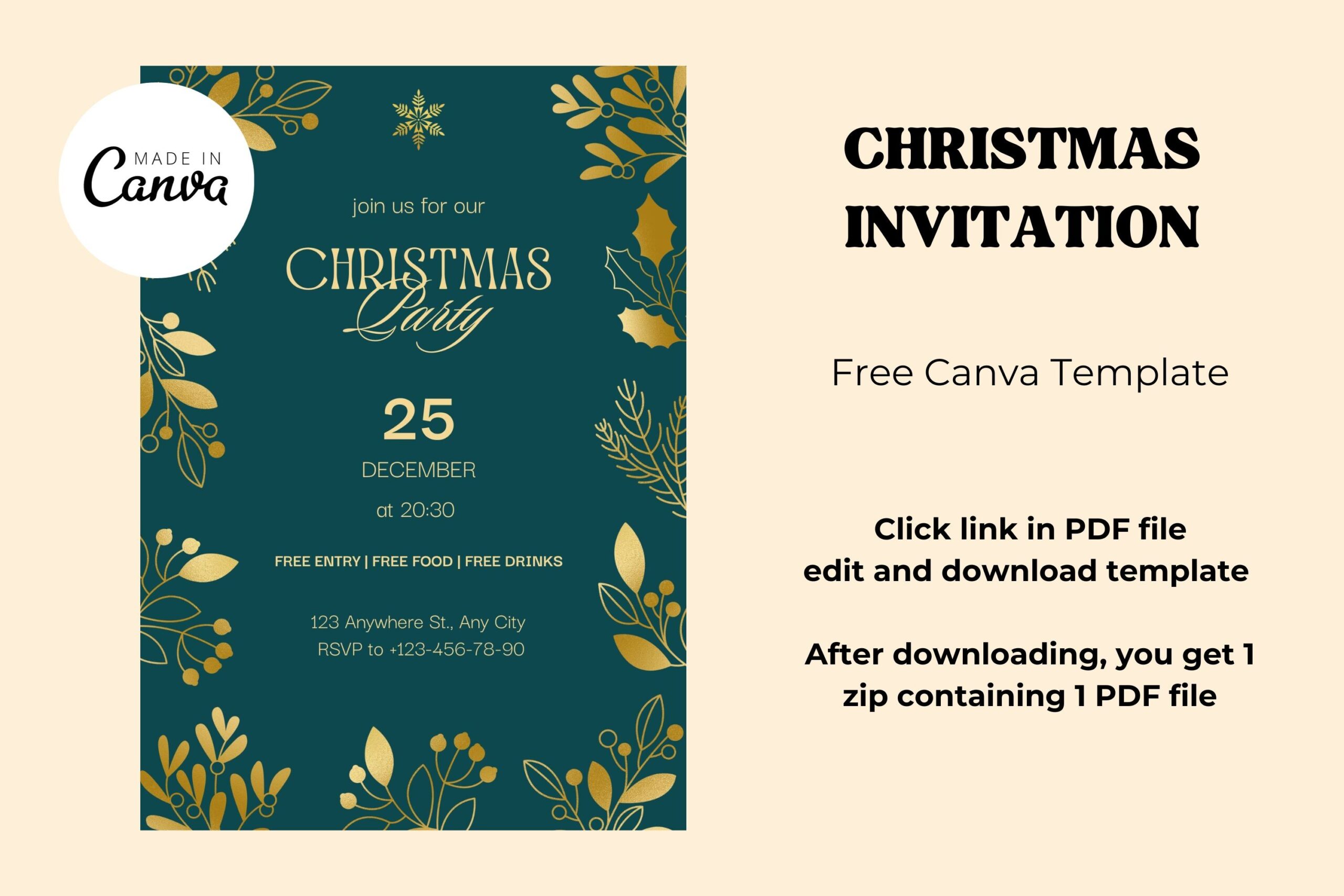
Art’s and Patterns frames a deep green invitation with gold-style leaves and holly details, leaving the center for the party title and event information. The high-contrast palette can work for an evening gathering or a more formal holiday dinner. Choose it when you want a decorative border that stays around the message instead of covering the main writing area.
The download contains a ZIP with one PDF linking to the Canva design, and the seller describes use with free or professional accounts plus JPG export. The written specification does not clearly state a finished paper size, so confirm it inside the template. Despite the product title’s use of “Free,” check the actual access terms rather than assume a price or subscription arrangement from the name alone.
5. Animated Christmas Party Invitation for Digital Sharing
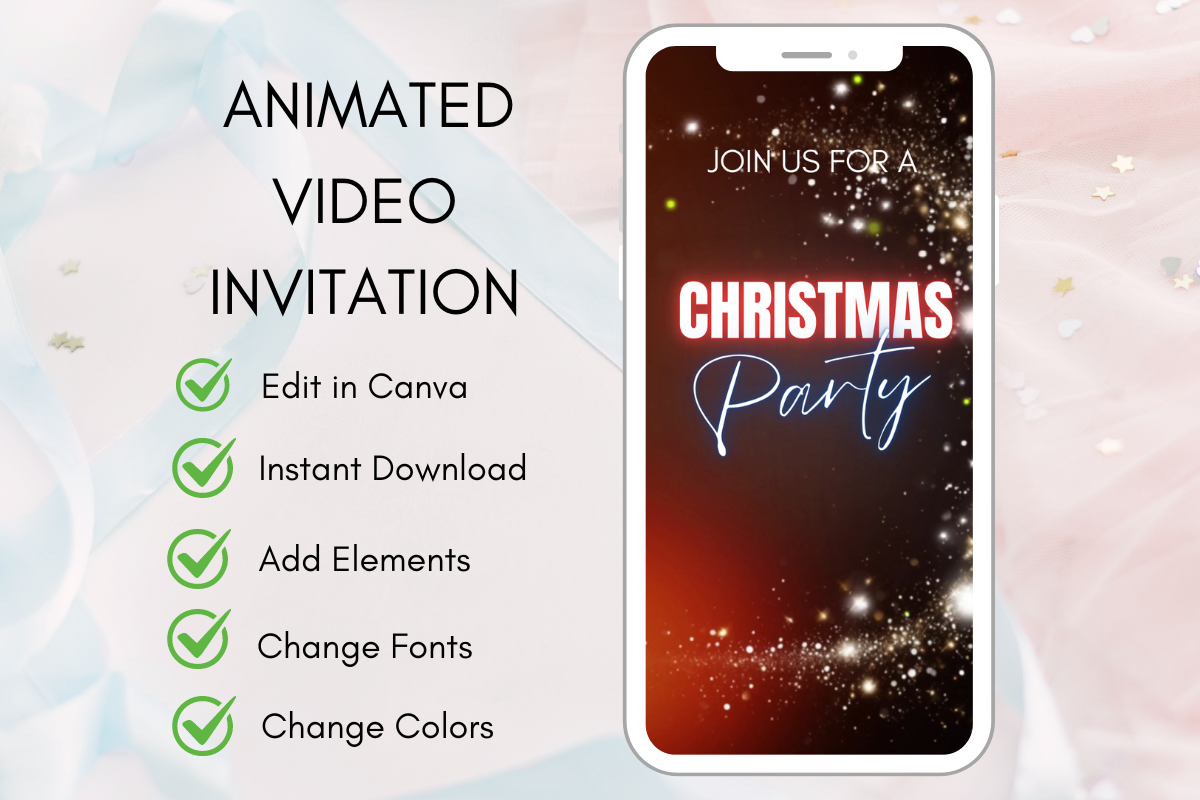
Faveseven’s invitation uses a sparkling, dark festive presentation with prominent Christmas party lettering. Its main distinction is motion rather than a different printed border, making it useful when your invitation will be viewed on a phone. Keep the event information simple and readable so the animated treatment supports the message instead of making guests wait for essential details.
The listing promises an animated invitation video, an editable Canva template and setup instructions, with text, colors and event details available for personalization. It does not clearly establish the exact runtime, pixel dimensions or final export container, so verify those in the template before planning distribution. This is a digital invitation option; a conventional printable card layout is not the main promised format.
6. Traditional Tree Invitation with Canva and Photoshop Files
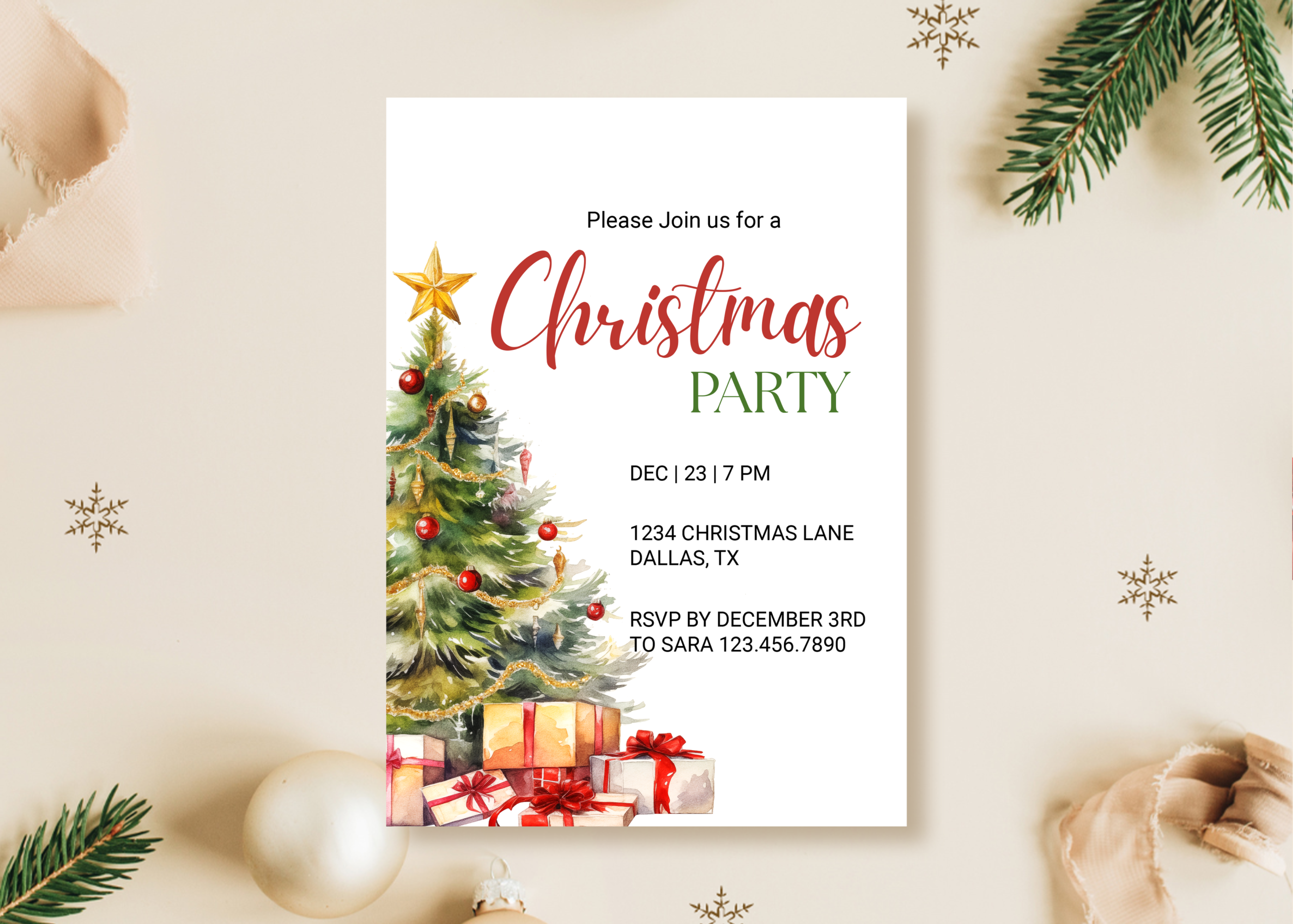
Primroseblume’s card places a decorated Christmas tree and gifts along one side, leaving a light area for the heading and practical details. The asymmetrical arrangement gives it a traditional seasonal feel without surrounding every line with artwork. It is a useful choice when your invitation needs a clear address and reply deadline alongside the decorative holiday theme.
The seller lists a 5 × 7-inch editable template, a Canva link and RGB and CMYK PSD files at 300 DPI. That offers both a browser route and Photoshop source files, depending on how much control you need. The product has more than twenty observed favorites. Replace all sample event information, and choose the output color setup according to the print workflow you actually intend to use.
7. Watercolor Trees and Gifts on a Clear Canva Party Card
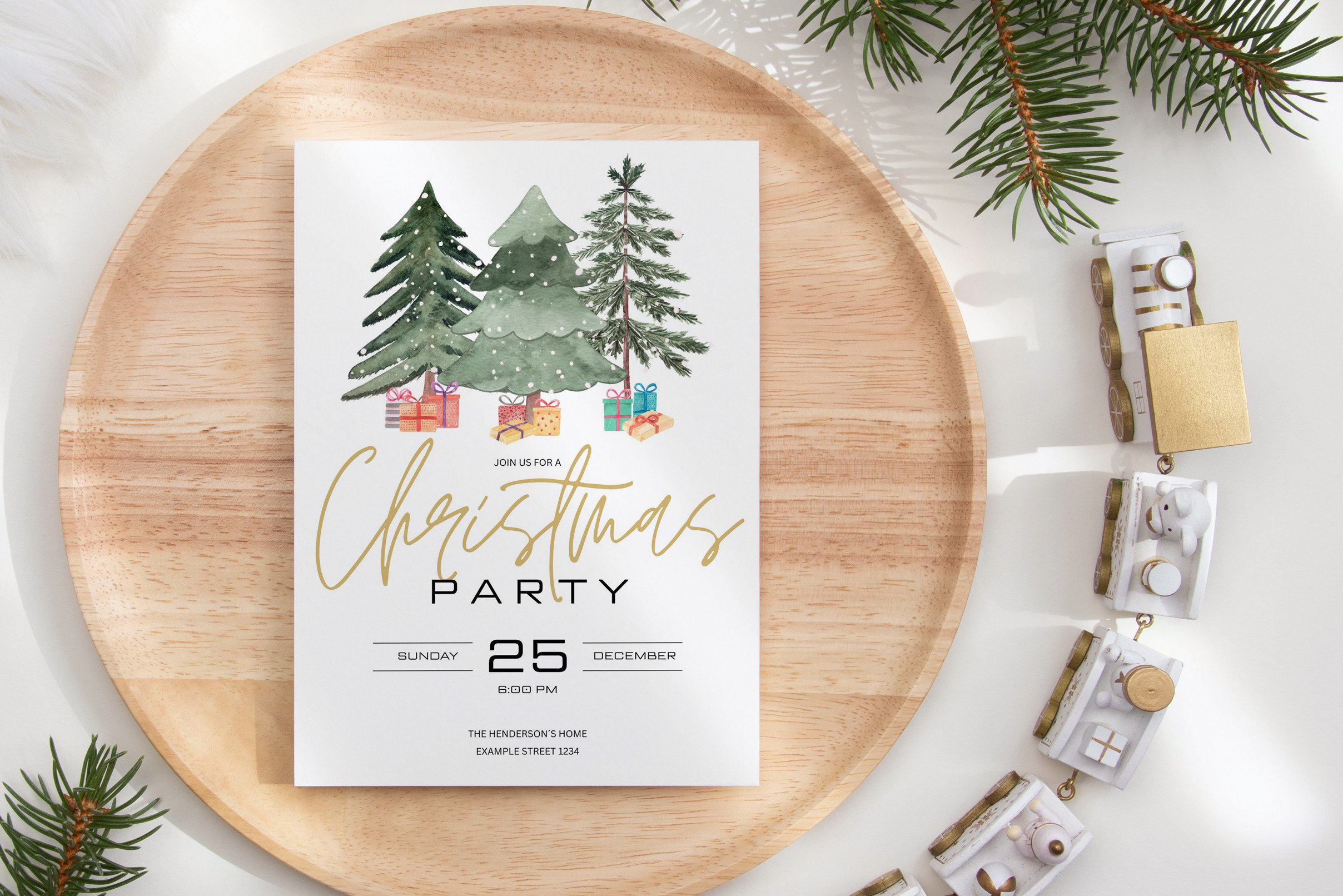
CuteDigitalThings groups watercolor trees and small gifts above a large party heading, creating a gentle holiday look on a light background. The main information sits below the illustration rather than over it, which can help when you want the invitation to remain easy to read. It suits a family gathering or another event where a softer seasonal style feels appropriate.
The listing provides a PDF with access to a 5 × 7-inch Canva template and describes editable fonts, text boxes, added images and PDF, JPG or PNG exports. Optional crop marks and bleed are mentioned. The preview’s weekday and date are sample content, so update both before sharing. The observed rating is four stars from one review; choose it for the stated layout and editing route rather than assume universal feedback.
8. Minimal Christmas Party Layout for Phone Sharing
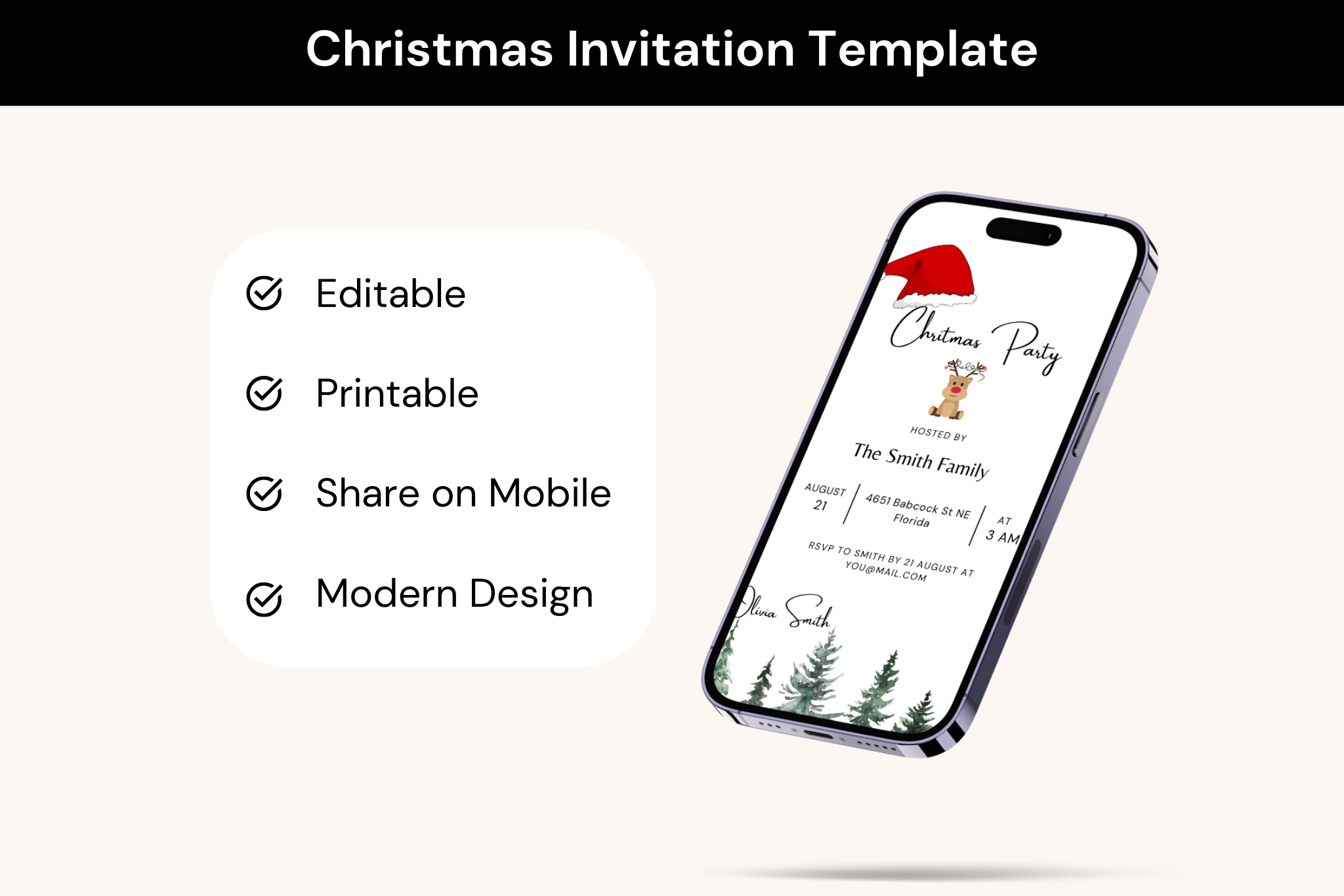
Realtor Templates uses a light layout with a Santa hat, a small reindeer and trees near the bottom of a phone-style preview. Compared with the denser botanical cards, it leaves more visual space around the event details. It is a useful direction when the invitation should feel informal and readable on a small screen rather than resemble an elaborate printed keepsake.
The seller describes Canva editing for text, images, colors and background elements, but does not clearly state a fixed finished size. The preview includes example August information despite the Christmas theme, so replace every date and time field. The description advertises several export formats and resizing; check what your account and the actual design allow before relying on a specific output option.
Personalize the details before you send
Check the day of the week, date, time, venue and reply deadline together. A template with no printed year can still contain a sample day-and-date pairing that does not match your event. Replace the host name, address and contact information as well as the large headline, then read the complete invitation at its final size.
For print, test the card on your intended paper and check trim space and printer margins. For digital sharing, view the exported file on a phone before sending it. Keep a copy of the final version so later reminders use the same details. If plans change, update the information clearly rather than rely on the decorative design to communicate it.
Which Christmas invitation style fits your gathering?
Choose a botanical card for a calmer dinner, a classic tree illustration for a traditional holiday party, or the playful scene for a relaxed gathering with friends. A minimal layout is useful when the details need more space. The animated option suits digital sharing when you want motion to be part of the invitation experience.
Use the existing artwork as a starting point and keep the finished message concise. Two decorative cards in a pack can offer a useful choice, but one clear invitation is enough for a single event. Pick the template you can edit confidently and proofread thoroughly before committing to a batch of printed cards or a group send.