11 Beautiful Reading Journal Templates for Books, Reviews and Lists
A reading journal gives the books you finish somewhere to stay. A title list can remind you what you read, while a short review preserves why it mattered. The most useful format depends on whether you want to remember reactions, organize a growing library, follow a series, or simply make reading progress visible.
These eleven Creative Fabrica products range from a full 2027 journal to small review sheets, a visual bookshelf, an unfinished-book log, and a decorative craft kit. Each serves a different purpose. The comparisons use the designers’ file and feature descriptions, and do not assume that every product called digital includes hyperlinks or library integrations.
Start with a small set you will actually use. A list and a review page may be enough. Add lending, genre, or challenge pages only when they help you make a decision or preserve something you want to revisit.
In this guide
How to choose a reading journal
Choose the main job first. A book review template suits written reflections. A library or lending record solves a practical organization problem. A color-in bookshelf gives a quick visual overview, while a craft kit makes the journal itself part of the experience.
Check how you will edit and print it. Canva links and Illustrator files require different workflows. PDFs may be ready to print but are not automatically fillable or hyperlinked. Review the actual delivered-file list rather than relying on the word digital in a title.
Paper size changes the experience. Compact pages can be easier to carry, while A4 or Letter leaves more room for notes. If the design is dated, check the year. If the package is large, select a working subset before printing the entire collection.
1. Editable 2027 Reading Journal
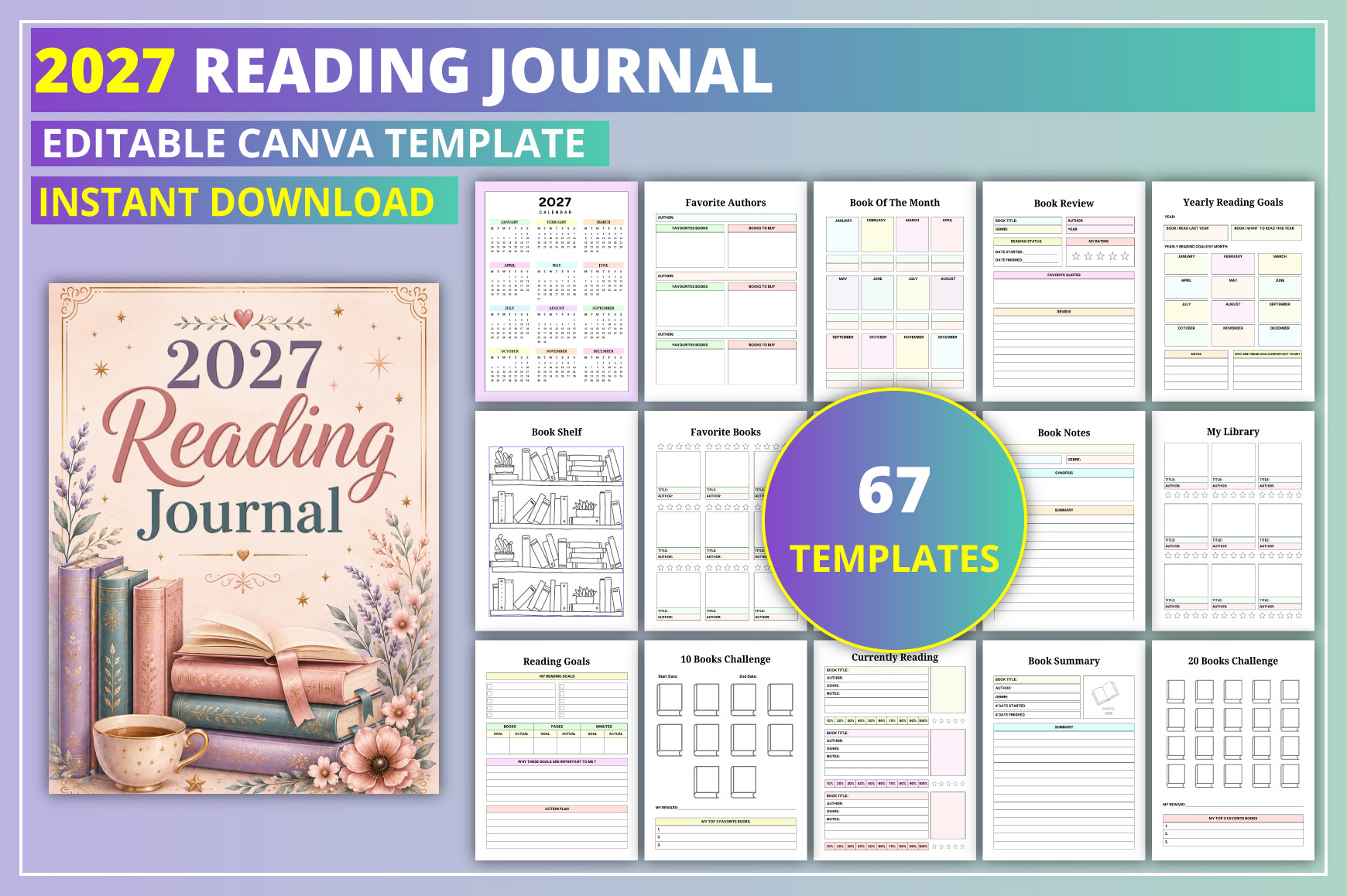
KDP GALLERY’s 2027 Reading Journal is the fullest dated option in this selection. The designer lists 67 US Letter pages, a Canva link, PDF, JPG, and PNG files, no bleed, and 300 DPI. Sections include monthly logs, reviews, reading challenges, library records, audiobooks, ebooks, lending, unfinished books, and upcoming releases.
Use the annual goals page to choose a realistic direction, then keep your current reading and short reviews nearby. An audiobook tracker is helpful if listening is part of your routine, while the lending record gives borrowed books a practical home. You do not need to maintain every challenge at once; choose the pages that answer questions you actually have.
The strength is connecting different reading formats and library details in one editable system. The limitation is the 2027 date coverage and the seller’s warning that some Canva elements may require Pro. Confirm those elements before relying on free-account editing, and inspect a sample before printing all 67 pages.
2. Canva Reading Journal with Series and Genre Trackers
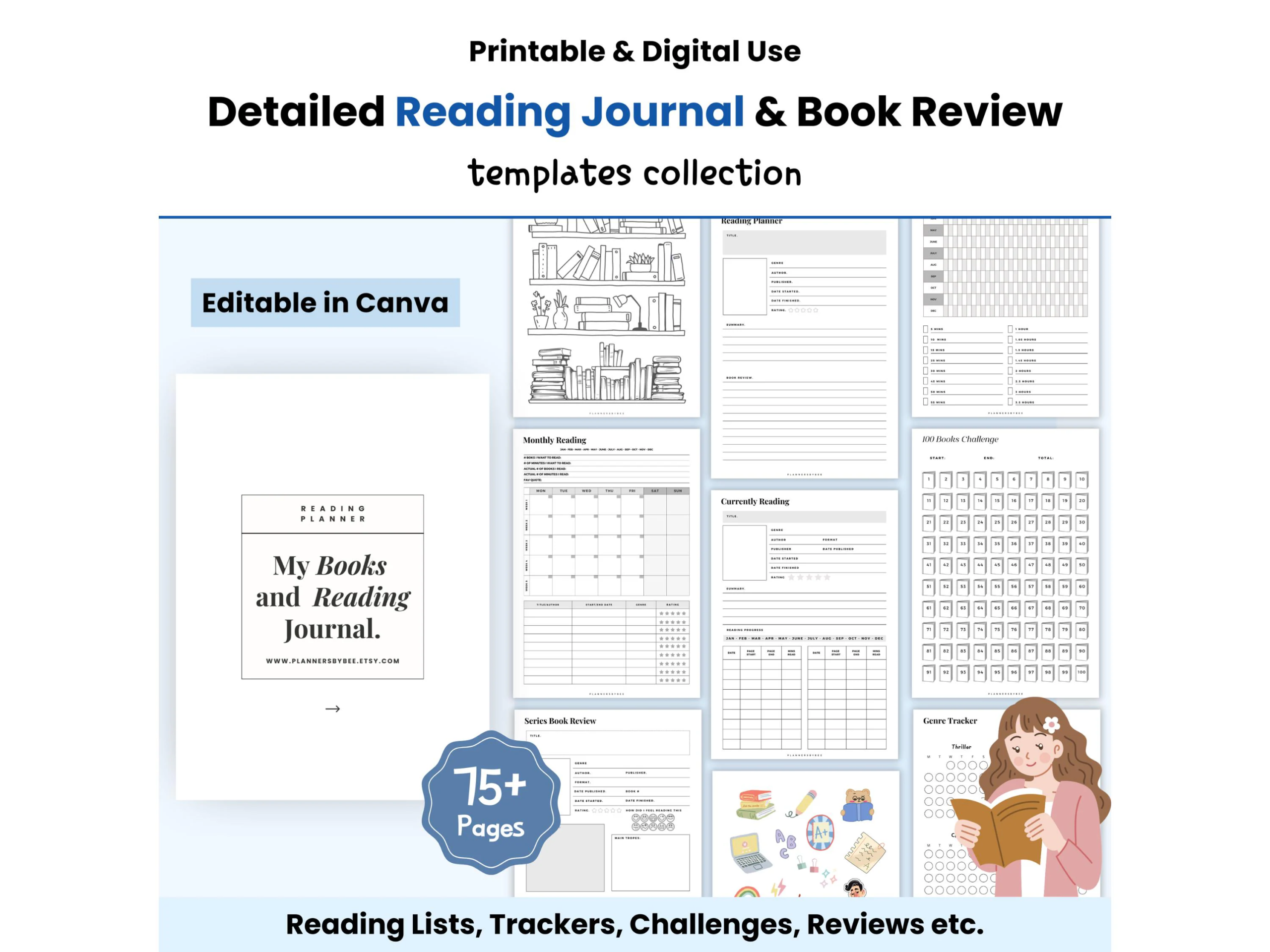
This Reading Journal: Book Tracker collection offers more than 75 templates in A4, A5, and US Letter sizes, described as editable in the free version of Canva. Its advertised sections include reading lists, purchases, finished and unfinished books, series tracking and review, monthly and yearly logs, genres, favorite authors, and quotes.
Choose it when your reading life has several threads: a long series, a growing wishlist, and books borrowed or bought for later. A series tracker can separate the next volume from unrelated recommendations. Use genre notes to describe what you enjoy rather than treating every reading goal as a number to beat.
The benefit is a wide choice of layouts and paper sizes. The limitation is the maintenance that comes with a large bundle, and the description does not clearly establish the complete exported-file inventory. Start with a list, review, and series page. Canva editing does not establish an integrated ebook library or an automatically updated reading database.
3. Printable Reading Journal with Lending Records
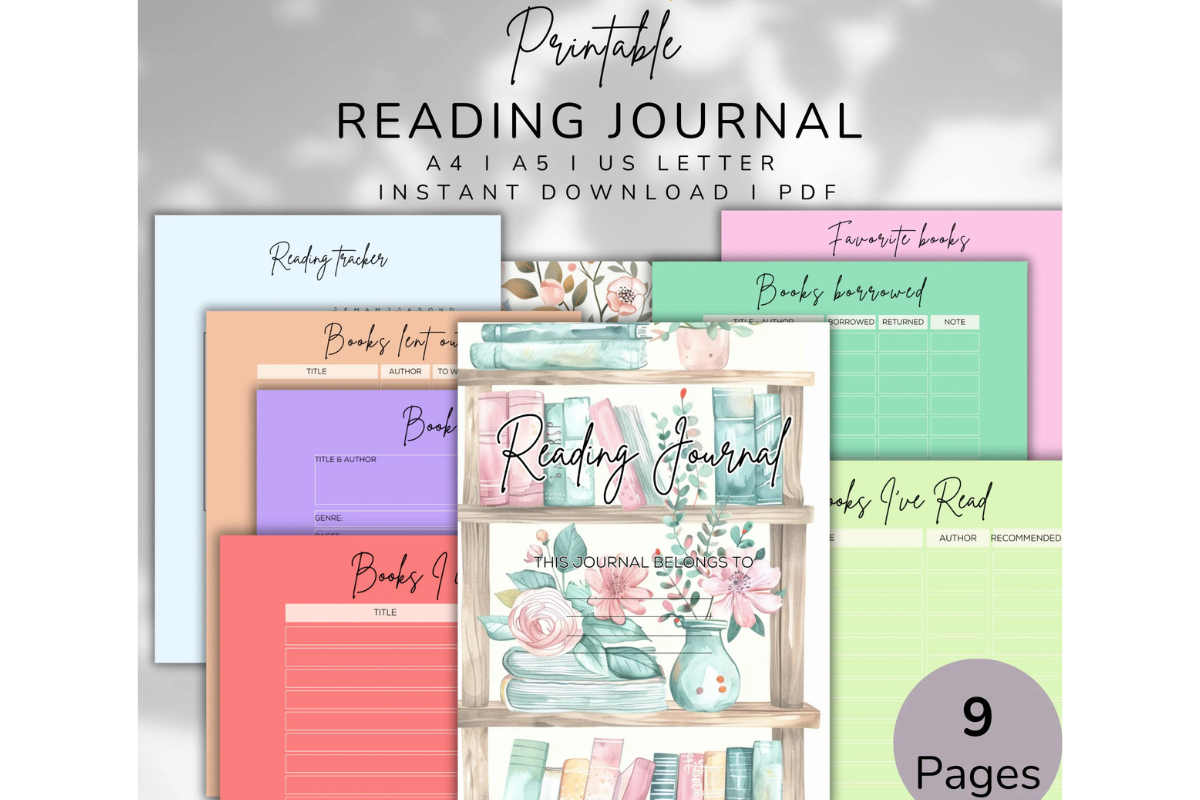
LaxMuni’s Printable Reading Journal keeps the scope practical. It is supplied as PDF pages in A5, A4, and US Letter sizes. The description lists reading trackers, books to read, books read, reviews, borrowed books, books lent out, and favorites, without specifying a total page count.
The lending pages are the reason to choose it over a simple reading log. Record the book and person when a copy leaves your shelf, then update the record when it comes back. Keep a short review for books you finish so a recommendation later is based on more than a title you vaguely recognize.
The advantage is a clear everyday workflow with three printing sizes. The limitation is that the stated package does not include editable source files or establish interactive navigation. Print the sections you need rather than expecting a fully linked digital journal. A5 is portable, while a larger sheet may suit longer review notes.
4. Illustrated Reading Journal and Book Tracker
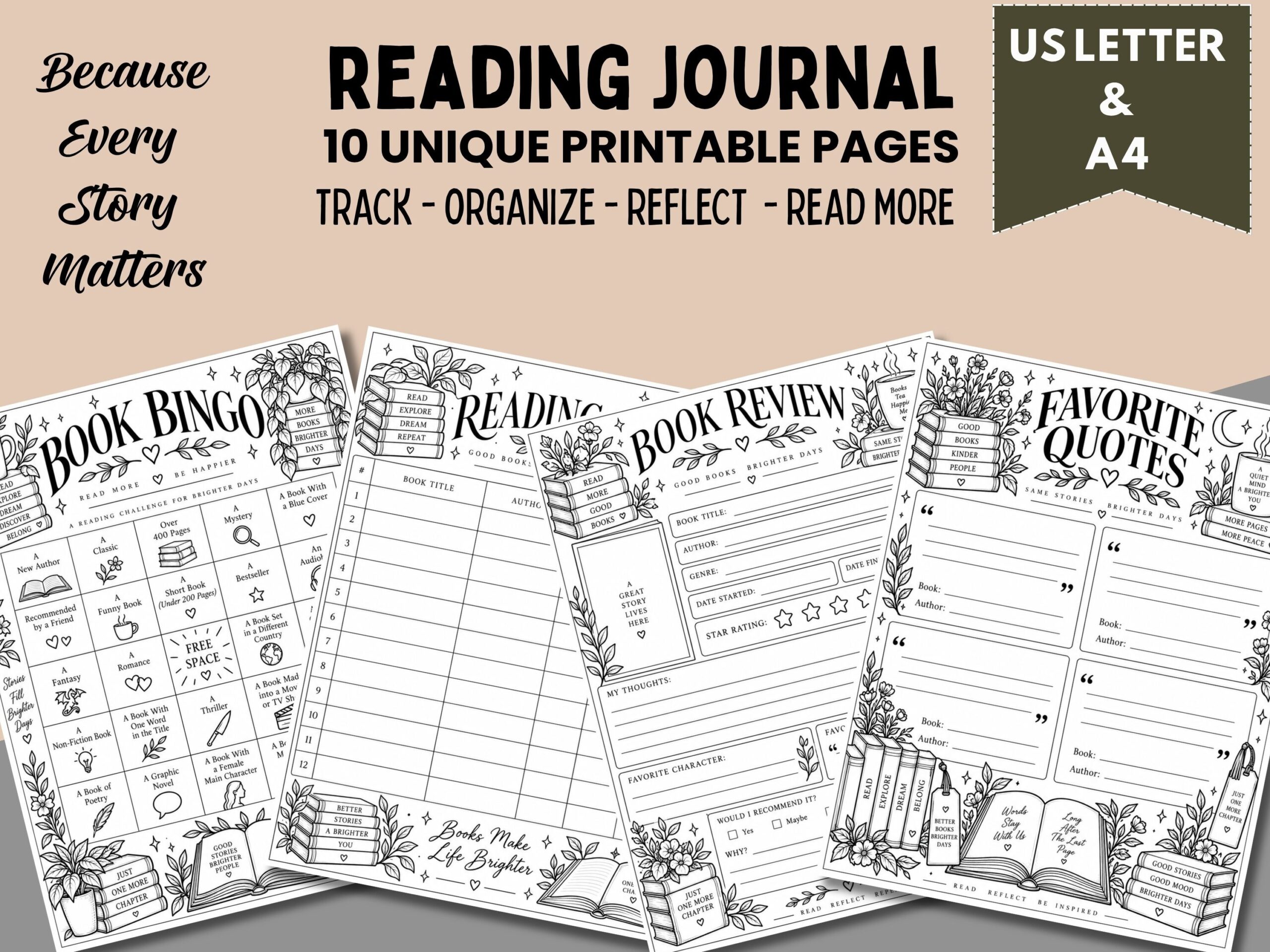
Digital Neverland’s Reading Journal Printable is a smaller, illustrated collection with ten unique pages in US Letter and A4 PDF formats. The listing describes black-and-white book and floral artwork alongside trackers, reviews, favorite quotes, reading challenges, and future-reading plans.
This is a good fit if an attractive paper journal makes you more likely to return to the habit. Use the review pages soon after finishing a book, while your reaction is still specific. A few notes about its central idea, mood, or a memorable detail can make the record useful when you later choose a book-club suggestion.
The strength is a manageable set with visual character. The limitation is that ten pages will not offer the breadth of a large annual library system. The black-and-white design may simplify printing, but detailed artwork can still use ink. PDF files do not establish editable Canva templates, hyperlinks, or automatic book information imports.
5. Multi-Size Reading Review Template
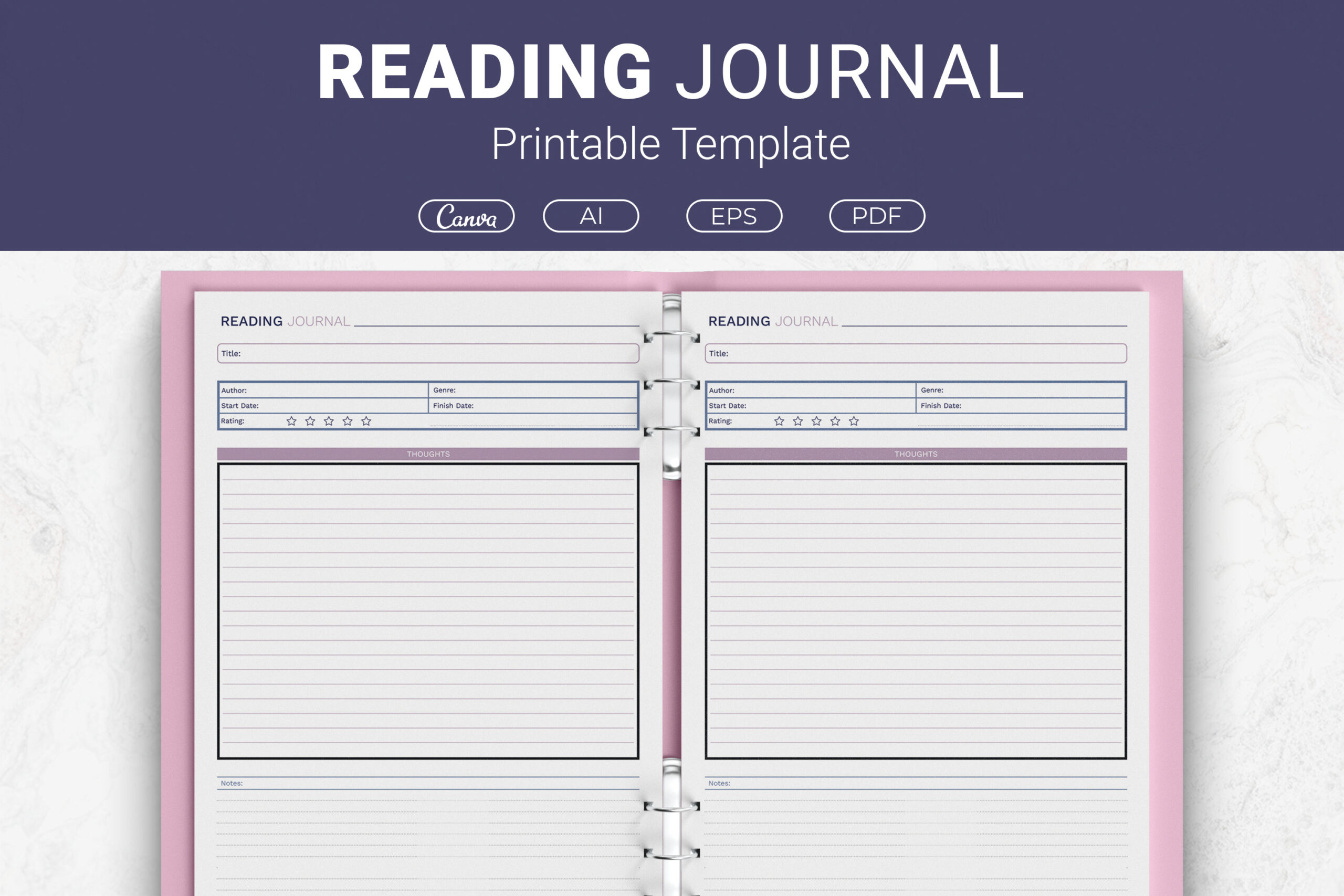
JUNDI’s Reading Journal Printable Template is more focused on the information recorded for each book. The description identifies fields for title, author, genre, start and finish dates, rating, and thoughts or notes. The package includes Illustrator AI, EPS, print-ready PDF, and a Canva template link in Letter, A4, 7.5 × 9.25-inch, and 6 × 9-inch sizes.
Use it if you want a consistent review structure that can be repeated for every title. A short explanation beside your rating is more helpful than the number alone. If you customize the layout, give the notes area enough space for the reason you would recommend a book to a particular reader.
The advantage is both editing and print-size flexibility. The limitation is that the listing does not establish an annual calendar or a precise number of unique layouts. Here AI means an Adobe Illustrator document. Choose it for repeatable reviews, rather than assuming it includes the challenges and library management of a larger journal.
6. Two-Page Canva Library and Book Review Set
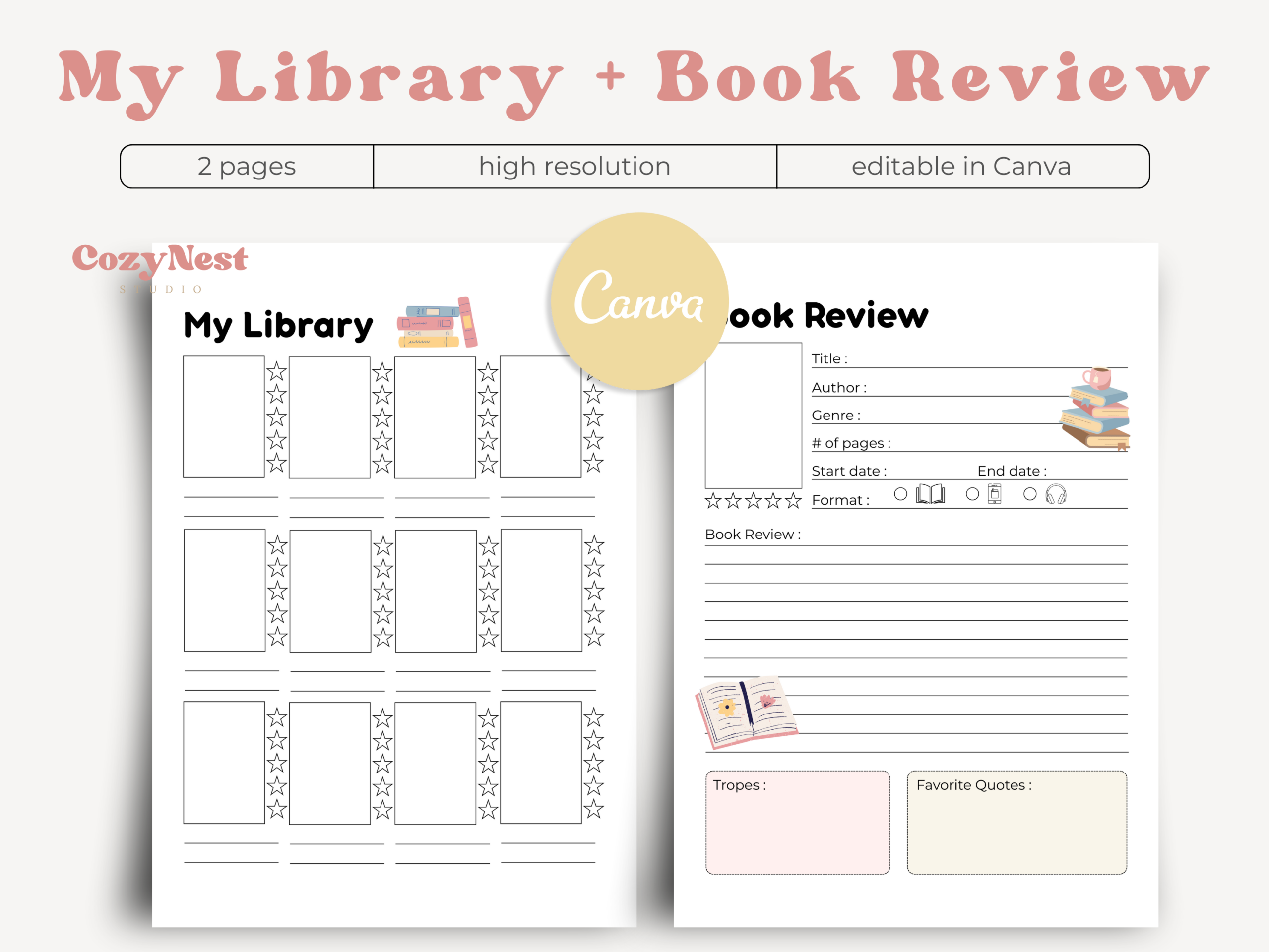
CozyNest Studio’s Digital Reading Journal Canva Template contains two US Letter pages: My Library and Book Review. The stated package includes a ready-to-print two-page PDF and an editable Canva template, with soft pastel colors and a minimal illustrated style.
This is the lowest-maintenance editable starting point here. Keep your book list on the library page and duplicate or reprint the review page when you finish a title. If you are building a journal for a child or a book club, adjust the headings to the questions you want participants to answer.
The benefit is simplicity without losing the ability to customize. The limitation is its two-page scope: there is no established full-year calendar, series tracker, or broad challenge workbook. Its digital wording does not prove that the PDF has hyperlinks. The listing also excludes presentation mockups and backgrounds, so judge the actual journal pages in the preview.
7. Reading Planner for Books, Reviews, and Series
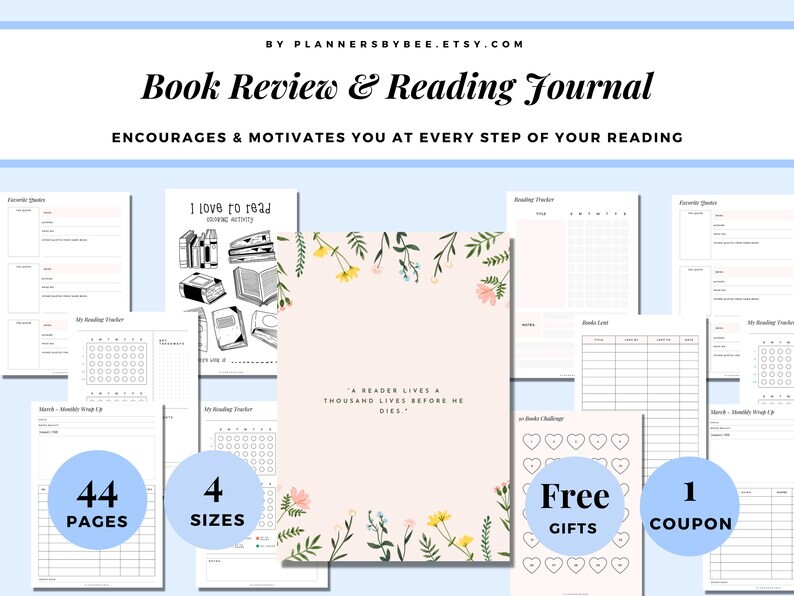
This Reading Planner and Book Reading Journal listing describes tracking books already read and currently being read, reviewing series, collecting quotes, and setting reading challenges. It is positioned for printable and digital use, but the description gives less detail about delivered files, page count, and paper sizes than several alternatives here.
Consider it if keeping series reflections and quotations together matters more than a dated calendar. Use a short note to explain why a quotation stayed with you, instead of building a page of isolated passages. A series review can also capture a broader impression after several volumes without forcing each book into the same response.
The advantage is its reading-focused mix of activities. The limitation is the incomplete specification: confirm the actual file inventory and page dimensions before choosing a printing or device workflow. Do not assume an editable template, app integration, or linked navigation from the word “digital” alone. The preview is especially important for this option.
8. Visual Bookshelf Tracker
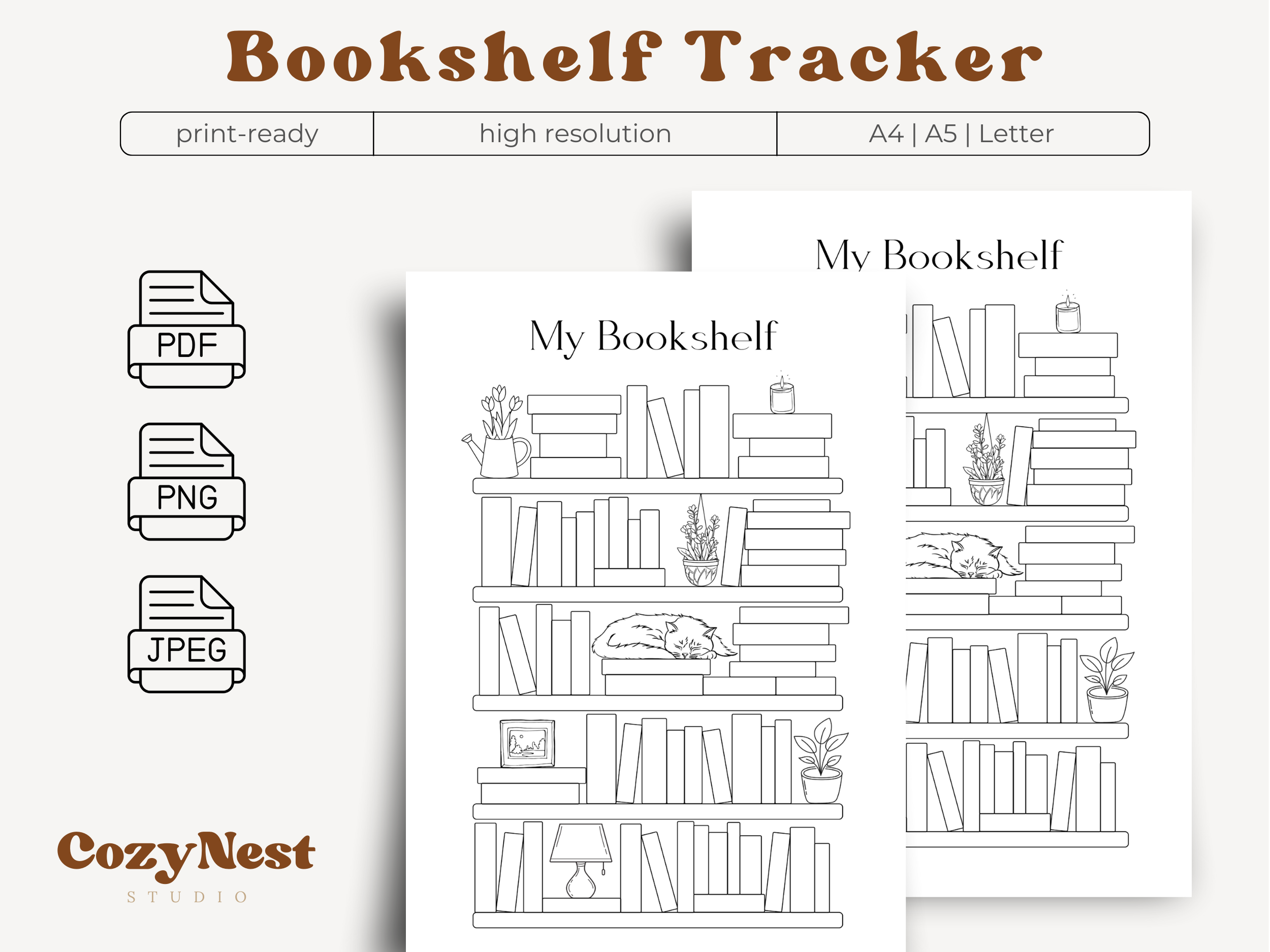
CozyNest Studio’s Bookshelf Tracker is a focused companion page with empty book spines to label or color. The advertised package contains PDF, PNG, and JPEG versions in A4, A5, and Letter sizes, plus printing instructions, delivered in a ZIP archive.
Use it as a visual record of finished books or as a to-be-read shelf, choosing one meaning for the colored spines so the page stays clear. It works well beside a written review journal: the bookshelf gives a quick overview, while the review page preserves your actual thoughts.
The strength is an easy visual ritual and several formats. The limitation is that a shelf illustration leaves little space for detailed reviews, borrowing records, or reading-session notes. It is a tracker rather than a complete journal. Presentation mockups and backgrounds are not included, and the stated package does not establish editable Canva source files.
9. Abandoned Books Reading Log
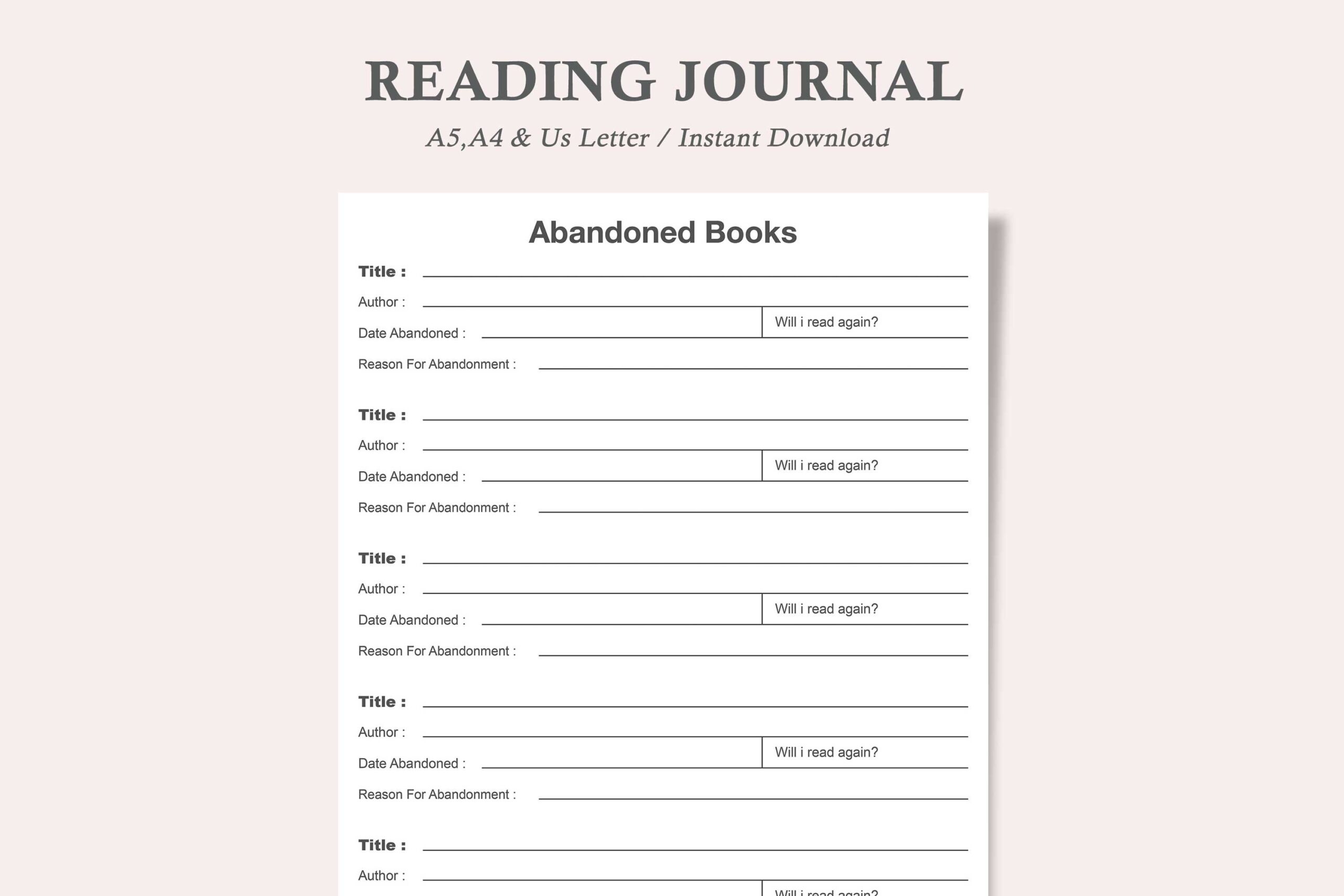
watercolortheme’s product titled Reading Journal is specifically an Abandoned Books planner. Its description identifies a single design in US Letter, A4, and A5, with PDF and JPEG files. It records the start date, title, author, and completion status, and the seller describes the PDF as editable.
This is useful when you want an honest reading record that includes unfinished books. Add your own short reason in the available space if the preview supports it, so you can distinguish a book that did not suit you from one interrupted by a busy month. That can inform later recommendations without turning every unfinished book into a failure.
The benefit is its narrow, practical purpose. The limitation is the broad product title: it is not a full reading journal with many review and challenge sections. The listing does not identify the exact editable-PDF fields or software, so confirm those details if on-screen form filling is important.
10. Home Reading Diary Log
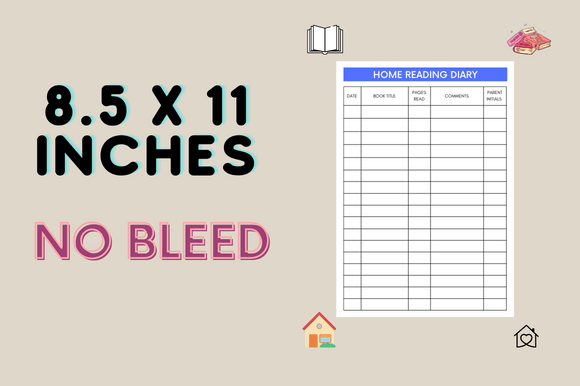
DesignStoreMoneY’s Home Reading Diary Log is a longer print-oriented option. The description identifies 95 pages, US Letter dimensions, and no bleed, and presents it as a personal record of reading progress, notes, and summaries. It gives limited detail about the exact page inventory and delivered source formats.
Consider it if you prefer keeping repeated entries together in a notebook rather than assembling separate inserts. Use a consistent short summary and a note about what you want to remember, then return to those entries before recommending a title or choosing another book by the same author.
The advantage is a substantial log for an ongoing habit. The limitation is that length does not establish many distinct templates or a dated annual system. Inspect the preview and confirm the files before planning customization. This is better suited to someone comfortable with a repeated diary format than a reader seeking detailed series, lending, and audiobook tracking.
11. Vintage Floral Reading Journal Kit
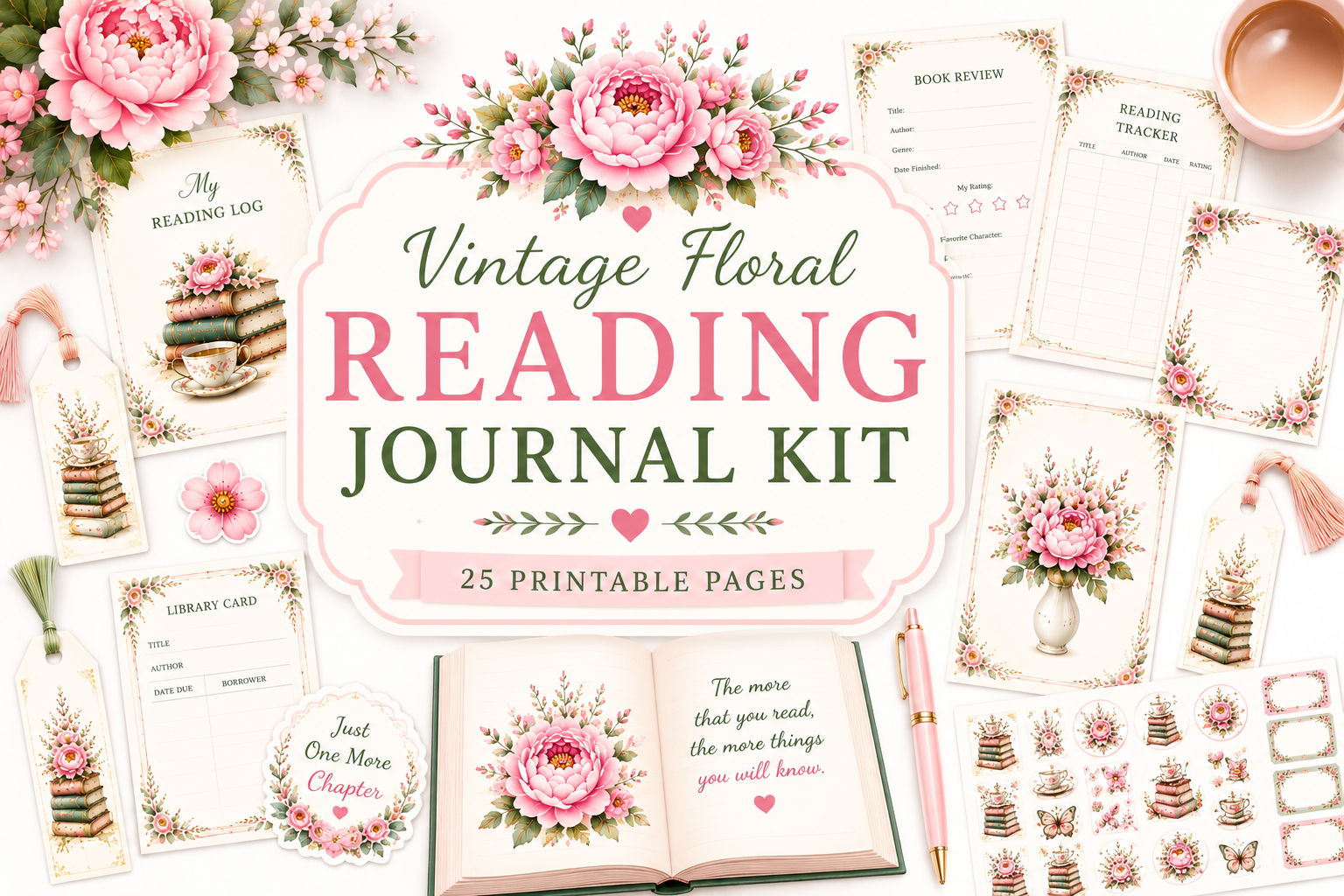
The Vintage Floral Reading Journal Kit combines reading records with decorative paper-craft materials. The designer lists 25 coordinated printable pages, including journal pages, trackers, review cards, bookmarks, library cards and pockets, stickers, bookplates, and floral accessories in a soft vintage palette.
Choose it if making a physical journal is part of the pleasure of reading. Use the review cards and trackers as the working core, then add decorative pieces selectively. A pocket can keep a small book-club note or bookmark with the relevant entry, provided you print and assemble it in a way that suits your notebook.
The benefit is a coordinated craft style, rather than merely another plain log. The limitation is that the 25-page total includes accessories and decoration, not 25 distinct planning worksheets. The description also does not clearly specify all file types or paper sizes. Confirm those details before printing, and choose a simpler journal if decoration would become extra work.
Keep useful book reviews without making reading feel like homework
Write a few sentences shortly after finishing a book: what stayed with you, what worked for you, and who might enjoy it. A rating can be included, but a reason makes the entry useful when you return to it months later.
Let different books produce different notes. A novel might inspire a reflection on a character, while nonfiction may leave a question or a practical idea. A consistent template can support that variety without forcing every response to be equally long.
If you want to make time for reading regularly, a simple habit tracker can hold the routine while your reading journal holds the books and reflections. Give the two tools different jobs so you do not duplicate every entry.
Use reading lists and challenges for direction
Keep the next few books visible rather than trying to schedule your entire year in advance. A wishlist can collect recommendations, while a currently-reading page can distinguish active books from possibilities.
Treat an unfinished-book record as information, not a penalty. Reading preferences change, and a book interrupted by timing is different from one you decided not to continue. Record enough context to make that distinction later.
Which reading journal should you start with?
For a dated annual system, choose the editable 2027 journal. For series and genre organization, consider the larger Canva collection. For a lighter workflow, the two-page library and review set or a repeatable review template is easier to maintain.
Use the bookshelf and abandoned-book pages as companions rather than expecting them to replace written reviews. Choose the floral kit if crafting is part of your reading ritual. The right journal should make returning to your books more enjoyable, not create a second reading workload.