8 Bucket List Journal Templates for Meaningful Experiences
A bucket list journal gives desired experiences a place to become specific ideas, shared plans and remembered moments. It differs from an itinerary: the starting point is what you would like to experience, not the schedule of a trip already booked.
These eight Creative Fabrica options include general journals, couples layouts and a travel-focused interior. Compare the actual formats, paper sizes and degree of customization before choosing a long notebook or a shorter collection of experiences.
Keep the list manageable by pairing a wish with one next step. If your experience also needs a structured goal plan, our goal planner roundup provides complementary worksheets.
1. Boss Designer: Simple Bucket List Journal
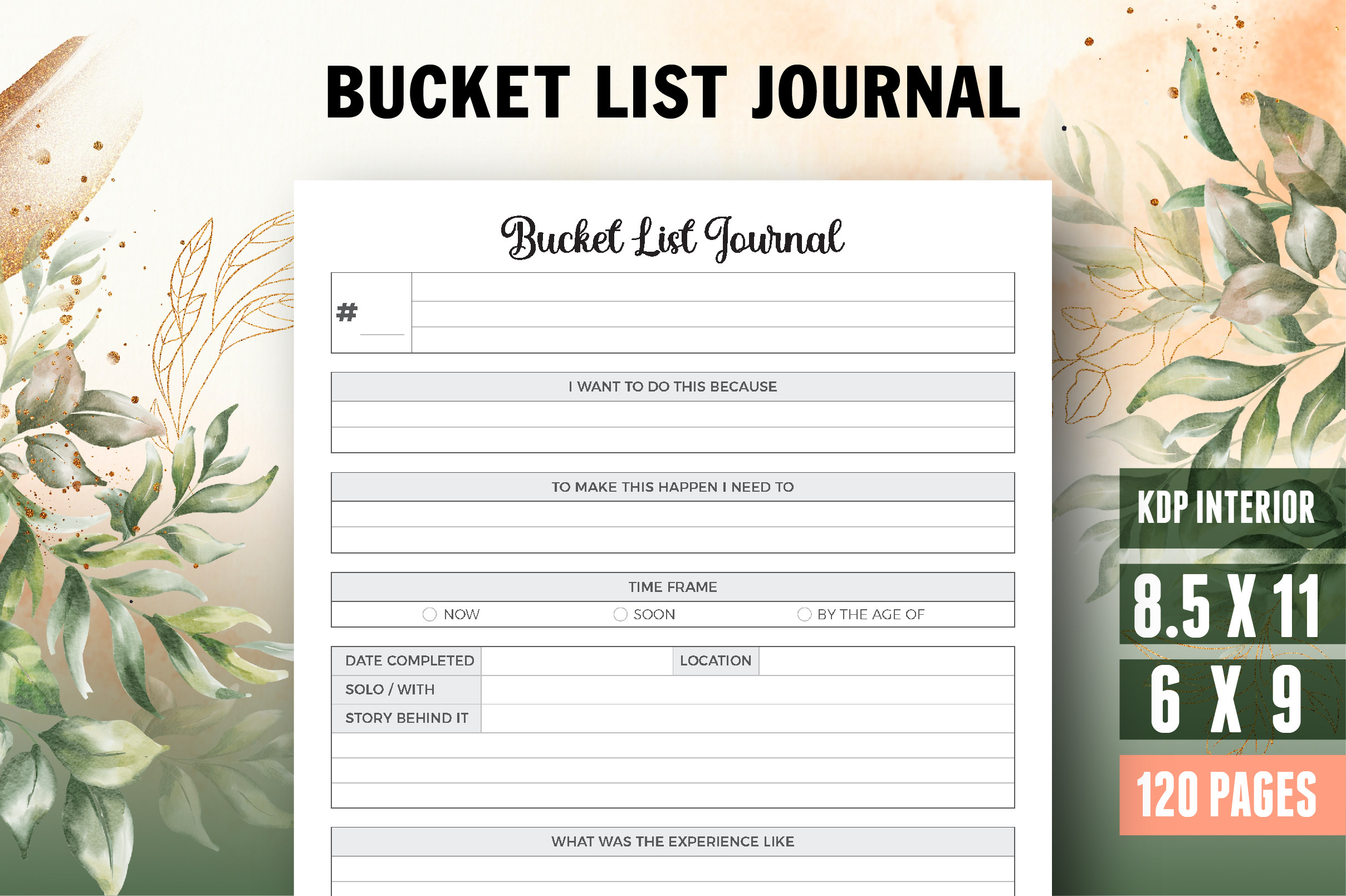
Boss Designer lists a 120-page PDF journal with an introductory page and bleed. The preview shows a straightforward experience-list approach, with room for wishes, dates, check marks and notes. Its simplicity makes it useful for readers who already know the experiences they want to record and prefer open writing space to extensive prompts.
The description gives an incomplete size reference, while the preview labels 6 × 9 and 8.5 × 11 inches. Confirm the PDF dimensions and choose the appropriate version before printing. A repeated list format can keep entries consistent, but it offers less guidance for prioritizing costs, planning steps or reflecting on why an experience matters.
2. Vector Cafe: Bucket List Journal with Source Files
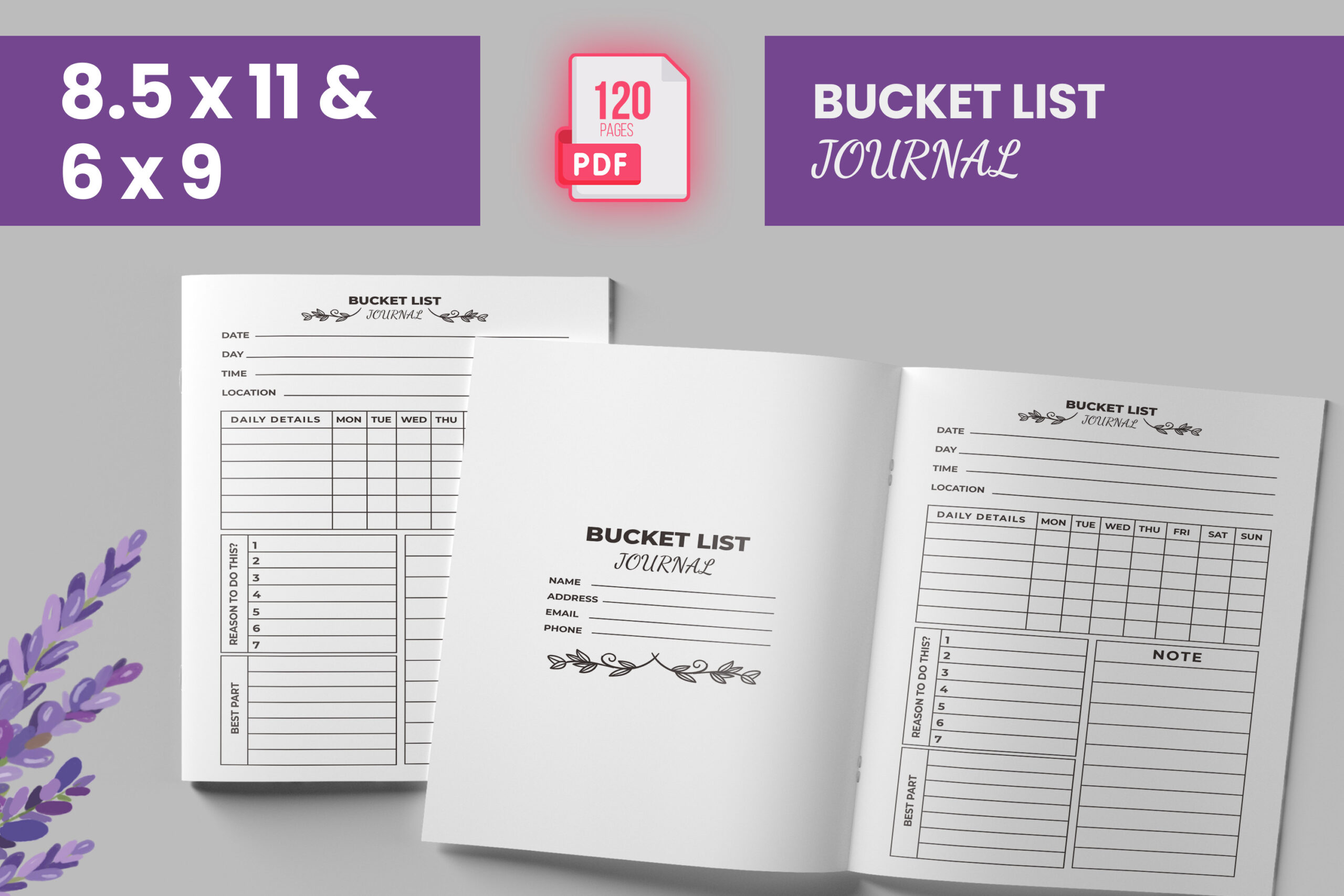
Vector Cafe specifies a 120-page interior in two sizes, US Letter and 6 × 9 inches, with bleed and 300 DPI artwork. PDF, AI and JPEG formats are listed. The availability of a source file distinguishes this option from PDF-only journals when you want to adapt the design with compatible software.
Use the smaller version for portable notes and the larger one when writing space matters more. Check the AI file in your own editor before depending on an editable workflow. A long journal is most useful when you have a consistent entry method: write the experience, a realistic next step and a review date rather than filling it with vague wishes.
3. Graphics Studio Zone: Travel Bucket List Interior
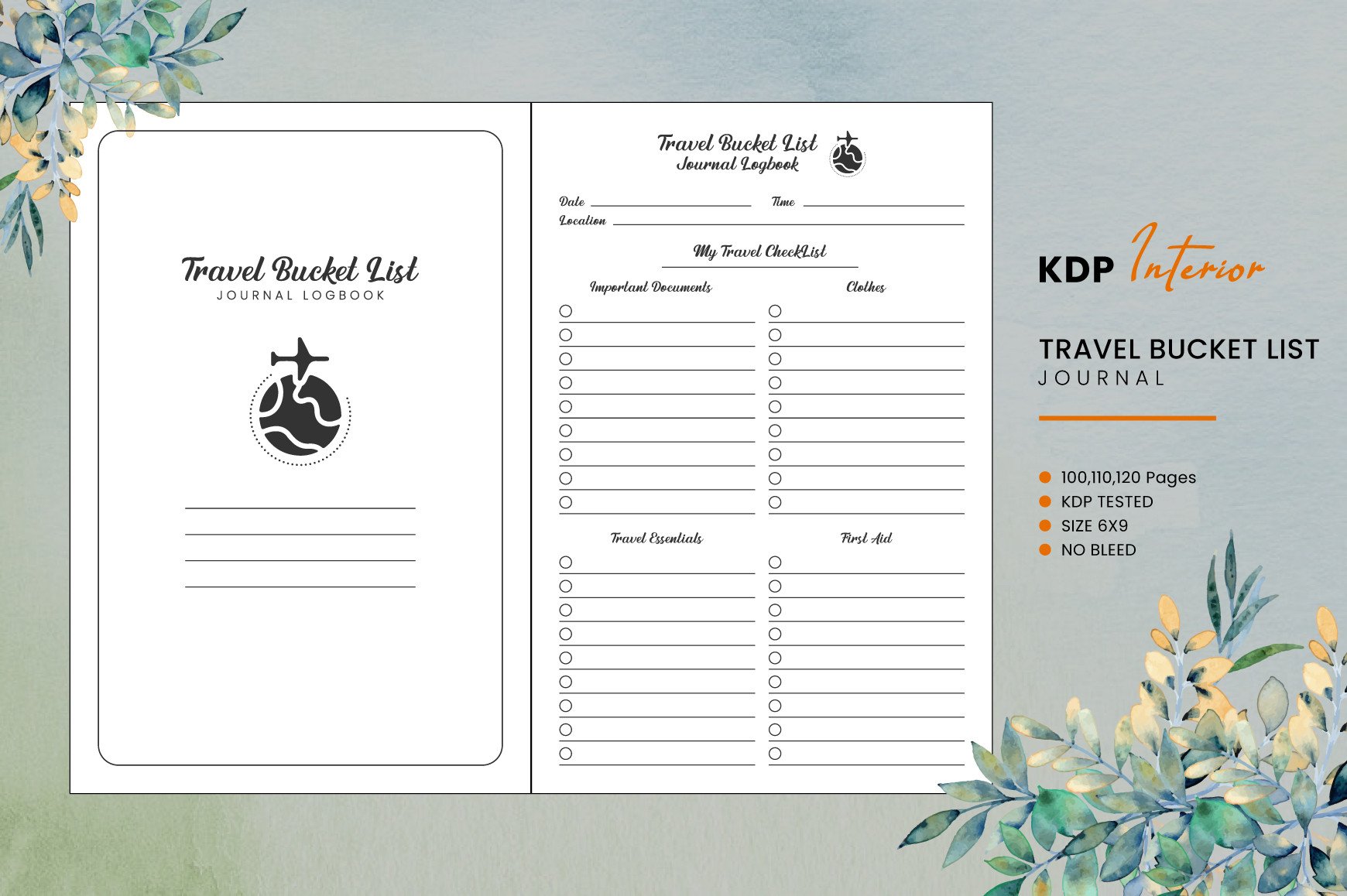
This travel-focused interior is supplied as PDF and EPS files in a 6 × 9-inch format without bleed. The listing offers 100-, 110- and 120-page versions. The lined travel-wish-list preview suggests a simple place to record destinations and desired experiences rather than a detailed trip-management system.
Choose it for collecting places you would like to visit and deciding which ones deserve further research. It does not replace an itinerary, reservation organizer or travel budget. Pick the shortest version that suits your list, and confirm how the three page-count variants are organized in the download before printing the entire journal.
4. gradientvect: Couples Bucket List Journal
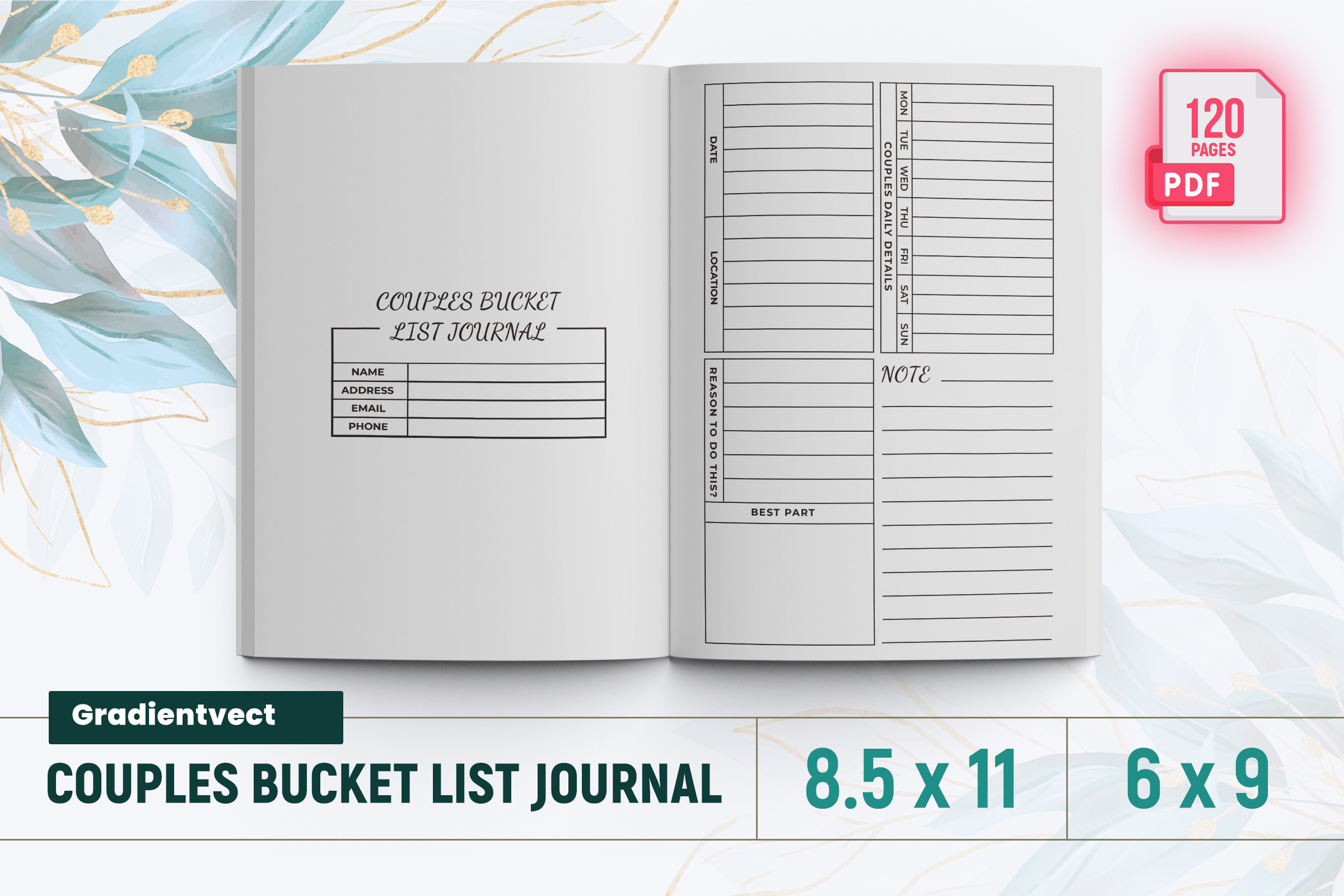
The couples journal from gradientvect is described as a 120-page PDF with an introduction and bleed. Its preview emphasizes shared activities in a plain list-style layout. That makes it an approachable option for two people who want to collect ideas together without committing to elaborate daily prompts or a specific relationship-planning system.
The written size information is incomplete, while the preview identifies Letter and 6 × 9-inch options; check the actual PDF properties. Use a simple agreement beside each idea: both interested, needs discussion or ready to plan. A shared wish list should remain flexible, especially when time, cost or enthusiasm differs between the two people.
5. Queen Dreams Store: Short Couples Experience Journal
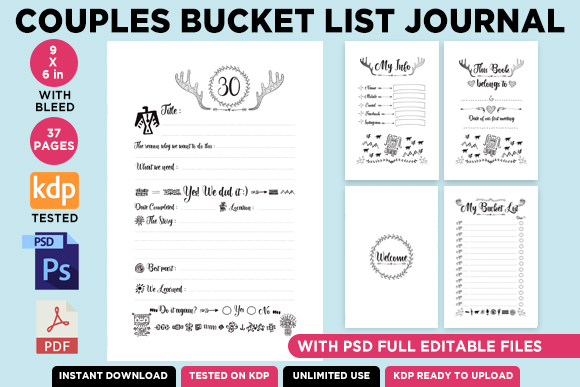
Queen Dreams Store describes a 37-page journal, including 30 bucket-list pages, introductory material, ownership, contents and quotes. PDF and JPG files are listed, with a 6.250 × 9.250-inch file size including bleed. This shorter option suits a curated set of experiences rather than an extensive lifetime list.
Check the delivered files carefully: the description says the current interior is not editable and mentions PSD as a future addition, while the preview advertises editable PSD files. Do not depend on PSD availability without confirmation. The bleed-inclusive dimensions are not automatically the final trim size; verify print settings before ordering or binding a physical copy.
6. KDP Champ: Flexible Page-Count Bucket List Journal
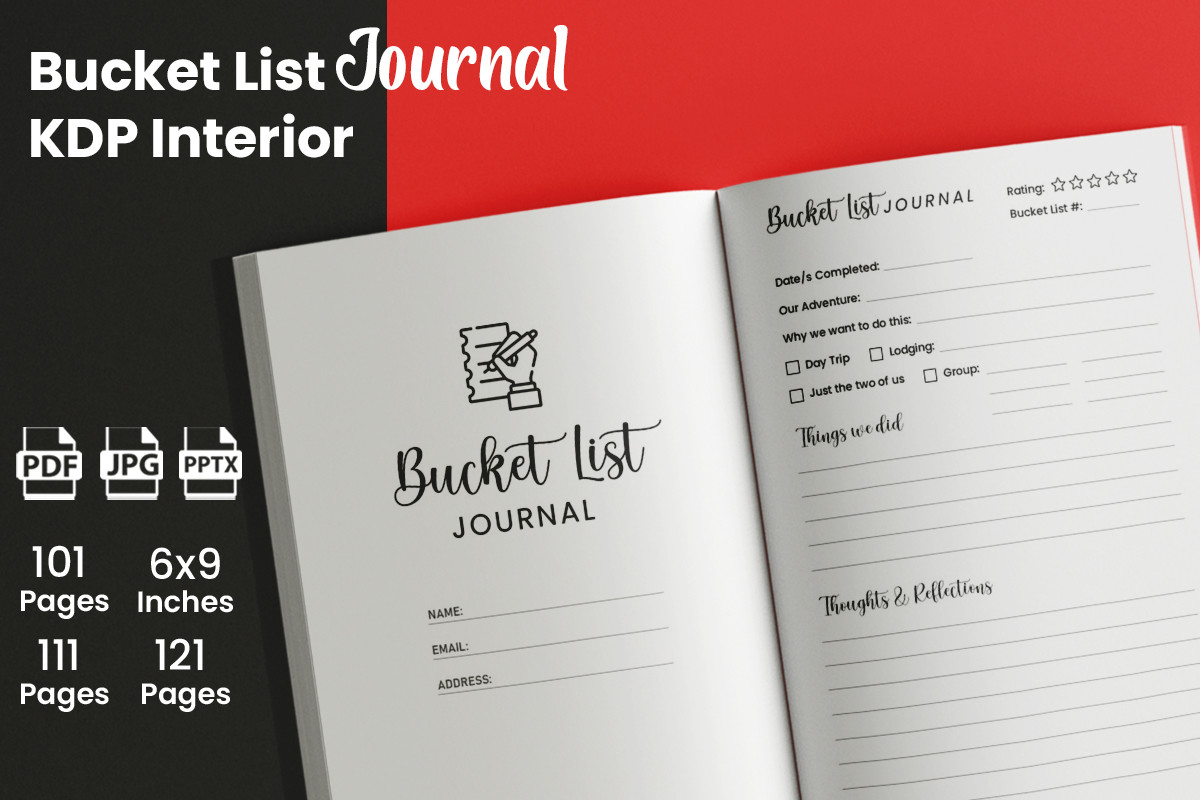
KDP Champ lists a 6 × 9-inch interior without bleed in 101-, 111- and 121-page versions. JPEG, PDF and PPTX formats are specified, with editability described by the seller. The choice of lengths is useful when you want a notebook-sized journal and would rather select a suitable capacity than remove many pages yourself.
Check the PPTX file with your presentation software before choosing it as your editing method. The listing indicates that a cover is needed separately, so do not assume a complete cover-and-interior package. For personal use, group experiences by a few practical themes and leave space for what happened, not only a completion check mark.
7. Interior Creative: Canva Journal with Eight Page Designs
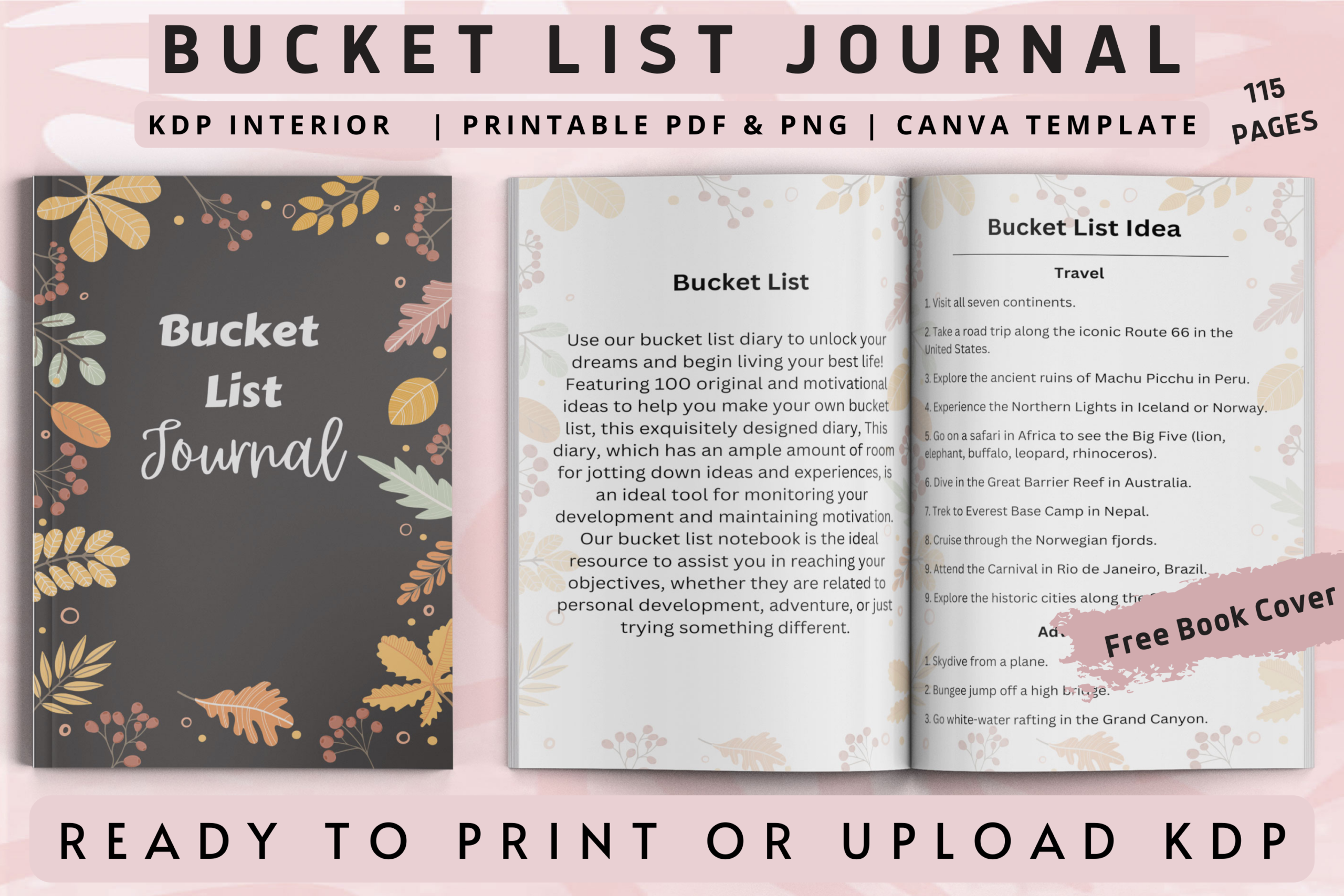
This Interior Creative listing describes eight different page designs within a 115-page PDF journal, in a 6 × 9-inch format with bleed. PNG files and an editable Canva cover and interior are included according to the description. The eight-design figure refers to layout variety rather than an eight-page total.
Choose it when you want to combine list entries with a more varied journal rhythm and customize the cover in Canva. Review the supplied layouts before duplicating or removing pages so that your final notebook stays coherent. A substantial interior is helpful for ongoing experience notes, but may be unnecessarily large for a short seasonal bucket list.
8. Interior Creative: PDF Bucket List Interior
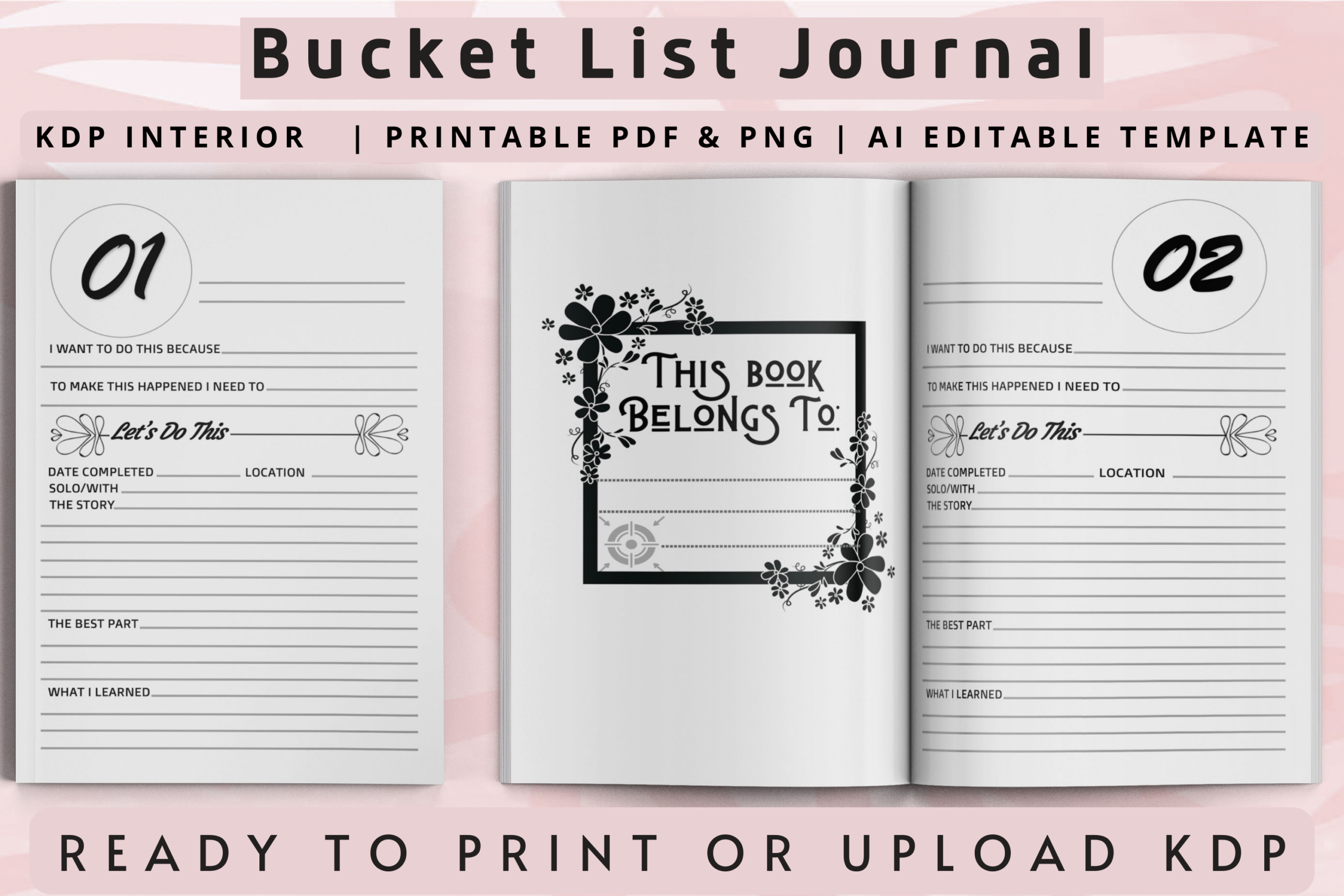
This PDF-focused option lists 108 pages in a 6 × 9-inch format without bleed, with high-resolution artwork. It offers a notebook-sized approach for recording desired experiences and notes without requiring a confirmed Canva workflow. The preview makes the layout style visible before you choose a printing setup.
The preview mentions editable AI and PNG files, while the written description confirms only PDF. Treat those extra formats as unconfirmed until you check the package. Choose this listing if the PDF layout already meets your needs; if extensive editing is essential, prefer an option whose source formats are explicitly documented in the description.
How to Choose a Bucket List Journal
Choose a travel interior for destination ideas, a couples layout for shared experiences or a general journal for a mix of ambitions. Shorter books suit curated lists; longer interiors are useful when you want space to record what happened afterward.
Write one realistic next step beside each experience, and revisit cost, timing and interest before committing. Include ordinary local experiences alongside major trips so that the journal stays connected to your actual life.
Check trim size, bleed and included formats before printing. A preview advertising source files does not resolve a conflicting written description; confirm the actual package if editability is essential.


One Comment