14 Festive Christmas Washi Tape Sets for Creative Planner Pages
Christmas washi tape downloads can frame a December checklist, separate journal sections or add a festive border to a memory page. This selection compares 14 digital tape sets, from individual transparent PNG strips to printable sheets and editable vectors. These products supply artwork to download and arrange; physical adhesive rolls are not included.
Choose by workflow as well as appearance. Individual images are convenient for digital placement, full sheets simplify printing, and vector sources offer another route for changing scale. If you also need small decorative icons, explore our Christmas planner stickers collection. Each option below explains the confirmed contents and the practical limits of the listing.
How to choose Christmas washi tape for planner pages
Start with the file structure. A sheet containing ten designs is different from ten separate transparent images, and a precropped PNG pack is different from a native sticker book. Check the confirmed formats, dimensions and editing requirements before deciding how you will use the artwork. Our digital planner stickers guide offers more image-based options for building a coordinated page.
For printing, preserve the original proportions and make a test strip at the intended size. Resolution labels alone do not establish physical dimensions, particularly when a listing gives conflicting pixel and inch measurements. For digital layouts, keep borders away from writing and navigation areas. App instructions supplied by a designer help with placement, but do not imply universal compatibility or interactive planner features.
1. Editable Hand-Drawn Christmas Tape
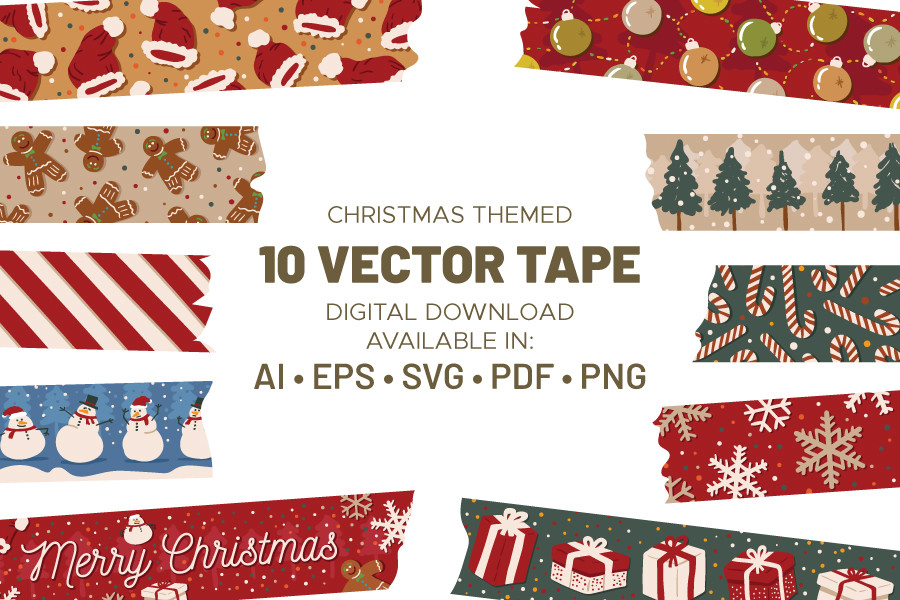
This hand-drawn Christmas tape set contains ten designs supplied as individual PDF, PNG and SVG files, plus AI and EPS source files. The designer confirms vector editing in software such as Adobe Illustrator, and all files are described as RGB. The preview shows a mix of festive motifs, greenery, snowmen and stripes. Exact raster dimensions and a premade sticker-sheet layout are not given.
It is a flexible choice when you want to build your own planner borders and keep an editable source for later changes. Place the individual designs around a writing area or arrange a small custom print sheet, leaving enough cutting space between strips. The vector files are helpful for resizing, while the PNGs offer a simpler image workflow. These are digital designs, not adhesive tape rolls, and no machine-ready cutting template is confirmed.
2. Eighteen Hand-Drawn Transparent Tape Strips
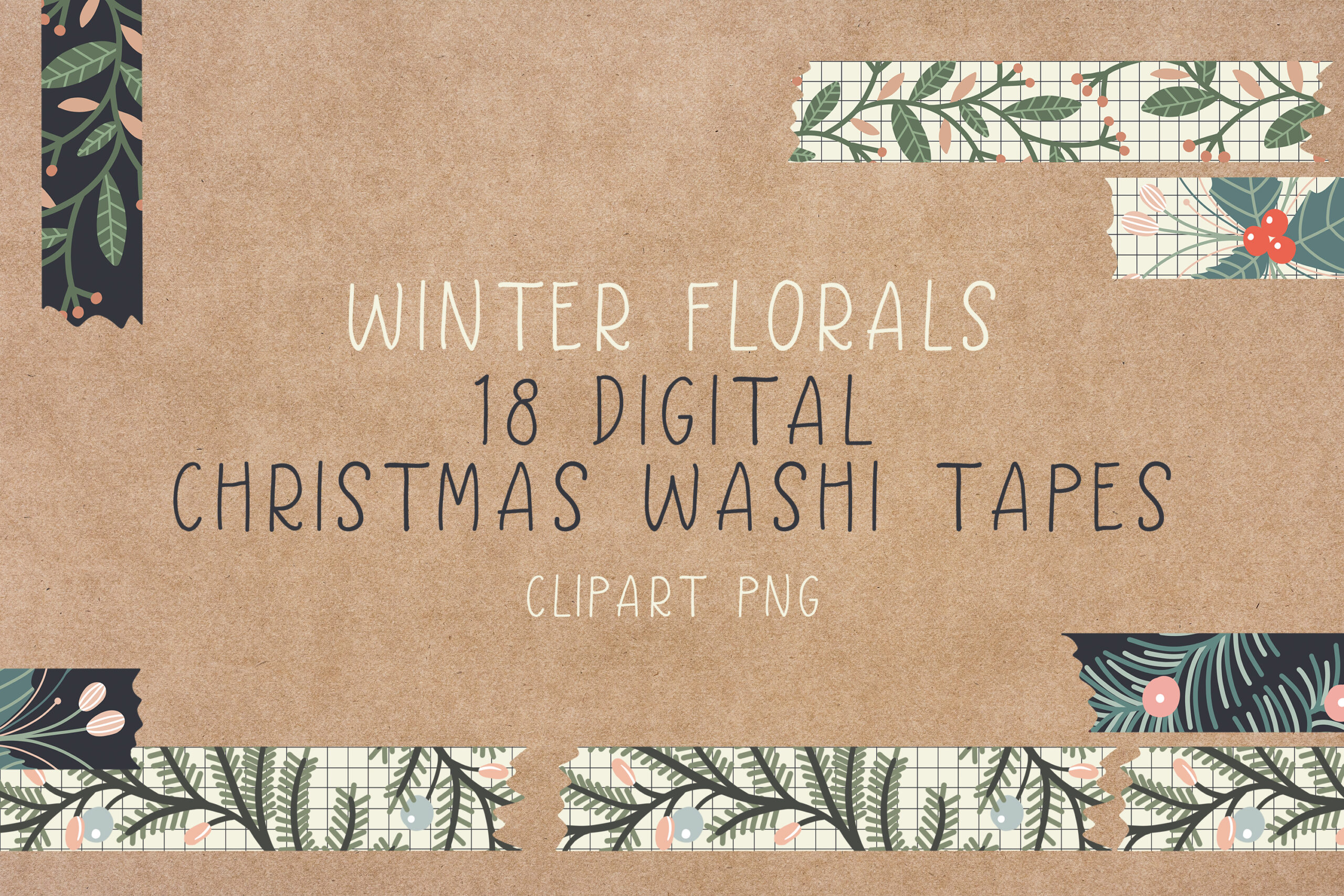
The hand-drawn Christmas collection contains eighteen transparent PNG files at 300 ppi in a ZIP. Twelve designs are approximately 3500 by 650 pixels and six are approximately 1850 by 650 pixels. The preview emphasizes winter greenery and floral decoration. Those long horizontal proportions make the pack particularly suited to borders and page dividers, without needing to extract a narrow strip from a square background image.
Use a longer strip across a journal spread or a shorter one to separate two planning sections. Keep the original aspect ratio when resizing so leaves and decorative shapes do not stretch. The stated pixel dimensions give you a useful starting point for deciding print size; a larger physical strip lowers effective resolution. No editable vector files or automatic cutting paths are listed, so choose it for finished transparent artwork rather than source-level design changes.
3. Sweet Christmas Gingerbread and Candy Borders
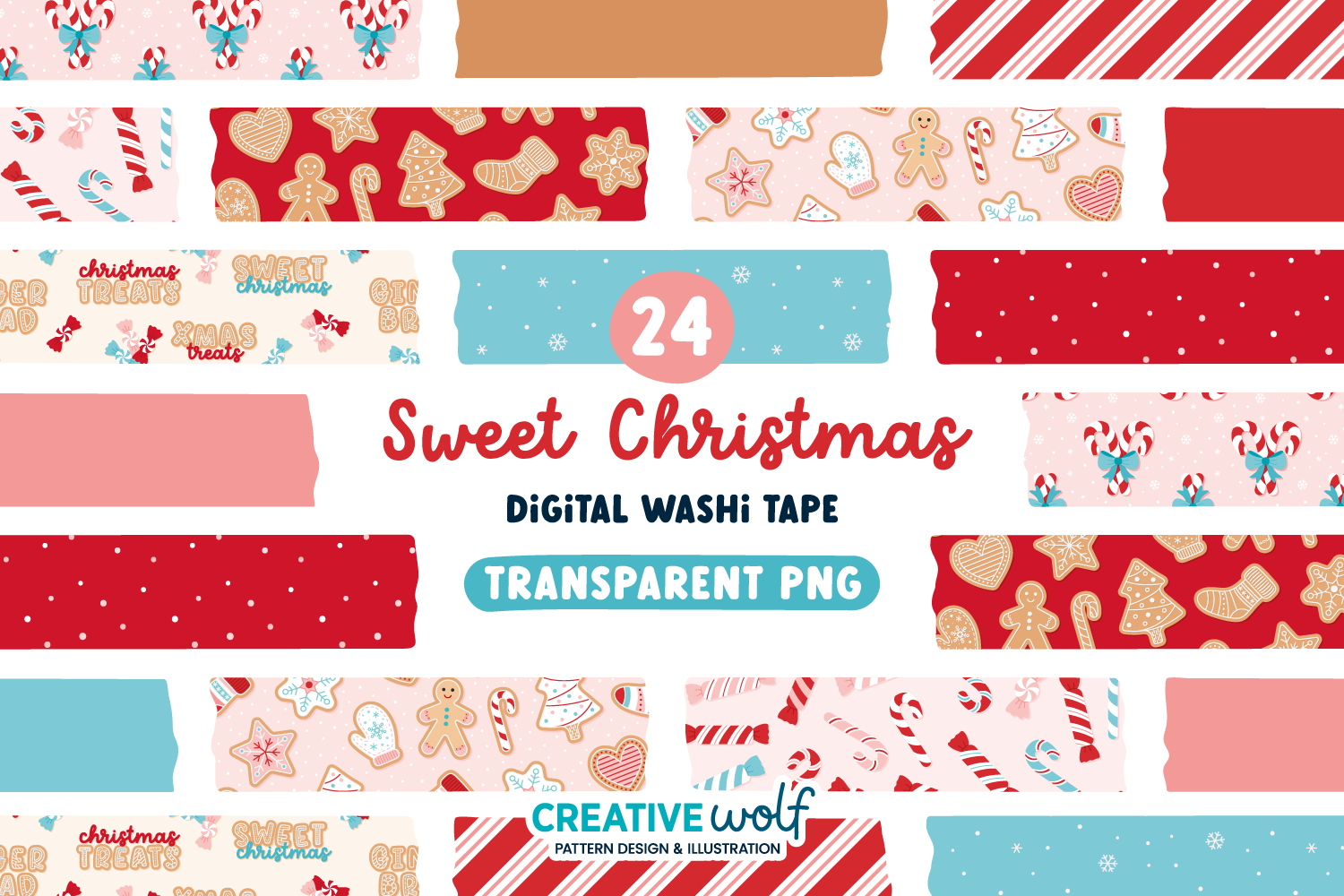
Sweet Christmas provides 24 transparent PNG strips at 300 dpi in RGB color. The count comes from eight patterned designs and four solid colors in two widths, rather than 24 unrelated motifs. Its pastel pink, red, blue and tan artwork features gingerbread, candy, festive lettering, stripes, dots and snowflakes. The package is delivered in a ZIP; exact pixel dimensions for each strip are not specified.
The baking imagery makes this a natural accent for cookie-planning notes, a holiday recipe journal or a page about a family kitchen tradition. Pair a busy patterned strip with one of the solids so your writing remains easy to read. The two widths offer layout variety, but they do not establish a particular planner-column size. Test a printed strip before making a full sheet, especially when you want the pastel colors to stay soft rather than washed out.
4. Merry and Bright Ornament Tape
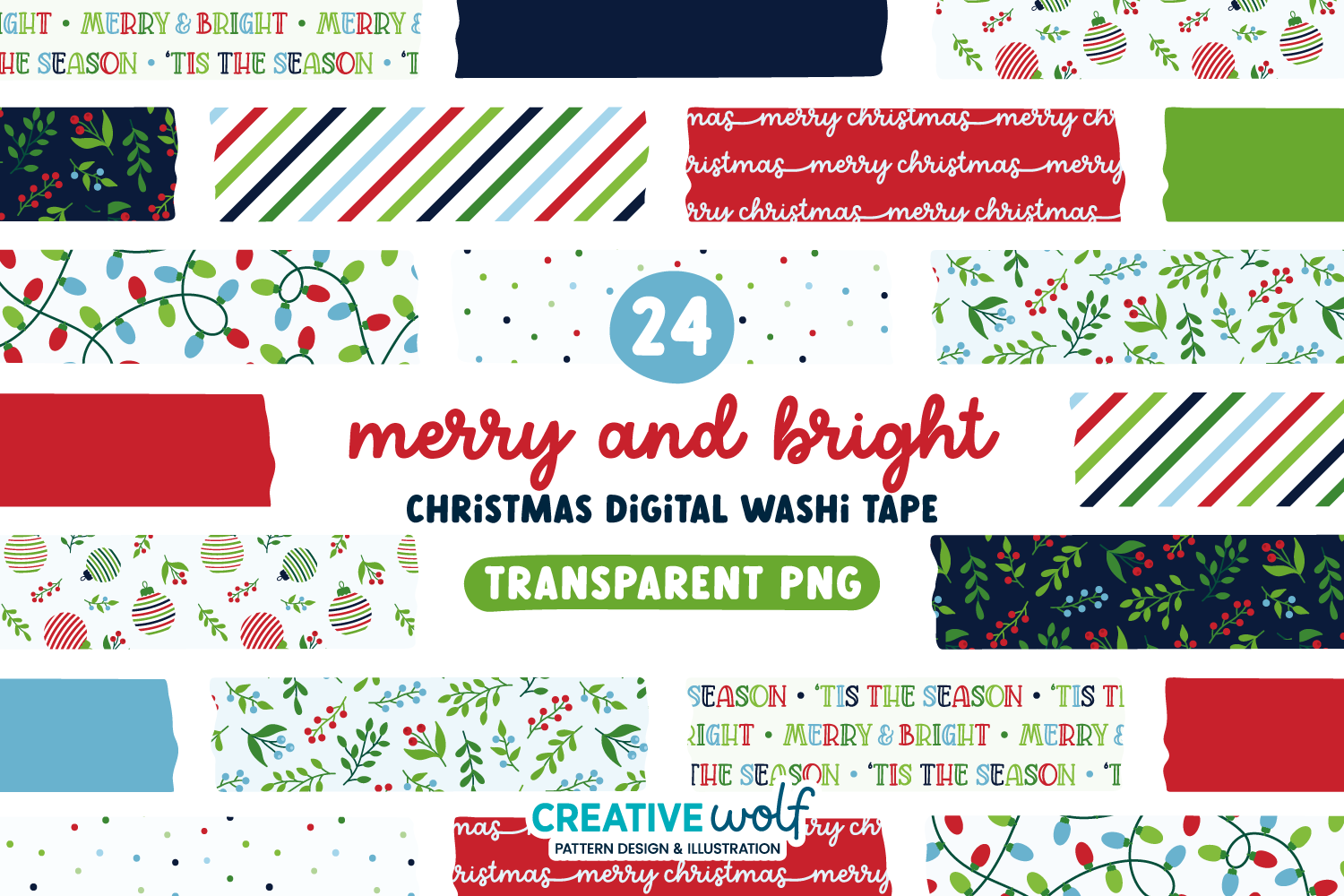
Merry and Bright contains 24 individual transparent PNG tape strips at 300 dpi in RGB. The designer identifies eight patterned tapes and four solid colors in two widths. The classic palette combines red, emerald green, navy and light blue, with ornaments, foliage, berries, mistletoe, Christmas lights, lettering, dots and stripes. These are finished raster images; a vector or editable pattern source is not included in the confirmed description.
Choose this set when you want a traditional festive border that still coordinates across several kinds of planner pages. Use the simpler stripes or solids beside dense task lists and reserve the ornament patterns for a heading or memory spread. The width alternatives make it easier to vary visual emphasis without switching style. Because physical dimensions are not stated, size the strips in your own layout and print a sample before committing to a whole planner section.
5. Christmas Village and Snow Globe Washi
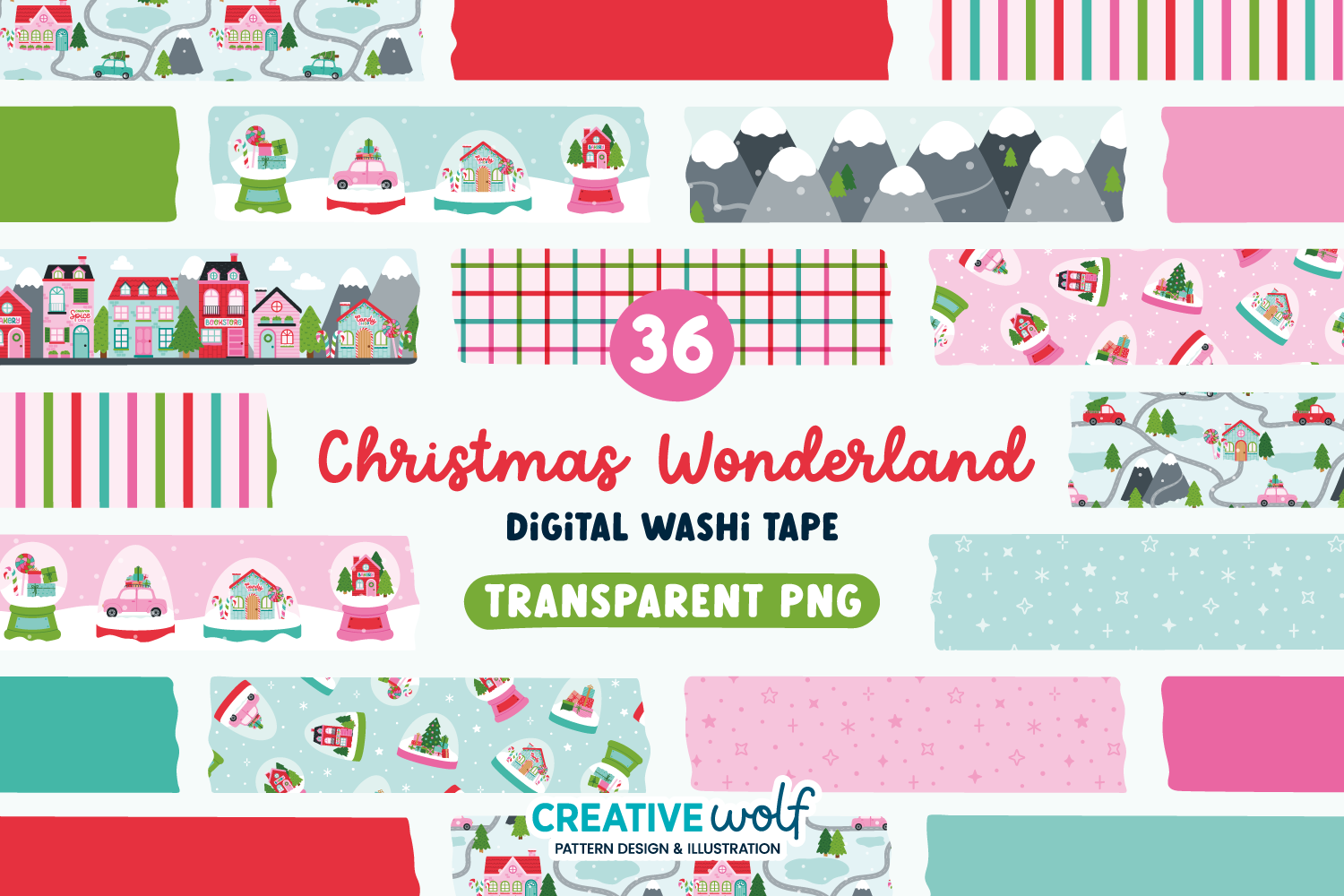
Christmas Wonderland is the largest individual strip pack in this selection, with 36 transparent PNG files at 300 dpi in RGB. The files represent eight patterned tapes, four illustration tapes and six solid colors in two widths. The festive pink, red, turquoise and green designs include snowy villages, cottages, shops, mountains, snow globes, gingham and stripes. No numeric strip dimensions are supplied.
It is useful for a December memory album with separate sections for outings, decorations and favorite moments. An illustrated village strip can introduce a photograph page, while a solid color keeps a practical checklist quieter. The 36-file total includes width versions and solids, so it should not be read as 36 unique detailed scenes. Resize proportionally and check how the finer village artwork prints at the small scale you intend to use.
6. Letters to Santa Mailbox Borders
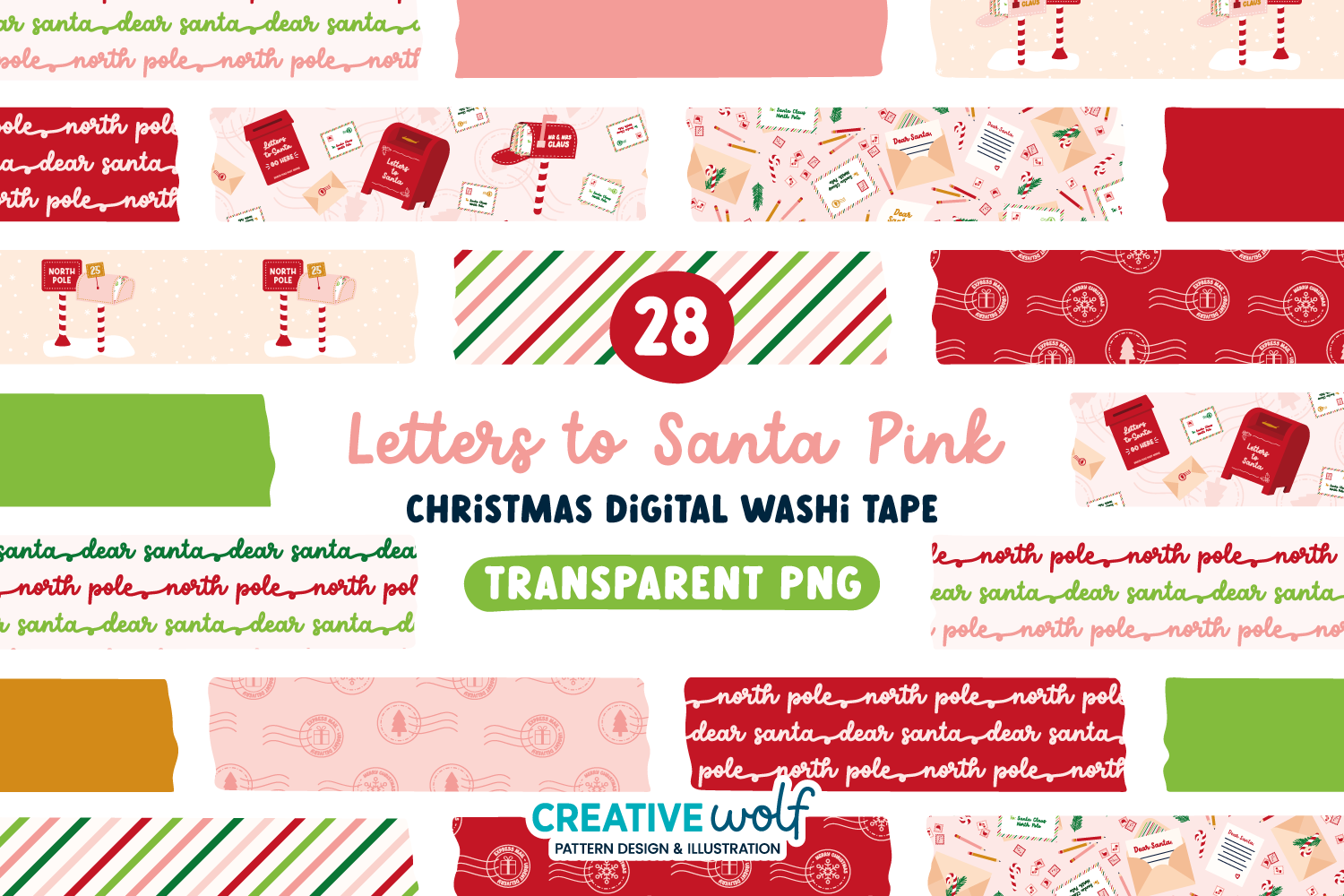
Letters to Santa Pink includes 28 transparent PNG strips at 300 dpi in RGB color. The package combines ten patterned tapes and four solids in two widths. Its pastel pink, gold, red and green artwork features letter boxes, envelopes, stamps, mailboxes, lettering and stripes. The postal theme is distinct from the village and baking packs elsewhere in this list. Precise pixel dimensions are not stated.
The designs suit a holiday correspondence page, a Christmas-card checklist or a journal pocket holding a small letter. Use a mailbox strip as a section marker, then add your own recipient names and mailing notes in the writing area. The artwork does not provide an address database or shipping reminders. The narrow and wide versions offer visual choice, but test the final scale so small stamp and envelope details remain recognizable on paper.
7. Holly, Mistletoe and Winter Foliage Tape
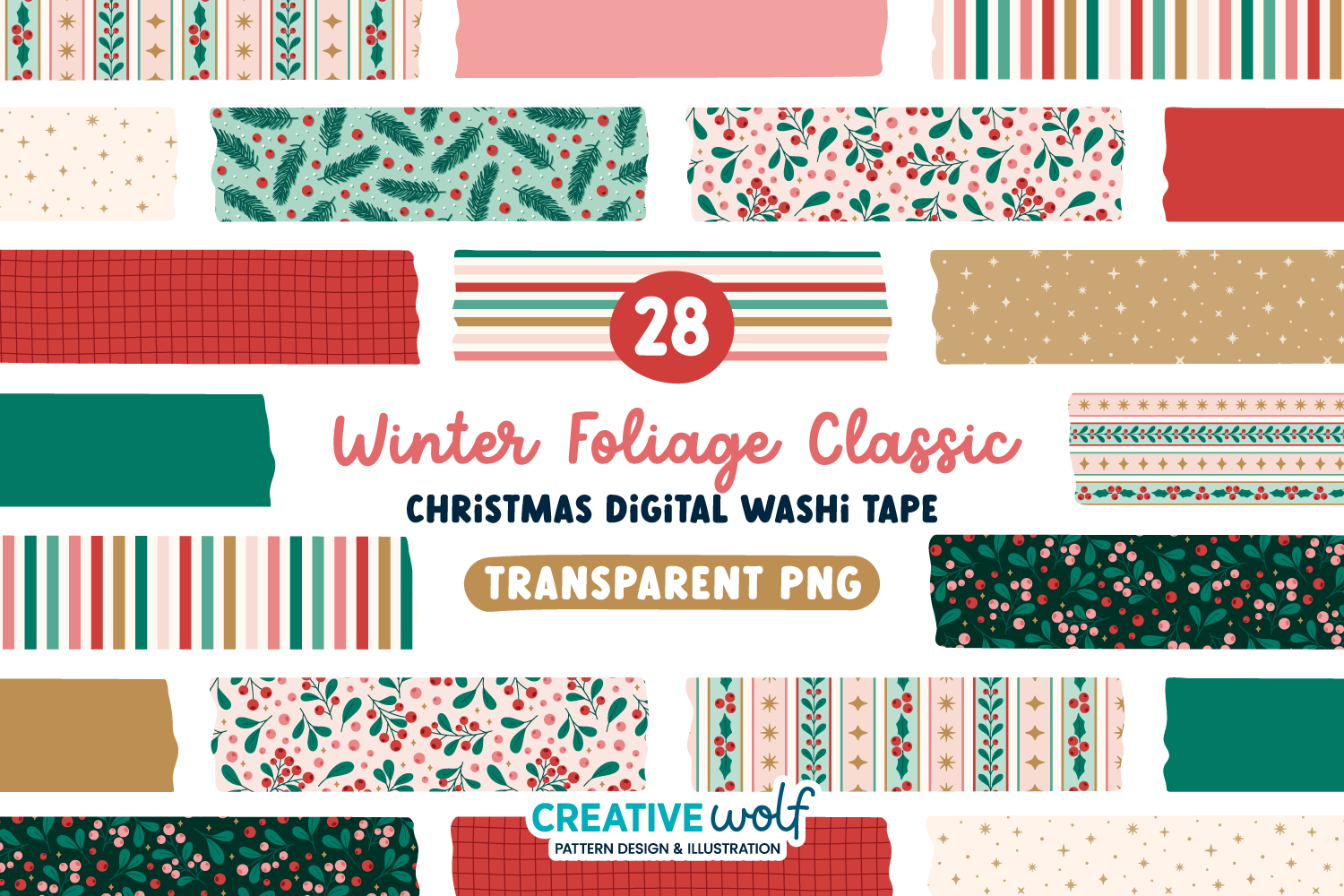
Winter Foliage and Berries supplies 28 individual transparent PNG strips at 300 dpi in RGB. The count comprises ten patterned tapes and four solids in two widths. Holly, mistletoe, pine needles, berries, Scandinavian-inspired stripes, stars, grids and minimalist lines appear in a red, pink, emerald, mint and gold palette. The collection is described for both winter and Christmas use, without a fixed calendar year.
Choose it for planner pages that need a festive touch without filling the border with Santa or gift imagery. The greenery can coordinate Christmas preparation notes and continue into a winter journal. Use the grid or plain strips when readability matters more than decoration, and keep the busier foliage away from small handwriting. The listing gives resolution but not exact image dimensions, so check the file size and print scale before making longer borders.
8. Boho Christmas Digital Tape Stickers
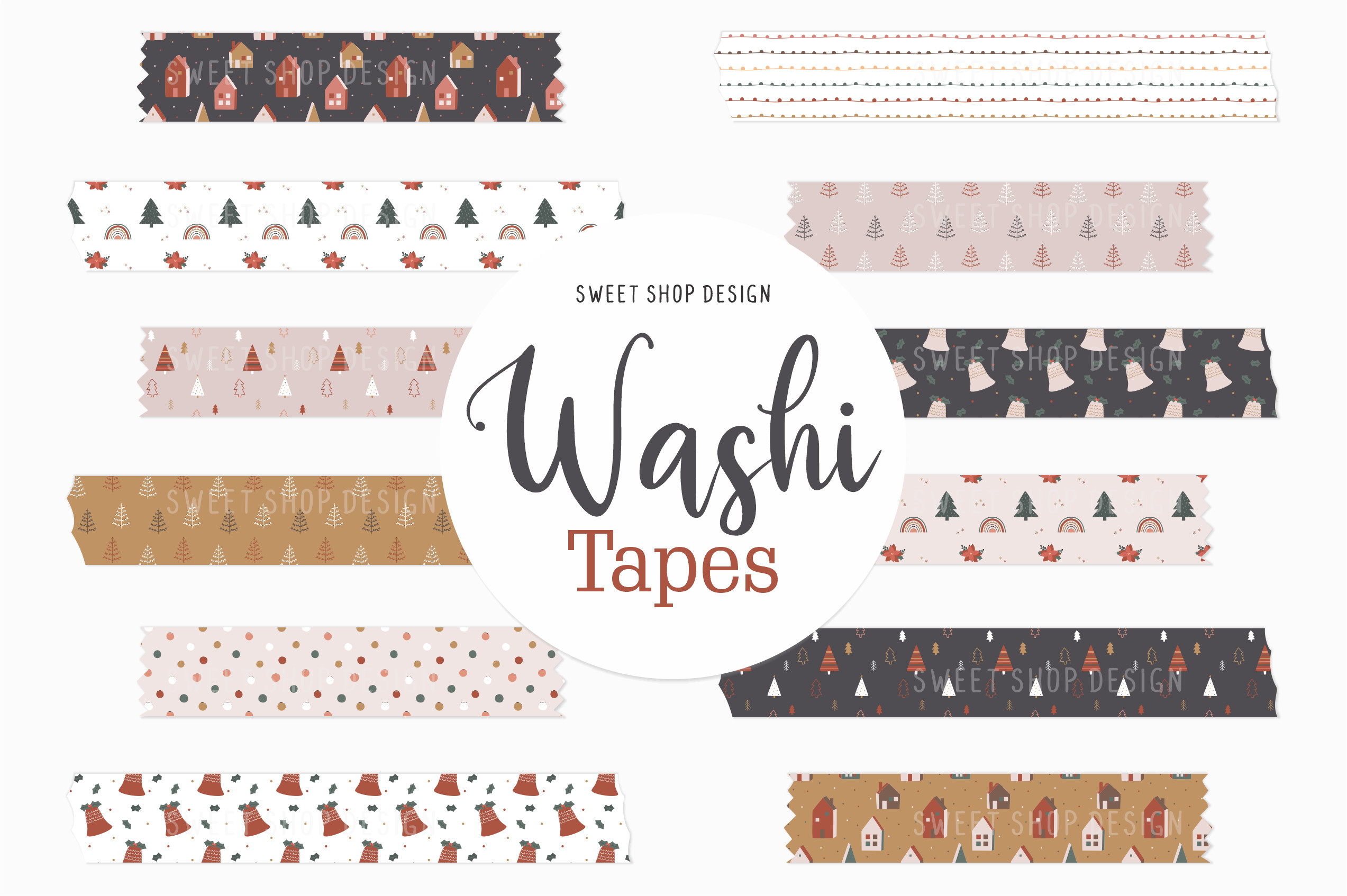
The Boho Christmas pack contains twelve PNG tape images at 300 dpi. The designer supplies instructions for adding the precropped images to GoodNotes and then resizing or cropping them on a planner page. The preview uses softer earthy and pastel tones with small festive motifs and patterned strips. Exact pixel dimensions and a native GoodNotes sticker-book file are not confirmed in the listing.
This is a useful choice for a quieter holiday spread where bright red borders would compete with the rest of the page. Follow the image-based workflow described by the designer and keep the original proportions while resizing. Precropped PNG artwork is different from a fully assembled sticker book, so expect to organize the images yourself. If you want to print them, make a small test sheet and inspect the detail at the intended strip width.
9. Merry Christmas PNG Border Set
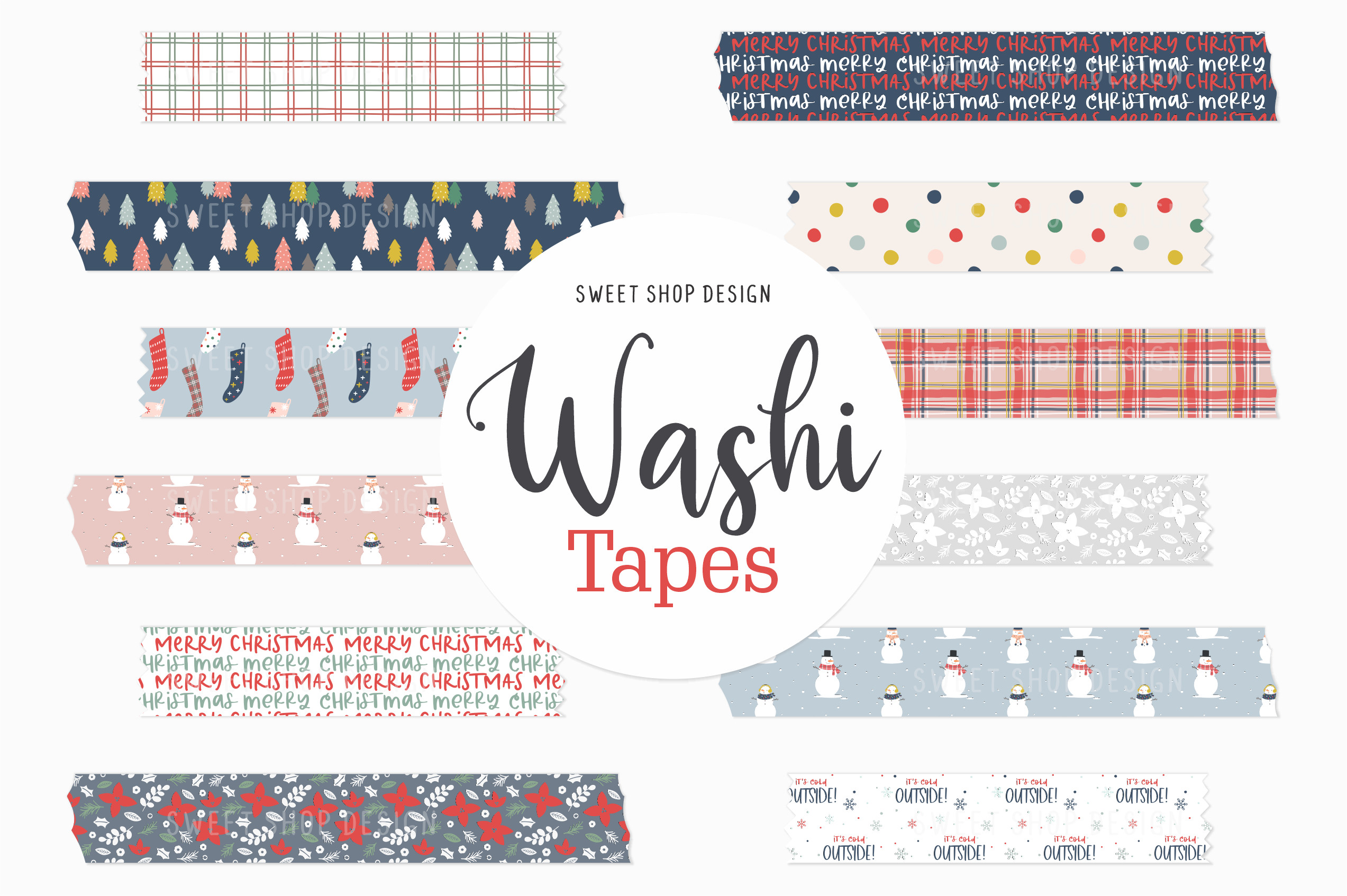
This Merry Christmas pack supplies twelve PNG tape images at 300 dpi, with instructions for using the precropped images in GoodNotes. The preview includes brighter holiday patterns, festive lettering, stockings, mugs, small Christmas figures and coordinating stripes. The designer says the delivered artwork has no watermark or shadow. The description does not provide numeric dimensions or confirm a native app-specific sticker file.
It is a straightforward option for adding finished Christmas borders without editing a vector source. Use one illustrated strip near a heading and a simpler stripe beside a practical checklist, keeping the writing area clear. The PNG workflow lets you resize and crop the artwork, but it does not add tasks, dates or links to your planner. Test the images on a sample page before building a whole December layout around their colors and scale.
10. Scandinavian Tape in Print-Oriented Color
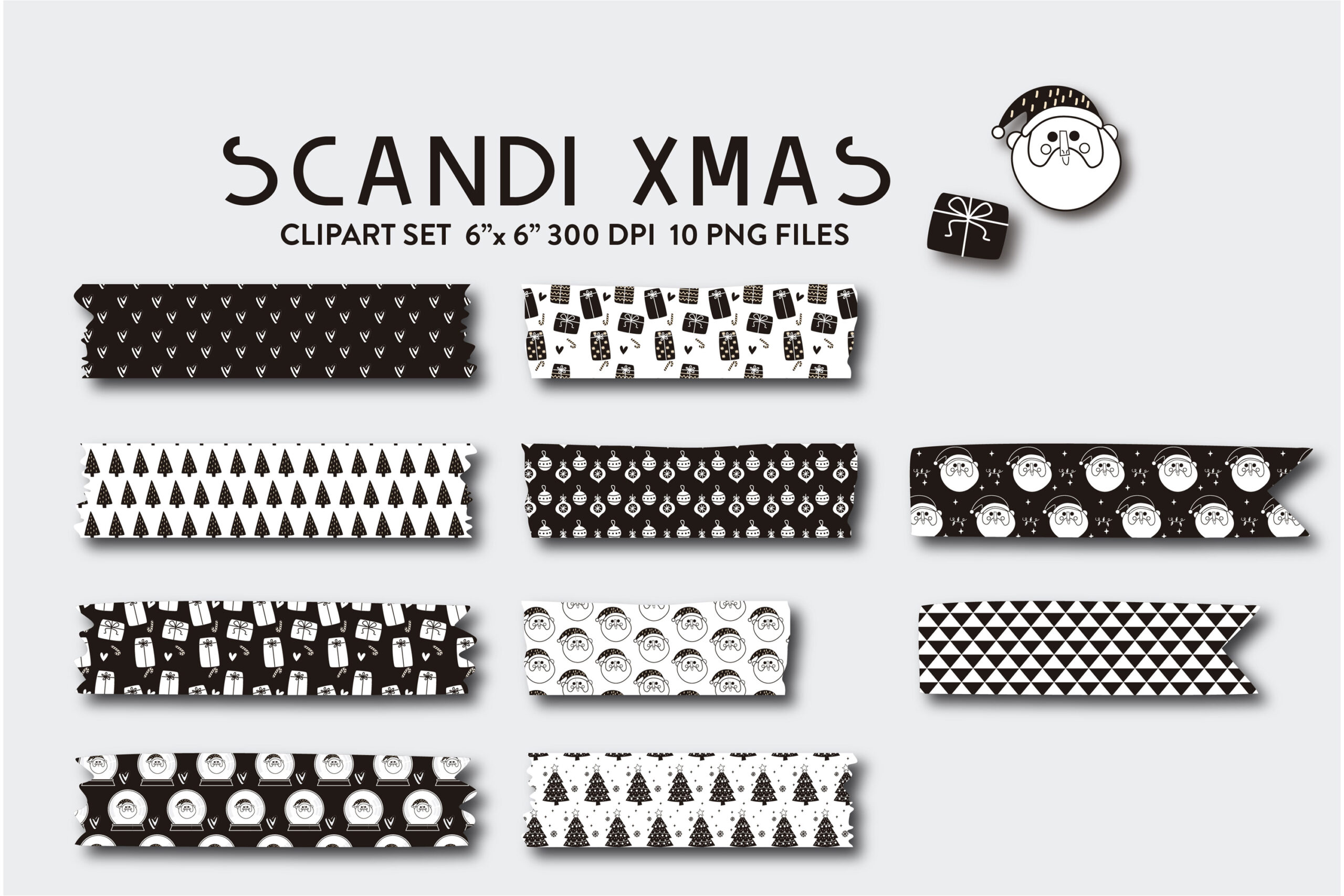
The Scandinavian tape collection includes ten transparent PNG images at 300 dpi, approximately 1800 by 1800 pixels or six by six inches. The preview is mainly black and white, with geometric and Christmas motifs. The description calls the files CMYK and suggests changing to RGB for web use; check the actual file mode in your editor rather than relying on that label alone.
The restrained patterns can work well in a monochrome bullet journal or beside a color-coded task list. Use the square image dimensions as a canvas reference, not a guarantee that the tape artwork itself is six inches tall. The individual images still need arranging if you want a printable sheet of narrow strips. No vector source or cutting paths are advertised, so expect image placement and trimming to be part of your own workflow.
11. Victorian Christmas Printable Tape Sheets
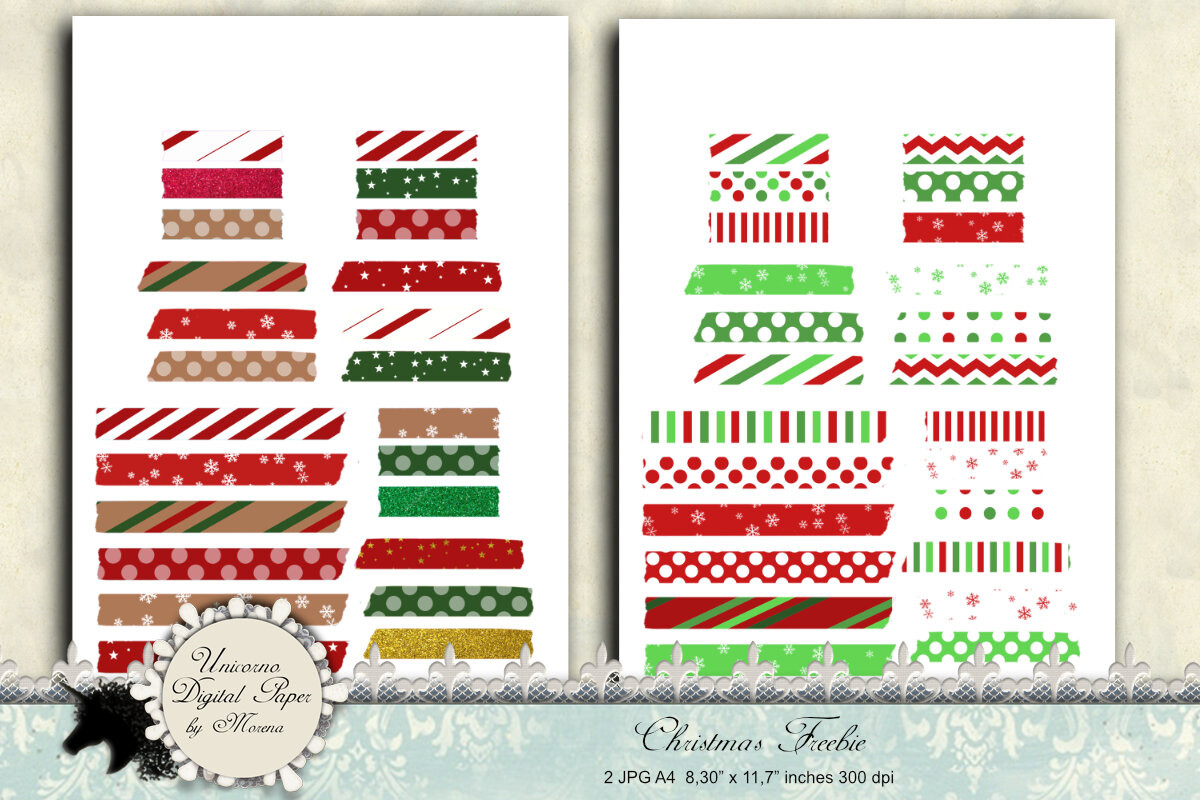
This printable tape pack contains two PNG sheets described as A4, with stated dimensions of 8.30 by 11.7 inches. The description also mentions 300 dpi JPG images, but does not clearly separate those from the two confirmed PNG sheets. It uses vintage and Victorian Christmas wording, while the main preview shows mixed festive patterns and lettering. Verify the exact file inventory if a JPG version is important to you.
The sheet format is useful when you want several tape designs ready to print together rather than arranging separate strips. Trim only the borders you need and save the remaining designs for another spread. Check the actual page dimensions in your print dialog, and avoid fit-to-page changes if sticker scale matters. The description does not promise editable sources or individual PNG strips, so digital users may need to crop designs from the full sheets.
12. Ten Christmas Designs on One Printable Sheet
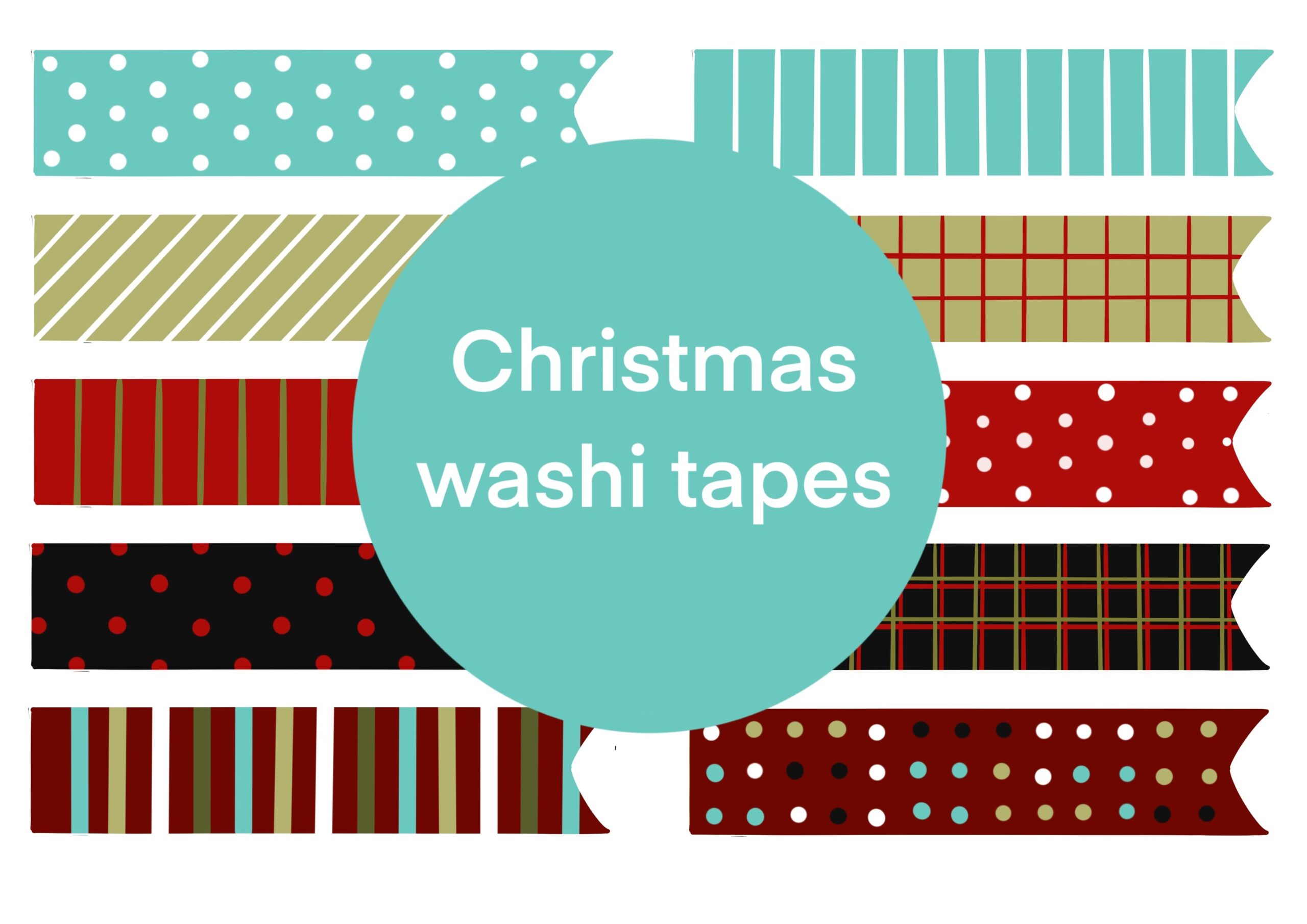
This download provides one printable sheet containing ten Christmas tape designs, supplied in PNG and JPG formats. The listed colors are red, blue, green and black, with stripes, dots and other patterns. It is a sheet-based pack rather than a collection of ten separately confirmed images. The description does not state paper dimensions, pixel size or resolution, so inspect the downloaded file before choosing a print scale.
It suits a quick paper-planner decorating session when you want a small range of coordinated borders without sorting through a large ZIP. Print a sample and check that the longest strips fit the pages you intend to decorate. For digital placement, crop the chosen design from the sheet if separate images are not provided. The artwork does not come with confirmed machine cutlines, and the actual finished strip size depends on your printing settings.
13. Twenty-One Christmas Tape PNG and SVG Designs
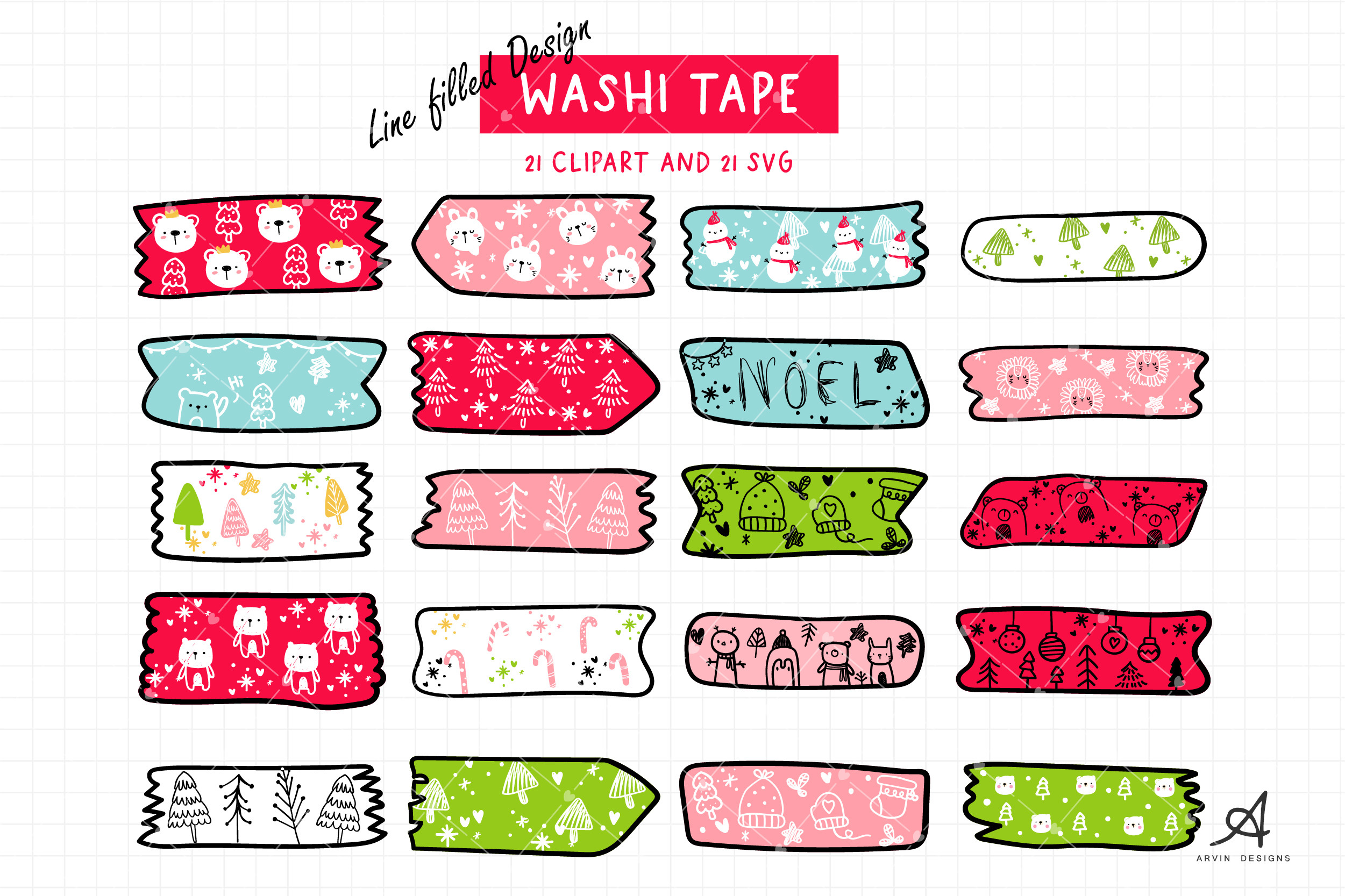
This listing describes 21 transparent PNG designs and 21 SVG files at 300 dpi, with a stated image size of 2084 by 2084 pixels. It also calls that size ten by ten inches, which does not match 300 dpi mathematically. The preview banner appears to mention 26 SVG files, creating a second uncertainty about the vector count. Check the downloaded inventory and work from the actual pixel dimensions.
The illustrated tape shapes are useful when you want a more hand-drawn border rather than a perfectly straight patterned rectangle. SVG files provide a different resizing route from raster PNGs, but the unclear count and dimensions mean you should inspect the pack before planning a large project. Arrange a few selected designs in your own sheet or layout and test them at the final size. The description does not confirm prebuilt cutting paths or a planner-specific template.
14. Ugly Sweater Christmas Tape Stickers
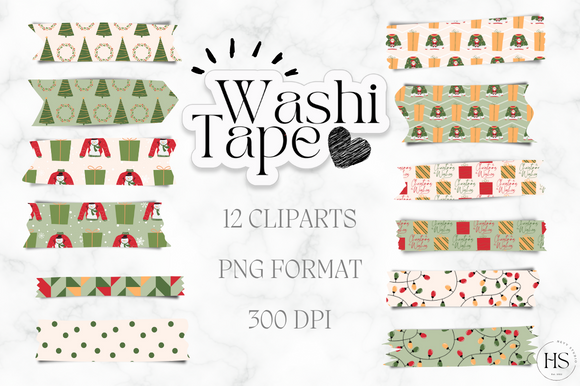
The Ugly Sweater Christmas tape pack includes twelve PNG images at 300 dpi, with instructions for adding the precropped artwork to GoodNotes. The preview shows mixed Christmas patterns, including trees, houses and festive figures, rather than a set of standalone sweater illustrations. Exact pixel dimensions and physical tape widths are not specified. A native GoodNotes sticker-book file is also not listed.
Choose the collection for a playful festive border set when you prefer a small, manageable selection of finished images. Use the preview to judge the actual motifs rather than assuming every strip has a knitted-sweater texture from the title. Resize proportionally and keep detailed designs away from small handwriting. For printing, arrange your own page and check the result first; the supplied images are digital tape artwork, not physical adhesive strips or confirmed machine-ready sticker sheets.
Make the download work for your routine
Build one sample page before decorating a whole planner. Combine a detailed tape with a quieter solid or stripe, leave space for writing and save the original files separately. If a pack has uncertain dimensions or file counts, inspect its actual contents first and plan the layout around what is present.