12 Useful Password Tracker Templates for Account Records
A password tracker template can organize website names, usernames, account notes, and recovery references in a consistent layout. These Creative Fabrica products range from a single binder insert to an alphabetical book and a hyperlinked notebook. Choose the format for the recordkeeping job you need, rather than assuming every product is a password-management application.
The reviews below compare 12 products using their stated files, sizes, and editing requirements. A PDF or Canva layout does not, by itself, provide a confirmed encrypted vault, password generation, autofill, or access controls. The sellers’ descriptions do not establish those protections for these templates.
Customize the empty layout before adding private information, and keep personal records out of public previews or shared design links. An account inventory can complement your wider personal planner without putting sensitive entries in the same shared file. The practical distinctions below cover printing, navigation, and maintenance.
1. Password Tracker: Printable and Fillable Sheet
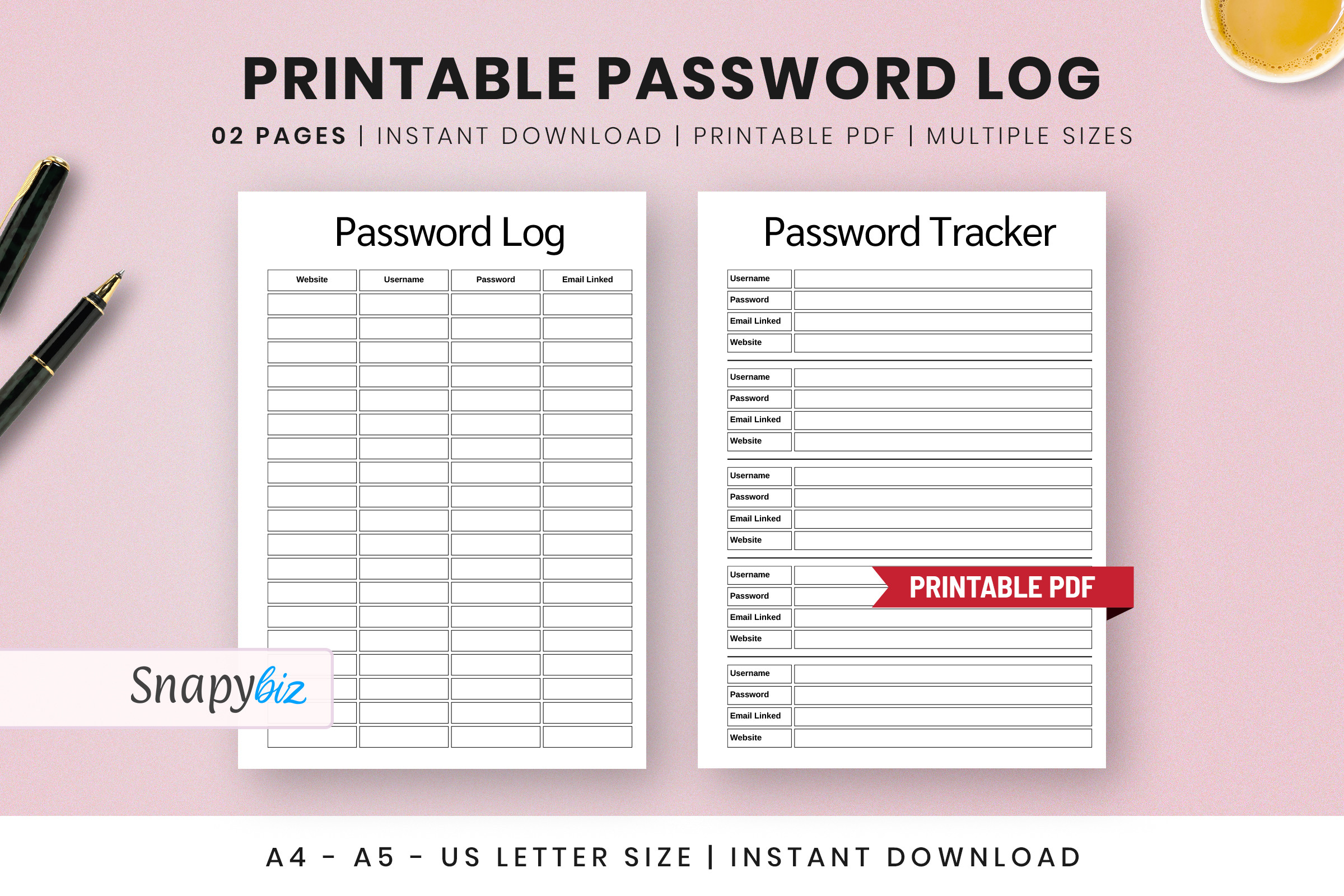
SnapyBiz describes a printable and fillable password-log layout for account names and login records. A4, A5, Letter, and Half size appear in the description, while the final delivery summary explicitly lists A4, A5, and US Letter. It is a compact alternative to creating a full alphabetical notebook for a relatively short account inventory.
Confirm whether Half Letter is actually included before choosing that size. Test the fillable fields with fictional data and reopen the saved file to see whether entries persist. The title includes “Free,” but access terms should be checked on the current product page. The layout alone does not confirm secure storage; keep a blank design copy and decide separately how private working records will be protected.
2. Password Tracker Template: Five Paper Sizes
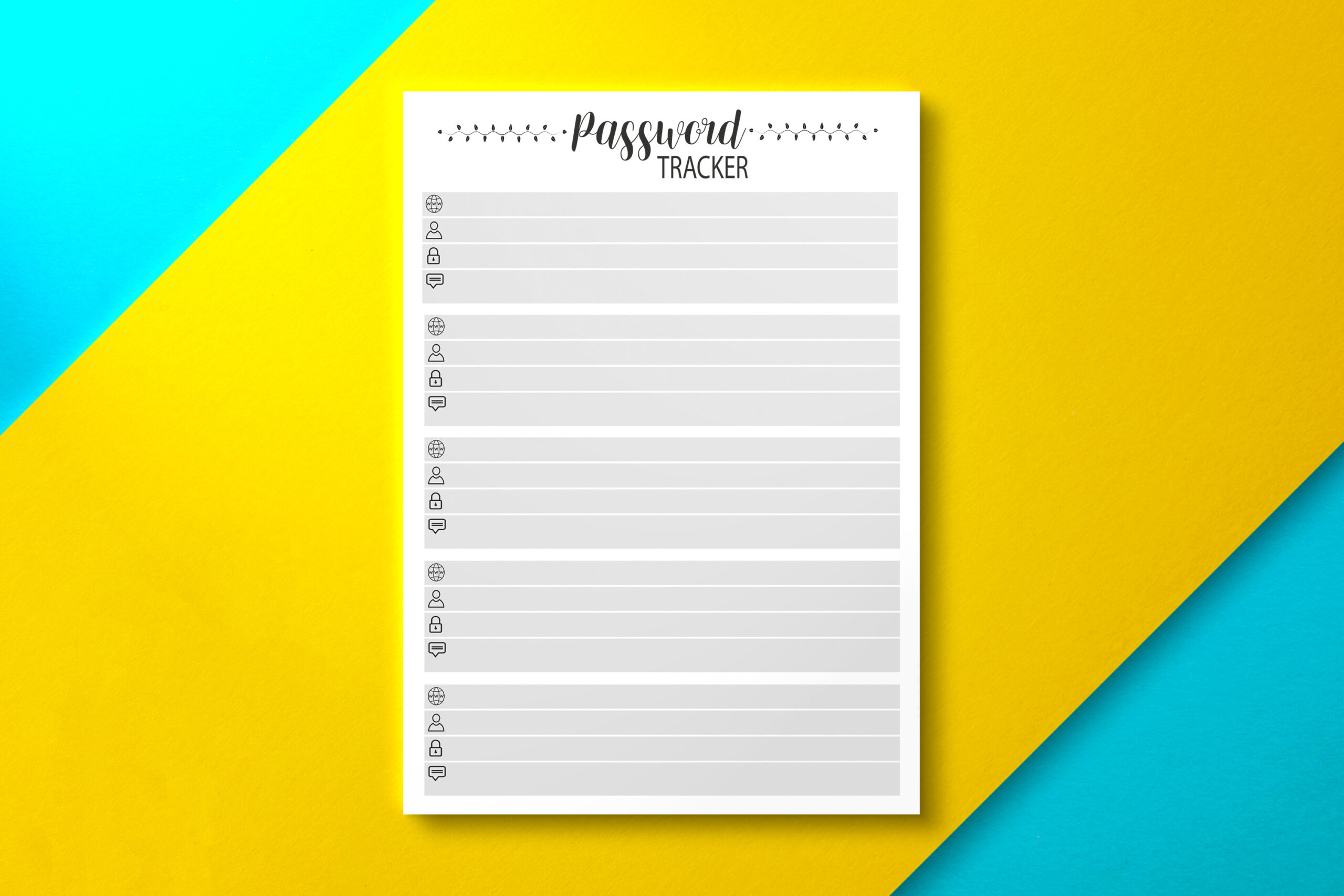
Nickkey Nick provides one-page PDF templates in Letter, Half Letter, A4, A5, and 6-by-9-inch formats, plus a 110-page 6-by-9-inch version. That combination suits both a binder insert and a compact book-style record. The range of sizes is the main advantage: you can choose a layout that matches paper and binding you already use.
Try the single page first to judge handwriting space before printing the longer interior. The seller confirms PDF files but does not promise fillable fields or editable design sources. A book-sized file may have binding margins that differ from a loose insert, so inspect the selected version at actual size. It is a recordkeeping template, not a confirmed password-generation or autofill tool.
3. Alphabetical Password Log: Affinity Source Included
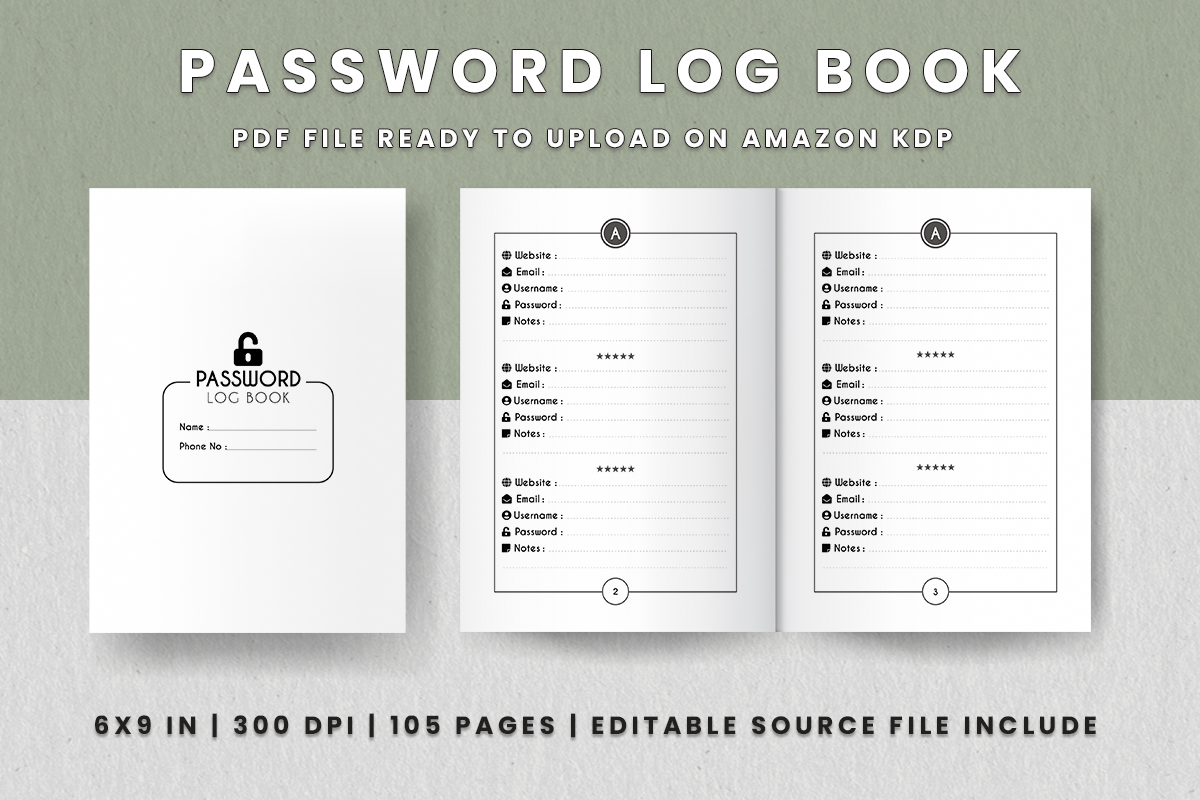
TeesnimeART’s alphabetical book lists 105 pages at 6 by 9 inches, with four pages per letter and three entries per page. The package includes a print PDF, JPG files, and an editable AFpub source. The seller specifies no bleed and 300 DPI. Alphabetical sections provide a clear filing rule for a larger collection of account references.
Choose it when you want a compact book and can use the supplied Affinity Publisher source for changes. Keep account naming consistent so you know whether an entry belongs under a service name or an organization name. The stated per-letter structure and total include supporting pages, so inspect the actual file instead of extrapolating capacity. No encrypted-vault capability is described.
4. Password Tracker Kit: Minimalist Binder Sheet
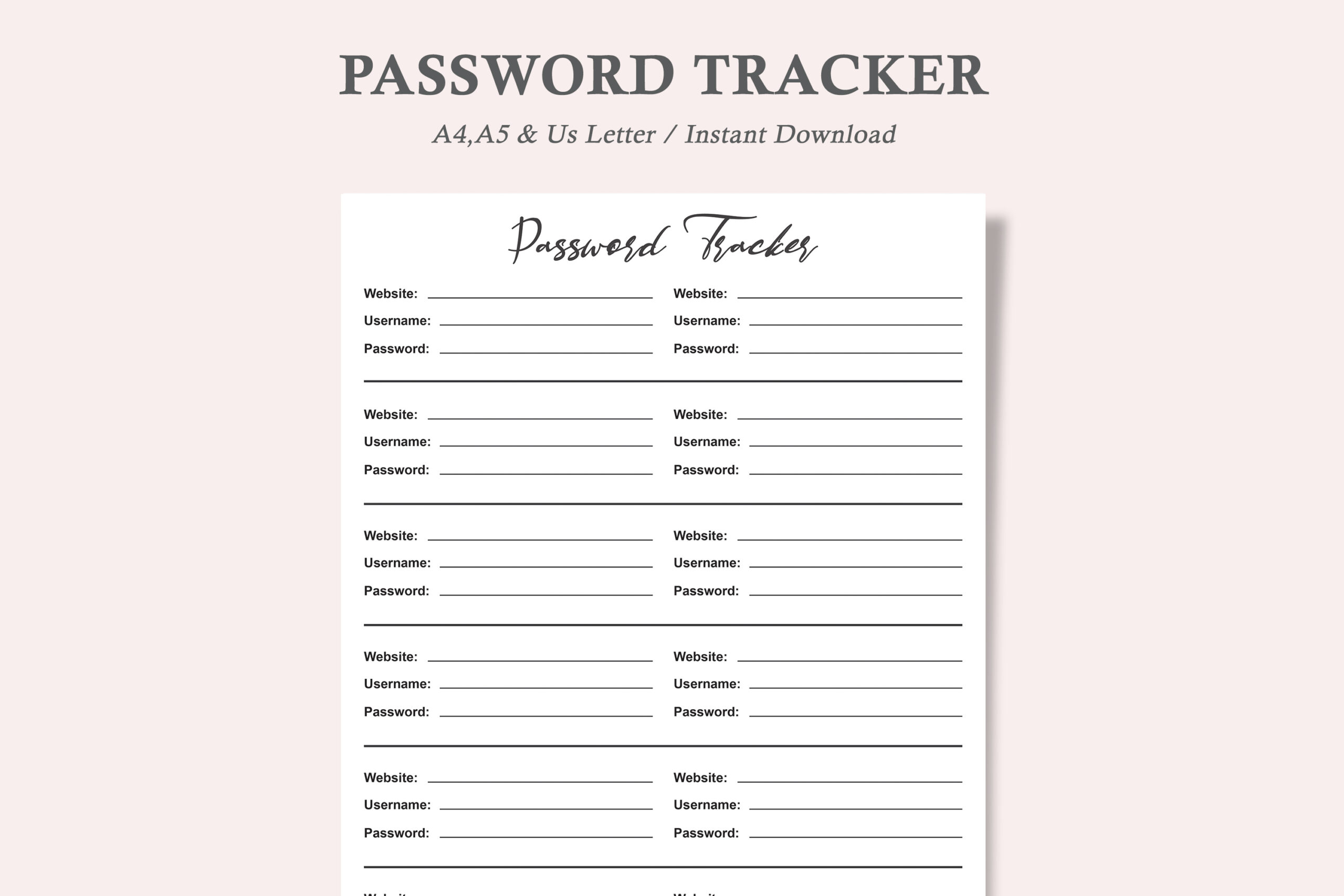
Watercolortheme lists a minimalist password-tracker layout in US Letter, A4, and A5 with PDF and JPEG formats. The seller describes it as digitally editable and printable, making it a straightforward option for a small binder section. The restrained design can leave more attention on account labels and reference notes than on decoration.
Use the intended paper size and check hole-punch clearance before adding it to a binder. The listing’s “one PDF” wording across three sizes does not establish the final number of separate files. Test any editable fields rather than assuming the PDF behaves like a spreadsheet. For shared household planning, keep the account-reference page separate from material that visitors or other family members routinely see.
5. Password Tracker: Printable and Digital Record Pages
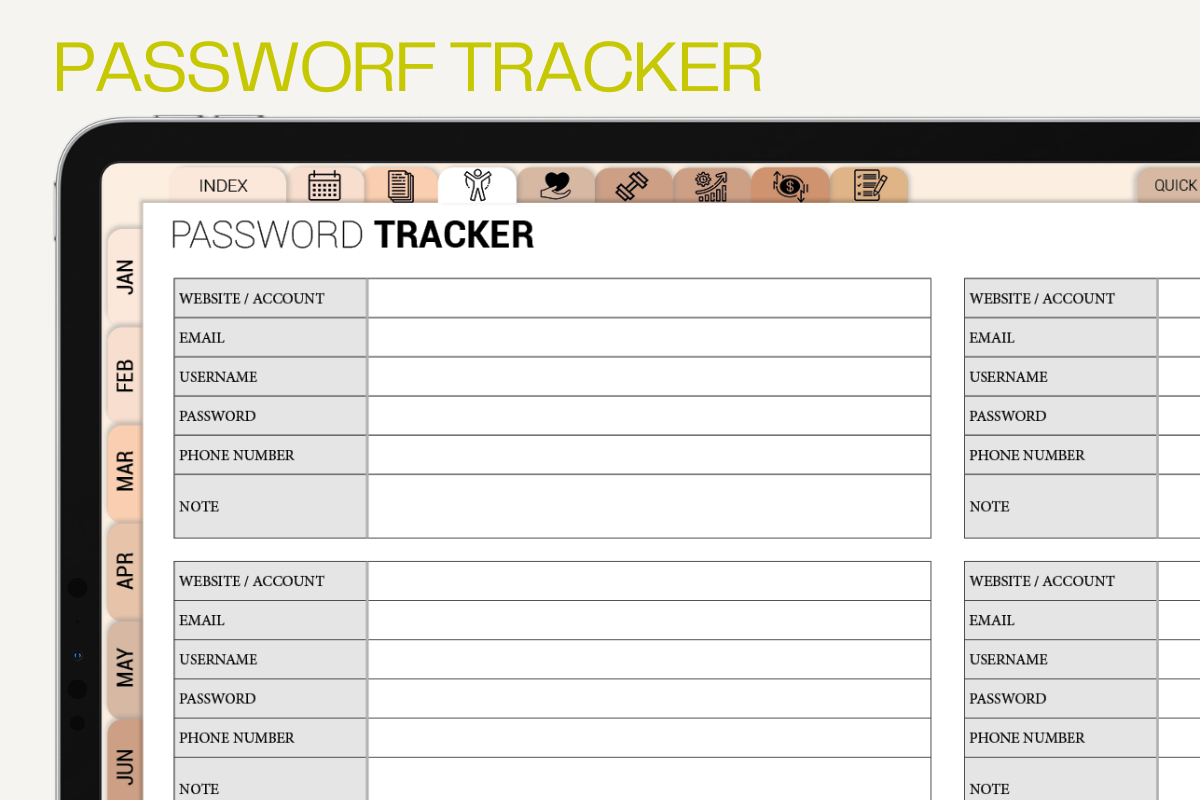
Plamarplanners lists printable PDFs in US Letter and A4, with use in GoodNotes, Notability, and similar annotation apps. The stated sections cover website logins, password resets, frequently used sites, security questions, and notes. The reset-log section provides a place to document maintenance rather than only listing an account once and forgetting it.
It fits an account inventory that needs periodic review. Decide what information belongs in the record before filling every available field; more fields are not automatically a reason to store more sensitive details. The description does not confirm PDF form fields or encrypted storage, so distinguish handwritten or stylus annotation from a secured credential vault. Keep demonstrations and shared screenshots free of real account information.
6. Digital Password Book: Light and Dark Modes
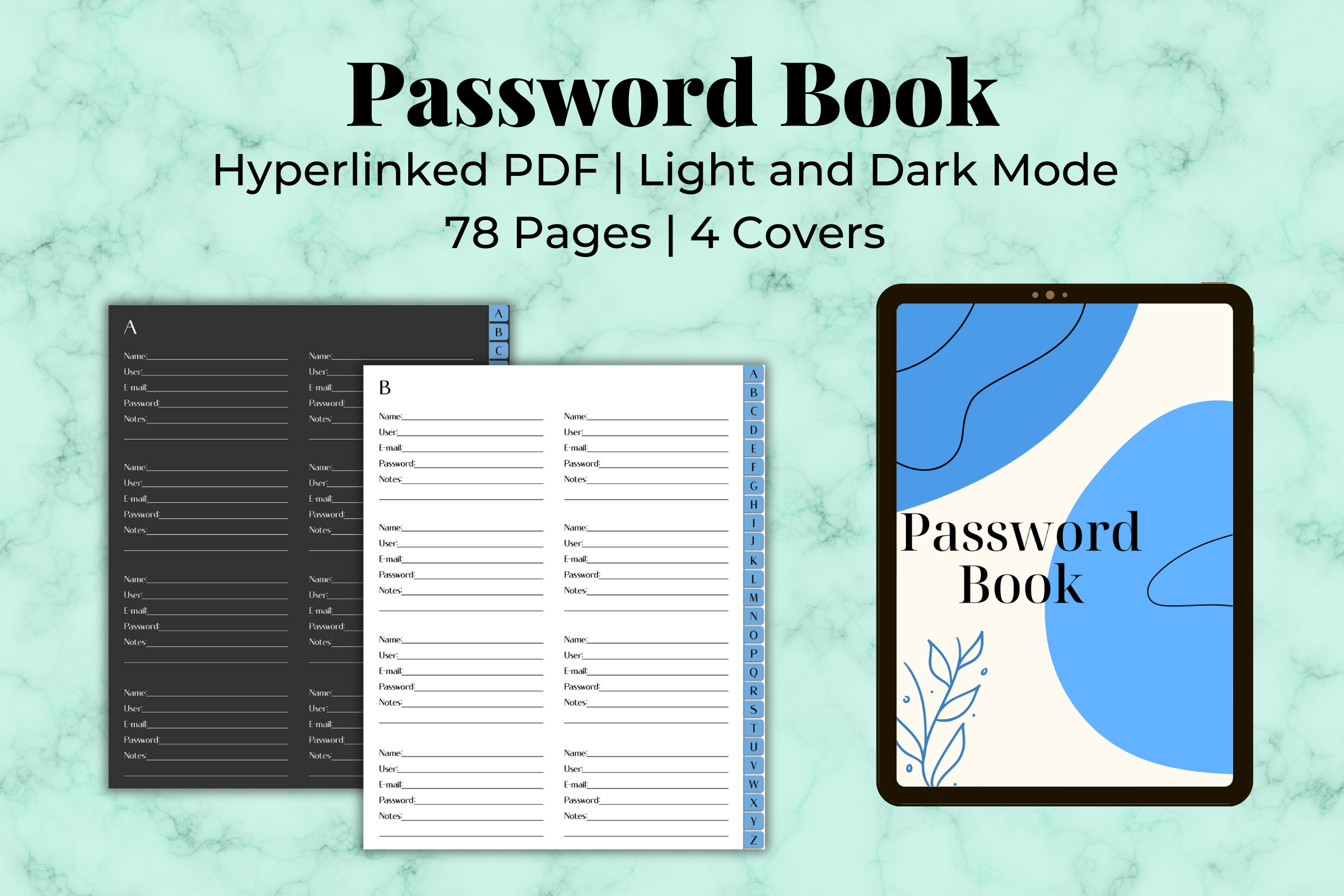
Kinu Planners supplies an interactive PDF in both light and dark modes, plus four JPG covers inside a ZIP. The description states that there are three dedicated pages for each letter of the alphabet and that more pages can be duplicated. Hyperlinks offer an alternative to scrolling through a long account notebook.
Choose it for navigation within a compatible note-taking app, especially if you prefer an alphabetical record on a tablet. Light and dark modes are visual options, not security settings. Test the index links before adding records and check them after duplicating pages. No encryption, autofill, or password generation is documented for the product; evaluate access to the working file separately from its appearance.
7. Password Book Interior: Letter-Size Pages
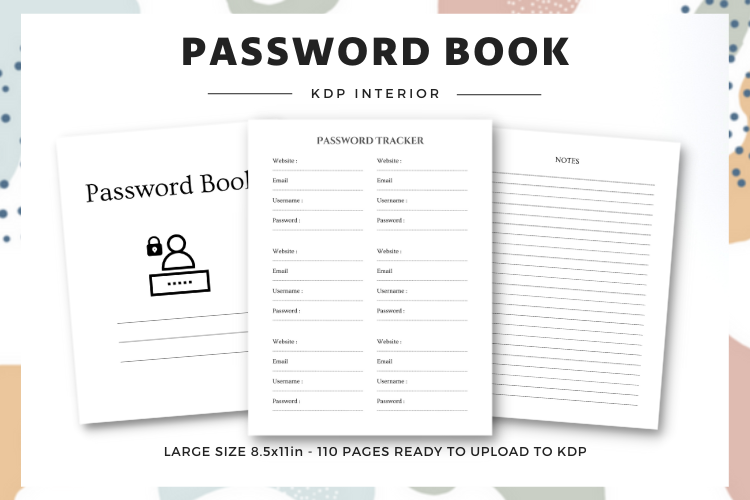
LunArt’s package lists 110 pages at 8.5 by 11 inches, with PDF interiors and PNG files. The seller states no bleed and suitability for printing. The larger format can be useful when you prefer roomier writing space over a portable pocket-sized book, or want to keep a long account reference in a larger binder.
Inspect the entry layout in the downloaded file before printing all 110 pages. The description says the file can be edited but does not identify an editable design-source format, so do not assume that claim means a supplied Canva or Illustrator template. The product name mentions a free interior; confirm current download conditions on Creative Fabrica rather than treating the title as a permanent access guarantee.
8. Alphabetical Password Book: Compact 6 by 9
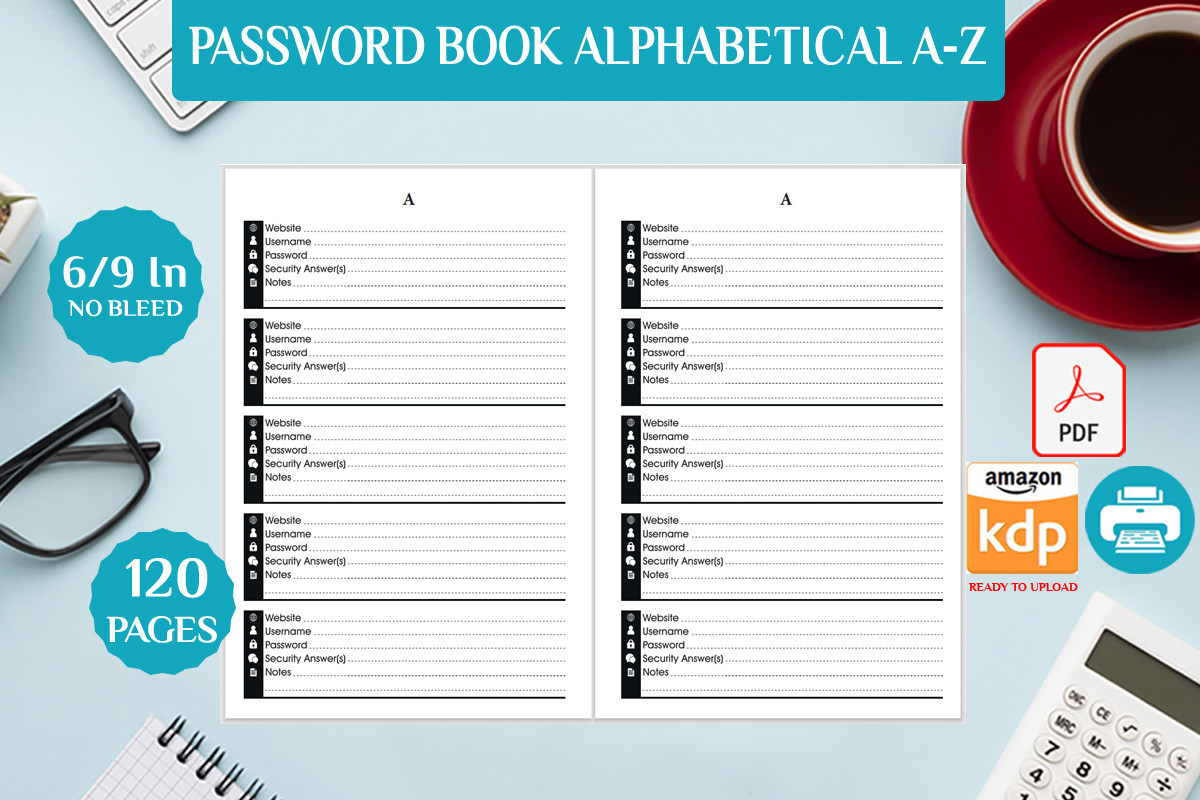
Bendes describes an alphabetical A-to-Z interior in a single PDF, sized 6 by 9 inches with no bleed. The description lists 110 pages, while the product preview says 120, so the page count needs confirmation in the actual download. It offers a simple book-format approach when alphabetical organization matters more than design customization or a wide choice of paper sizes. The specification is concise, making it easier to see which essentials are actually confirmed.
Choose it for a compact printed account-reference book and test a page at actual size to assess writing space. No editable source, fillable fields, entry count per page, or interactive links are stated. Do not infer those features from the alphabetical title. If printing as a bound book, account for the document’s actual margins and binding method rather than assuming a loose-page print will look identical.
9. Password Tracker Template: Illustrator and EPS Sources
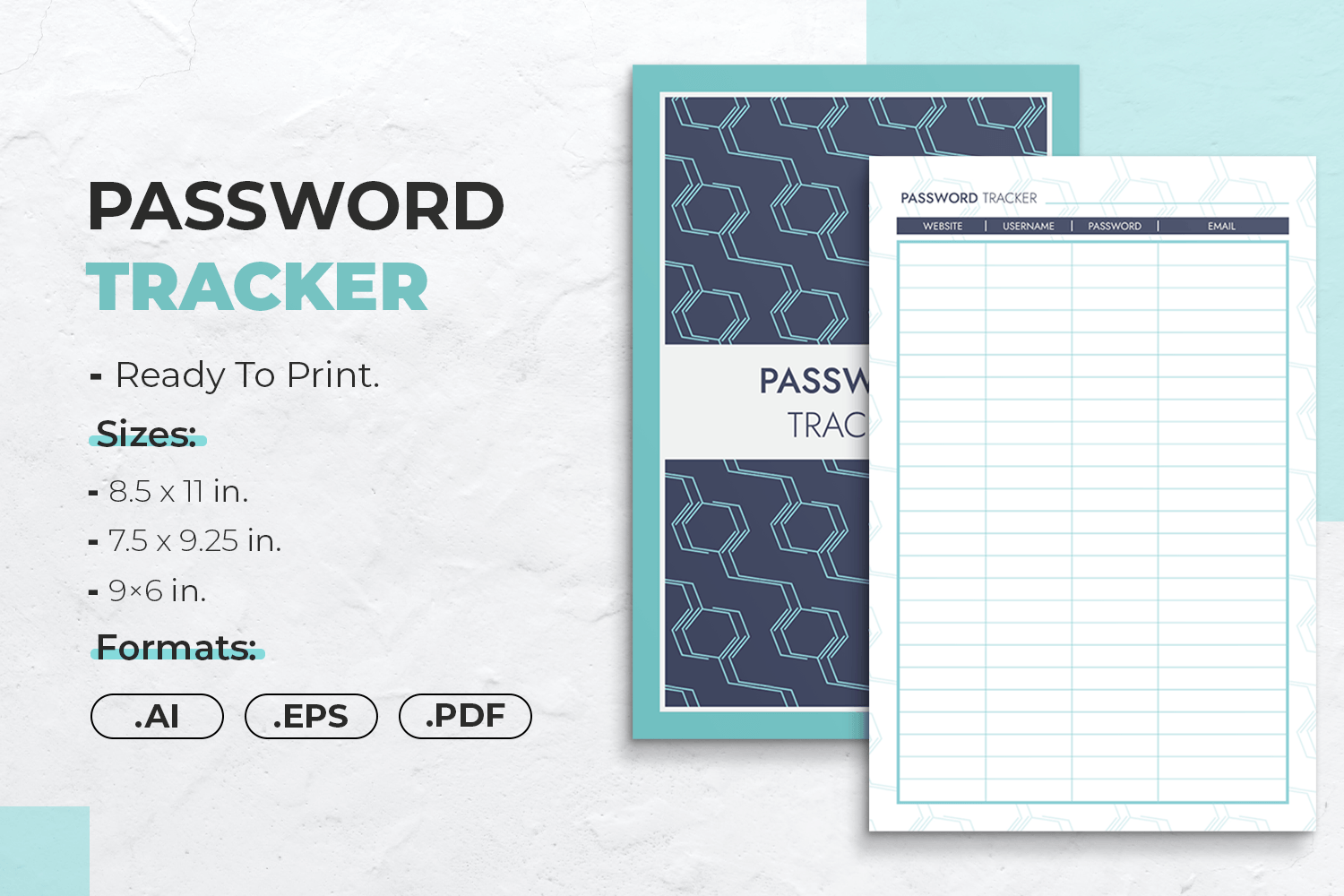
JUNDI supplies Illustrator and EPS source files with four PDFs. Listed sizes are 8.5 by 11, 7.5 by 9.25, and 6 by 9 inches, and the seller describes safe binding margins and print PDFs with bleed. This is a practical choice when you want to adapt the layout’s headings or spacing using vector-editing software.
The four-PDF count spans three stated sizes, so check the archive for the role of the additional version. Match bleed and trim settings to your actual printing method; a home-printer insert and a bound-book interior are different workflows. Editable source files provide design control, but the description does not establish any security controls over the private records you later put into the layout.
10. Password Tracker Canva Template: Letter Size
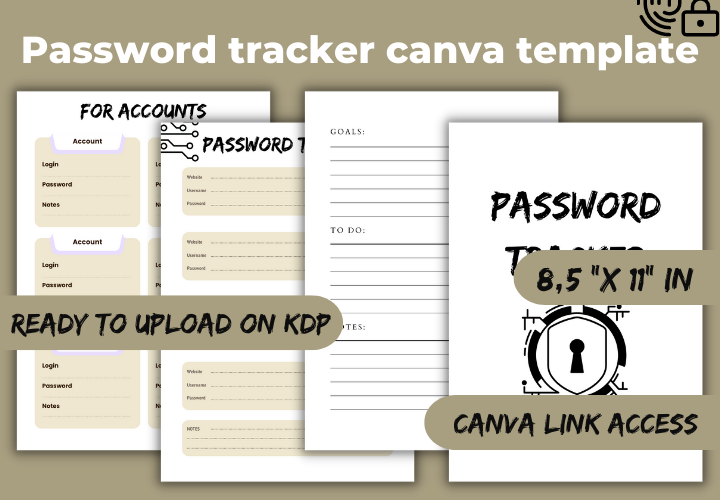
Freia ART design provides a PDF and a Canva link for an 8.5-by-11-inch password-tracker interior with no bleed. Its purpose is straightforward: edit the design in Canva or use the supplied PDF as a starting point for printing. The fixed Letter format is useful when you do not need several paper-size variants.
Customize the empty page before adding any personal information. The seller does not state a page count, whether Canva Pro is required, or whether the PDF has fillable fields, so verify those points in the package. Avoid treating a shared Canva template link as a private working record. Once the layout is finished, keep the design copy separate from any file containing real account details.
11. Password Tracker Book: 106-Page Canva Template
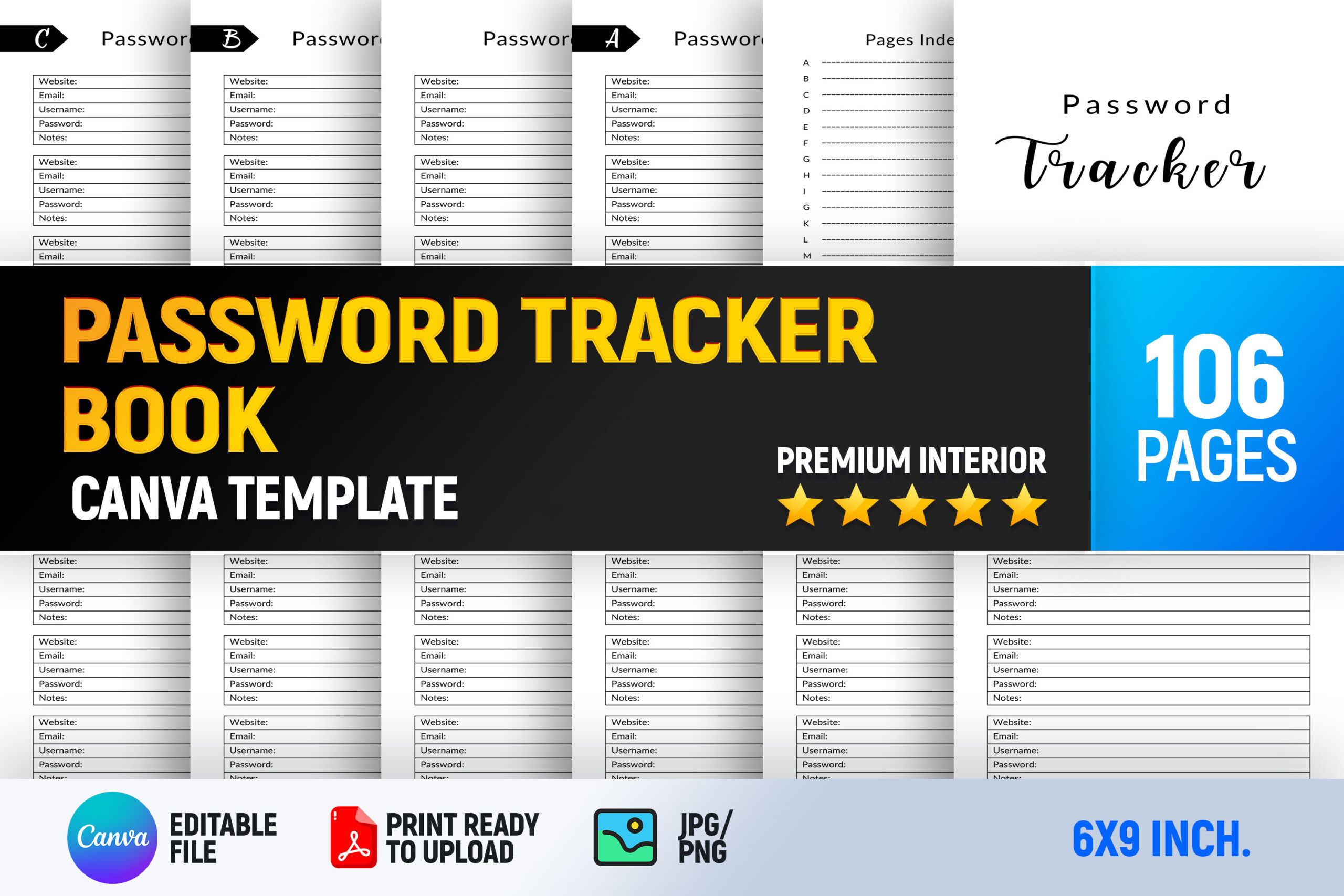
Interior Creative lists a 106-page, 6-by-9-inch ready PDF, PNG files, and an editable Canva file. The description also mentions categorization and a password-strength guide. The combination suits someone who wants the structure of a compact book but needs to change fonts, headings, or writing space before printing.
Inspect the guide in the actual download rather than assuming its advice is current or comprehensive. Design customization does not provide a confirmed encrypted storage system, and the supplied files do not establish password-generation or autofill functions. Work with fictional examples while editing, and check Canva access requirements. For book printing, review the export’s page size and margins before ordering or producing a full copy.
12. A-to-Z Password Tracker: 112-Page Interior
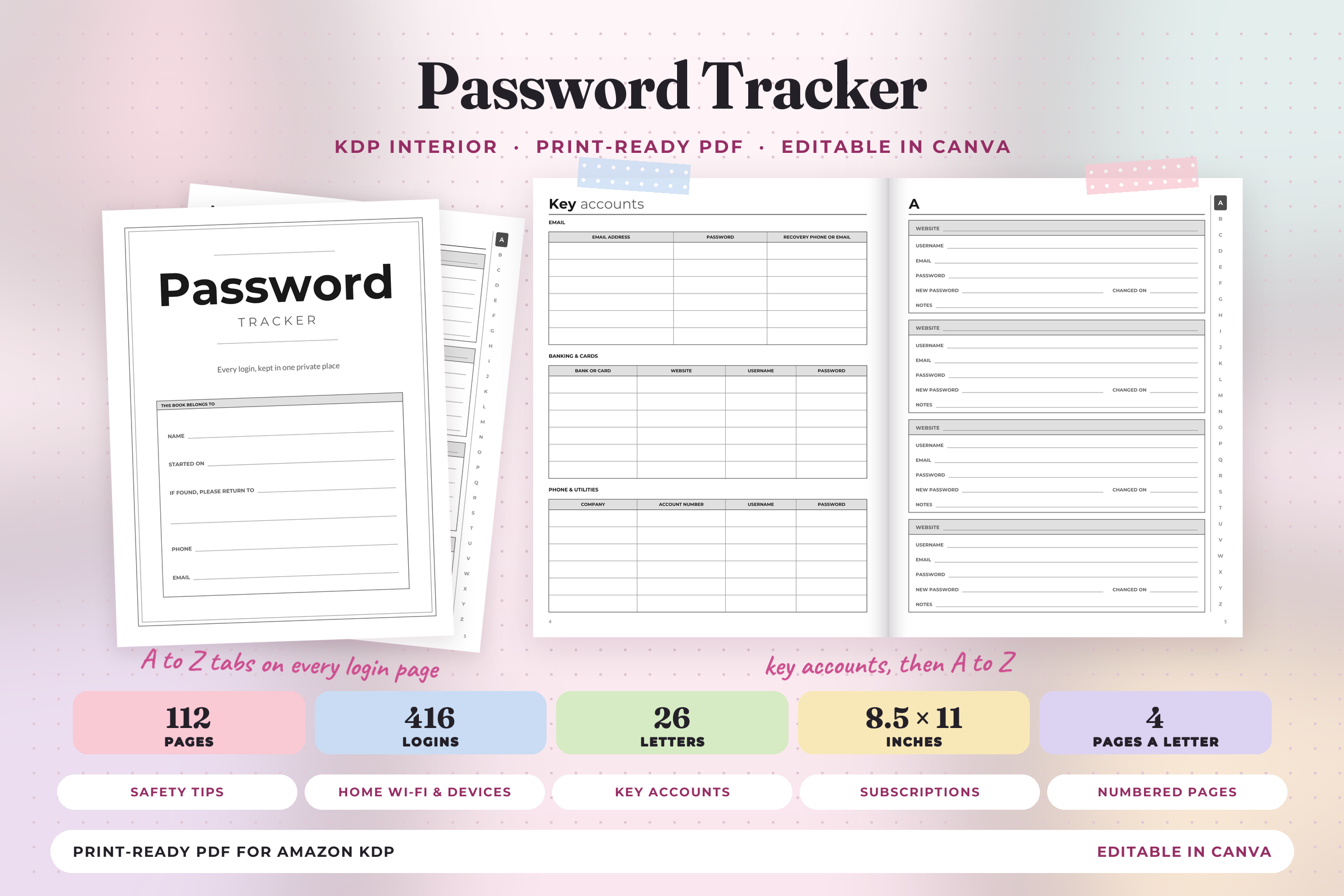
Print Magic StudioX lists a 112-page, 8.5-by-11-inch PDF and four smaller Canva-ready PDF parts. The description specifies four pages per letter, four entries per page, and 416 alphabetically organized entries, plus supporting reference and notes pages. The black-and-white interior has numbered pages, no bleed, and a stated half-inch gutter margin.
This is useful when you want a large printable book that can be edited in parts using a free Canva account, as the seller states. Keep the four parts in order when reassembling an edited PDF and inspect pagination after export. No links or bookmarks are included, so navigation is by the printed alphabetical index. Its recovery and device sections are recording spaces, not independently verified security features.
Choose a Password Tracker for the Recordkeeping You Need
A one-page insert is useful for a short account inventory, while an alphabetical book suits a larger list. A hyperlinked PDF makes it easier to reach an initial letter, but navigation is a convenience feature rather than evidence of encryption. Editable templates help you redesign headings and writing space before printing.
Keep the original template empty. When demonstrating or sharing a design, use fictional examples and remove any personal account information. Review who can access a working file before putting private details into it, and store printed records in a private location rather than an open family planning binder.
Use a password tracker for a clear account inventory and non-secret reference notes. For storing actual credentials, choose a purpose-built password manager rather than treating an ordinary PDF or Canva file as an encrypted vault. CISA recommends password managers for generating and remembering strong passwords. None of the template descriptions here verifies encryption, password generation, or autofill. Check the downloaded package for the stated editing features before using it.