12 Beautiful Poinsettia Stickers and PNG Sets for Holiday Journals
Poinsettia stickers can be a bold red focal point, a pale floral corner or a small round accent beside a holiday note. The shape of the artwork matters as much as the color: a wide bouquet fits a page border differently from an isolated flower or a one-inch label design.
The twelve resources below include actual sheet layouts, separate round labels, watercolor compositions and vector files for custom projects. Some are clipart you will turn into your own decorations. No physical stickers are included, and a PNG, editable SVG and prepared sheet should not be treated as interchangeable formats.
In this guide
1. Small Round Poinsettia Label Graphics
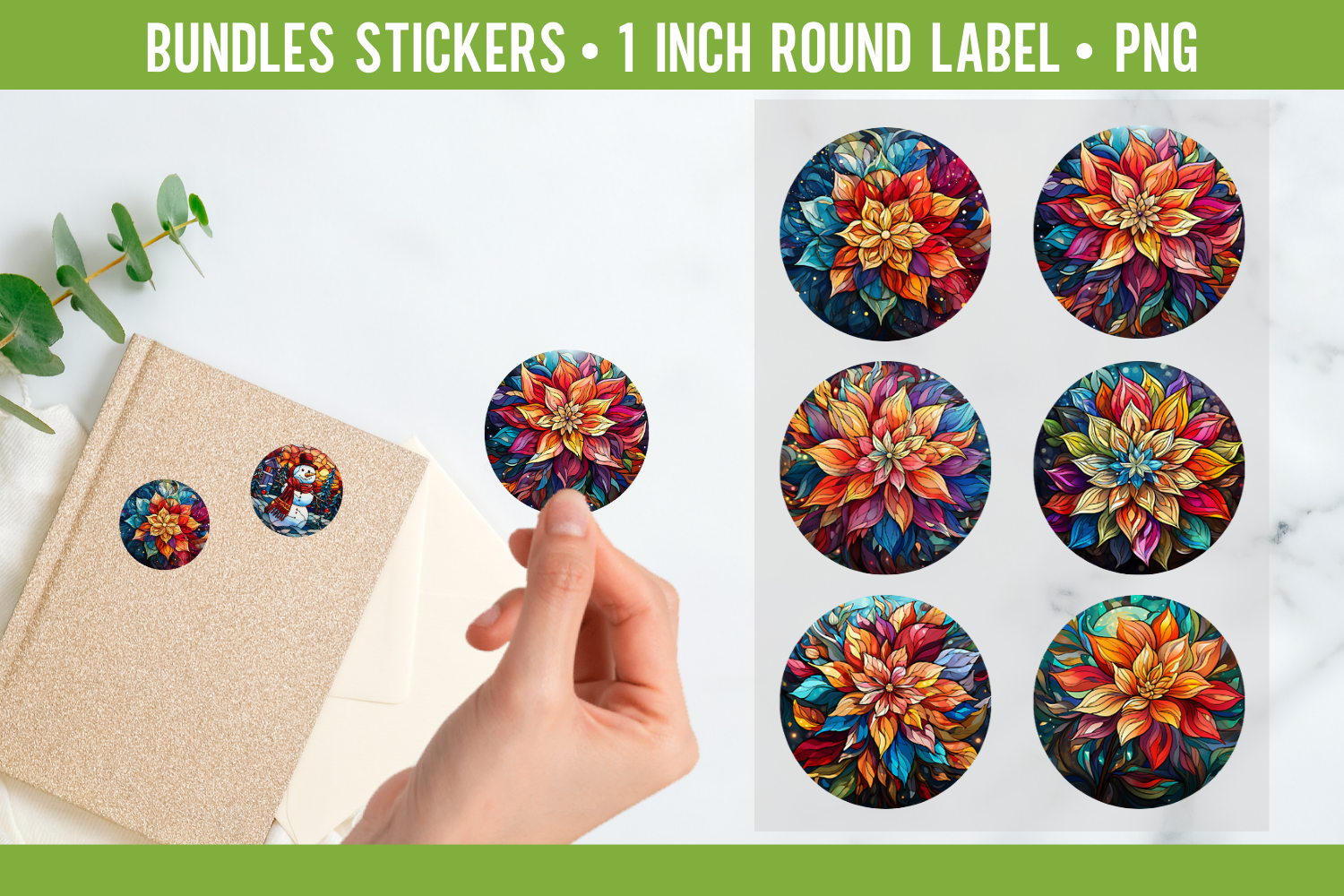
Babydell Art supplies six transparent PNG round-label designs at 1 × 1 inch and 300 DPI. The preview uses decorative botanical patterns within circular shapes rather than a set of isolated realistic flower cutouts.
Choose these for small repeated accents or handmade labels when the round format is useful. Individual PNG designs do not establish a ready-spaced sheet for a particular label brand. Check the detail at actual size and arrange them yourself if your project needs a specific page layout.
2. Poinsettia Printable Sticker Sheets
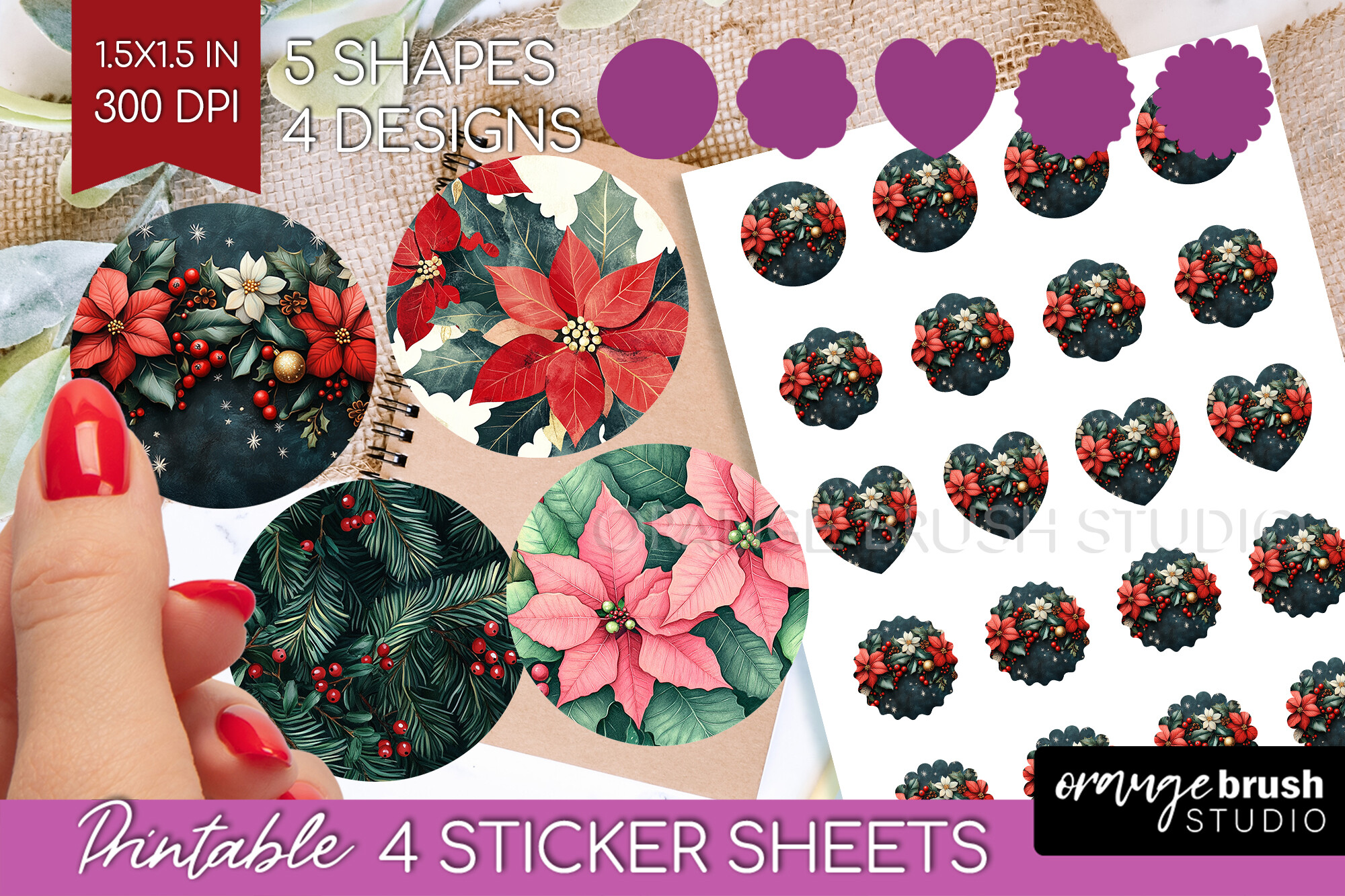
Orange Brush Studio lists four US Letter PNG sticker sheets at 300 DPI, with a stated sticker size of 1.5 × 1.5 inches. The description also mentions four round designs and five shapes, so the preview is the clearest guide to the layout.
This is a convenient starting point when you prefer a supplied sheet to arranging every flower. Inspect the shape variations before assuming a larger count of unique illustrations. A page image is different from a cutting-machine project with its own cut paths or registration setup.
3. Large Poinsettia Illustration Collection
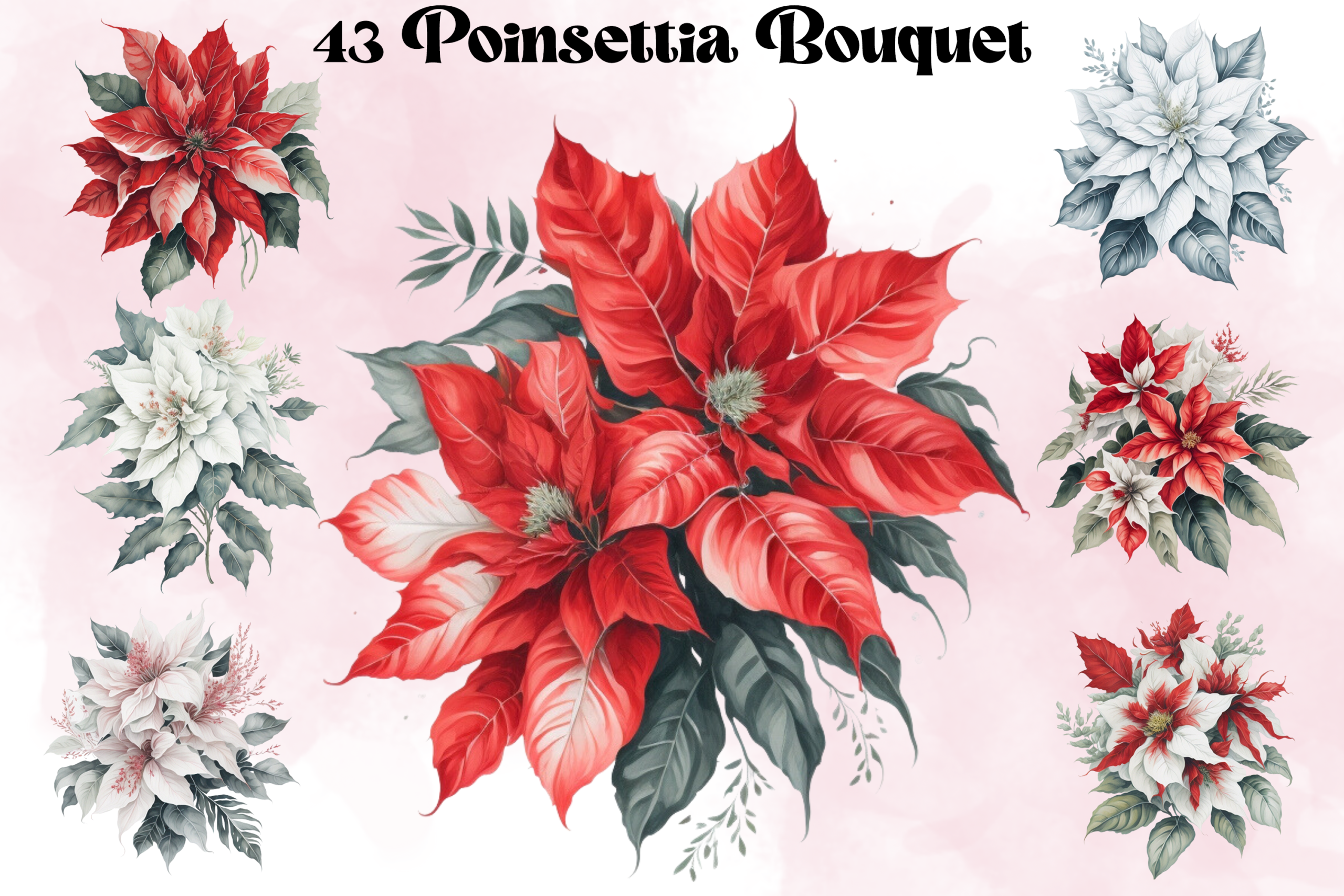
Andreea Eremia Design supplies 43 transparent PNG illustrations at 5,000 × 5,000 pixels and 300 DPI. The preview centers on poinsettia flower arrangements rather than a finished planner sticker sheet.
Choose this when you want several floral compositions for dividers, corners and page accents. Large source images can be reduced for stickers, but a detailed bouquet may need more space than a tiny checklist icon. You will need to add your own spacing or white border where desired.
4. Two Holiday Poinsettia PNGs
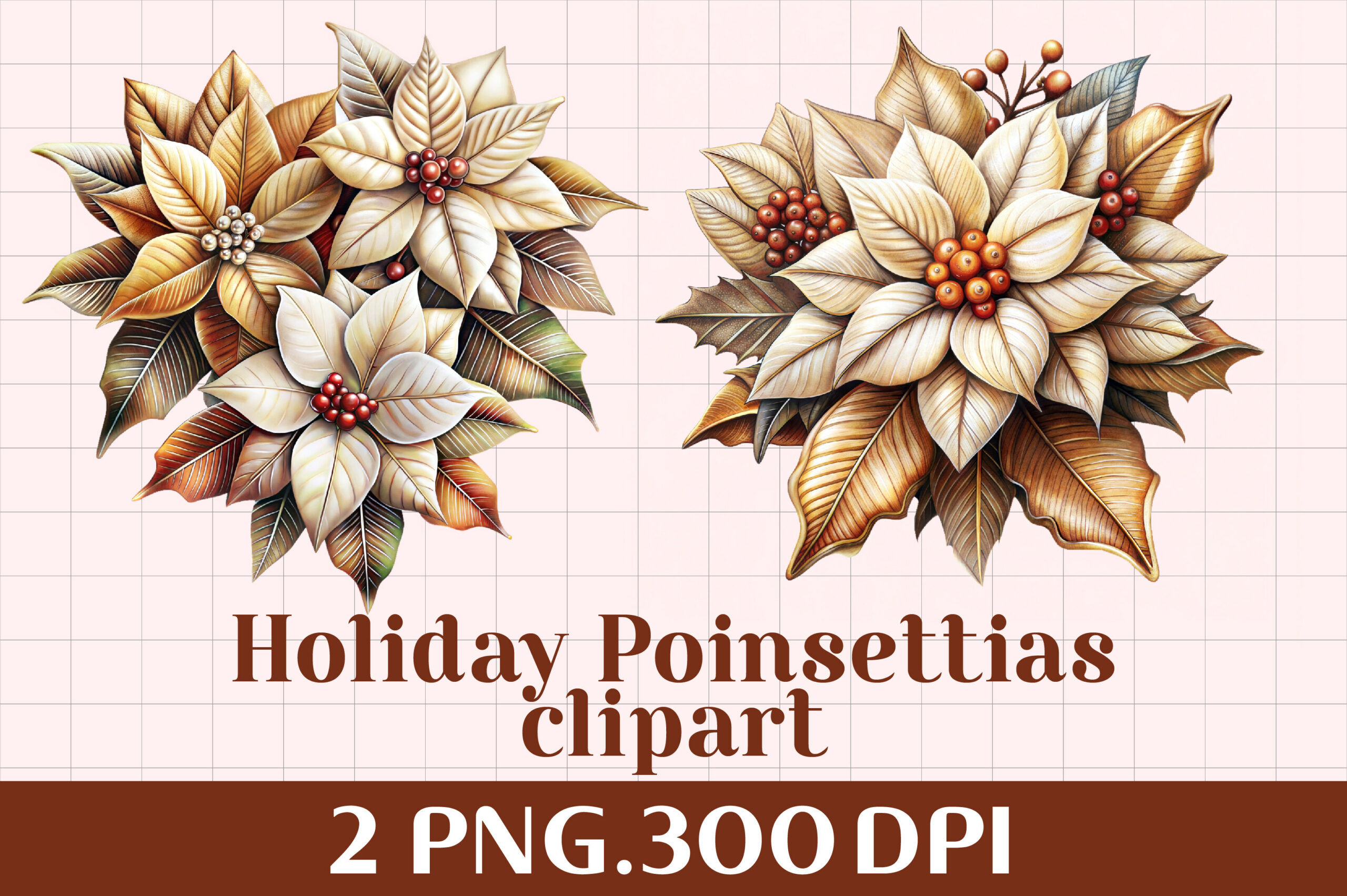
RakibS provides two transparent PNG designs at a stated 300 DPI. The preview uses pale poinsettia blooms, while the main file description does not specify pixel dimensions or a physical print size.
This compact set is worth comparing when a few matching floral accents are enough. Check the actual image properties before choosing a large print. The artwork can be arranged as a decoration, but the listing does not include a sticker sheet or separate vector cut file.
5. Transparent Poinsettia Flower Clipart
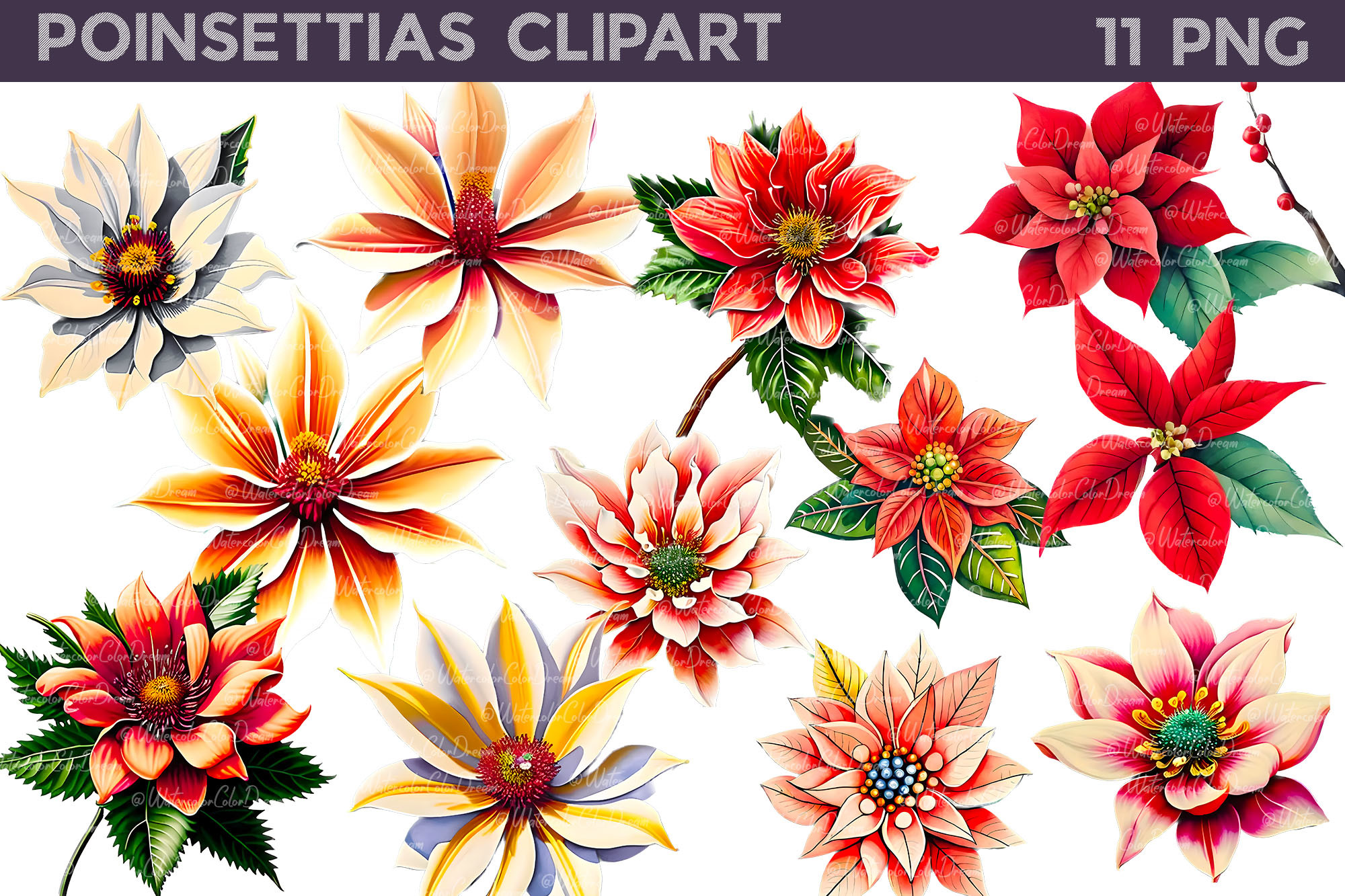
WatercolorColorDream lists 11 transparent PNG illustrations at 300 DPI, with approximate sizes of 3,000 × 3,300 and 3,500 × 3,300 pixels. The creator explicitly identifies these as raster print or sublimation artwork rather than SVG files.
Choose this for colorful flower motifs that you can position in your own journal layout. There is no included vector source for changing individual paths. Inspect the preview’s styles and colors, then test the floral detail at the smaller size you intend to use.
6. Poinsettia Vector and PNG Design Bundle
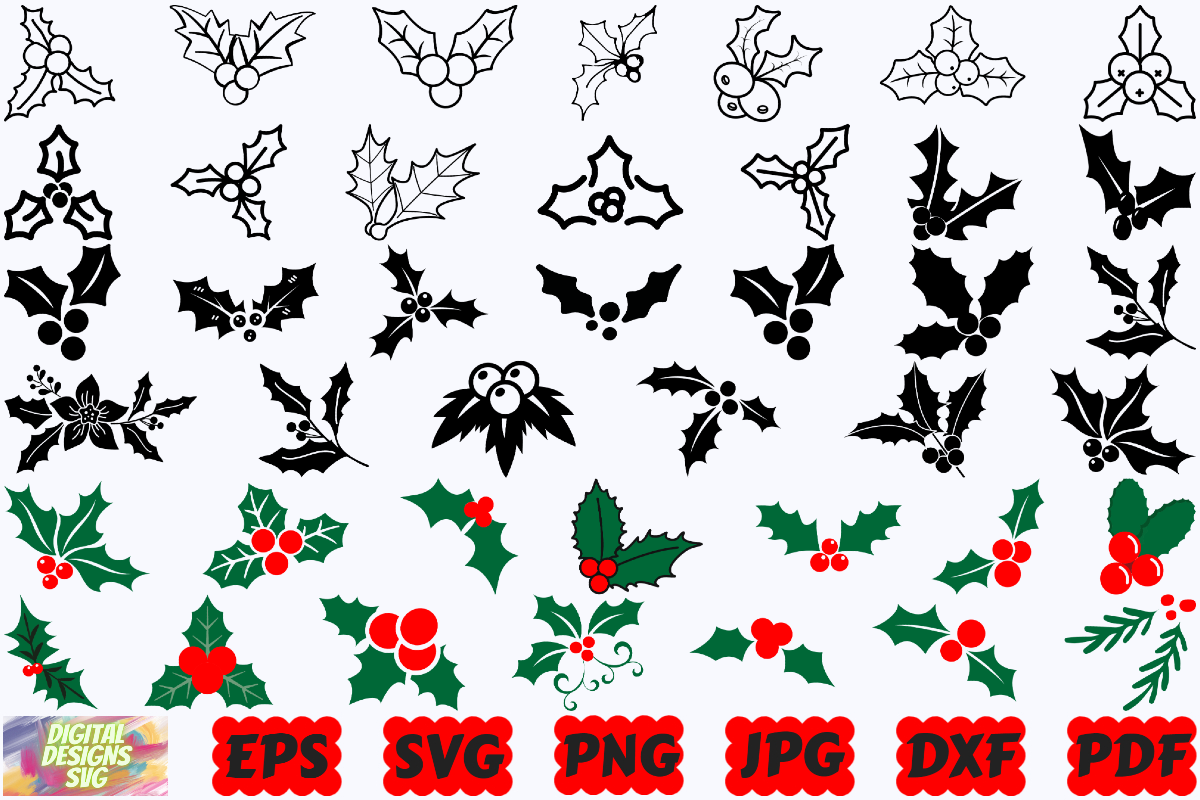
DigitalDesignsSVGBundle lists 45 files in each of SVG, PNG, JPG and EPS formats, plus a PDF and a DXF. The description identifies the PNG files as having transparent backgrounds.
This offers both raster artwork and vector editing routes, which is useful if recoloring or cutting matters to your project. It is not evidence that every design has been tested on your machine. Check the supplied folders and choose the format your software actually supports before arranging a sheet.
7. Poinsettia Bunches Builder
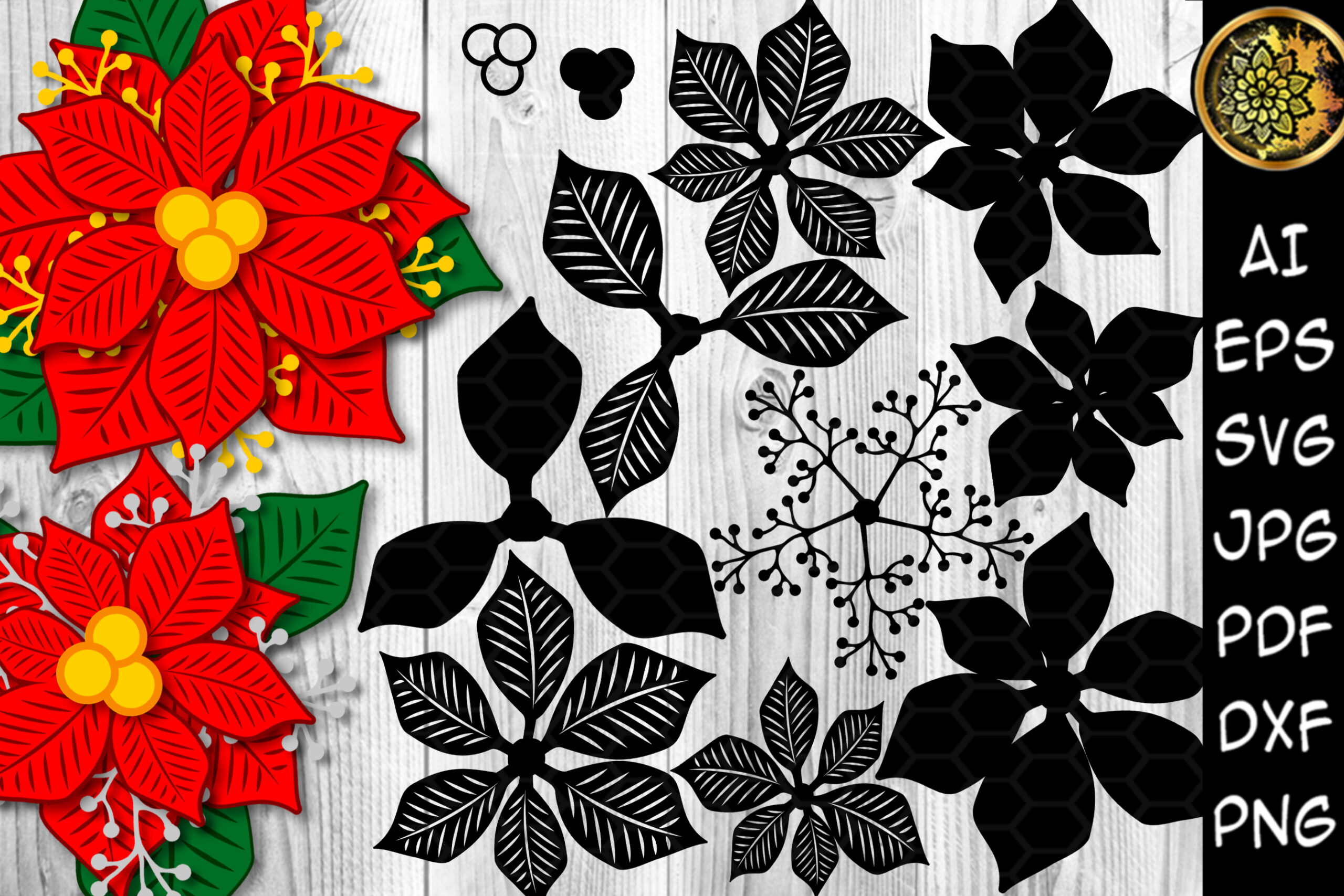
V-Design Creator supplies black vector versions in AI, EPS and SVG alongside colored JPG, PDF and transparent PNG resources. The archive includes prepared bunches as well as builder elements, with listed design sizes ranging from 8 × 8 to 14 × 14 inches.
Choose this when arranging or recoloring a floral composition is part of the project. The 13 PNG resources are not necessarily 13 entirely separate flower species or unique planner sheets. Compare the prepared bunches with the component elements, and use an appropriate editor for the vector workflow.
8. Round Poinsettia Composition PNGs
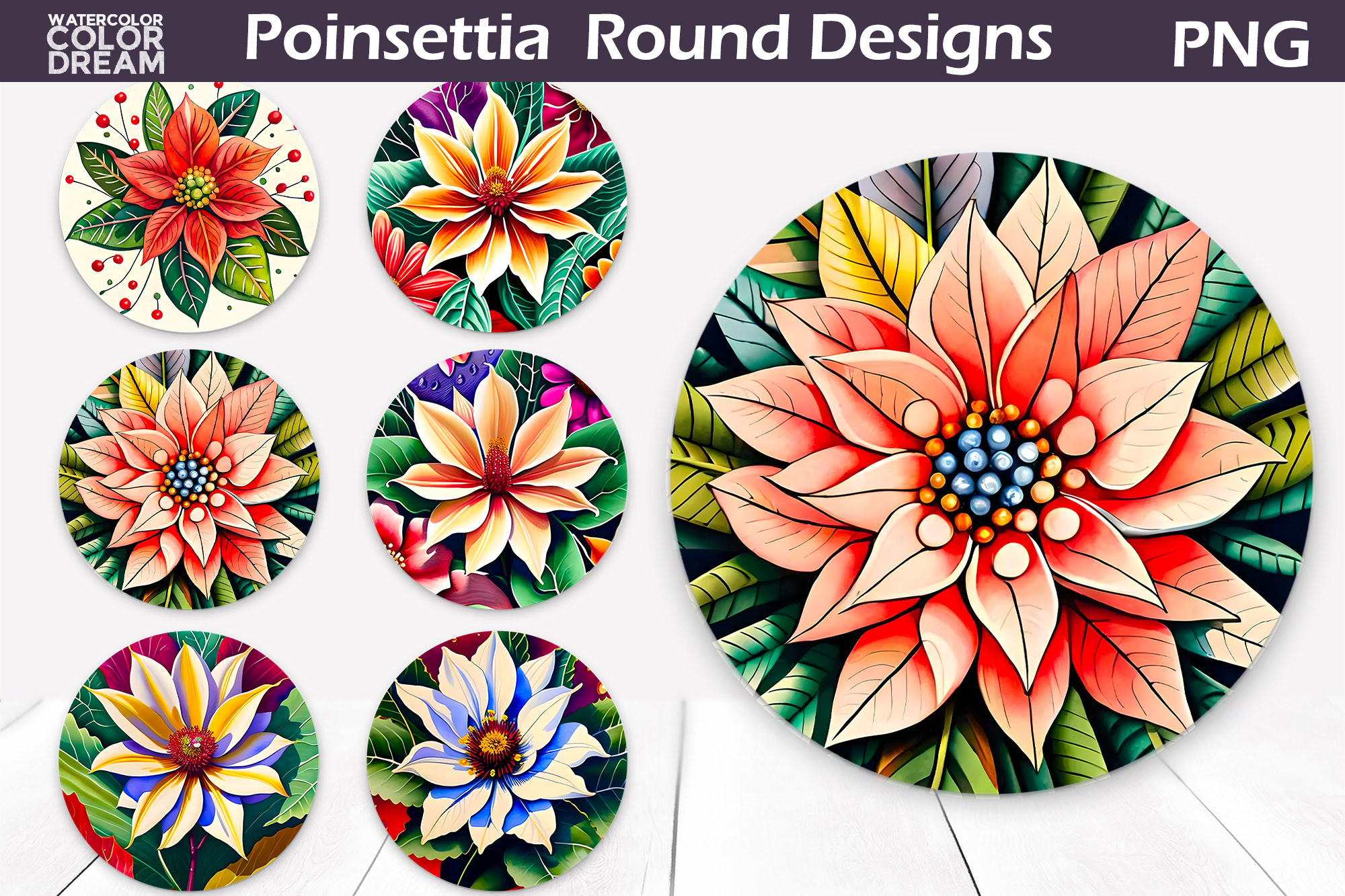
WatercolorColorDream supplies six transparent PNG round designs at approximately 3,600 × 3,000 pixels and 300 DPI. These are decorative print compositions, explicitly presented as a raster resource rather than an SVG file.
Choose them for a circular journal accent or a larger label-style decoration. Their round visual arrangement is different from a sheet of one-inch labels. Reduce a sample first and check whether fine petals and color transitions stay clear on your paper and printer.
9. Watercolor Poinsettia PNG Set
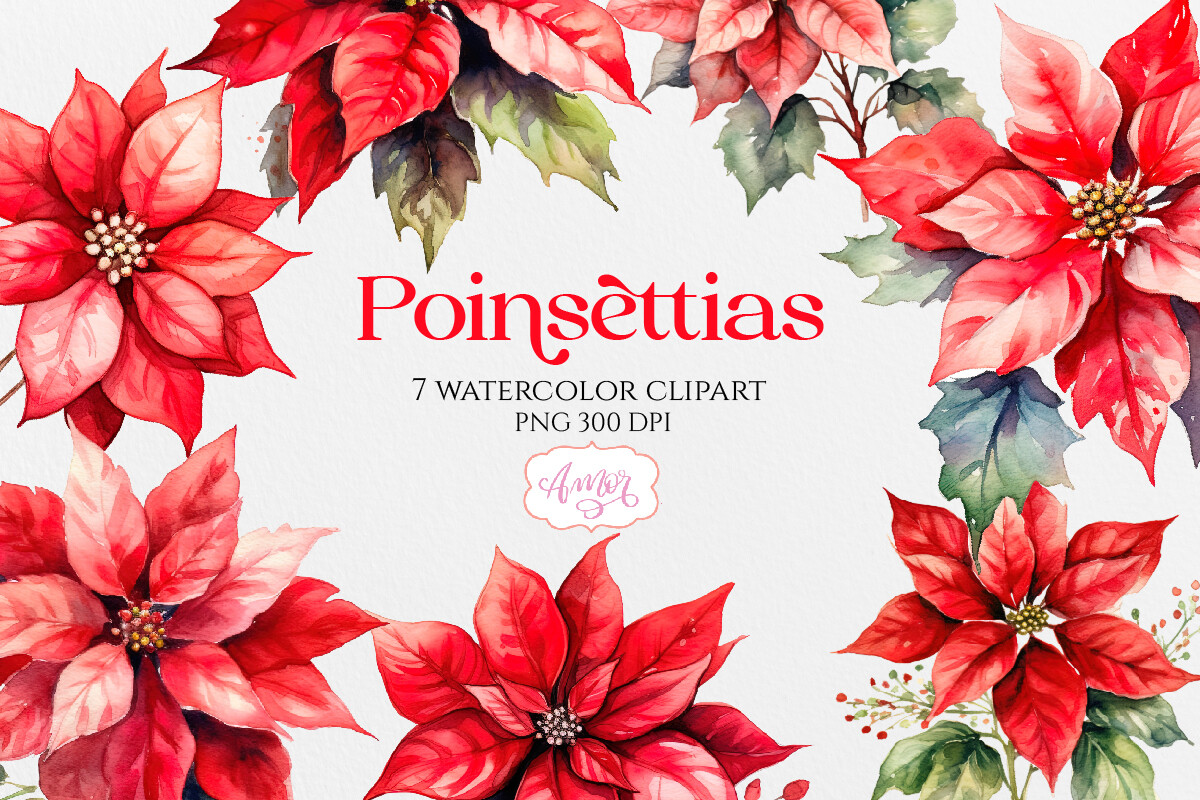
Amorclipart includes seven poinsettia graphics as transparent PNGs at a stated 300 DPI. The description does not establish exact pixel dimensions or a finished sheet size.
This is a smaller watercolor option when you want a consistent flower theme without a very large archive. Confirm the image dimensions if you plan to enlarge the artwork, and arrange your own page for sticker printing. A DPI statement alone does not establish how large a file can print sharply.
10. Poinsettia, Woodland Animals and Winter Branches
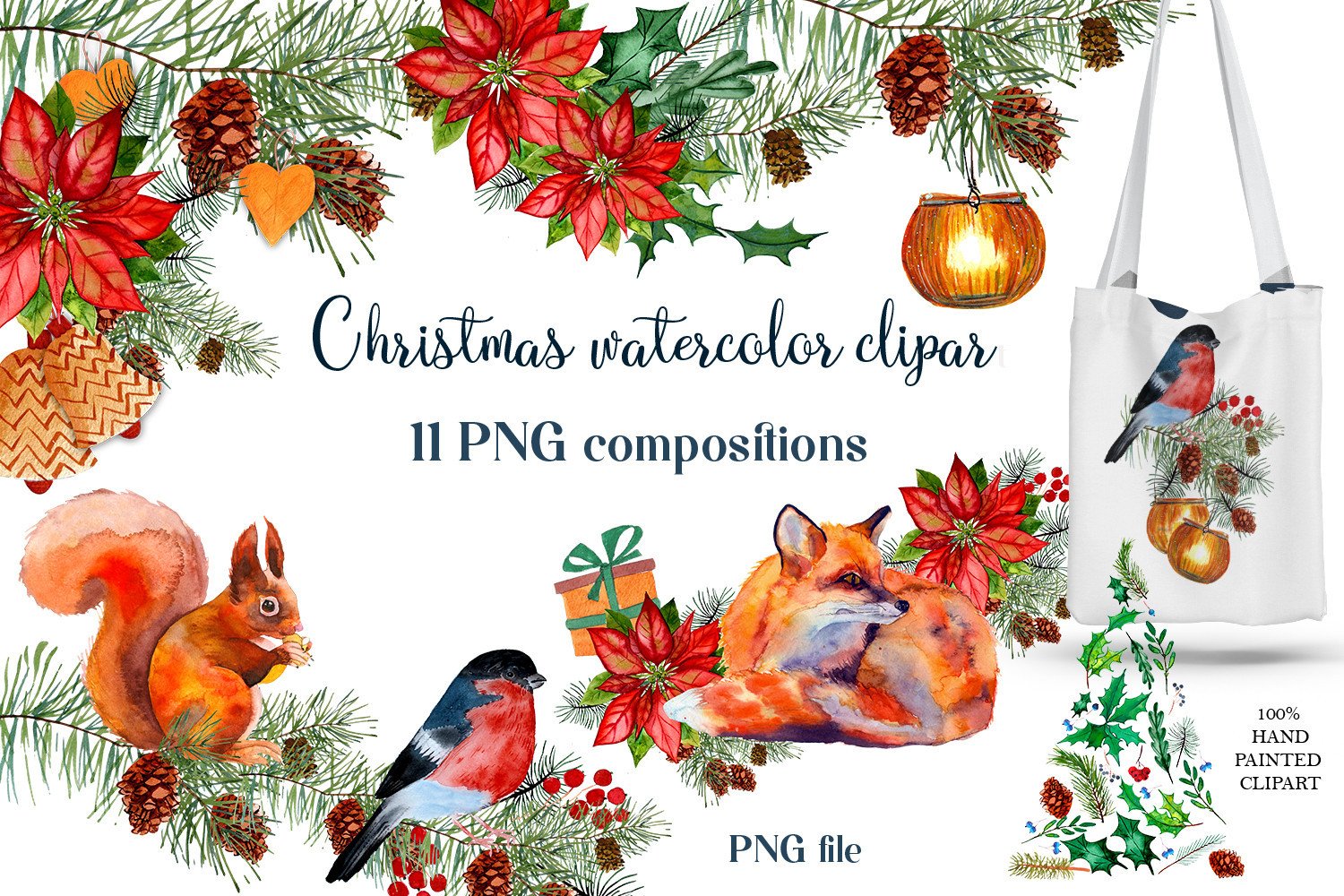
ElenaZlataArt provides 11 separate transparent PNG compositions at 300 DPI. The watercolor arrangements combine poinsettias and winter branches with animals or birds, including fox, squirrel and bullfinch imagery.
Choose this when a flower-only spread feels too restrained and you want a small seasonal story. Not every file is an isolated poinsettia, and preview layouts, fonts and text are excluded. The compositions suit larger accents where the animal and botanical details have room to read.
11. Watercolor Poinsettia Bouquet Accents
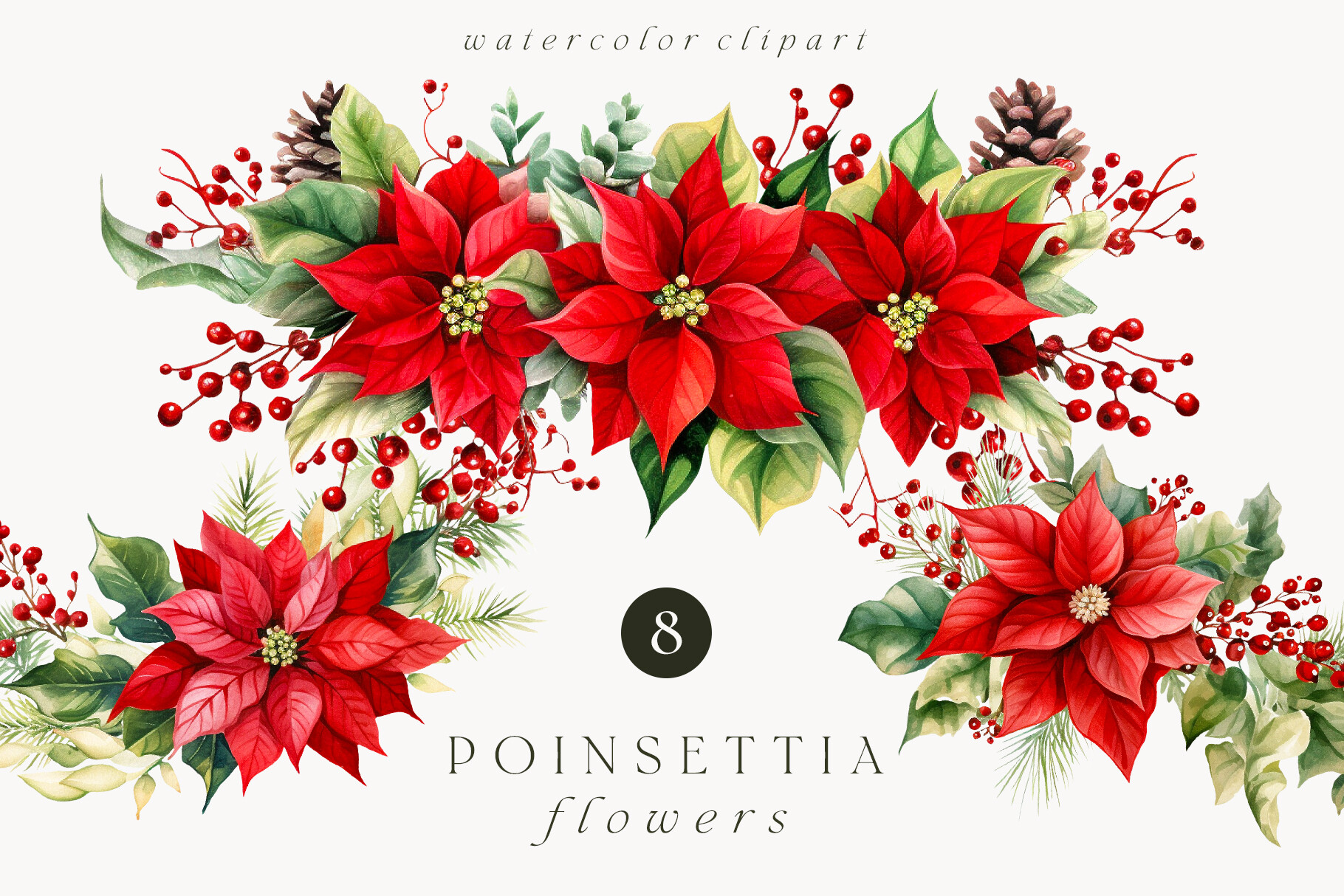
Madiwaso supplies eight transparent PNG floral bouquets, with an approximate size of 1,900 × 1,000 pixels. The broad arrangements are designed as decorative compositions rather than prepared sticker sheets.
These proportions can work well as a journal footer or corner decoration. At 300 pixels per inch, 1,900 pixels is about 6.3 inches wide; that is a sizing calculation, not a stated DPI from this listing. Test the bouquet at your chosen size before committing to a larger print.
12. Poinsettia Flower in PNG and SVG
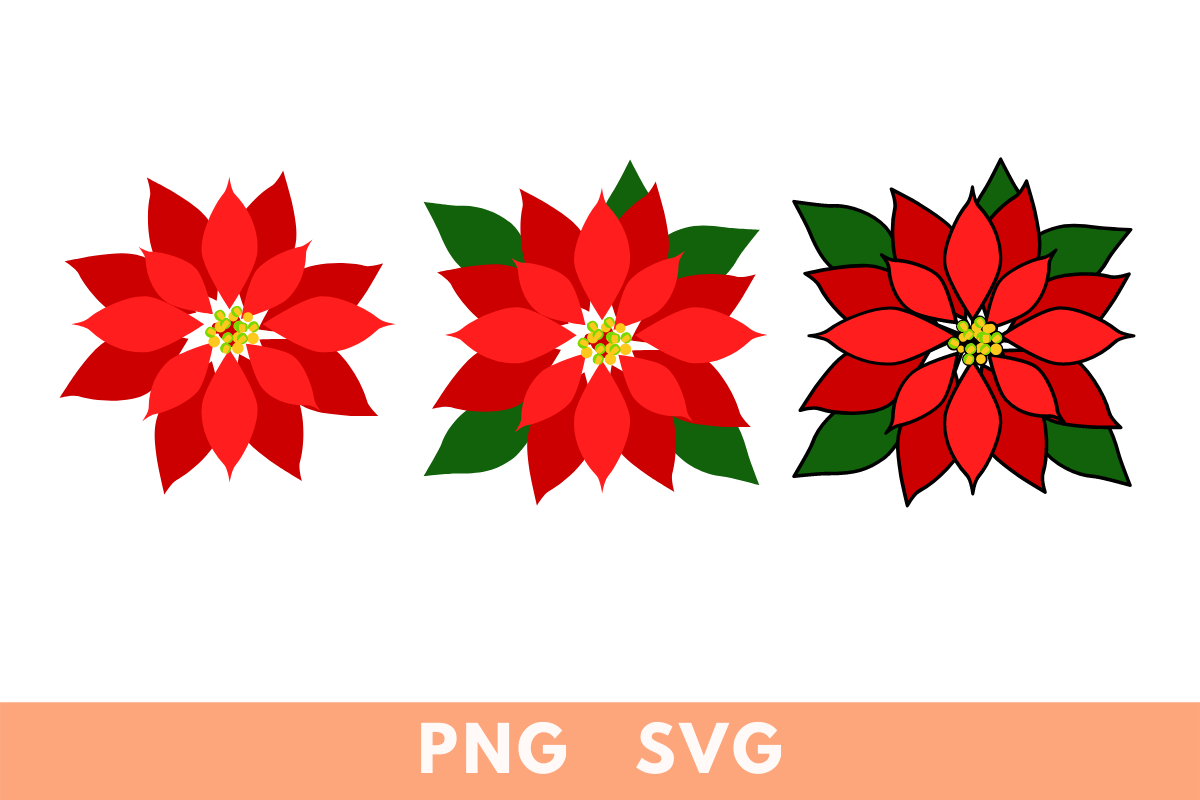
Tanya Mihe includes three variations of a poinsettia: the flower, flower with leaves and a black-outline version, each in transparent PNG and SVG formats. The listing specifically describes changing colors through the SVG in Canva.
Choose this for a simpler shape you can adapt to an existing journal palette. Confirm the import behavior in your own editor rather than assuming identical results across every application. It supplies design files, so a printable sheet and final cut settings remain your own preparation step.
Choose Poinsettia Stickers by Shape and Editing Needs
Round labels suit repeated small accents, isolated flowers are easier to tuck into corners and wider bouquets work as borders. Read the original file list to see whether the download contains complete arrangements or separate elements you can move individually.
Choose a supplied sheet when you want less layout work. For recoloring, look for an actual vector format supported by your editor rather than assuming a PNG has editable petals. Transparent PNGs can be placed over a background, but exact dimensions and edge quality still deserve a sample check before printing.
Keep Floral Decorations Clear at Planner Size
Reduce a bouquet to the size you intend to use and check whether individual petals remain readable. Small patterned labels may look different from realistic flower cutouts, so compare the actual preview with the style of your journal. Arrange a few accents first instead of covering the whole spread.
Pair the flowers with Christmas tree stickers or Christmas ornament stickers for a coordinated holiday palette. For a simpler border, compare Christmas washi tape. Start with the format you can use comfortably, print one small sample and let the flowers support the notes rather than crowd them out.