9 Practical Vehicle Maintenance Log Templates for Service Records
A vehicle maintenance log keeps completed service work, odometer readings and costs in one consistent record. That is a different job from a trip-mileage diary: the focus is what was done to the vehicle and when. These nine downloads range from a single printable form to larger logbook interiors, with different paper sizes and editing sources.
Use a separate mileage tracker for trips, an expense tracker for broader spending and an appointment planner for upcoming workshop visits. Keep the service log tied to one vehicle and retain the invoice or work order with the corresponding entry. The templates are manual records rather than apps that read vehicle data or automatically schedule servicing.
In this guide
Choose a vehicle maintenance log by size and editing format
A one-page form is easy to keep in a household binder and replace when it fills up. A longer book suits someone who wants a continuing service history in one place. Letter or A4 gives more room for handwriting; a 6 × 9-inch page is more compact but may require shorter notes.
Check the stated source files before planning changes. PDF and JPEG artwork do not automatically provide editable fields. Some options include Illustrator, PowerPoint or EPS sources, while others only confirm a print-ready interior. KDP-oriented descriptions establish the seller’s intended publishing format, not the way every home printer will handle margins or duplex pages.
1. A Single Service Form in A4, A5 and Letter
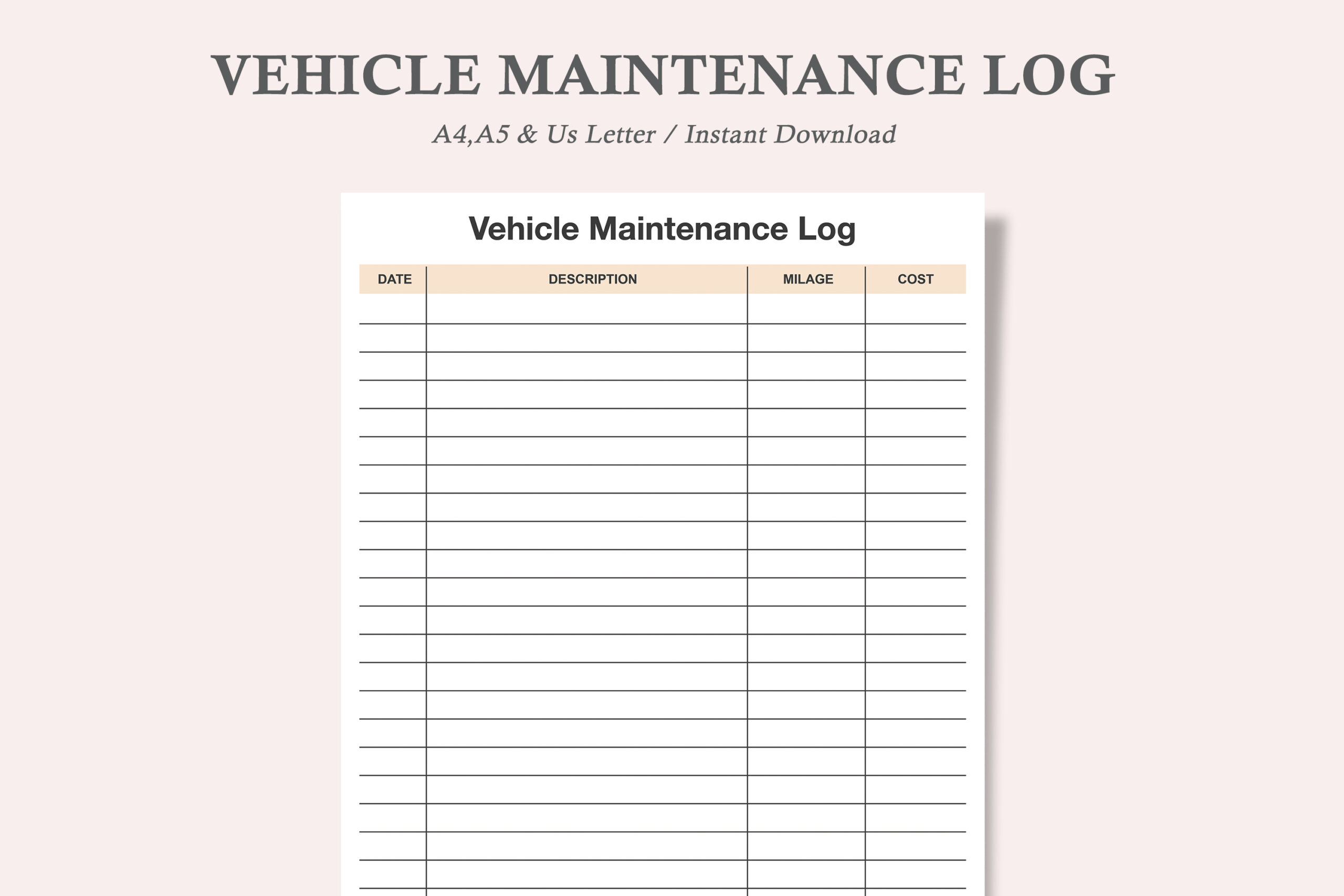
Watercolortheme’s simple form puts make, model and year above columns for date, description, mileage and cost. The download includes three PDFs and three JPEGs across A4, A5 and US Letter. The seller explicitly says the PDF cannot be edited and is intended for printing, so it is a straightforward handwriting sheet rather than a fillable record or design source.
This is a useful choice when you only need to capture the essentials from a service invoice. Print the size that fits your binder and use one vehicle per sheet. The smaller A5 option will have less room for a detailed work description, so try a realistic entry before printing many copies. You can print a fresh page when the existing rows are full without setting up an entire logbook.
2. Service Sheets Sized for Big, Classic and Mini Planners
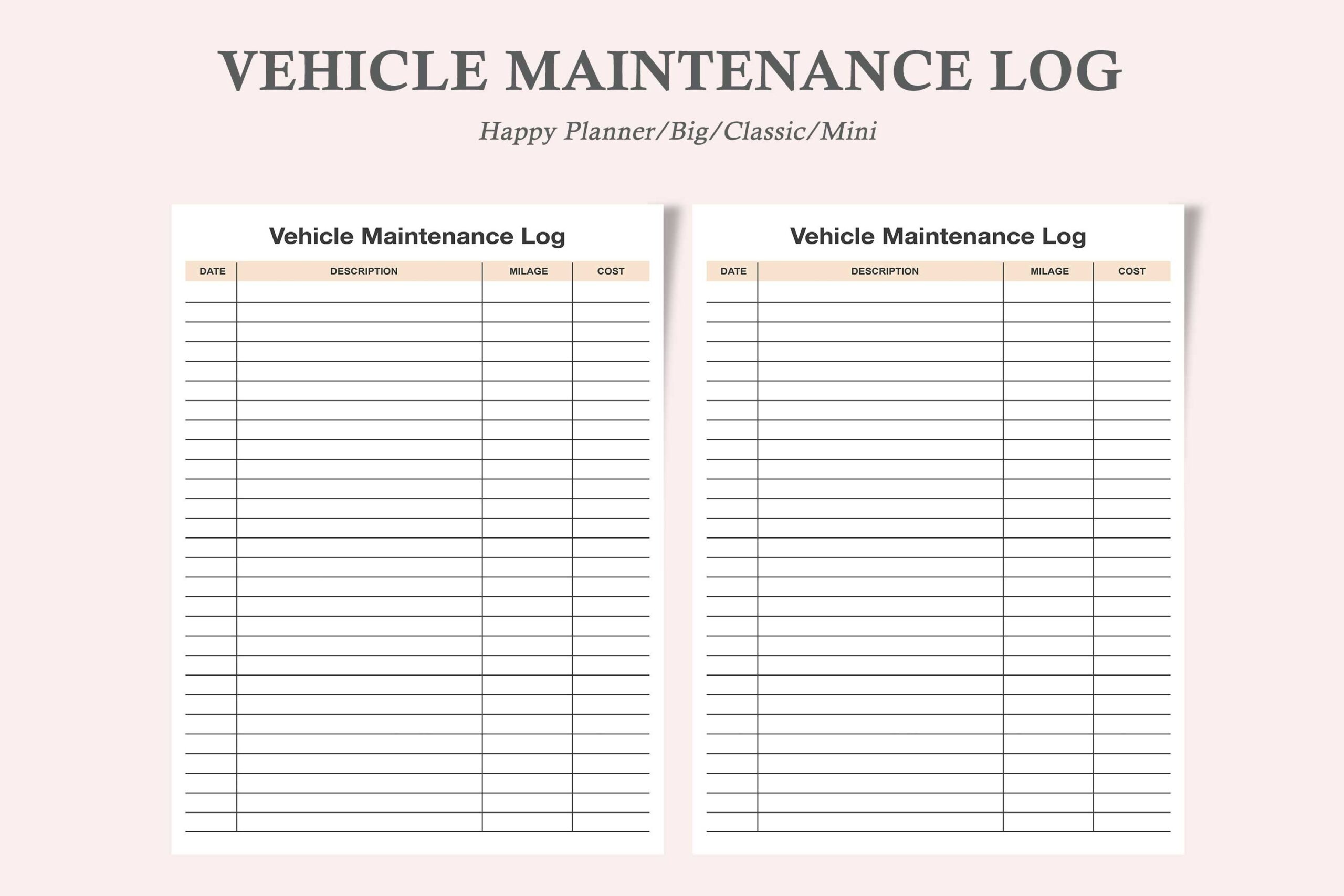
This separate watercolortheme listing adapts the form to Happy Planner sizes: Big at 8.5 × 11 inches, Classic at 7 × 9.25 inches and Mini at 4.5 × 7 inches. Three PDFs and three JPEGs are listed. The preview shows a service-record table with a clean layout that can sit alongside the other practical pages in a planner.
The description is inconsistent about editing: it first says the PDF cannot be edited, then calls the download editable in its feature list. Treat the confirmed PDF and JPEG files as printable until you inspect them, rather than expecting live fields. Check your punching margin and actual planner dimensions before printing; the size labels do not themselves describe punched paper or a physical insert shipment.
3. A 120-Page Logbook with Illustrator Source Files
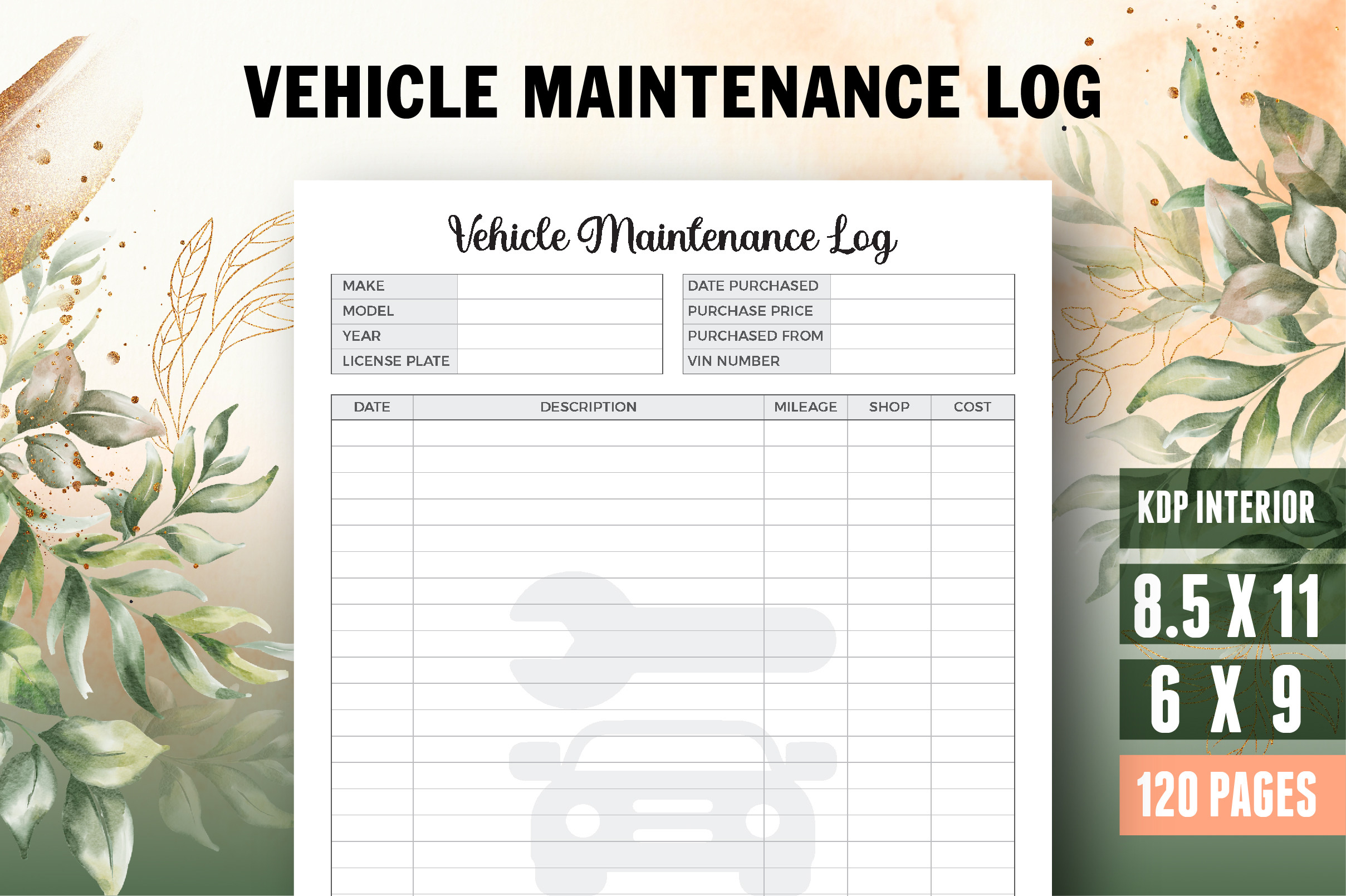
Vector Cafe lists 120 pages in both 8.5 × 11-inch and 6 × 9-inch formats, with bleed. The confirmed formats are PDF, AI and JPEG, and an editable source is described. The preview places vehicle details above a ruled table for service information, including date, description, mileage and cost. A title or belongs-to page is also listed.
Choose this if you want a continuing book and have compatible software for adapting the Illustrator source. The two sizes let you compare a larger writing page with a more compact record. The seller’s editable-source claim does not mean the PDF is a form that can be typed into directly. Check bleed and page margins before exporting a personal print version, and test the smallest record columns with your handwriting.
4. A 121-Page Interior with Vehicle and Owner Information
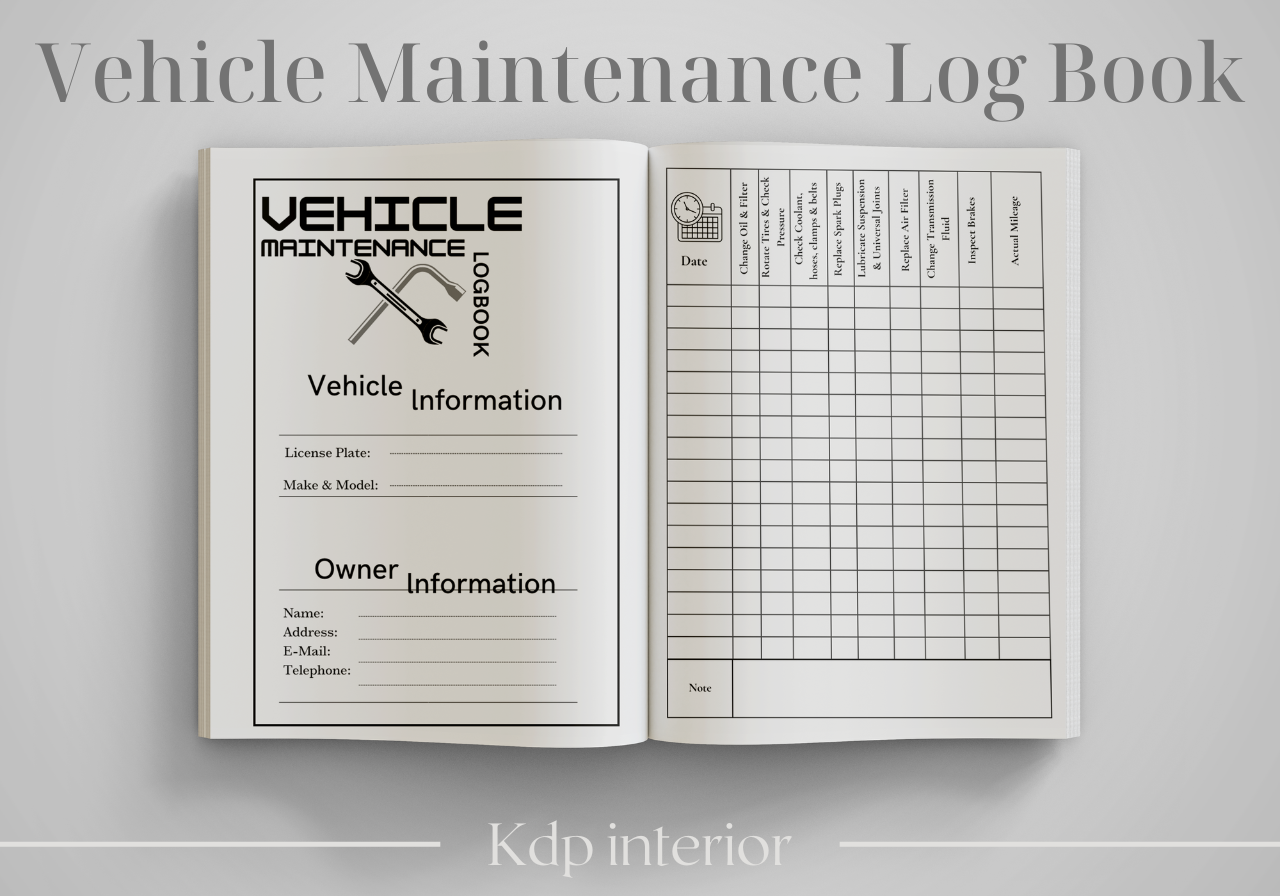
Jane Minner supplies a 121-page PDF interior at 8.5 × 11 inches with bleed. The preview shows separate vehicle and owner information areas followed by maintenance-record tables. The description explicitly says the cover design is not included, so the mockup should not be interpreted as a complete physical book or a supplied finished cover package.
This is useful when you want a substantial printed service history and do not need to redesign the page. The confirmed file is the print PDF; no presentation or Canva source is specified. Before printing the full interior, check which pages hold the recurring log and whether you need all the introductory information pages. Proof the page margins on your own printer, especially because the listed interior uses bleed.
5. A Compact 120-Page PDF with Detailed Service Categories
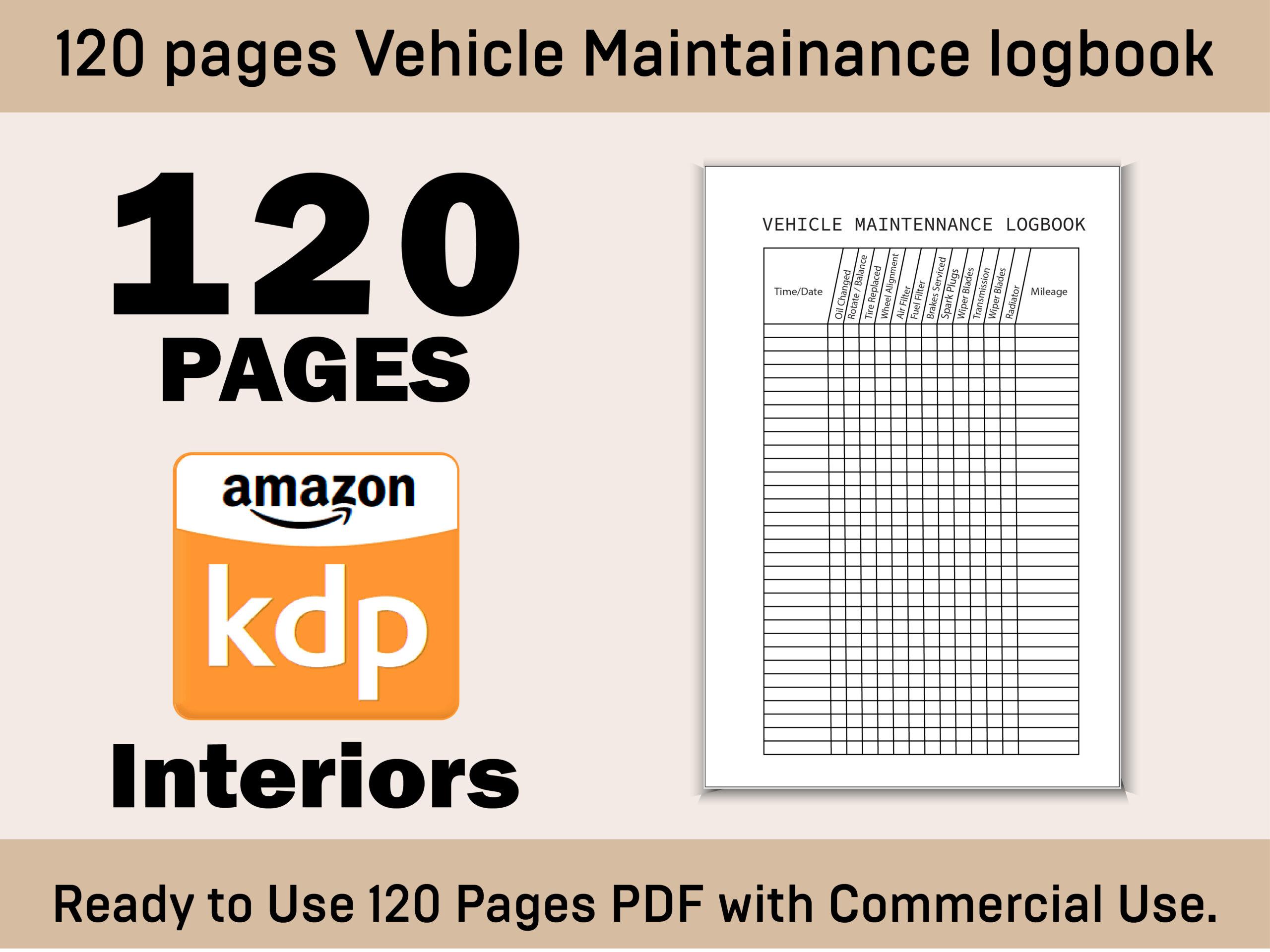
DesignConcept’s V-04 logbook lists 120 pages at 6 × 9 inches without bleed, supplied in one print-ready PDF. The description names detailed records for categories such as oil changes, tires, filters, brakes, batteries and wiper blades. The preview shows a compact maintenance table, giving the book a more structured record-keeping character than a blank notes journal.
Choose it if the listed category approach suits the way you summarize workshop paperwork. Those categories are places to record completed work, not instructions that every task should happen at a particular interval. The compact page size may favor ticks and short notes; keep an invoice reference for longer descriptions. No editable source is confirmed, so plan around the supplied PDF layout and print one sample before choosing the whole book.
6. A 6 × 9-Inch Logbook with PowerPoint Editing
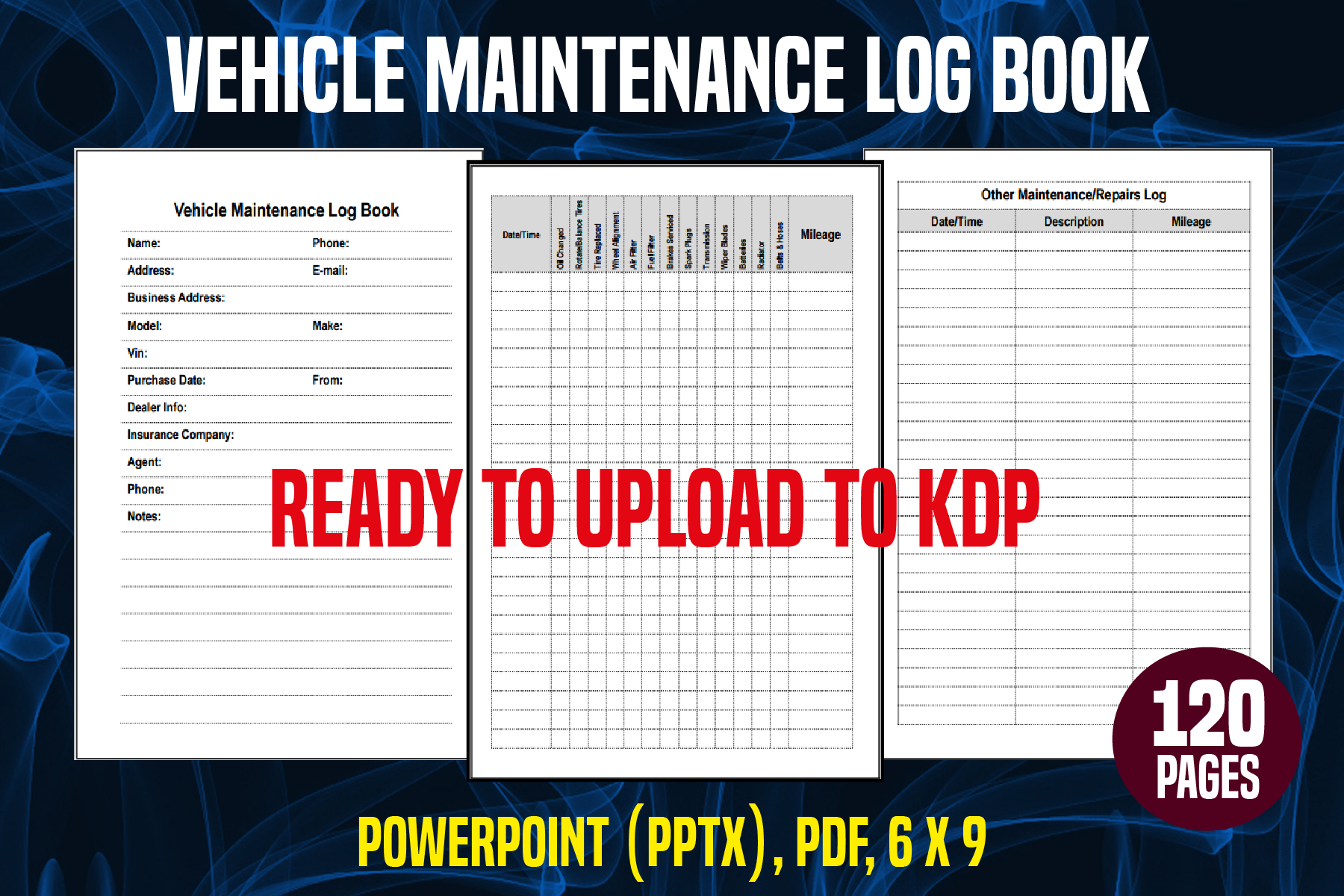
YuliDor provides a 120-page PDF interior and an editable PowerPoint source at 6 × 9 inches. The preview shows vehicle identification, a maintenance log and an additional expense-oriented record page. This makes it an accessible editing alternative for someone who works with presentation software rather than Illustrator and wants to adapt the page arrangement.
Use the source to adjust labels or page order only after checking the layout in compatible software. The listing does not clearly state bleed, and a presentation file does not automatically behave as a fillable PDF after export. Test your edited page at its final size so long column headings and record rows remain readable. Keep a copy of the original source before making changes for your own vehicle history.
7. A 110-Page Landscape-Style Record with PDF and JPEG
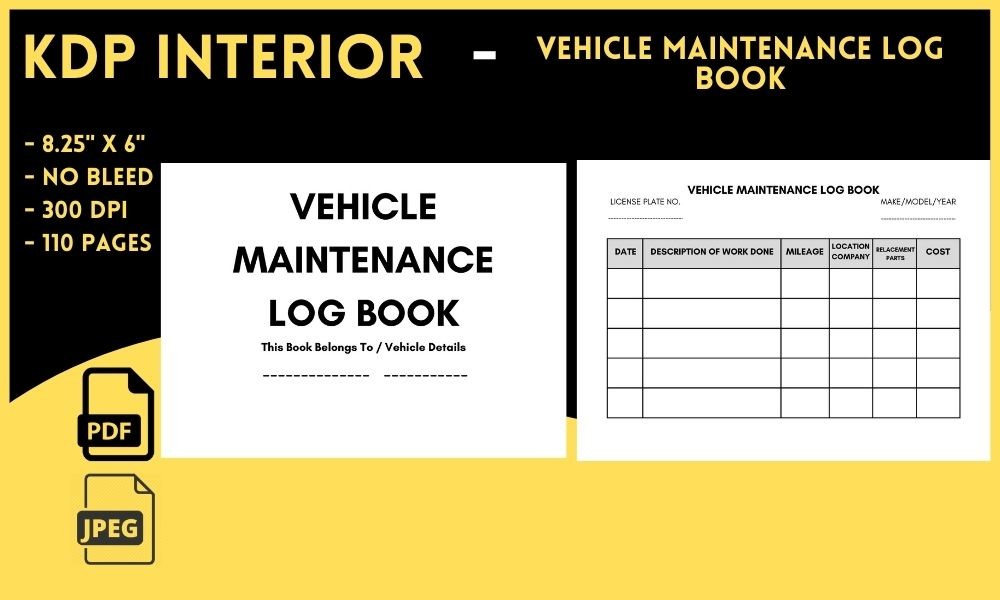
Salah Eddine lists 110 pages at 8.25 × 6 inches with no bleed, supplied as PDF and JPEG files. The preview presents a broad table for the work description alongside mileage and cost fields, plus an introductory vehicle-details page. Its stated proportions differ from the common 6 × 9-inch books in this collection and may suit wider handwritten descriptions.
Choose it when you prefer a wider record layout over a tall compact page. Confirm page orientation in the actual PDF before setting up duplex printing or a binder, since the description gives dimensions without a separate orientation instruction. The download is not described as a Canva or presentation template. Treat the PDF and JPEGs as the confirmed formats and proof the writing space with an example service entry.
8. Three Listed Page-Count Options with EPS Sources
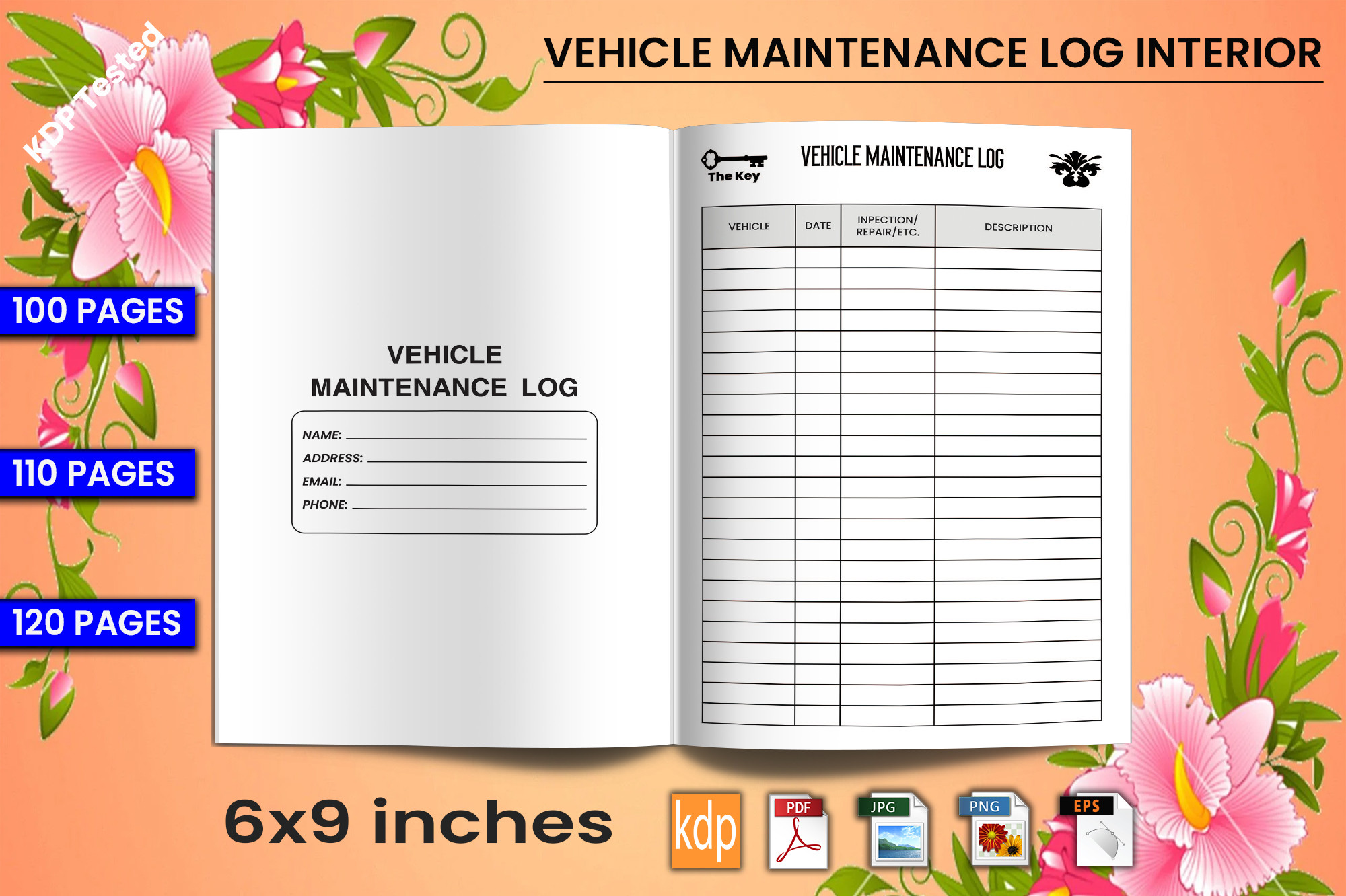
Trendy Laser Cut lists 100-, 110- and 120-page versions of a 6 × 9-inch, no-bleed vehicle log. PDF, editable EPS, transparent PNG and bonus JPG files are described. The preview repeats those three page counts and shows a vehicle information page with a recurring maintenance table, so the different counts should be treated as listed options rather than one verified final book length.
This can suit someone who wants to adjust the interior in compatible vector software and choose a shorter or longer record. Inspect the archive to see how the versions and image files are organized before adapting it. An EPS source offers a design-editing route; it does not establish live form fields in the PDF. Test any edited table at 6 × 9 inches so the description column does not become too narrow.
9. A 120-Page PDF-and-JPG Interior in Two Sizes
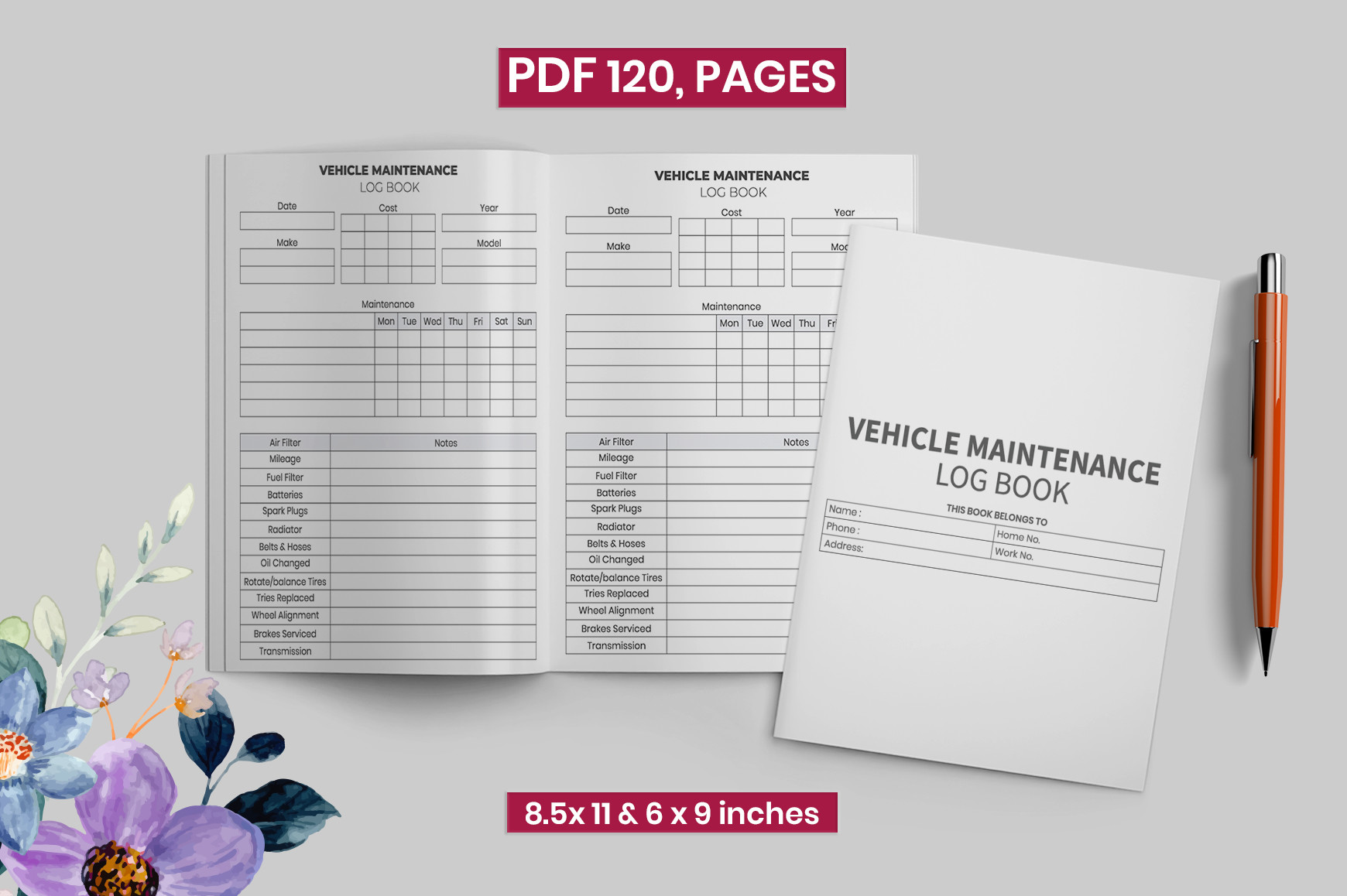
A.H POD Designer lists a 120-page maintenance interior in 8.5 × 11-inch and 6 × 9-inch sizes, with PDF and JPG files. The description specifies bleed, and the preview emphasizes recurring ruled service pages rather than a decorative journal. It gives you another option for choosing between a larger handwriting format and a more portable book size.
This suits a reader who wants a consistent printed log and does not need a separately confirmed editing source. Check the archive for the two stated sizes, then print one page from the format you intend to use. The preview’s book mockup is presentation imagery, not a promise of a physical cover or binding. Keep records in date order and retain the matching invoice when a short table entry cannot capture the full work description.
Make each service entry easy to trace
Start with the vehicle’s identifying details, then record the date, odometer reading, work completed and cost for each visit. Use the same units throughout the log and distinguish a quotation from an amount actually paid. A short reference to the invoice filename or receipt number can make a later lookup easier.
Keep completed work separate from planned appointments. Copy the service description from your own records accurately instead of relying on a vague tick alone. A dated note is especially useful when a visit includes several tasks or a later follow-up, because it preserves what happened without requiring you to remember the details months afterward.
Keep the record useful as it grows
Store the log with the matching invoices and name digital copies consistently. If you use several vehicles, give each one a separate section and put its identifier on continuation pages. When a page is full, continue with the next dated entry rather than compressing several visits into an unreadable row.
Use the record alongside the vehicle’s own service information when planning appointments. These templates do not establish the correct maintenance interval or repair procedure for a particular car. Choose the page that makes your history easiest to read, print a sample and keep the unedited source files so the format remains consistent when you need more sheets.