10 Useful Wine Tasting Journal Templates for Notes and Bottle Records
A wine tasting journal gives scattered bottle notes a place to live. The useful part is not how elaborate the page looks: it is whether you can find a bottle again, remember what stood out and leave enough room for your own words. A generous notes area may matter more than a long checklist of flavors.
These ten Creative Fabrica resources cover finished PDF interiors, editable layouts and a Canva option. Many are marketed as KDP interiors, so trim size, bleed and editing requirements deserve attention even if you only want to print a few pages at home. The descriptions below separate the supplied files from publishing or software claims; no template has been independently print-tested for this guide.
In this guide
1. Greyscale Wine Tasting Journal
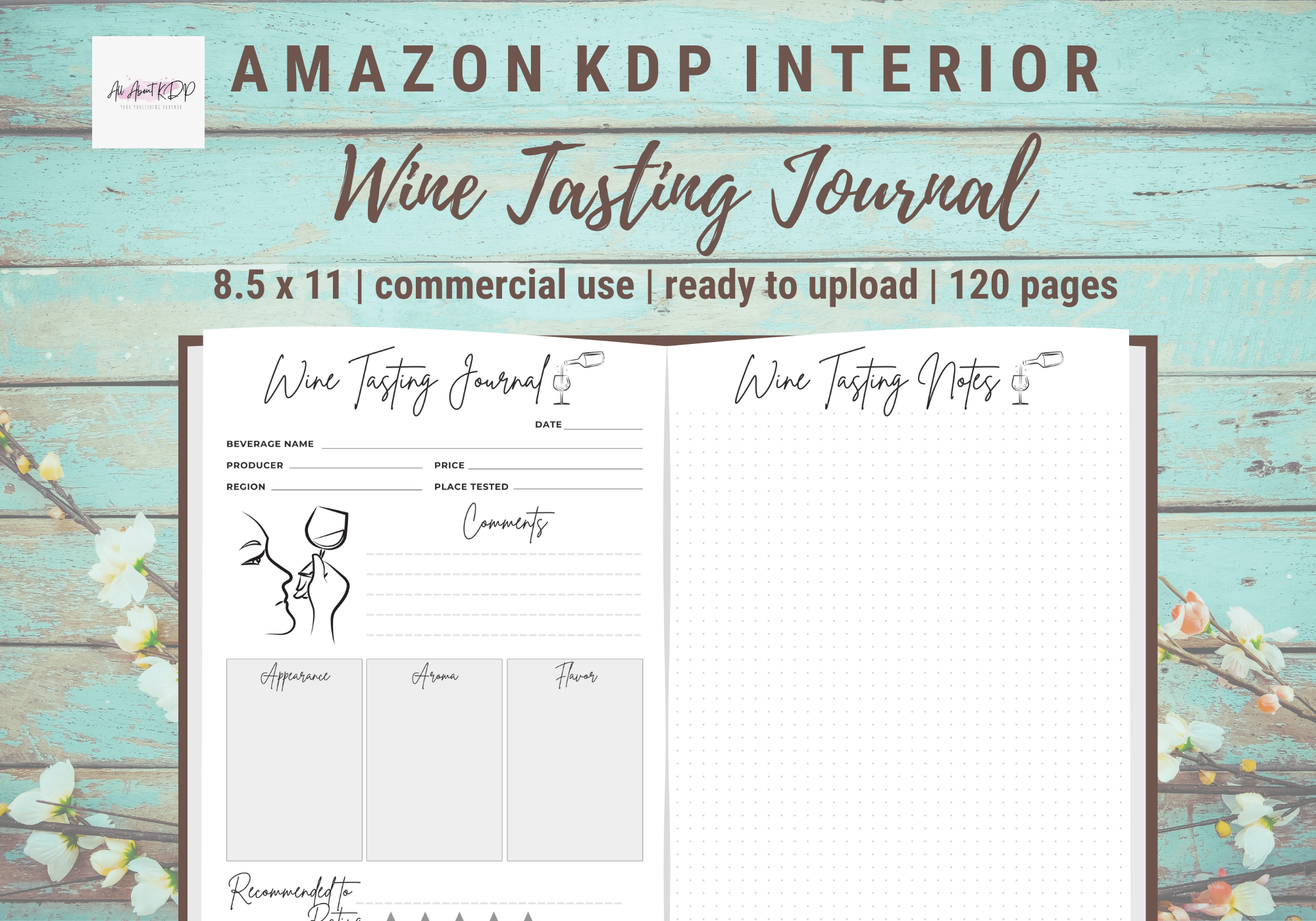
allaboutkdp supplies a non-editable PDF interior with 120 pages in 8.5 × 11-inch format. The listing specifies greyscale output and bleed, making it a full-size printable option rather than a browser-based template.
Choose this if you want finished pages and do not need to redesign them. Bleed is relevant to trimming and binding, so check the printer preview first. The creator’s KDP-tested claim is not an independent publishing test conducted for this guide.
2. Canva Wine Tasting Log
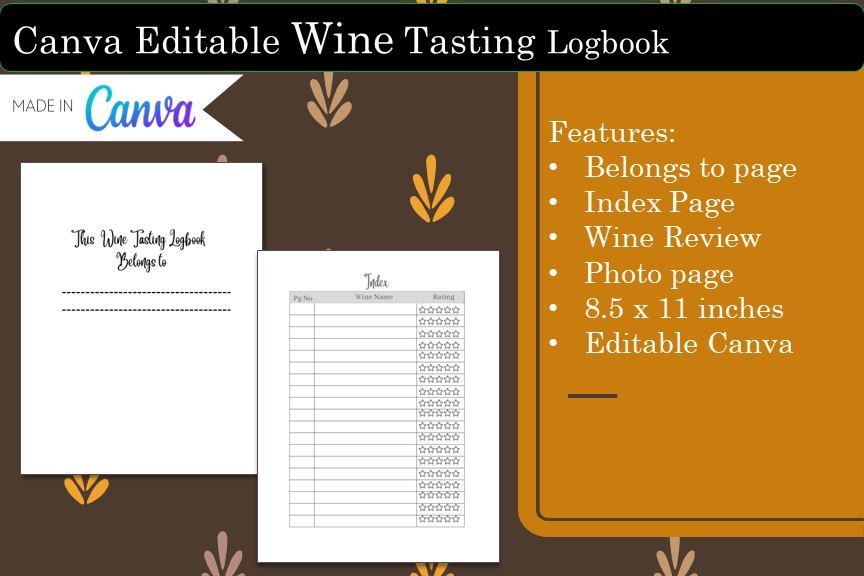
Jenny Anne Swan provides a document containing an editable Canva link. The described layouts include an ownership page, index, wine review and photo page, giving the log more structure than a blank notebook.
This suits someone who wants to adapt labels or appearance before exporting. The checked description does not specify a page count or trim size. Canva access is an editing workflow, not a promise of automatic calculations or a native tasting app.
3. Compact Editable Wine Journal
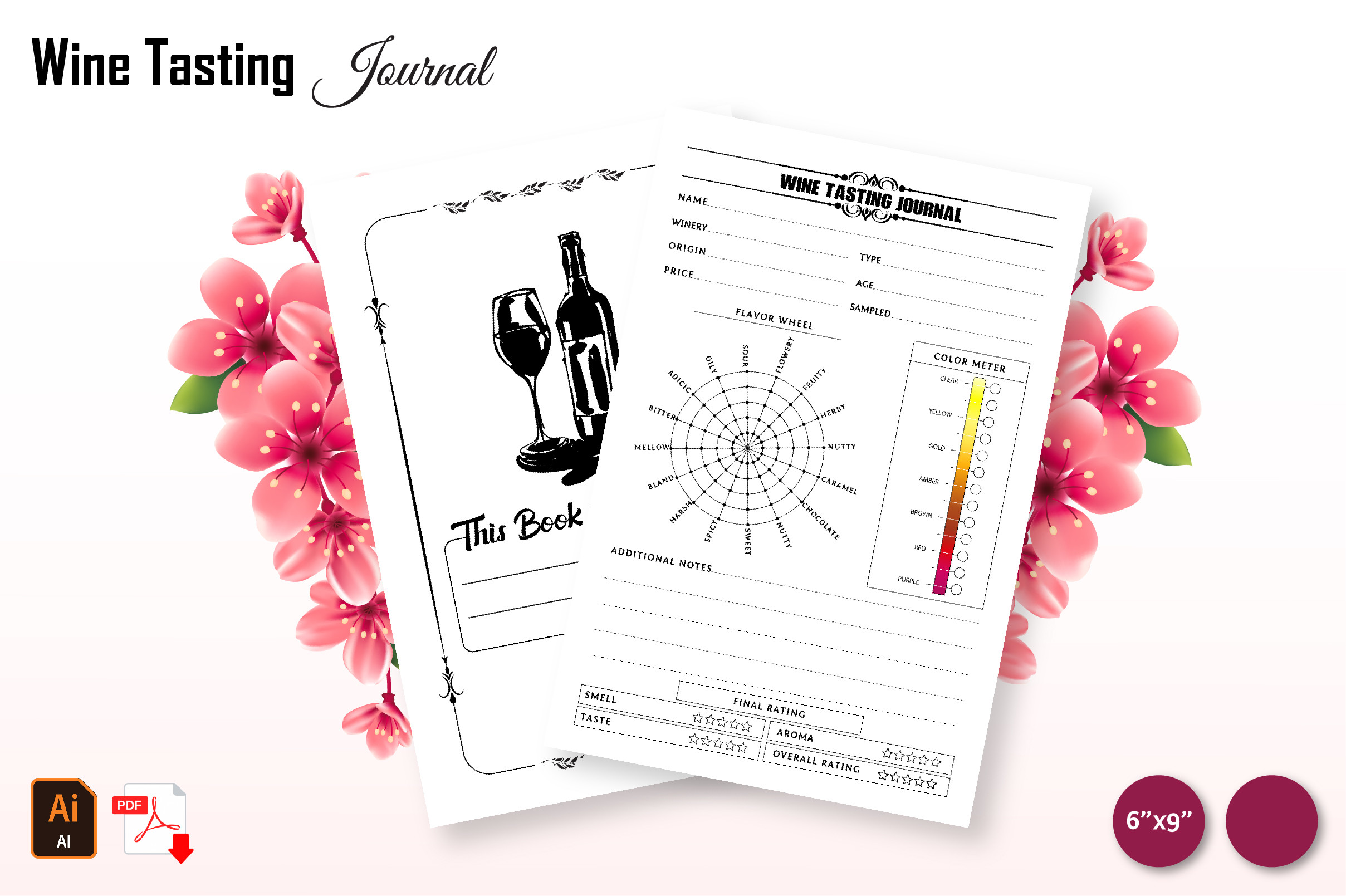
graphicsCave021 offers a 120-page, 6 × 9-inch interior in PDF, AI and JPEG formats. The files use bleed, with the Illustrator source providing an editing route beyond the finished PDF.
The smaller size is worth considering if you want a journal that takes less table space. Editing AI files requires suitable software; it is not the same as receiving a Canva link. Compare the visible writing areas before printing a long interior.
4. PowerPoint Wine Tasting Log
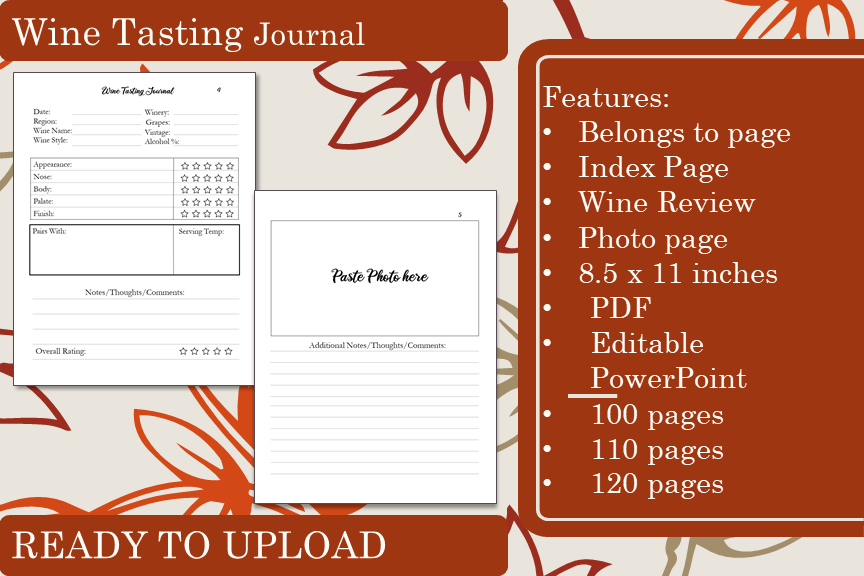
Jenny Anne Swan’s PowerPoint version includes an editable PPTX source and PDF variants with 100, 110 and 120 pages. It uses an 8.5 × 11-inch no-bleed layout with an index, ownership, wine-review and photo pages.
Choose it if PowerPoint is already part of your workflow. The longer PDF variants are page-count choices, not a claim that each contains that many unique designs. The separate Canva version above is an alternative editing format rather than a necessary extra purchase.
5. 118-Page Wine Notebook and Individual Sheets
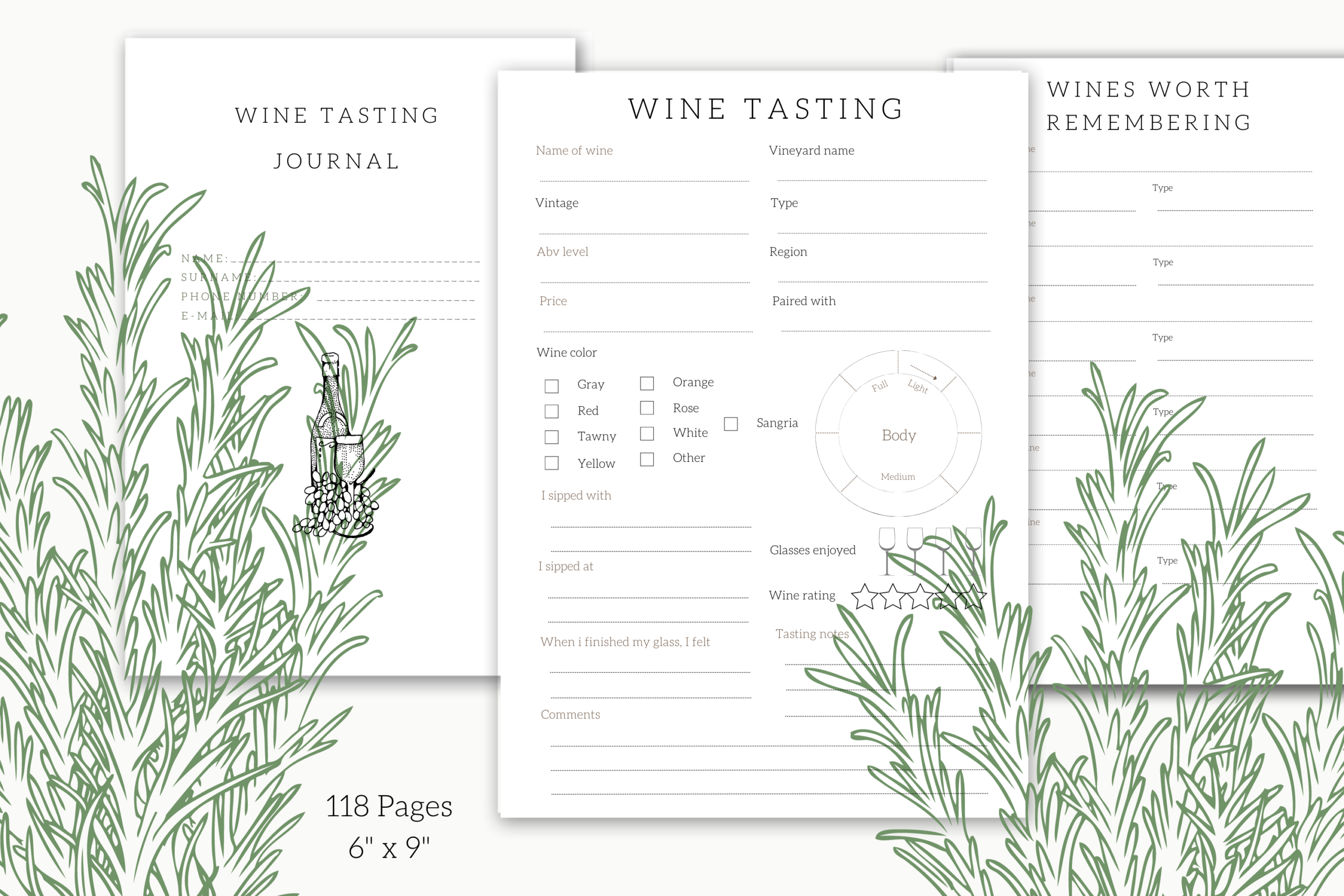
Xpression Design combines a 118-page, 6 × 9-inch notebook PDF with individual PDFs for a tasting page, wines worth remembering and owner information. Listed fields include wine name, vintage, vineyard, region, pairings, rating and personal comments.
This is useful when you want both a complete interior and a single repeatable page. You can keep a modest record of what you noticed without filling every field. The package is described as PDF; editable Canva or spreadsheet sources are not documented.
6. Two-Size Journal by H T-Hut
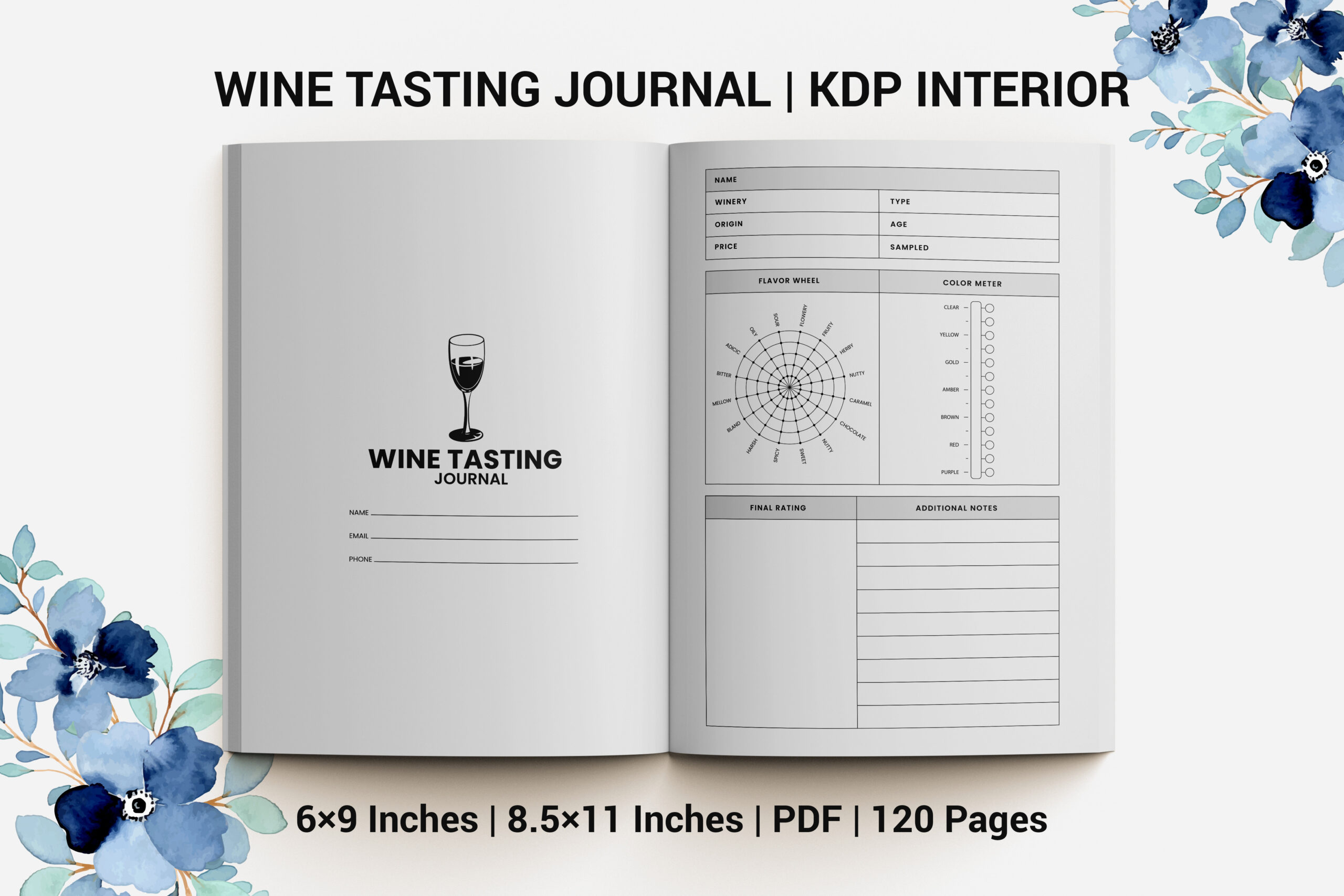
H T-Hut lists a 120-page PDF interior in 8.5 × 11 and 6 × 9-inch sizes, with bleed. The practical distinction is being able to choose between a larger writing surface and a more compact journal.
Use the size that fits the way you record notes, rather than treating the largest page as automatically better. The description does not list editable sources or a separate cover. Printing and trimming still need checking for your own setup.
7. 120-Page Interior by gradientvect
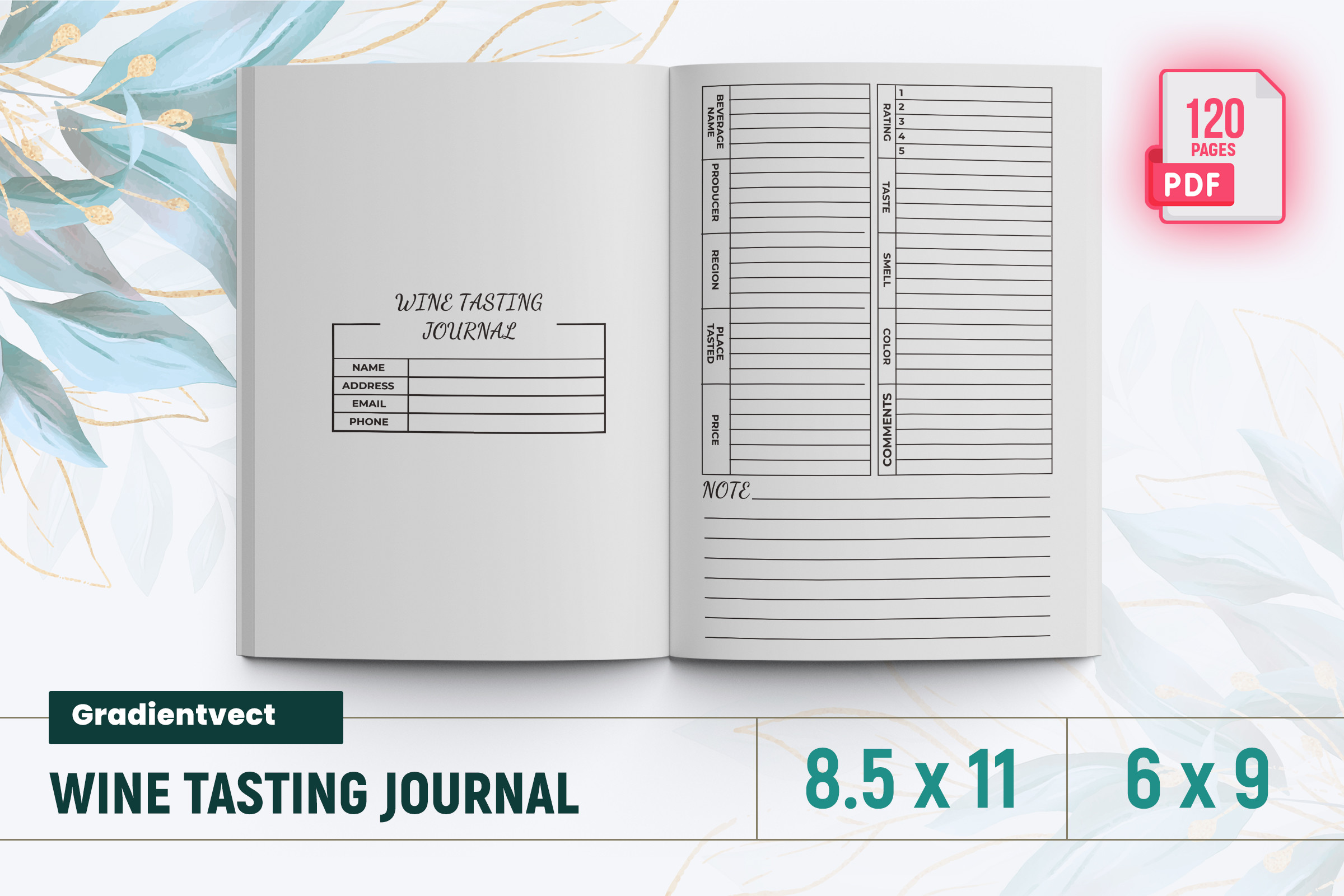
gradientvect describes a 120-page wine journal PDF in 6 × 9 and 8.5 × 11-inch formats. It includes an introductory page and uses bleed, with the seller positioning it as a publishing interior.
Consider it as another finished-PDF layout to compare by its preview. The format list does not establish Canva, PowerPoint or InDesign editing. Check which page arrangement you prefer before choosing between products with otherwise similar specifications.
8. Wine Tasting Interior by Boss Designer
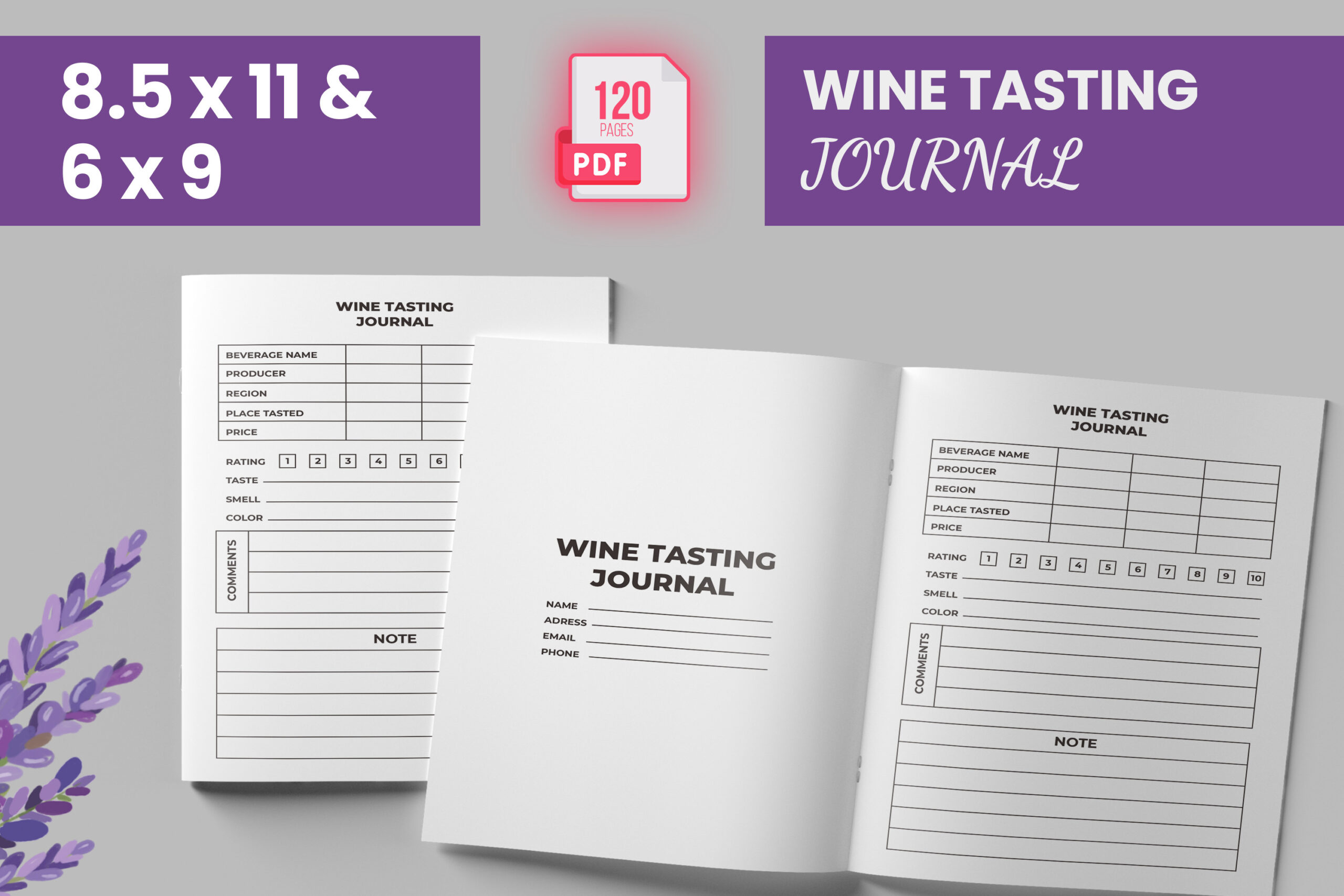
Boss Designer lists a 120-page PDF with an introductory page and bleed. Its dimension line reads “6*9 & 8.5 inches,” leaving the second size incompletely specified in the checked description.
The 6 × 9-inch option is documented; confirm the larger variant before planning a print run. This is a case where a precise file check matters more than an expansive feature claim. No editable source format is stated in the description.
9. No-Bleed Wine Review Journal
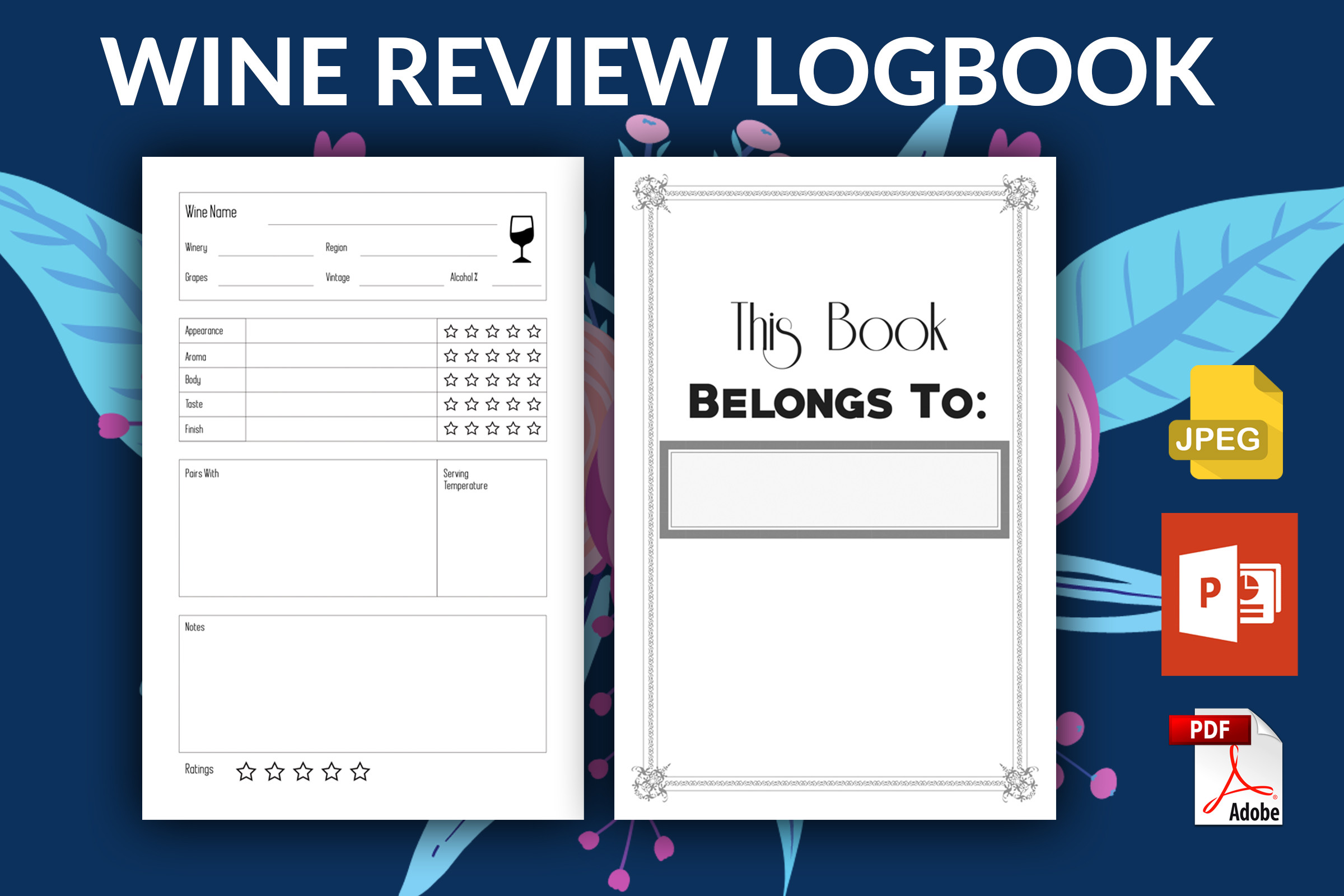
KDP Pond provides PDF, PPTX and JPEG files for a 6 × 9-inch wine-review journal. The listing gives 100-, 110- and 120-page variants, no bleed and a front page.
This is an alternative for users who prefer a smaller format and PowerPoint editing. No bleed changes the print setup compared with several other interiors here. A page-count variant does not establish a different set of tasting prompts, so compare the actual layouts.
10. 100-Page Wine Tasting Interior
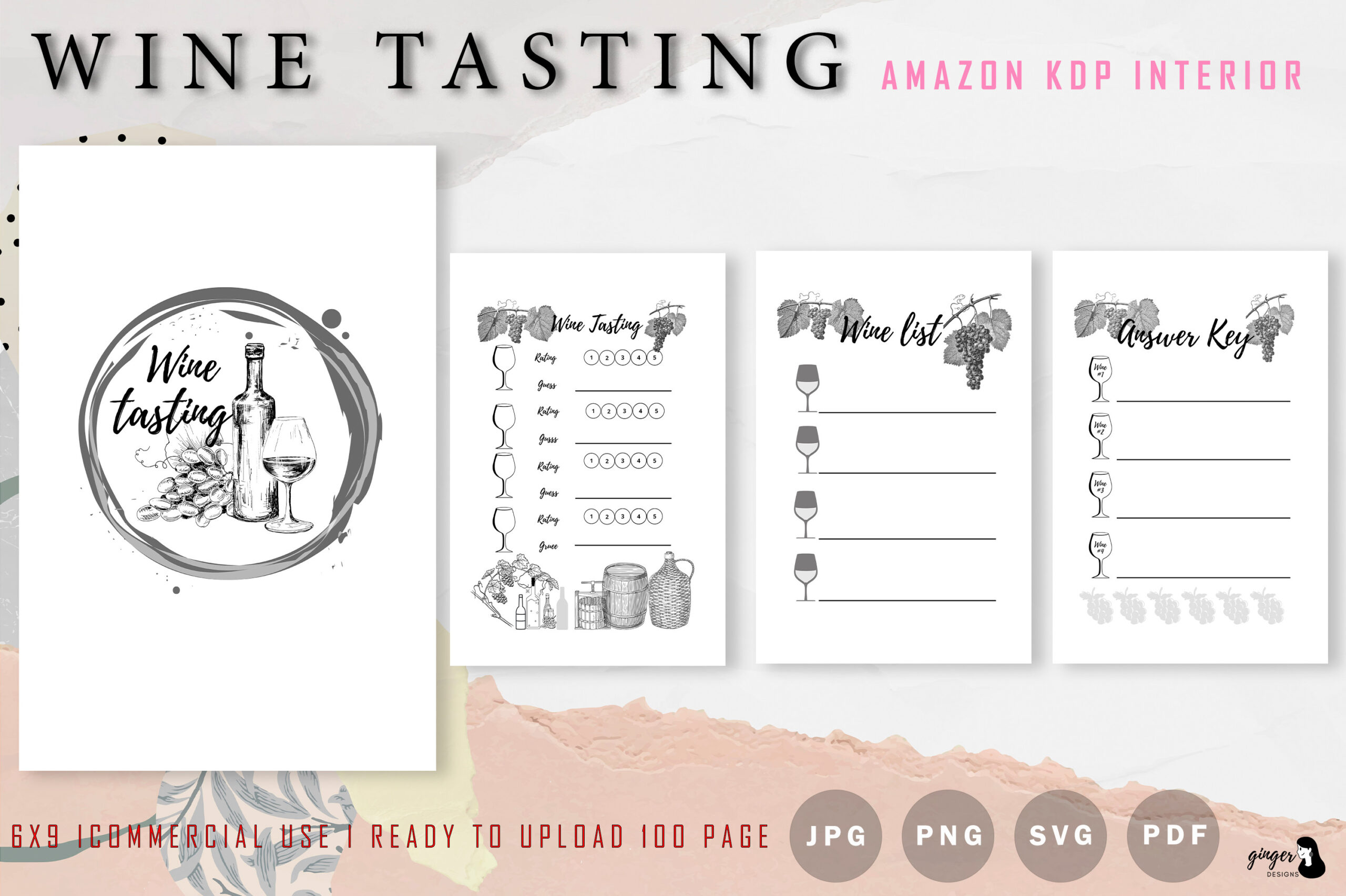
gingerdesign lists a 100-page, 6 × 9-inch interior with PDF, PNG and SVG files. Its file list also contains the unexplained label “JPF,” which should be confirmed with the creator if that format matters to you.
Choose it only after checking that the documented PDF or other usable files meet your needs. Do not treat the SVG entry as proof that every page is conveniently editable, or silently interpret the ambiguous JPF label as a guaranteed JPEG file.
Choose a Wine Tasting Journal You Will Keep Using
For quick bottle records, look for space for the producer, vintage, date and a short impression. For longer comparisons, leave room for the occasion and any food pairing you actually tried. These are suggestions for your own recording system; check each preview to see which fields the supplied layout contains.
A finished PDF suits a repeatable paper routine. Canva, PowerPoint and Illustrator files make sense when you want to change labels or page structure and already have the relevant software or access. Receiving an editable file does not mean that every decorative element or font is included without extra requirements.
Print a Sample Before Building a Whole Notebook
Compare the stated page size with the paper and binder you plan to use. A 6 × 9-inch interior and a US Letter page create different writing areas. Bleed describes artwork extending beyond a trim edge; it is not a promise that a home printer can print edge to edge. Review scaling, margins and duplex settings on one sample page first.
Keep related records where you will find them. A recipe binder can hold meal and pairing notes, while a travel journal gives a vineyard visit room for the wider story. If free writing matters more than structured fields, compare a daily reflection journal. Pick one layout, write a short sample entry and decide whether its space and prompts fit before printing a full book.