11 Practical Work Planner Templates for Meetings, Tasks and Focus
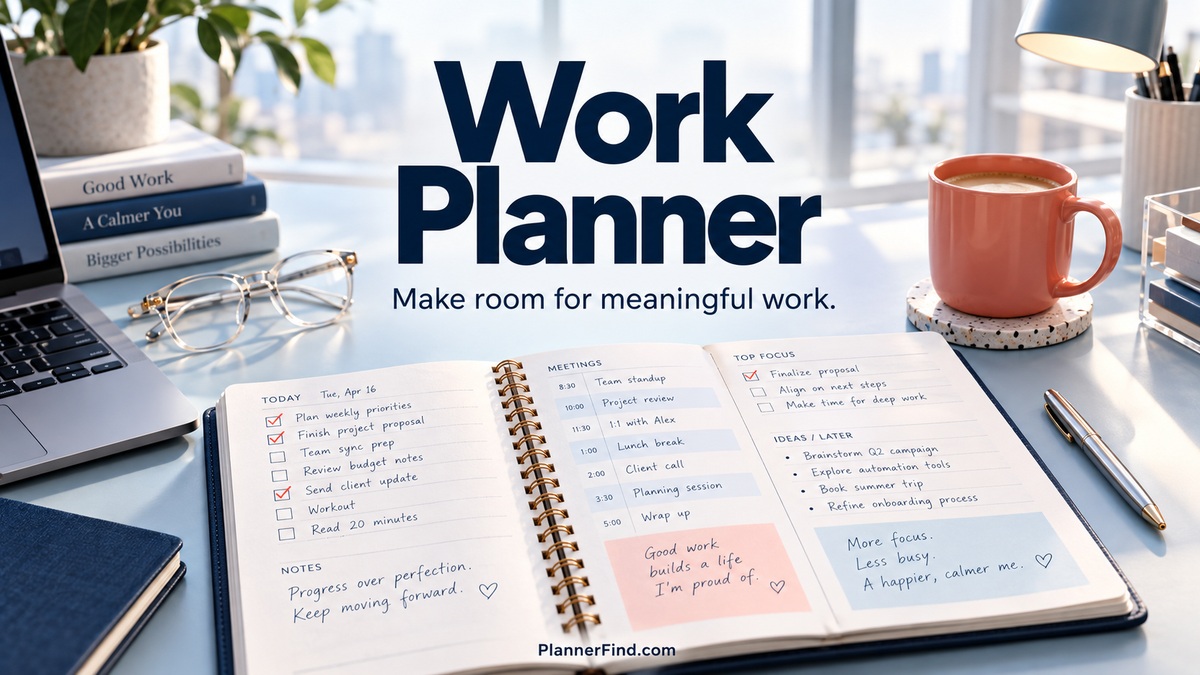
A work planner should help you keep promises: the meeting you need to prepare for, the follow-up you owe a client, and the task that must move forward before the end of the day. A useful layout makes those commitments visible without adding another complicated system to maintain.
These eleven options cover daily work sheets, remote-work layouts, a dated 2027 organizer, digital meeting pages, and focused-work workbooks. The emphasis is on employment and professional routines rather than general life planning. Product specifications come from the designers’ listings; the suggested workflows explain how those layouts could fit a real workday.
In this guide
What should a work planner help you manage?
Choose around the friction in your job. If calls and email follow-ups slip through the cracks, look for dedicated communication fields. If your day is dominated by meetings, keep appointments separate from the work you need to produce. If you work remotely, decide whether personal and professional tasks belong on the same page.
Check how the file is delivered. A finished PDF is convenient for printing, a Canva template lets you rename fields, and a GoodNotes file supports a tablet workflow. Illustrator source files are useful for design changes if you already use that software. These formats are different tools, not interchangeable promises of app compatibility.
Keep scheduling realistic. A page with many boxes does not create more available hours. Choose a few essential outcomes, reserve time around fixed commitments, and leave room for interruptions. The aim is a clearer working day, rather than a fully filled page.
1. Work Planner with Calls and Follow-Ups by JUNDI
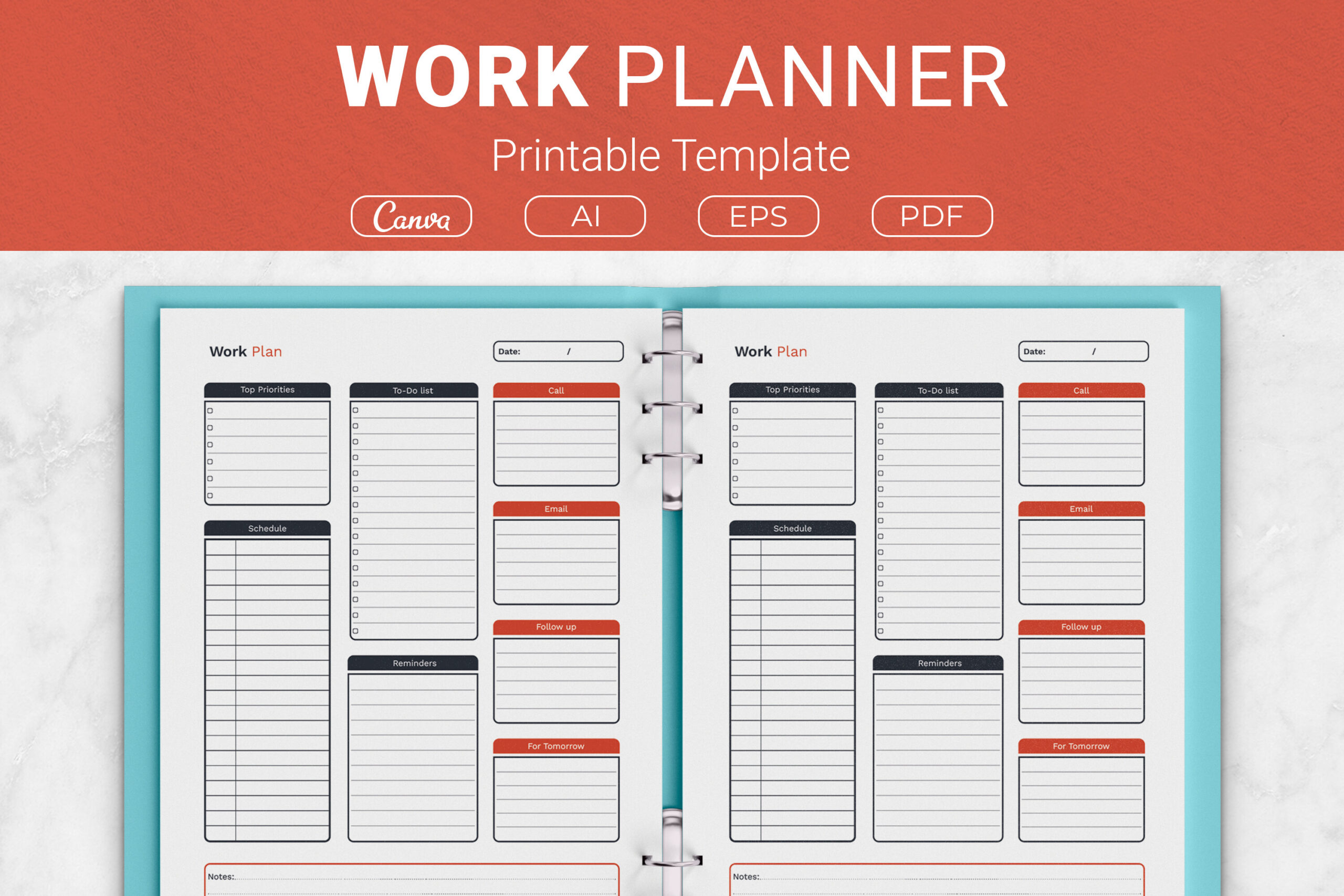
JUNDI’s work sheet includes top priorities, a schedule, to-dos, reminders, calls, emails, follow-ups, tomorrow’s tasks, and notes. The package lists print-ready PDFs, Illustrator and EPS files, and Canva template links. Four sizes are available: US Letter, A4, 7.5 × 9.25 inches, and 6 × 9 inches.
The dedicated communication fields are the main advantage. Use calls and emails for actions you need to initiate, then keep follow-ups for replies or decisions you are waiting on. That separation helps distinguish work you can do now from items blocked by someone else.
A single sheet is less suitable for detailed project documentation or lengthy meeting notes. Choose the larger size if your role produces many small commitments. Editing options are useful, but keep labels short and test-print after customization so the layout stays practical.
2. Undated Work From Home Planner by JUNDI
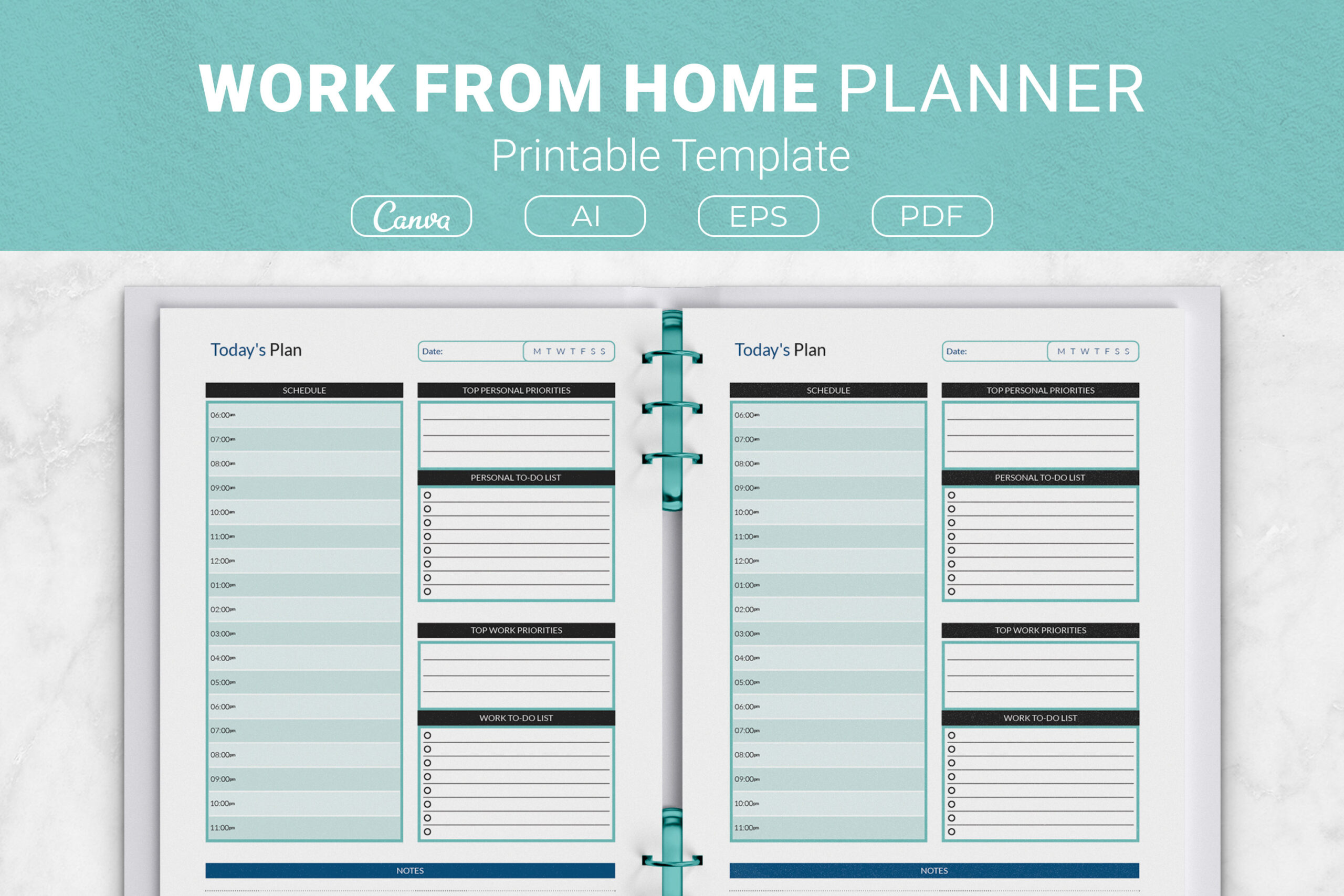
This undated layout separates personal priorities and to-dos from work priorities and to-dos, with a shared schedule and notes area. It comes in the same four specified sizes, with PDF, Illustrator, EPS, and Canva access. The structure directly addresses the overlap between home responsibilities and professional work.
Use the shared schedule to expose conflicts before the day begins. A delivery window, school pickup, or household appointment can affect a work session even when it belongs in the personal column. Keep the work priorities limited to the deliverables that matter today.
The page brings both roles together, which is useful for private planning but may be awkward if you share your schedule with colleagues. It is also a daily template rather than a detailed project tracker. Customize the labels if needed, or maintain a separate work-only version for professional use.
3. Remote Daily Work Planner by Templates by amleyy
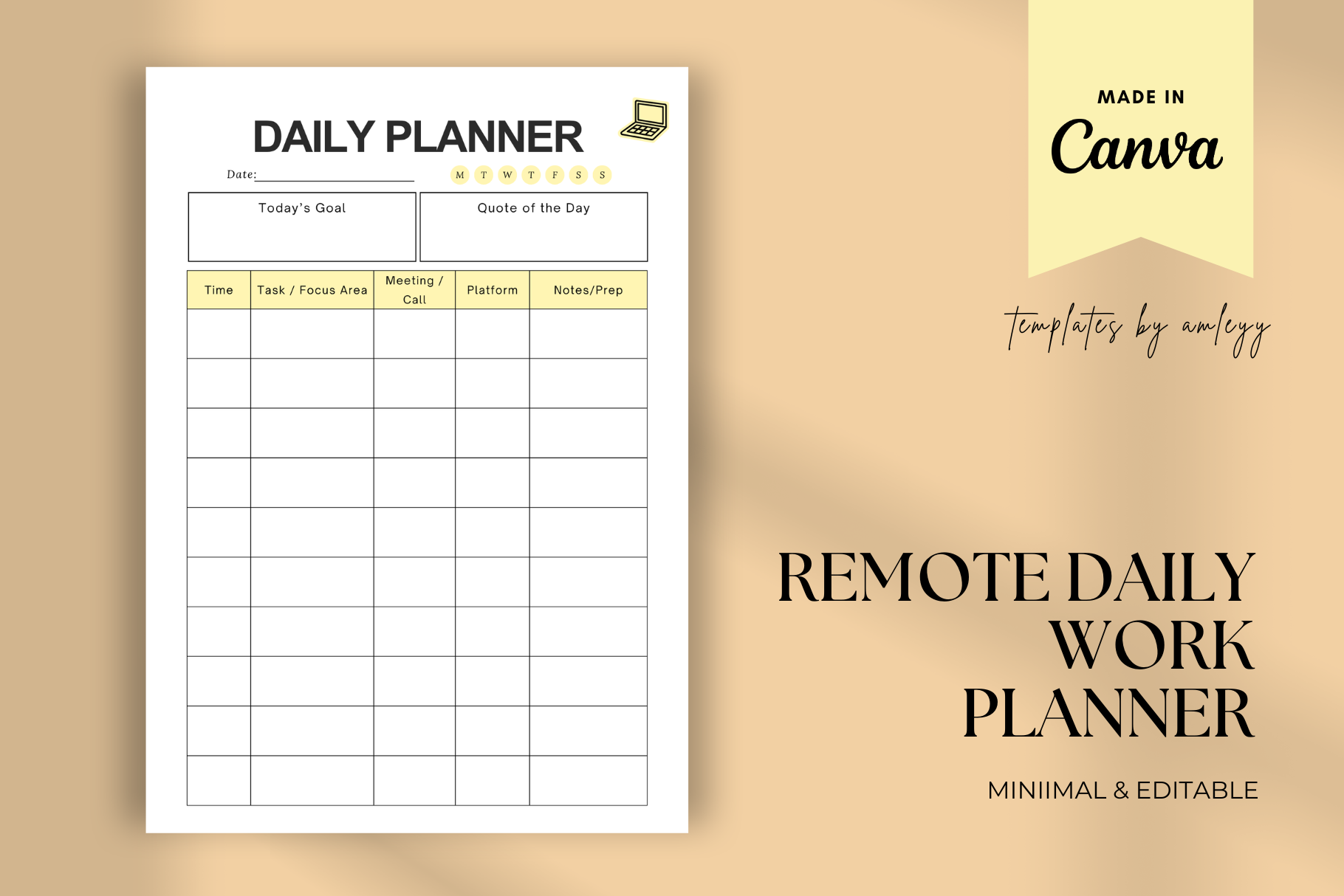
This product provides an editable Canva daily work template, delivered through a PDF containing the access link. The designer describes PNG output and says you can export the customized layout as PNG or PDF for print or digital use. It suits remote workers who want a reusable page with their own labels.
Adapt the template around the way you work: a client-focused freelancer might prioritize follow-ups, while a remote employee may need preparation time around calls. Those are customization ideas rather than confirmed prebuilt fields. Keep the page concise enough to update each morning.
The description does not clearly list every field or the page dimensions, so inspect the preview before choosing it. A Canva template is not an integrated task-management app, and exported files do not automatically provide reminders or shared task status. Its value is flexible visual organization.
4. Editable Productivity and Work Planner by Shumaya
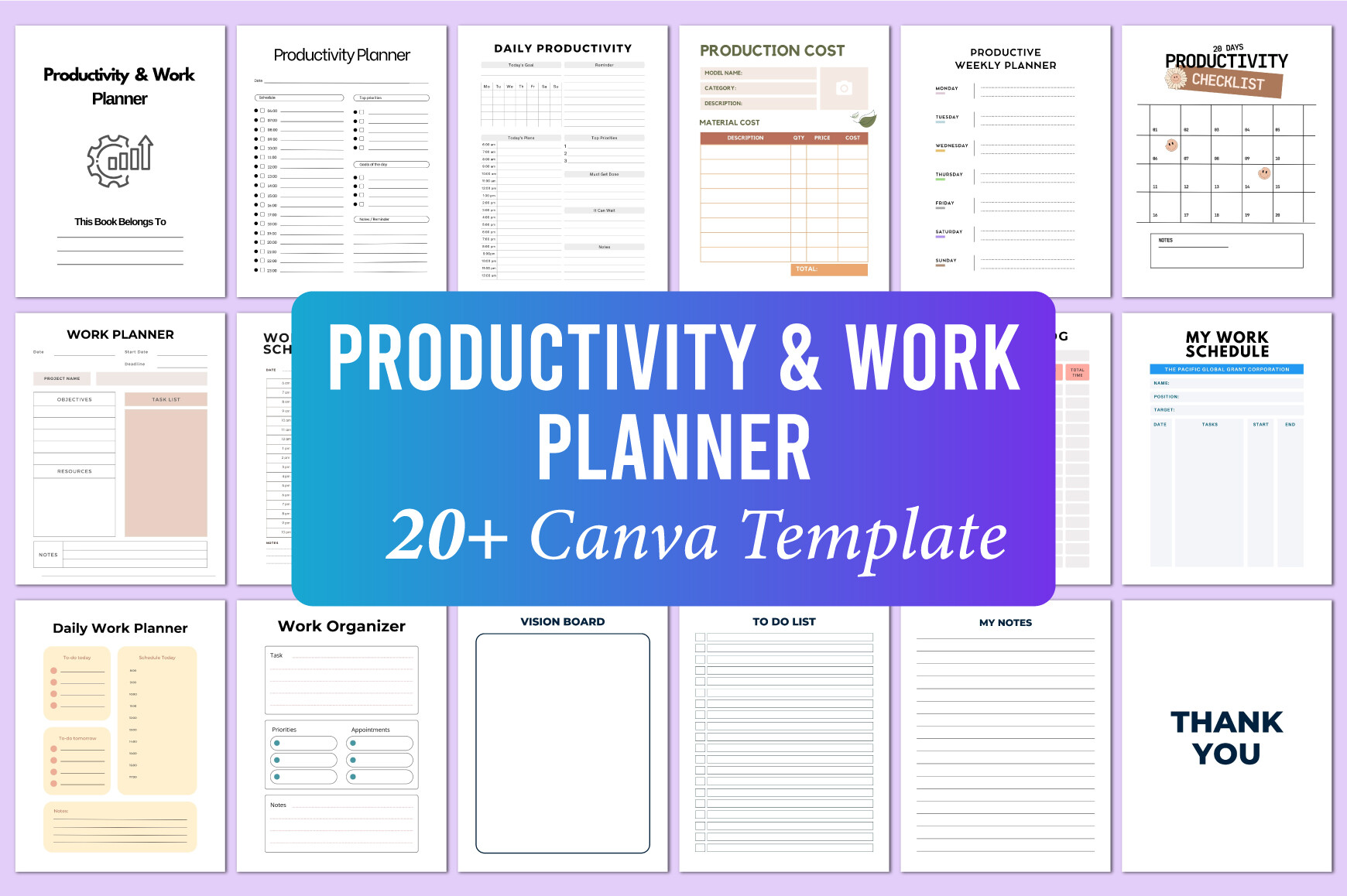
Shumaya lists more than twenty Canva-editable templates, with print-ready PDF, JPG, and PNG files in US Letter, 300 DPI, CMYK, and no bleed. The collection includes work schedules, a time log, daily work planning, an organizer, production cost, to-dos, notes, and several productivity challenges.
Build a small work set rather than using every page. A schedule can hold commitments, the time log can show where hours went, and the daily work page can keep the next deliverable visible. The production-cost section may be relevant if your role involves making or pricing goods.
Some pages focus on general productivity and 20-, 25-, or 30-day challenges, so the collection is broader than a simple office planner. Canva customization helps you remove sections that do not fit. Verify your exported page margins and avoid turning a useful three-page routine into a large binder you rarely review.
5. ADHD Deep Work Planner by KDP Lab
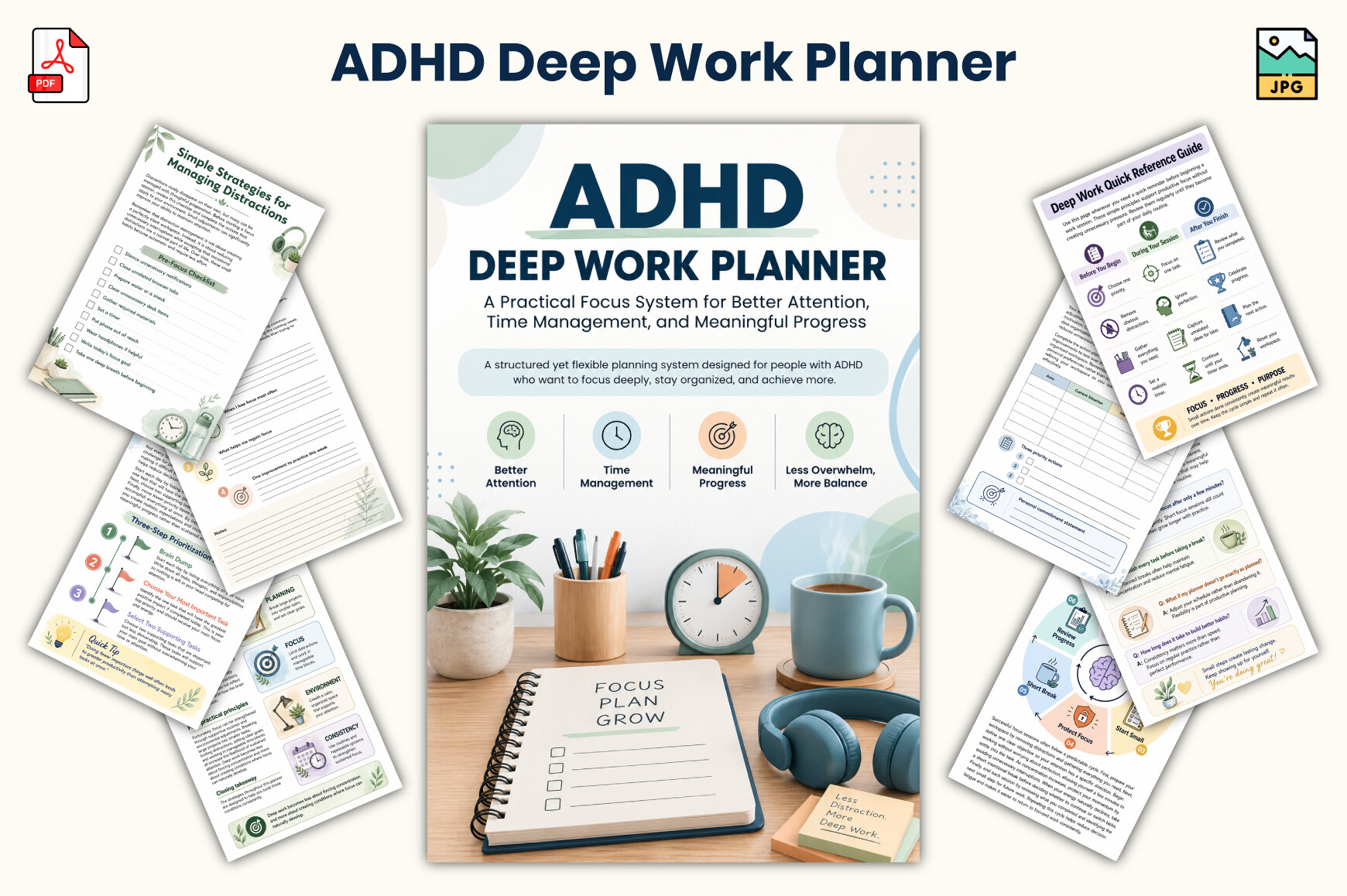
This 26-page workbook includes daily and weekly planning, focus checklists, habit tracking, action plans, reflection, and reference material. The listed files are PDF and JPG in 6 × 9 inches. The designer positions it around attention and distraction management, with a clean, readable layout.
For work planning, use a daily page to define one deliverable and a focus checklist to prepare the next session. Review which interruptions occurred before deciding what to change. That gives the workbook a concrete professional use without requiring you to complete every exercise.
The ADHD label describes the product’s intended audience; the listing does not establish clinical effectiveness. Treat it as a planning workbook, not a treatment. The small format may also provide less writing room than a Letter-size desk sheet, and no editable source file is specified.
6. Focus and Productivity Action Planner by munjix pro
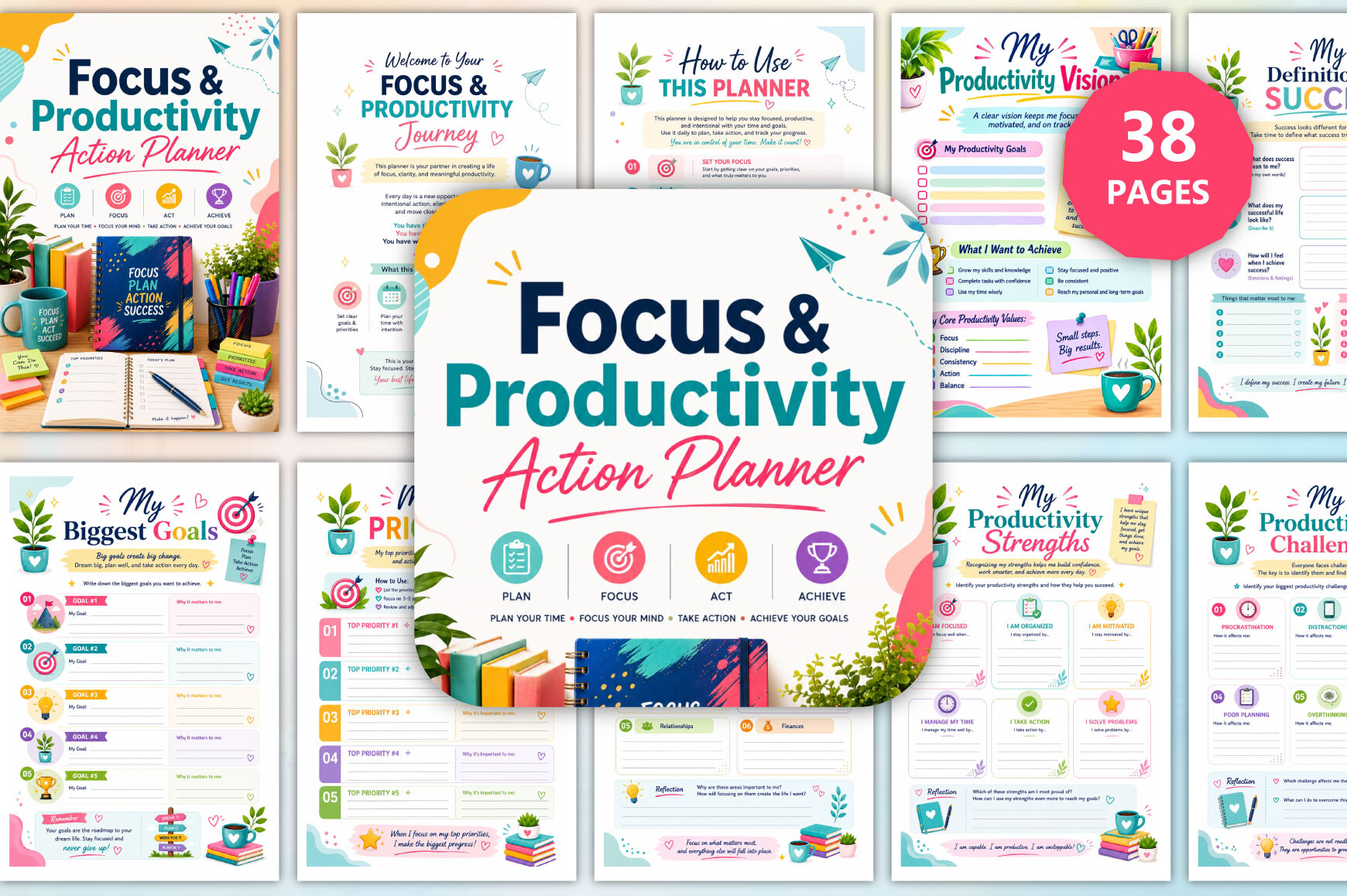
This 38-page workbook covers time and energy audits, daily and weekly focus, priorities, time blocking, deep-work sessions, obstacles, and reviews. Its PDF and JPG files are specified in a 6 × 9-inch no-bleed layout at 300 DPI. A thirty-day action plan is also included.
The work-specific opportunity is to connect focus with an observable result. Use a session page for a defined task, record the interruptions, and compare the intended output with what you completed. The important-versus-urgent framework can help you separate immediate requests from valuable work that needs protected time.
This is a guided workbook with broader personal-growth sections, not simply a meeting calendar. It will take more setup than a daily work sheet. Select the audit, session, and review pages that answer your main problem, then expand only if the extra exercises remain useful.
7. 2027 Office Weekly Planner by Monster Studio
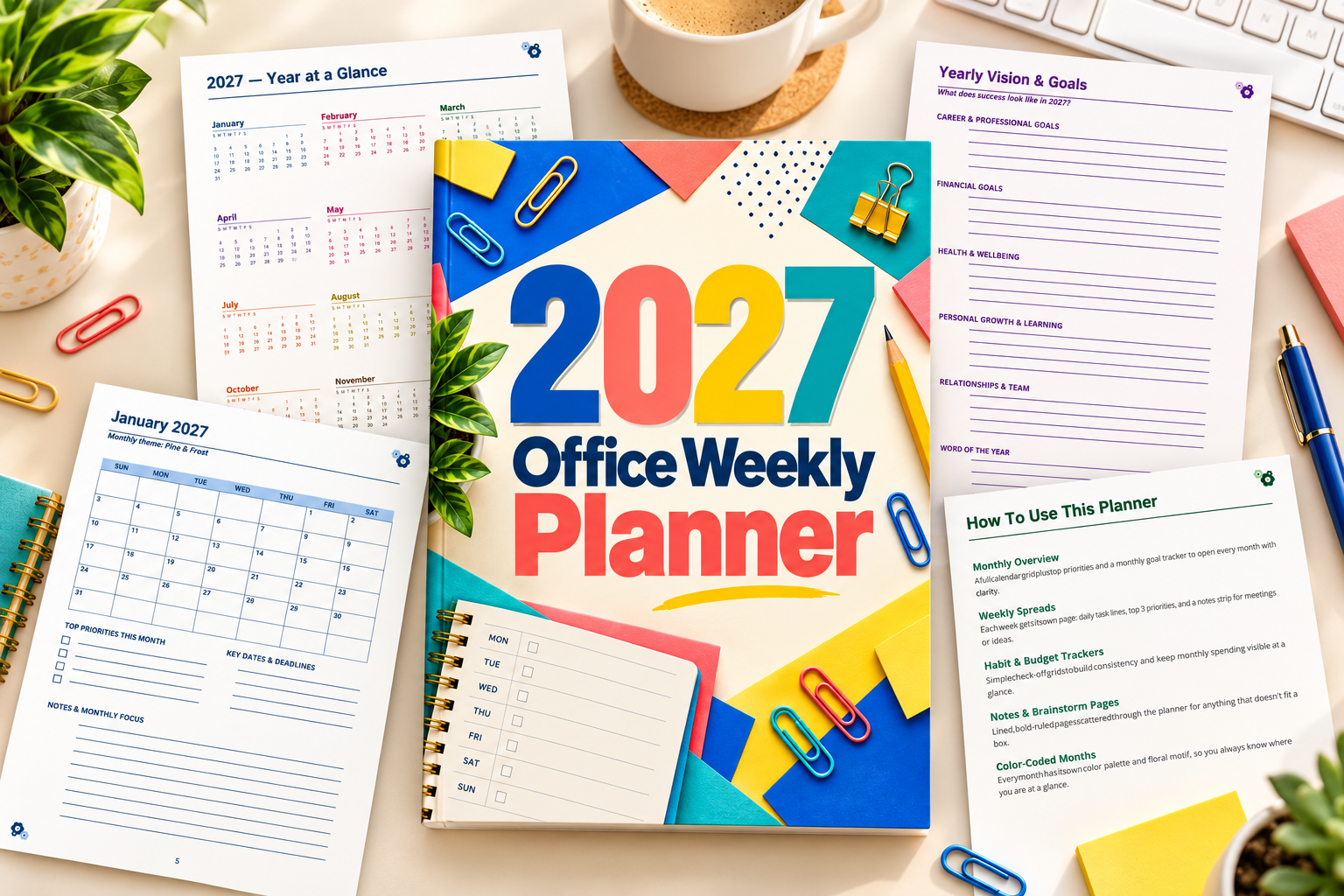
This 120-page US Letter PDF includes twelve monthly calendars and 53 dated weekly pages spanning 2027. Monday-to-Sunday layouts provide daily writing areas, top-three priorities, and notes. The designer also lists habits, budgets, contacts, project brainstorming, and reflection pages.
It works well as a central paper organizer for appointments and weekly deliverables. Add meetings first, choose the main outcomes for the week, and use the notes area for preparation or follow-ups. The project brainstorming pages offer a place to sketch ideas before they become scheduled work.
The dated structure is useful for 2027 but less flexible for a different year. Some reference and personal-tracking sections may be unnecessary for an office routine. You can print selectively; keep confidential information out of a planner that travels or may be seen by others.
8. Editable Weekly Work From Home Template by Azhartpaper
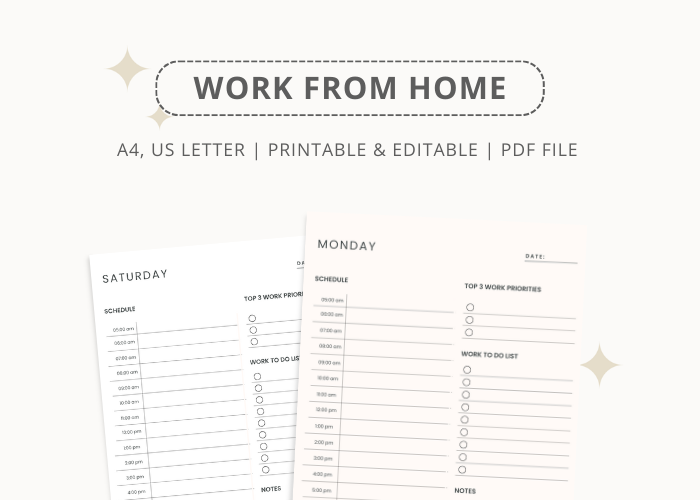
Azhartpaper lists a Monday-to-Sunday work-from-home planner in US Letter and A4, with a printable PDF and editable Canva template. The designer says the text can be edited. It is a weekly option for readers who prefer seeing the whole work pattern before choosing daily actions.
Use it to identify meeting-heavy days, deadlines, and the sessions available for uninterrupted work. The advantage over a daily sheet is visibility: you can move a flexible task to a quieter day instead of trying to squeeze everything into the same afternoon.
The description does not provide a detailed inventory of fields or a complete page count, so check the preview before purchase. Some wording in the listing is inconsistent, making the clearly specified sizes, Canva editing, and weekly coverage the safest basis for comparison. Do not assume additional project-management pages.
9. Pinksy Digital Work Planner by HimeMarieMC
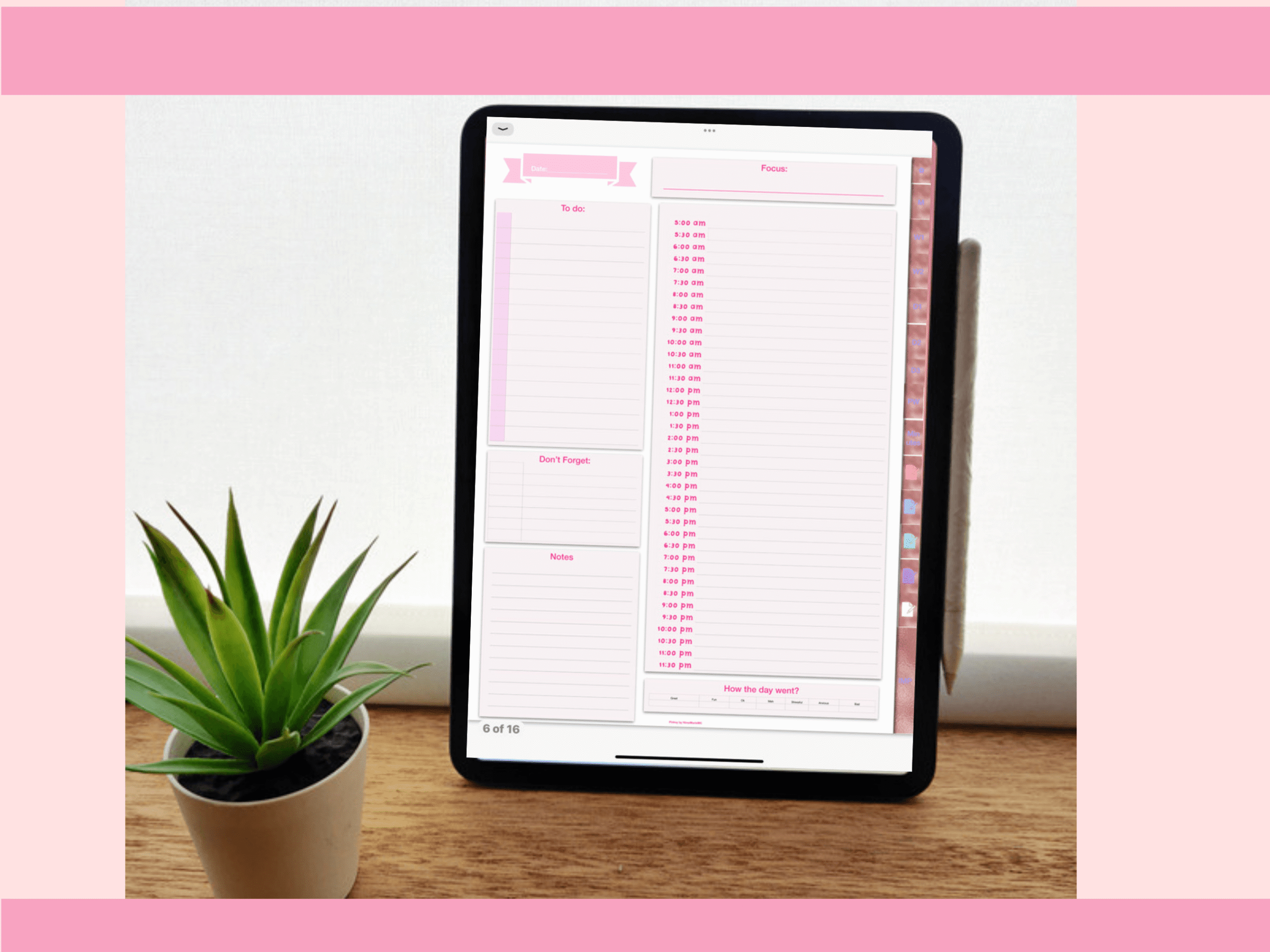
Pinksy includes sixteen templates, an undated monthly calendar, two weekly layouts, three daily layouts, meeting minutes, a password template, and several blank pages. PDF and GoodNotes files are listed, with an index that the designer says can be accessed from the left corner.
The range of daily layouts lets you choose a page that fits a meeting-heavy day or a task-focused one. Keep meeting minutes alongside the calendar, then transfer your next actions to the working page. The blank pages can support notes without forcing every item into a fixed form.
This is a tablet-oriented option rather than an editable Canva collection. The product description does not fully explain every navigation interaction, so confirm the preview if that is important to you. You do not need to use the password page; choose only the templates that support your professional routine.
10. 120-Page Work Planner Interior by Raw Vector
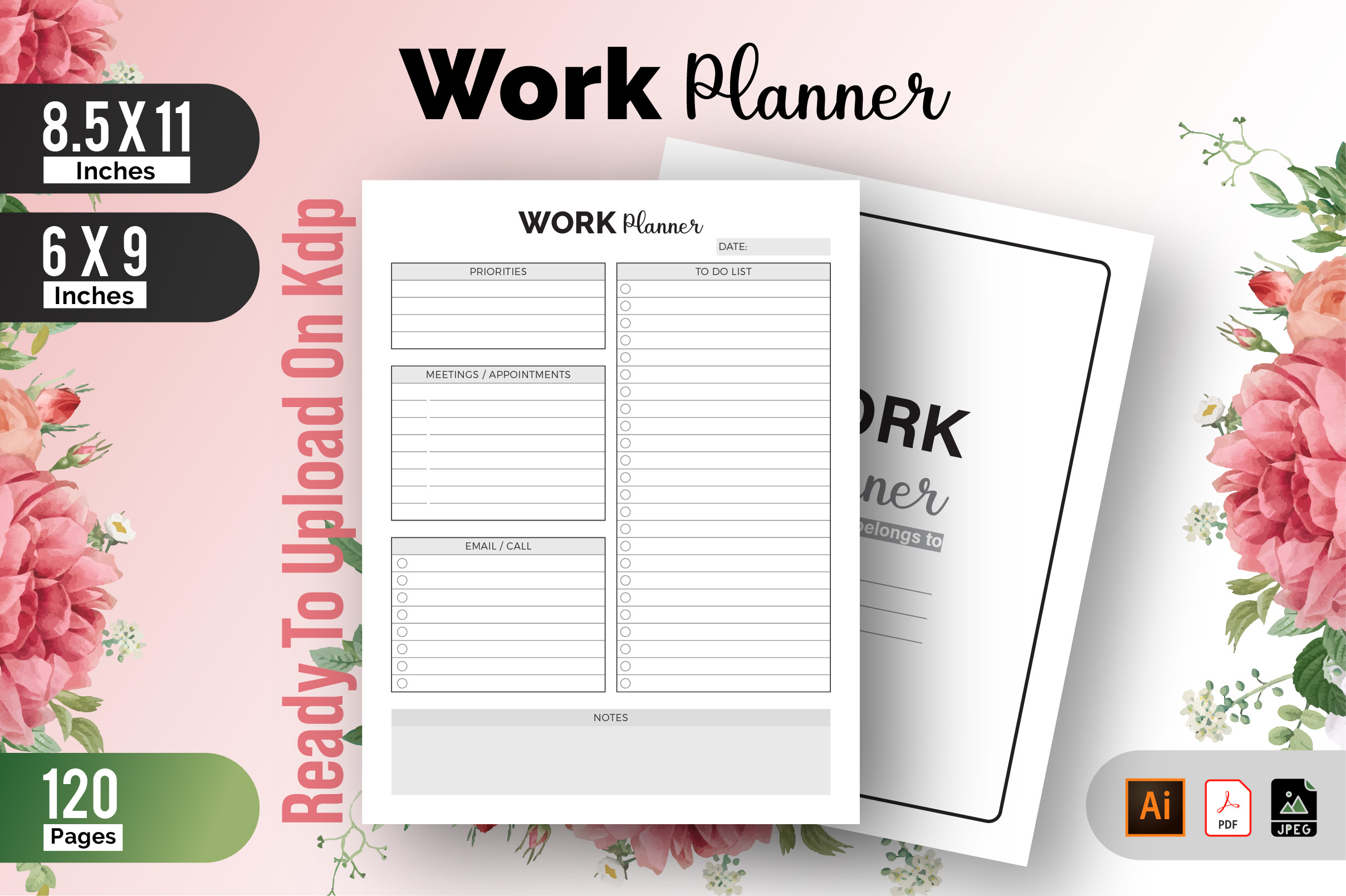
Raw Vector lists a 120-page work planner interior in two sizes, 8.5 × 11 inches and 6 × 9 inches, with no bleed. The package includes PDF, Illustrator, and JPEG files, and the source file is described as editable. It is a book-style alternative to a single daily insert.
The size choice is useful if you want a large desk notebook or a smaller planner to carry. Inspect the preview for writing capacity, then use the interior consistently for work-related tasks rather than spreading the same commitments across several notebooks.
The listing does not clearly describe every internal section, so do not assume dedicated meeting logs or a particular project timeline. Illustrator editing also requires appropriate software. Seller claims about KDP testing do not verify your own customized export; review layout and output settings before binding or publishing.
11. Deep Work Planner by Rosy Studios
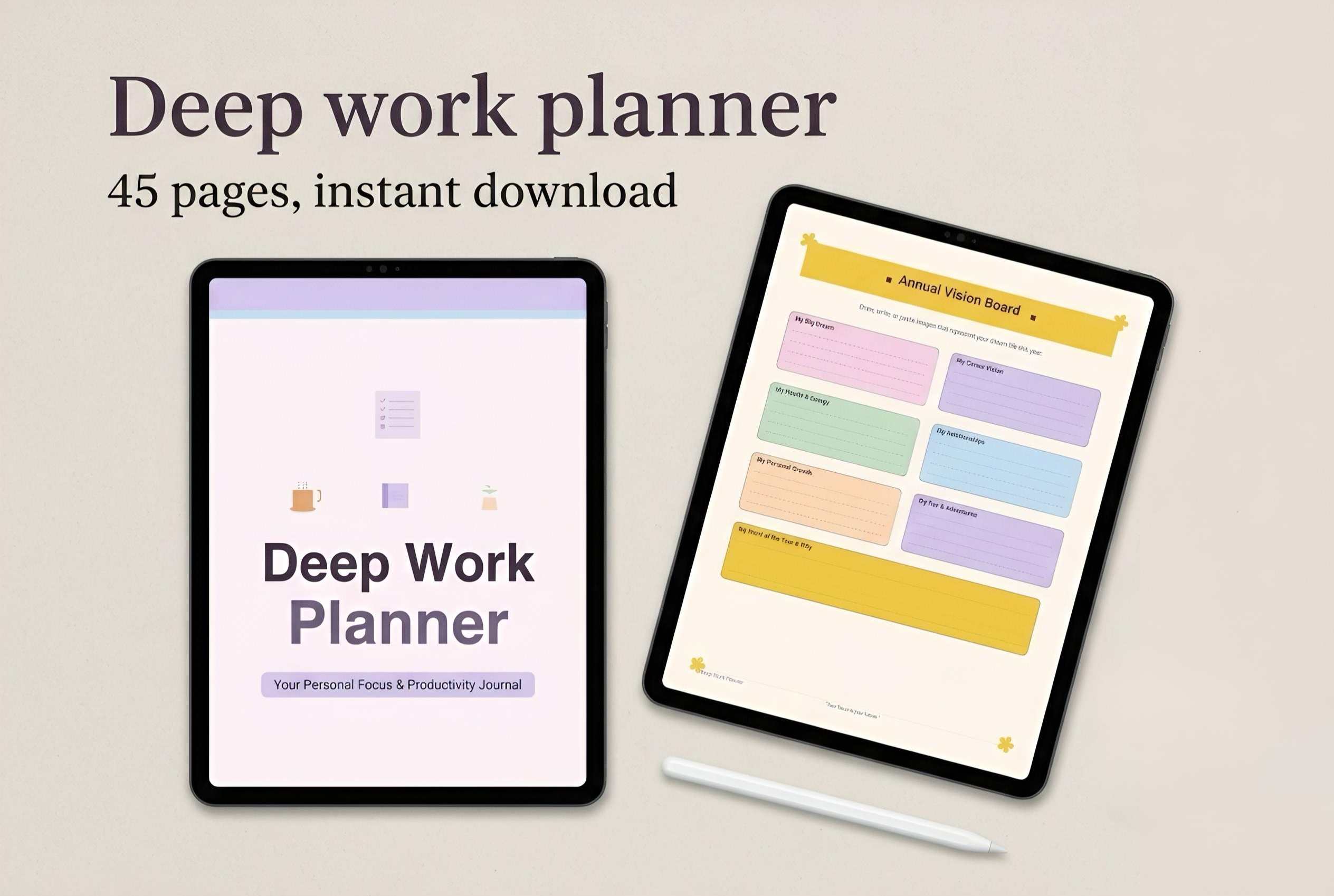
Rosy Studios combines planning with focus preparation: the listing includes an environment planner, distraction audit, digital-detox plan, time-blocking guidance, weekly dashboard, daily deep-work pages, session logs, and reviews. A thirty-day habit tracker and a focus-score tracker are also named.
The practical use is to prepare a protected work session before it starts. Define the output, set up the environment, and keep a distraction log so you can identify repeat interruptions. Weekly and monthly overviews can help you make room for those sessions around routine commitments.
The description does not clearly specify file formats, page dimensions, or total page count, so confirm those before buying. Its references to research-backed tools are not independently established by the listing. Choose it for the stated planning sections and pastel aesthetic, without expecting a guaranteed improvement in focus.
Turn meeting notes into visible follow-ups
Before each meeting, write the decision you need or the question you want answered. Afterward, record the next action with an owner and due date. Move your own actions onto the working page you will actually consult; notes left in a separate notebook are easy to overlook.
For larger initiatives, keep the daily work planner focused on your next tasks and use a separate project overview for milestones. If business-wide goals are the real issue, our business planner templates cover a broader level of planning.
A simple start-of-day and end-of-day routine
At the start of the day, add fixed meetings, choose the most important deliverable, and identify the follow-ups that require a response. Put a realistic work session beside that deliverable. The hourly daily planner guide offers more detailed scheduling layouts if your role needs them.
At the end of the day, distinguish completed work from waiting items. Record who needs to respond and decide what tomorrow’s first action will be. Carrying forward a clear next step is more useful than copying an unchanged list of vague projects.
Which work planner should you choose?
Choose JUNDI’s Work Planner for calls, emails, and follow-ups in a compact daily layout. Choose Pinksy for a tablet-oriented setup with meeting minutes and several daily and weekly layouts. Azhartpaper offers a weekly remote-work template, while the 2027 Office Weekly Planner suits a dated paper organizer.
If interruptions are the main problem, start with one focus-session page from a deep-work workbook. If you need a customizable set of work schedules and time logs, Shumaya’s collection provides more building blocks. Select the format that fits your existing routine, then test a small portion before printing or importing the whole product.