12 Useful Password Log Templates for Printable and Editable Records
Password log templates vary from a single printable sheet to a long alphabetical notebook, a Canva design source or an Excel grid. The right format depends on whether you want to print a blank page, customize the layout or maintain a private typed record. Page count alone says very little about how easy the log will be to find and update.
This guide compares twelve stationery and record-layout resources. They are not encrypted password managers: design editing, PDF form fields and spreadsheet storage are different workflows. Use sample placeholders when testing a layout, keep sensitive records private and check the actual download inventory before choosing a whole-book format.
Quick format comparison
| What you need | Start with |
|---|---|
| One reusable PDF sheet | Five paper sizes plus a longer 6×9-inch version |
| A small editable Canva page | One 6×9-inch page with PDF and PNG outputs |
| A typed grid in Excel | Eight color tabs and instructions; Excel required |
In this guide
1. Alphabetical Password Logbook with Affinity Publisher Source
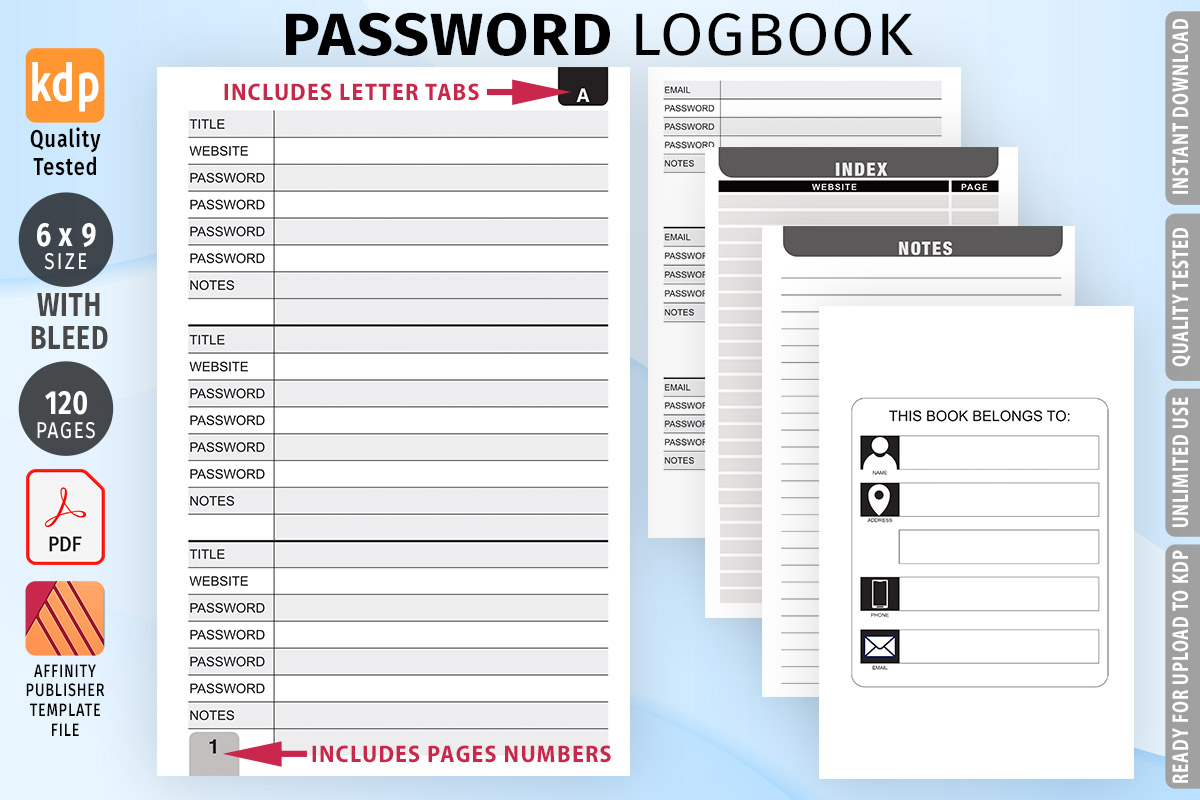
Low Content Templates lists a 120-page PDF interior and an editable AFPUB source file, with a 6×9-inch trim size and bleed. A–Z alphabetical tabs are part of the stated layout. It is a useful comparison candidate if you want a compact, organized paper record and already use Affinity Publisher to adjust a notebook interior.
The recorded 105 favorites are a popularity signal, while the layout and editing requirements matter more for daily use. An editable publishing file is not an encrypted password manager or a fillable online database. Check the printing margins and keep the finished record private. Any statement about KDP testing belongs to the seller; this review did not upload or test the interior on a publishing platform.
2. Printable and Fillable Password Log by SnapyBiz
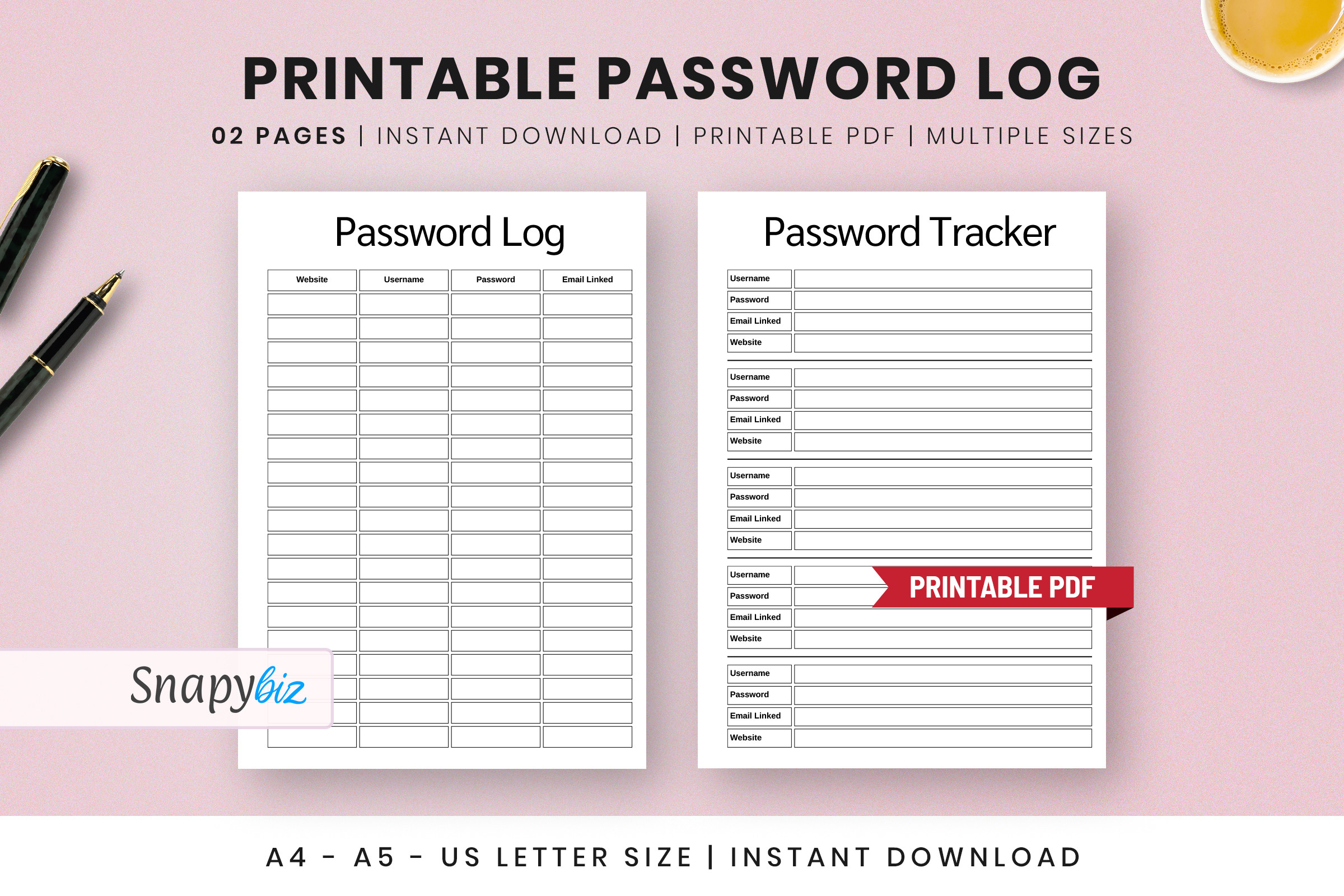
SnapyBiz describes a password log PDF for printing and filling, with A4, A5 and US Letter in the explicit delivery list. Half-size is also mentioned in the broader description, so check which versions appear in the download. It is a practical first comparison for someone who wants a small number of reusable sheets rather than a complete bound logbook.
The recorded 5.0 rating from three reviews and 66 favorites support considering it, but they do not verify its security claims. Test the actual form fields in your PDF reader and use a blank copy for print proofs. A printable or fillable PDF does not itself protect account details; choose the file workflow and storage method separately.
3. Password Logbook with Three PDF Page Counts by Educare
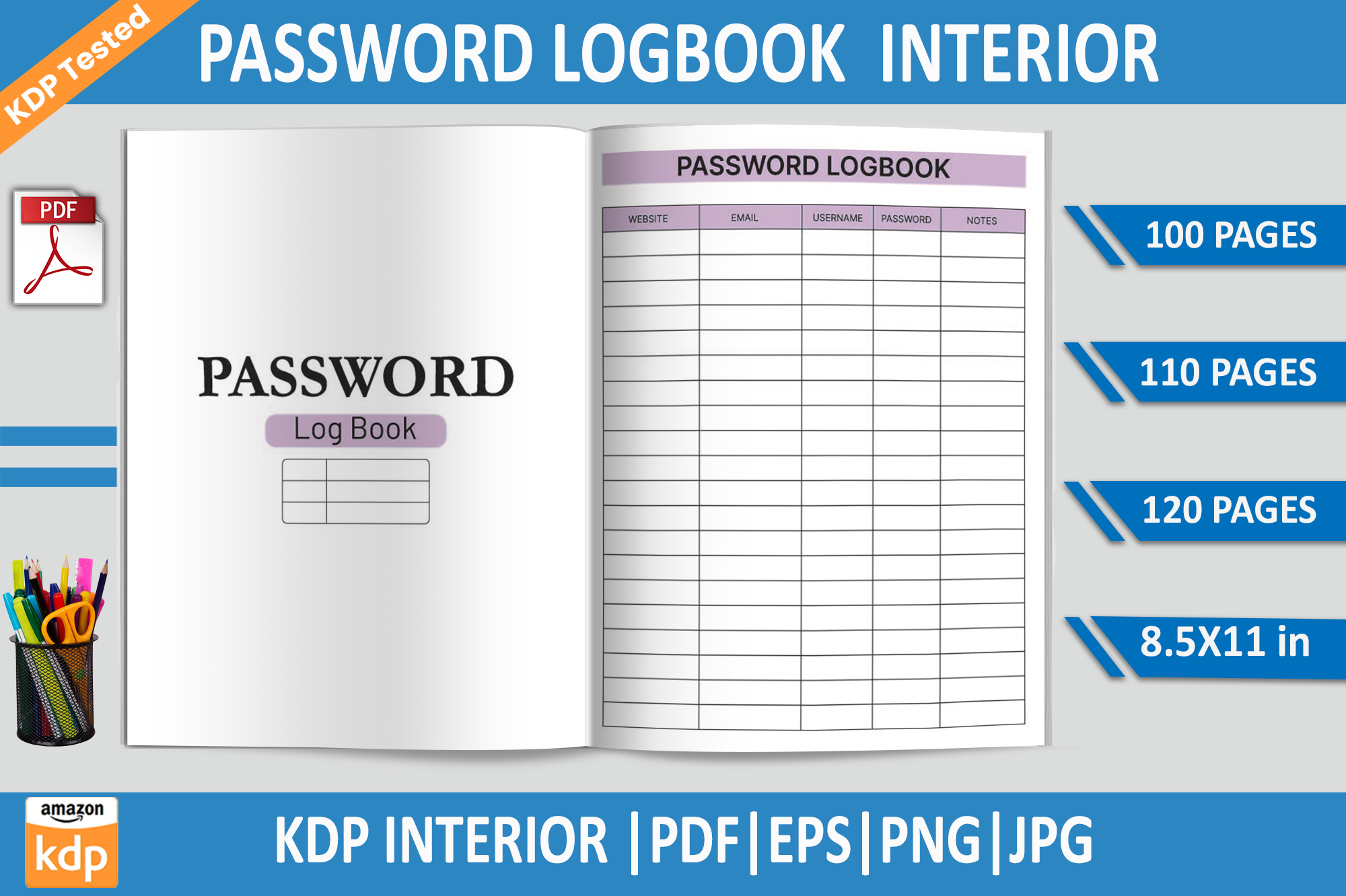
Educare lists PDF interiors in 100-, 110- and 120-page versions, along with EPS, PNG and JPG files. The stated page size is 8.5×11 inches with no bleed and 300 DPI. It can suit someone who wants a larger writing area or needs to compare shorter and longer versions before assembling a paper record.
Those PDF page counts are alternative interiors, not a promise of 330 different page designs. EPS is the named editable source, so check that you have a suitable editor before relying on customization. Printing a few sample pages is more useful than preparing the entire book immediately. Keep any publishing-readiness claims attributed to the seller rather than treating them as independently verified.
4. 120-Page Password Log in Two Paper Sizes
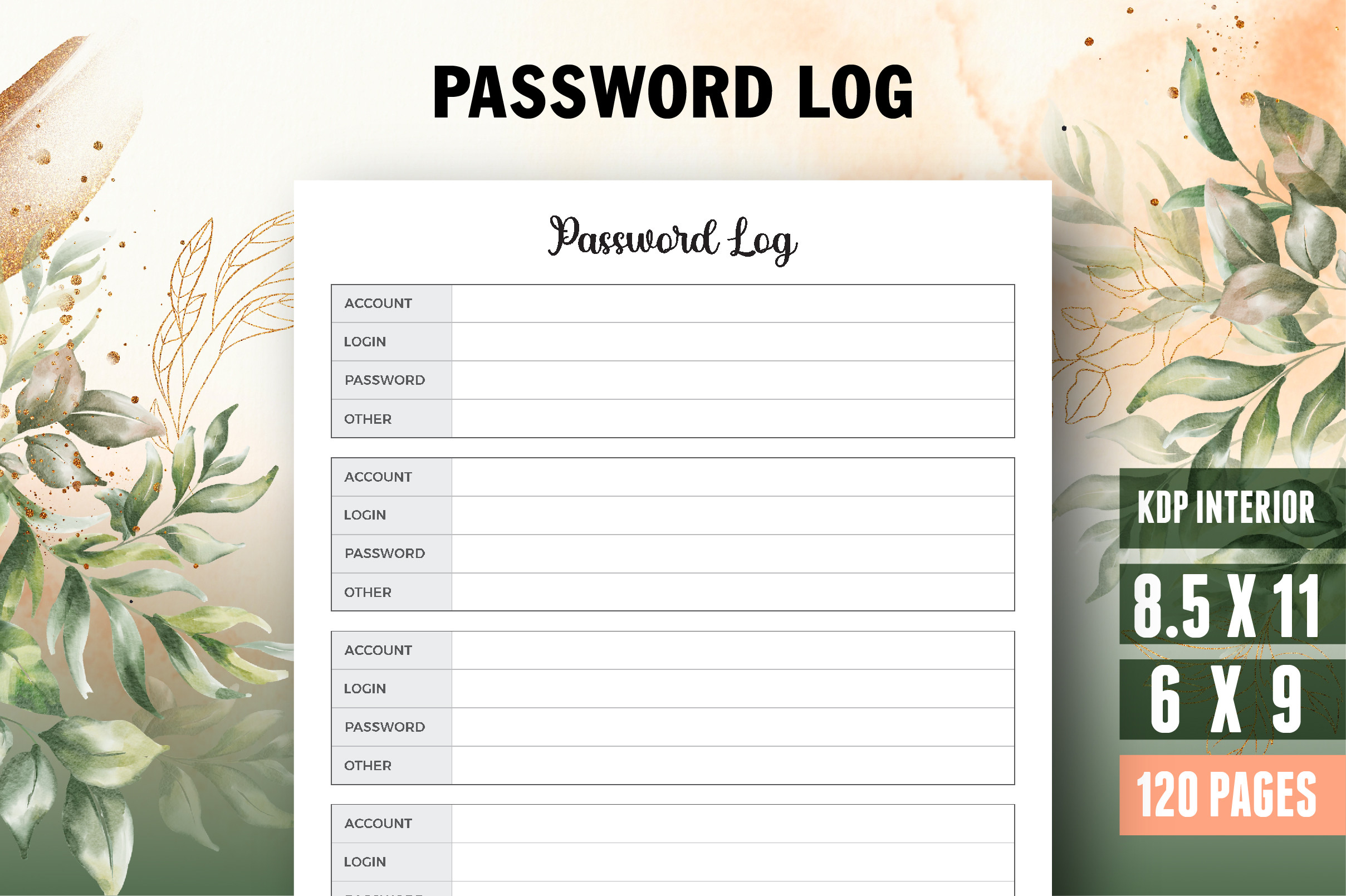
Vector Cafe supplies a 120-page password log with 8.5×11-inch and 6×9-inch sizes, bleed, and PDF, AI and JPEG formats. An ownership page and editable source are listed. The size choice is its practical advantage: compare the roomier desktop version with the smaller format before deciding how much writing space a record needs.
The AI source requires a compatible design workflow; it is different from filling the exported PDF with account information. Check whether the archive supplies both complete size versions and how bleed affects trimming. This is a stationery interior, not an automatic backup or encrypted credential system. The recorded 31 favorites help prioritize a comparison, but the final choice should follow the actual layout and print proof.
5. Editable Password Interior for Illustrator, InDesign or Affinity
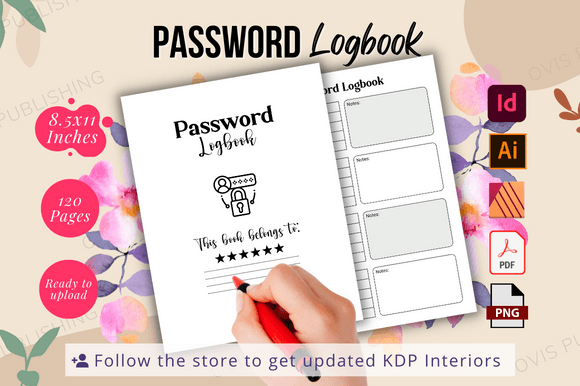
Ovi’s Publishing lists a 120-page, black-and-white interior in US Letter size with no bleed. PDF and PNG outputs are paired with AI, InDesign and Affinity Publisher template files. It is a useful option for readers who already work in one of those publishing programs and want control over the blank layout before printing.
Fonts are not included, and the creator describes the interior as needing your own cover for a complete book. Check font availability and open a sample source file before making extensive changes. Do design editing with a blank template; do not assume that a shared or cloud-based design document is an appropriate place for live account credentials. The format list establishes editing options, not a security feature.
6. Single Password Sheets in Five Sizes by Nickkey Nick
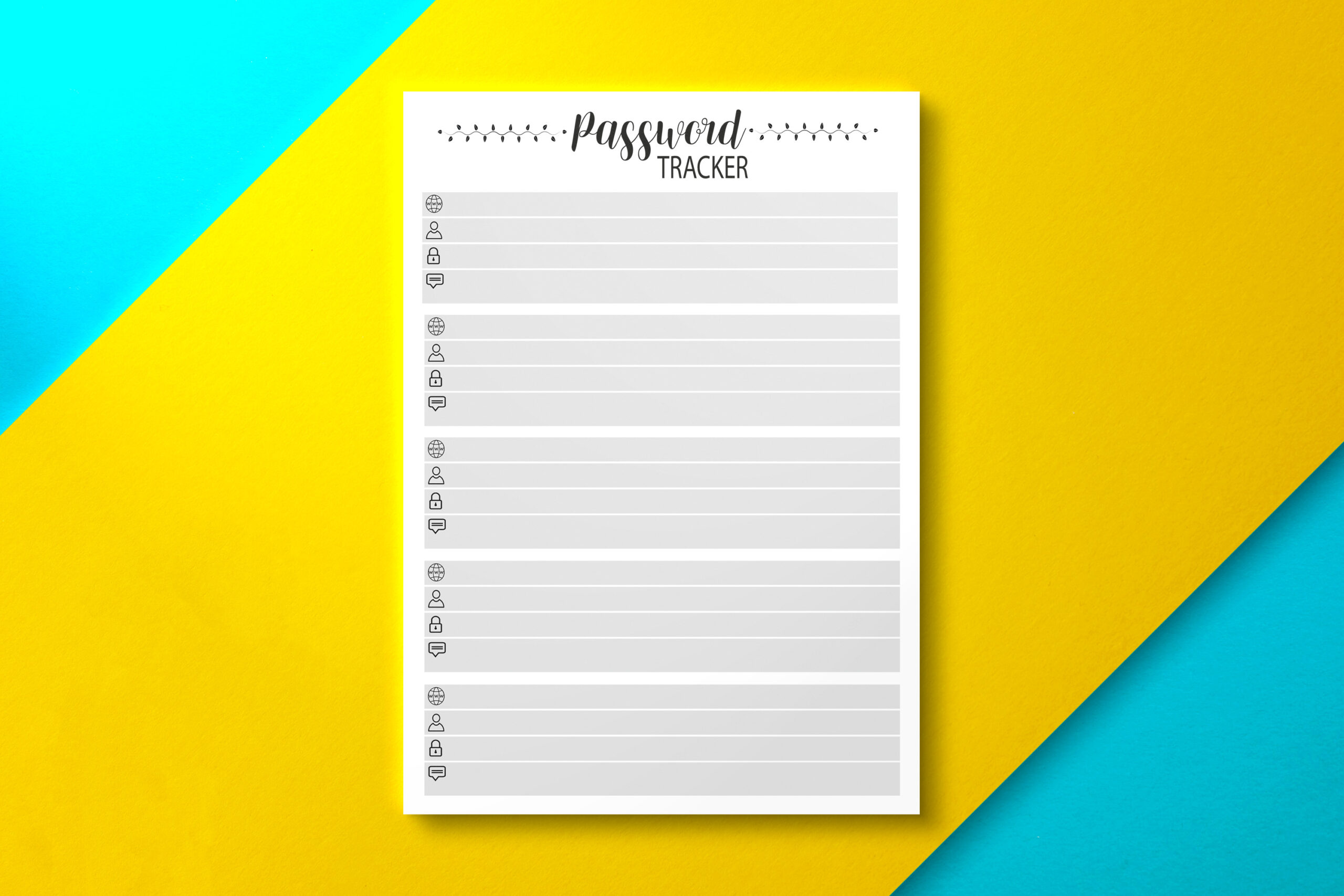
Nickkey Nick lists one-page PDF password trackers in Letter, Half Letter, A4, A5 and 6×9-inch sizes, plus a 110-page 6×9-inch version. This is a flexible choice if you are still deciding whether a single insert or a longer notebook suits your routine. You can compare the same basic record at several practical paper sizes.
A size variant is not a different security system or automatically a separate page design. Print the one-page format with sample placeholders first, then check handwriting space and binder margins. The description identifies PDF delivery but does not establish editable design sources or interactive form fields. Choose it for the range of paper formats rather than expecting database functions or password-generation tools.
7. Printable Account and Password Grid for Excel
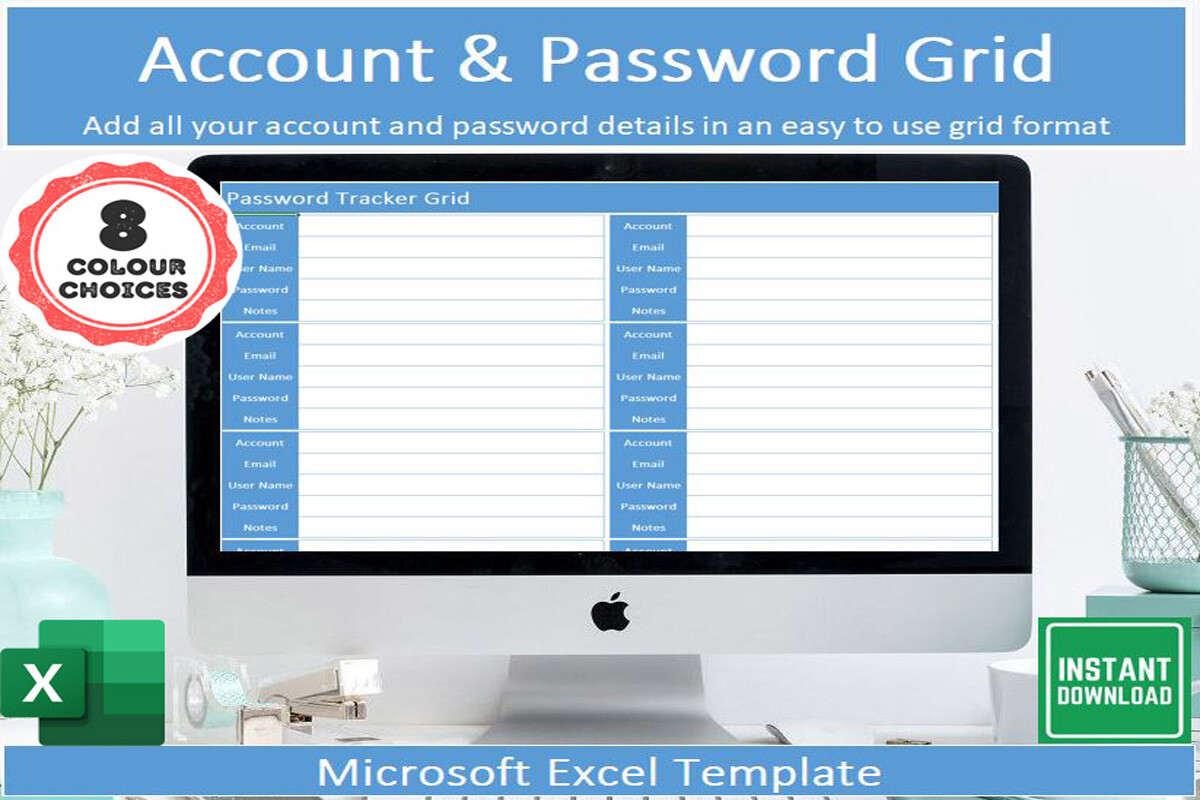
Veritastemplates supplies an Excel spreadsheet with instructions and eight tabs using different color schemes. The design is described as print-friendly and requires Microsoft Excel. It is the spreadsheet option in this collection, useful when you prefer typed records and want to choose a visual style before printing a blank or completed grid.
The eight tabs are color alternatives, not eight independently verified account-management tools. The listing does not establish encryption, a browser extension or automatic account synchronization. Decide how the file will be stored and shared before entering sensitive information, and do not place live credentials in a publicly shared workbook. Compare the printed grid at the actual paper size if your intended use is mainly offline.
8. Password Log Interior with AI, PDF and Image Outputs
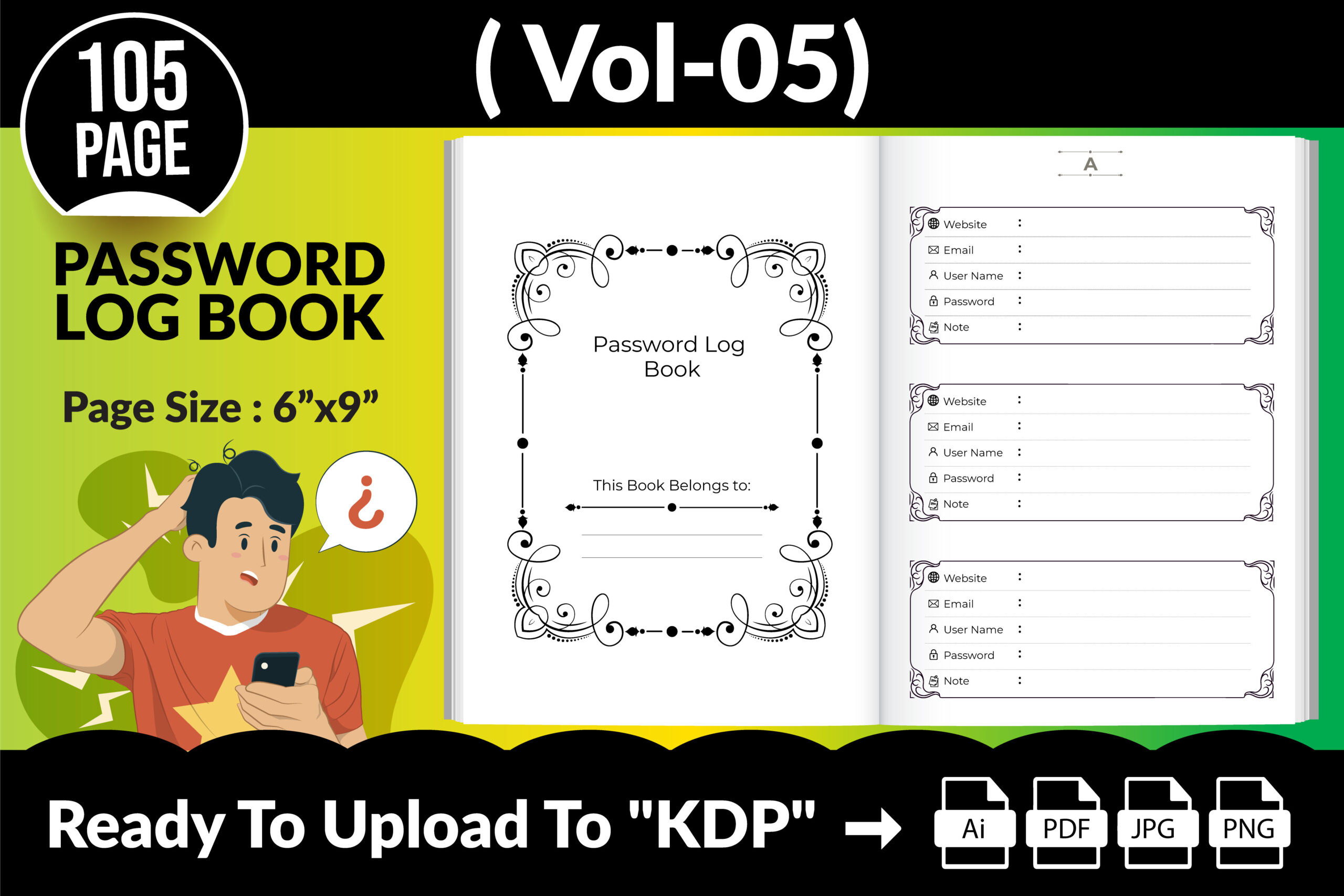
Creative king lists a 6×9-inch password-log interior with AI and PDF files plus 105 PNG and 105 JPG page images. It is useful when you want both an editable design source and separate page-image outputs, perhaps to select a small section for a personal printed notebook rather than using the complete interior.
The PNG and JPG counts describe alternate image formats and should not be added together as 210 different layouts. Check the PDF’s actual page total, margins and source-file requirements before preparing a bound book. Seller statements about publishing tests and ready-to-upload files are not a test performed here. The practical comparison is whether the page layout and editable AI source fit your workflow.
9. 110-Page Logbook with PowerPoint and Illustrator Files
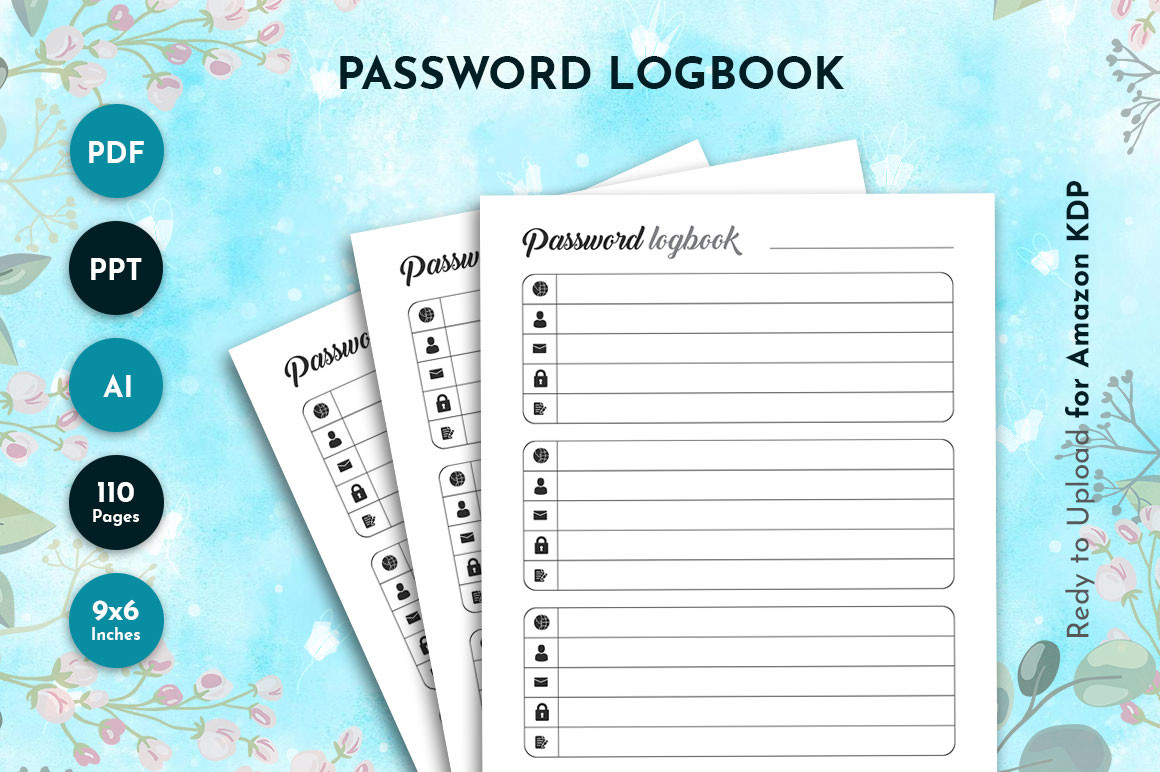
Waliullah Solutions describes a 110-page logbook made up of 109 password-log pages and one information page. The stated size is 6×9 inches with no bleed, and delivery includes PDF, editable Illustrator CC and PowerPoint files, plus a single-page JPG. It is worth considering if PowerPoint is a more familiar editing tool than specialist publishing software.
Check the source version you intend to use and print a few blank sample pages before building the full notebook. The separate JPG is a page image, not an additional complete logbook. A publishing template can help organize a paper layout, but it does not provide encryption, account monitoring or secure synchronization. Keep the final record and any editable copies under your own control.
10. 100-Page Canva Password Logbook with Front Cover
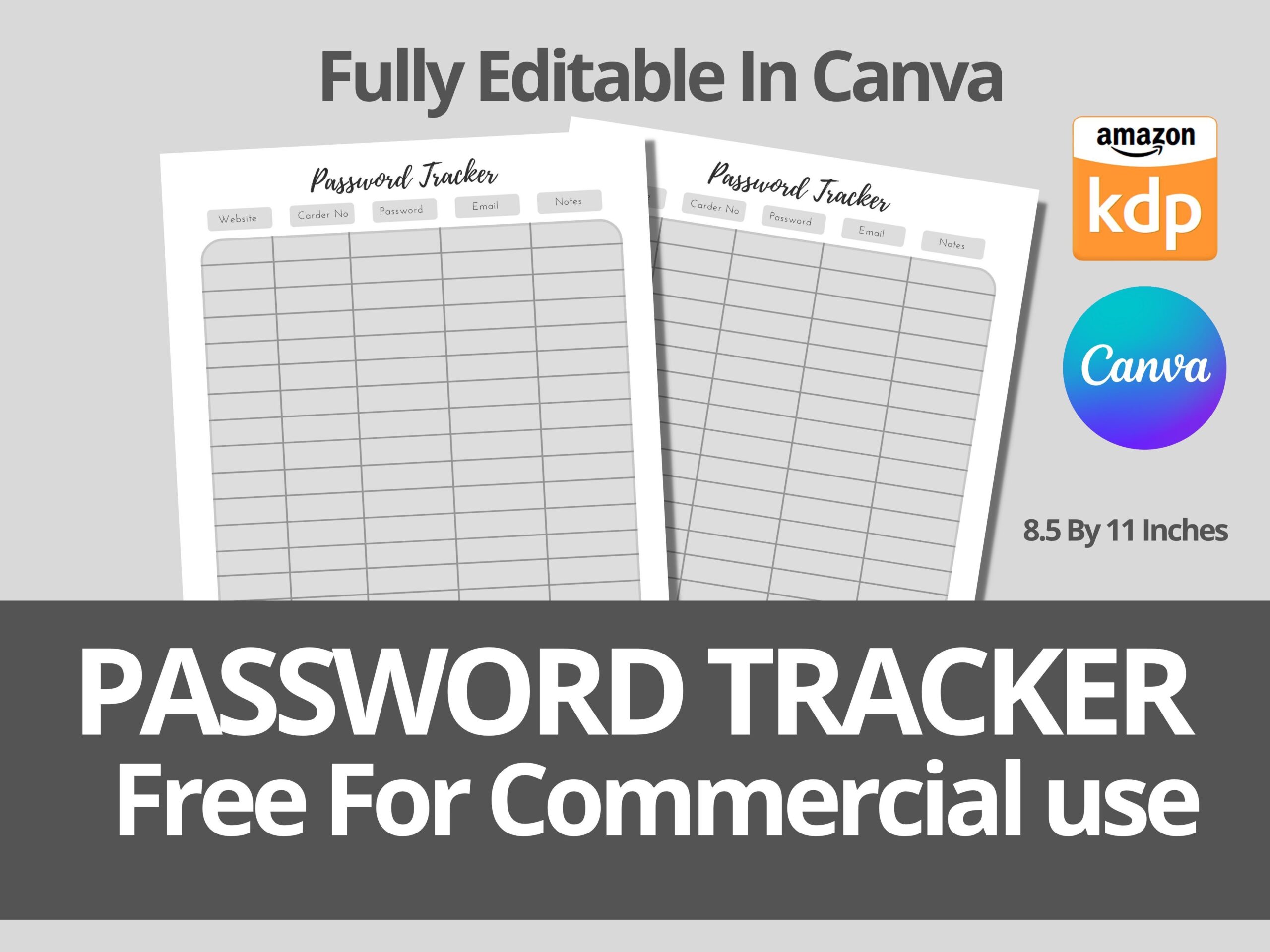
Skalling Dygital describes an editable Canva logbook at 8.5×11 inches, with 100 pages including the front cover. A link inside the supplied PDF opens the design template. It is a browser-based design option for changing a blank logbook’s appearance before exporting a personal print file.
Because the cover is part of the stated total, do not interpret the package as 100 password-entry pages plus a free extra cover. Make your design copy first and check the page order, margins and export settings. Canva editing is a layout workflow; it does not turn the logbook into an encrypted password manager. Use placeholders while designing and keep real account details out of shared templates.
11. One-Page Canva Password Tracker by SuperDesignByKoki
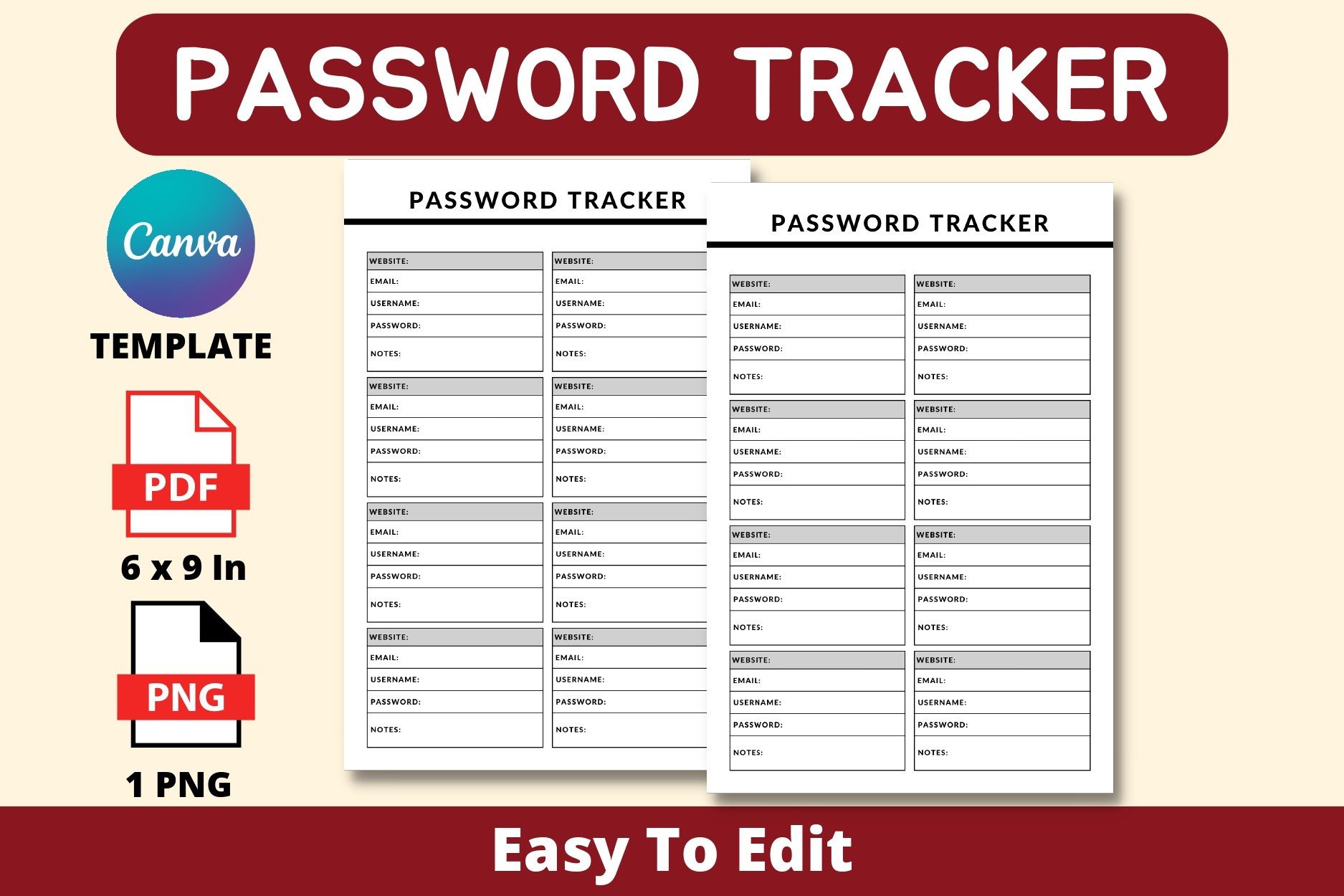
SuperDesignByKoki lists a single 6×9-inch, no-bleed tracker with fields for website, email, username, password and notes. Delivery includes a PDF containing the Canva access link, one PNG and one PDF. The seller says Canva Pro is not required, making this a focused option when you want one reusable record page rather than a large interior.
The access PDF and the printable page serve different purposes, so identify both before starting. Edit the blank layout in your own Canva copy, export it, and test the writing area with sample text. The listed source does not establish interactive PDF fields or spreadsheet features. Choose this when simplicity matters more than alphabetical navigation or a long preassembled book.
12. Three Editable Canva Password-Log Pages
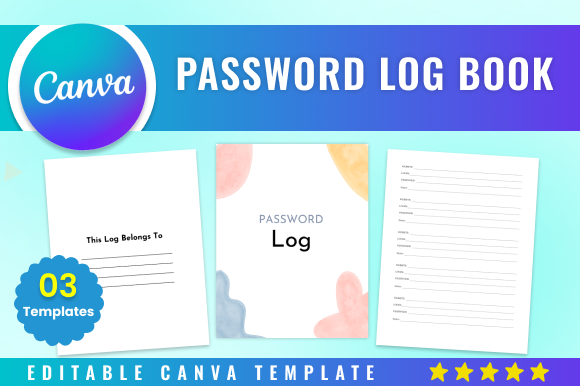
BoudaTemplate offers a short, three-page Canva logbook template at 8.5×11 inches with no bleed. The creator says it can be edited with a free Canva account. It is the small starter set in the collection, suitable for comparing a few blank page layouts before deciding whether you need a larger paper organizer.
The description names the Canva link but does not provide a detailed list of ready-exported PDF or image files. Plan to inspect the template and export the format you need yourself. A short collection can be easier to adapt than a large repetitive interior, but check the actual record fields and print margins. Use a private offline record for sensitive details rather than a publicly shared design copy.
Choose Password Log Templates by Editing Workflow
Start with a single page if you are still deciding what fields and writing space you need. A longer interior is useful when you want an alphabetical paper notebook, but repeated pages do not automatically add new functions. Check whether a total includes covers or information pages before comparing two books by size.
A Canva link opens a design template; an AFPUB, AI or INDD file needs compatible editing software. A PDF may be printable without having interactive fields. An Excel grid is a spreadsheet, not evidence of encryption or automatic account management. Inspect the exact file you intend to use and export or print a proof before setting up your record.
Fit the Log into a Small Home-Records System
For related record formats, compare the published address book templates and home management workbooks. Use the log only for the details you intentionally choose to keep, with a clear plan for private storage.
A separate subscription tracker can handle renewal dates and recurring costs without adding those fields to every account entry. Begin with one blank sample sheet, check the layout and choose a manageable format before printing a complete notebook.