
9 Simple Monthly Digital Planner Templates for Clear Monthly Plans
A simple monthly digital planner should make the month easier to see, not bury your schedule under dozens of complicated dashboards. For most people, a clean monthly calendar, quick navigation, a few useful weekly or goal pages, and compatibility with a familiar note-taking app are enough.
I compared nine Creative Fabrica options that range from genuinely minimal monthly templates to broader undated digital planners with useful monthly sections. The list includes GoodNotes, Notability, Noteshelf, Xodo, Samsung Notes, dated 2026–2027 options, and reusable undated layouts. You can also compare our aesthetic digital planners and digital planner roundup.
In this guide
Check the Calendar, Navigation and File Type
Choose a monthly-only PDF when the calendar is your main need, or a wider system when weekly pages genuinely help. For shared schedules, check the collaboration features in the app you plan to use. The listings here document downloadable files rather than a continuously shared browser calendar. Most options are manual PDF annotation workflows. Hyperlinks, copied pages and sticker import depend on the actual file and your app; they are not the same as automatic calendar syncing.
What Makes a Monthly Digital Planner Simple?
Simplicity is mostly about reducing navigation and visual clutter. Look for a clear month-at-a-glance page, obvious hyperlinks, enough room for events and priorities, and only the extra pages you will actually use. Undated planners are especially convenient because you can duplicate or reuse them instead of replacing the entire file every year.
1. Simple Monthly Undated Planner
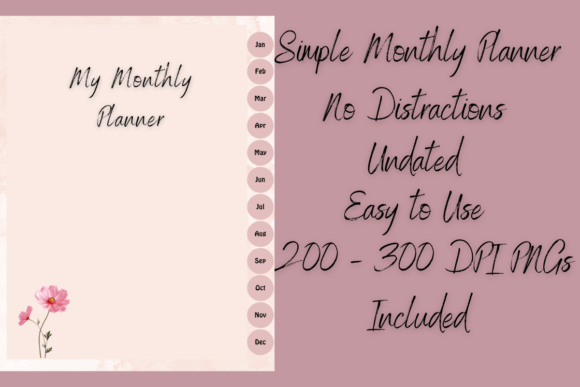
This is the closest match to a genuinely simple monthly digital planner. The muted-color design is fully hyperlinked and gives each month quick access to monthly, weekly, goals, and notes pages. Each month includes four weekly sheets, plus a goal page and notes sheet, and the download adds 200 individual 300-DPI digital stickers. It works with GoodNotes, Samsung Notes, and other PDF annotation apps.
Best for: Minimal monthly planning without distractions.
Practical limit: each month starts with four weekly sheets. The designer explicitly recommends copying a weekly sheet when you need an extra one. Check the copied page and navigation in your own app rather than assuming duplicated pages automatically gain new hyperlinks.
2. 12 Monthly Digital Planner
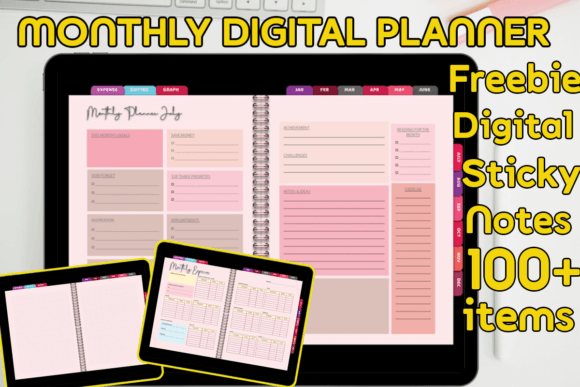
This undated planner is built around a full 12-month cycle and contains 48 pages: 12 monthly planner pages, 24 expense pages, six dotted-note pages, and six graph-note pages. Hyperlinks make navigation easier, and the download includes a PDF plus more than 100 digital sticky notes. It can be used in GoodNotes, Xodo, Noteshelf, and similar apps.
Best for: Monthly planning with expense tracking.
The 48-page count is a full undated twelve-month package, with two expense pages per month and supporting notes. It is a PDF planner with sticky-note images, not a spreadsheet with verified automatic expense calculations.
3. Free Undated Monthly Digital Planner
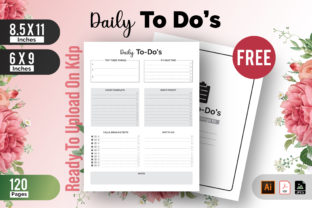
This option keeps the concept extremely simple: one undated monthly planning template for visualizing appointments, events, and tasks. The ZIP contains two PDFs, including a digital editable version and a printable version, and it can be imported into GoodNotes, Notability, Noteshelf, or another PDF annotation app.
Best for: A lightweight monthly calendar; check current access.
The current listing describes two PDFs in one ZIP: a digital monthly template and a printable version. The product name contains Free, but check the actual access conditions on the listing. No particular price, account eligibility or interactive form fields are guaranteed here.
4. Undated Digital Planner for GoodNotes
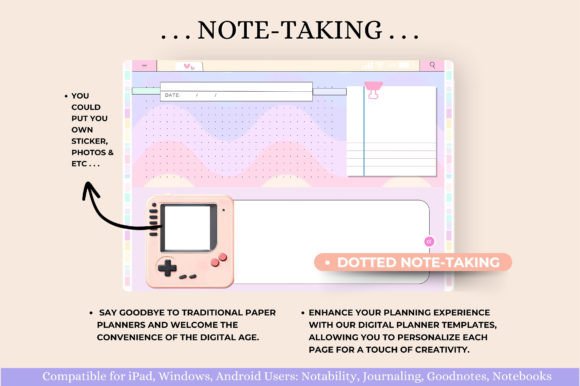
This reusable horizontal planner connects monthly, weekly, and daily pages with extensive hyperlinks. Beyond core scheduling, it includes productivity, health, and finance tools such as monthly budgeting, expense, savings, bill, debt, and spending trackers. The 11 × 8.3-inch package also includes a five-page digital sticker book.
Best for: Monthly planning plus life and finance tools.
The horizontal 11×8.3-inch package includes an undated planner, instructions and a five-page sticker book. A sticker book is distinct from a folder of individually cropped PNGs, so inspect the supplied file format before choosing it mainly for digital stickers.
5. Daily, Weekly & Monthly Digital Planner
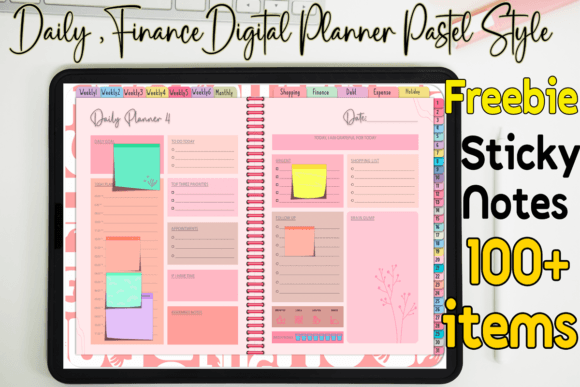
This pastel 56-page planner is designed for one reusable undated month. It includes 31 daily pages, six weekly pages, one monthly page, six weekly shopping pages, finance, debt-payment, monthly-expense, and holiday sections. The hyperlinked PDF works with GoodNotes, Notability, Xodo, and Noteshelf and comes with more than 100 sticky notes.
Best for: Planning one month in detail.
This 56-page design covers one reusable undated month, not a full twelve-month book. Keep a clean original and create a separate working copy or an organized month archive if you want to retain earlier entries.
6. 68-Page Undated Digital Planner
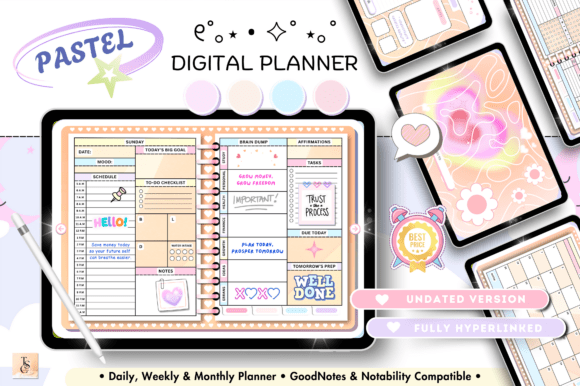
This 68-page horizontal planner is fully hyperlinked and reusable, with daily, weekly, and monthly planning plus routines, self-care, meals, productivity, health, and finance pages. Its finance section includes a monthly budget, no-spend challenge, debt payments, savings, and subscriptions. It supports GoodNotes, Notability, Noteshelf, Xodo, and Samsung Notes.
Best for: A reusable all-around iPad planner.
The 68-page horizontal planner is broader than a minimal monthly calendar. Use only the monthly and weekly sections you need; the additional finance and wellness forms are optional manual records, not automatic data feeds.
7. Digital Planner for GoodNotes & Notability
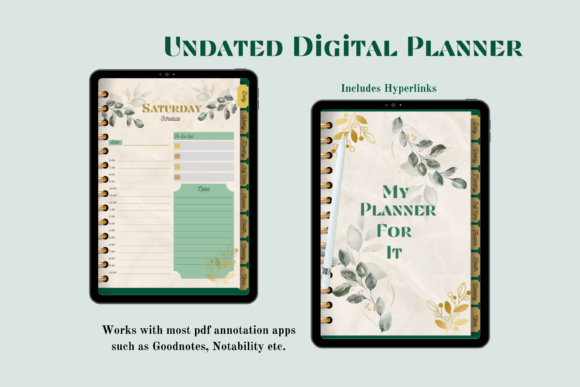
This 65-page undated planner uses eight hyperlinked sections and includes 12 monthly planner pages alongside weekly and daily layouts. Extra pages cover routines, mood, self-care, monthly budgeting, savings, debt, meals, fitness, cleaning, reading, and challenges. It is designed for PDF annotation apps such as GoodNotes and Notability.
Best for: A balanced monthly lifestyle planner.
The 65-page total includes eight sections and twelve monthly planner pages, alongside daily, weekly and lifestyle forms. Choose it when those supporting sections are useful, rather than treating its larger file as the simplest possible monthly-only option.
8. Digital Planner for iPad & GoodNotes
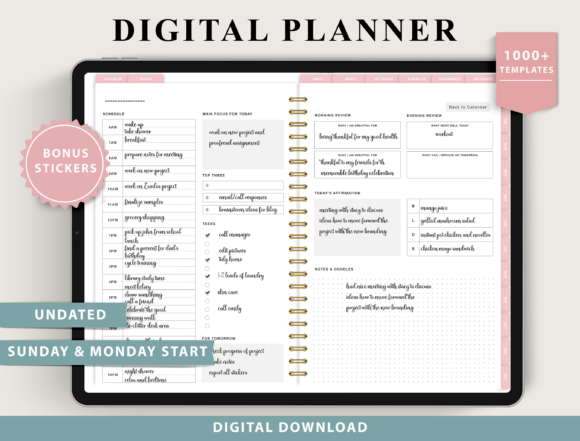
This larger undated system offers monthly planning as part of a broad collection of more than 100 templates. It includes Sunday and Monday starts, multiple weekly and daily layouts, digital stickers, and extensive trackers for finance, fitness, nutrition, goals, and everyday organization.
Best for: A highly customizable digital planning system.
Compatibility limits matter here: the listing excludes OneNote, Kindle, reMarkable2 and Chromebook use, does not design the file for printing, and limits phone use to reference. It names compatible PDF annotation apps; that is different from a universal editable document for every device.
9. Digital Planner 2026, 2027 & Undated
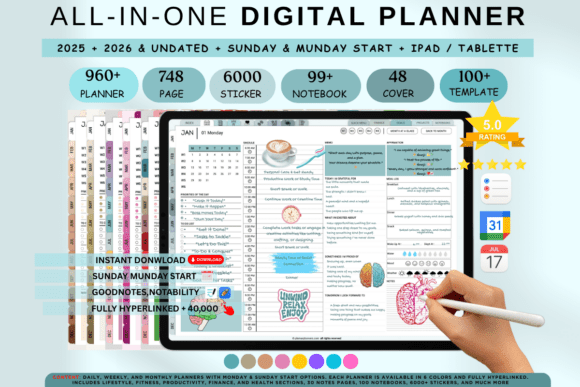
This cross-platform bundle is useful if you want monthly calendars without committing to a single year. It includes current 2026, future 2027, and reusable undated planning options, with monthly calendar space for goals, events, and notes. It is designed for apps including GoodNotes and Notability and offers multiple visual themes, including a minimalist beige style.
Best for: Switching between dated and undated monthly planning.
The existing bundle also advertises older 2025 material. For planning now, select the included 2026, 2027 or undated version and check the year inside the file. The listing makes calendar-integration and future-update claims that are not independently tested here, so they are not a reason to promise automatic syncing.
GoodNotes vs. Other Digital Planning Apps
GoodNotes is a common choice because hyperlinked PDFs are easy to navigate and annotate on an iPad, but most planners here are not limited to one app. Notability, Noteshelf, Xodo, Samsung Notes, and other apps that can import PDFs and support links can provide a similar workflow. Check the app and device you already use before choosing a planner rather than changing your setup just for one template.
Undated vs. 2026–2027 Monthly Planners
An undated planner is the simplest long-term option because you can start at any time, skip a month, and reuse the same file. A dated planner removes the setup work and is better when you want calendar dates ready immediately. The final option in this roundup gives you both current 2026 and future 2027 calendars alongside an undated version.
How to Use a Monthly Digital Planner Without Overcomplicating It
Start each month by adding fixed appointments and deadlines. Then choose a few priorities or goals and use weekly pages only when they help break those priorities into smaller actions. Avoid filling every tracker simply because it exists; unused sections can be ignored or duplicated later when they become relevant.
Which Simple Monthly Digital Planner Is the Best Fit?
The Simple Monthly Undated Planner is the strongest match if minimalism is your priority. The single-month template is a lightweight way to test the format; check its current access conditions before download. Choose the 12 Monthly Digital Planner when you also want expense pages, while the 68-page and 65-page options make more sense if monthly planning needs to connect with health, finance, routines, or daily schedules.
A useful digital planner should save time after the first few minutes of setup. Pick the smallest system that covers your real monthly planning needs, then add extra trackers only when they help you make better decisions.
Keep an Original and a Small Working Copy
Test one monthly page and a link before importing a whole system. Save the untouched download separately and name your working copies clearly. If the yearly file is more than you need, compare undated digital planners and choose the smallest structure that fits your schedule. The Download buttons lead to the current listings so you can inspect the files and access conditions.




7 Comments